4.3 Development and Testing

      By: Momina Mateen
Click for more >>>


             Creating the system

              Testing the system

            Improving the system


                                   Back to
                                   Contents
Creating the System
   • Once the data structure has been designed, it needs to be created
     using the software that has been recommended by the systems
     analyst.
   • The programmer produces the program code that is needed to
     solve the problem.
   • The nature of the problem determines how much programming is
     required.
For example:
(Small Company)
Main requirement: production of invoices and payslips
Solution: basic database package, spreadsheet package and word processor.
Big companies may require a whole brand new software to be written for them.
                                                                               Back to
                              In Our Scenario                                  Contents
In Our Scenario
    • Daniel needs to create a file structure for the
      customers, their orders and the payroll.
    • It is most probable that by this stage Daniel
      will have already designed the structures and
      has already selected the software for this.
    • Now he has to use the software to create the
      files.
  Back to                                          Back to
Creating the
  System
                                                   Contents
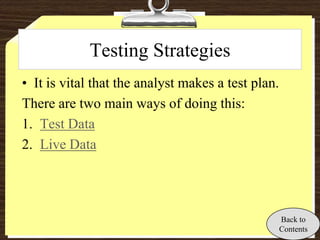
Testing Strategies
• It is vital that the analyst makes a test plan.
There are two main ways of doing this:
1. Test Data
2. Live Data


                                                    Back to
                                                    Contents
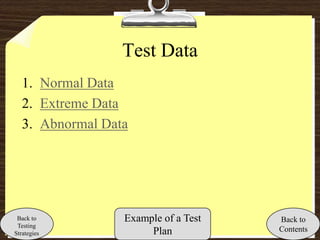
Test Data
   1. Normal Data
   2. Extreme Data
   3. Abnormal Data


 Back to          Example of a Test   Back to
 Testing
Strategies             Plan           Contents
Normal Data
   • This is data that is acceptable.
   • It should not produce an error when input into the
      system.
   Example:
   In a payslip no-one should have worked more than 65
      hours or less than 0 hours. So data that lies within
      that is entered and if an error message is produced it
      means that there is a problem with the system.
 Back to     Types of     Example of a Test              Back to
 Testing     Test Data
Strategies                     Plan                      Contents
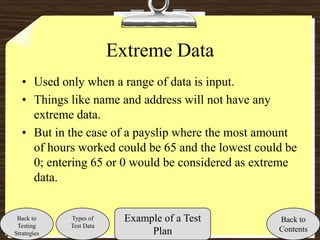
Extreme Data
   • Used only when a range of data is input.
   • Things like name and address will not have any
     extreme data.
   • But in the case of a payslip where the most amount
     of hours worked could be 65 and the lowest could be
     0; entering 65 or 0 would be considered as extreme
     data.


 Back to     Types of      Example of a Test        Back to
 Testing     Test Data
Strategies                      Plan                Contents
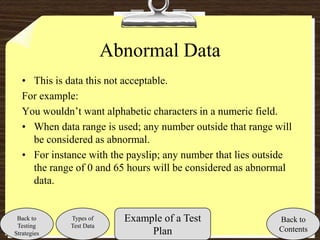
Abnormal Data
   • This is data this not acceptable.
   For example:
   You wouldn’t want alphabetic characters in a numeric field.
   • When data range is used; any number outside that range will
     be considered as abnormal.
   • For instance with the payslip; any number that lies outside
     the range of 0 and 65 hours will be considered as abnormal
     data.


 Back to      Types of      Example of a Test                Back to
 Testing      Test Data
Strategies                       Plan                        Contents
Test Plan
Test          Test Data    Expected   Actual Results     Comment
                           Results
              -1           Rejected   Error message      Abnormal Data

              65           Accepted   Wages              Extreme Data
                                      Calculated
Input hours
              0            Accepted   Wages              Extreme Data
worked
                                      calculated but
                                      the result was 0
              40           Accepted   Wages              Normal Data
                                      calculated
              140          Rejected   Error message      Abnormal Data

              Akhbar       Rejected   Error message      Abnormal Data

 Back to                                                        Back to
 Testing
Strategies
                                                                Contents
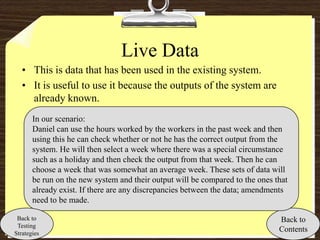
Live Data
   • This is data that has been used in the existing system.
   • It is useful to use it because the outputs of the system are
     already known.
       In our scenario:
       Daniel can use the hours worked by the workers in the past week and then
       using this he can check whether or not he has the correct output from the
       system. He will then select a week where there was a special circumstance
       such as a holiday and then check the output from that week. Then he can
       choose a week that was somewhat an average week. These sets of data will
       be run on the new system and their output will be compared to the ones that
       already exist. If there are any discrepancies between the data; amendments
       need to be made.

 Back to                                                                       Back to
 Testing
Strategies
                                                                               Contents
Improvements that could be needed as
        a result of testing
• Before implementation; the system needs to be cleared of any errors that
  were identified in the testing stage.
• This may include altering the validation check.
• “Checking the data validation, calculations, and file structures is
  reasonably straightforward as the test plan will show where there are
  differences between the expected and the actual results.”
What if the output from the system still doesn’t have exactly what is
  expected when the live data is used?
• Single stepping is the solution. This is basically when the software allows
  you to run the system one step at a time so the exact point where the
  differences arises can be identified.

                                                                        Back to
                                                                        Contents

4.3 Development and Testing

  • 1.
    4.3 Development andTesting By: Momina Mateen
  • 2.
    Click for more>>> Creating the system Testing the system Improving the system Back to Contents
  • 3.
    Creating the System • Once the data structure has been designed, it needs to be created using the software that has been recommended by the systems analyst. • The programmer produces the program code that is needed to solve the problem. • The nature of the problem determines how much programming is required. For example: (Small Company) Main requirement: production of invoices and payslips Solution: basic database package, spreadsheet package and word processor. Big companies may require a whole brand new software to be written for them. Back to In Our Scenario Contents
  • 4.
    In Our Scenario • Daniel needs to create a file structure for the customers, their orders and the payroll. • It is most probable that by this stage Daniel will have already designed the structures and has already selected the software for this. • Now he has to use the software to create the files. Back to Back to Creating the System Contents
  • 5.
    Testing Strategies • Itis vital that the analyst makes a test plan. There are two main ways of doing this: 1. Test Data 2. Live Data Back to Contents
  • 6.
    Test Data 1. Normal Data 2. Extreme Data 3. Abnormal Data Back to Example of a Test Back to Testing Strategies Plan Contents
  • 7.
    Normal Data • This is data that is acceptable. • It should not produce an error when input into the system. Example: In a payslip no-one should have worked more than 65 hours or less than 0 hours. So data that lies within that is entered and if an error message is produced it means that there is a problem with the system. Back to Types of Example of a Test Back to Testing Test Data Strategies Plan Contents
  • 8.
    Extreme Data • Used only when a range of data is input. • Things like name and address will not have any extreme data. • But in the case of a payslip where the most amount of hours worked could be 65 and the lowest could be 0; entering 65 or 0 would be considered as extreme data. Back to Types of Example of a Test Back to Testing Test Data Strategies Plan Contents
  • 9.
    Abnormal Data • This is data this not acceptable. For example: You wouldn’t want alphabetic characters in a numeric field. • When data range is used; any number outside that range will be considered as abnormal. • For instance with the payslip; any number that lies outside the range of 0 and 65 hours will be considered as abnormal data. Back to Types of Example of a Test Back to Testing Test Data Strategies Plan Contents
  • 10.
    Test Plan Test Test Data Expected Actual Results Comment Results -1 Rejected Error message Abnormal Data 65 Accepted Wages Extreme Data Calculated Input hours 0 Accepted Wages Extreme Data worked calculated but the result was 0 40 Accepted Wages Normal Data calculated 140 Rejected Error message Abnormal Data Akhbar Rejected Error message Abnormal Data Back to Back to Testing Strategies Contents
  • 11.
    Live Data • This is data that has been used in the existing system. • It is useful to use it because the outputs of the system are already known. In our scenario: Daniel can use the hours worked by the workers in the past week and then using this he can check whether or not he has the correct output from the system. He will then select a week where there was a special circumstance such as a holiday and then check the output from that week. Then he can choose a week that was somewhat an average week. These sets of data will be run on the new system and their output will be compared to the ones that already exist. If there are any discrepancies between the data; amendments need to be made. Back to Back to Testing Strategies Contents
  • 12.
    Improvements that couldbe needed as a result of testing • Before implementation; the system needs to be cleared of any errors that were identified in the testing stage. • This may include altering the validation check. • “Checking the data validation, calculations, and file structures is reasonably straightforward as the test plan will show where there are differences between the expected and the actual results.” What if the output from the system still doesn’t have exactly what is expected when the live data is used? • Single stepping is the solution. This is basically when the software allows you to run the system one step at a time so the exact point where the differences arises can be identified. Back to Contents