To message or Not to message
4-6 June 2014
http://www.uxsofia.com/en
@dsimov
Talk about messages
Good, bad, or necessary evil
No recipe – be practical
Our goal today
I do not like to write
messages
WHAT’S IN A MESSAGE?
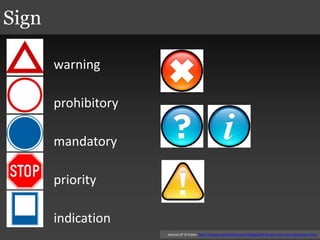
warning
prohibitory
mandatory
priority
indication
Sign
source of UI icons: http://www.iconarchive.com/show/soft-scraps-icons-by-hopstarter.html
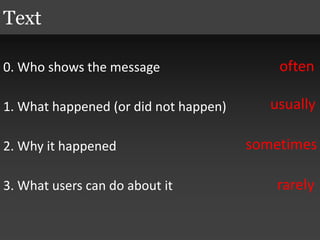
0. Who shows the message
1. What happened (or did not happen)
2. Why it happened
3. What users can do about it
Text
often
usually
sometimes
rarely
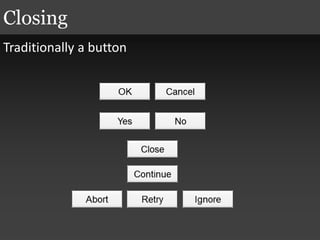
Traditionally a button
Closing
WHAT ARE MESSAGES?
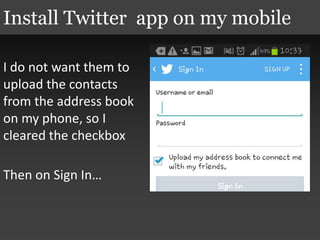
I do not want them to
upload the contacts
from the address book
on my phone, so I
cleared the checkbox
Then on Sign In…
Install Twitter app on my mobile
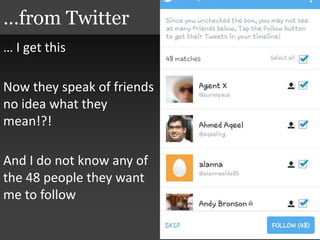
… I get this
Now they speak of friends
no idea what they
mean!?!
And I do not know any of
the 48 people they want
me to follow
…from Twitter
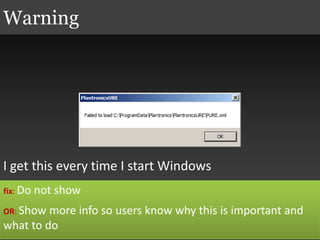
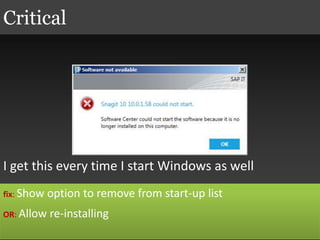
I get this every time I start Windows
Warning
fix: Do not show
OR: Show more info so users know why this is important and
what to do
I get this every time I start Windows as well
Critical
fix: Show option to remove from start-up list
OR: Allow re-installing
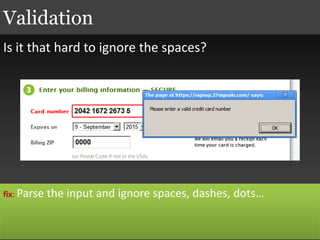
Is it that hard to ignore the spaces?
Validation
fix: Parse the input and ignore spaces, dashes, dots…
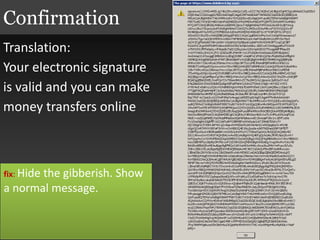
Translation:
Your electronic signature
is valid and you can make
money transfers online
Confirmation
fix: Hide the gibberish. Show
a normal message.
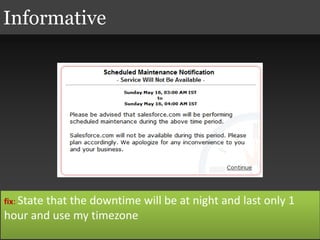
Informative
fix: State that the downtime will be at night and last only 1
hour and use my timezone
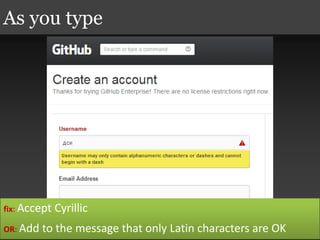
As you type
fix: Accept Cyrillic
OR: Add to the message that only Latin characters are OK
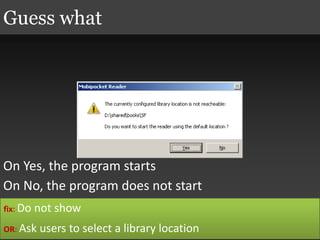
On Yes, the program starts
On No, the program does not start
Guess what
fix: Do not show
OR: Ask users to select a library location
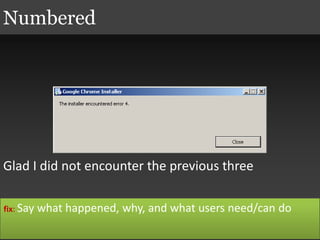
Glad I did not encounter the previous three
Numbered
fix: Say what happened, why, and what users need/can do
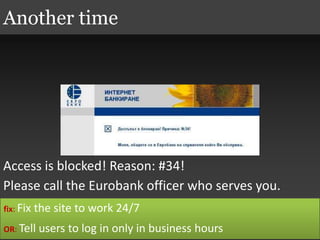
Access is blocked! Reason: #34!
Please call the Eurobank officer who serves you.
Another time
fix: Fix the site to work 24/7
OR: Tell users to log in only in business hours
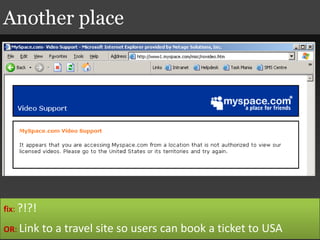
Another place
fix: ?!?!
OR: Link to a travel site so users can book a ticket to USA
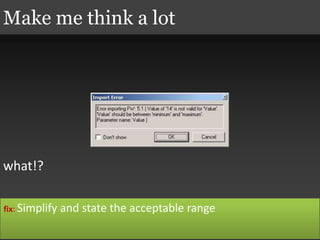
what!?
Make me think a lot
fix: Simplify and state the acceptable range
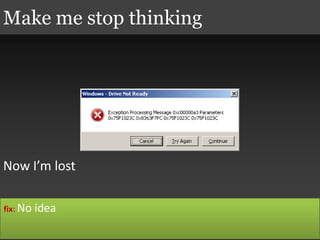
Now I’m lost
Make me stop thinking
fix: No idea
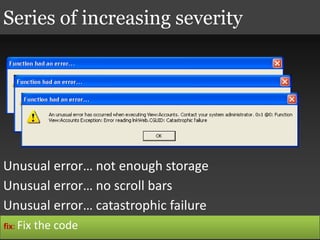
Series of increasing severity
Unusual error… not enough storage
Unusual error… no scroll bars
Unusual error… catastrophic failure
fix: Fix the code
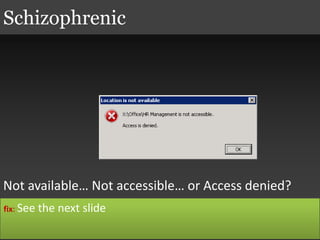
Not available… Not accessible… or Access denied?
Schizophrenic
fix: See the next slide
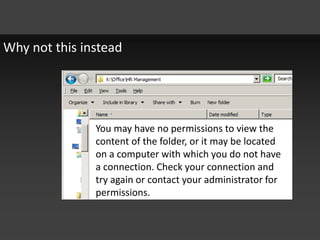
Why not this instead
You may have no permissions to view the
content of the folder, or it may be located
on a computer with which you do not have
a connection. Check your connection and
try again or contact your administrator for
permissions.
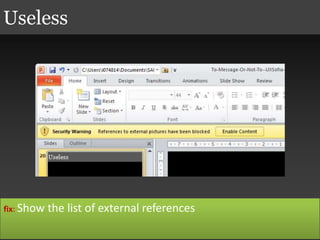
Useless
fix: Show the list of external references
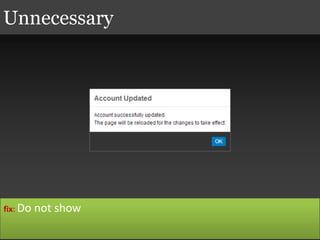
Unnecessary
fix: Do not show
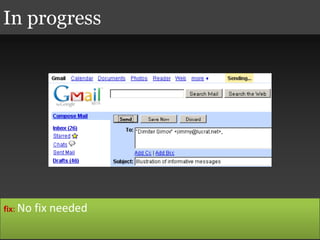
In progress
fix: No fix needed
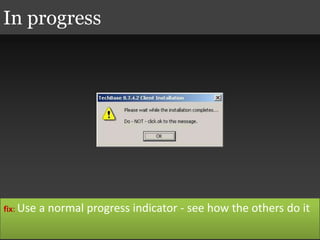
In progress
fix: Use a normal progress indicator - see how the others do it
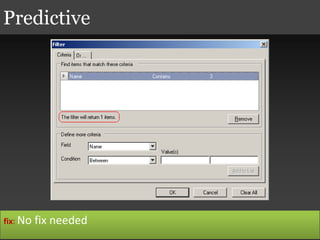
Predictive
fix: No fix needed
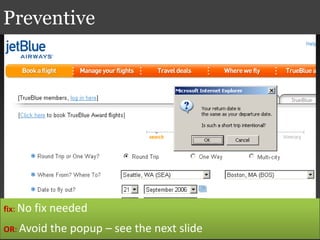
Preventive
fix: No fix needed
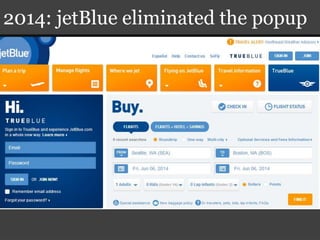
OR: Avoid the popup – see the next slide
2014: jetBlue eliminated the popup
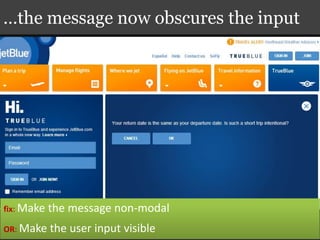
…the message now obscures the input
fix: Make the message non-modal
OR: Make the user input visible
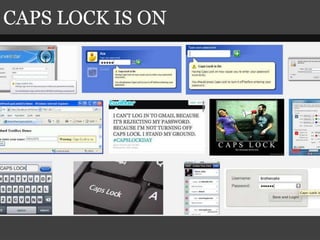
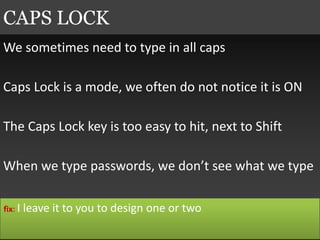
CAPS LOCK IS ON
We sometimes need to type in all caps
Caps Lock is a mode, we often do not notice it is ON
The Caps Lock key is too easy to hit, next to Shift
When we type passwords, we don’t see what we type
CAPS LOCK
fix: I leave it to you to design one or two
DO AND DON’T
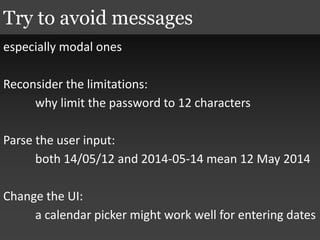
especially modal ones
Reconsider the limitations:
why limit the password to 12 characters
Parse the user input:
both 14/05/12 and 2014-05-14 mean 12 May 2014
Change the UI:
a calendar picker might work well for entering dates
Try to avoid messages
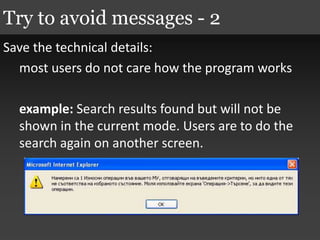
Save the technical details:
most users do not care how the program works
example: Search results found but will not be
shown in the current mode. Users are to do the
search again on another screen.
Try to avoid messages - 2
Show a modal message only if you:
 have no idea what else to do
 have no time to do a better thing
 feel it makes business sense
 know it will never show up to users
Use modal messages as a last resort
Any internal message
that is not supposed to be seen by users
finds a way to float to the surface and
shows up to users
Jimmy’s axiom on messages
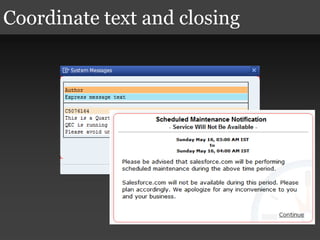
Coordinate text and closing
We want to do work (have fun, find information) not
read messages
Yet we do not want to guess what is going on
Keep messages short, yet complete
You have only view permissions
is better than
You do not have edit permissions
Frame messages positively
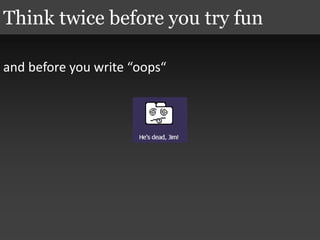
and before you write “oops“
Think twice before you try fun
Have a reviewer
Better a colleague to find your splling mistakes
Work with a writer
These people are trained to write words and
sentences
Test with users
Ask for help
1. Try to avoid messages
 don’t write messages, design interactions
2. If you have to give a message, make sure it says:
 what happened
 why
 what users can do about it
3. Be practical
Take home
BONUS
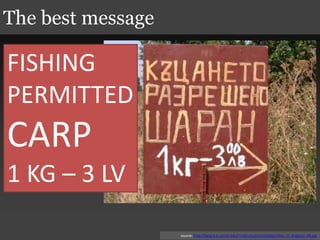
The best message
source: http://tangra.si.umich.edu/~radev/public/onlybg2/Only_In_Bulgaria_08.jpg
FISHING
PERMITTED
CARP
1 KG – 3 LV
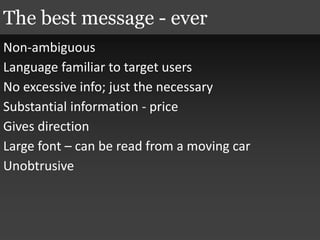
Non-ambiguous
Language familiar to target users
No excessive info; just the necessary
Substantial information - price
Gives direction
Large font – can be read from a moving car
Unobtrusive
The best message - ever
YOU ARE WELCOME

To message or Not to message

  • 1.
    To message orNot to message 4-6 June 2014 http://www.uxsofia.com/en @dsimov
  • 2.
    Talk about messages Good,bad, or necessary evil No recipe – be practical Our goal today
  • 3.
    I do notlike to write messages
  • 4.
    WHAT’S IN AMESSAGE?
  • 5.
    warning prohibitory mandatory priority indication Sign source of UIicons: http://www.iconarchive.com/show/soft-scraps-icons-by-hopstarter.html
  • 6.
    0. Who showsthe message 1. What happened (or did not happen) 2. Why it happened 3. What users can do about it Text often usually sometimes rarely
  • 7.
  • 8.
  • 9.
    I do notwant them to upload the contacts from the address book on my phone, so I cleared the checkbox Then on Sign In… Install Twitter app on my mobile
  • 10.
    … I getthis Now they speak of friends no idea what they mean!?! And I do not know any of the 48 people they want me to follow …from Twitter
  • 11.
    I get thisevery time I start Windows Warning fix: Do not show OR: Show more info so users know why this is important and what to do
  • 12.
    I get thisevery time I start Windows as well Critical fix: Show option to remove from start-up list OR: Allow re-installing
  • 13.
    Is it thathard to ignore the spaces? Validation fix: Parse the input and ignore spaces, dashes, dots…
  • 14.
    Translation: Your electronic signature isvalid and you can make money transfers online Confirmation fix: Hide the gibberish. Show a normal message.
  • 15.
    Informative fix: State thatthe downtime will be at night and last only 1 hour and use my timezone
  • 16.
    As you type fix:Accept Cyrillic OR: Add to the message that only Latin characters are OK
  • 17.
    On Yes, theprogram starts On No, the program does not start Guess what fix: Do not show OR: Ask users to select a library location
  • 18.
    Glad I didnot encounter the previous three Numbered fix: Say what happened, why, and what users need/can do
  • 19.
    Access is blocked!Reason: #34! Please call the Eurobank officer who serves you. Another time fix: Fix the site to work 24/7 OR: Tell users to log in only in business hours
  • 20.
    Another place fix: ?!?! OR:Link to a travel site so users can book a ticket to USA
  • 21.
    what!? Make me thinka lot fix: Simplify and state the acceptable range
  • 22.
    Now I’m lost Makeme stop thinking fix: No idea
  • 23.
    Series of increasingseverity Unusual error… not enough storage Unusual error… no scroll bars Unusual error… catastrophic failure fix: Fix the code
  • 24.
    Not available… Notaccessible… or Access denied? Schizophrenic fix: See the next slide
  • 25.
    Why not thisinstead You may have no permissions to view the content of the folder, or it may be located on a computer with which you do not have a connection. Check your connection and try again or contact your administrator for permissions.
  • 26.
    Useless fix: Show thelist of external references
  • 27.
  • 28.
  • 29.
    In progress fix: Usea normal progress indicator - see how the others do it
  • 30.
  • 31.
    Preventive fix: No fixneeded OR: Avoid the popup – see the next slide
  • 32.
  • 33.
    …the message nowobscures the input fix: Make the message non-modal OR: Make the user input visible
  • 34.
  • 35.
    We sometimes needto type in all caps Caps Lock is a mode, we often do not notice it is ON The Caps Lock key is too easy to hit, next to Shift When we type passwords, we don’t see what we type CAPS LOCK fix: I leave it to you to design one or two
  • 36.
  • 37.
    especially modal ones Reconsiderthe limitations: why limit the password to 12 characters Parse the user input: both 14/05/12 and 2014-05-14 mean 12 May 2014 Change the UI: a calendar picker might work well for entering dates Try to avoid messages
  • 38.
    Save the technicaldetails: most users do not care how the program works example: Search results found but will not be shown in the current mode. Users are to do the search again on another screen. Try to avoid messages - 2
  • 39.
    Show a modalmessage only if you:  have no idea what else to do  have no time to do a better thing  feel it makes business sense  know it will never show up to users Use modal messages as a last resort
  • 40.
    Any internal message thatis not supposed to be seen by users finds a way to float to the surface and shows up to users Jimmy’s axiom on messages
  • 41.
  • 42.
    We want todo work (have fun, find information) not read messages Yet we do not want to guess what is going on Keep messages short, yet complete
  • 43.
    You have onlyview permissions is better than You do not have edit permissions Frame messages positively
  • 44.
    and before youwrite “oops“ Think twice before you try fun
  • 45.
    Have a reviewer Bettera colleague to find your splling mistakes Work with a writer These people are trained to write words and sentences Test with users Ask for help
  • 46.
    1. Try toavoid messages  don’t write messages, design interactions 2. If you have to give a message, make sure it says:  what happened  why  what users can do about it 3. Be practical Take home
  • 47.
  • 48.
    The best message source:http://tangra.si.umich.edu/~radev/public/onlybg2/Only_In_Bulgaria_08.jpg FISHING PERMITTED CARP 1 KG – 3 LV
  • 49.
    Non-ambiguous Language familiar totarget users No excessive info; just the necessary Substantial information - price Gives direction Large font – can be read from a moving car Unobtrusive The best message - ever
  • 50.

Editor's Notes

  • #20 The user is trying to log into the internet banking part of the website of the bank but this is happening outside of business hours.
  • #21 The user is trying to log into the internet banking part of the website of the bank but this is happening outside of business hours.