Discussionusability

Effective Feedback Design
What is responsive application?
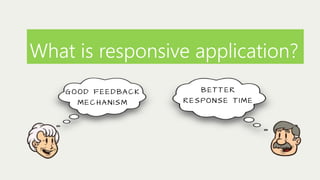
G O O D F E E D BA C K
MECHANISM

B ET T E R
RE S PO N S E T I M E
What is responsive application?
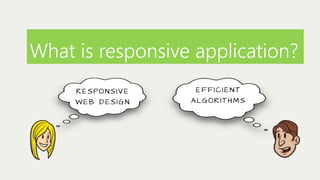
RE S PO N S I V E
WEB DESIGN

EFFICIENT
A LGORITHMS
What is responsive application?
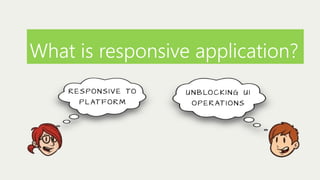
R E S P O N S I V E TO

U N B LO C K I N G U I

P L AT F O R M

O P E R AT I O N S
What is responsive application?
It simply means
d i f f e re n t t h i n g s

f o r d i f f e re n t
people
H o w e v e r, o u t o f a l l , g o o d f e e d b a c k
is considered the most impor tant
aspect of responsive application…
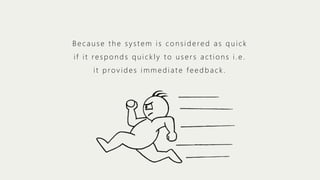
Because the system is considered as quick
if it responds quickly to users actions i.e.
it provides immediate feedback.
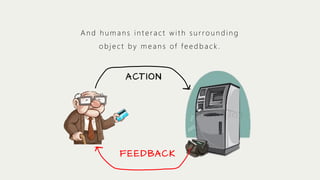
And humans interact with surrounding
object by means of feedback.

A CT I O N

F E E D BA C K
But what makes an effective feedback?
OR
How can we test that certain feedback is
good enough?
But what makes an effective feedback?
OR
How can we test that certain feedback is
good enough?

“ Ev e r y

f e e d ba c k h a s c e r ta i n

quality attributes that helps to
m e a s u re i t s e f f e c t i v e n e s s .
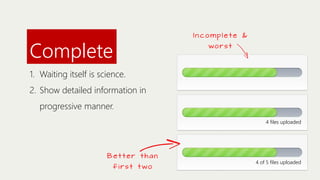
Complete

Incomplete &
wors t

1. Waiting itself is science.
2. Show detailed information in
progressive manner.
4 files uploaded

Better than
f i rs t t wo

4 of 5 files uploaded
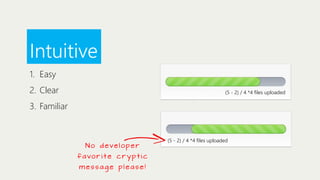
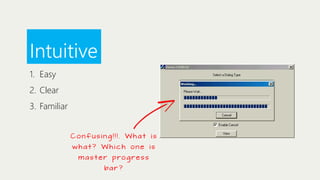
Intuitive
1. Easy
2. Clear

(5 - 2) / 4 *4 files uploaded

3. Familiar

N o deve l o p e r
favo r i t e c r y p t i c
message please!

(5 - 2) / 4 *4 files uploaded
Intuitive
1. Easy
2. Clear
3. Familiar
Confusing!!!. What is
what? Which one is
m a s t e r p ro g re s s
ba r ?
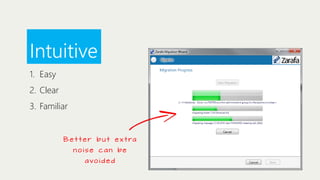
Intuitive
1. Easy
2. Clear
3. Familiar

B e t t e r b u t e x t ra

n ois e c a n be
avo i d e d
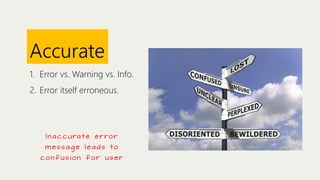
Accurate
1. Error vs. Warning vs. Info.
2. Error itself erroneous.

I n a c c u ra t e e r r o r
message leads to
confusion for user
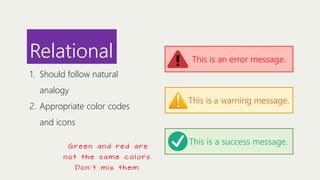
Relational

This is an error message.

1. Should follow natural
analogy
2. Appropriate color codes

This is a warning message.

and icons
G re e n a n d re d a re
not the same colors.
Don ’ t mi x the m.

This is a success message.
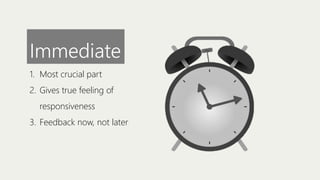
Immediate
1. Most crucial part
2. Gives true feeling of
responsiveness
3. Feedback now, not later
What people say

Immediate

w h e n t h i n g s a re n o t
immediate

1. “The inconsistencies in the interface between apps and the occasional lag doing simple things like
scrolling in windows just screamed at me.” – James Kendrick (2011)
2. “That having been said, it unfortunately remains the case that Android [Ice Cream Sandwich] isn’t
as swift and responsive as iOS or Windows Phone (or even MeeGo Harmattan on the N9).”
“The subtle, pervasive lag that has characterized the Android UI since its inception is still there,
which is not a heartening thing to hear when you’re talking about a super-powered dual-core
device like the Galaxy Nexus.” – Vlad Savov (2011)
3. “Android, on the other hand, has always felt laggy to me.” - Mike Rundle (2011)
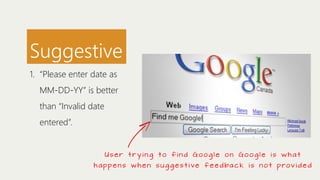
Suggestive
1. “Please enter date as
MM-DD-YY” is better
than “Invalid date
entered”.

Us e r t r y i n g t o f i n d Googl e on Googl e i s w h a t
h a p p e n s w h e n s u g g e s t i ve f e e d ba c k i s n o t p rov i d e d
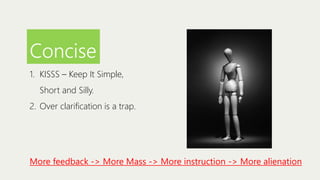
Concise
1. KISSS – Keep It Simple,
Short and Silly.
2. Over clarification is a trap.

More feedback -> More Mass -> More instruction -> More alienation
Reassuring
1. Don’t cause the user to
worry about problem.
2. Relax the user and
suggest the remedy.

It does not mean
s a y i n g s ome s we e t
things to user.
H o weve r …
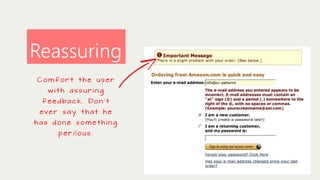
Reassuring
Comfort the user
with assuring
f e e d ba c k . Do n ’ t
eve r s a y t h a t h e
has done something

perilous.
Some tips for repor ting feedback…
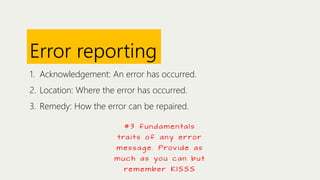
Error reporting
1. Acknowledgement: An error has occurred.
2. Location: Where the error has occurred.
3. Remedy: How the error can be repaired.
# 3 f u n d a m e n ta l s
t ra i t s o f a n y e r r o r
m e s s a g e . Prov i d e a s
muc h a s you c a n b ut
re m e m be r K I S S S
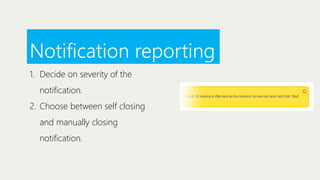
Notification reporting
1. Decide on severity of the
notification.
2. Choose between self closing
and manually closing
notification.
Catastrophic events
1. Don’t just bring about any
surprised change.
2. Accompany it with proper
feedback message.

C a ta s t ro p h i c eve n t s

o c c u r a s a re s u l t
of unintended side
e ffe ct of use r
a ct i o n . Fo r e x a m p l e ,
pa g e re d i re ct i o n
without any user
a ction .
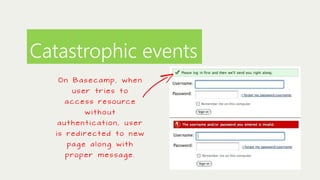
Catastrophic events
On Basecamp, when
user tries to

a c c e s s r e s o u rc e
without
authentication, user
i s re d i re ct e d t o n e w
pa g e a l o n g w i t h
p ro p e r m e s s a g e .
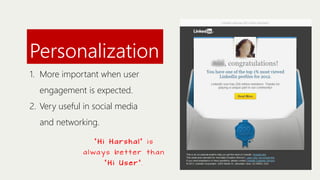
Personalization
1. More important when user
engagement is expected.
2. Very useful in social media
and networking.
“Hi Harshal” is

a l wa ys be t t e r t h a n
“Hi User”.
Author:
Harshal Patil
@softHarsh
http://definitelysimple.com
http://www.linkedin.com/in/hapatil

Effective feedback design

  • 1.
  • 2.
    What is responsiveapplication? G O O D F E E D BA C K MECHANISM B ET T E R RE S PO N S E T I M E
  • 3.
    What is responsiveapplication? RE S PO N S I V E WEB DESIGN EFFICIENT A LGORITHMS
  • 4.
    What is responsiveapplication? R E S P O N S I V E TO U N B LO C K I N G U I P L AT F O R M O P E R AT I O N S
  • 5.
    What is responsiveapplication? It simply means d i f f e re n t t h i n g s f o r d i f f e re n t people
  • 6.
    H o we v e r, o u t o f a l l , g o o d f e e d b a c k is considered the most impor tant aspect of responsive application…
  • 7.
    Because the systemis considered as quick if it responds quickly to users actions i.e. it provides immediate feedback.
  • 8.
    And humans interactwith surrounding object by means of feedback. A CT I O N F E E D BA C K
  • 9.
    But what makesan effective feedback? OR How can we test that certain feedback is good enough?
  • 10.
    But what makesan effective feedback? OR How can we test that certain feedback is good enough? “ Ev e r y f e e d ba c k h a s c e r ta i n quality attributes that helps to m e a s u re i t s e f f e c t i v e n e s s .
  • 11.
    Complete Incomplete & wors t 1.Waiting itself is science. 2. Show detailed information in progressive manner. 4 files uploaded Better than f i rs t t wo 4 of 5 files uploaded
  • 12.
    Intuitive 1. Easy 2. Clear (5- 2) / 4 *4 files uploaded 3. Familiar N o deve l o p e r favo r i t e c r y p t i c message please! (5 - 2) / 4 *4 files uploaded
  • 13.
    Intuitive 1. Easy 2. Clear 3.Familiar Confusing!!!. What is what? Which one is m a s t e r p ro g re s s ba r ?
  • 14.
    Intuitive 1. Easy 2. Clear 3.Familiar B e t t e r b u t e x t ra n ois e c a n be avo i d e d
  • 15.
    Accurate 1. Error vs.Warning vs. Info. 2. Error itself erroneous. I n a c c u ra t e e r r o r message leads to confusion for user
  • 16.
    Relational This is anerror message. 1. Should follow natural analogy 2. Appropriate color codes This is a warning message. and icons G re e n a n d re d a re not the same colors. Don ’ t mi x the m. This is a success message.
  • 17.
    Immediate 1. Most crucialpart 2. Gives true feeling of responsiveness 3. Feedback now, not later
  • 18.
    What people say Immediate wh e n t h i n g s a re n o t immediate 1. “The inconsistencies in the interface between apps and the occasional lag doing simple things like scrolling in windows just screamed at me.” – James Kendrick (2011) 2. “That having been said, it unfortunately remains the case that Android [Ice Cream Sandwich] isn’t as swift and responsive as iOS or Windows Phone (or even MeeGo Harmattan on the N9).” “The subtle, pervasive lag that has characterized the Android UI since its inception is still there, which is not a heartening thing to hear when you’re talking about a super-powered dual-core device like the Galaxy Nexus.” – Vlad Savov (2011) 3. “Android, on the other hand, has always felt laggy to me.” - Mike Rundle (2011)
  • 19.
    Suggestive 1. “Please enterdate as MM-DD-YY” is better than “Invalid date entered”. Us e r t r y i n g t o f i n d Googl e on Googl e i s w h a t h a p p e n s w h e n s u g g e s t i ve f e e d ba c k i s n o t p rov i d e d
  • 20.
    Concise 1. KISSS –Keep It Simple, Short and Silly. 2. Over clarification is a trap. More feedback -> More Mass -> More instruction -> More alienation
  • 21.
    Reassuring 1. Don’t causethe user to worry about problem. 2. Relax the user and suggest the remedy. It does not mean s a y i n g s ome s we e t things to user. H o weve r …
  • 22.
    Reassuring Comfort the user withassuring f e e d ba c k . Do n ’ t eve r s a y t h a t h e has done something perilous.
  • 23.
    Some tips forrepor ting feedback…
  • 24.
    Error reporting 1. Acknowledgement:An error has occurred. 2. Location: Where the error has occurred. 3. Remedy: How the error can be repaired. # 3 f u n d a m e n ta l s t ra i t s o f a n y e r r o r m e s s a g e . Prov i d e a s muc h a s you c a n b ut re m e m be r K I S S S
  • 25.
    Notification reporting 1. Decideon severity of the notification. 2. Choose between self closing and manually closing notification.
  • 26.
    Catastrophic events 1. Don’tjust bring about any surprised change. 2. Accompany it with proper feedback message. C a ta s t ro p h i c eve n t s o c c u r a s a re s u l t of unintended side e ffe ct of use r a ct i o n . Fo r e x a m p l e , pa g e re d i re ct i o n without any user a ction .
  • 27.
    Catastrophic events On Basecamp,when user tries to a c c e s s r e s o u rc e without authentication, user i s re d i re ct e d t o n e w pa g e a l o n g w i t h p ro p e r m e s s a g e .
  • 28.
    Personalization 1. More importantwhen user engagement is expected. 2. Very useful in social media and networking. “Hi Harshal” is a l wa ys be t t e r t h a n “Hi User”.
  • 29.