




1
www.dublindesign.com
The PPC Agency of Experts
Time-Saving PPC Excel Shortcuts
That Work
Presenters
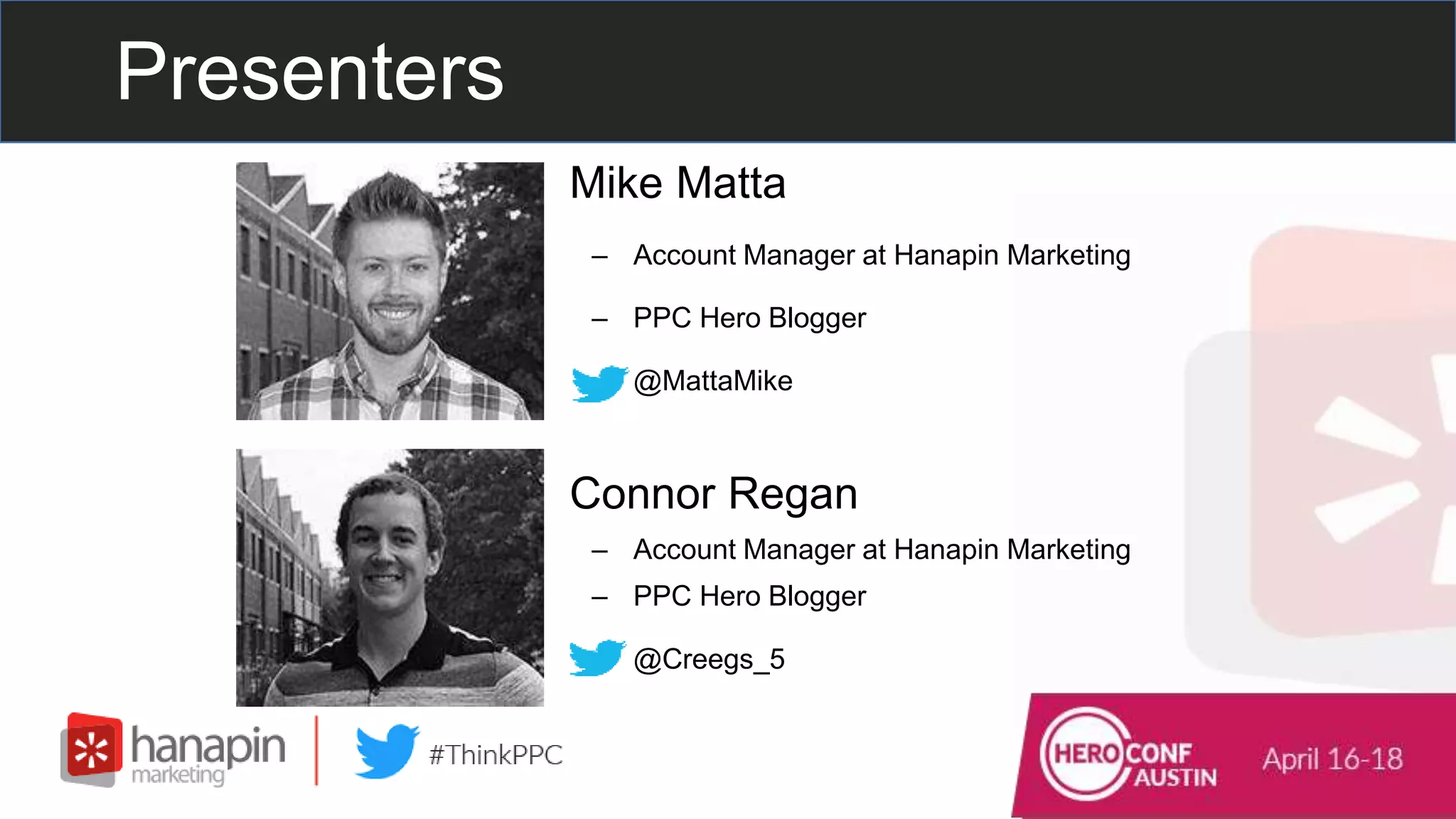
• Mike Matta
– Account Manager at Hanapin Marketing
– PPC Hero Blogger
– @MattaMike
• Connor Regan
– Account Manager at Hanapin Marketing
– PPC Hero Blogger
– @Creegs_5
– Run the world’s most popular PPC blog
and conference.
– We manage and optimize global paid
search, paid social, and display programs.
– Within 12 months, brands can expect a
250% increase in their growth trajectory.
Who is Hanapin?
Our Clients
Join the Conversation
Include the hashtag #thinkppc in
your Twitter tweets.
Or use the webinar question box to
send us questions.
Live Poll Question #1
How long have you been in PPC?
#thinkppc
A. 0-1 year
B. 1-3 years
C. 3-5 years
D. 5+ years
7
www.dublindesign.com
What We’re Going to Cover
• Everyday Excel Keyboard Shortcuts
• Hanapin Favorites
• More Advanced Excel Shortcuts
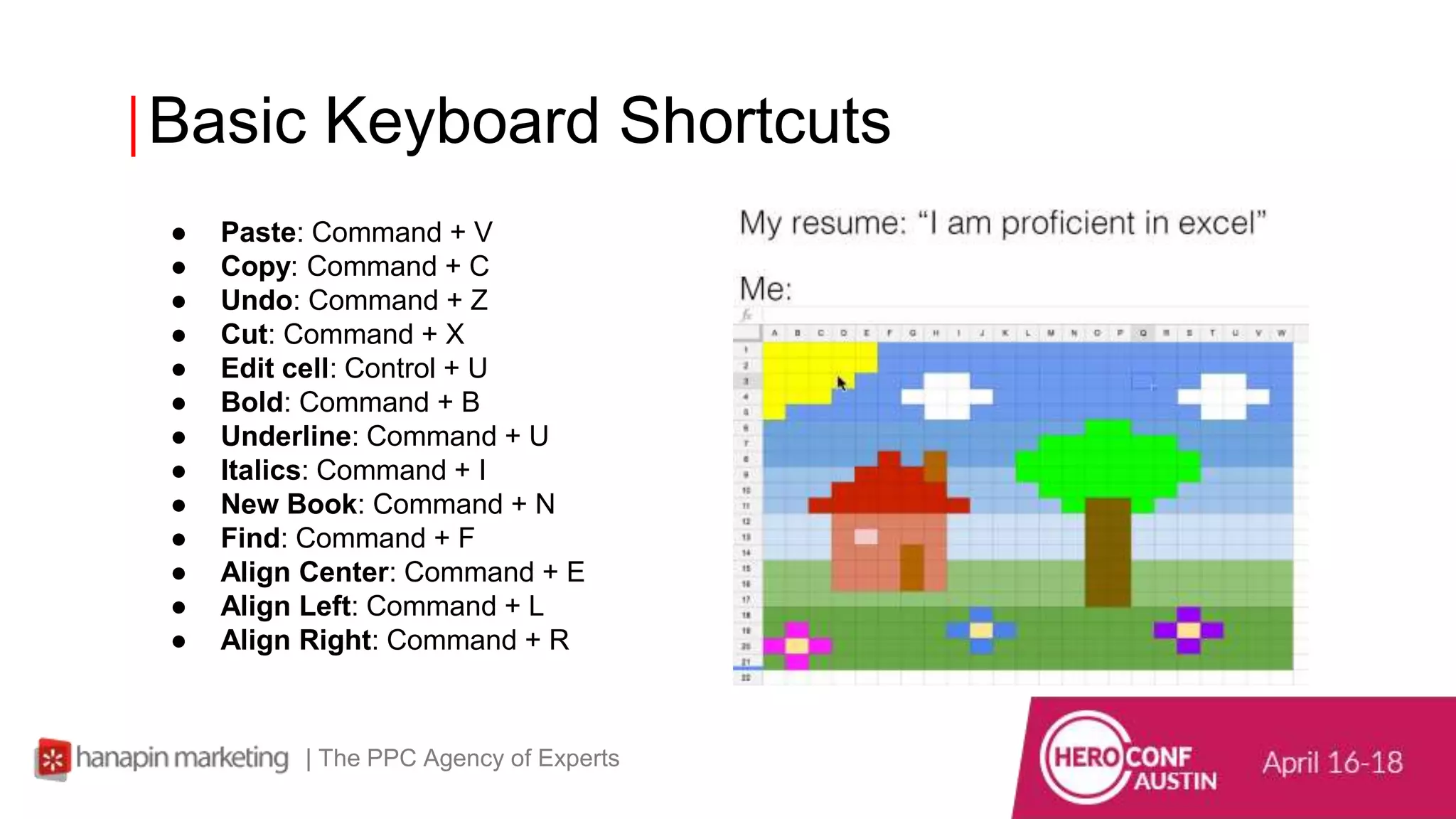
Basic Keyboard Shortcuts
| The PPC Agency of Experts
● Paste: Command + V
● Copy: Command + C
● Undo: Command + Z
● Cut: Command + X
● Edit cell: Control + U
● Bold: Command + B
● Underline: Command + U
● Italics: Command + I
● New Book: Command + N
● Find: Command + F
● Align Center: Command + E
● Align Left: Command + L
● Align Right: Command + R
Advanced Keyboard
Shortcuts
| The PPC Agency of Experts
● Find & Replace: Command + Shift + H
● Paste Special: Command + Alt (option) + V opens the paste special
dialog box, then, for example, hit V to paste values or F to paste
format.
● Insert Autosum Formula: Command + Shift + T
● Increase Font Size: Command + Shift + >
● Decrease Font Size: Command + Shift + <
● Add/Remove Strikethrough: Command + Shift + X
● Insert Date: Control + ; (semicolon)
● Insert Time: Command + ;
● Unhide Selected Row: Command + Shift + (
● Unhide Selected Column: Command + Shift + )
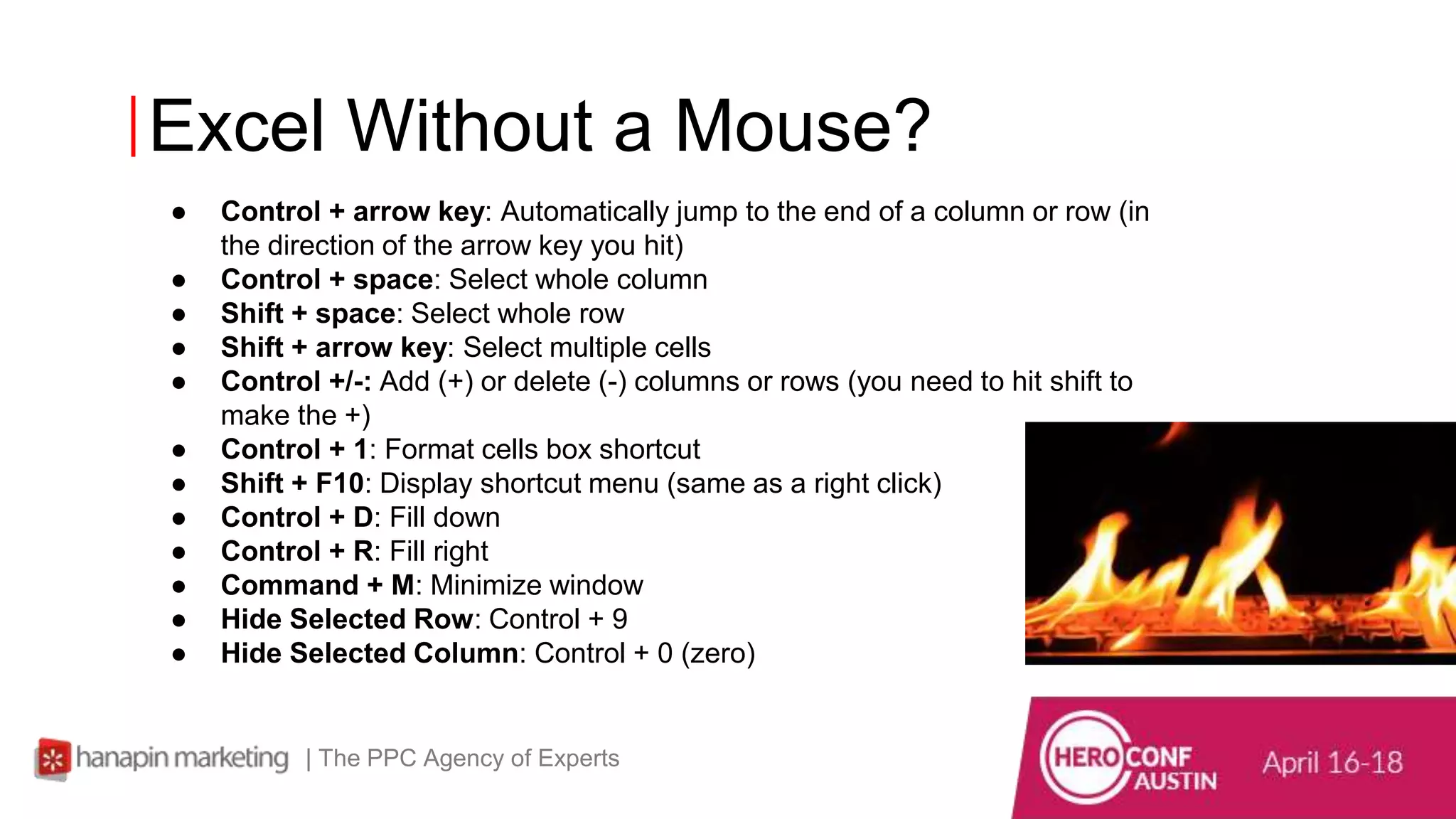
Excel Without a Mouse?
| The PPC Agency of Experts
● Control + arrow key: Automatically jump to the end of a column or row (in
the direction of the arrow key you hit)
● Control + space: Select whole column
● Shift + space: Select whole row
● Shift + arrow key: Select multiple cells
● Control +/-: Add (+) or delete (-) columns or rows (you need to hit shift to
make the +)
● Control + 1: Format cells box shortcut
● Shift + F10: Display shortcut menu (same as a right click)
● Control + D: Fill down
● Control + R: Fill right
● Command + M: Minimize window
● Hide Selected Row: Control + 9
● Hide Selected Column: Control + 0 (zero)
11
www.dublindesign.com
Hanapin Favorites
What are fellow PPC Heros doing to
save time?
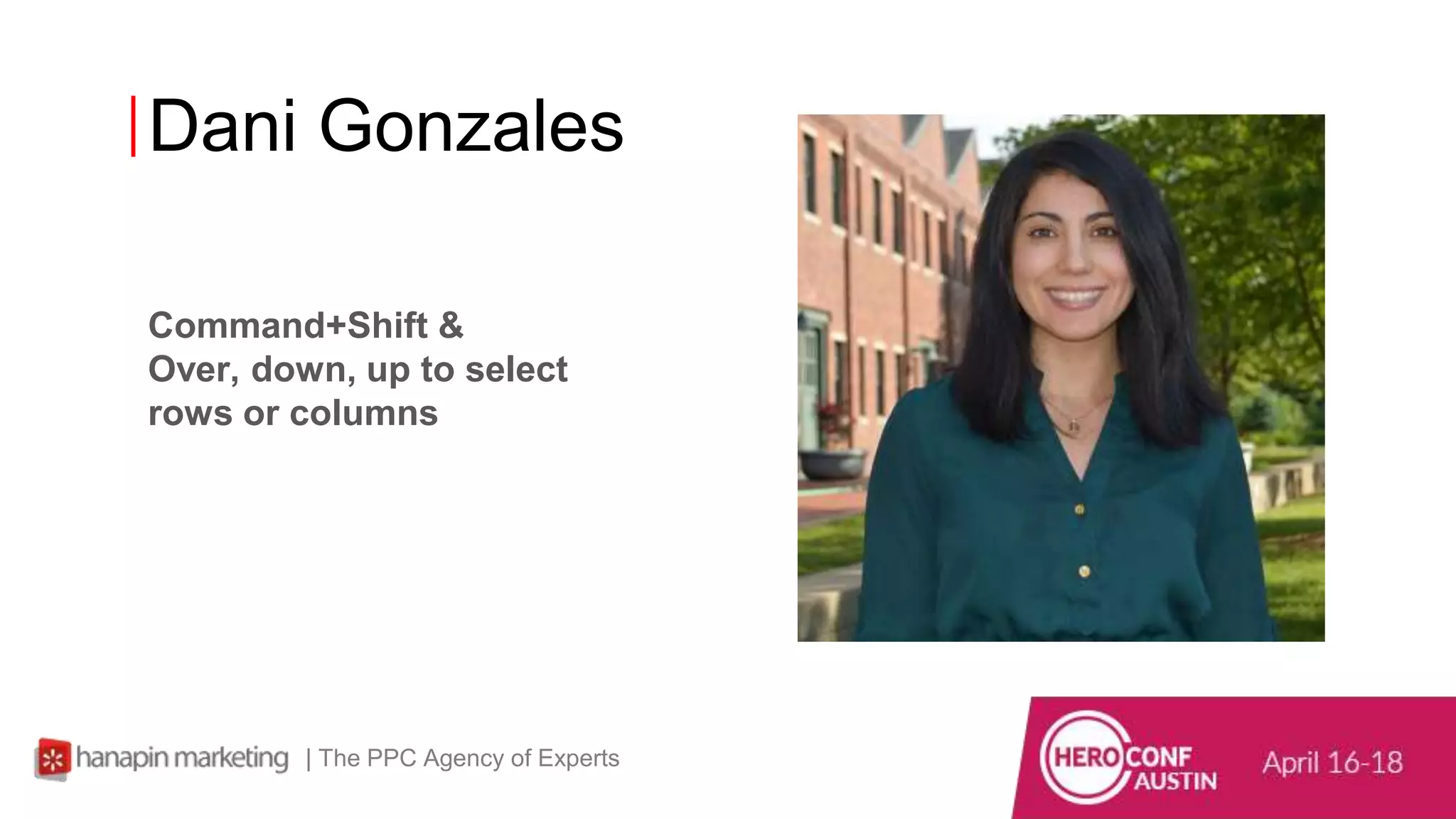
Dani Gonzales
| The PPC Agency of Experts
Command+Shift &
Over, down, up to select
rows or columns
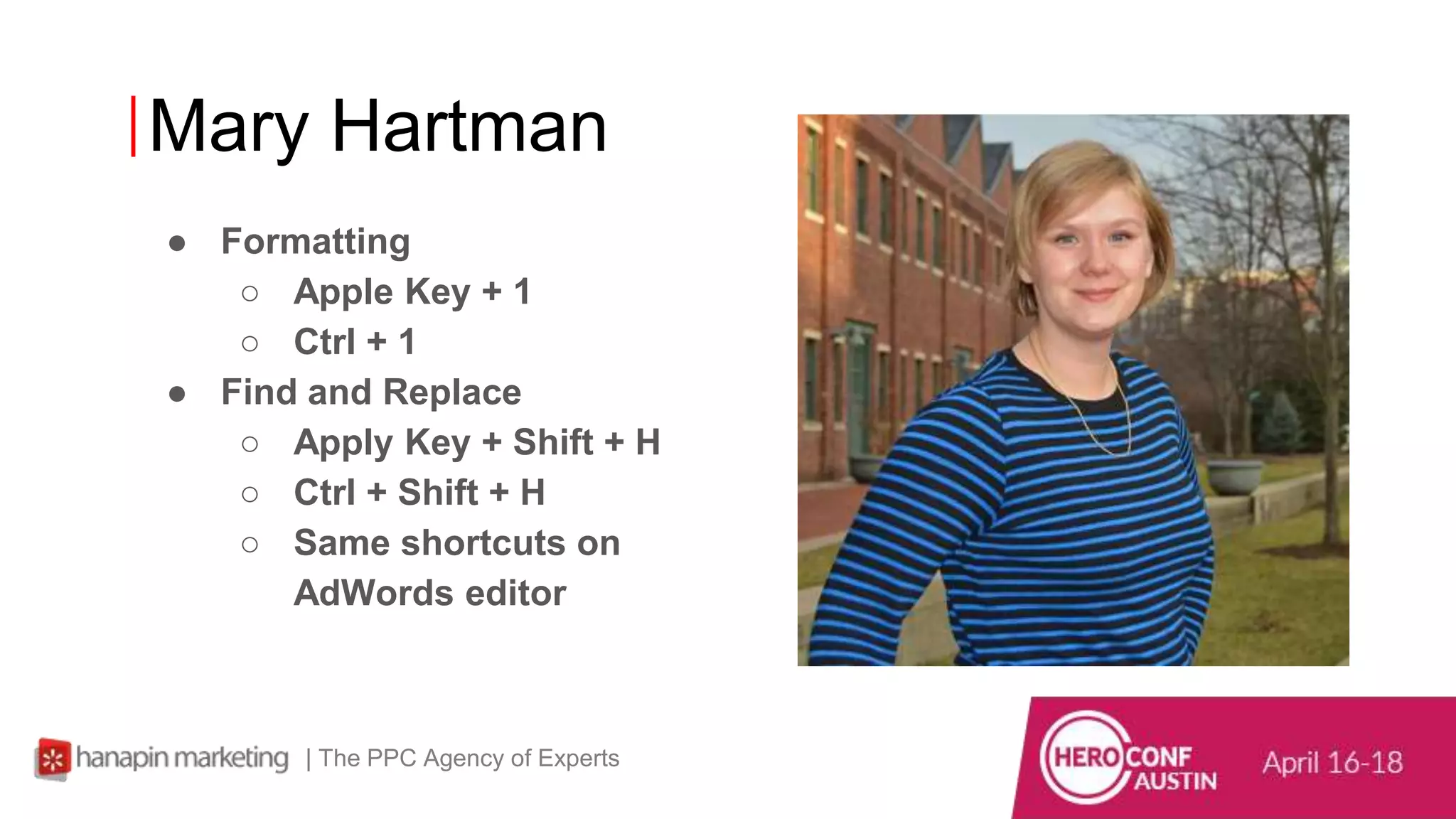
Mary Hartman
| The PPC Agency of Experts
● Formatting
○ Apple Key + 1
○ Ctrl + 1
● Find and Replace
○ Apply Key + Shift + H
○ Ctrl + Shift + H
○ Same shortcuts on
AdWords editor
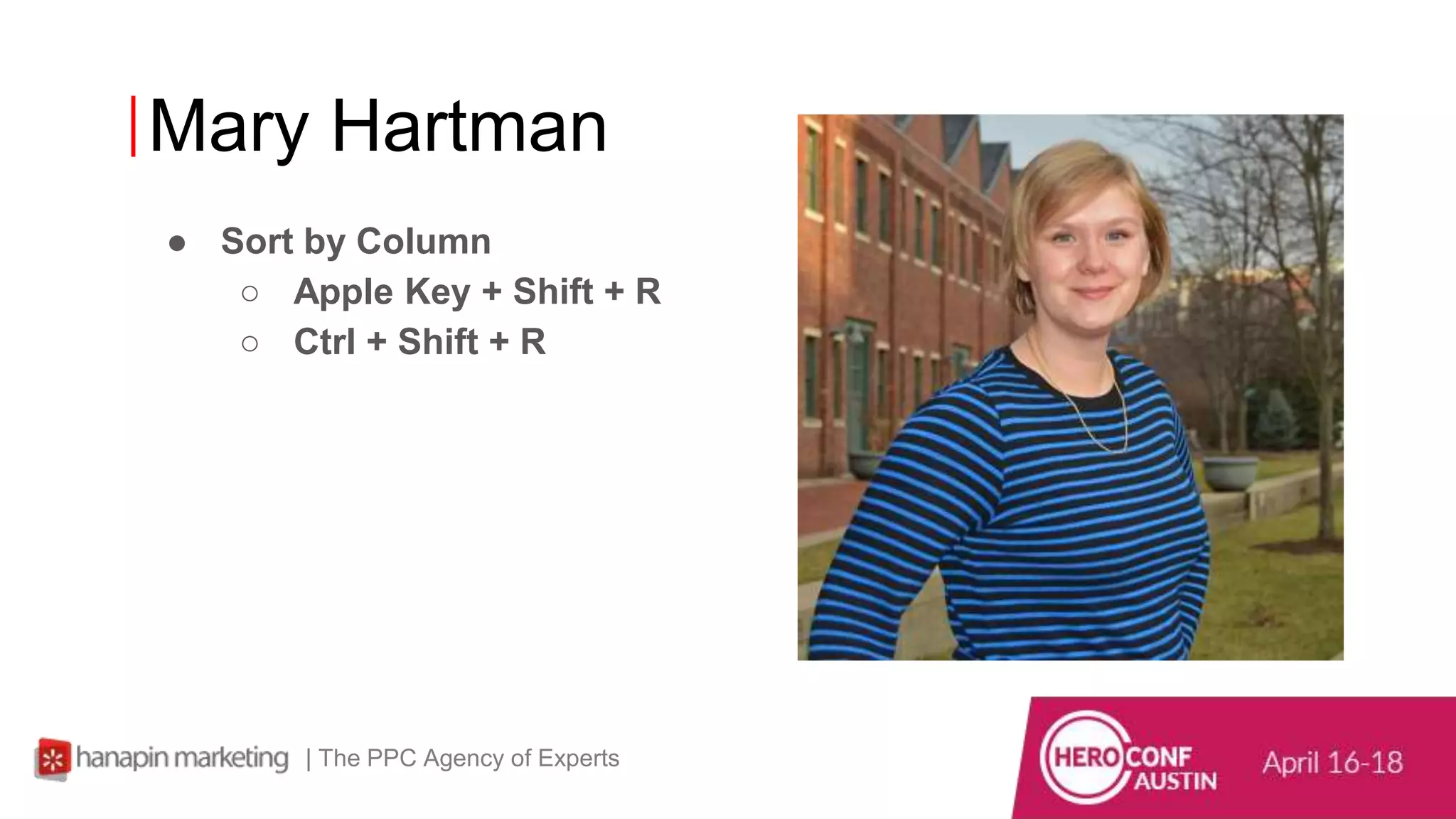
Mary Hartman
| The PPC Agency of Experts
● Sort by Column
○ Apple Key + Shift + R
○ Ctrl + Shift + R
15
www.dublindesign.com
More Advanced Excel Shortcuts
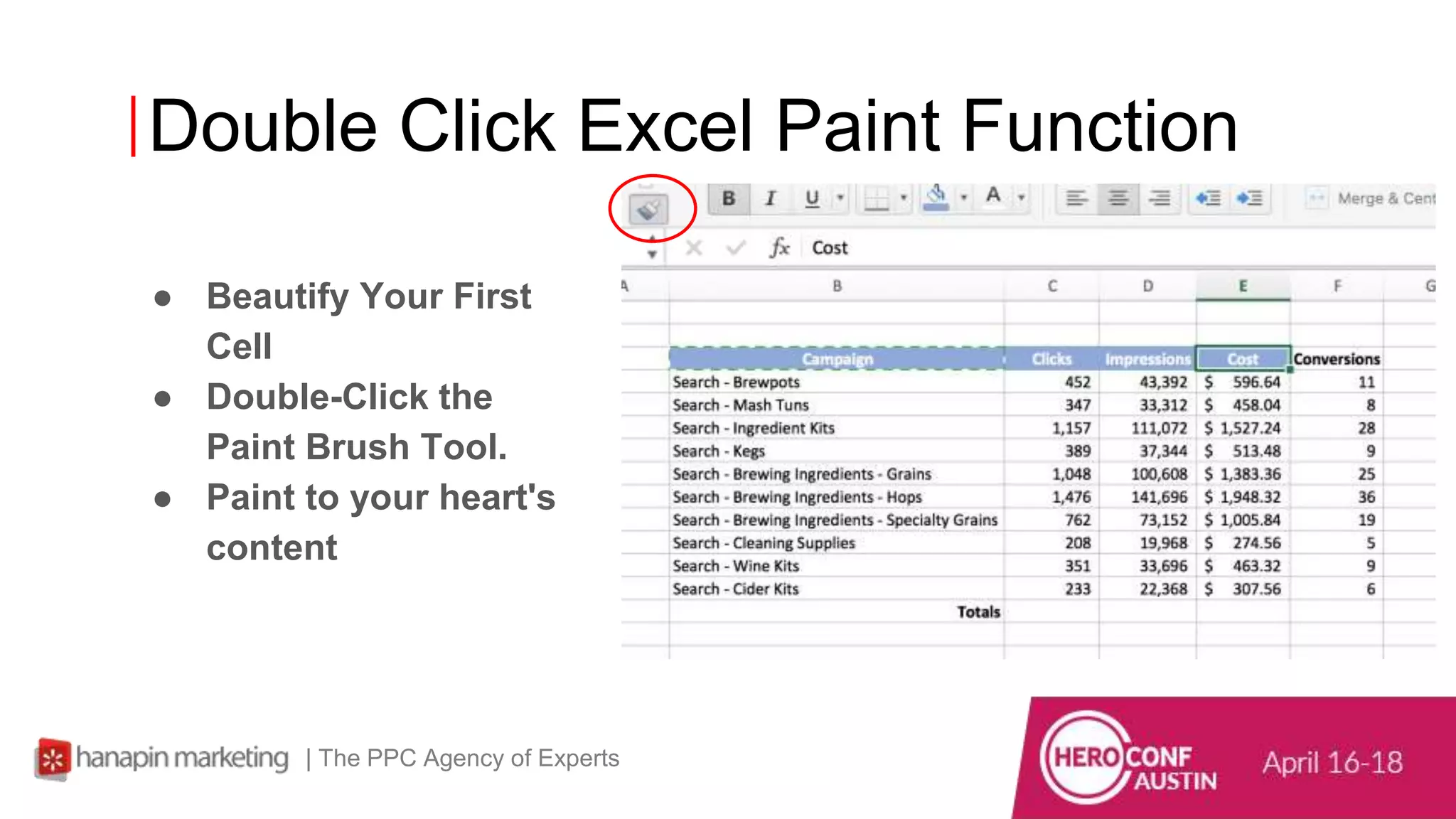
Double Click Excel Paint Function
● Beautify Your First
Cell
● Double-Click the
Paint Brush Tool.
● Paint to your heart's
content
| The PPC Agency of Experts
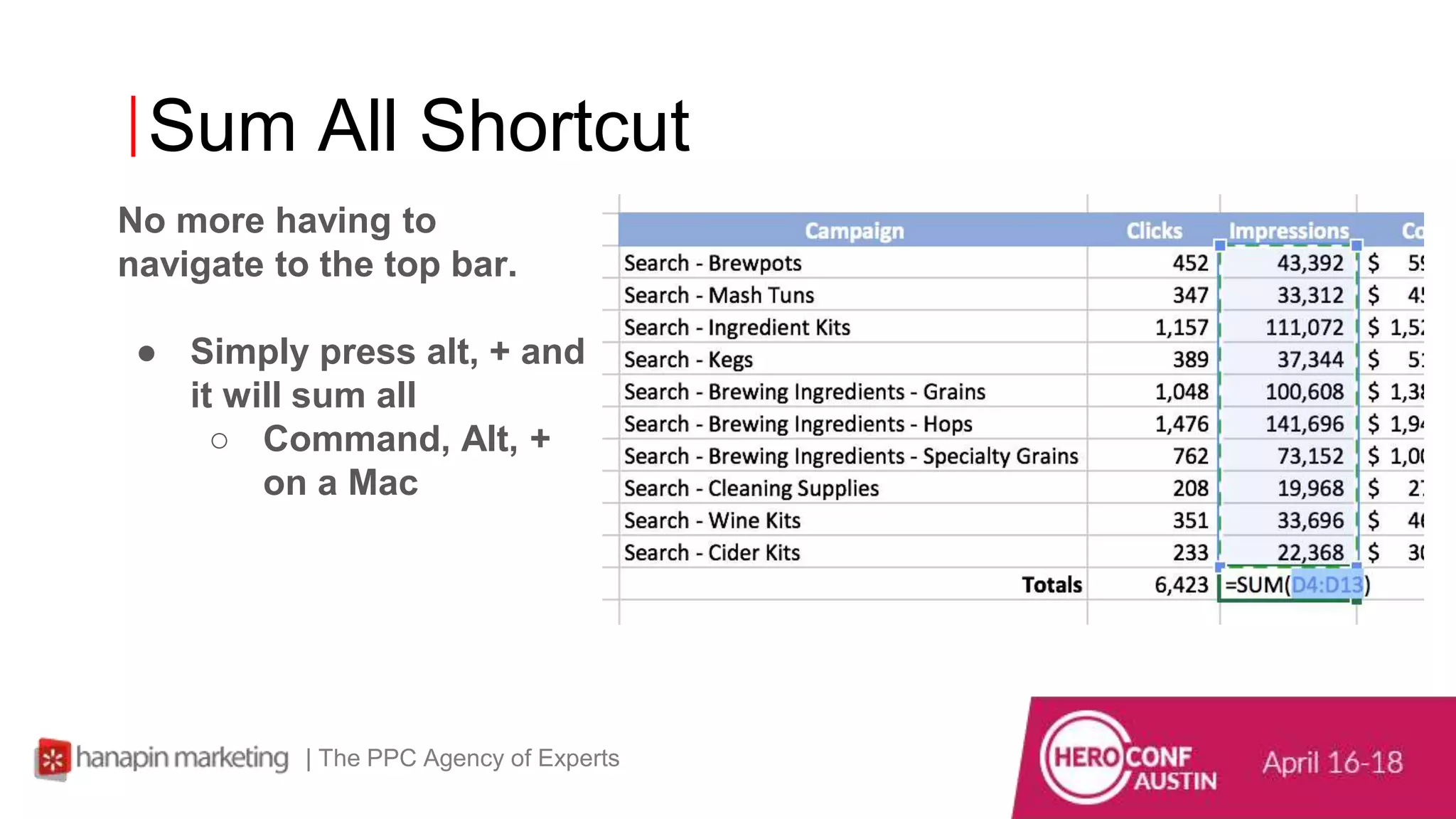
Sum All Shortcut
No more having to
navigate to the top bar.
● Simply press alt, + and
it will sum all
○ Command, Alt, +
on a Mac
| The PPC Agency of Experts
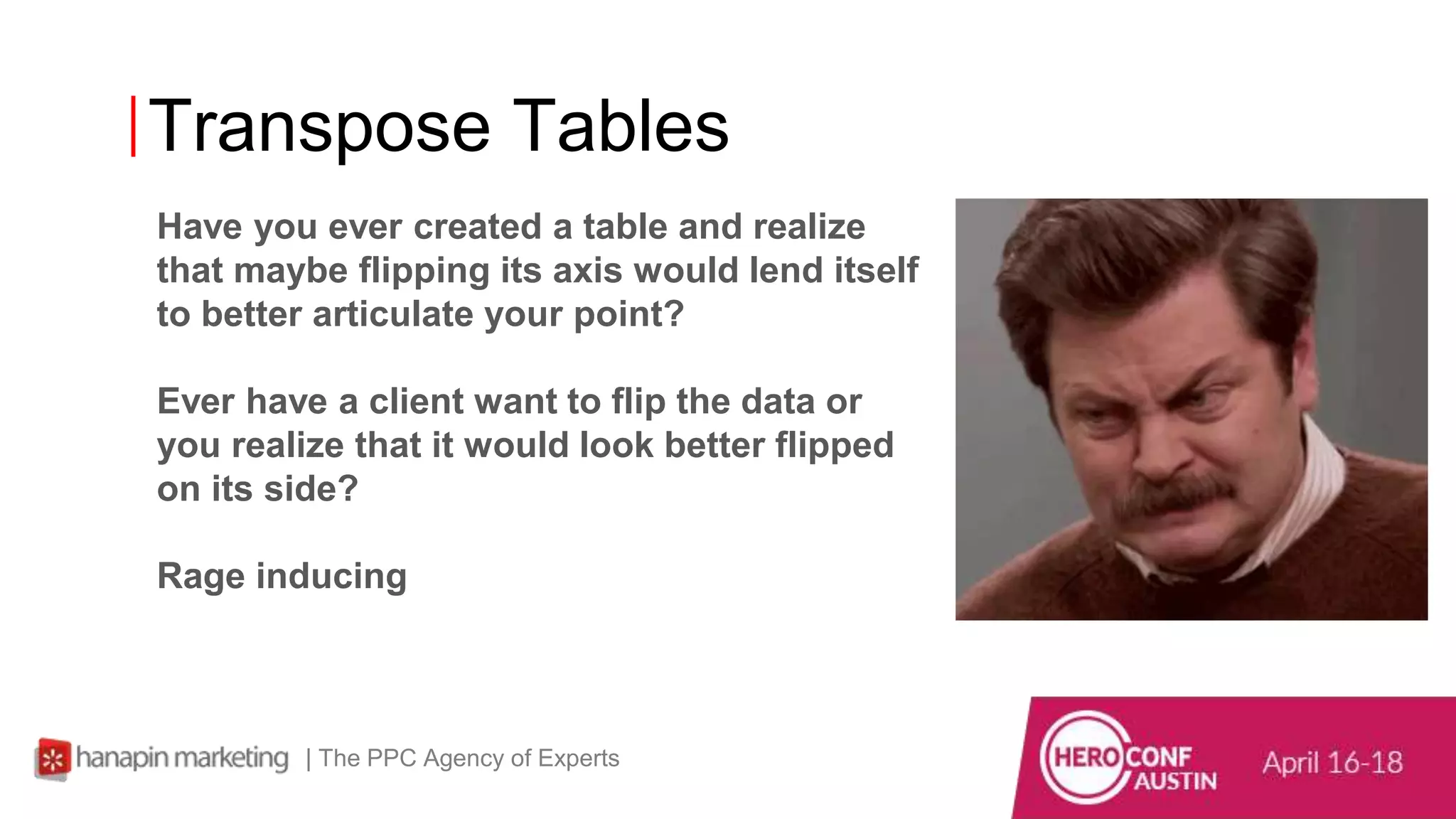
Transpose Tables
Have you ever created a table and realize
that maybe flipping its axis would lend itself
to better articulate your point?
Ever have a client want to flip the data or
you realize that it would look better flipped
on its side?
Rage inducing
| The PPC Agency of Experts
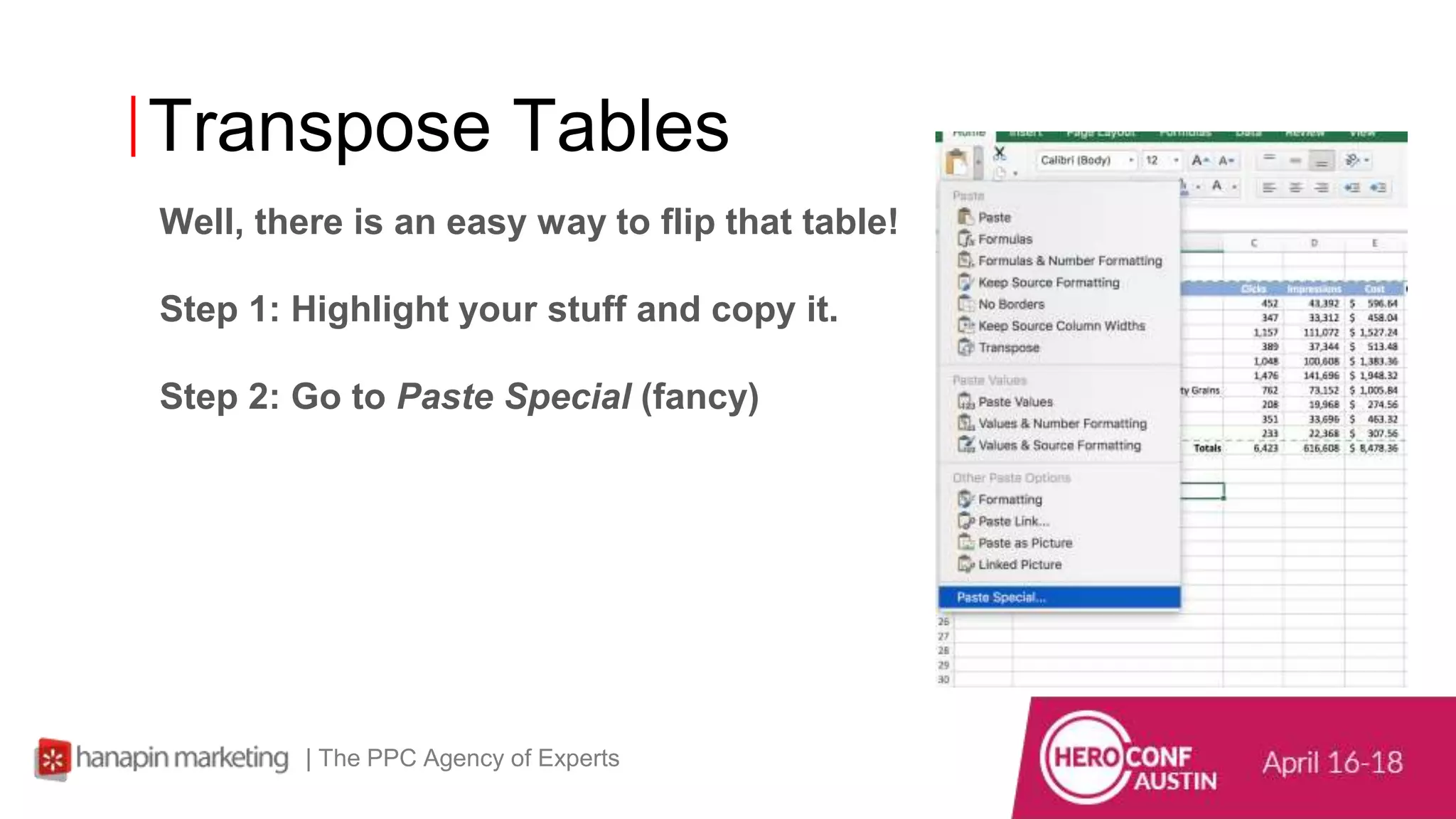
Transpose Tables
Well, there is an easy way to flip that table!
Step 1: Highlight your stuff and copy it.
Step 2: Go to Paste Special (fancy)
| The PPC Agency of Experts
Transpose Tables
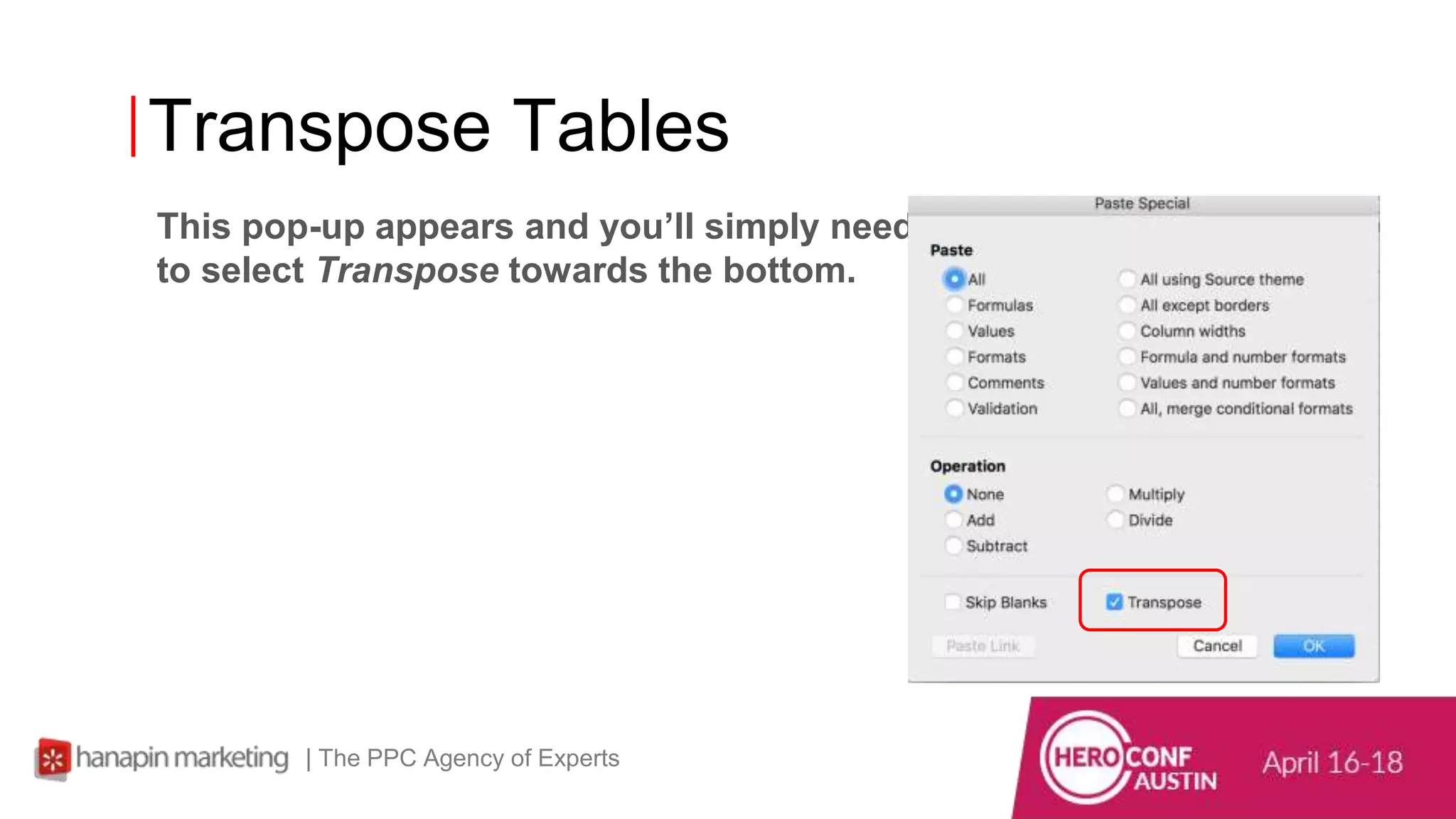
This pop-up appears and you’ll simply need
to select Transpose towards the bottom.
| The PPC Agency of Experts
Transpose Tables
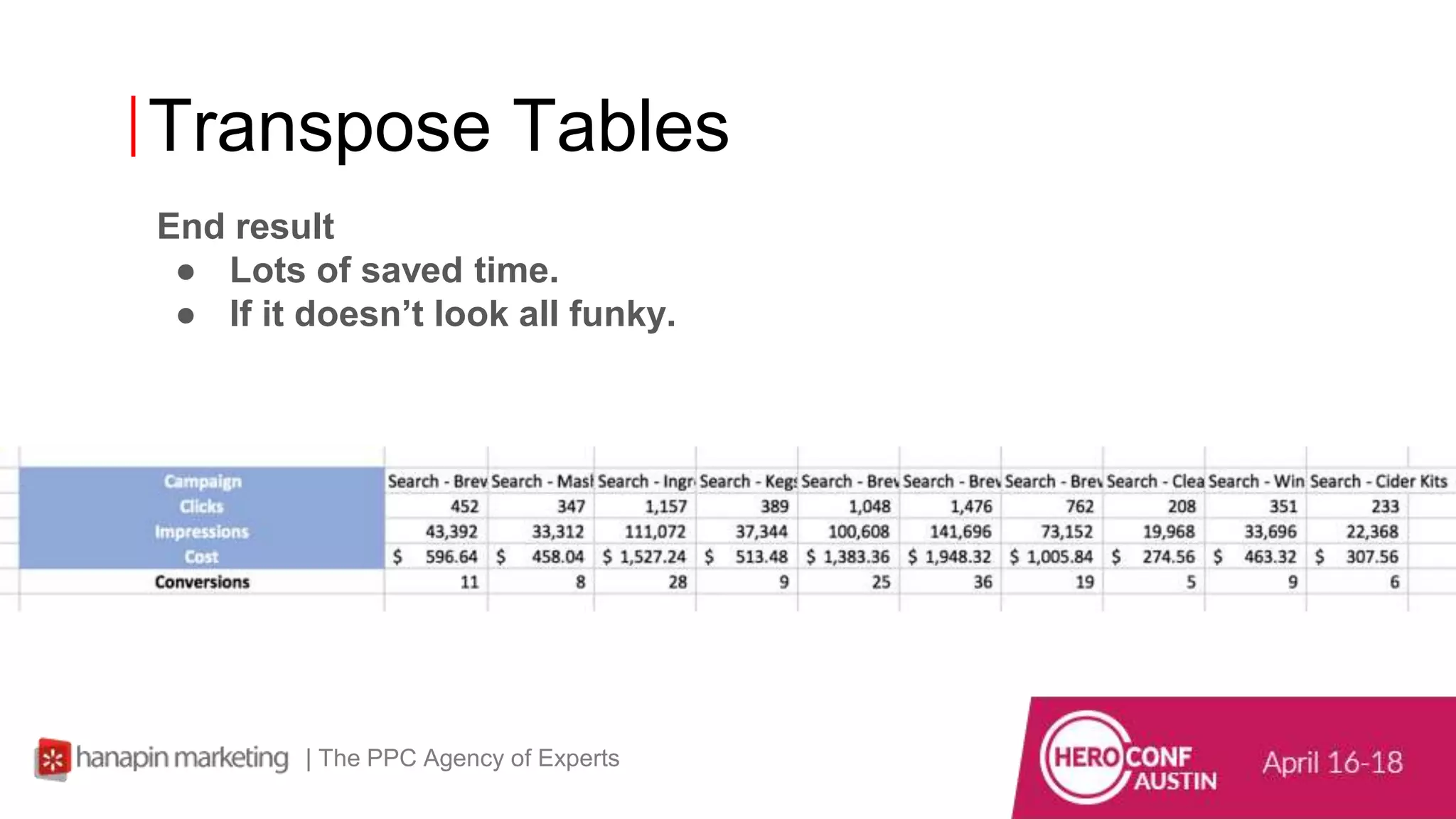
End result
● Lots of saved time.
● If it doesn’t look all funky.
| The PPC Agency of Experts
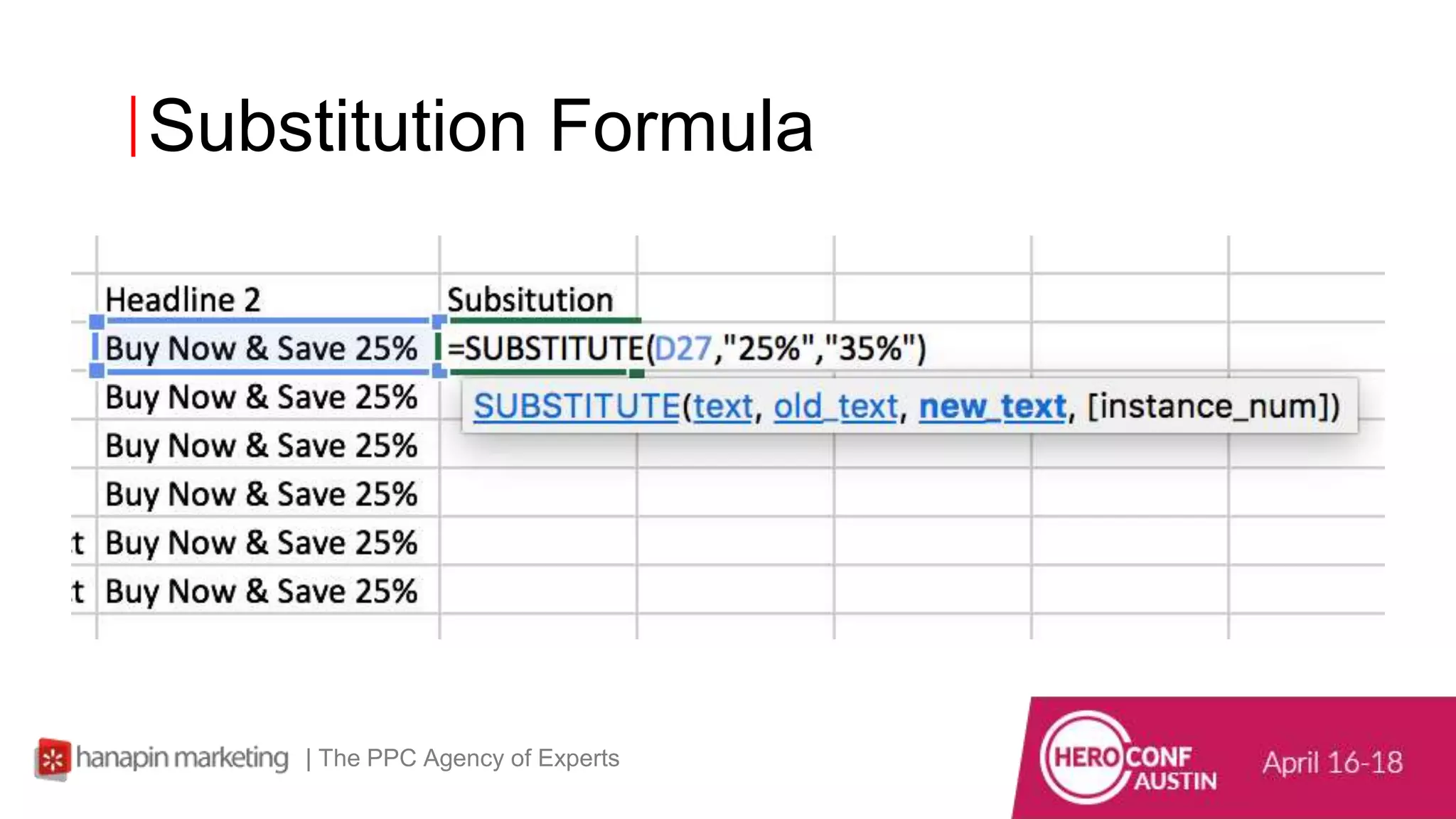
Substitution Formula
| The PPC Agency of Experts
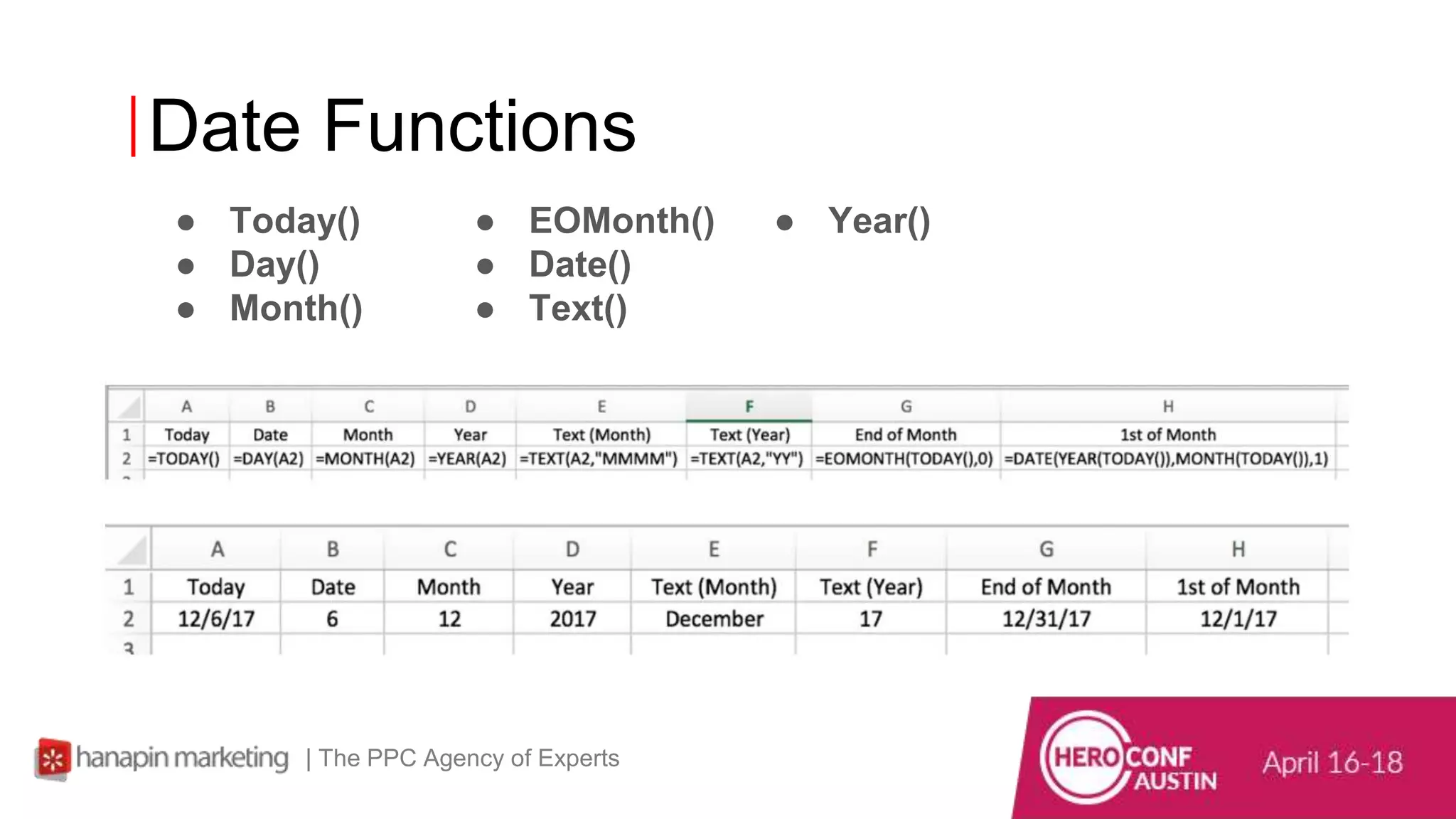
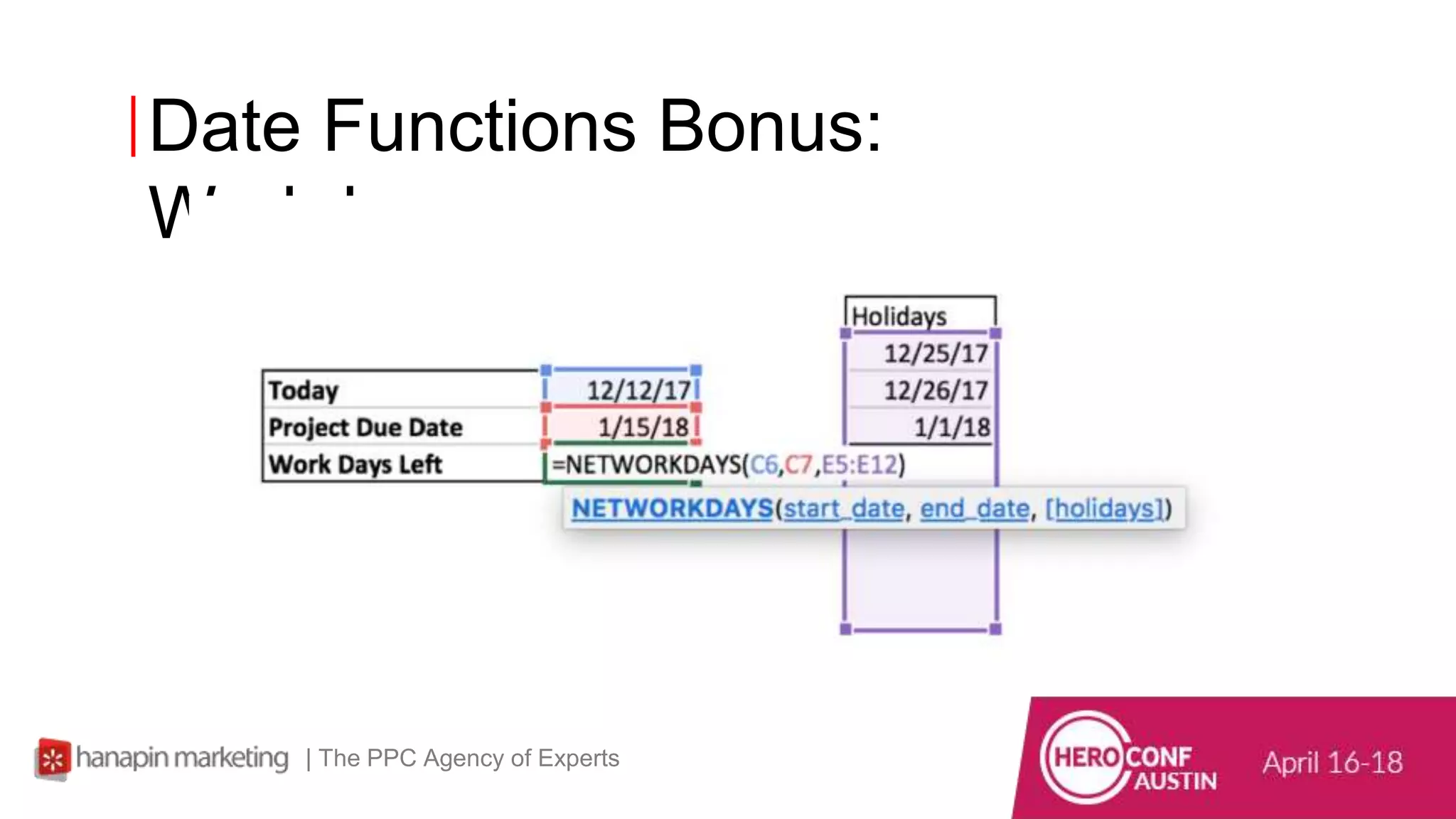
Date Functions
● Today()
● Day()
● Month()
| The PPC Agency of Experts
● EOMonth()
● Date()
● Text()
● Year()
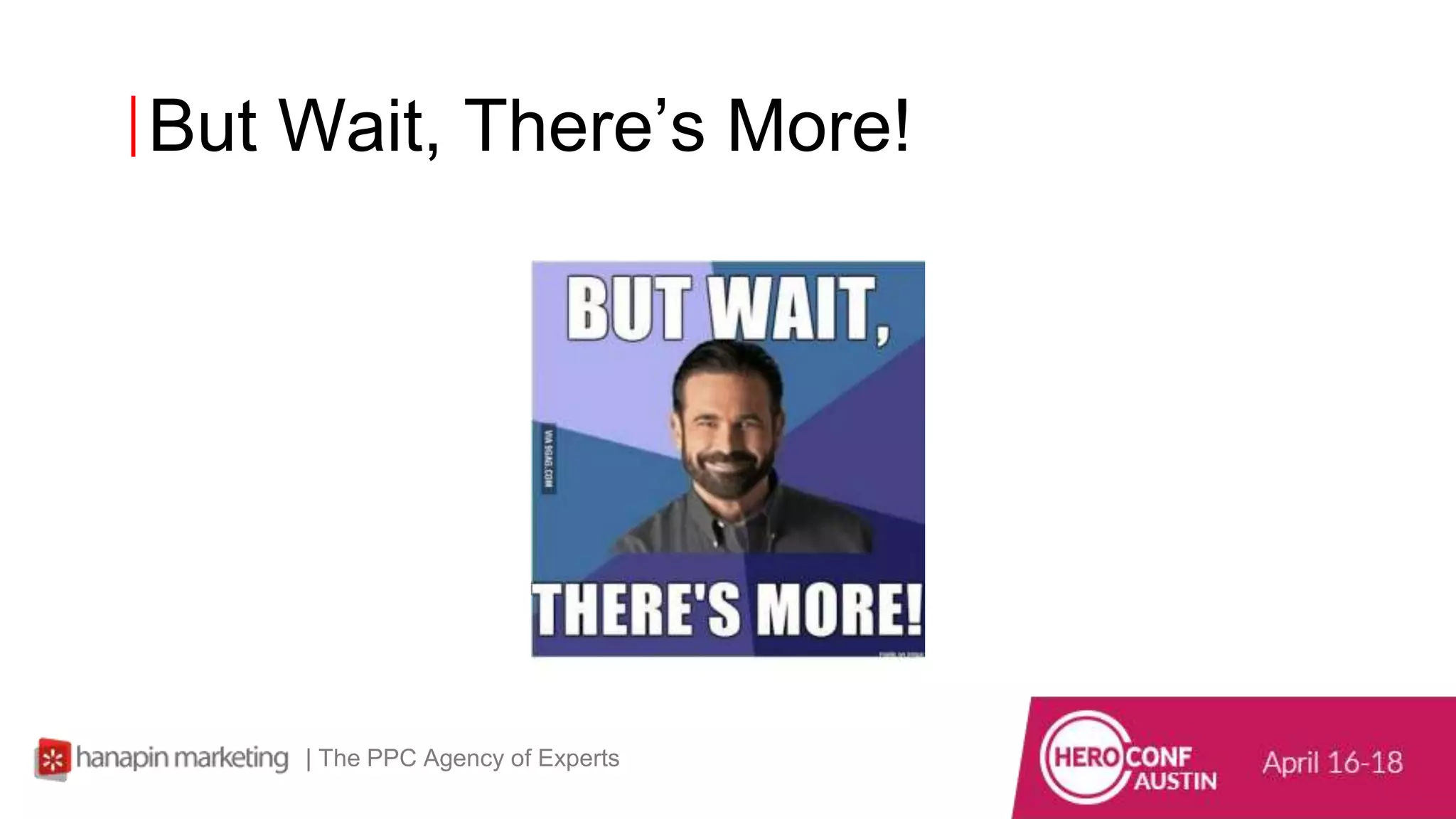
But Wait, There’s More!
| The PPC Agency of Experts
Date Functions Bonus:
Workdays
| The PPC Agency of Experts
26
www.dublindesign.com
Final Thoughts
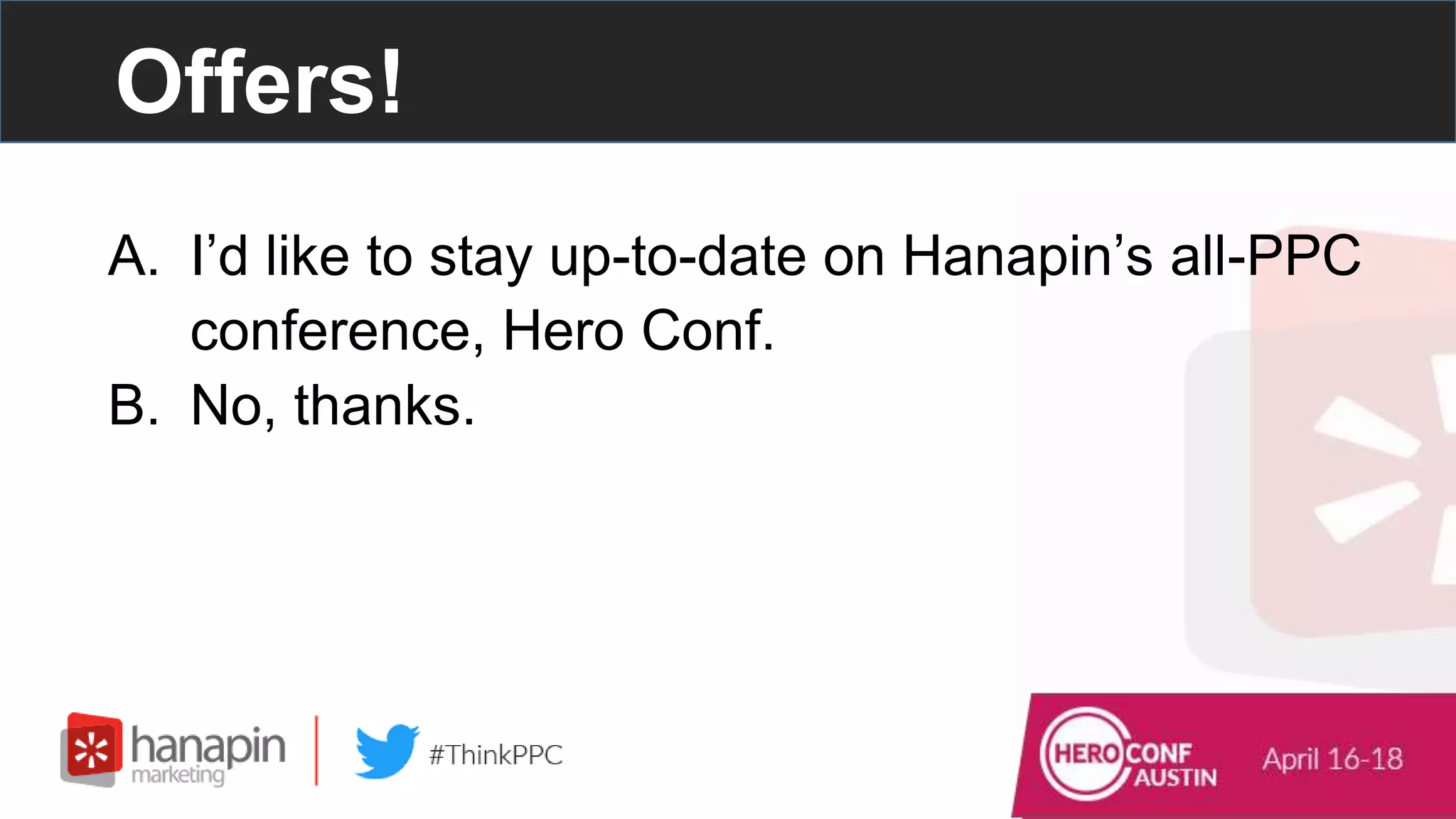
Offers!
A. I’d like to stay up-to-date on Hanapin’s all-PPC
conference, Hero Conf.
B. No, thanks.
Thank you for attending our webinar!
#thinkppc
Contact Hanapin Directly: marketing@hanapinmarketing.com
Hanapin Marketing | The PPC Agency of Experts Behind PPC Hero and Hero Conf

Time-Saving PPC Excel Shortcuts That Work

  • 1.
    1 www.dublindesign.com The PPC Agencyof Experts Time-Saving PPC Excel Shortcuts That Work
  • 2.
    Presenters • Mike Matta –Account Manager at Hanapin Marketing – PPC Hero Blogger – @MattaMike • Connor Regan – Account Manager at Hanapin Marketing – PPC Hero Blogger – @Creegs_5
  • 3.
    – Run theworld’s most popular PPC blog and conference. – We manage and optimize global paid search, paid social, and display programs. – Within 12 months, brands can expect a 250% increase in their growth trajectory. Who is Hanapin?
  • 4.
  • 5.
    Join the Conversation Includethe hashtag #thinkppc in your Twitter tweets. Or use the webinar question box to send us questions.
  • 6.
    Live Poll Question#1 How long have you been in PPC? #thinkppc A. 0-1 year B. 1-3 years C. 3-5 years D. 5+ years
  • 7.
    7 www.dublindesign.com What We’re Goingto Cover • Everyday Excel Keyboard Shortcuts • Hanapin Favorites • More Advanced Excel Shortcuts
  • 8.
    Basic Keyboard Shortcuts |The PPC Agency of Experts ● Paste: Command + V ● Copy: Command + C ● Undo: Command + Z ● Cut: Command + X ● Edit cell: Control + U ● Bold: Command + B ● Underline: Command + U ● Italics: Command + I ● New Book: Command + N ● Find: Command + F ● Align Center: Command + E ● Align Left: Command + L ● Align Right: Command + R
  • 9.
    Advanced Keyboard Shortcuts | ThePPC Agency of Experts ● Find & Replace: Command + Shift + H ● Paste Special: Command + Alt (option) + V opens the paste special dialog box, then, for example, hit V to paste values or F to paste format. ● Insert Autosum Formula: Command + Shift + T ● Increase Font Size: Command + Shift + > ● Decrease Font Size: Command + Shift + < ● Add/Remove Strikethrough: Command + Shift + X ● Insert Date: Control + ; (semicolon) ● Insert Time: Command + ; ● Unhide Selected Row: Command + Shift + ( ● Unhide Selected Column: Command + Shift + )
  • 10.
    Excel Without aMouse? | The PPC Agency of Experts ● Control + arrow key: Automatically jump to the end of a column or row (in the direction of the arrow key you hit) ● Control + space: Select whole column ● Shift + space: Select whole row ● Shift + arrow key: Select multiple cells ● Control +/-: Add (+) or delete (-) columns or rows (you need to hit shift to make the +) ● Control + 1: Format cells box shortcut ● Shift + F10: Display shortcut menu (same as a right click) ● Control + D: Fill down ● Control + R: Fill right ● Command + M: Minimize window ● Hide Selected Row: Control + 9 ● Hide Selected Column: Control + 0 (zero)
  • 11.
    11 www.dublindesign.com Hanapin Favorites What arefellow PPC Heros doing to save time?
  • 12.
    Dani Gonzales | ThePPC Agency of Experts Command+Shift & Over, down, up to select rows or columns
  • 13.
    Mary Hartman | ThePPC Agency of Experts ● Formatting ○ Apple Key + 1 ○ Ctrl + 1 ● Find and Replace ○ Apply Key + Shift + H ○ Ctrl + Shift + H ○ Same shortcuts on AdWords editor
  • 14.
    Mary Hartman | ThePPC Agency of Experts ● Sort by Column ○ Apple Key + Shift + R ○ Ctrl + Shift + R
  • 15.
  • 16.
    Double Click ExcelPaint Function ● Beautify Your First Cell ● Double-Click the Paint Brush Tool. ● Paint to your heart's content | The PPC Agency of Experts
  • 17.
    Sum All Shortcut Nomore having to navigate to the top bar. ● Simply press alt, + and it will sum all ○ Command, Alt, + on a Mac | The PPC Agency of Experts
  • 18.
    Transpose Tables Have youever created a table and realize that maybe flipping its axis would lend itself to better articulate your point? Ever have a client want to flip the data or you realize that it would look better flipped on its side? Rage inducing | The PPC Agency of Experts
  • 19.
    Transpose Tables Well, thereis an easy way to flip that table! Step 1: Highlight your stuff and copy it. Step 2: Go to Paste Special (fancy) | The PPC Agency of Experts
  • 20.
    Transpose Tables This pop-upappears and you’ll simply need to select Transpose towards the bottom. | The PPC Agency of Experts
  • 21.
    Transpose Tables End result ●Lots of saved time. ● If it doesn’t look all funky. | The PPC Agency of Experts
  • 22.
    Substitution Formula | ThePPC Agency of Experts
  • 23.
    Date Functions ● Today() ●Day() ● Month() | The PPC Agency of Experts ● EOMonth() ● Date() ● Text() ● Year()
  • 24.
    But Wait, There’sMore! | The PPC Agency of Experts
  • 25.
    Date Functions Bonus: Workdays |The PPC Agency of Experts
  • 26.
  • 27.
    Offers! A. I’d liketo stay up-to-date on Hanapin’s all-PPC conference, Hero Conf. B. No, thanks.
  • 28.
    Thank you forattending our webinar! #thinkppc Contact Hanapin Directly: marketing@hanapinmarketing.com Hanapin Marketing | The PPC Agency of Experts Behind PPC Hero and Hero Conf