Create a PPC Playground For Your Clients
How to co-create your ad customizers
Koos Hoeijmakers | Automation & Innovation Lead
Session Outcomes
How to co-create your ad customizers
● The stakeholders of a Google Ads Campaign
● Why and when to use ad customizers
● Playgrounds
● From template to ad customizer
● Must haves & Action items
The stakeholders
The Agency
✓ Search Knowledge
✓ KPI’s
✓ Best Practices
The Client
✓ Market Knowledge
✓ Core Values / USP’s
✓ Expectations
The stakeholders
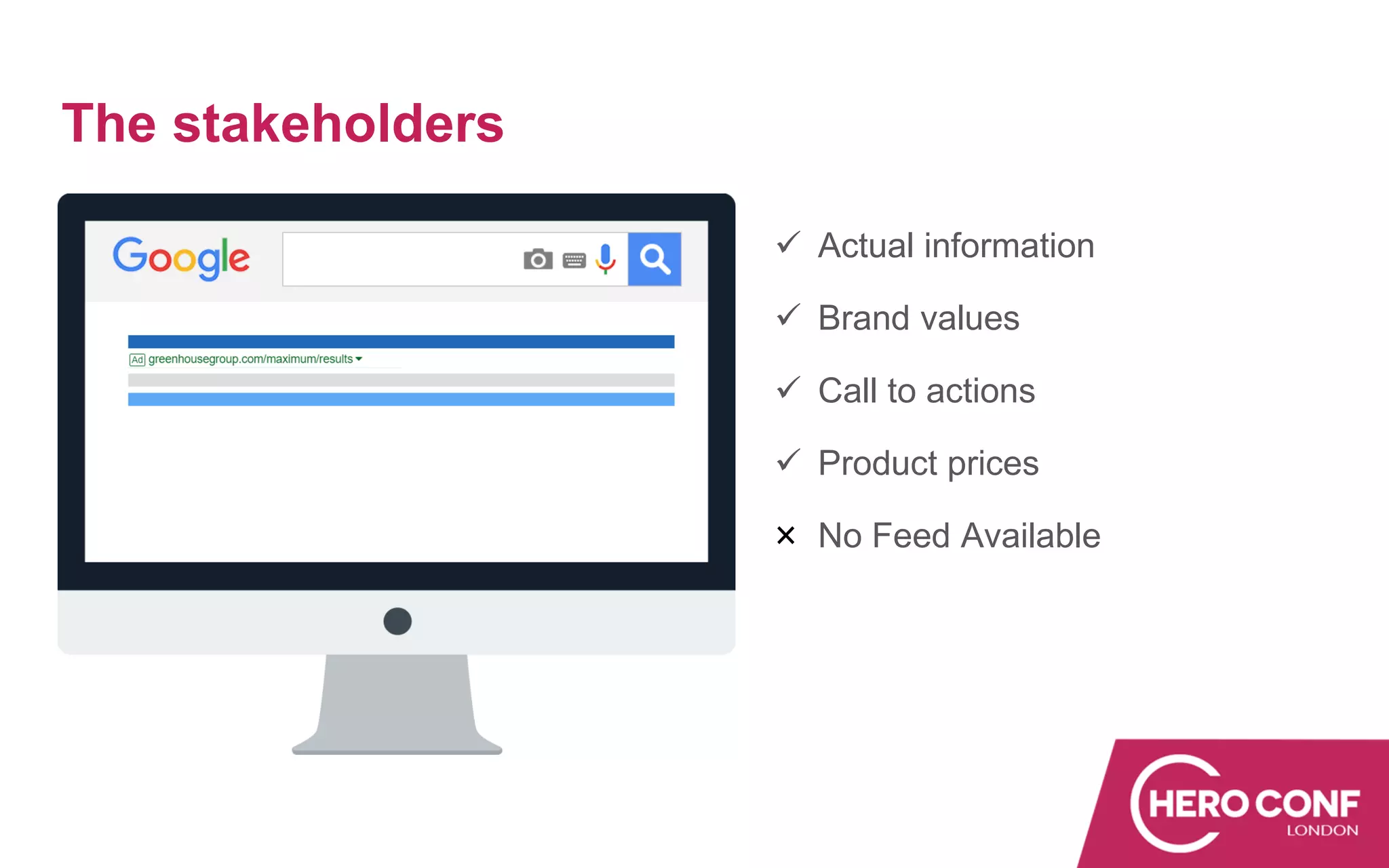
✓ Actual information
✓ Brand values
✓ Call to actions
✓ Product prices
No Feed Available
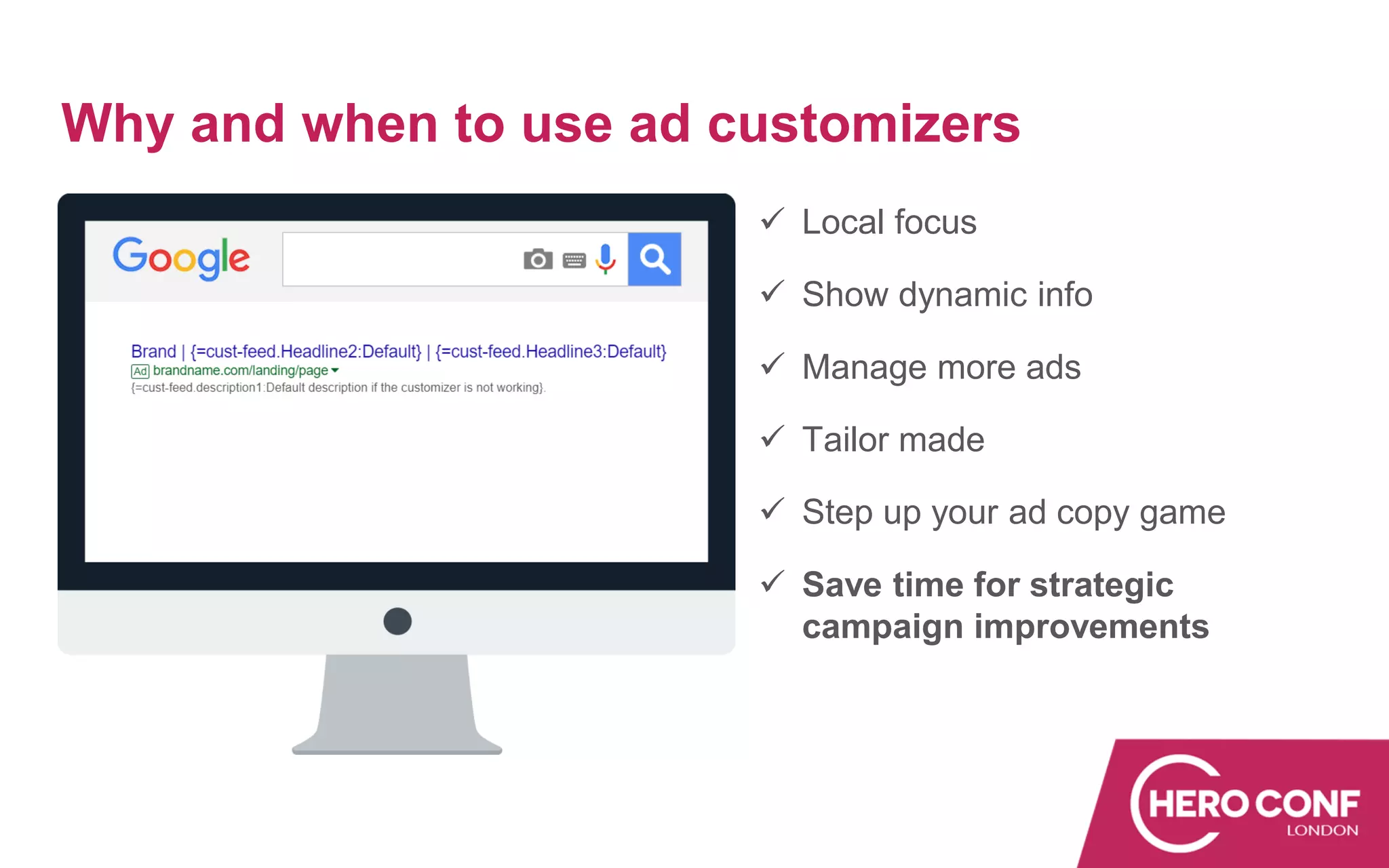
Why and when to use ad customizers
✓ Local focus
✓ Show dynamic info
✓ Manage more ads
✓ Tailor made
✓ Step up your ad copy game
✓ Save time for strategic
campaign improvements
Playgrounds
Before you start co-creating
● Relationship with the client
● Account maturity
● Knowledge of the client
● What’s in it for who
● Priorities
● Ready? Set?
Playgrounds
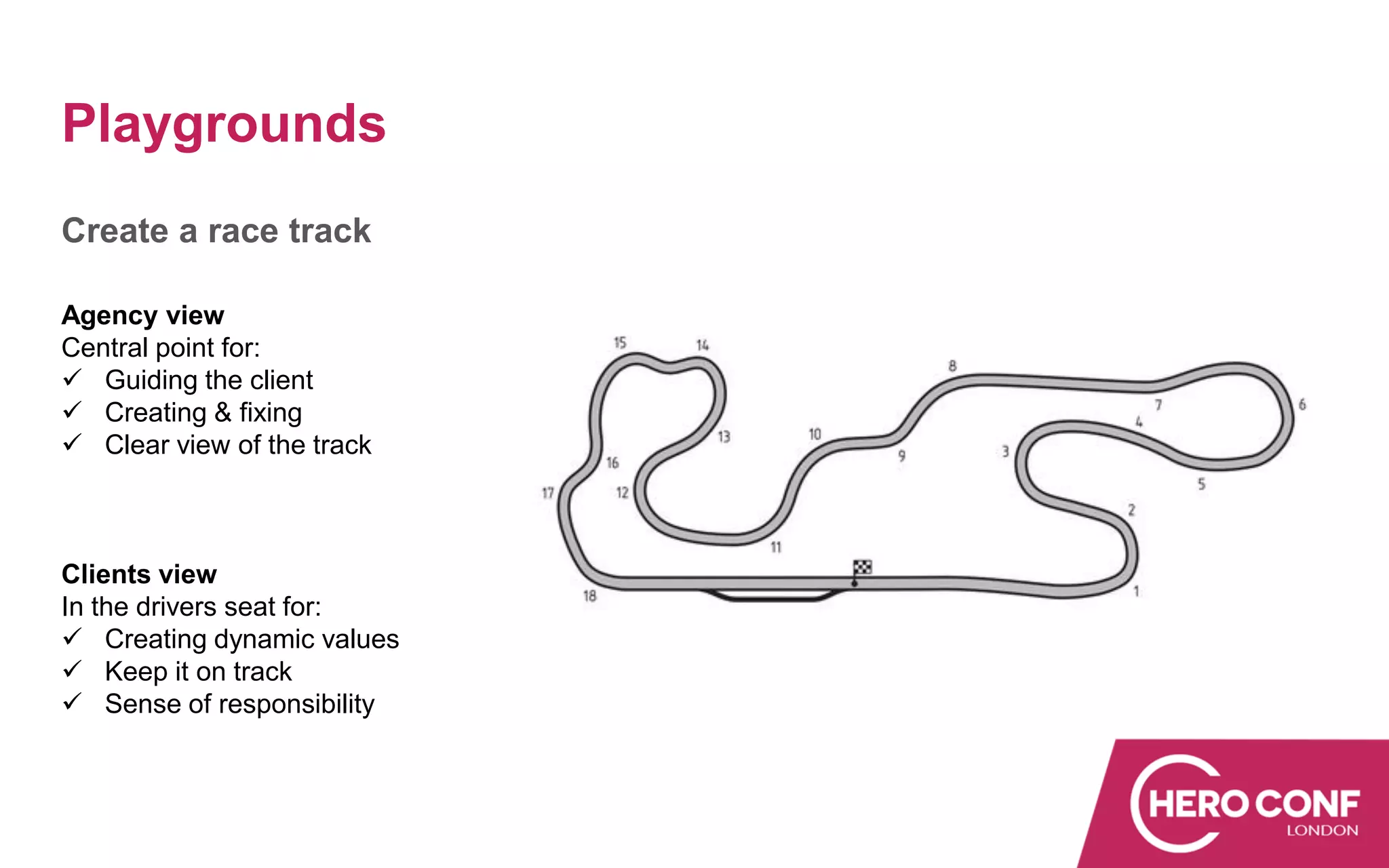
Create a race track
Agency view
Central point for:
✓ Guiding the client
✓ Creating & fixing
✓ Clear view of the track
Clients view
In the drivers seat for:
✓ Creating dynamic values
✓ Keep it on track
✓ Sense of responsibility
Playgrounds
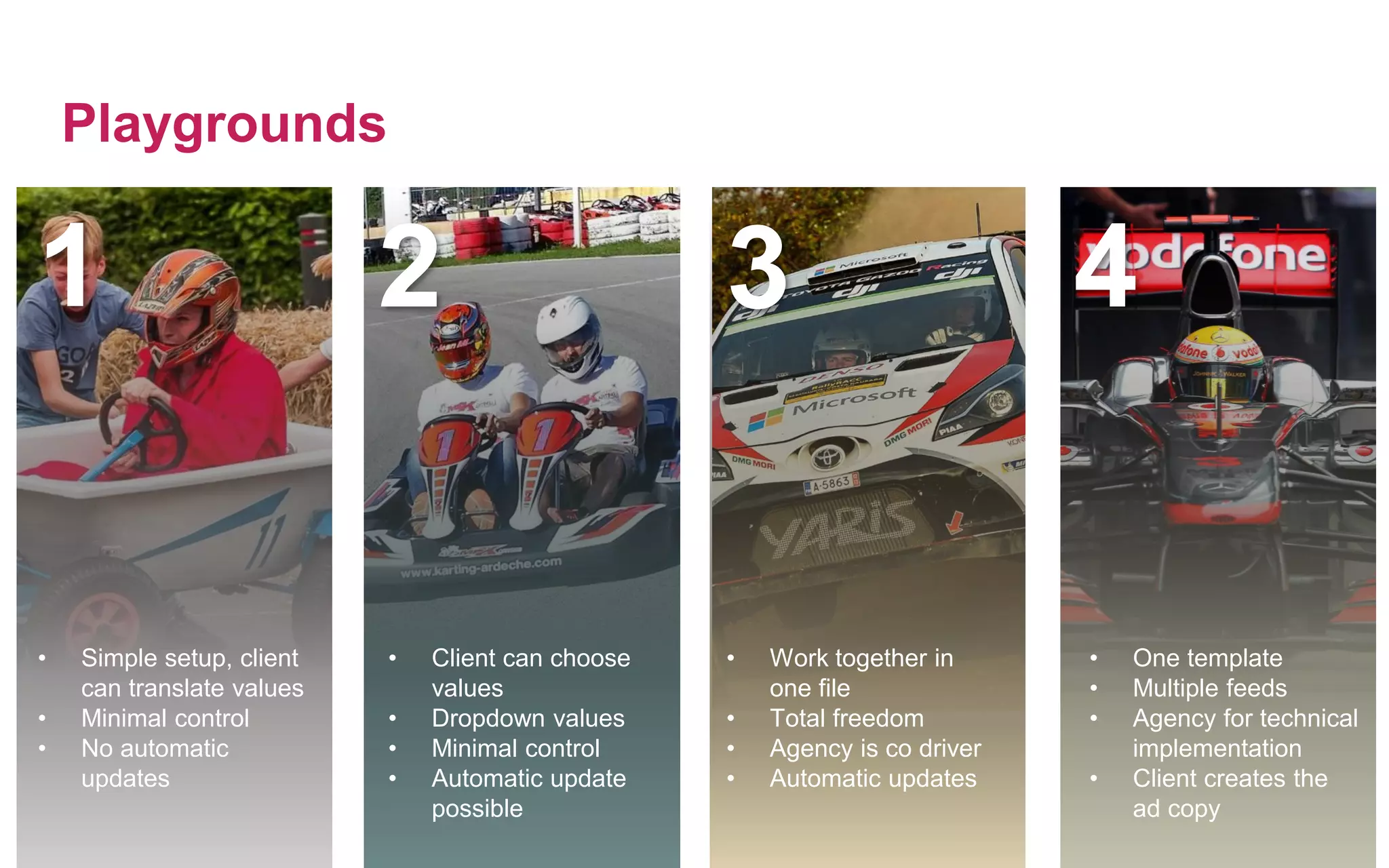
• Simple setup, client
can translate values
• Minimal control
• No automatic
updates
• Client can choose
values
• Dropdown values
• Minimal control
• Automatic update
possible
• Work together in
one file
• Total freedom
• Agency is co driver
• Automatic updates
• One template
• Multiple feeds
• Agency for technical
implementation
• Client creates the
ad copy
1 2 3 4
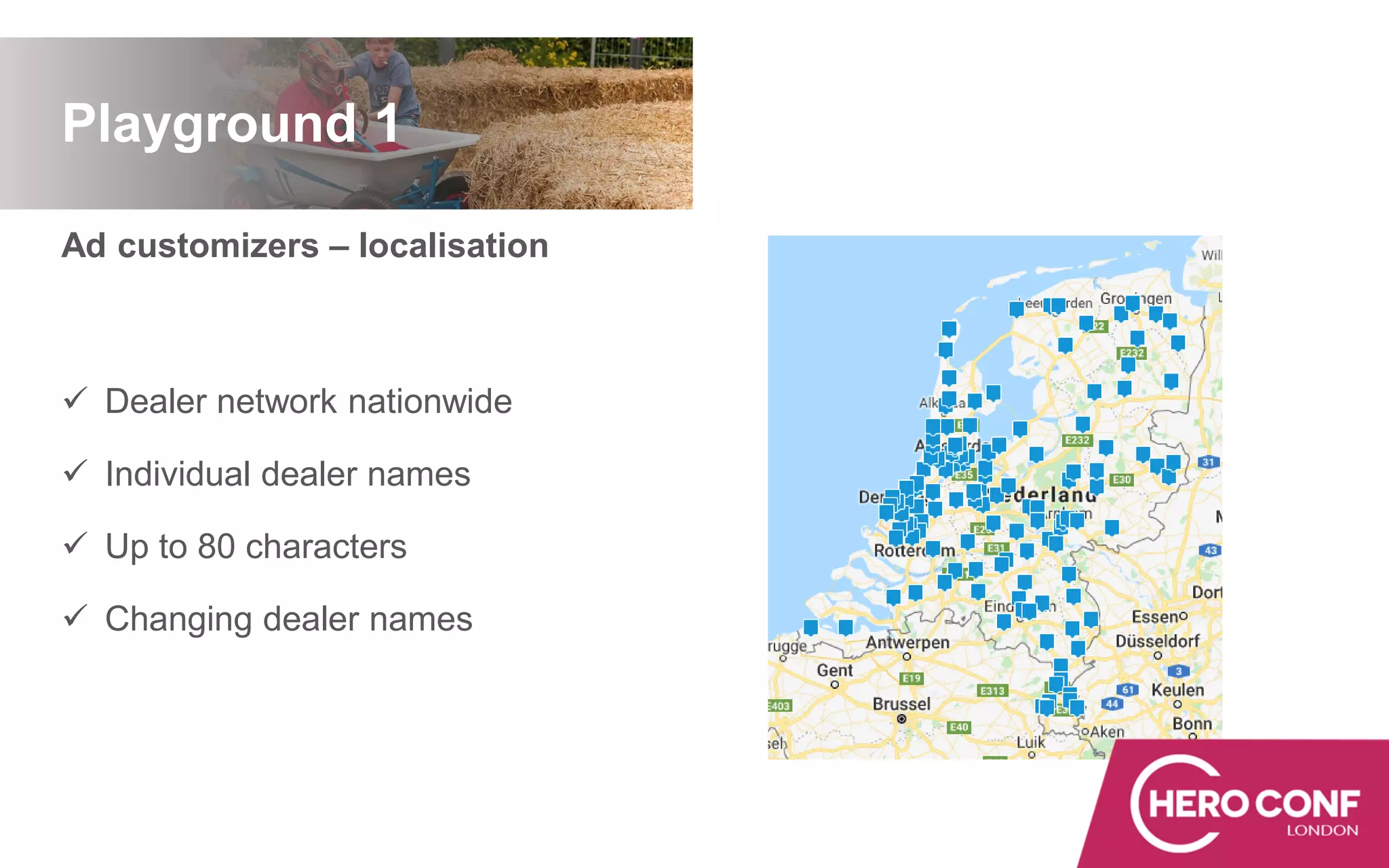
Ad customizers – localisation
✓ Dealer network nationwide
✓ Individual dealer names
✓ Up to 80 characters
✓ Changing dealer names
Playground 1
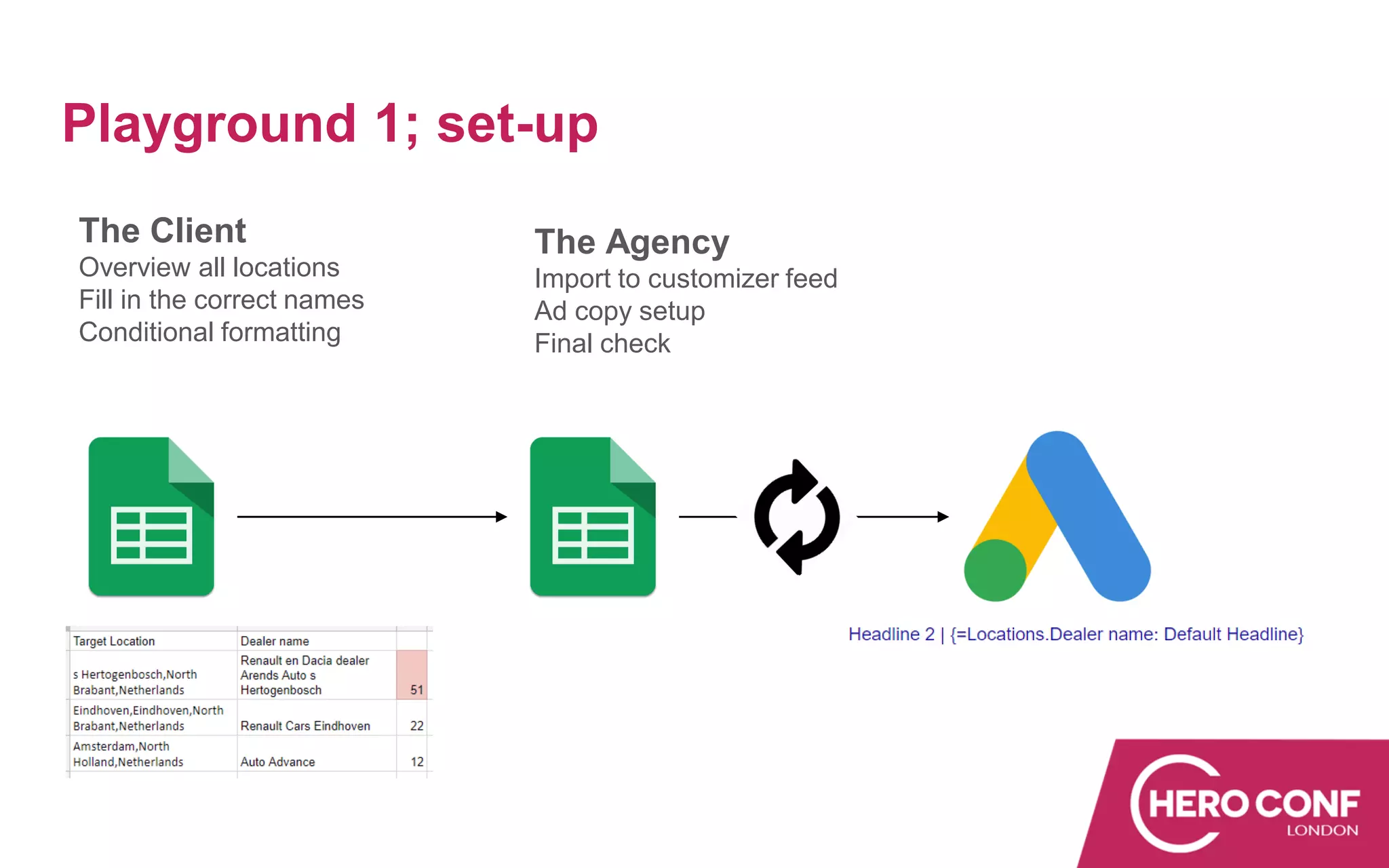
Playground 1; set-up
The Client
Overview all locations
Fill in the correct names
Conditional formatting
The Agency
Import to customizer feed
Ad copy setup
Final check
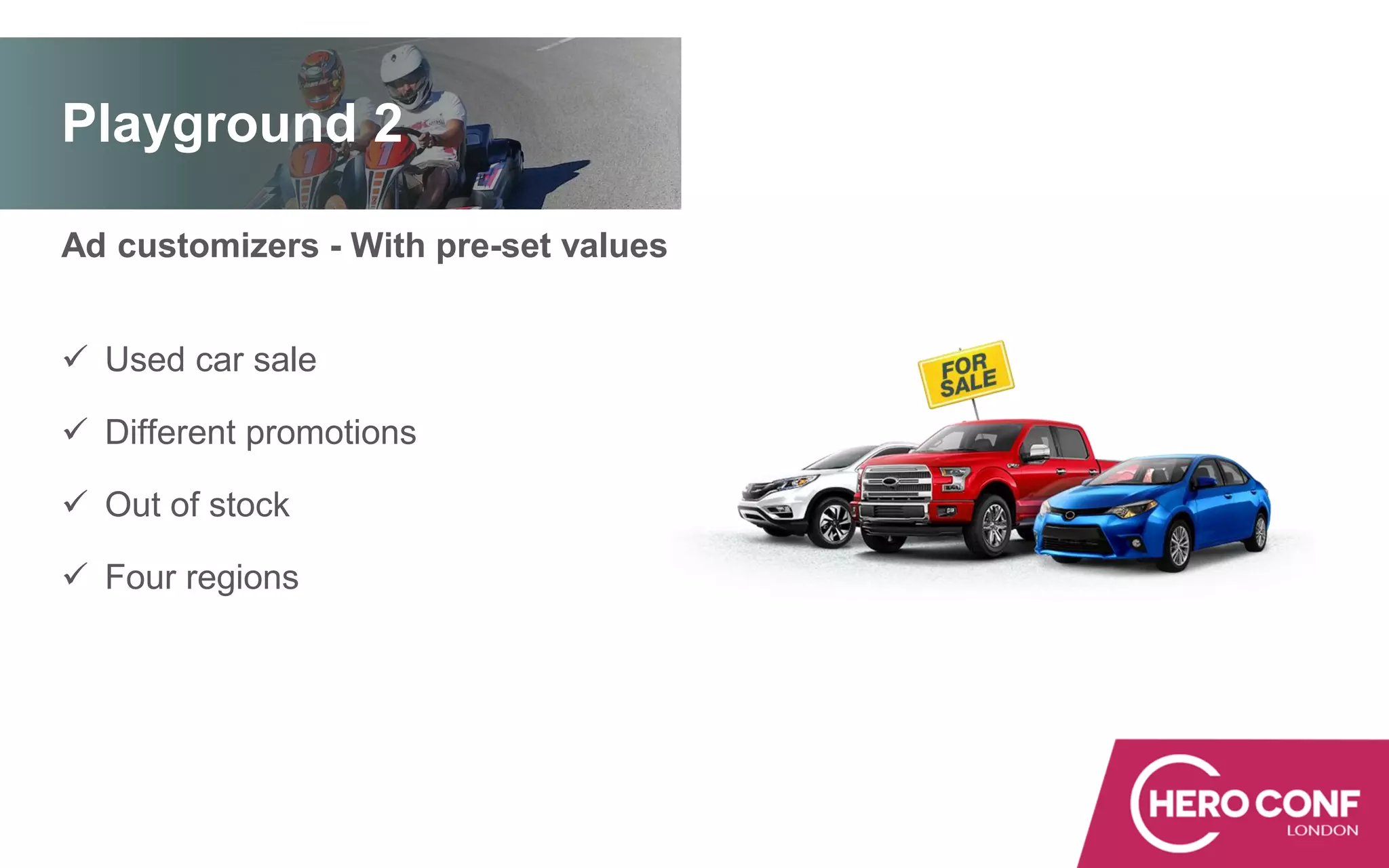
Ad customizers - With pre-set values
✓ Used car sale
✓ Different promotions
✓ Out of stock
✓ Four regions
Playground 2
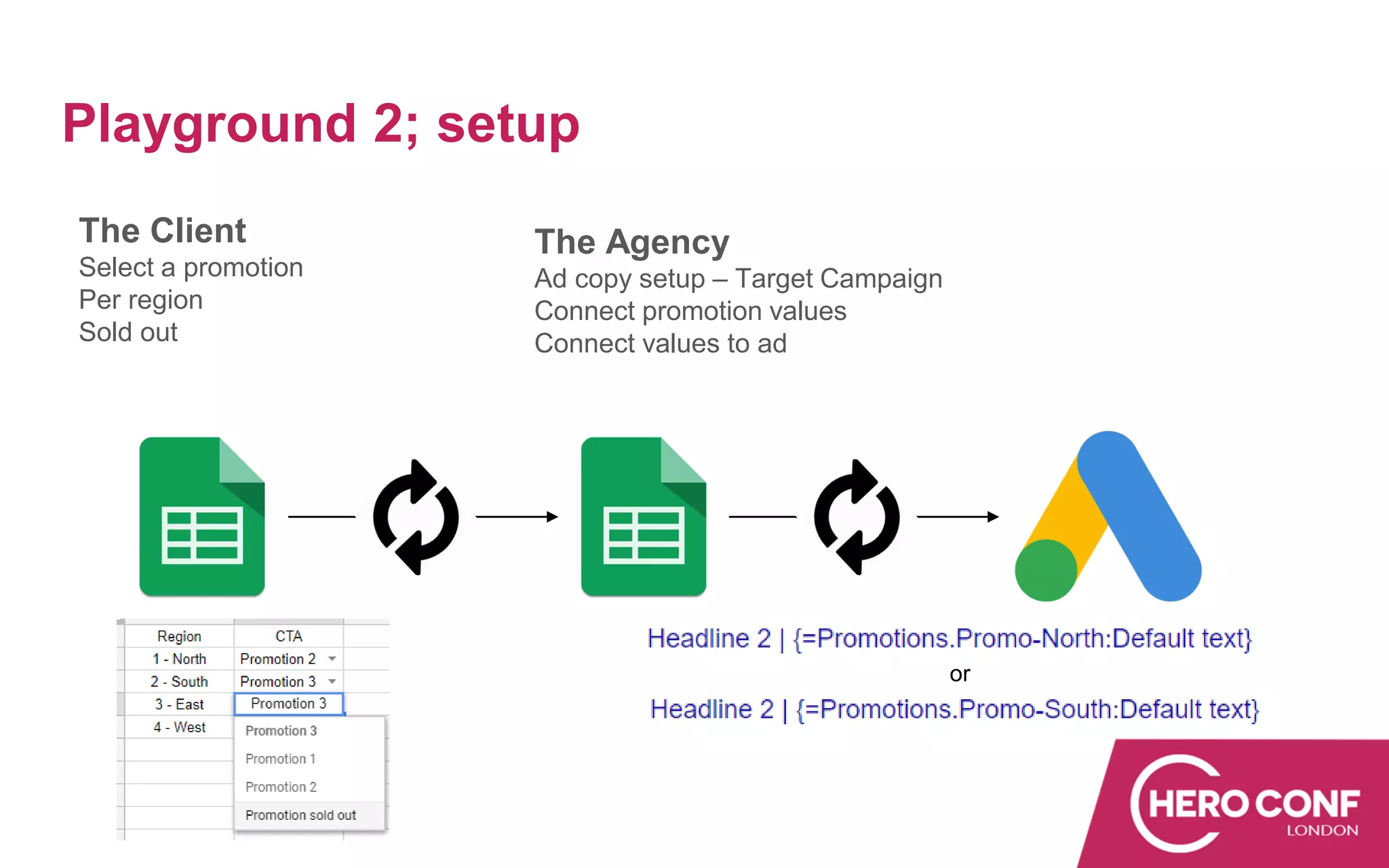
Playground 2; setup
The Client
Select a promotion
Per region
Sold out
The Agency
Ad copy setup – Target Campaign
Connect promotion values
Connect values to ad
or
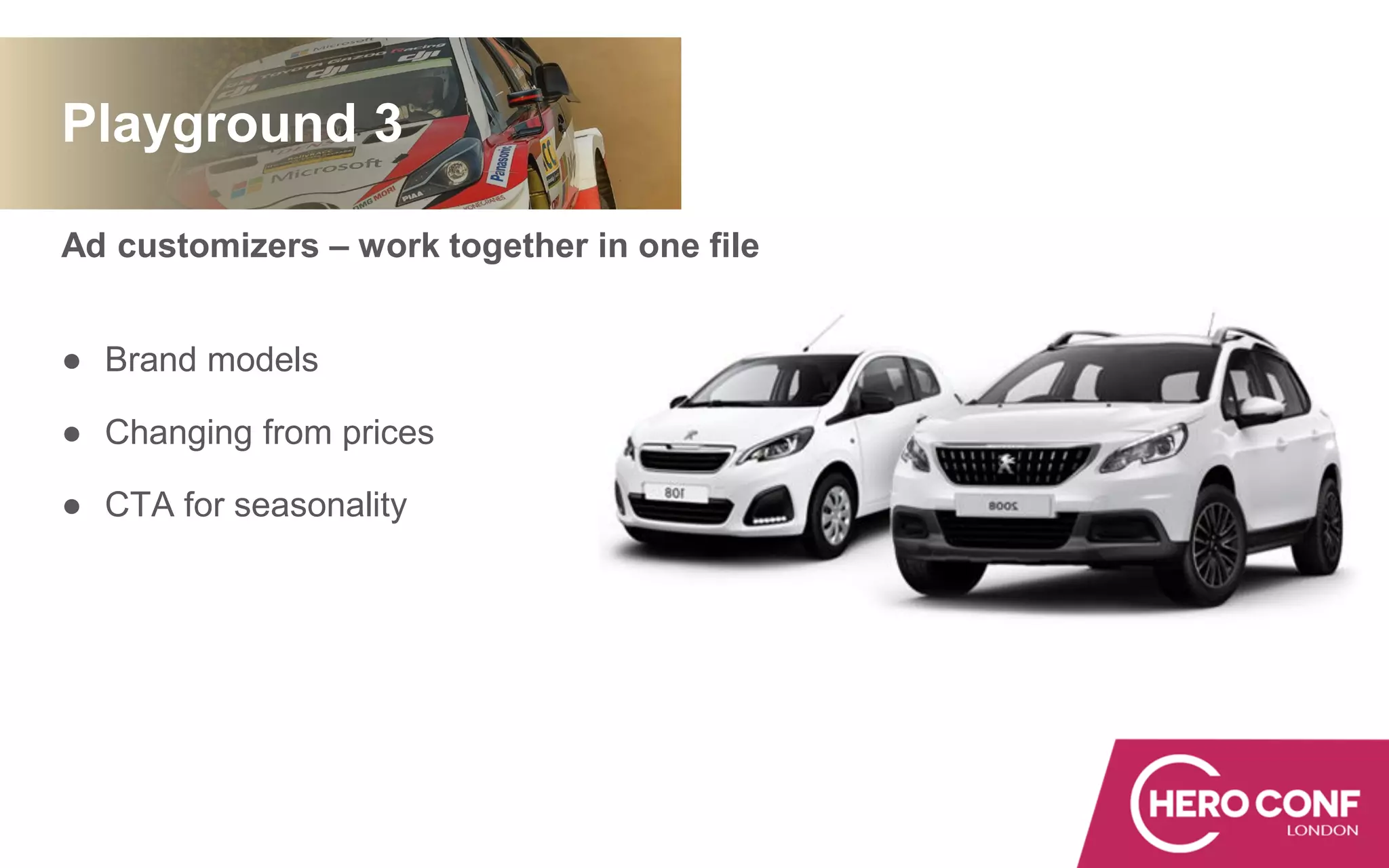
Ad customizers – work together in one file
● Brand models
● Changing from prices
● CTA for seasonality
Playground 3
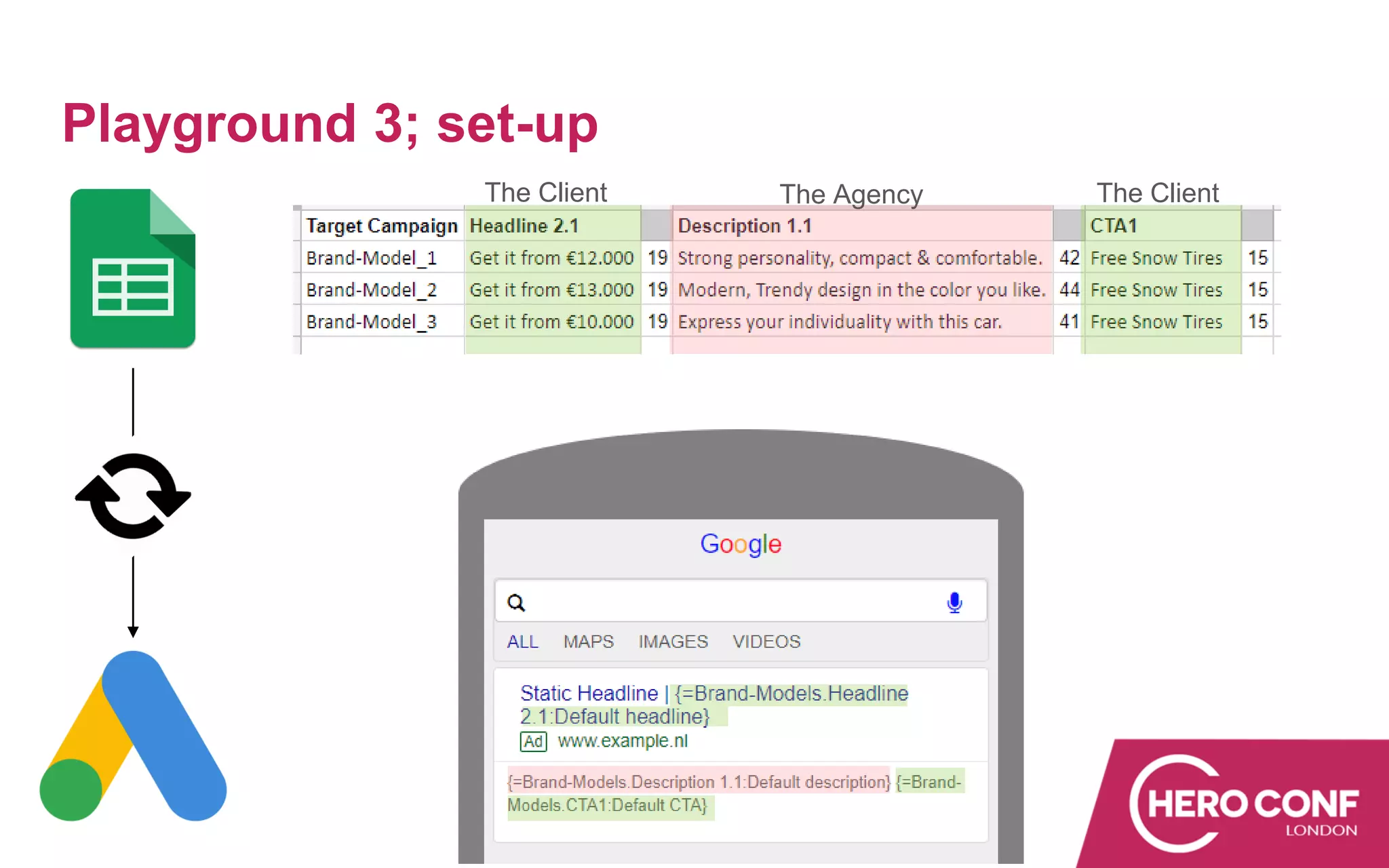
Playground 3; set-up
The Client The Agency The Client
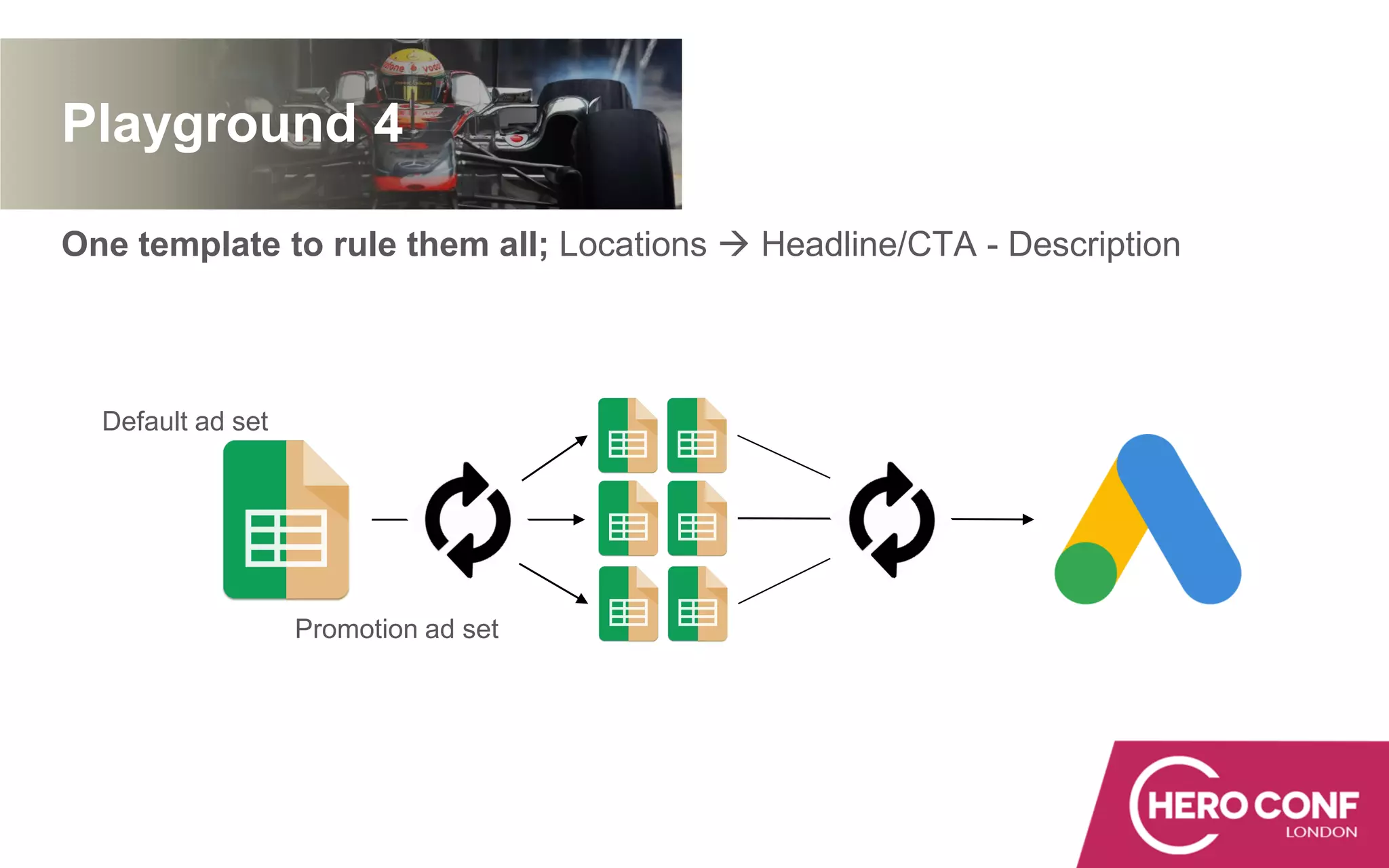
One template to rule them all; Locations  Headline/CTA - Description
Playground 4
Default ad set
Promotion ad set
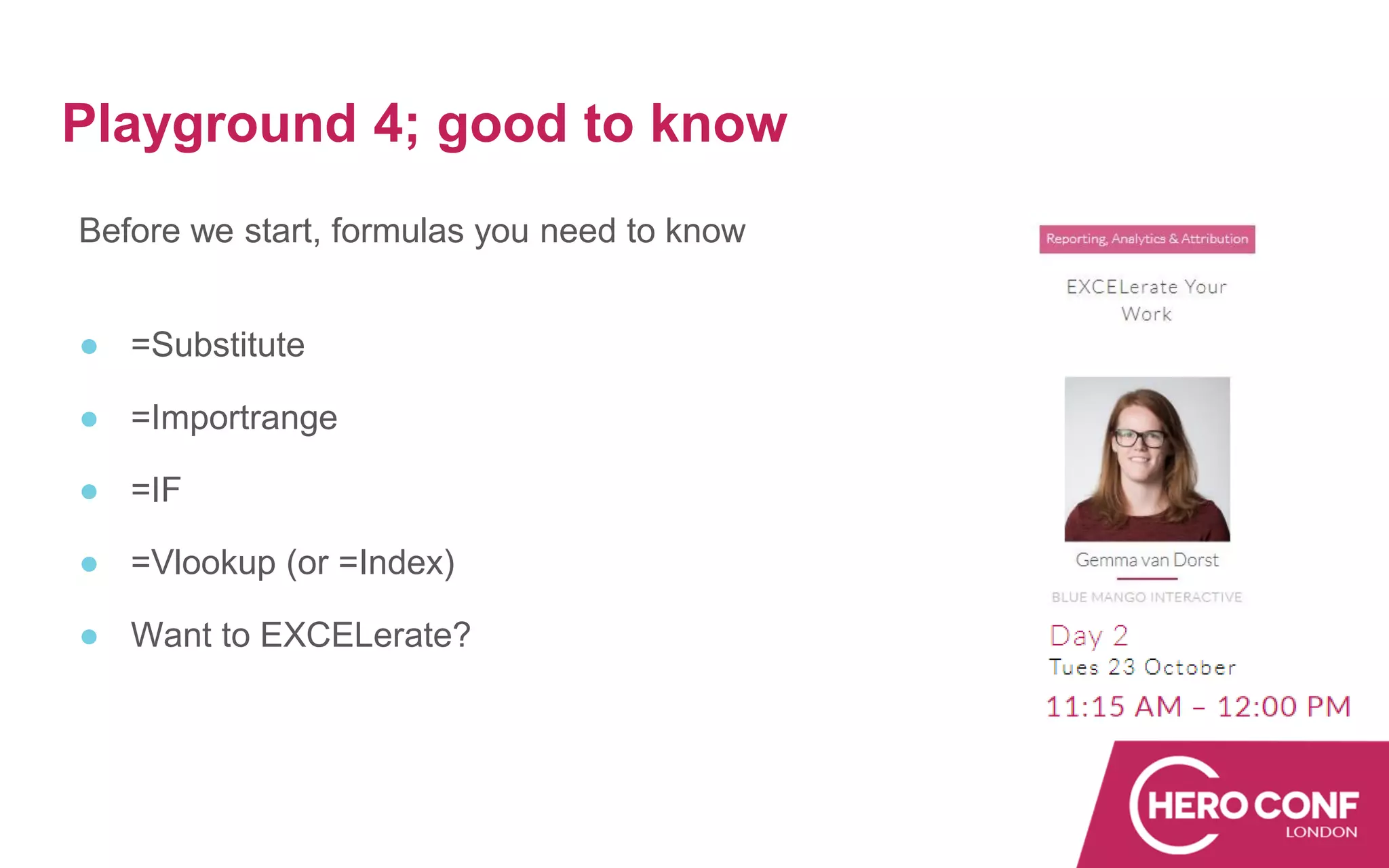
Before we start, formulas you need to know
● =Substitute
● =Importrange
● =IF
● =Vlookup (or =Index)
● Want to EXCELerate?
Playground 4; good to know
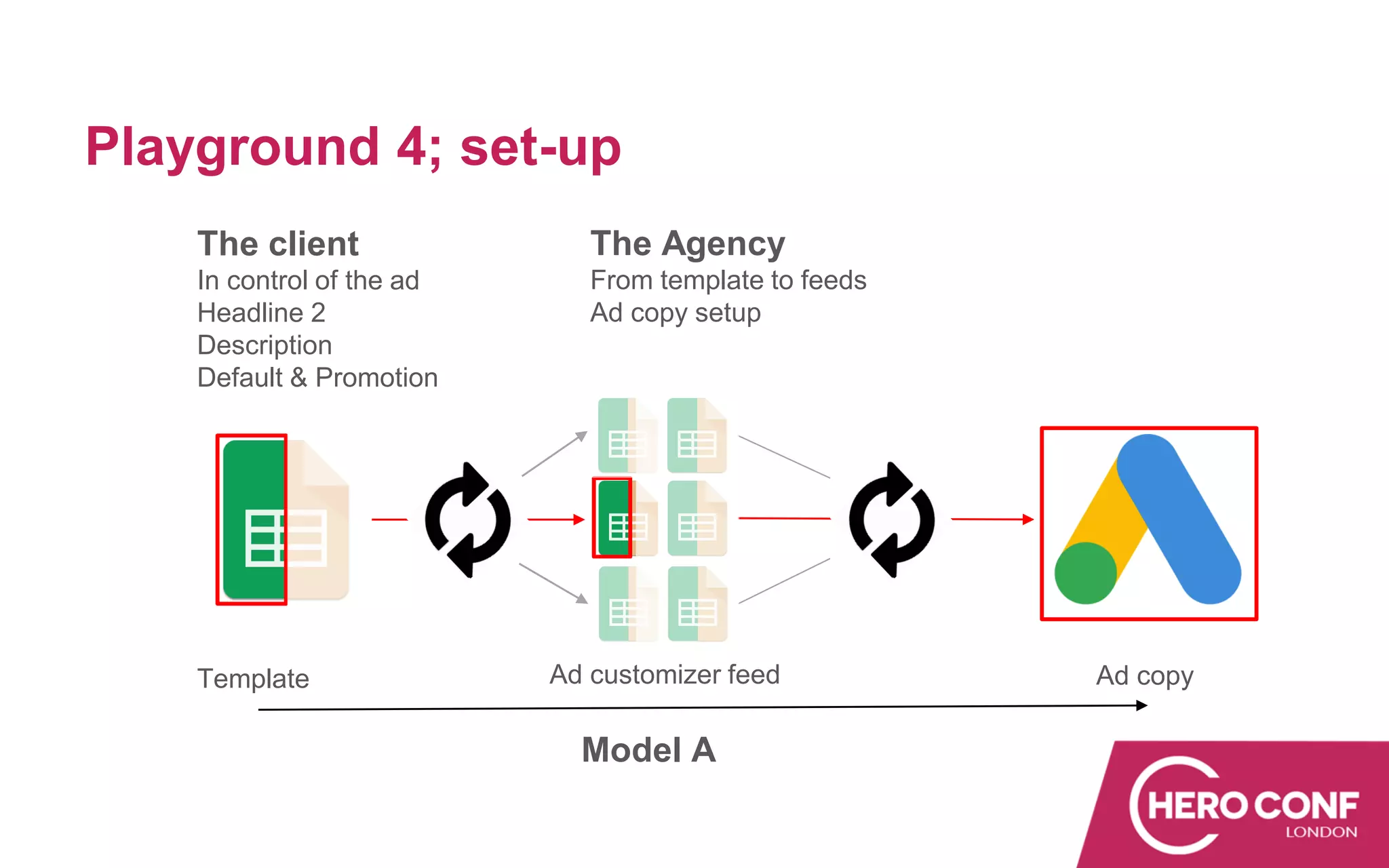
Playground 4Playground 4; set-up
Ad copy
The client
In control of the ad
Headline 2
Description
Default & Promotion
The Agency
From template to feeds
Ad copy setup
Template Ad customizer feed
Model A
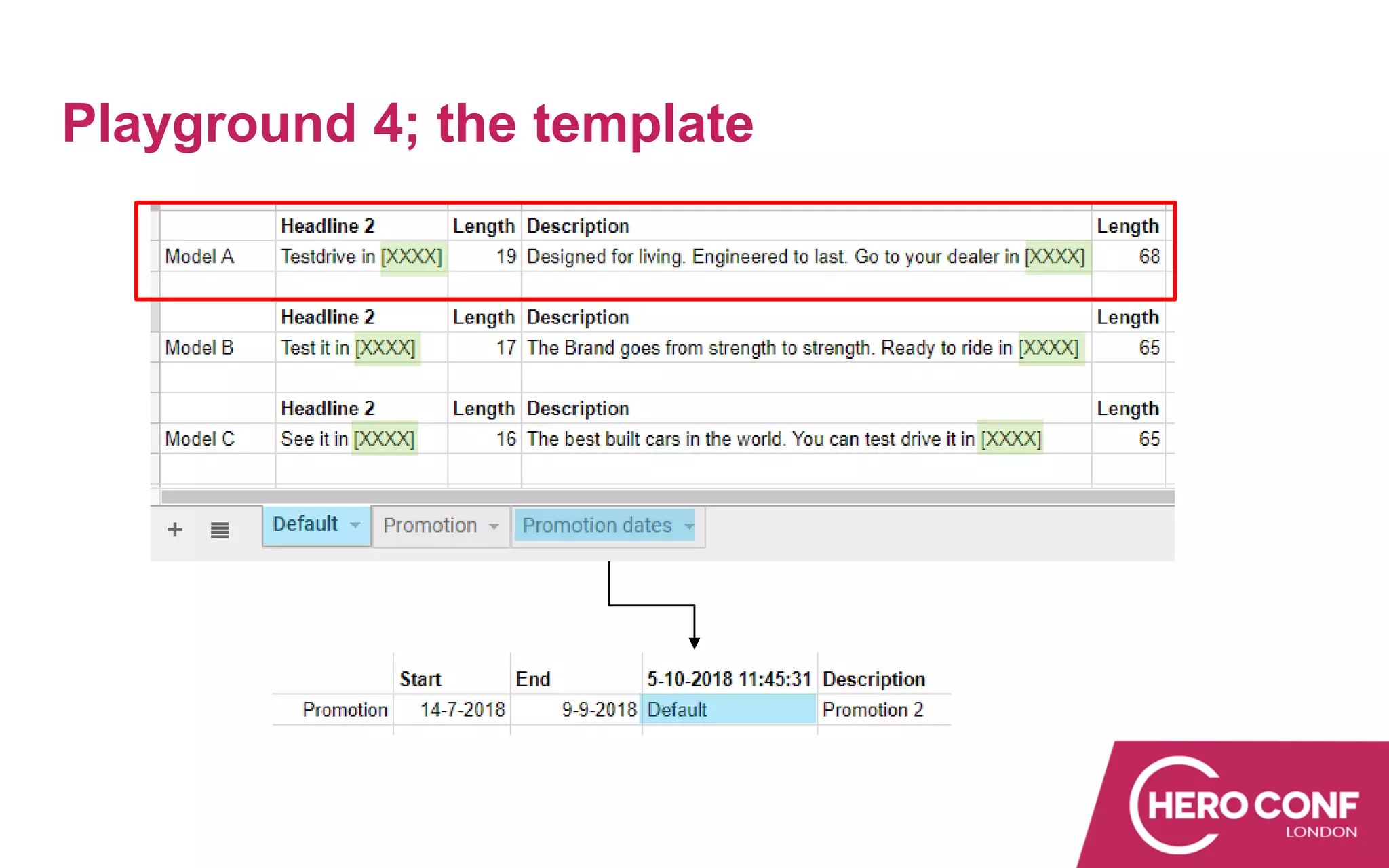
Playground 4; the template
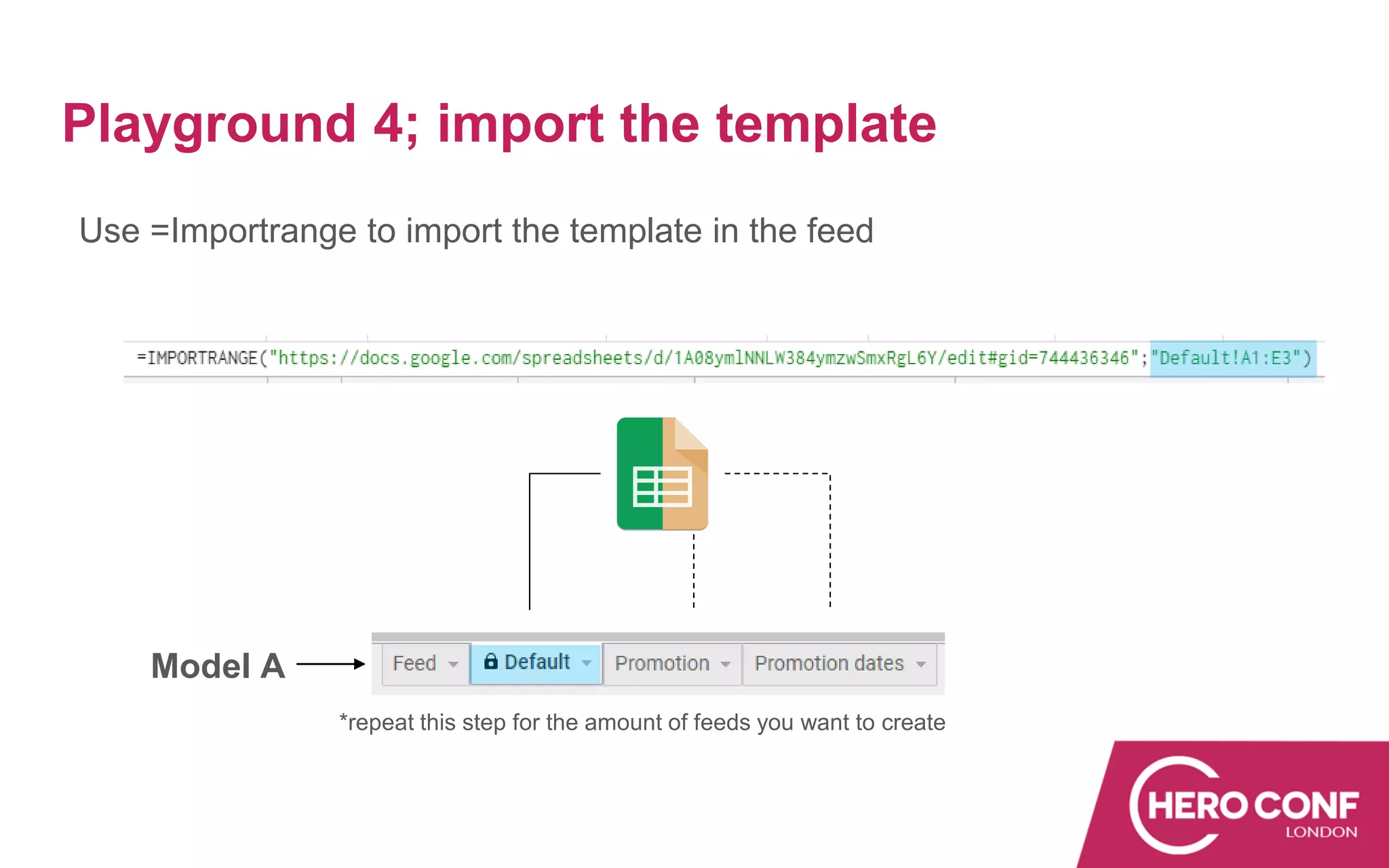
Use =Importrange to import the template in the feed
*repeat this step for the amount of feeds you want to create
Playground 4; import the template
Model A
Playground 4; substitute the [XXXX]
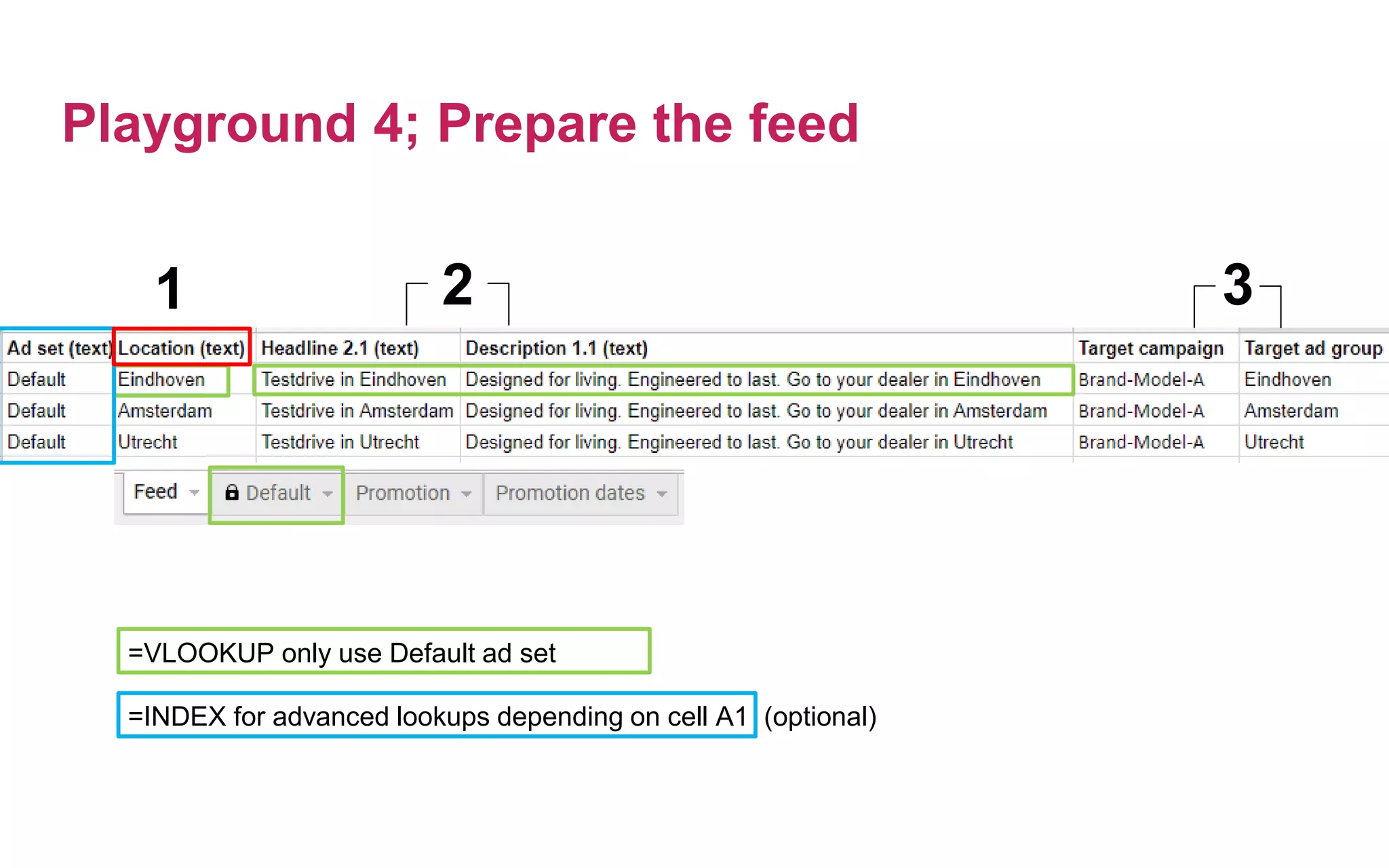
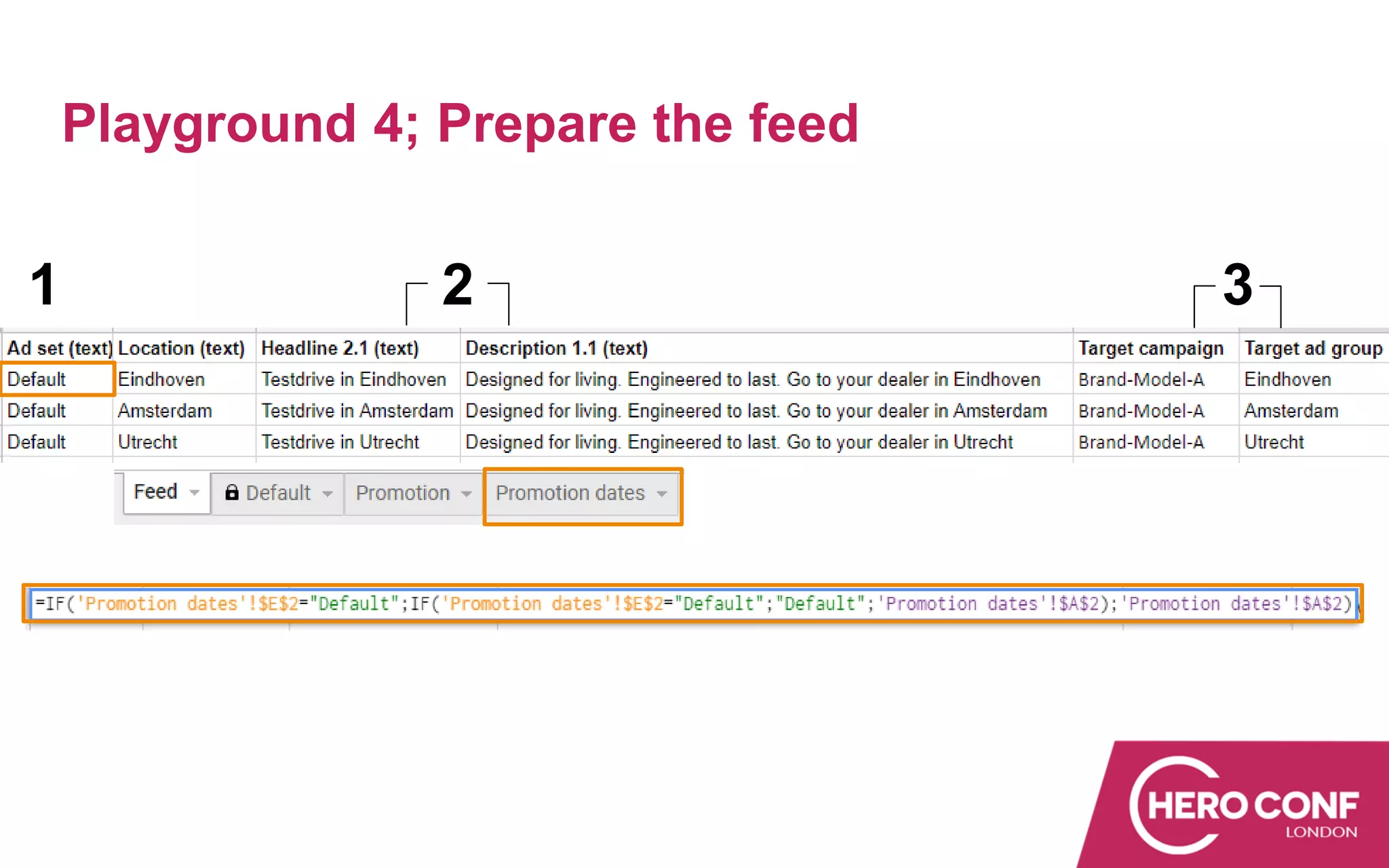
Playground 4; Prepare the feed
1 2 3
=VLOOKUP only use Default ad set
=INDEX for advanced lookups depending on cell A1 (optional)
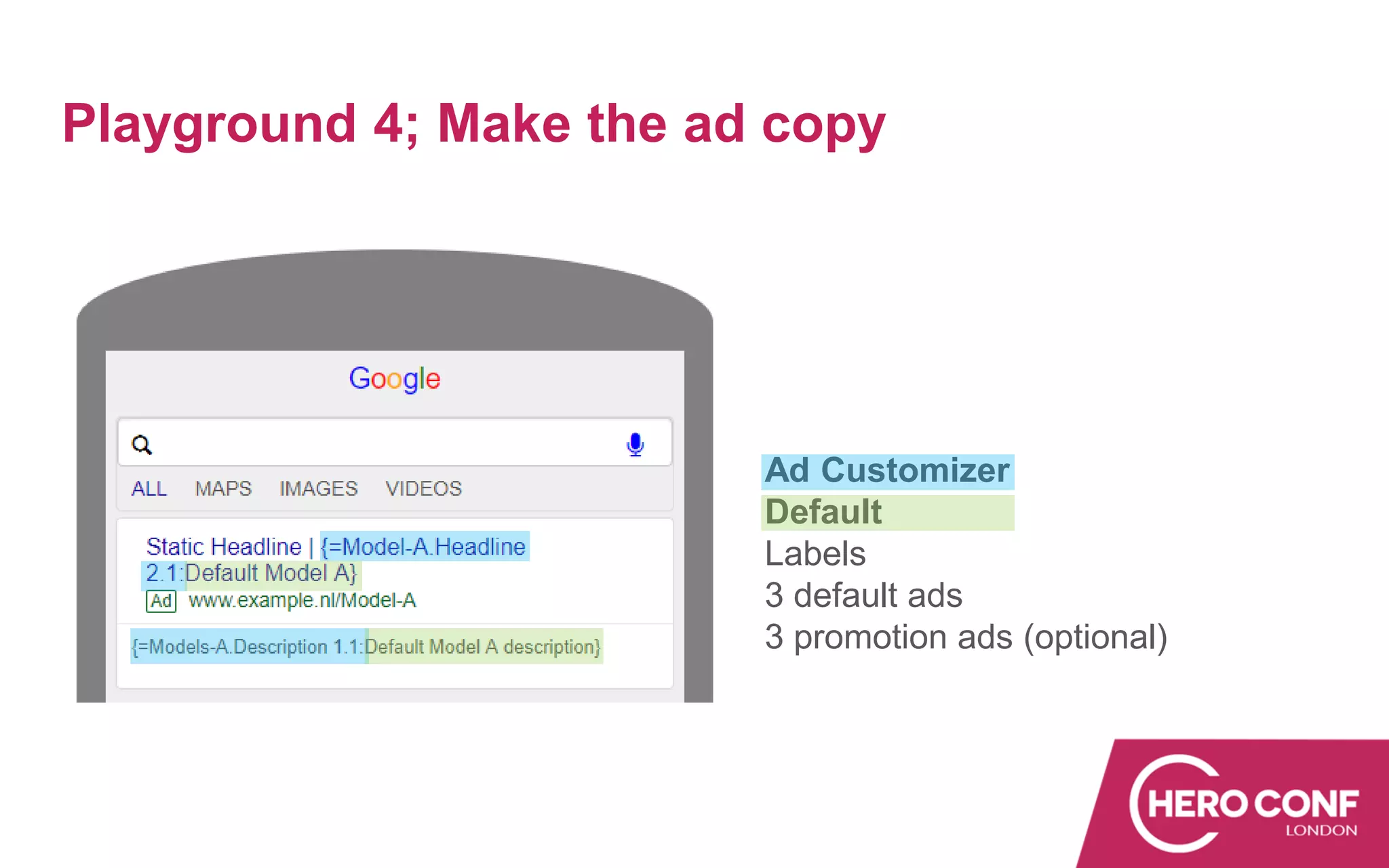
Playground 4; Make the ad copy
Ad Customizer
Default
Labels
3 default ads
3 promotion ads (optional)
Playground 4; Prepare the feed
1 2 3
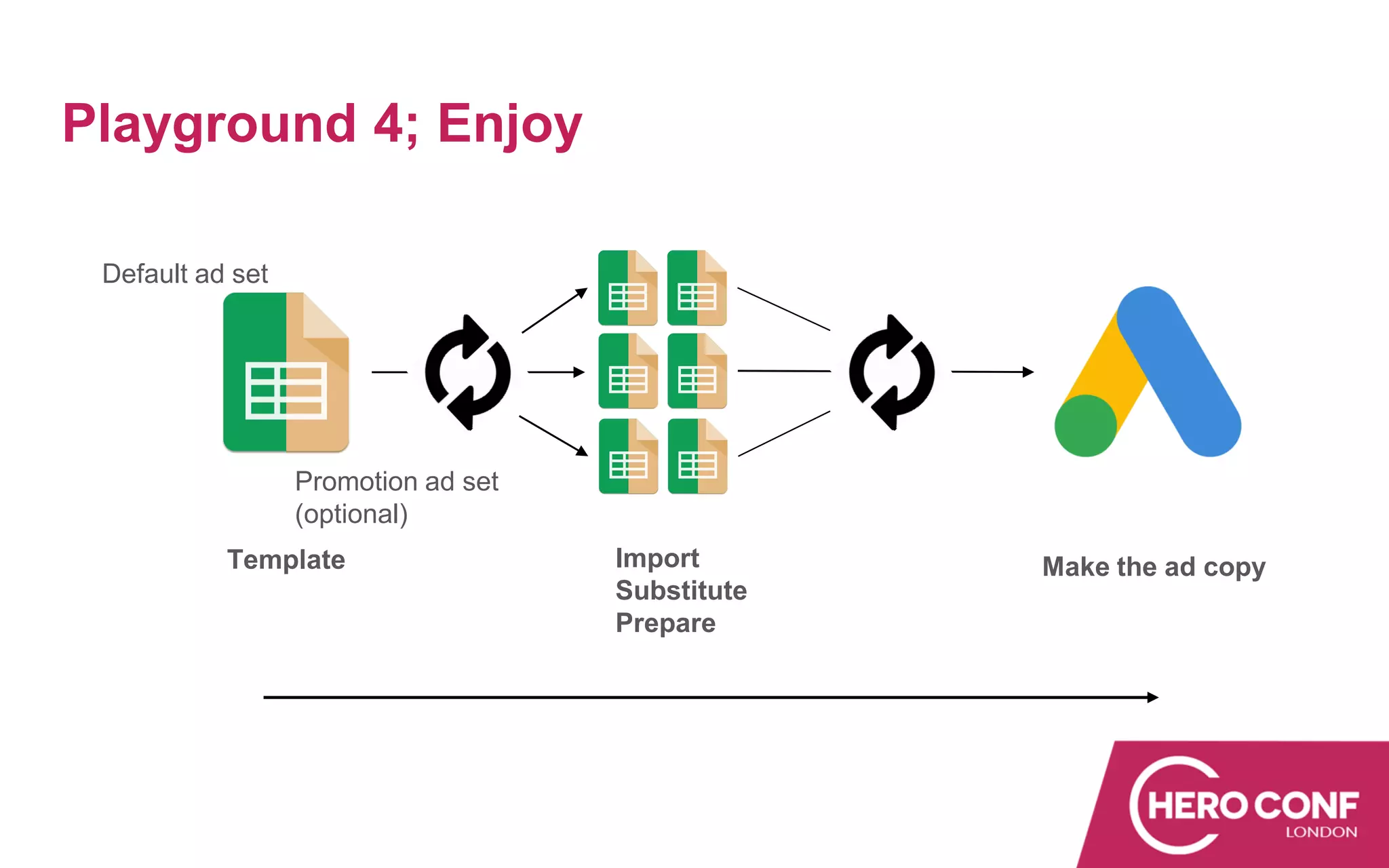
Playground 4; Enjoy
Default ad set
Promotion ad set
(optional)
Template Import
Substitute
Prepare
Make the ad copy
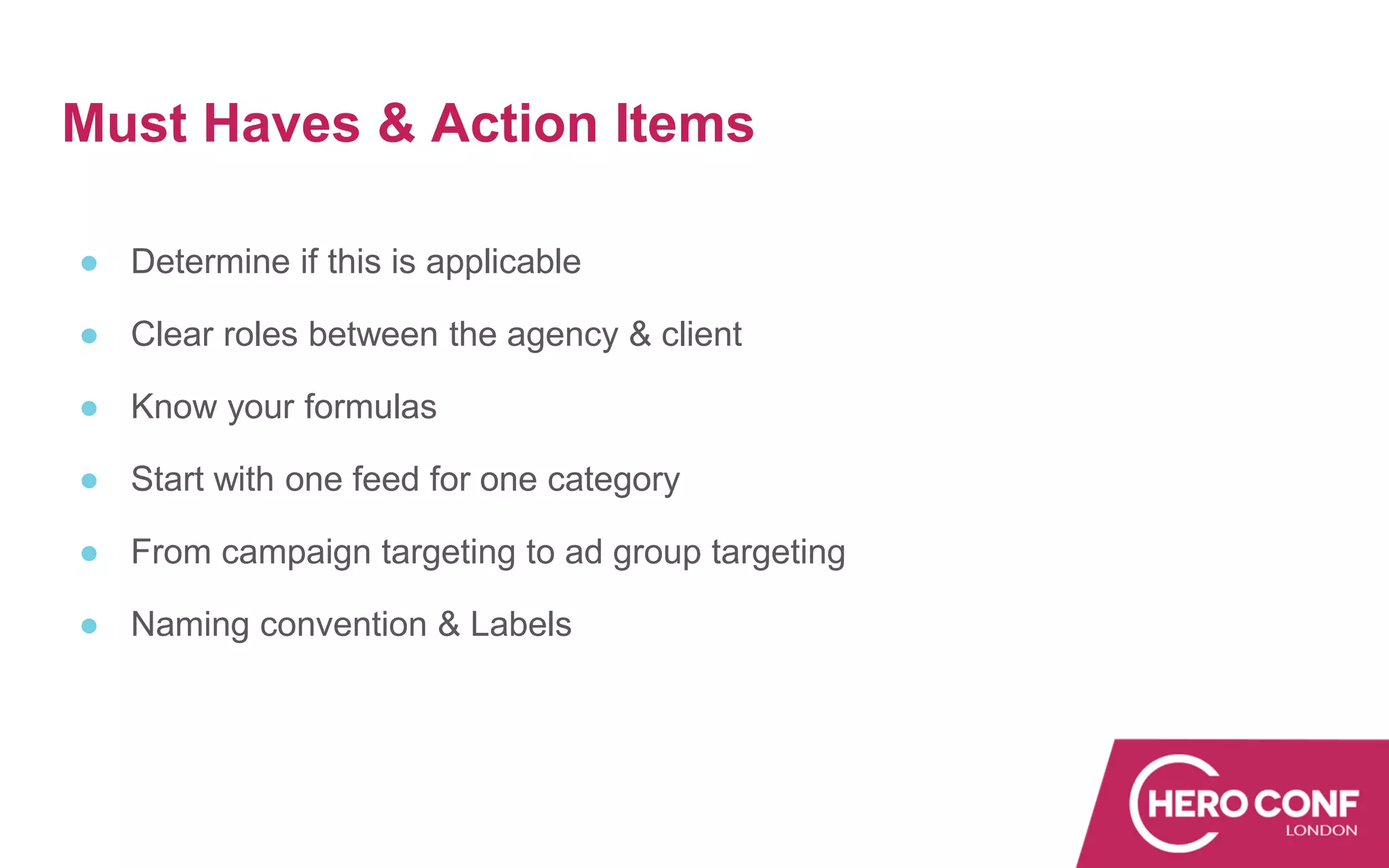
Must Haves & Action Items
● Determine if this is applicable
● Clear roles between the agency & client
● Know your formulas
● Start with one feed for one category
● From campaign targeting to ad group targeting
● Naming convention & Labels
Thank You!
Create a PPC Playground For Your Clients
Koos Hoeijmakers
koos.hoeijmakers@greenhousgroup.com

Create a PPC Playground For Your Clients: How To Co-Create Your Ad Customizers

  • 1.
    Create a PPCPlayground For Your Clients How to co-create your ad customizers Koos Hoeijmakers | Automation & Innovation Lead
  • 2.
    Session Outcomes How toco-create your ad customizers ● The stakeholders of a Google Ads Campaign ● Why and when to use ad customizers ● Playgrounds ● From template to ad customizer ● Must haves & Action items
  • 3.
    The stakeholders The Agency ✓Search Knowledge ✓ KPI’s ✓ Best Practices The Client ✓ Market Knowledge ✓ Core Values / USP’s ✓ Expectations
  • 4.
    The stakeholders ✓ Actualinformation ✓ Brand values ✓ Call to actions ✓ Product prices No Feed Available
  • 5.
    Why and whento use ad customizers ✓ Local focus ✓ Show dynamic info ✓ Manage more ads ✓ Tailor made ✓ Step up your ad copy game ✓ Save time for strategic campaign improvements
  • 6.
    Playgrounds Before you startco-creating ● Relationship with the client ● Account maturity ● Knowledge of the client ● What’s in it for who ● Priorities ● Ready? Set?
  • 7.
    Playgrounds Create a racetrack Agency view Central point for: ✓ Guiding the client ✓ Creating & fixing ✓ Clear view of the track Clients view In the drivers seat for: ✓ Creating dynamic values ✓ Keep it on track ✓ Sense of responsibility
  • 8.
    Playgrounds • Simple setup,client can translate values • Minimal control • No automatic updates • Client can choose values • Dropdown values • Minimal control • Automatic update possible • Work together in one file • Total freedom • Agency is co driver • Automatic updates • One template • Multiple feeds • Agency for technical implementation • Client creates the ad copy 1 2 3 4
  • 9.
    Ad customizers –localisation ✓ Dealer network nationwide ✓ Individual dealer names ✓ Up to 80 characters ✓ Changing dealer names Playground 1
  • 10.
    Playground 1; set-up TheClient Overview all locations Fill in the correct names Conditional formatting The Agency Import to customizer feed Ad copy setup Final check
  • 11.
    Ad customizers -With pre-set values ✓ Used car sale ✓ Different promotions ✓ Out of stock ✓ Four regions Playground 2
  • 12.
    Playground 2; setup TheClient Select a promotion Per region Sold out The Agency Ad copy setup – Target Campaign Connect promotion values Connect values to ad or
  • 13.
    Ad customizers –work together in one file ● Brand models ● Changing from prices ● CTA for seasonality Playground 3
  • 14.
    Playground 3; set-up TheClient The Agency The Client
  • 15.
    One template torule them all; Locations  Headline/CTA - Description Playground 4 Default ad set Promotion ad set
  • 16.
    Before we start,formulas you need to know ● =Substitute ● =Importrange ● =IF ● =Vlookup (or =Index) ● Want to EXCELerate? Playground 4; good to know
  • 17.
    Playground 4Playground 4;set-up Ad copy The client In control of the ad Headline 2 Description Default & Promotion The Agency From template to feeds Ad copy setup Template Ad customizer feed Model A
  • 18.
  • 19.
    Use =Importrange toimport the template in the feed *repeat this step for the amount of feeds you want to create Playground 4; import the template Model A
  • 20.
  • 21.
    Playground 4; Preparethe feed 1 2 3 =VLOOKUP only use Default ad set =INDEX for advanced lookups depending on cell A1 (optional)
  • 22.
    Playground 4; Makethe ad copy Ad Customizer Default Labels 3 default ads 3 promotion ads (optional)
  • 23.
    Playground 4; Preparethe feed 1 2 3
  • 24.
    Playground 4; Enjoy Defaultad set Promotion ad set (optional) Template Import Substitute Prepare Make the ad copy
  • 25.
    Must Haves &Action Items ● Determine if this is applicable ● Clear roles between the agency & client ● Know your formulas ● Start with one feed for one category ● From campaign targeting to ad group targeting ● Naming convention & Labels
  • 26.
    Thank You! Create aPPC Playground For Your Clients Koos Hoeijmakers koos.hoeijmakers@greenhousgroup.com