Time managemenT
Are you usually punctual or late? Do
you finish things within the time you
stipulate? Do you hand in your
reports/work on time? Are you able to
accomplish what you want to do before
deadlines? Are you a good time
manager?
If your answer is “no” to any of the
questions above, that means you’re not
managing your time as well as you
want. Here are Few tips on how to be
a better time manager:
Time managemenT
Create a daily plan:
Plan your day before it unfolds.
Do it in the morning or even better, the night before you sleep.
The plan gives you a good overview of how the day will
pan out. That way, you don’t get caught off guard.
Your job for the day is to stick to the plan as best as possible.
Time managemenT
Peg a time limit to each task
Be clear that you need to finish X task by
10am,
Y task by 3pm, and Z item by 5:30pm.
This prevents your work from dragging
on and
eating into time reserved for other
activities.
Time managemenT
Use a calendar. Having a calendar is
the most fundamental step to managing
your daily activities. If you use outlook or
lotus notes, calendar come as part of your
mailing software. Google Calendar is great
–It’s even better if you can sync it to your
mobile phone and other hardware you use
– that way, you can access your schedule
no matter where you are.
Time managemenT
Use an organizer. The organizer helps
you to be on top of everything in your life. It’s
your central tool to organize information, to-
do lists, projects, and other miscellaneous
items.
 
Know your deadlines. When do you
need to finish your tasks? Mark the deadlines
out clearly in your calendar and organizer so
you know when you need to finish them.
Time managemenT
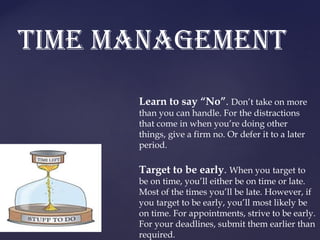
Learn to say “No”. Don’t take on more
than you can handle. For the distractions
that come in when you’re doing other
things, give a firm no. Or defer it to a later
period.
 
Target to be early. When you target to
be on time, you’ll either be on time or late.
Most of the times you’ll be late. However, if
you target to be early, you’ll most likely be
on time. For appointments, strive to be early.
For your deadlines, submit them earlier than
required.
Time managemenT
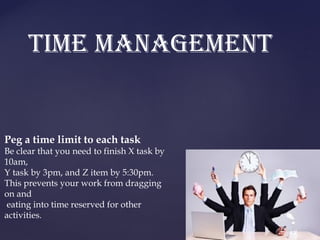
Time box your activities. This means
restricting your work to X amount of time. Have
a clock visibly placed before you. Sometimes
we are so engrossed in our work that we lose
track of time. Having a huge clock in front of
you will keep you aware of the time at the
moment
Set reminders 15 minutes before. Most
calendars have a reminder function. If you’ve an
important meeting to attend, set that alarm 15
minutes before
Time managemenT
Focus. Are you multi-tasking so much
that you’re just not getting anything done?
If so, focus on just one key task at one time.
Close off all the applications you aren’t
using. Close off the tabs in your browser
that are taking away your attention. Focus
solely on what you’re doing. You’ll be
more efficient that way.
Time managemenT
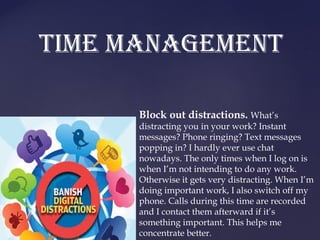
Block out distractions. What’s
distracting you in your work? Instant
messages? Phone ringing? Text messages
popping in? I hardly ever use chat
nowadays. The only times when I log on is
when I’m not intending to do any work.
Otherwise it gets very distracting. When I’m
doing important work, I also switch off my
phone. Calls during this time are recorded
and I contact them afterward if it’s
something important. This helps me
concentrate better.
Time managemenT
Track your time spent. Egg Timer is a
simple online countdown timer. You key in
the amount of time you want it to track
(example: “30 minutes”, “1 hour”) and it’ll
count down in the background. When the
time is up, the timer will beep. Great way to
be aware of your time spent.
Time managemenT
Don’t fuss about unimportant details you’re
never get everything done in exactly the
way you want. Trying to do so is being
ineffective.
Prioritize. Since you can’t do everything,
learn to prioritize the important and let go
of the rest. Apply the 80/20 principle
which is a key principle in prioritization.
Delegate. If there are things that can be
better done by others or things that are not
so important, consider delegating. This
takes a load off and you can focus on the
important tasks.
Time managemenT
Eliminate your time wasters. What
takes your time away your work? Facebook?
Twitter? Email checking? Stop checking them
so often. One thing you can do is make it
hard to check them – remove them from your
browser quick links / bookmarks and stuff
them in a hard to access bookmarks folder.
Replace your browser bookmarks with
important work-related sites. While you’ll
still check FB/Twitter no doubt, you’ll find
it’s a lower frequency than before.
Time managemenT
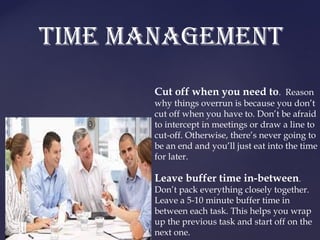
Cut off when you need to. Reason
why things overrun is because you don’t
cut off when you have to. Don’t be afraid
to intercept in meetings or draw a line to
cut-off. Otherwise, there’s never going to
be an end and you’ll just eat into the time
for later.
 
Leave buffer time in-between.
Don’t pack everything closely together.
Leave a 5-10 minute buffer time in
between each task. This helps you wrap
up the previous task and start off on the
next one.
Time managemenT
Thank you

Time management

  • 1.
  • 2.
    Are you usuallypunctual or late? Do you finish things within the time you stipulate? Do you hand in your reports/work on time? Are you able to accomplish what you want to do before deadlines? Are you a good time manager? If your answer is “no” to any of the questions above, that means you’re not managing your time as well as you want. Here are Few tips on how to be a better time manager: Time managemenT
  • 3.
    Create a dailyplan: Plan your day before it unfolds. Do it in the morning or even better, the night before you sleep. The plan gives you a good overview of how the day will pan out. That way, you don’t get caught off guard. Your job for the day is to stick to the plan as best as possible. Time managemenT
  • 4.
    Peg a timelimit to each task Be clear that you need to finish X task by 10am, Y task by 3pm, and Z item by 5:30pm. This prevents your work from dragging on and eating into time reserved for other activities. Time managemenT
  • 5.
    Use a calendar.Having a calendar is the most fundamental step to managing your daily activities. If you use outlook or lotus notes, calendar come as part of your mailing software. Google Calendar is great –It’s even better if you can sync it to your mobile phone and other hardware you use – that way, you can access your schedule no matter where you are. Time managemenT
  • 6.
    Use an organizer.The organizer helps you to be on top of everything in your life. It’s your central tool to organize information, to- do lists, projects, and other miscellaneous items.   Know your deadlines. When do you need to finish your tasks? Mark the deadlines out clearly in your calendar and organizer so you know when you need to finish them. Time managemenT
  • 7.
    Learn to say“No”. Don’t take on more than you can handle. For the distractions that come in when you’re doing other things, give a firm no. Or defer it to a later period.   Target to be early. When you target to be on time, you’ll either be on time or late. Most of the times you’ll be late. However, if you target to be early, you’ll most likely be on time. For appointments, strive to be early. For your deadlines, submit them earlier than required. Time managemenT
  • 8.
    Time box youractivities. This means restricting your work to X amount of time. Have a clock visibly placed before you. Sometimes we are so engrossed in our work that we lose track of time. Having a huge clock in front of you will keep you aware of the time at the moment Set reminders 15 minutes before. Most calendars have a reminder function. If you’ve an important meeting to attend, set that alarm 15 minutes before Time managemenT
  • 9.
    Focus. Are youmulti-tasking so much that you’re just not getting anything done? If so, focus on just one key task at one time. Close off all the applications you aren’t using. Close off the tabs in your browser that are taking away your attention. Focus solely on what you’re doing. You’ll be more efficient that way. Time managemenT
  • 10.
    Block out distractions.What’s distracting you in your work? Instant messages? Phone ringing? Text messages popping in? I hardly ever use chat nowadays. The only times when I log on is when I’m not intending to do any work. Otherwise it gets very distracting. When I’m doing important work, I also switch off my phone. Calls during this time are recorded and I contact them afterward if it’s something important. This helps me concentrate better. Time managemenT
  • 11.
    Track your timespent. Egg Timer is a simple online countdown timer. You key in the amount of time you want it to track (example: “30 minutes”, “1 hour”) and it’ll count down in the background. When the time is up, the timer will beep. Great way to be aware of your time spent. Time managemenT
  • 12.
    Don’t fuss aboutunimportant details you’re never get everything done in exactly the way you want. Trying to do so is being ineffective. Prioritize. Since you can’t do everything, learn to prioritize the important and let go of the rest. Apply the 80/20 principle which is a key principle in prioritization. Delegate. If there are things that can be better done by others or things that are not so important, consider delegating. This takes a load off and you can focus on the important tasks. Time managemenT
  • 13.
    Eliminate your timewasters. What takes your time away your work? Facebook? Twitter? Email checking? Stop checking them so often. One thing you can do is make it hard to check them – remove them from your browser quick links / bookmarks and stuff them in a hard to access bookmarks folder. Replace your browser bookmarks with important work-related sites. While you’ll still check FB/Twitter no doubt, you’ll find it’s a lower frequency than before. Time managemenT
  • 14.
    Cut off whenyou need to. Reason why things overrun is because you don’t cut off when you have to. Don’t be afraid to intercept in meetings or draw a line to cut-off. Otherwise, there’s never going to be an end and you’ll just eat into the time for later.   Leave buffer time in-between. Don’t pack everything closely together. Leave a 5-10 minute buffer time in between each task. This helps you wrap up the previous task and start off on the next one. Time managemenT
  • 15.