Take Your Students Out of Solitary
Confinement: Strategies for
Increasing Social Presence in
University Online Courses
Kelvin Thompson, Ed.D.
University of Central Florida
Caveats
• Practitioner-focused
– Not addressing “why”
• See Community of Inquiry Model, Social Learning
Theory, Social Constructivism, etc.
• See E-Learn 2010 Proceedings for some good
references
– I don’t have this figured out. Work in progress.
• Where
– Course Management System (CMS)-based
– Public or semi-public Web 2.0 tools
social presence, the degree to which
one is perceived as a real person in a
mediated environment
Short, Williams, and Christie (1976)
Garrison, Anderson, and Archer (2000)
Course Design
v.
Instructor Behaviors
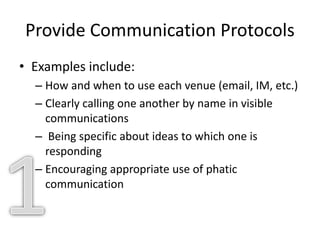
Provide Communication Protocols
• Examples include:
– How and when to use each venue (email, IM, etc.)
– Clearly calling one another by name in visible
communications
– Being specific about ideas to which one is
responding
– Encouraging appropriate use of phatic
communication
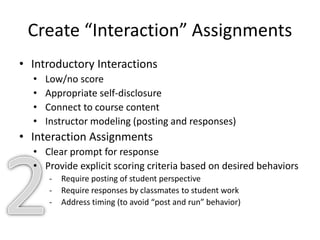
Create “Interaction” Assignments
• Introductory Interactions
• Low/no score
• Appropriate self-disclosure
• Connect to course content
• Instructor modeling (posting and responses)
• Interaction Assignments
• Clear prompt for response
• Provide explicit scoring criteria based on desired behaviors
- Require posting of student perspective
- Require responses by classmates to student work
- Address timing (to avoid “post and run” behavior)
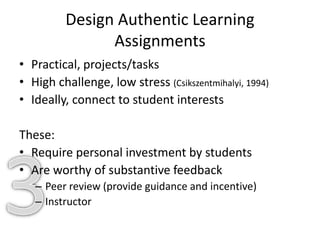
Design Authentic Learning
Assignments
• Practical, projects/tasks
• High challenge, low stress (Csikszentmihalyi, 1994)
• Ideally, connect to student interests
These:
• Require personal investment by students
• Are worthy of substantive feedback
– Peer review (provide guidance and incentive)
– Instructor
Model Appropriate Self-Disclosure
• Share instructor bio at beginning of course
• Create a warm welcome message
• Drop tidbits of info in course communications
Cultivate a Humane Tone
• Beware of written messages that “zap.”
• Express interest/concern.
• Consider audio.
• “Thanks for asking, John.”
• “If you have any questions or concerns, please
let me know.”
• “I noticed…. Is there something going on
about which I should be aware?”
Respond Quickly to Messages from
Students
• Address turn-around time in syllabus
• Be consistent
• Notify students when you’ll be unreachable
Make Weekly Updates
• Text and audio (some students will use both)
• Brief (less than 2 pages or 10 minutes)
• Consider podcast tools (Box.net is useful)
• “I felt like there was a real instructor there.”
Solicit Weekly Student Feedback
• Anonymous
• Ask what worked and what didn’t
• Include questions on “connectedness”
Respond To/Take Action on Student
Feedback
• Podcast
• Announcements
• Email All
Give General Feedback
• Podcast
• Announcements
• Discussion Forum
• Email All
Give Specific Student Feedback
• If large class, use scoring rubric with
highlightable written descriptions (See
http://irubric.com or “Grading Forms” in
Blackboard’s WebCT Vista/CE)
• Provide person-specific written feedback is
possible
• Include student name
Send Regular Content-Based Messages
• Course Email
• Announcements
• Twitter (embed widget in CMS)
• HootCourse.com
• Text messaging (SendGM.com or other)
Live in the Open
• Model participation in Personal/professional
Learning Network (PLN)
– Web 2.0 Tools
– Social Networking/Media
Caution
• Time commitment (beware of diminishing
returns)
• Some students resist (self-fulfilling false beliefs
about online learning)
Wrap-Up/Conclusion
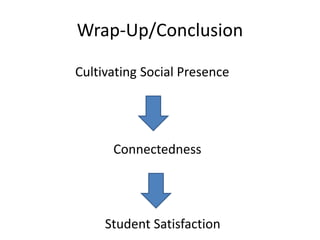
Cultivating Social Presence
Connectedness
Student Satisfaction
Follow Up
Kelvin Thompson, Ed.D.
kthompso@mail.ucf.edu
http://twitter.com/kthompso
http://bit.ly/thompson_elearn
Presentation & Examples/Supporting Materials
(audio to follow)

Thompson kelvin elearn 2010

  • 1.
    Take Your StudentsOut of Solitary Confinement: Strategies for Increasing Social Presence in University Online Courses Kelvin Thompson, Ed.D. University of Central Florida
  • 2.
    Caveats • Practitioner-focused – Notaddressing “why” • See Community of Inquiry Model, Social Learning Theory, Social Constructivism, etc. • See E-Learn 2010 Proceedings for some good references – I don’t have this figured out. Work in progress. • Where – Course Management System (CMS)-based – Public or semi-public Web 2.0 tools
  • 3.
    social presence, thedegree to which one is perceived as a real person in a mediated environment Short, Williams, and Christie (1976) Garrison, Anderson, and Archer (2000)
  • 4.
  • 5.
    Provide Communication Protocols •Examples include: – How and when to use each venue (email, IM, etc.) – Clearly calling one another by name in visible communications – Being specific about ideas to which one is responding – Encouraging appropriate use of phatic communication
  • 6.
    Create “Interaction” Assignments •Introductory Interactions • Low/no score • Appropriate self-disclosure • Connect to course content • Instructor modeling (posting and responses) • Interaction Assignments • Clear prompt for response • Provide explicit scoring criteria based on desired behaviors - Require posting of student perspective - Require responses by classmates to student work - Address timing (to avoid “post and run” behavior)
  • 7.
    Design Authentic Learning Assignments •Practical, projects/tasks • High challenge, low stress (Csikszentmihalyi, 1994) • Ideally, connect to student interests These: • Require personal investment by students • Are worthy of substantive feedback – Peer review (provide guidance and incentive) – Instructor
  • 8.
    Model Appropriate Self-Disclosure •Share instructor bio at beginning of course • Create a warm welcome message • Drop tidbits of info in course communications
  • 9.
    Cultivate a HumaneTone • Beware of written messages that “zap.” • Express interest/concern. • Consider audio. • “Thanks for asking, John.” • “If you have any questions or concerns, please let me know.” • “I noticed…. Is there something going on about which I should be aware?”
  • 10.
    Respond Quickly toMessages from Students • Address turn-around time in syllabus • Be consistent • Notify students when you’ll be unreachable
  • 11.
    Make Weekly Updates •Text and audio (some students will use both) • Brief (less than 2 pages or 10 minutes) • Consider podcast tools (Box.net is useful) • “I felt like there was a real instructor there.”
  • 12.
    Solicit Weekly StudentFeedback • Anonymous • Ask what worked and what didn’t • Include questions on “connectedness”
  • 13.
    Respond To/Take Actionon Student Feedback • Podcast • Announcements • Email All
  • 14.
    Give General Feedback •Podcast • Announcements • Discussion Forum • Email All
  • 15.
    Give Specific StudentFeedback • If large class, use scoring rubric with highlightable written descriptions (See http://irubric.com or “Grading Forms” in Blackboard’s WebCT Vista/CE) • Provide person-specific written feedback is possible • Include student name
  • 16.
    Send Regular Content-BasedMessages • Course Email • Announcements • Twitter (embed widget in CMS) • HootCourse.com • Text messaging (SendGM.com or other)
  • 17.
    Live in theOpen • Model participation in Personal/professional Learning Network (PLN) – Web 2.0 Tools – Social Networking/Media
  • 18.
    Caution • Time commitment(beware of diminishing returns) • Some students resist (self-fulfilling false beliefs about online learning)
  • 19.
  • 20.
    Follow Up Kelvin Thompson,Ed.D. kthompso@mail.ucf.edu http://twitter.com/kthompso http://bit.ly/thompson_elearn Presentation & Examples/Supporting Materials (audio to follow)

Editor's Notes

  • #16 Show highlighted rubric here