

THINGLINK PREMIUM
EDUCATION

thinglink.com/edu
Interactive Images & Video
ThingLink Premium Education
provides teachers and students
with a powerful and flexible tool
for teaching and learning that is
useful across all content areas
ThingLink Images
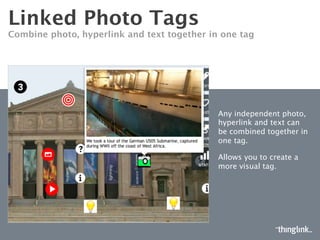
Easily annotate your image content with rich media tags
ThingLink Images
Rich text and customization options available 
ThingLink offers a set of
tools to customize the
look and feel of icons,
popups, and text overlay
so you can easily create a
unique design for your
class.
ThingLink Video
Engage your classroom with interactive video
ThingLink Video
Embed interactive images into video
Tag your content! 
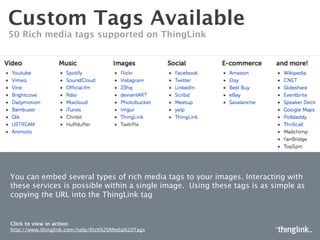
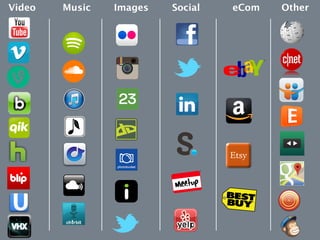
Over 50 rich media tags supported on ThingLink
You can tag several types of rich media into to your videos and images.
Interacting with these services is possible within a single video or image.
Using these tags is as simple as copying the URL into the ThingLink tag
Premium Features
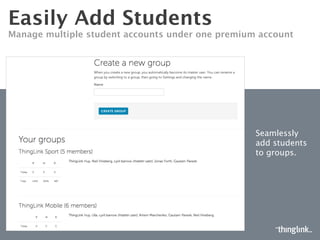
Flexible student login
Manage multiple student accounts under one premium account

Students can have an
individual account without
requiring email

Students can login with
their Google Apps for
Education Accounts

Teachers can add students
to their own classrooms by
generating a set of
usernames and passwords
Organize classrooms with groups
Create groups for each class 

View student work
and tag image to
provide immediate
feedback and for use
as an assessment
tool

Promotes team
collaboration
Cross platform
ThingLink functions when viewed across desktop, mobile & tablet
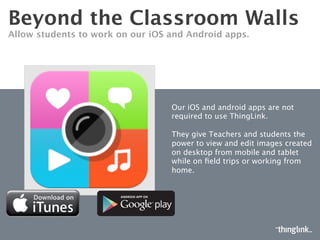
Tablet and mobile functionality
Allow students to work on our iOS and Android apps. 
Our iOS and android apps are not
required to use ThingLink. 

They give Teachers and students the
power to view and edit images created
on desktop from mobile and tablet
while on field trips or working from
home. 
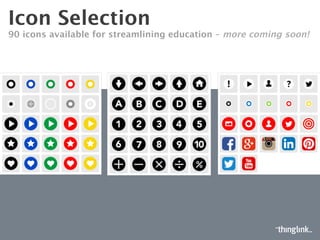
Enhanced Icon Selection
100+ icons available for streamlining education
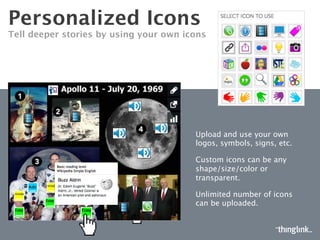
Custom icons
Tell deeper stories by using your own icons
Upload and use your own
logos, symbols, signs, etc.
Custom icons can be any
shape/size/color or
transparent.
Unlimited number of icons
can be uploaded.
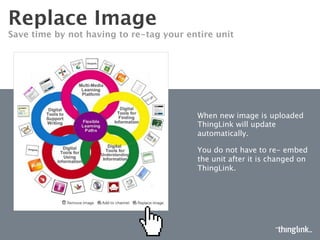
Replace Image

Save time by not having to re-tag your entire unit
When new image is uploaded
ThingLink will update
automatically. 
You do not have to re- embed
the unit after it is changed on
ThingLink.
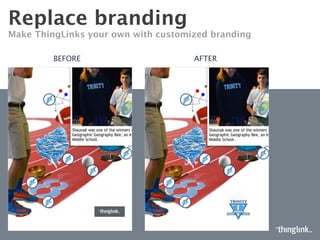
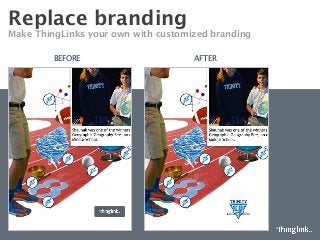
Replace branding
Make ThingLinks your own with customized branding
BEFORE
 AFTER
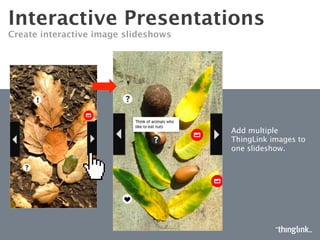
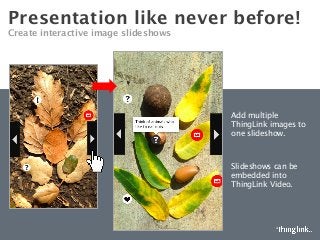
Presentation like never before!
Create interactive image slideshows
Add multiple
ThingLink images to
one slideshow.

Slideshows can be
embedded into
ThingLink Video.
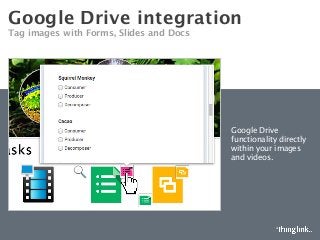
Google Drive integration
Tag images with Forms, Slides and Docs 
Google Drive
functionality directly
within your images
and videos.
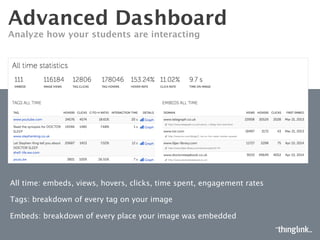
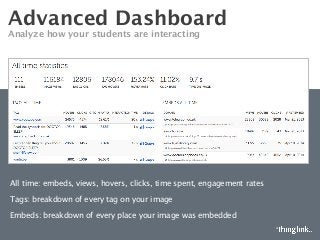
Advanced Dashboard
Analyze how your students are interacting
All time: embeds, views, hovers, clicks, time spent, engagement rates
Tags: breakdown of every tag on your image 
Embeds: breakdown of every place your image was embedded

ThingLink Premium Education

  • 1.
  • 2.
    Interactive Images &Video ThingLink Premium Education provides teachers and students with a powerful and flexible tool for teaching and learning that is useful across all content areas
  • 3.
    ThingLink Images Easily annotateyour image content with rich media tags
  • 4.
    ThingLink Images Rich textand customization options available ThingLink offers a set of tools to customize the look and feel of icons, popups, and text overlay so you can easily create a unique design for your class.
  • 5.
    ThingLink Video Engage yourclassroom with interactive video
  • 6.
  • 7.
    Tag your content! Over 50 rich media tags supported on ThingLink You can tag several types of rich media into to your videos and images. Interacting with these services is possible within a single video or image. Using these tags is as simple as copying the URL into the ThingLink tag
  • 8.
  • 9.
    Flexible student login Managemultiple student accounts under one premium account Students can have an individual account without requiring email Students can login with their Google Apps for Education Accounts Teachers can add students to their own classrooms by generating a set of usernames and passwords
  • 10.
    Organize classrooms withgroups Create groups for each class View student work and tag image to provide immediate feedback and for use as an assessment tool Promotes team collaboration
  • 11.
    Cross platform ThingLink functionswhen viewed across desktop, mobile & tablet
  • 12.
    Tablet and mobilefunctionality Allow students to work on our iOS and Android apps. Our iOS and android apps are not required to use ThingLink. They give Teachers and students the power to view and edit images created on desktop from mobile and tablet while on field trips or working from home. 
  • 13.
    Enhanced Icon Selection 100+icons available for streamlining education
  • 14.
    Custom icons Tell deeperstories by using your own icons Upload and use your own logos, symbols, signs, etc. Custom icons can be any shape/size/color or transparent. Unlimited number of icons can be uploaded.
  • 15.
    Replace Image Save timeby not having to re-tag your entire unit When new image is uploaded ThingLink will update automatically. You do not have to re- embed the unit after it is changed on ThingLink.
  • 16.
    Replace branding Make ThingLinksyour own with customized branding BEFORE AFTER
  • 17.
    Presentation like neverbefore! Create interactive image slideshows Add multiple ThingLink images to one slideshow. Slideshows can be embedded into ThingLink Video.
  • 18.
    Google Drive integration Tagimages with Forms, Slides and Docs Google Drive functionality directly within your images and videos.
  • 19.
    Advanced Dashboard Analyze howyour students are interacting All time: embeds, views, hovers, clicks, time spent, engagement rates Tags: breakdown of every tag on your image Embeds: breakdown of every place your image was embedded