


Building a WordPress
Theme
Josh Lee
Who am i?
● Owner of QC Creative, a local digital
marketing and web development agency
● Web developer since 2002
● Since 2010, 90% of projects have been in
WordPress
● @joshleecreates
What is a theme?
● WordPress “Core” powers your
administrator dashboard
● A theme tells WordPress how to turn your
content into web pages
● Define layout, colors, fonts, headers,
footers, menus, sidebars, and “widget”
areas
Alternatives...
● WordPress theme directory
● Premium Themes
● Child Theme
Why build a custom theme?
● Complete control of site look-and-feel
● Customize HTML & CSS
● Override look-and-feel of plugins
Components of a Theme
● HTML
● PHP
● CSS
● JS
● Images & other assets
HTML & PHP Basics
a quick refresher...
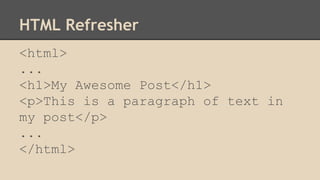
HTML Refresher
<html>
...
<h1>My Awesome Post</h1>
<p>This is a paragraph of text in
my post</p>
...
</html>
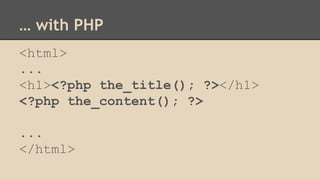
… with PHP
<html>
...
<h1><?php the_title(); ?></h1>
<?php the_content(); ?>
...
</html>
PHP Basics
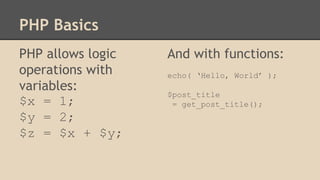
PHP allows logic
operations with
variables:
$x = 1;
$y = 2;
$z = $x + $y;
And with functions:
echo( ‘Hello, World’ );
$post_title
= get_post_title();
PHP Basics
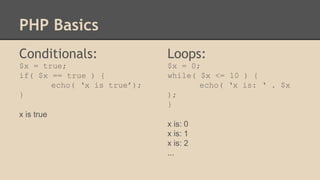
Conditionals:
$x = true;
if( $x == true ) {
echo( ‘x is true’);
}
x is true
Loops:
$x = 0;
while( $x <= 10 ) {
echo( ‘x is: ‘ . $x
);
}
x is: 0
x is: 1
x is: 2
...
The Anatomy of a
WordPress Theme
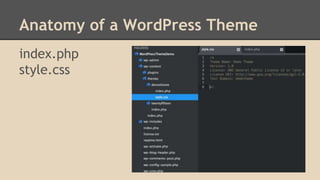
Anatomy of a WordPress Theme
index.php
style.css
Template Tags
Template Tags
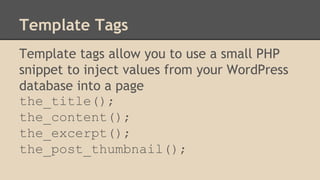
Template tags allow you to use a small PHP
snippet to inject values from your WordPress
database into a page
the_title();
the_content();
the_excerpt();
the_post_thumbnail();
Output or retrieve data
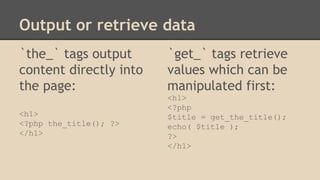
`the_` tags output
content directly into
the page:
<h1>
<?php the_title(); ?>
</h1>
`get_` tags retrieve
values which can be
manipulated first:
<h1>
<?php
$title = get_the_title();
echo( $title );
?>
</h1>
Why?
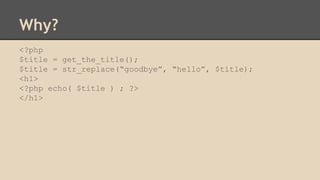
<?php
$title = get_the_title();
$title = str_replace(“goodbye”, “hello”, $title);
<h1>
<?php echo( $title ) ; ?>
</h1>
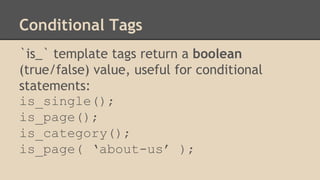
Conditional Tags
`is_` template tags return a boolean
(true/false) value, useful for conditional
statements:
is_single();
is_page();
is_category();
is_page( ‘about-us’ );
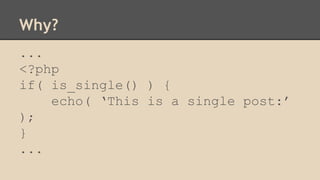
Why?
...
<?php
if( is_single() ) {
echo( ‘This is a single post:’
);
}
...
Reusable Template Parts
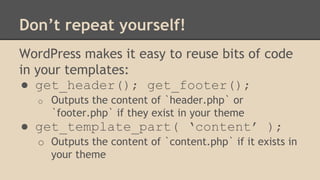
Don’t repeat yourself!
WordPress makes it easy to reuse bits of code
in your templates:
● get_header(); get_footer();
o Outputs the content of `header.php` or
`footer.php` if they exist in your theme
● get_template_part( ‘content’ );
o Outputs the content of `content.php` if it exists in
your theme
functions.php
`functions.php` is the most important file in a WordPress
theme — but it is not a template
This is how your theme can use logic to interact with
WordPress and your plugins
Stay tuned for another talk — for now remember:
● functions.php always gets run first, before the rest of
your theme is processed
How does one PHP file do it all?
● WordPress has many different kinds of
“Pages” or “Views”
● Each view retrieves different content from
the WordPress database
● e.g. Homepage, About Page, Blog
Homepage...
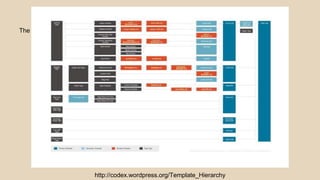
The Template Hierarchy
WordPress determines what kind of view is
being requested, and combines the content
for that view with a specific template (PHP
file) from the theme.
The “Template Hierarchy” determines which
PHP template is used for which views.
The Template Hierarchy
http://codex.wordpress.org/Template_Hierarchy
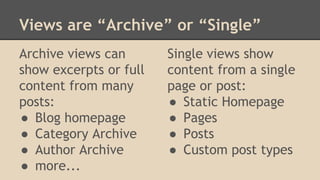
Views are “Archive” or “Single”
Archive views can
show excerpts or full
content from many
posts:
● Blog homepage
● Category Archive
● Author Archive
● more...
Single views show
content from a single
page or post:
● Static Homepage
● Pages
● Posts
● Custom post types
If all else fails...
If WordPress can’t find a PHP template for a
specific view, index.php is used.
“The Loop” allows you to write the HTML and
PHP for a single post, and have it repeat for
all of the posts included in a view
Which means that:
A single template (like index.php) can render
archive or single pages
(Although this can be kind of a pain to
manage…)
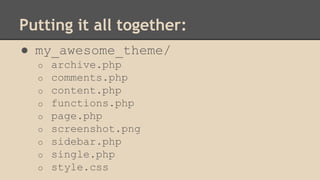
Putting it all together:
● my_awesome_theme/
o archive.php
o comments.php
o content.php
o functions.php
o page.php
o screenshot.png
o sidebar.php
o single.php
o style.css
The Loop
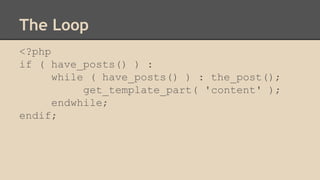
The Loop
<?php
if ( have_posts() ) :
while ( have_posts() ) : the_post();
get_template_part( 'content' );
endwhile;
endif;

Building a WordPress theme

  • 1.
  • 2.
    Who am i? ●Owner of QC Creative, a local digital marketing and web development agency ● Web developer since 2002 ● Since 2010, 90% of projects have been in WordPress ● @joshleecreates
  • 3.
    What is atheme? ● WordPress “Core” powers your administrator dashboard ● A theme tells WordPress how to turn your content into web pages ● Define layout, colors, fonts, headers, footers, menus, sidebars, and “widget” areas
  • 4.
    Alternatives... ● WordPress themedirectory ● Premium Themes ● Child Theme
  • 5.
    Why build acustom theme? ● Complete control of site look-and-feel ● Customize HTML & CSS ● Override look-and-feel of plugins
  • 6.
    Components of aTheme ● HTML ● PHP ● CSS ● JS ● Images & other assets
  • 7.
    HTML & PHPBasics a quick refresher...
  • 8.
    HTML Refresher <html> ... <h1>My AwesomePost</h1> <p>This is a paragraph of text in my post</p> ... </html>
  • 9.
    … with PHP <html> ... <h1><?phpthe_title(); ?></h1> <?php the_content(); ?> ... </html>
  • 10.
    PHP Basics PHP allowslogic operations with variables: $x = 1; $y = 2; $z = $x + $y; And with functions: echo( ‘Hello, World’ ); $post_title = get_post_title();
  • 11.
    PHP Basics Conditionals: $x =true; if( $x == true ) { echo( ‘x is true’); } x is true Loops: $x = 0; while( $x <= 10 ) { echo( ‘x is: ‘ . $x ); } x is: 0 x is: 1 x is: 2 ...
  • 12.
    The Anatomy ofa WordPress Theme
  • 13.
    Anatomy of aWordPress Theme index.php style.css
  • 14.
  • 15.
    Template Tags Template tagsallow you to use a small PHP snippet to inject values from your WordPress database into a page the_title(); the_content(); the_excerpt(); the_post_thumbnail();
  • 16.
    Output or retrievedata `the_` tags output content directly into the page: <h1> <?php the_title(); ?> </h1> `get_` tags retrieve values which can be manipulated first: <h1> <?php $title = get_the_title(); echo( $title ); ?> </h1>
  • 17.
    Why? <?php $title = get_the_title(); $title= str_replace(“goodbye”, “hello”, $title); <h1> <?php echo( $title ) ; ?> </h1>
  • 18.
    Conditional Tags `is_` templatetags return a boolean (true/false) value, useful for conditional statements: is_single(); is_page(); is_category(); is_page( ‘about-us’ );
  • 19.
    Why? ... <?php if( is_single() ){ echo( ‘This is a single post:’ ); } ...
  • 20.
  • 21.
    Don’t repeat yourself! WordPressmakes it easy to reuse bits of code in your templates: ● get_header(); get_footer(); o Outputs the content of `header.php` or `footer.php` if they exist in your theme ● get_template_part( ‘content’ ); o Outputs the content of `content.php` if it exists in your theme
  • 22.
    functions.php `functions.php` is themost important file in a WordPress theme — but it is not a template This is how your theme can use logic to interact with WordPress and your plugins Stay tuned for another talk — for now remember: ● functions.php always gets run first, before the rest of your theme is processed
  • 23.
    How does onePHP file do it all? ● WordPress has many different kinds of “Pages” or “Views” ● Each view retrieves different content from the WordPress database ● e.g. Homepage, About Page, Blog Homepage...
  • 24.
    The Template Hierarchy WordPressdetermines what kind of view is being requested, and combines the content for that view with a specific template (PHP file) from the theme. The “Template Hierarchy” determines which PHP template is used for which views.
  • 25.
  • 26.
    Views are “Archive”or “Single” Archive views can show excerpts or full content from many posts: ● Blog homepage ● Category Archive ● Author Archive ● more... Single views show content from a single page or post: ● Static Homepage ● Pages ● Posts ● Custom post types
  • 27.
    If all elsefails... If WordPress can’t find a PHP template for a specific view, index.php is used. “The Loop” allows you to write the HTML and PHP for a single post, and have it repeat for all of the posts included in a view
  • 28.
    Which means that: Asingle template (like index.php) can render archive or single pages (Although this can be kind of a pain to manage…)
  • 29.
    Putting it alltogether: ● my_awesome_theme/ o archive.php o comments.php o content.php o functions.php o page.php o screenshot.png o sidebar.php o single.php o style.css
  • 30.
  • 31.
    The Loop <?php if (have_posts() ) : while ( have_posts() ) : the_post(); get_template_part( 'content' ); endwhile; endif;