Dara Pressley | @UXDiva 
Mobile UX Camp 
Living Style Guide
What we started with
CustomInk 
Styleguide 
Version 2.03 
1. Grids 02 
2. Color Scheme 03 
3. Text & Links 04 
4. Headers 05 
5. Contextual Nav 06-7 
6. Site Headers 08-11 
7. Site Footer 12-14 
8. Popup 14-16 
9. Buttons 17-19 
10. Marquee 20 
11. Aside Box 21 
12. Form Elements 22-29 
13. Proof Images 30-31 
14. Icons 32-33 
15. Swatches 34 
16. Other Elements 35 
16.1. Pagination 35 
16.2. Rounded Corners 35 
16.3. Bread Crumbs 35 
16.4. Standard Table 35 
16.5. Modal Style 35 
16.6. Image Borders 35 
3. Text & Links 
3.1 Basic Text Info 
4 
Font family: Museo Sans (default) or Museo Slab | fallbacks: Helvetica, Arial, Sans-serif 
Font Size: 16px (default) or 13px (small text, sub text, or paragraph copy in narrow columns) 
Line-height for 16px font: 24px 
Line-height for 13px font: 18px 
Bottom margin for paragraph copy: 24px 
Font-weight: 300 (default) or 500 (bold) 
Fonts From: http://typekit.com/ 
Text colors (for text inside a white background) 
Default Font Color: Brown (#54301A) 
Secondary (half) Font Color: (#B28E5B) 
3.2 Link Colors 
Default Link Colors: 
Link (and visited) color: red 
Hover color: blue 
Special Cases: 
Default Font Color Secondary Font Color 
For the: 
• product catalog color swatch links 
• whenever there is a link in a header tag on the contextual nav 
• for the links in the creme colored section of the footer 
• the links in the top nav’s toolbar 
those link colors are: 
Link color: brown Visited color: brown Hover color: red Active color: red 
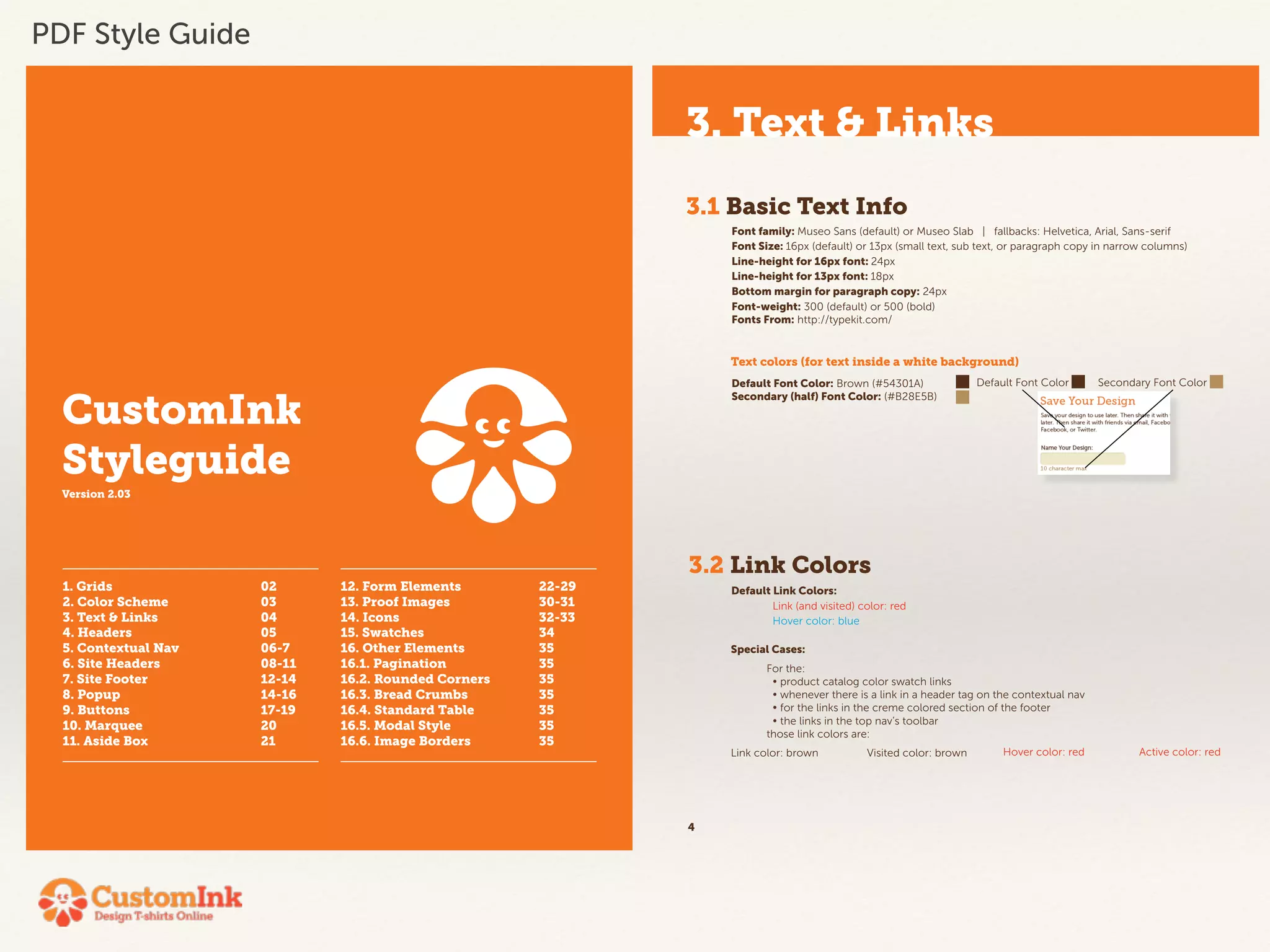
PDF Style Guide
• PDF StyleGuide 
• Becomes quickly out of date 
• Master file owned by one person — makes it hard to 
update 
• Circulating copies — versioning 
• Not directly related to development build
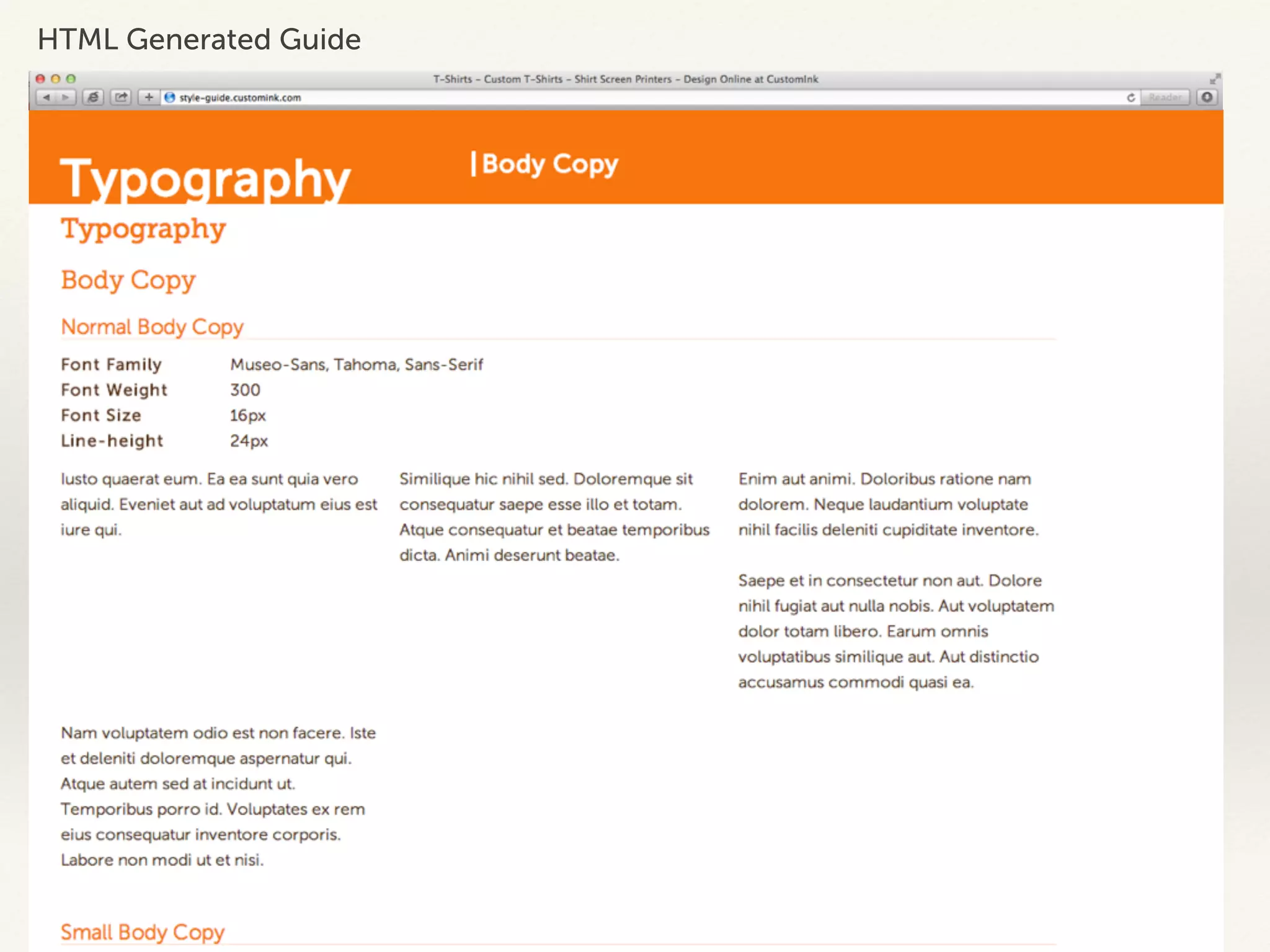
HTML Generated Guide
• HTML Generated Guide lacked documentation to show how 
items and components could be built. 
• Developed Style Guide was too strict 
• Difficult to change components or add news ones 
• Did not offer flexibility for usability or changes for look and 
feel 
• As a result, items were often developed for the page that were 
not tied back to a greater framework 
• This caused inconsistencies across the site and made it 
difficult for global updates
What we needed
Mobile 
• Adding the ability create mobile pages meant that our 
styles had to change on the site. 
• We needed to create components and elements that 
would work on a smaller screen 
• And we needed the ability to create both responsive 
and optimized experiences
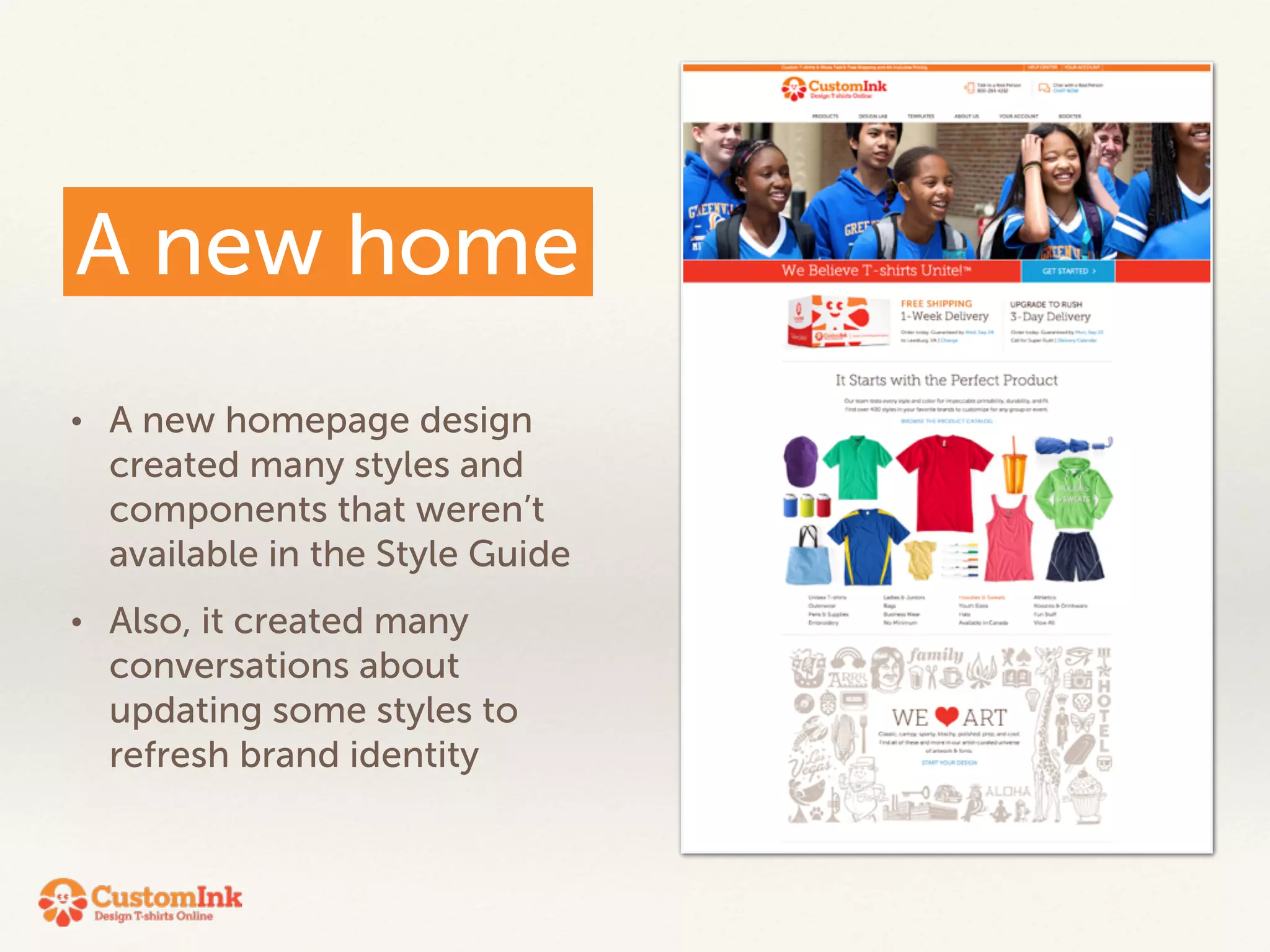
A new home 
• A new homepage design 
created many styles and 
components that weren’t 
available in the Style Guide 
• Also, it created many 
conversations about 
updating some styles to 
refresh brand identity
Wish list
Beyond what was needed 
• UX / VX lead style guide 
• representing the CustomInk design principles 
• The coded expression of the style guide 
• Ability to easily add to and update styles and 
components 
• Documentation 
• Prototyping Support
Foundation
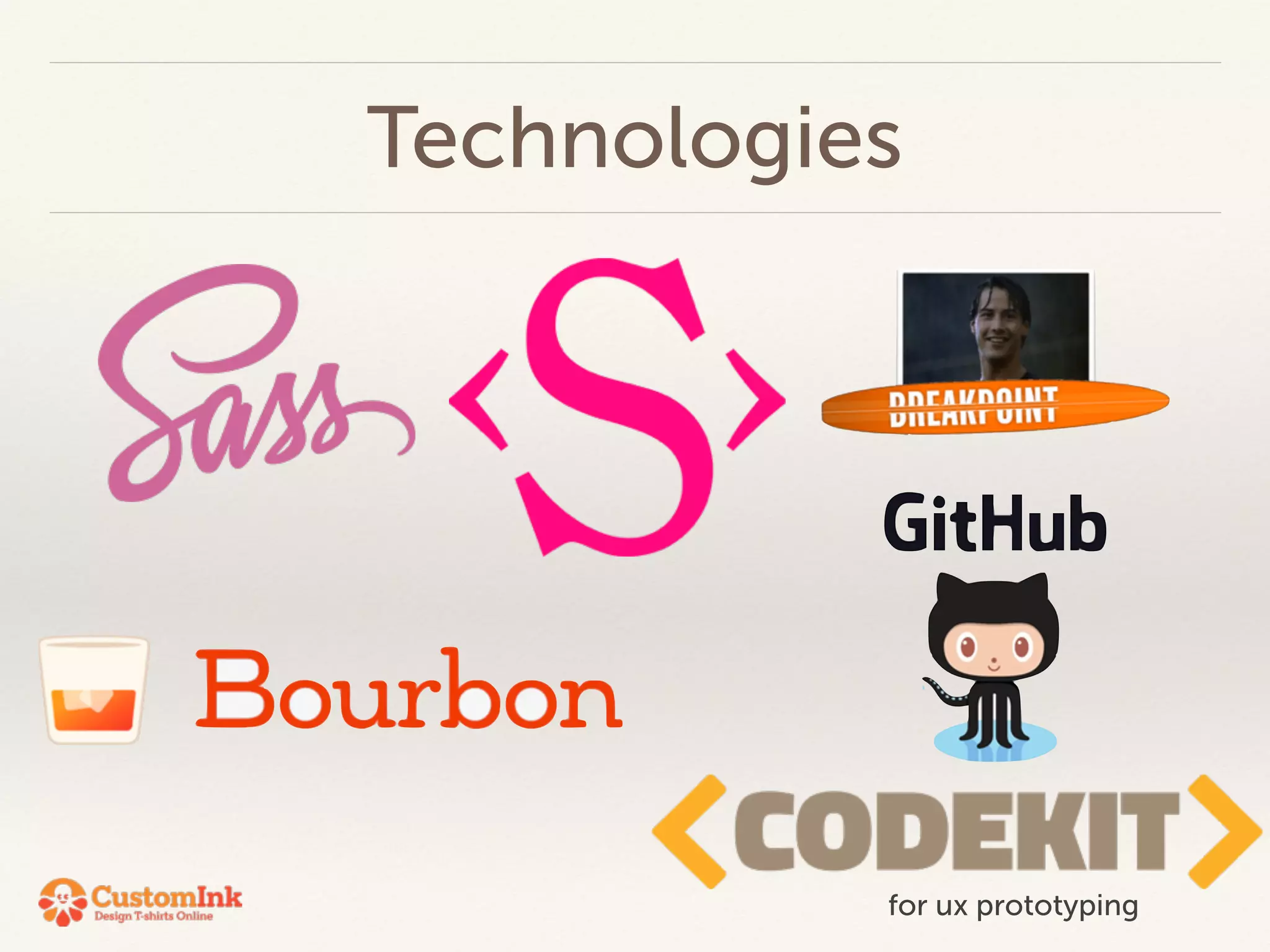
Technologies 
for ux prototyping
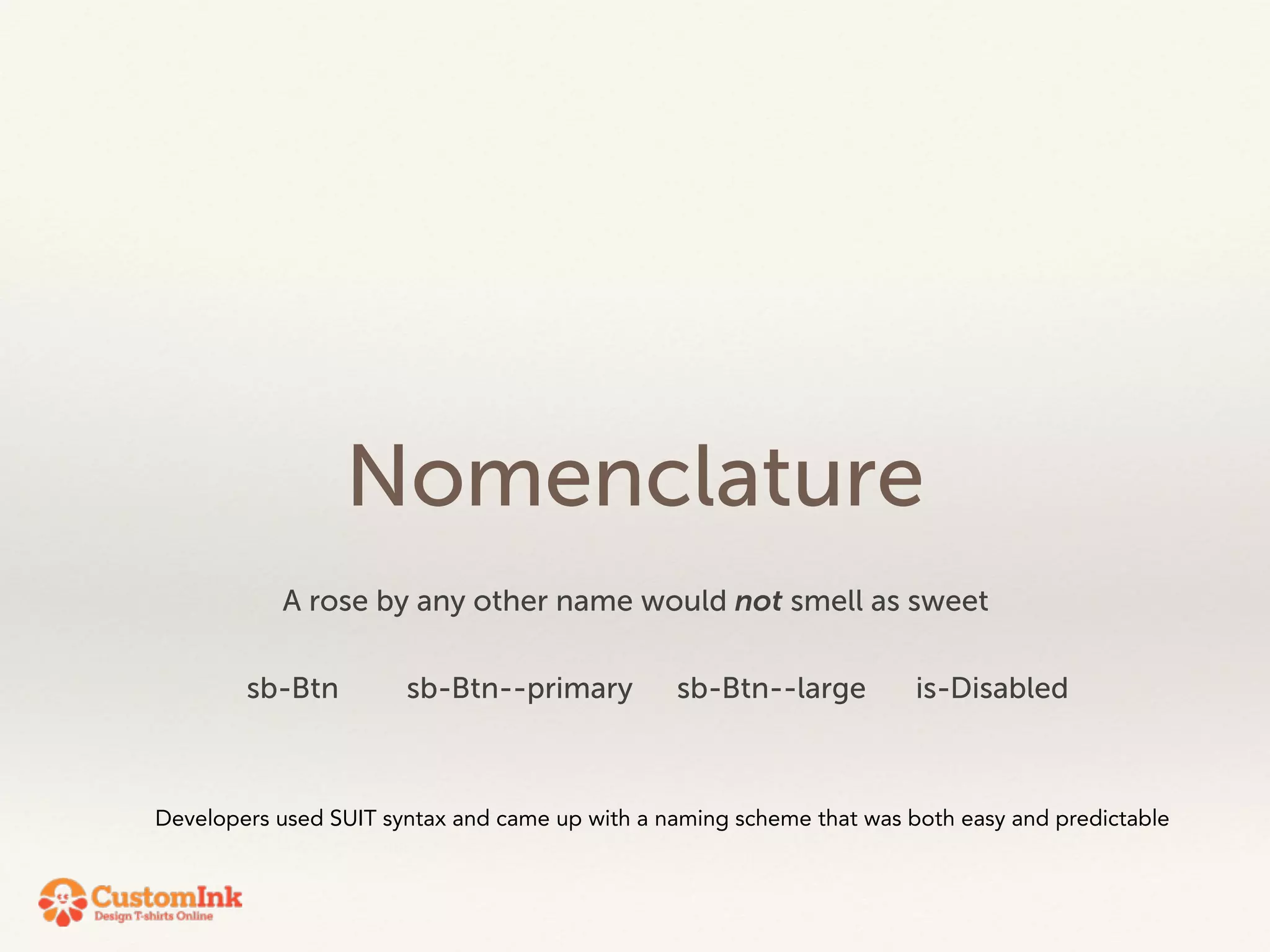
Simplicity 
Our developers spend a good amount of time on the foundation. 
- It was crucial that they built something that was easy to expand on 
- The creative team needed to ability to update — so we needed to be able to read and understand their code
Nomenclature 
A rose by any other name would not smell as sweet 
sb-Btn sb-Btn--primary sb-Btn--large is-Disabled 
Developers used SUIT syntax and came up with a naming scheme that was both easy and predictable
Content First 
It was very important to design that we be able to build the page according to the needs of the content.
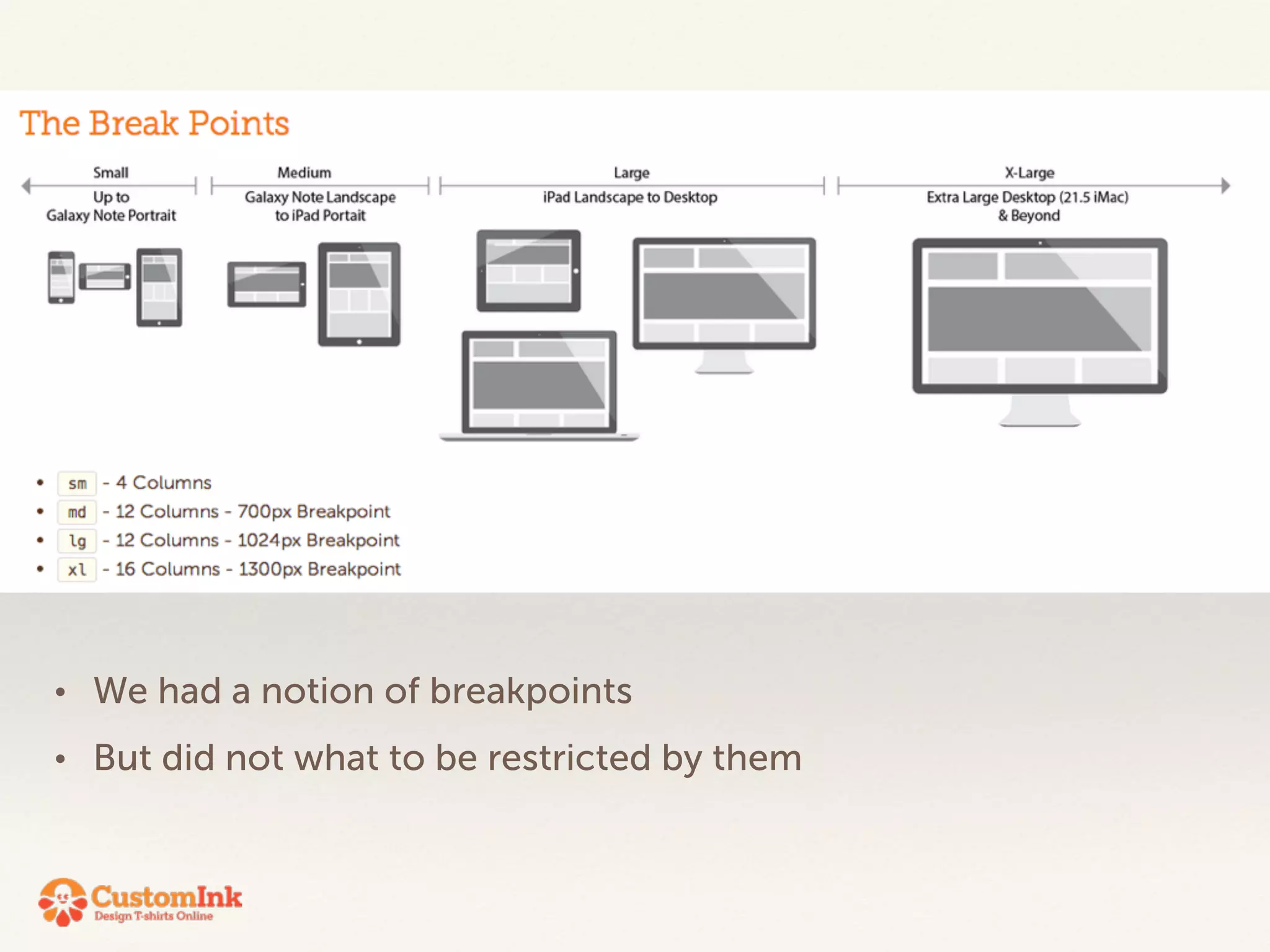
• We had a notion of breakpoints 
• But did not what to be restricted by them
The hardest thing to get our minds wrapped around was that there is 
no grid. 
That we needed to be the grid and wrap its structure around the needs 
of the content. 
! 
We had a lot of discussion around the header and footer in particular. 
Because, regardless of what we did to the content area of the page, the 
users experience should be consistent as they move from page to page 
on their particular device
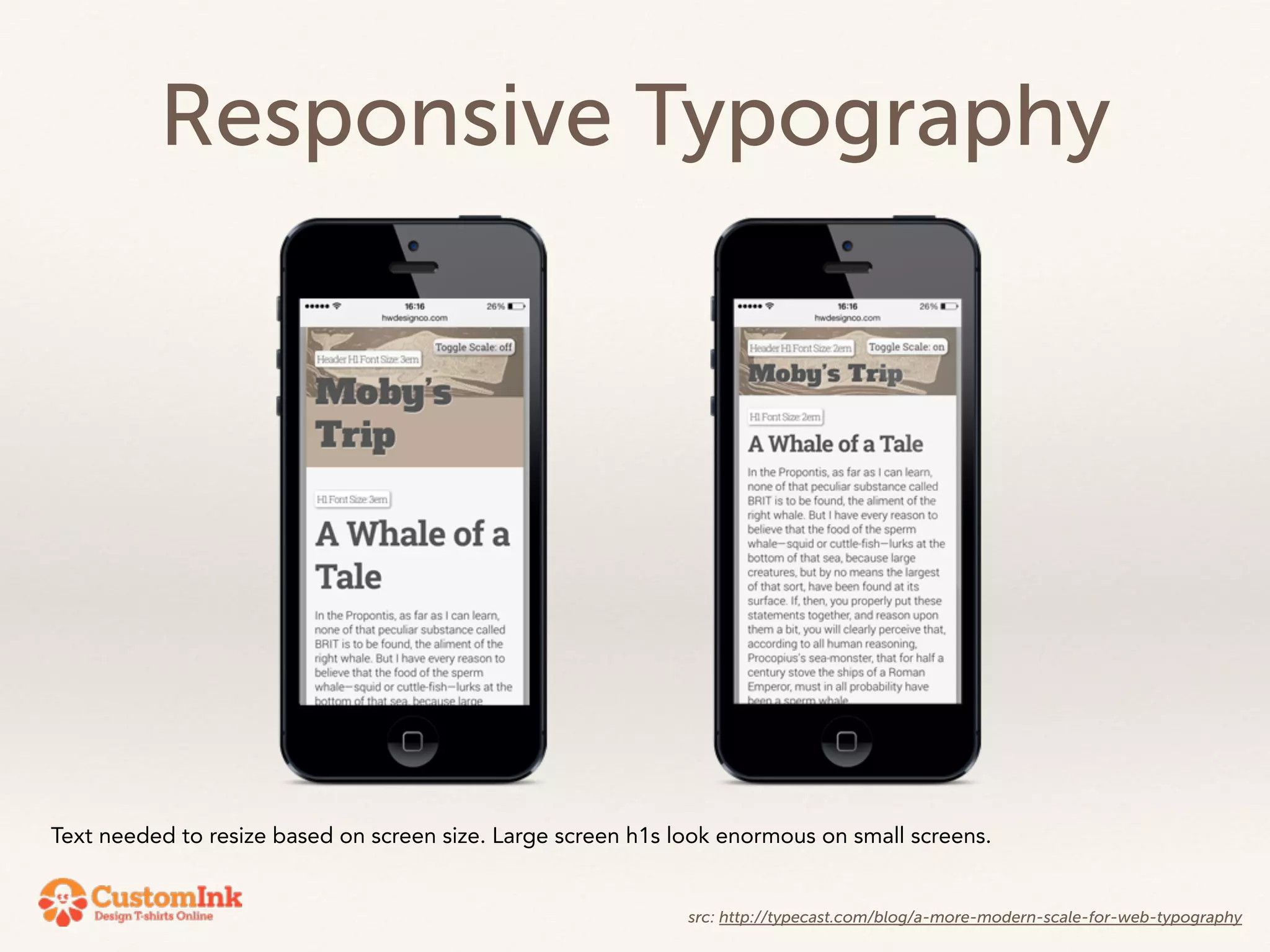
Responsive Typography 
Text needed to resize based on screen size. Large screen h1s look enormous on small screens. 
src: http://typecast.com/blog/a-more-modern-scale-for-web-typography
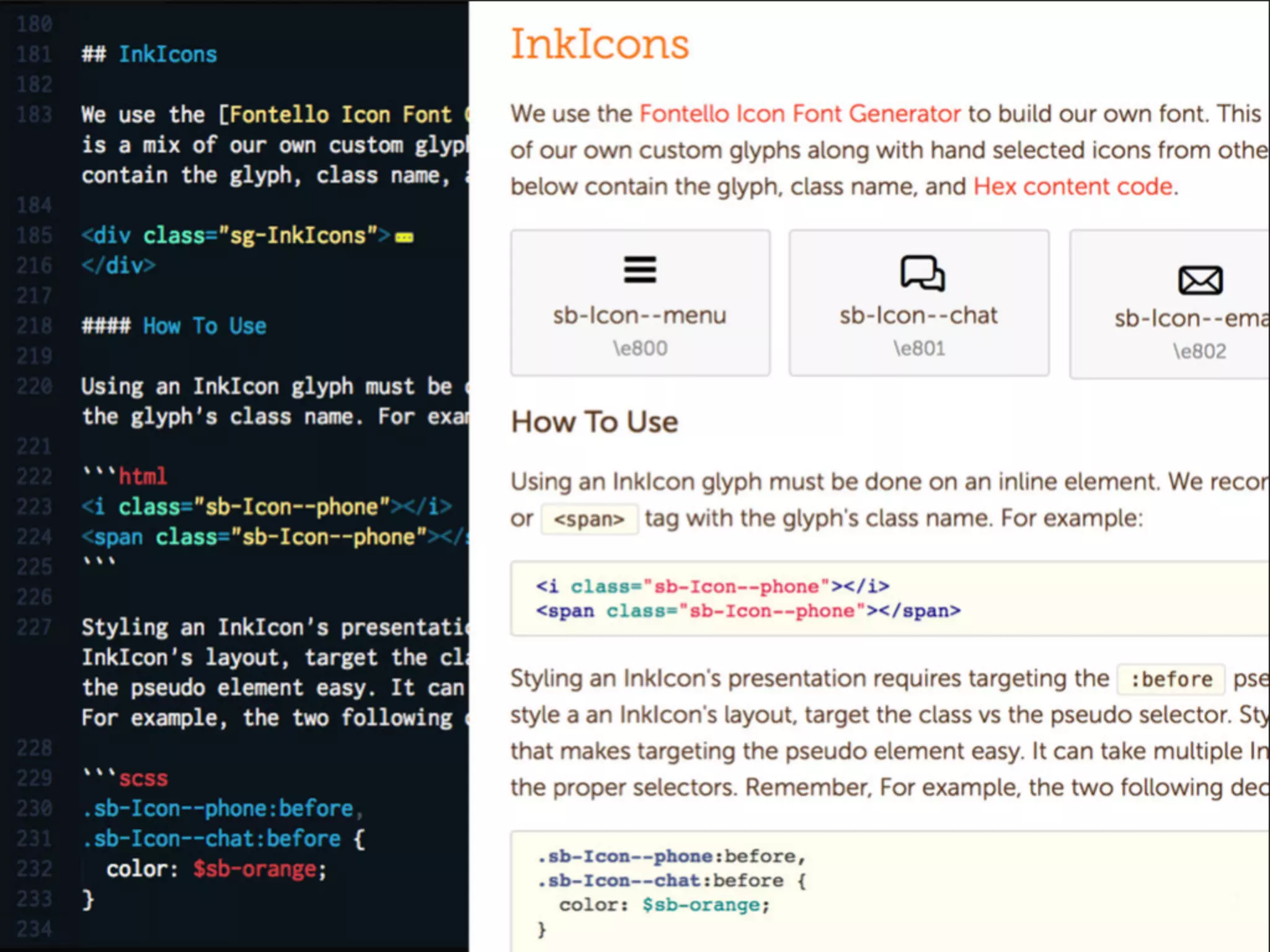
Using Icon Fonts saved on page weight and also 
made sure that our icons were always consistent 
(over using cut images)
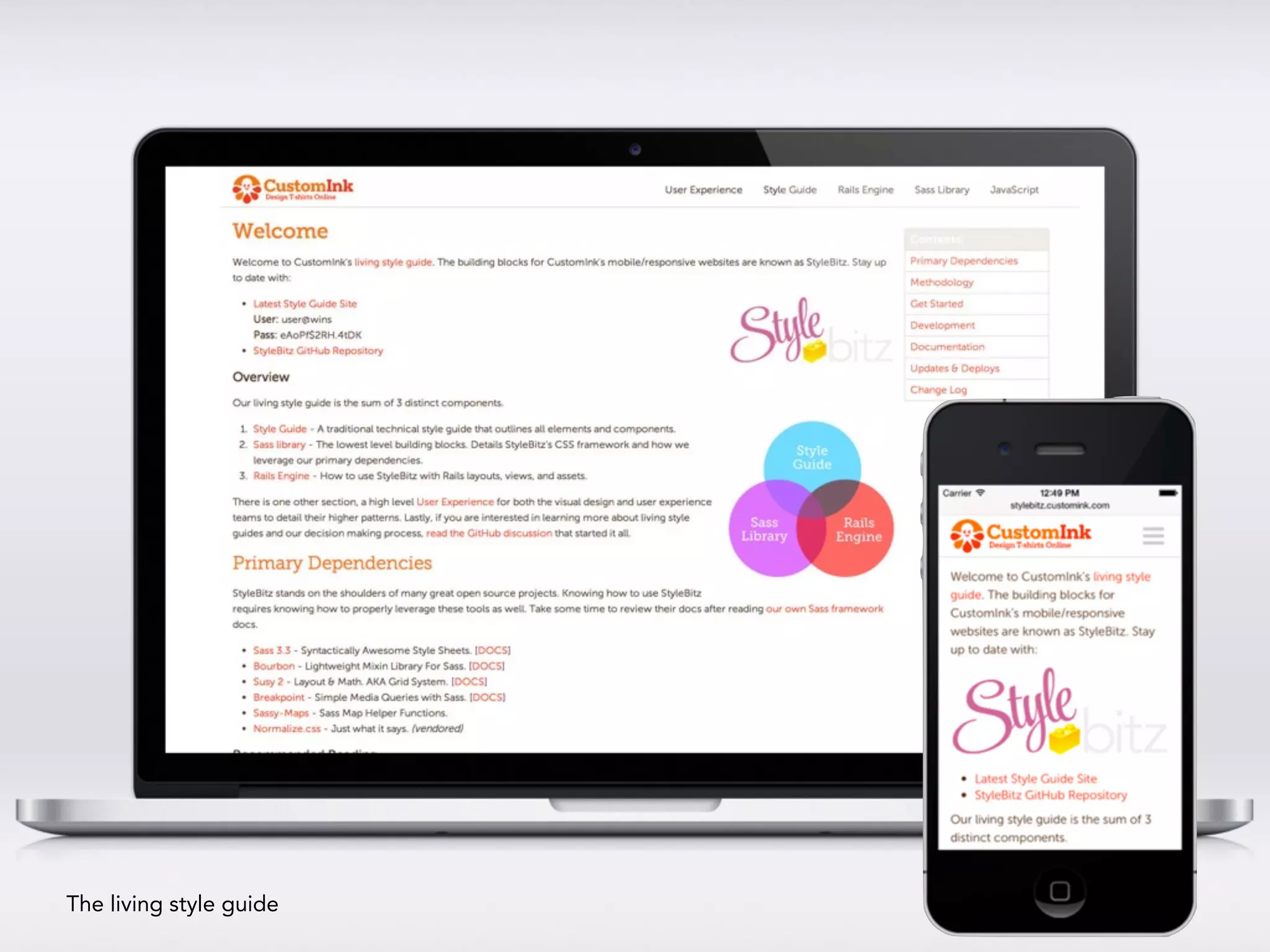
The living style guide
Living the Guide
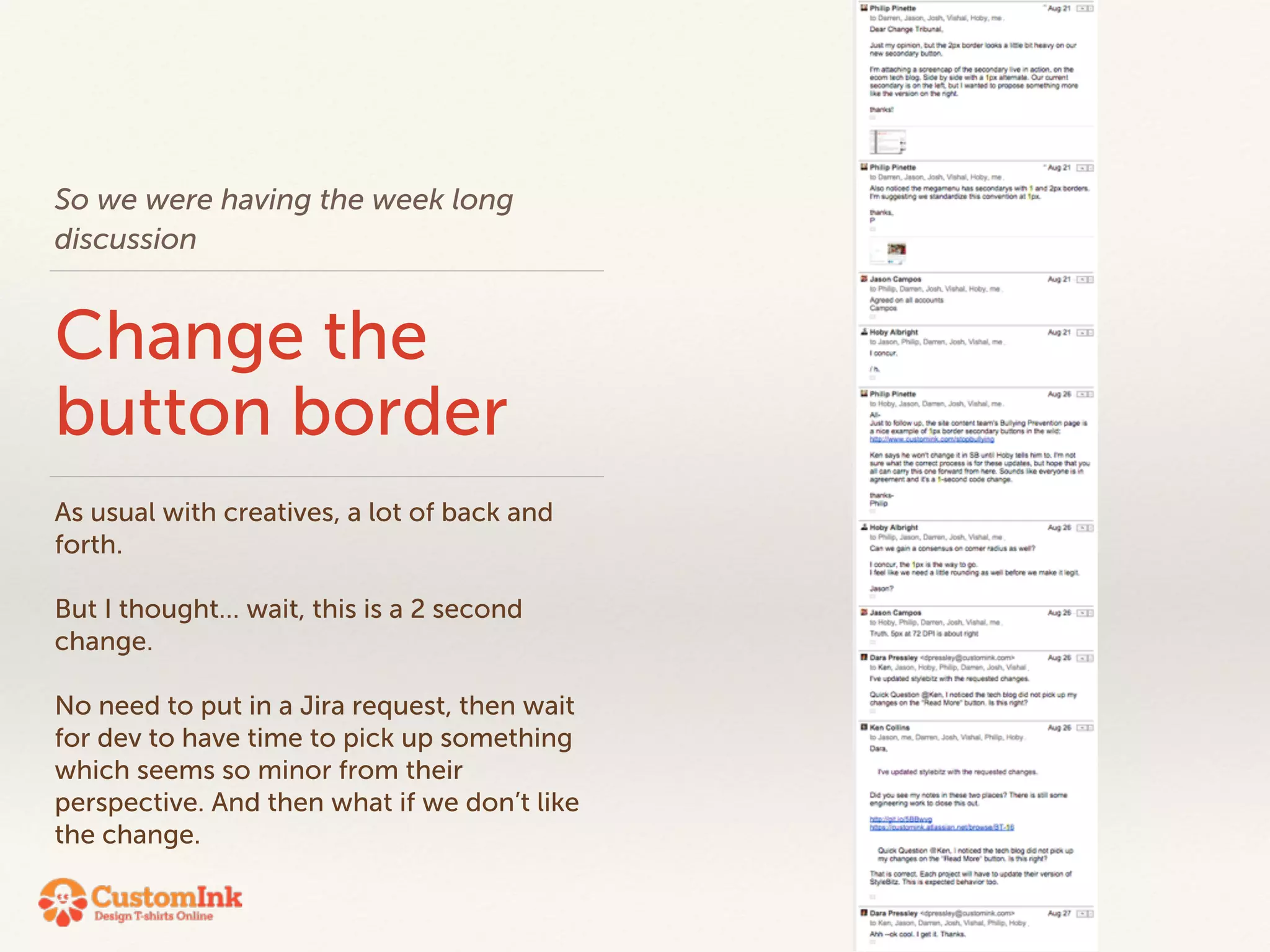
So we were having the week long 
discussion 
Change the 
button border 
As usual with creatives, a lot of back and 
forth. 
! 
But I thought… wait, this is a 2 second 
change. 
! 
No need to put in a Jira request, then wait 
for dev to have time to pick up something 
which seems so minor from their 
perspective. And then what if we don’t like 
the change.
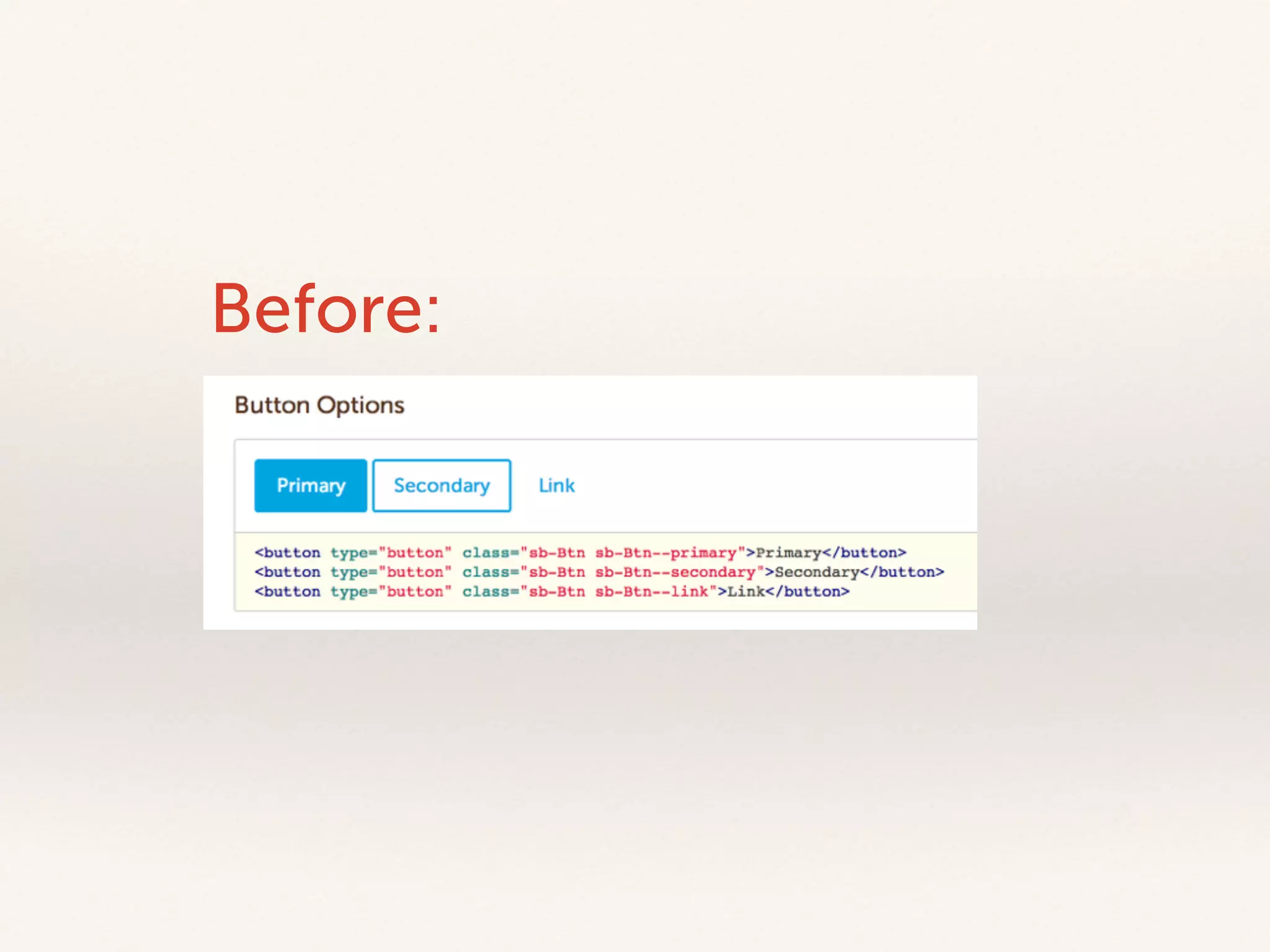
Before:
Code image here 
maybe with some “bang” effect!! 
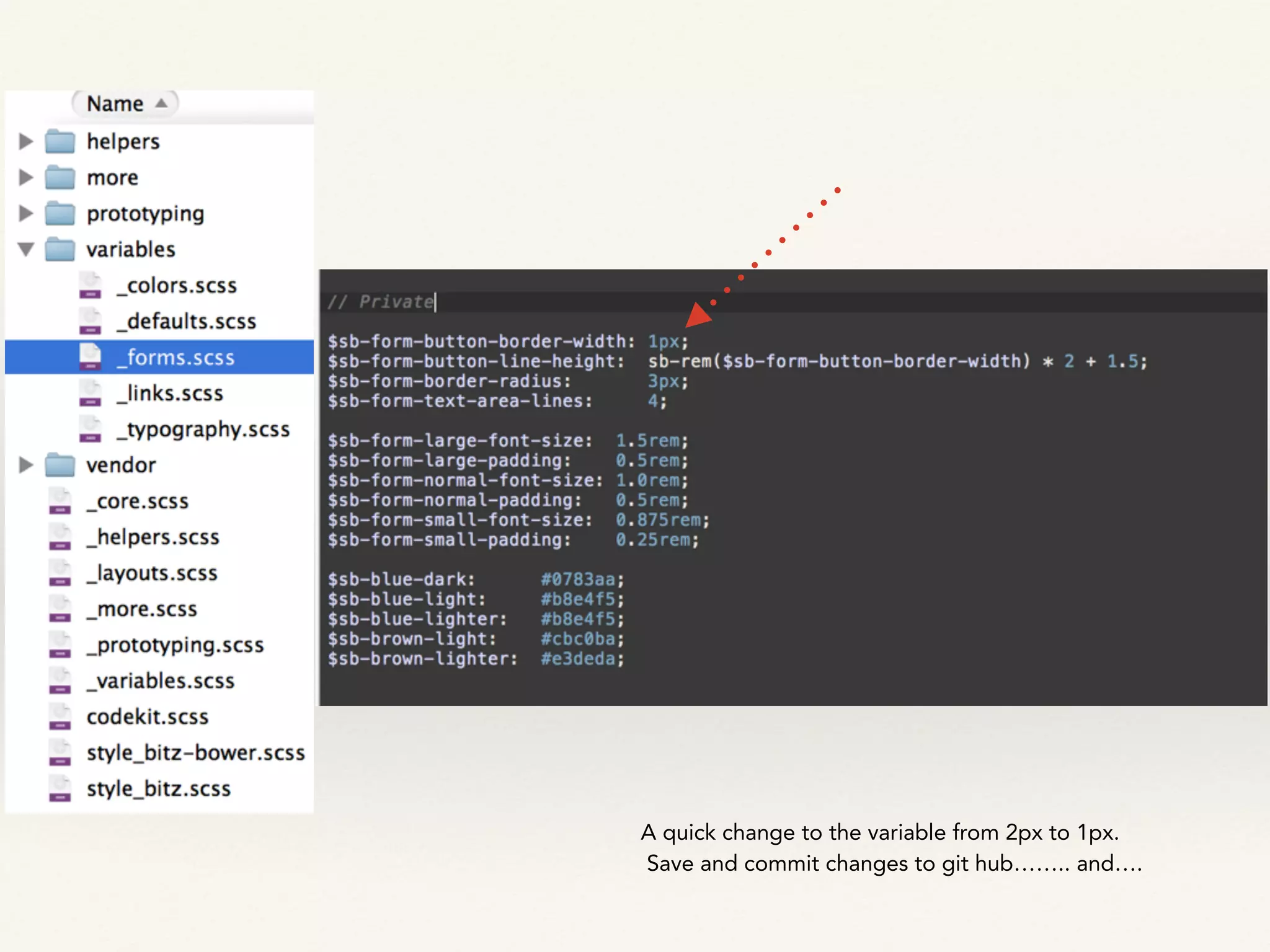
A quick change to the variable from 2px to 1px. 
Save and commit changes to git hub…….. and….
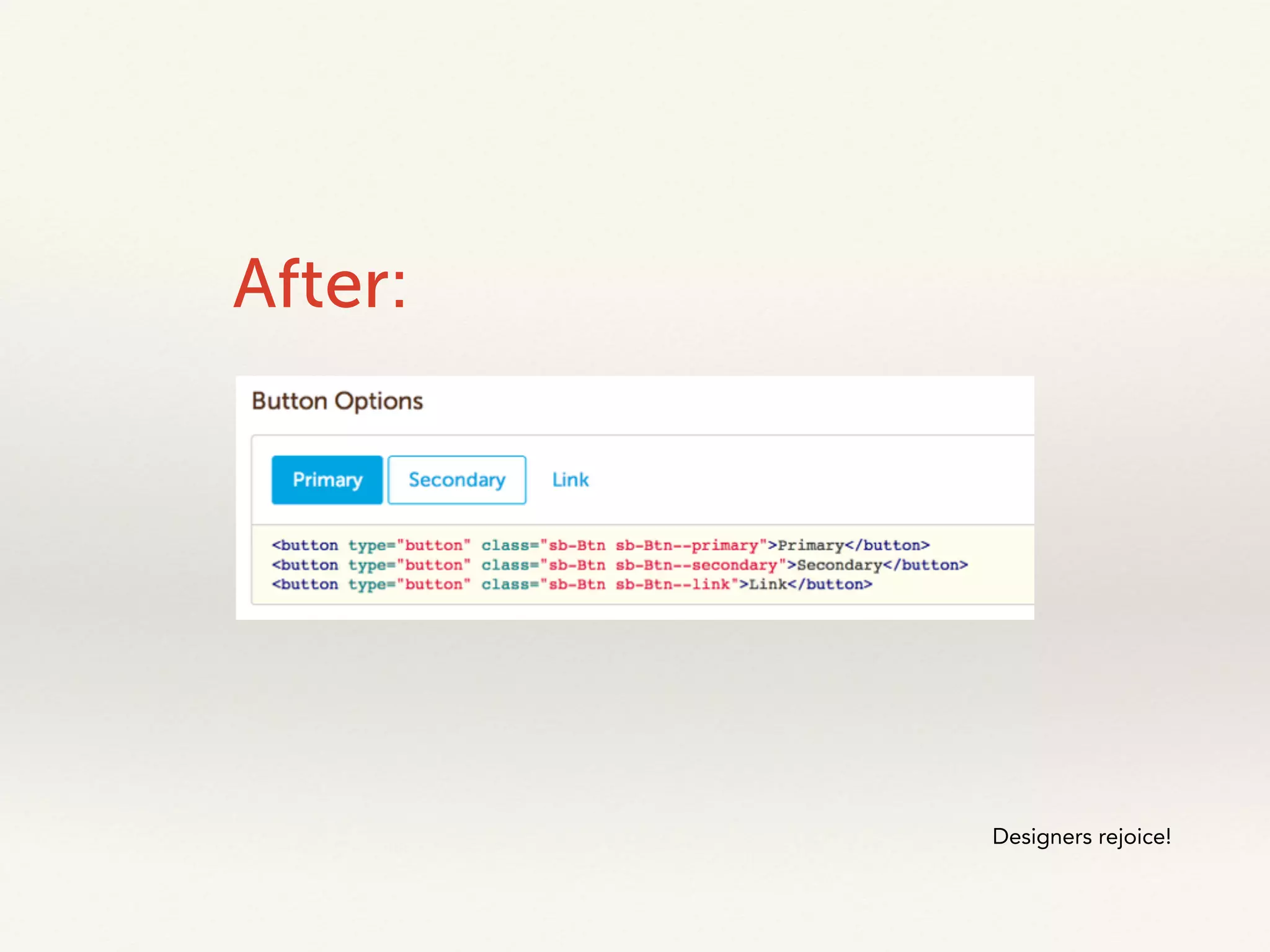
After: 
Designers rejoice!
Thanks! 
Dara Pressley 
@UXDiva

The Living Style Guide: How CustomInk created a their new ux lead style guide

  • 1.
    Dara Pressley |@UXDiva Mobile UX Camp Living Style Guide
  • 2.
  • 3.
    CustomInk Styleguide Version2.03 1. Grids 02 2. Color Scheme 03 3. Text & Links 04 4. Headers 05 5. Contextual Nav 06-7 6. Site Headers 08-11 7. Site Footer 12-14 8. Popup 14-16 9. Buttons 17-19 10. Marquee 20 11. Aside Box 21 12. Form Elements 22-29 13. Proof Images 30-31 14. Icons 32-33 15. Swatches 34 16. Other Elements 35 16.1. Pagination 35 16.2. Rounded Corners 35 16.3. Bread Crumbs 35 16.4. Standard Table 35 16.5. Modal Style 35 16.6. Image Borders 35 3. Text & Links 3.1 Basic Text Info 4 Font family: Museo Sans (default) or Museo Slab | fallbacks: Helvetica, Arial, Sans-serif Font Size: 16px (default) or 13px (small text, sub text, or paragraph copy in narrow columns) Line-height for 16px font: 24px Line-height for 13px font: 18px Bottom margin for paragraph copy: 24px Font-weight: 300 (default) or 500 (bold) Fonts From: http://typekit.com/ Text colors (for text inside a white background) Default Font Color: Brown (#54301A) Secondary (half) Font Color: (#B28E5B) 3.2 Link Colors Default Link Colors: Link (and visited) color: red Hover color: blue Special Cases: Default Font Color Secondary Font Color For the: • product catalog color swatch links • whenever there is a link in a header tag on the contextual nav • for the links in the creme colored section of the footer • the links in the top nav’s toolbar those link colors are: Link color: brown Visited color: brown Hover color: red Active color: red PDF Style Guide
  • 4.
    • PDF StyleGuide • Becomes quickly out of date • Master file owned by one person — makes it hard to update • Circulating copies — versioning • Not directly related to development build
  • 5.
  • 6.
    • HTML GeneratedGuide lacked documentation to show how items and components could be built. • Developed Style Guide was too strict • Difficult to change components or add news ones • Did not offer flexibility for usability or changes for look and feel • As a result, items were often developed for the page that were not tied back to a greater framework • This caused inconsistencies across the site and made it difficult for global updates
  • 7.
  • 8.
    Mobile • Addingthe ability create mobile pages meant that our styles had to change on the site. • We needed to create components and elements that would work on a smaller screen • And we needed the ability to create both responsive and optimized experiences
  • 9.
    A new home • A new homepage design created many styles and components that weren’t available in the Style Guide • Also, it created many conversations about updating some styles to refresh brand identity
  • 10.
  • 11.
    Beyond what wasneeded • UX / VX lead style guide • representing the CustomInk design principles • The coded expression of the style guide • Ability to easily add to and update styles and components • Documentation • Prototyping Support
  • 12.
  • 13.
  • 14.
    Simplicity Our developersspend a good amount of time on the foundation. - It was crucial that they built something that was easy to expand on - The creative team needed to ability to update — so we needed to be able to read and understand their code
  • 15.
    Nomenclature A roseby any other name would not smell as sweet sb-Btn sb-Btn--primary sb-Btn--large is-Disabled Developers used SUIT syntax and came up with a naming scheme that was both easy and predictable
  • 16.
    Content First Itwas very important to design that we be able to build the page according to the needs of the content.
  • 17.
    • We hada notion of breakpoints • But did not what to be restricted by them
  • 18.
    The hardest thingto get our minds wrapped around was that there is no grid. That we needed to be the grid and wrap its structure around the needs of the content. ! We had a lot of discussion around the header and footer in particular. Because, regardless of what we did to the content area of the page, the users experience should be consistent as they move from page to page on their particular device
  • 19.
    Responsive Typography Textneeded to resize based on screen size. Large screen h1s look enormous on small screens. src: http://typecast.com/blog/a-more-modern-scale-for-web-typography
  • 20.
    Using Icon Fontssaved on page weight and also made sure that our icons were always consistent (over using cut images)
  • 22.
  • 23.
  • 24.
    So we werehaving the week long discussion Change the button border As usual with creatives, a lot of back and forth. ! But I thought… wait, this is a 2 second change. ! No need to put in a Jira request, then wait for dev to have time to pick up something which seems so minor from their perspective. And then what if we don’t like the change.
  • 25.
  • 26.
    Code image here maybe with some “bang” effect!! A quick change to the variable from 2px to 1px. Save and commit changes to git hub…….. and….
  • 27.
  • 28.