
Real Life Benchmarks:
The Digital Transformation of
the Purchasing Process
• Efficiency – excess effort
• Turnaround time (now a duty to report for large business)
• Enable focus on critical thinking and high value issues – CONTROL!
Time is Money:
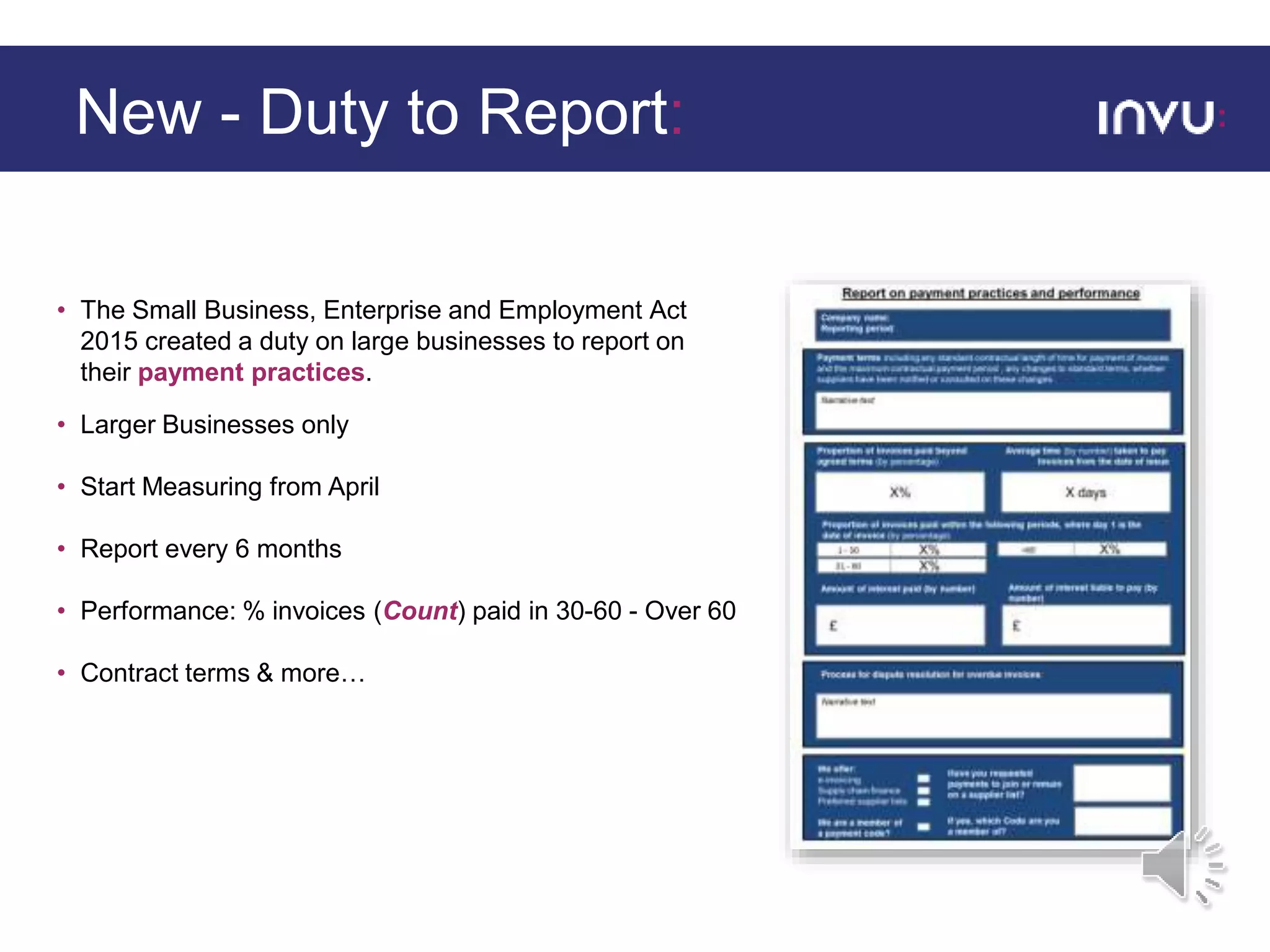
• The Small Business, Enterprise and Employment Act
2015 created a duty on large businesses to report on
their payment practices.
• Larger Businesses only
• Start Measuring from April
• Report every 6 months
• Performance: % invoices (Count) paid in 30-60 - Over 60
• Contract terms & more…
New - Duty to Report:
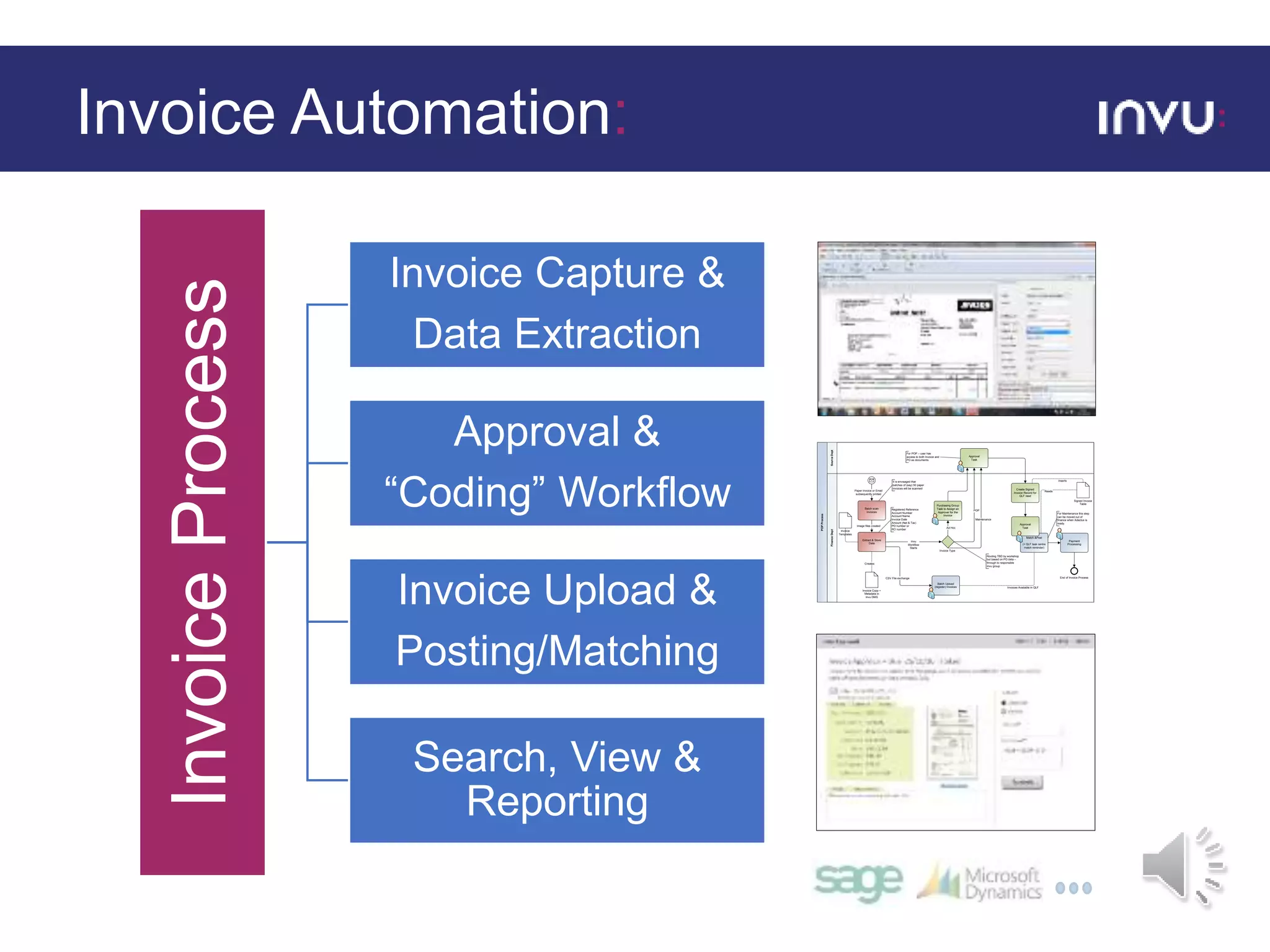
InvoiceProcess
Invoice Capture &
Data Extraction
Approval &
“Coding” Workflow
Invoice Upload &
Posting/Matching
Search, View &
Reporting
Approval
Task
Invu
Workflow
Starts
End of Invoice Process
05/10/10Invoice Process Stuart Evans
Adactus Housing
FinanceDept
POPProcess
Paper Invoice or Email
subsequently printed
Match &Post
(+ QLF task centre
match reminder)
Invoice Copy +
Metadata in
Invu DMS
Creates
Invoice Type
SourceDept
Batch scan
Invoices
Purchasing Group
Task to Assign an
Approver for the
Invoice
Extract & Store
Data
Image files created
Ad Hoc
Payment
Processing
CSV File exchange
Batch Upload
(register) Invoices
POPRegistered Reference
Account Number
Account Name
Invoice Date
Amount (Net & Tax)
PO number or
RO number
Maintenance
Invoice
Templates
Invoices Available in QLF
Approval
Task
For Maintenance this step
can be moved out of
finance when Adactus is
ready
For POP – user has
access to both Invoice and
PO as documents
QLF FunctionInvu Function Invu WorkflowLegend:
User Task
Routing TBD by workshop
but based on PO data –
through to responsible
Invu group
It is envisaged that
batches of (say) 50 paper
invoices will be scanned Create Signed
Invoice Record for
QLF read
Signed Invoice
Table
Inserts
Reads
Invoice Automation:
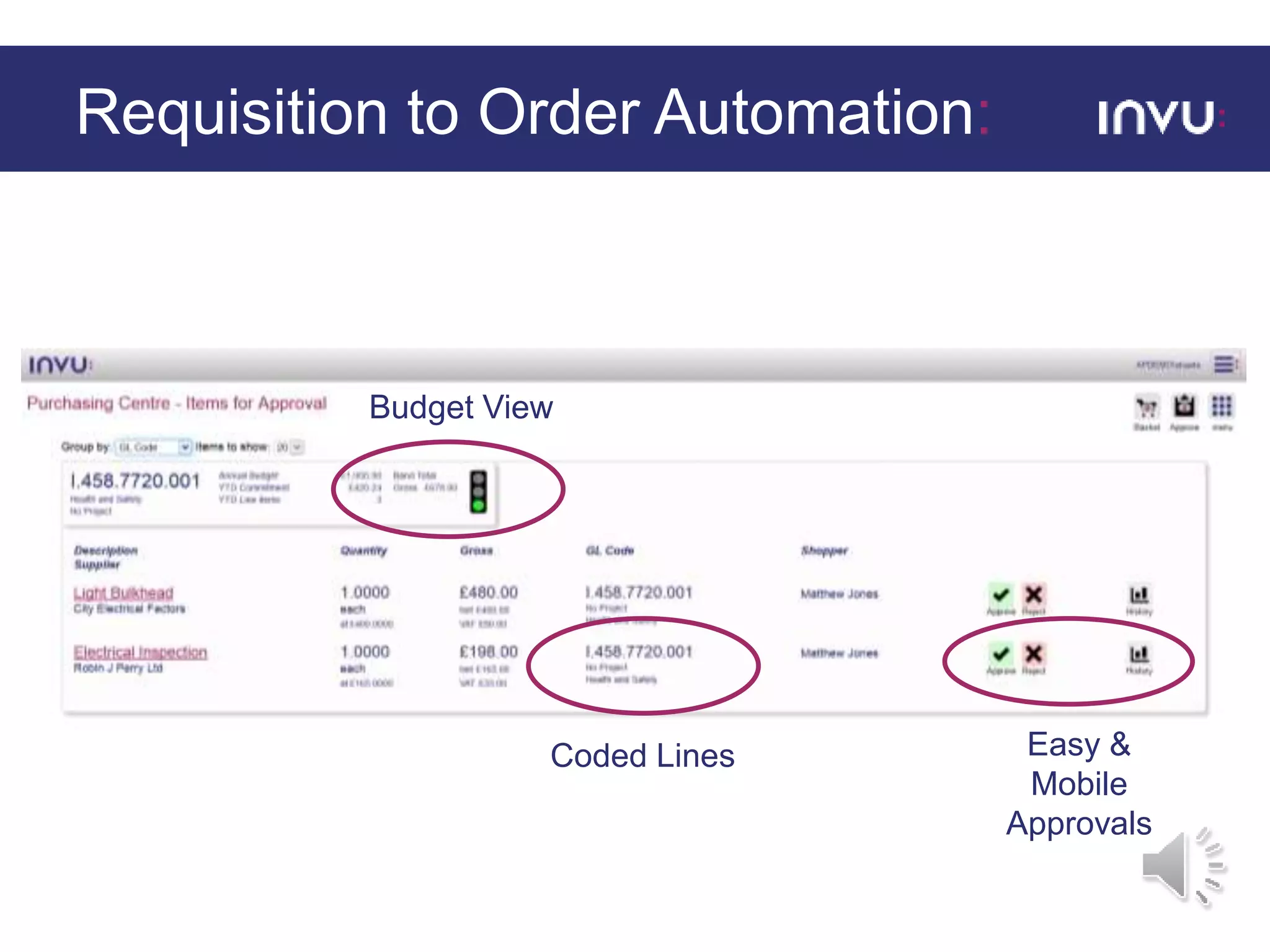
Requisition to Order Automation:
Budget View
Coded Lines Easy &
Mobile
Approvals
Trusting the Machine…a process in itself:
• 350 Staff, 30,000+ Invoices per annum
• Had no central PO system (just dept. spreadsheets)
• Had already purchased ERP POP module
• More recently had already successfully implemented Invoice Processing
• Still wanted a purchase control solution because:
• Auditor demand
• Operational “fitness” – strategic aim
• Demonstrate VFM – an HA community directive
Adactus Housing Association:
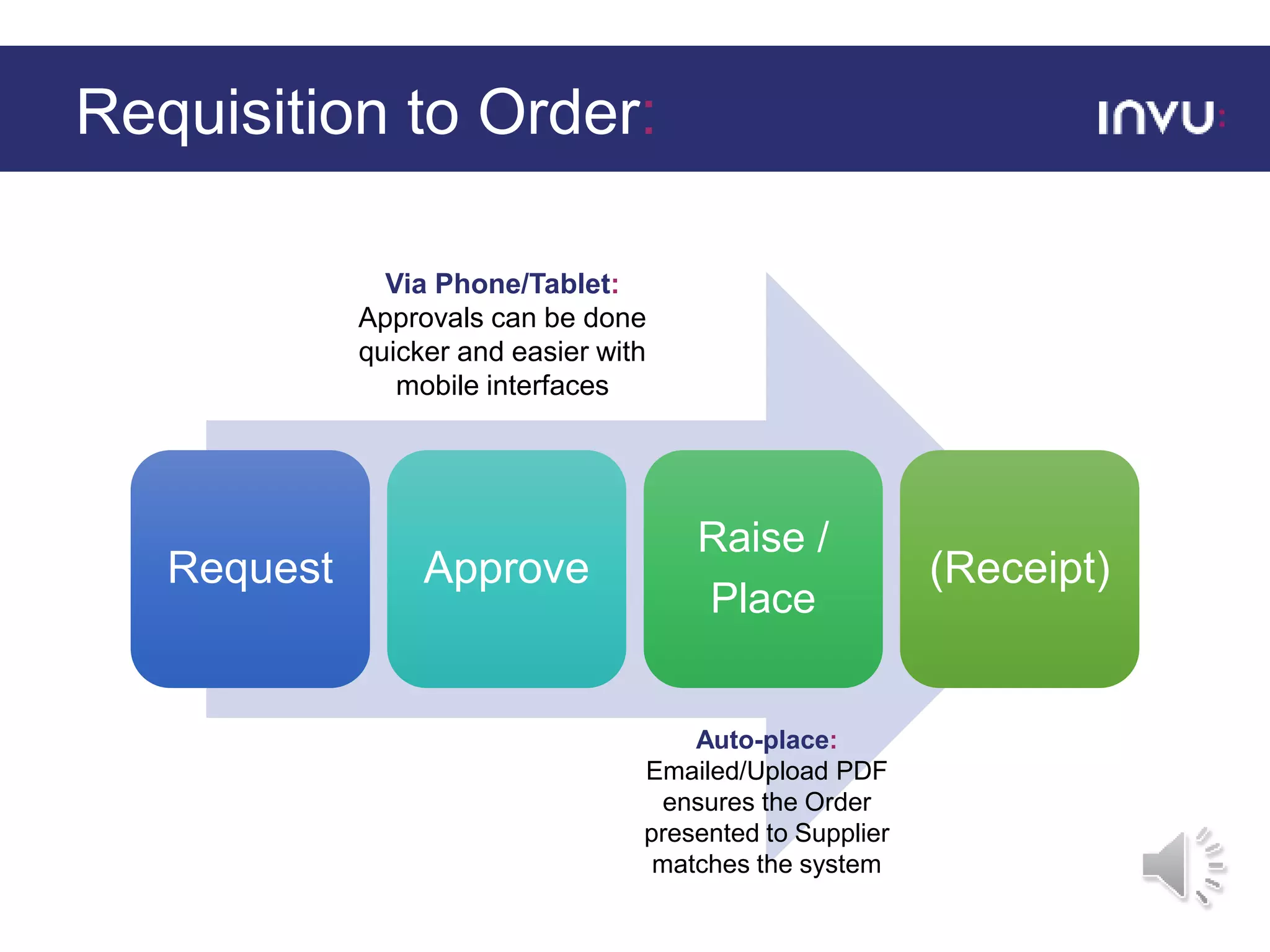
Requisition to Order:
Request Approve
Raise /
Place
(Receipt)
Auto-place:
Emailed/Upload PDF
ensures the Order
presented to Supplier
matches the system
Via Phone/Tablet:
Approvals can be done
quicker and easier with
mobile interfaces
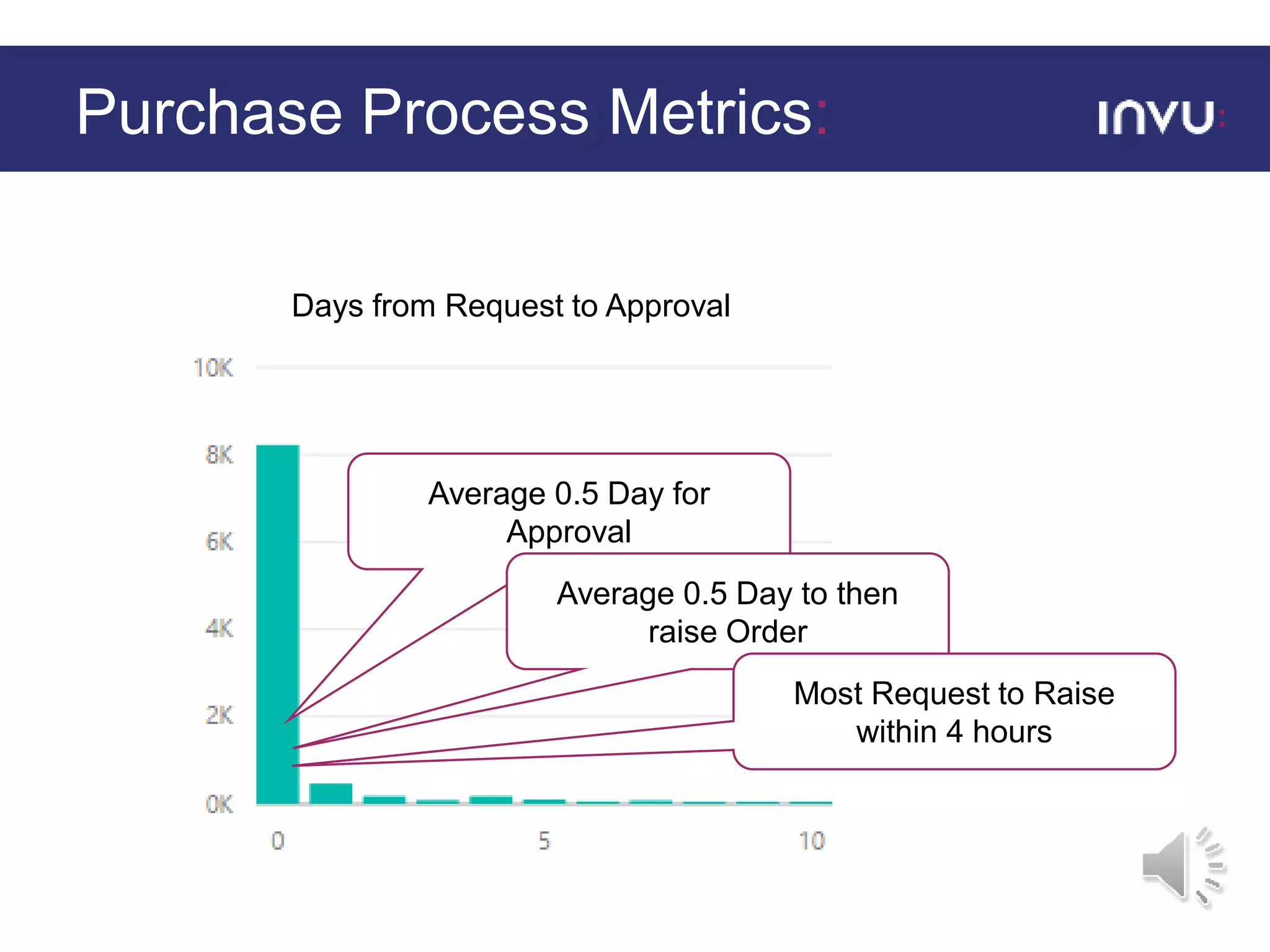
Purchase Process Metrics:
Days from Request to Approval
Average 0.5 Day for
Approval
Average 0.5 Day to then
raise Order
Most Request to Raise
within 4 hours
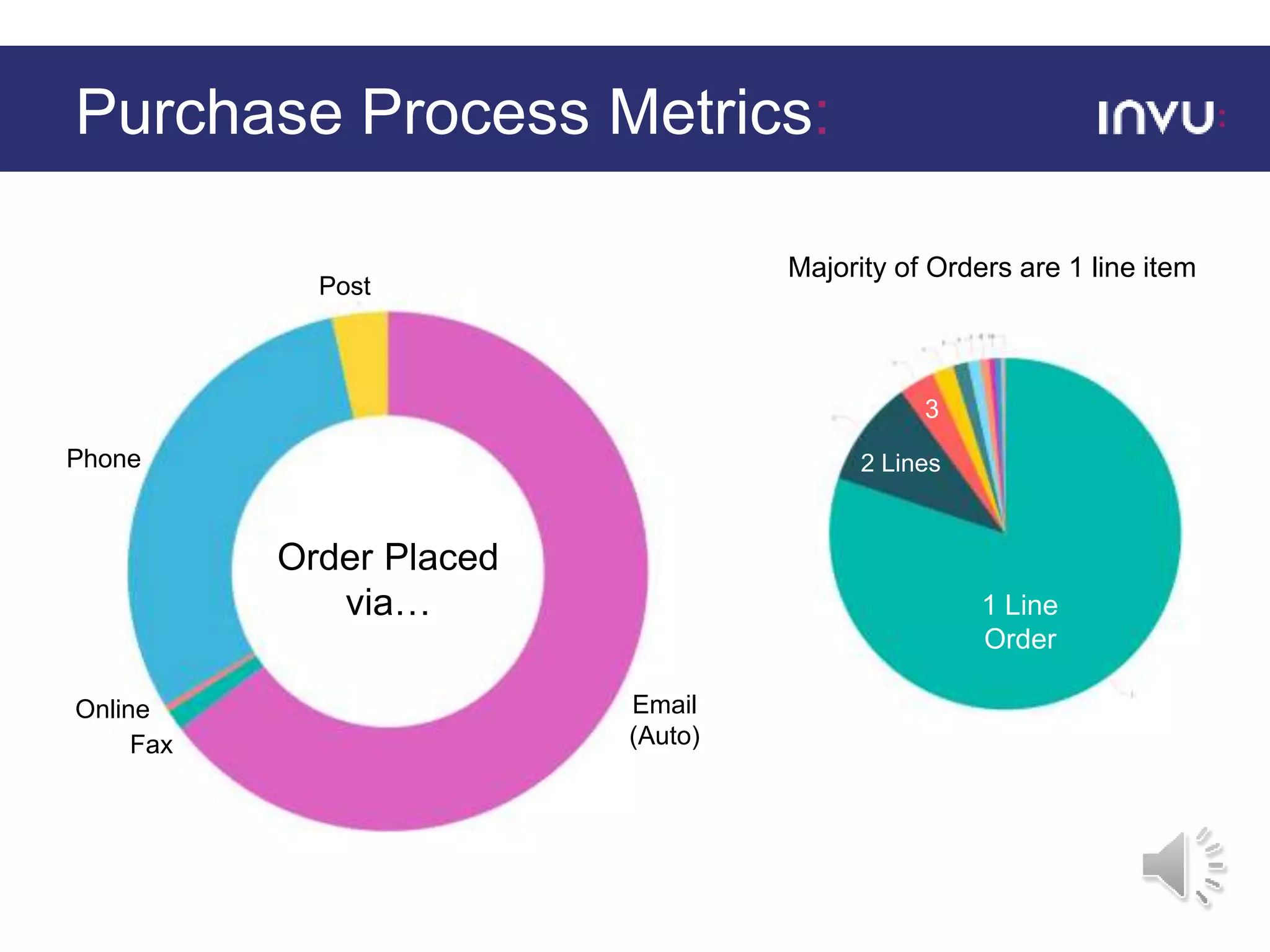
Purchase Process Metrics:
Post
Email
(Auto)
Phone
Fax
Online
Order Placed
via… 1 Line
Order
2 Lines
3
Majority of Orders are 1 line item
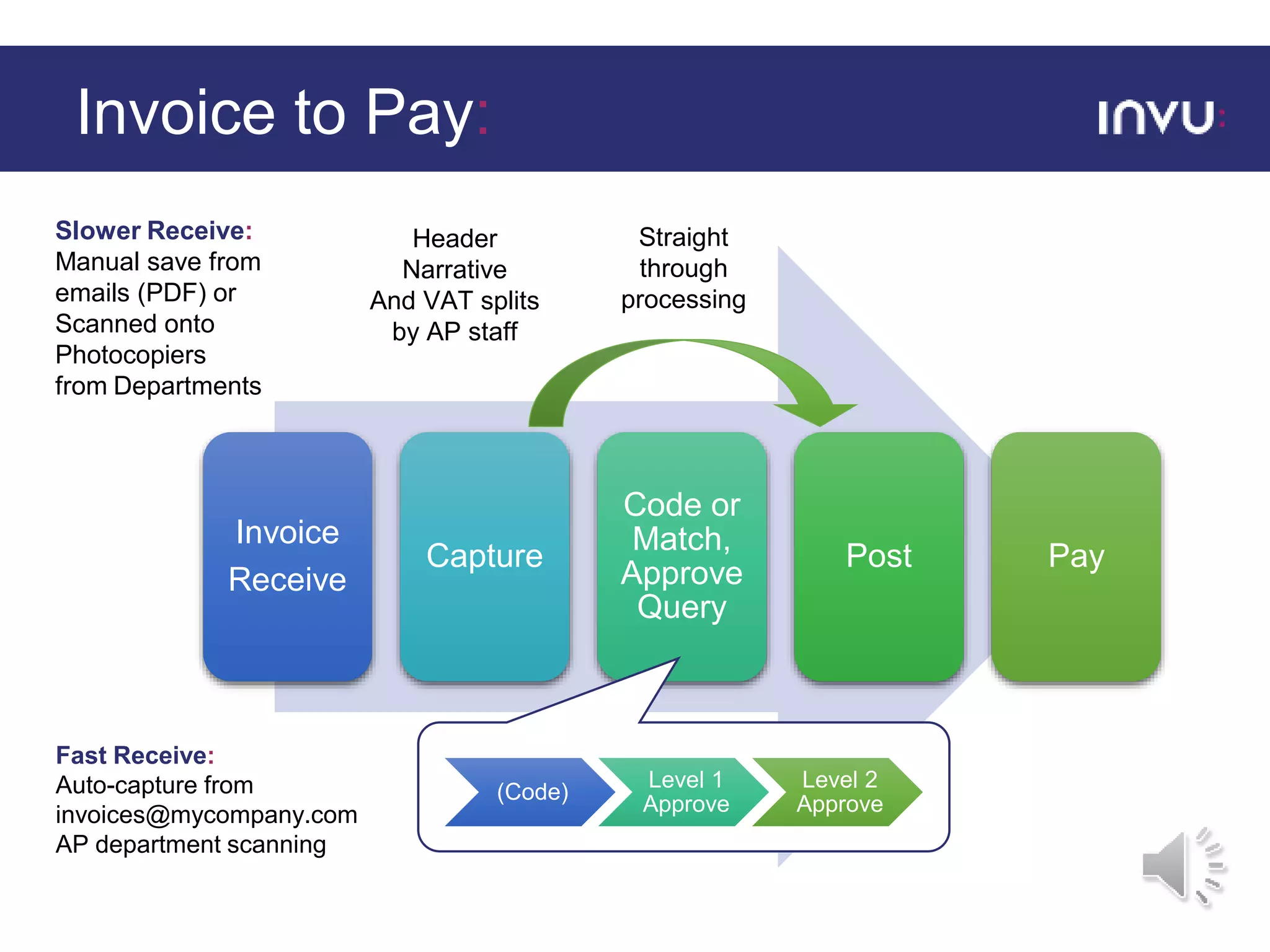
Invoice to Pay:
Slower Receive:
Manual save from
emails (PDF) or
Scanned onto
Photocopiers
from Departments
Fast Receive:
Auto-capture from
invoices@mycompany.com
AP department scanning
Invoice
Receive
Capture
Code or
Match,
Approve
Query
Post Pay
(Code)
Level 1
Approve
Level 2
Approve
Header
Narrative
And VAT splits
by AP staff
Straight
through
processing
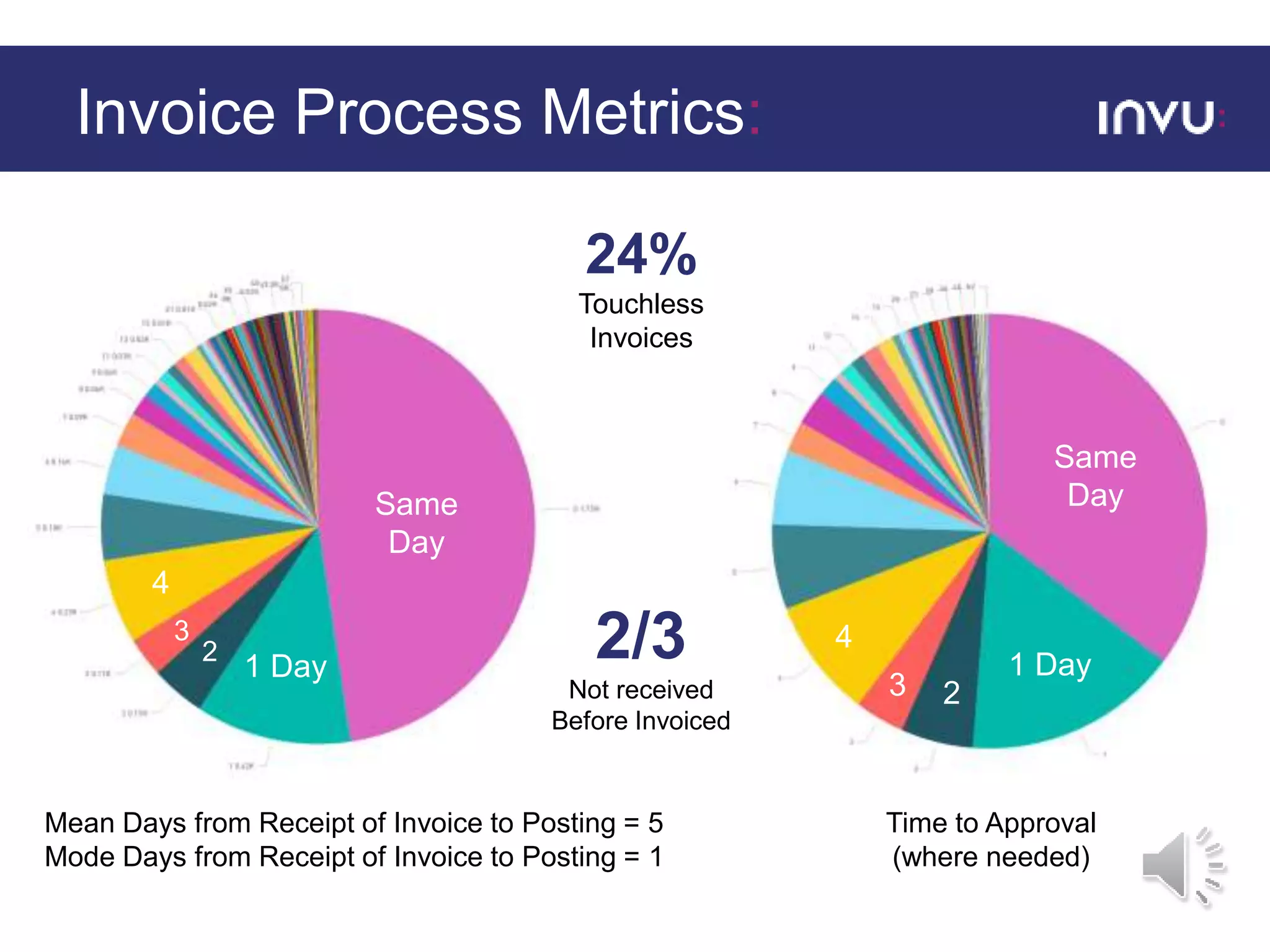
Invoice Process Metrics:
Same
Day
1 Day
2
3
4
Mean Days from Receipt of Invoice to Posting = 5
Mode Days from Receipt of Invoice to Posting = 1
Same
Day
1 Day
23
4
Time to Approval
(where needed)
24%
Touchless
Invoices
2/3
Not received
Before Invoiced
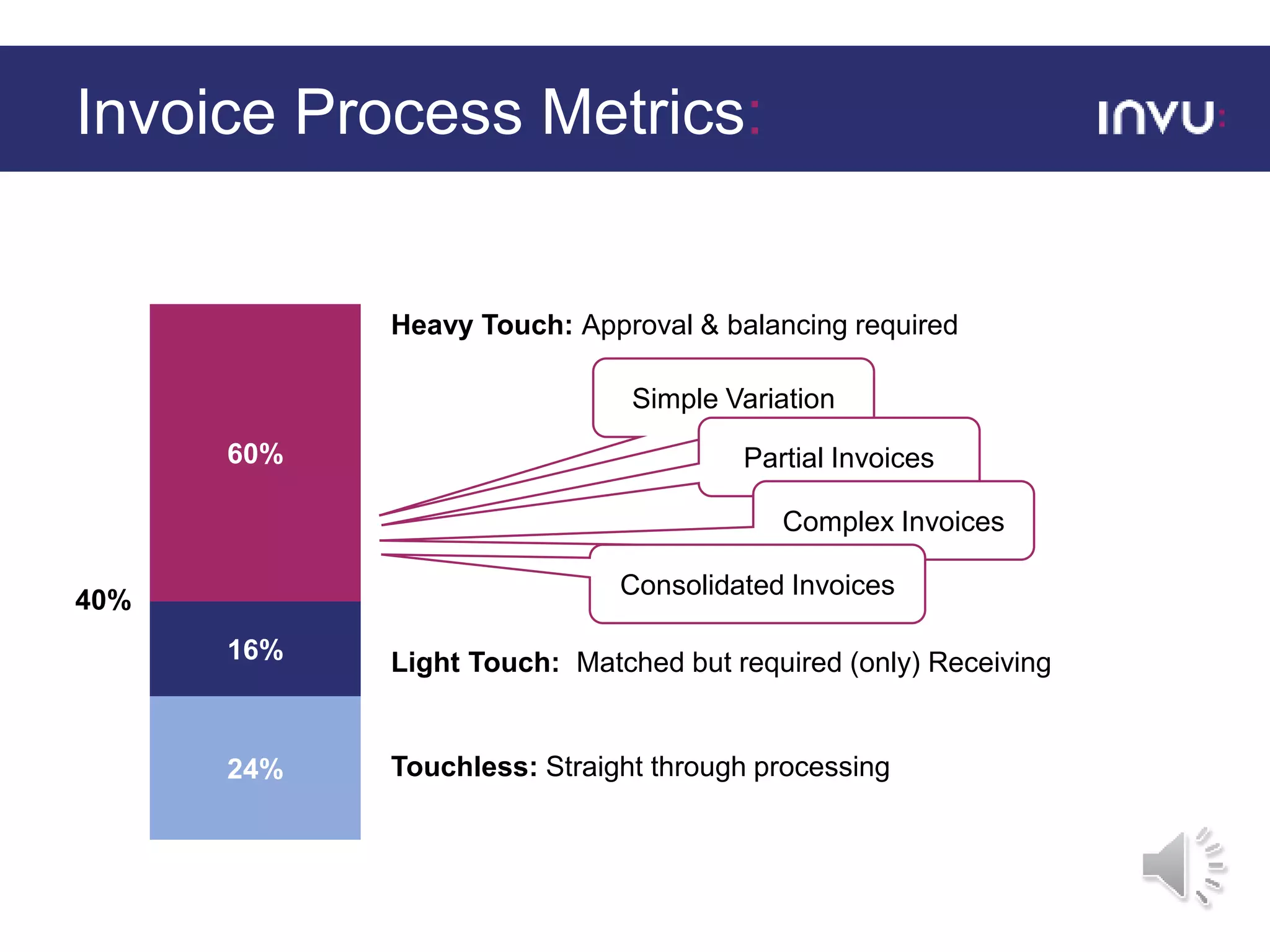
Invoice Process Metrics:
24% Touchless: Straight through processing
16% Light Touch: Matched but required (only) Receiving
Simple Variation
Partial Invoices
Complex Invoices
Consolidated Invoices
60%
40%
Heavy Touch: Approval & balancing required
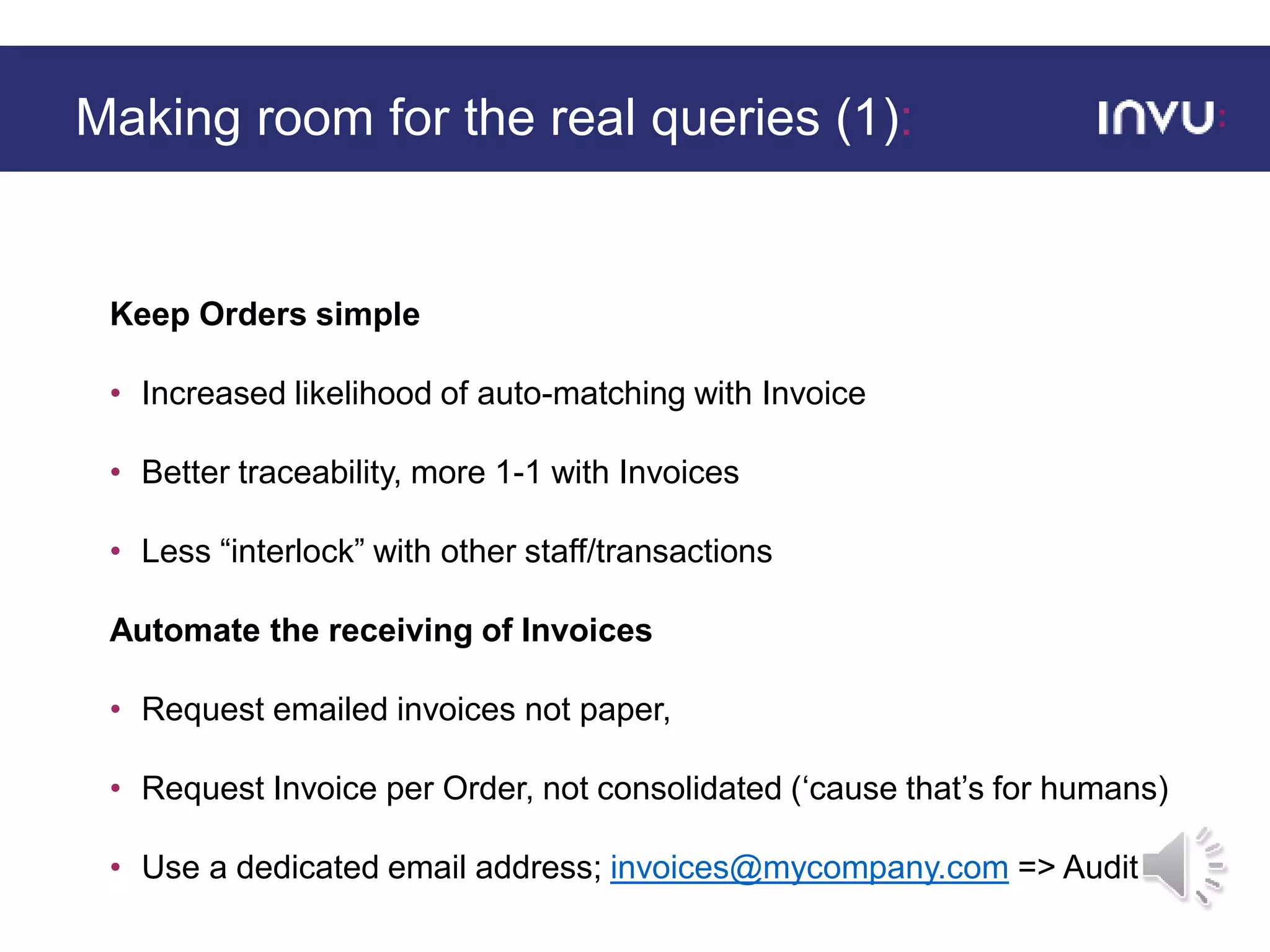
Keep Orders simple
• Increased likelihood of auto-matching with Invoice
• Better traceability, more 1-1 with Invoices
• Less “interlock” with other staff/transactions
Automate the receiving of Invoices
• Request emailed invoices not paper,
• Request Invoice per Order, not consolidated (‘cause that’s for humans)
• Use a dedicated email address; invoices@mycompany.com => Audit
Making room for the real queries (1):
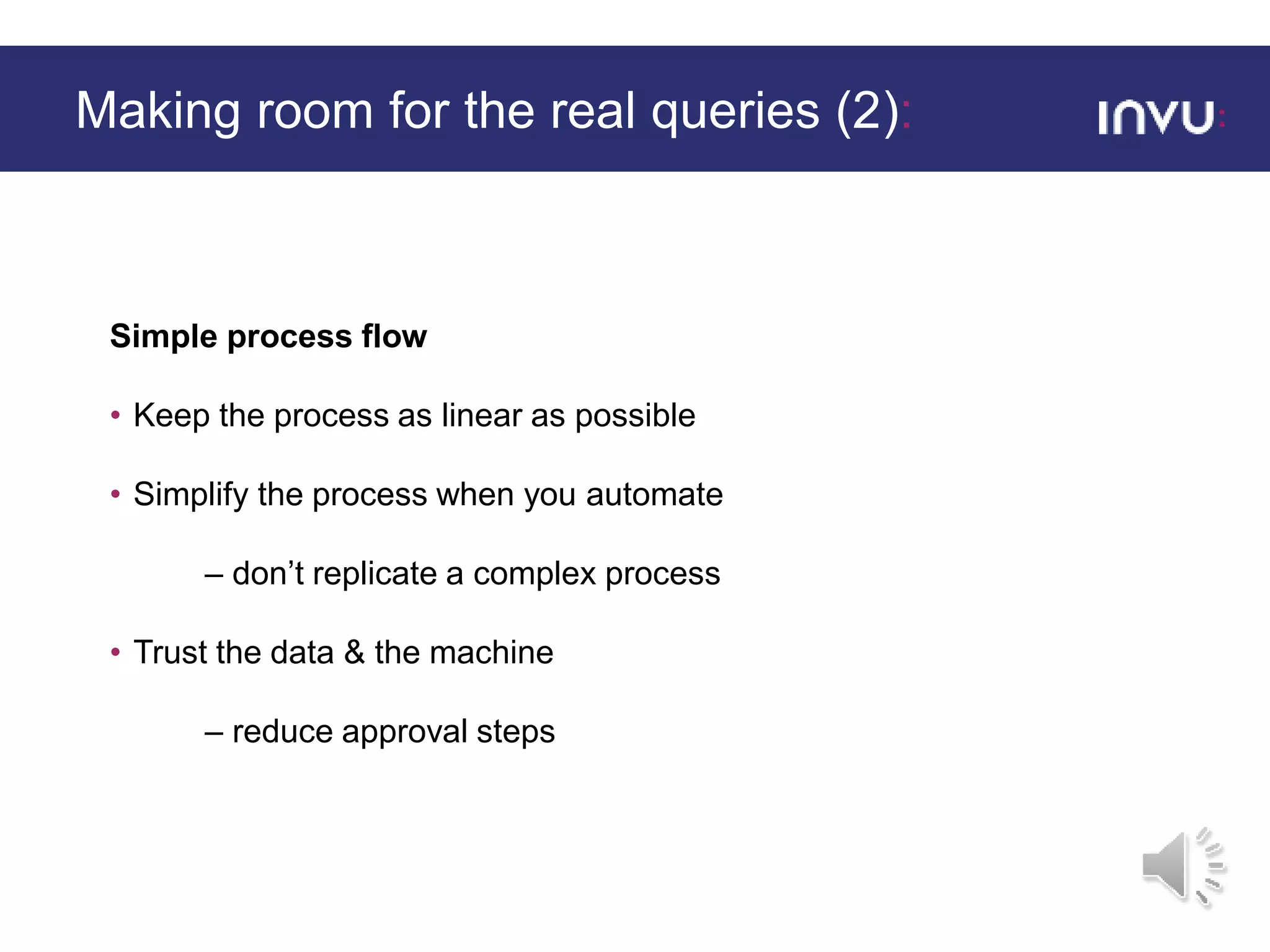
Simple process flow
• Keep the process as linear as possible
• Simplify the process when you automate
– don’t replicate a complex process
• Trust the data & the machine
– reduce approval steps
Making room for the real queries (2):
Thank you for listening
www.invu.net

The Digital Transformation of the Purchasing Process

  • 1.
    Real Life Benchmarks: TheDigital Transformation of the Purchasing Process
  • 2.
    • Efficiency –excess effort • Turnaround time (now a duty to report for large business) • Enable focus on critical thinking and high value issues – CONTROL! Time is Money:
  • 3.
    • The SmallBusiness, Enterprise and Employment Act 2015 created a duty on large businesses to report on their payment practices. • Larger Businesses only • Start Measuring from April • Report every 6 months • Performance: % invoices (Count) paid in 30-60 - Over 60 • Contract terms & more… New - Duty to Report:
  • 4.
    InvoiceProcess Invoice Capture & DataExtraction Approval & “Coding” Workflow Invoice Upload & Posting/Matching Search, View & Reporting Approval Task Invu Workflow Starts End of Invoice Process 05/10/10Invoice Process Stuart Evans Adactus Housing FinanceDept POPProcess Paper Invoice or Email subsequently printed Match &Post (+ QLF task centre match reminder) Invoice Copy + Metadata in Invu DMS Creates Invoice Type SourceDept Batch scan Invoices Purchasing Group Task to Assign an Approver for the Invoice Extract & Store Data Image files created Ad Hoc Payment Processing CSV File exchange Batch Upload (register) Invoices POPRegistered Reference Account Number Account Name Invoice Date Amount (Net & Tax) PO number or RO number Maintenance Invoice Templates Invoices Available in QLF Approval Task For Maintenance this step can be moved out of finance when Adactus is ready For POP – user has access to both Invoice and PO as documents QLF FunctionInvu Function Invu WorkflowLegend: User Task Routing TBD by workshop but based on PO data – through to responsible Invu group It is envisaged that batches of (say) 50 paper invoices will be scanned Create Signed Invoice Record for QLF read Signed Invoice Table Inserts Reads Invoice Automation:
  • 5.
    Requisition to OrderAutomation: Budget View Coded Lines Easy & Mobile Approvals
  • 6.
    Trusting the Machine…aprocess in itself:
  • 7.
    • 350 Staff,30,000+ Invoices per annum • Had no central PO system (just dept. spreadsheets) • Had already purchased ERP POP module • More recently had already successfully implemented Invoice Processing • Still wanted a purchase control solution because: • Auditor demand • Operational “fitness” – strategic aim • Demonstrate VFM – an HA community directive Adactus Housing Association:
  • 8.
    Requisition to Order: RequestApprove Raise / Place (Receipt) Auto-place: Emailed/Upload PDF ensures the Order presented to Supplier matches the system Via Phone/Tablet: Approvals can be done quicker and easier with mobile interfaces
  • 9.
    Purchase Process Metrics: Daysfrom Request to Approval Average 0.5 Day for Approval Average 0.5 Day to then raise Order Most Request to Raise within 4 hours
  • 10.
    Purchase Process Metrics: Post Email (Auto) Phone Fax Online OrderPlaced via… 1 Line Order 2 Lines 3 Majority of Orders are 1 line item
  • 11.
    Invoice to Pay: SlowerReceive: Manual save from emails (PDF) or Scanned onto Photocopiers from Departments Fast Receive: Auto-capture from invoices@mycompany.com AP department scanning Invoice Receive Capture Code or Match, Approve Query Post Pay (Code) Level 1 Approve Level 2 Approve Header Narrative And VAT splits by AP staff Straight through processing
  • 12.
    Invoice Process Metrics: Same Day 1Day 2 3 4 Mean Days from Receipt of Invoice to Posting = 5 Mode Days from Receipt of Invoice to Posting = 1 Same Day 1 Day 23 4 Time to Approval (where needed) 24% Touchless Invoices 2/3 Not received Before Invoiced
  • 13.
    Invoice Process Metrics: 24%Touchless: Straight through processing 16% Light Touch: Matched but required (only) Receiving Simple Variation Partial Invoices Complex Invoices Consolidated Invoices 60% 40% Heavy Touch: Approval & balancing required
  • 14.
    Keep Orders simple •Increased likelihood of auto-matching with Invoice • Better traceability, more 1-1 with Invoices • Less “interlock” with other staff/transactions Automate the receiving of Invoices • Request emailed invoices not paper, • Request Invoice per Order, not consolidated (‘cause that’s for humans) • Use a dedicated email address; invoices@mycompany.com => Audit Making room for the real queries (1):
  • 15.
    Simple process flow •Keep the process as linear as possible • Simplify the process when you automate – don’t replicate a complex process • Trust the data & the machine – reduce approval steps Making room for the real queries (2):
  • 16.
    Thank you forlistening www.invu.net

Editor's Notes

  • #6 To Intro Julie – a quick “Definition slide?”