The payment approval process ensures secure, accurate, and authorized transactions by verifying, reviewing, and approving payments before final execution.
The Payment Approval
Process:A Strategic
Imperative
Understanding the flow from invoice to payment is crucial for financial health
and operational efficiency.
2.
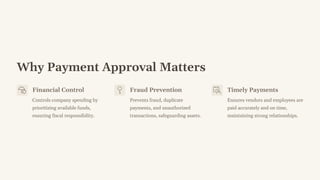
Why Payment ApprovalMatters
Financial Control
Controls company spending by
prioritizing available funds,
ensuring fiscal responsibility.
Fraud Prevention
Prevents fraud, duplicate
payments, and unauthorized
transactions, safeguarding assets.
Timely Payments
Ensures vendors and employees are
paid accurately and on time,
maintaining strong relationships.
3.
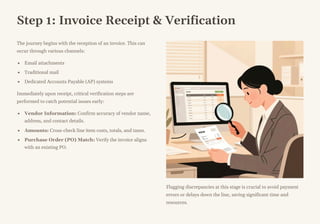
Step 1: InvoiceReceipt & Verification
The journey begins with the reception of an invoice. This can
occur through various channels:
Email attachments
Traditional mail
Dedicated Accounts Payable (AP) systems
Immediately upon receipt, critical verification steps are
performed to catch potential issues early:
Vendor Information: Confirm accuracy of vendor name,
address, and contact details.
Amounts: Cross-check line item costs, totals, and taxes.
Purchase Order (PO) Match: Verify the invoice aligns
with an existing PO.
Flagging discrepancies at this stage is crucial to avoid payment
errors or delays down the line, saving significant time and
resources.
4.
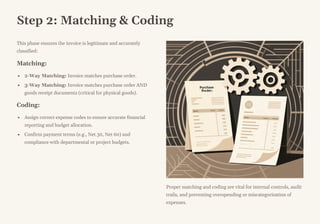
Step 2: Matching& Coding
This phase ensures the invoice is legitimate and accurately
classified:
Matching:
2-Way Matching: Invoice matches purchase order.
3-Way Matching: Invoice matches purchase order AND
goods receipt documents (critical for physical goods).
Coding:
Assign correct expense codes to ensure accurate financial
reporting and budget allocation.
Confirm payment terms (e.g., Net 30, Net 60) and
compliance with departmental or project budgets.
Proper matching and coding are vital for internal controls, audit
trails, and preventing overspending or miscategorization of
expenses.
5.
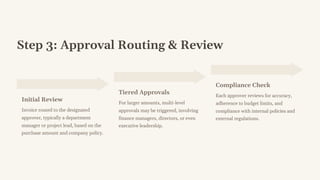
Step 3: ApprovalRouting & Review
Initial Review
Invoice routed to the designated
approver, typically a department
manager or project lead, based on the
purchase amount and company policy.
Tiered Approvals
For larger amounts, multi-level
approvals may be triggered, involving
finance managers, directors, or even
executive leadership.
Compliance Check
Each approver reviews for accuracy,
adherence to budget limits, and
compliance with internal policies and
external regulations.
6.
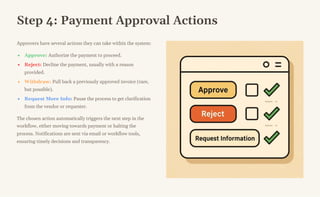
Step 4: PaymentApproval Actions
Approvers have several actions they can take within the system:
Approve: Authorize the payment to proceed.
Reject: Decline the payment, usually with a reason
provided.
Withdraw: Pull back a previously approved invoice (rare,
but possible).
Request More Info: Pause the process to get clarification
from the vendor or requester.
The chosen action automatically triggers the next step in the
workflow, either moving towards payment or halting the
process. Notifications are sent via email or workflow tools,
ensuring timely decisions and transparency.
7.
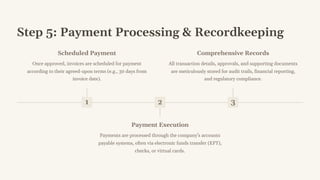
Step 5: PaymentProcessing & Recordkeeping
1
Scheduled Payment
Once approved, invoices are scheduled for payment
according to their agreed-upon terms (e.g., 30 days from
invoice date).
2
Payment Execution
Payments are processed through the company's accounts
payable systems, often via electronic funds transfer (EFT),
checks, or virtual cards.
3
Comprehensive Records
All transaction details, approvals, and supporting documents
are meticulously stored for audit trails, financial reporting,
and regulatory compliance.
8.
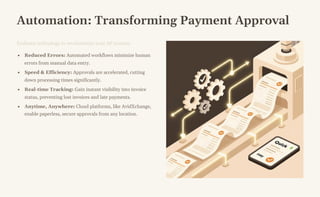
Automation: Transforming PaymentApproval
Embrace technology to revolutionize your AP process:
Reduced Errors: Automated workflows minimize human
errors from manual data entry.
Speed & Efficiency: Approvals are accelerated, cutting
down processing times significantly.
Real-time Tracking: Gain instant visibility into invoice
status, preventing lost invoices and late payments.
Anytime, Anywhere: Cloud platforms, like AvidXchange,
enable paperless, secure approvals from any location.
9.
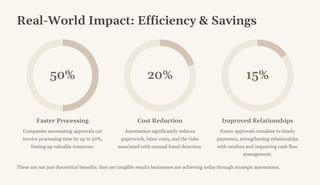
Real-World Impact: Efficiency& Savings
50%
Faster Processing
Companies automating approvals cut
invoice processing time by up to 50%,
freeing up valuable resources.
20%
Cost Reduction
Automation significantly reduces
paperwork, labor costs, and the risks
associated with manual fraud detection.
15%
Improved Relationships
Faster approvals translate to timely
payments, strengthening relationships
with vendors and improving cash flow
management.
These are not just theoretical benefits; they are tangible results businesses are achieving today through strategic automation.
10.
Conclusion: Streamline toSucceed
A clear, automated payment approval process is not just an
operational task; it's a strategic investment.
By optimizing your payment workflows, you can:
Safeguard your finances against errors and fraud.
Ensure timely and accurate payments, bolstering your reputation.
Implement stronger financial controls for better decision-making.
Invest in technology and best practices to transform your payment approvals from a bottleneck into a competitive advantage.



![[Whitepaper] Prioritizing Payables](https://cdn.slidesharecdn.com/ss_thumbnails/prioritizingpayables000-130208140400-phpapp02-thumbnail.jpg?width=640&height=640&fit=bounds)


