The document presents an overview of Optical Character Recognition (OCR) technology, emphasizing its ability to convert various document types into editable and searchable formats, including handwritten text. It discusses the limitations of existing unilingual OCR systems and introduces a proposed multi-language OCR system on a grid infrastructure that enhances functionalities. Additionally, necessary hardware and software requirements for implementing the system are detailed, along with a brief description of the OCR app's working process.
Optical Character Recognition
PresentedBy .
MOHD MISBAH UDDIN
MOHD IBRAHIM
SAYYED MOHD SAIF
Under The Guidance ship :- Mr. Dr. Mohd SanaUllah Qaseem (vice
principal).
Head Of The Department :- Mr. Mohd Khaleel Ahmed.
2.
Introduction
OpticalCharacter Recognition [OCR], is a technology that enables us to
convert different types of documents, such as scanned paper
documents, PDF files or images captured by a digital camera or phone
Into Editable And Searchable data.
This technology is very useful since it saves time without the need of
retyping the document.
The OCR App can perform the action in few minutes.
The best about [OCR] Is, It also understand handwretten characters
3.
EXSTING SYSTEM
•In the running world there is growing demand for the
users to convert the printed documents into Electronic
documents for maintaining the security of their
data.
• Hence the basic OCR system invented to convert the data
available on papers into computer process-able
documents.
• So the documents can be editable and reusable.
4.
DRAWBACKS OFEXISTING SYSTEM
• The draw backs in early OCR systems is that
they only have the capability to convert and
recognize only the documents of English or
a specific language only.
• That is, The older OCR system is Unilingual.
5.
Proposed system
•Our proposed system is OCR on a grid infrastructure which is
a character recognition system that supports recognition
system of the characters of multiple language.
• This feature is what we called grid infrastructure which
eliminates the problems of heterogeneous character
recognition and supports multiple functionalities to be
performed on the document
• This function includes editing and searching too where as
the existing system supports only editing the documents.
6.
HAREWARE REQUIREMENTOF SYSTEM
OS, WINDOWS 7/8/10 (32 BIT or 64 BIT).
4 GB RAM MINIMUM, 8 GB
RECOMMENDED.
2 GB OF AVAILABLE DISK SPACE
MINIMUM, 4 GB RECOMMENED.
1280 x 800 MINIMUM SCREEN
RESOLUTION.
7.
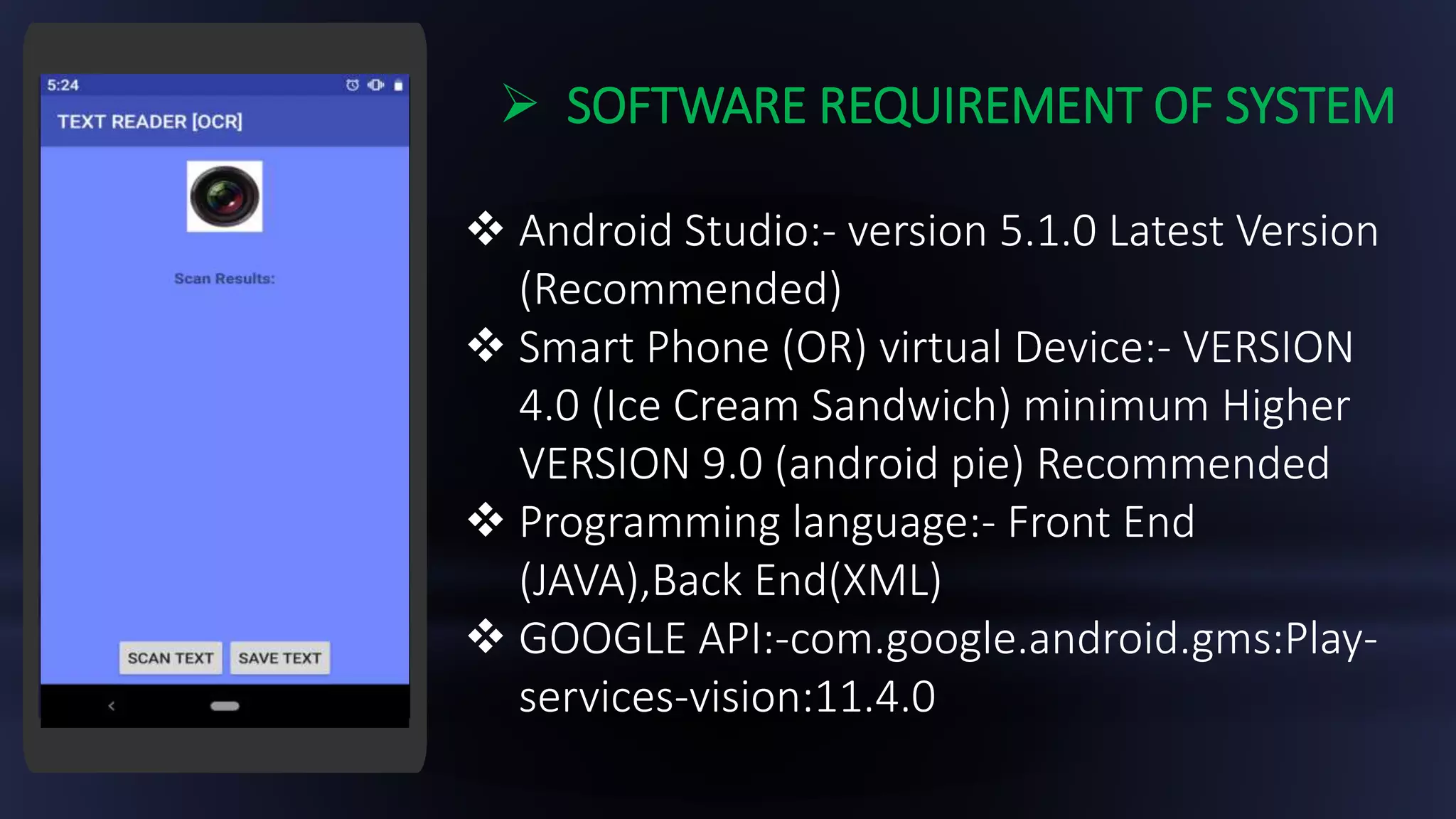
SOFTWARE REQUIREMENTOF SYSTEM
Android Studio:- version 5.1.0 Latest Version
(Recommended)
Smart Phone (OR) virtual Device:- VERSION
4.0 (Ice Cream Sandwich) minimum Higher
VERSION 9.0 (android pie) Recommended
Programming language:- Front End
(JAVA),Back End(XML)
GOOGLE API:-com.google.android.gms:Play-
services-vision:11.4.0
8.
Enter Your
Screenshot Here
Simpleopen
the Text reader
[OCR] App
Click On Scan
Button To scan
The documents
Allow The App
permissions to
Access The
Camera
Save The
Scanned
Document
Result
TESTING OF THE APP
01 02
03 04
<<<<<TEST:-THIS PICTURE IS TO BE SCAN >>>>>
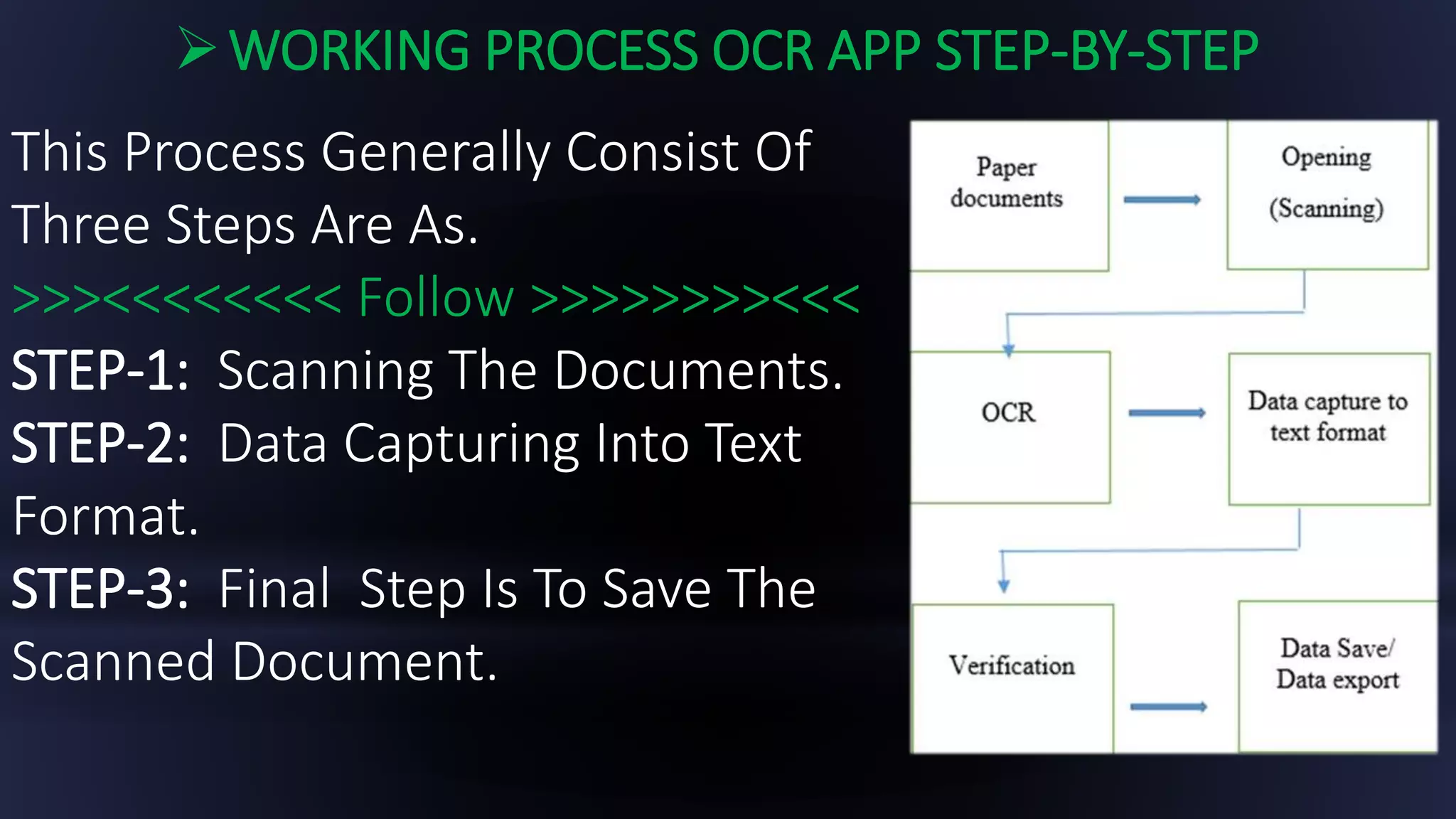
WORKING PROCESS OCRAPP STEP-BY-STEP
This Process Generally Consist Of
Three Steps Are As.
>>><<<<<<<< Follow >>>>>>>><<<
STEP-1: Scanning The Documents.
STEP-2: Data Capturing Into Text
Format.
STEP-3: Final Step Is To Save The
Scanned Document.
11.
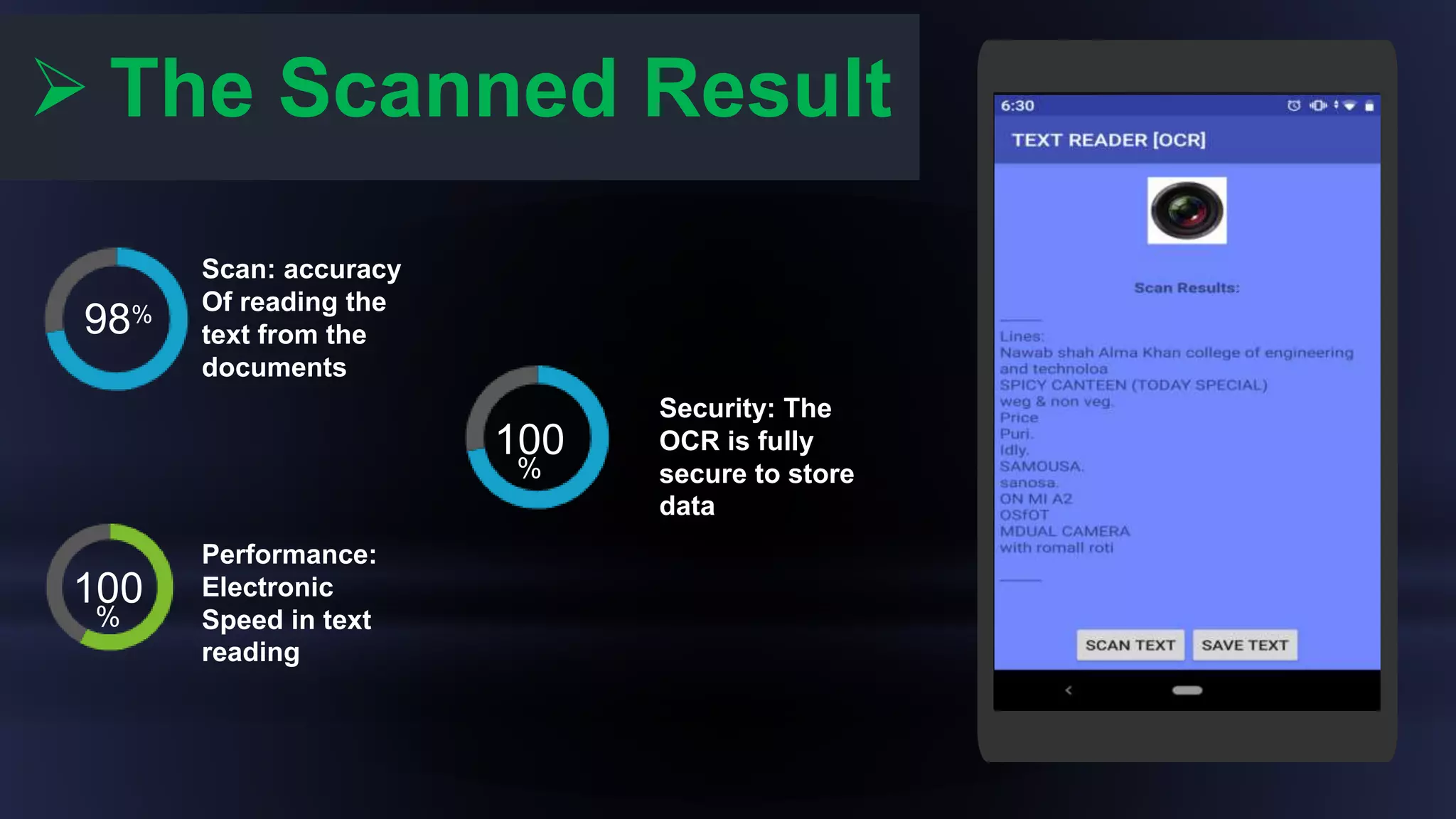
The ScannedResult
Scan: accuracy
Of reading the
text from the
documents
Performance:
Electronic
Speed in text
reading
Security: The
OCR is fully
secure to store
data
98%
100
%
100
%
![ Introduction
Optical Character Recognition [OCR], is a technology that enables us to
convert different types of documents, such as scanned paper
documents, PDF files or images captured by a digital camera or phone
Into Editable And Searchable data.
This technology is very useful since it saves time without the need of
retyping the document.
The OCR App can perform the action in few minutes.
The best about [OCR] Is, It also understand handwretten characters](https://image.slidesharecdn.com/textreaderocr-191031162423/75/Text-reader-OCR-2-2048.jpg)
![Enter Your
Screenshot Here
Simple open
the Text reader
[OCR] App
Click On Scan
Button To scan
The documents
Allow The App
permissions to
Access The
Camera
Save The
Scanned
Document
Result
TESTING OF THE APP
01 02
03 04
<<<<<TEST:-THIS PICTURE IS TO BE SCAN >>>>>](https://image.slidesharecdn.com/textreaderocr-191031162423/75/Text-reader-OCR-8-2048.jpg)



![Vibe Coding vs. Spec-Driven Development [Free Meetup]](https://cdn.slidesharecdn.com/ss_thumbnails/vibecodingvsspecdrivendevelopment-251209105622-43f455e7-thumbnail.jpg?width=640&height=640&fit=bounds)


