

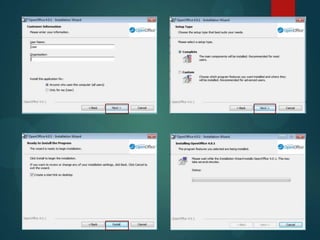
Testing
Software
AJAY JASSI
Why is software tested?
 Software is tested to see if all the functions and
features are working correctly.
 Full testing can identify errors, inaccurate data
and any gaps in the software where it doesn’t
meet the requirements.
 If they aren’t working customer service can be
contacted online or by the telephone.
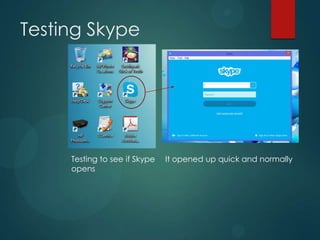
Testing Skype
Testing to see if Skype
opens
It opened up quick and normally
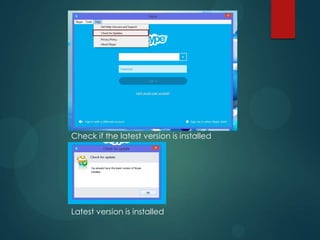
Check if the latest version is installed
Latest version is installed
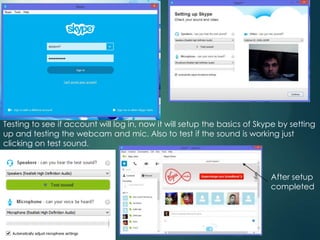
Testing to see if account will log in, now it will setup the basics of Skype by setting
up and testing the webcam and mic. Also to test if the sound is working just
clicking on test sound.
After setup
completed
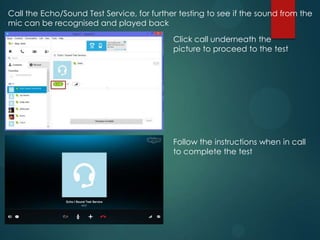
Call the Echo/Sound Test Service, for further testing to see if the sound from the
mic can be recognised and played back
Follow the instructions when in call
to complete the test
Click call underneath the
picture to proceed to the test
Testing AVG
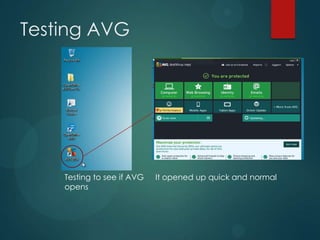
Testing to see if AVG
opens
It opened up quick and normal
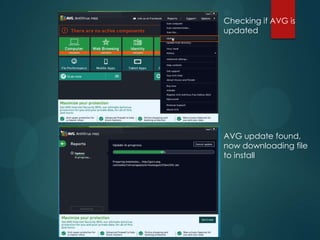
Checking if AVG is
updated
AVG update found,
now downloading file
to install
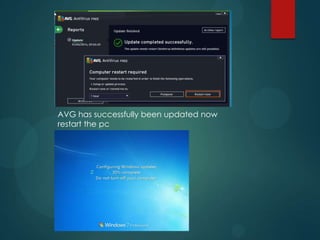
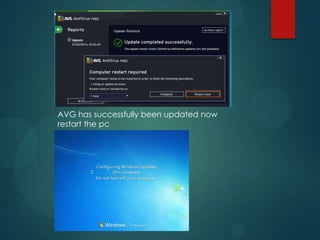
AVG has successfully been updated now
restart the pc
AVG has successfully been updated now
restart the pc
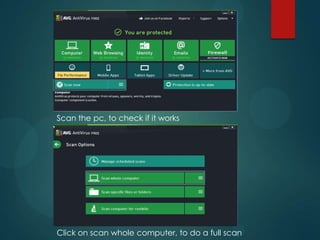
Scan the pc, to check if it works
Click on scan whole computer, to do a full scan
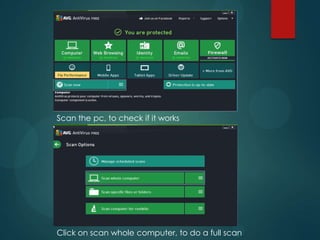
Scan the pc, to check if it works
Click on scan whole computer, to do a full scan
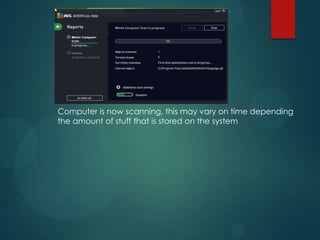
Computer is now scanning, this may vary on time depending
the amount of stuff that is stored on the system
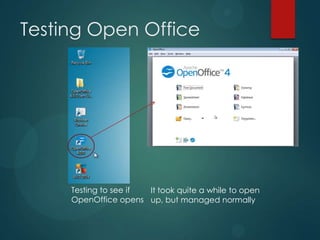
Testing Open Office
Testing to see if
OpenOffice opens
It took quite a while to open
up, but managed normally
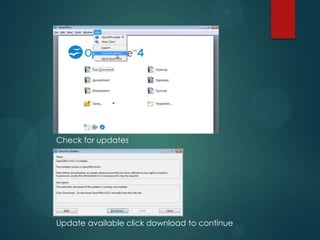
Check for updates
Update available click download to continue
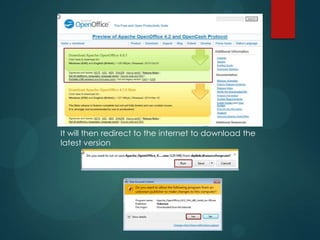
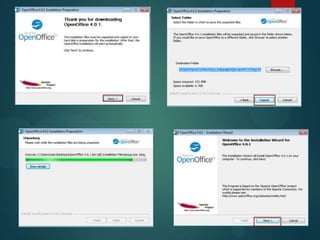
It will then redirect to the internet to download the
latest version
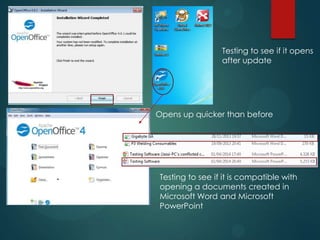
Testing to see if it opens
after update
Opens up quicker than before
Testing to see if it is compatible with
opening a documents created in
Microsoft Word and Microsoft
PowerPoint
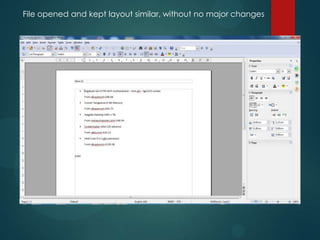
File opened and kept layout similar, without no major changes
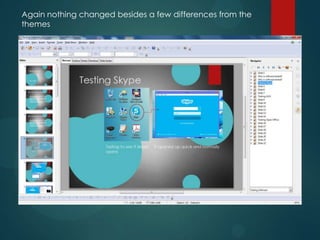
Again nothing changed besides a few differences from the
themes
Possible Solutions to resolve
software functionality issues and
Improvements to process
 Common issues that occur after software is
installed is speed lags and not being compatible.
 This can is affected by the processor or RAM. It
maybe a cause from the processor from being
under to much load or it maybe that there isn't
enough RAM for the software to run smoothly.
 Hardware or physical damage could be done to
affect the software from having errors and issues.
 To ensure that there is no damage to the RAM or
processor check that the components are
connected to the motherboard properly.
 If not an upgrade will need to be considered in
order to get the software functioning.

Testing software

  • 1.
  • 2.
    Why is softwaretested?  Software is tested to see if all the functions and features are working correctly.  Full testing can identify errors, inaccurate data and any gaps in the software where it doesn’t meet the requirements.  If they aren’t working customer service can be contacted online or by the telephone.
  • 3.
    Testing Skype Testing tosee if Skype opens It opened up quick and normally
  • 4.
    Check if thelatest version is installed Latest version is installed
  • 5.
    Testing to seeif account will log in, now it will setup the basics of Skype by setting up and testing the webcam and mic. Also to test if the sound is working just clicking on test sound. After setup completed
  • 6.
    Call the Echo/SoundTest Service, for further testing to see if the sound from the mic can be recognised and played back Follow the instructions when in call to complete the test Click call underneath the picture to proceed to the test
  • 7.
    Testing AVG Testing tosee if AVG opens It opened up quick and normal
  • 8.
    Checking if AVGis updated AVG update found, now downloading file to install
  • 9.
    AVG has successfullybeen updated now restart the pc
  • 10.
    AVG has successfullybeen updated now restart the pc
  • 11.
    Scan the pc,to check if it works Click on scan whole computer, to do a full scan
  • 12.
    Scan the pc,to check if it works Click on scan whole computer, to do a full scan
  • 13.
    Computer is nowscanning, this may vary on time depending the amount of stuff that is stored on the system
  • 14.
    Testing Open Office Testingto see if OpenOffice opens It took quite a while to open up, but managed normally
  • 15.
    Check for updates Updateavailable click download to continue
  • 16.
    It will thenredirect to the internet to download the latest version
  • 19.
    Testing to seeif it opens after update Opens up quicker than before Testing to see if it is compatible with opening a documents created in Microsoft Word and Microsoft PowerPoint
  • 20.
    File opened andkept layout similar, without no major changes
  • 21.
    Again nothing changedbesides a few differences from the themes
  • 22.
    Possible Solutions toresolve software functionality issues and Improvements to process  Common issues that occur after software is installed is speed lags and not being compatible.  This can is affected by the processor or RAM. It maybe a cause from the processor from being under to much load or it maybe that there isn't enough RAM for the software to run smoothly.  Hardware or physical damage could be done to affect the software from having errors and issues.  To ensure that there is no damage to the RAM or processor check that the components are connected to the motherboard properly.  If not an upgrade will need to be considered in order to get the software functioning.