Wisconsin Tech Days 2020
Emily Clasper
University of Rochester
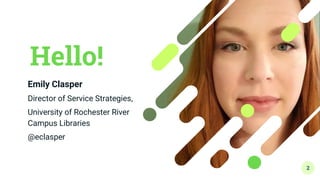
Hello!
Emily Clasper
Director of Service Strategies,
University of Rochester River
Campus Libraries
@eclasper
2
3
Photo by Simon Abrams on Unsplash
Yikes!!
Do I even know enough to help???
4
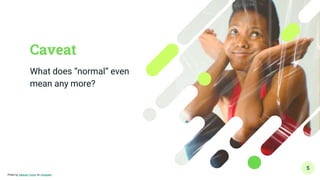
Caveat
What does “normal” even
mean any more?
5
Photo by Jakayla Toney on Unsplash
Learning
● Managing your own
technology learning to
boost your comfort level
and confidence with
technologies
Strategies For
Sharing
● Working with the wide-
ranging and diverse
spectrum of patrons who
come to us for tech help,
even when we ourselves
aren’t too sure
6
1.
Developing your Learning
Practice
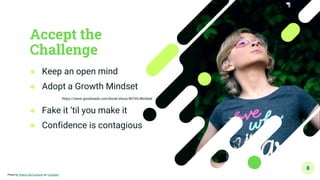
Accept the
Challenge
● Keep an open mind
● Adopt a Growth Mindset
https://www.goodreads.com/book/show/40745.Mindset
● Fake it ‘til you make it
● Confidence is contagious
8
Photo by Sharon McCutcheon on Unsplash
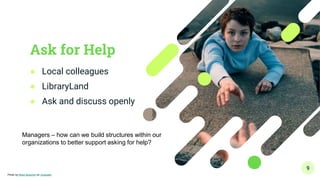
Ask for Help
● Local colleagues
● LibraryLand
● Ask and discuss openly
9
Photo by Noah Buscher on Unsplash
Managers – how can we build structures within our
organizations to better support asking for help?
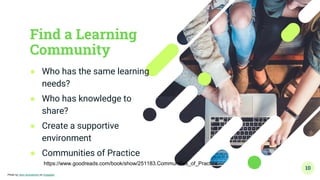
Find a Learning
Community
● Who has the same learning
needs?
● Who has knowledge to
share?
● Create a supportive
environment
● Communities of Practice
10
Photo by John Schnobrich on Unsplash
https://www.goodreads.com/book/show/251183.Communities_of_Practice
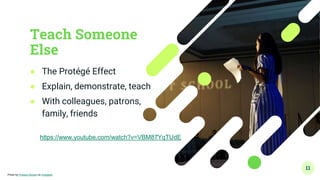
Teach Someone
Else
● The Protégé Effect
● Explain, demonstrate, teach
● With colleagues, patrons,
family, friends
11
Photo by Product School on Unsplash
https://www.youtube.com/watch?v=VBM87YqTUdE
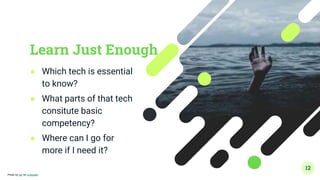
Learn Just Enough
● Which tech is essential
to know?
● What parts of that tech
consitute basic
competency?
● Where can I go for
more if I need it?
12
Photo by Ian on Unsplash
Mistakes are
Mandatory
● Make lots of mistakes
● Make them on purpose
● Show off your mistakes
● Mistakes point to gaps
13
Photo by chuttersnap on Unsplash
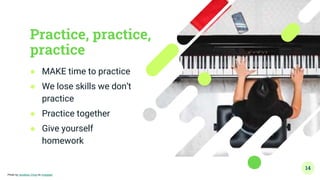
Practice, practice,
practice
● MAKE time to practice
● We lose skills we don’t
practice
● Practice together
● Give yourself
homework
14
Photo by Jonathan Chng on Unsplash
Cheat Sheets
● Relieves the pressure
of the moment
● Short and sweet
● Frequent use cases
● Hand them out
15
Photo by Chivalry Creative on Unsplash
2.
Passing it On
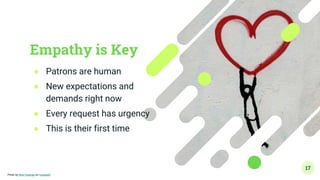
Empathy is Key
● Patrons are human
● New expectations and
demands right now
● Every request has urgency
● This is their first time
17
Photo by Nick Fewings on Unsplash
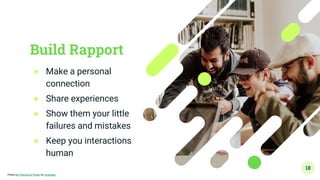
Build Rapport
● Make a personal
connection
● Share experiences
● Show them your little
failures and mistakes
● Keep you interactions
human
18
Photo by Priscilla Du Preez on Unsplash
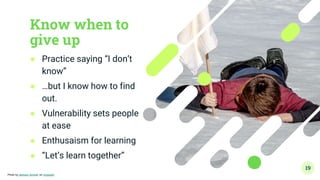
Know when to
give up
● Practice saying “I don’t
know”
● …but I know how to find
out.
● Vulnerability sets people
at ease
● Enthusaism for learning
● “Let’s learn together”
19
Photo by Jackson Simmer on Unsplash
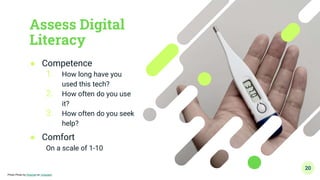
Assess Digital
Literacy
● Competence
1. How long have you
used this tech?
2. How often do you use
it?
3. How often do you seek
help?
● Comfort
On a scale of 1-10
20
Photo Photo by Weenail on Unsplash
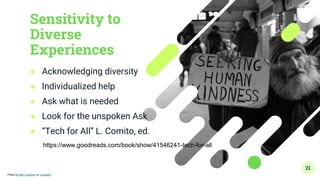
Sensitivity to
Diverse
Experiences
● Acknowledging diversity
● Individualized help
● Ask what is needed
● Look for the unspoken Ask
● “Tech for All” L. Comito, ed.
21
Photo by Matt Collamer on Unsplash
https://www.goodreads.com/book/show/41546241-tech-for-all
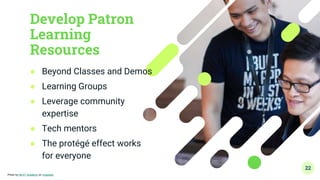
Develop Patron
Learning
Resources
● Beyond Classes and Demos
● Learning Groups
● Leverage community
expertise
● Tech mentors
● The protégé effect works
for everyone
22
Photo by NEXT Academy on Unsplash
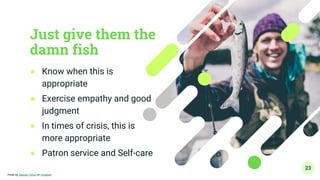
Just give them the
damn fish
● Know when this is
appropriate
● Exercise empathy and good
judgment
● In times of crisis, this is
more appropriate
● Patron service and Self-care
23
Photo by Jakayla Toney on Unsplash
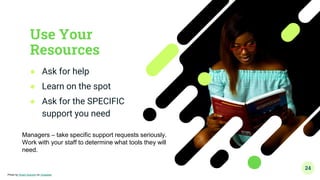
Use Your
Resources
● Ask for help
● Learn on the spot
● Ask for the SPECIFIC
support you need
24
Photo by Smart Araromi on Unsplash
Managers – take specific support requests seriously.
Work with your staff to determine what tools they will
need.
The Keys to the Castle
● Enhancing your own knowledge and confidence
● Providing supportive learning environments
● Serving with empathy and compassion
Especially important in times of crisis
25
26
Photo by Toa Heftiba on Unsplash
Questions and Comments
27
Thanks!
Any questions?
You can find me at:
● @eclasper
● eclasper@library.rochester.edu
28
Presentation template courtesy

Technology Training for Non-Techies

  • 1.
    Wisconsin Tech Days2020 Emily Clasper University of Rochester
  • 2.
    Hello! Emily Clasper Director ofService Strategies, University of Rochester River Campus Libraries @eclasper 2
  • 3.
    3 Photo by SimonAbrams on Unsplash
  • 4.
    Yikes!! Do I evenknow enough to help??? 4
  • 5.
    Caveat What does “normal”even mean any more? 5 Photo by Jakayla Toney on Unsplash
  • 6.
    Learning ● Managing yourown technology learning to boost your comfort level and confidence with technologies Strategies For Sharing ● Working with the wide- ranging and diverse spectrum of patrons who come to us for tech help, even when we ourselves aren’t too sure 6
  • 7.
  • 8.
    Accept the Challenge ● Keepan open mind ● Adopt a Growth Mindset https://www.goodreads.com/book/show/40745.Mindset ● Fake it ‘til you make it ● Confidence is contagious 8 Photo by Sharon McCutcheon on Unsplash
  • 9.
    Ask for Help ●Local colleagues ● LibraryLand ● Ask and discuss openly 9 Photo by Noah Buscher on Unsplash Managers – how can we build structures within our organizations to better support asking for help?
  • 10.
    Find a Learning Community ●Who has the same learning needs? ● Who has knowledge to share? ● Create a supportive environment ● Communities of Practice 10 Photo by John Schnobrich on Unsplash https://www.goodreads.com/book/show/251183.Communities_of_Practice
  • 11.
    Teach Someone Else ● TheProtégé Effect ● Explain, demonstrate, teach ● With colleagues, patrons, family, friends 11 Photo by Product School on Unsplash https://www.youtube.com/watch?v=VBM87YqTUdE
  • 12.
    Learn Just Enough ●Which tech is essential to know? ● What parts of that tech consitute basic competency? ● Where can I go for more if I need it? 12 Photo by Ian on Unsplash
  • 13.
    Mistakes are Mandatory ● Makelots of mistakes ● Make them on purpose ● Show off your mistakes ● Mistakes point to gaps 13 Photo by chuttersnap on Unsplash
  • 14.
    Practice, practice, practice ● MAKEtime to practice ● We lose skills we don’t practice ● Practice together ● Give yourself homework 14 Photo by Jonathan Chng on Unsplash
  • 15.
    Cheat Sheets ● Relievesthe pressure of the moment ● Short and sweet ● Frequent use cases ● Hand them out 15 Photo by Chivalry Creative on Unsplash
  • 16.
  • 17.
    Empathy is Key ●Patrons are human ● New expectations and demands right now ● Every request has urgency ● This is their first time 17 Photo by Nick Fewings on Unsplash
  • 18.
    Build Rapport ● Makea personal connection ● Share experiences ● Show them your little failures and mistakes ● Keep you interactions human 18 Photo by Priscilla Du Preez on Unsplash
  • 19.
    Know when to giveup ● Practice saying “I don’t know” ● …but I know how to find out. ● Vulnerability sets people at ease ● Enthusaism for learning ● “Let’s learn together” 19 Photo by Jackson Simmer on Unsplash
  • 20.
    Assess Digital Literacy ● Competence 1.How long have you used this tech? 2. How often do you use it? 3. How often do you seek help? ● Comfort On a scale of 1-10 20 Photo Photo by Weenail on Unsplash
  • 21.
    Sensitivity to Diverse Experiences ● Acknowledgingdiversity ● Individualized help ● Ask what is needed ● Look for the unspoken Ask ● “Tech for All” L. Comito, ed. 21 Photo by Matt Collamer on Unsplash https://www.goodreads.com/book/show/41546241-tech-for-all
  • 22.
    Develop Patron Learning Resources ● BeyondClasses and Demos ● Learning Groups ● Leverage community expertise ● Tech mentors ● The protégé effect works for everyone 22 Photo by NEXT Academy on Unsplash
  • 23.
    Just give themthe damn fish ● Know when this is appropriate ● Exercise empathy and good judgment ● In times of crisis, this is more appropriate ● Patron service and Self-care 23 Photo by Jakayla Toney on Unsplash
  • 24.
    Use Your Resources ● Askfor help ● Learn on the spot ● Ask for the SPECIFIC support you need 24 Photo by Smart Araromi on Unsplash Managers – take specific support requests seriously. Work with your staff to determine what tools they will need.
  • 25.
    The Keys tothe Castle ● Enhancing your own knowledge and confidence ● Providing supportive learning environments ● Serving with empathy and compassion Especially important in times of crisis 25
  • 26.
    26 Photo by ToaHeftiba on Unsplash
  • 27.
  • 28.
    Thanks! Any questions? You canfind me at: ● @eclasper ● eclasper@library.rochester.edu 28 Presentation template courtesy