Thingamabobs and Doodads: Why Tech Support IS Reference Mary Kelly & Holly Hibner  www.awfullibrarybooks.info www.slideshare.net/marykelly48 www.slideshare.net/hhibner
“ Information contact which involves the knowledge, use, recommendations, interpretation, or instruction in the use of …information sources” Print, non-print, databases, and catalogs In person, by phone, by fax, by mail, or by email from an adult, a young adult, or a child.  - from Public Library Statistics Cooperative for Public Library Data
 
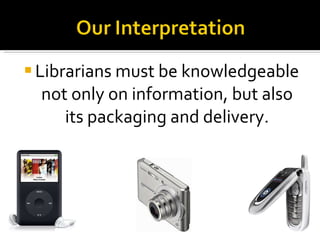
Librarians must be knowledgeable not only on information, but also its packaging and delivery.
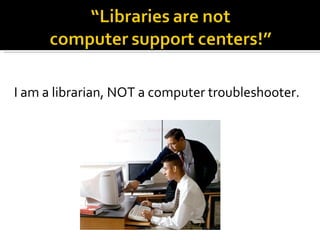
I am a librarian, NOT a computer troubleshooter.
Relevancy Library mission Marketing Staff development When people choose the library, it says a lot about their expectations.
Refusing help makes the library look irrelevant and unhelpful. Patrons just need help. Not their responsibility to know what they can ask of whom.
“… support is about more than just having an answer.  It’s having an answer that someone can use. If someone is frustrated and you frustrate them even more by giving short, cryptic, or peripheral answers, and by ignoring his/her emotional state, you’re not really being as supportive as you can”  –  D. Scott Brandt in  How Not to Market Your Tech Support
… what kinds of questions you will answer … what kinds of people you will wait on Support your library’s mission!
Do you have time to do traditional reference? Triage  Tech Aides One-on-one appointments Public instruction classes Prioritize training in off-desk time Track questions to make a case for more help
Communicate with Tech Support/Boss Ask them to shadow you  Giving staff access Giving the public access Create a troubleshooting blog
 
Similar to tax, medical, legal reference Afraid to give “advice” Suggestions: Buy some equipment for staff to play with Don’t claim to be expert Make  suggestions  to patrons THEY decide what suggestions to take Have a waiver (less practical) Create troubleshooting blog
They aren’t called to help with every little thing They learn each department’s function Staff learns Tech Department’s point of view They contribute ideas beyond fixing broken stuff  Everyone contributes to the library’s mission
 
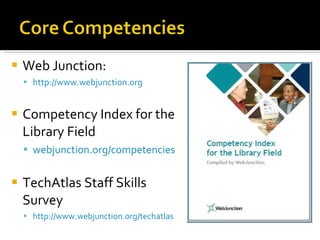
Web Junction:  http://www.webjunction.org Competency Index for the Library Field webjunction.org/competencies TechAtlas Staff Skills Survey http://www.webjunction.org/techatlas
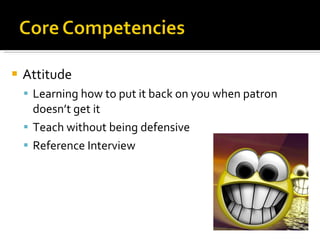
Attitude Learning how to put it back on you when patron doesn’t get it Teach without being defensive Reference Interview
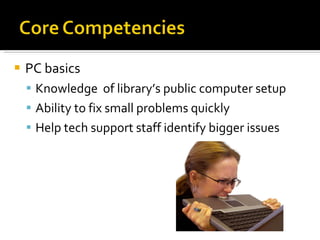
PC basics Knowledge  of library’s public computer setup Ability to fix small problems quickly  Help tech support staff identify bigger issues
Computer Security Phishing/Pharming http://www.sonicwall.com/phishing/ Viruses/Worms/Trojans What are they? What to do when detected Safe practices
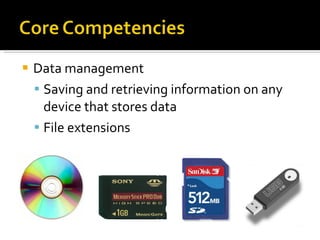
Data management Saving and retrieving information on any device that stores data File extensions
Fundamentals of web pages Web browsers Printing - frames Blogs and wikis Plug-ins Displaying languages in various scripts Not displaying images Blaming the web page vs. blaming the library http://downforeveryoneorjustme.com/
Internet sources Collection of ready reference sources Online directories and databases Using search engines effectively When to use search engine vs. other internet source Internet as a workaround to other problems Tech Tools for Reference -  www.slideshare.net/hhibner
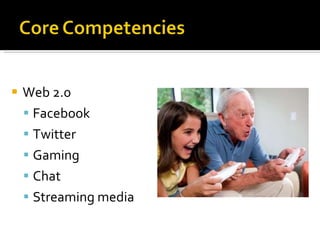
Web 2.0 Facebook Twitter Gaming Chat Streaming media
ILS Awareness  of functions outside of department Fine limit reached = Can’t place hold Hold placed at reference: ready for pickup at circ? Cataloged as reference = no check-out or holds Cataloged as serial = find current item at reference Are all parts accounted for at check-in/check-out? Have all parts been requested?
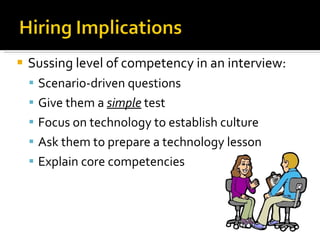
Sussing level of competency in an interview: Scenario-driven questions Give them a  simple  test Focus on technology to establish culture Ask them to prepare a technology lesson Explain core competencies
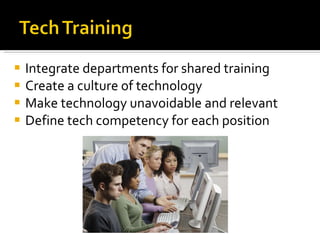
Integrate departments for shared training Create a culture of technology Make technology unavoidable and relevant Define tech competency for each position
“ My laptop won’t connect to the library’s wi-fi network”
(For the 5 th  time today, 5 days in a row, from the same patron):   “ How do I send a file to someone by email?”
It’s 4:00pm on a weekday.  The computers are filled up.  The reference desk is hopping. A line is forming.  The phone is ringing.  A very sweet elderly patron says she doesn’t know anything about “that interweb” but she heard you could get coupons online.
“ I’ve got a stack of 300 old photos.  How can I scan them … and what do I do with them once they are scanned?”
“ I’d like to order this item from my granddaughter’s birthday. It’s only available at this online store.  Can you help me place an order with my credit card?”
“ I’ve been laid off.  I need to file for unemployement and upload a resume to the state job search site. I’ve never used a computer before.”
Prescious Snowflake got a Webkinz for his birthday.  He has to go online to register it.  It looks more complicated than filing for unemployment.
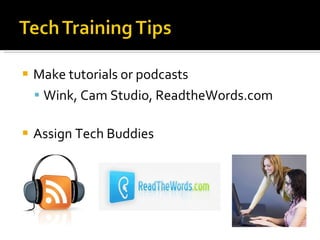
Make tutorials or podcasts Wink, Cam Studio, ReadtheWords.com Assign Tech Buddies
YouTube.com TeacherTube.com VideoJug.com 5min.com eHow.com Videos Instructables.com  Tutorialized.com InPics.net MakeUseOf.com
TechSoup for Libraries http://www.techsoupforlibraries.org/ “ Cookbooks” on subjects like: Planning and Decision Making Communication and Partnerships Buying and Deploying Technology Maintaining and Sustaining Technology Networking and Security  Innovation
http://www.webjunction.org   Learn about:  Technology planning Performing computer inventories Surveys for determining technology needs Providing tech support Buying technology Emerging technology Security
http://www.libsuccess.org   Library Success: A Best Practices Wiki Access Implementing Tech in the Library Information Sharing and Education
Embrace technology Train reference staff to support technology Be open minded: librarianship is changing Criteria for library relevancy has also changed Tech support  IS  reference.
Mary Kelly [email_address]   http://practicallibrarian.blogspot.com   www.slideshare.net/marykelly48   Holly Hibner [email_address] http://hhibner.blogspot.com www.slideshare.net/hhibner   http://awfullibrarybooks.info

Thingamabobs and Doodads: Tech Support is Reference

  • 1.
    Thingamabobs and Doodads:Why Tech Support IS Reference Mary Kelly & Holly Hibner www.awfullibrarybooks.info www.slideshare.net/marykelly48 www.slideshare.net/hhibner
  • 2.
    “ Information contactwhich involves the knowledge, use, recommendations, interpretation, or instruction in the use of …information sources” Print, non-print, databases, and catalogs In person, by phone, by fax, by mail, or by email from an adult, a young adult, or a child. - from Public Library Statistics Cooperative for Public Library Data
  • 3.
  • 4.
    Librarians must beknowledgeable not only on information, but also its packaging and delivery.
  • 5.
    I am alibrarian, NOT a computer troubleshooter.
  • 6.
    Relevancy Library missionMarketing Staff development When people choose the library, it says a lot about their expectations.
  • 7.
    Refusing help makesthe library look irrelevant and unhelpful. Patrons just need help. Not their responsibility to know what they can ask of whom.
  • 8.
    “… support isabout more than just having an answer. It’s having an answer that someone can use. If someone is frustrated and you frustrate them even more by giving short, cryptic, or peripheral answers, and by ignoring his/her emotional state, you’re not really being as supportive as you can” – D. Scott Brandt in How Not to Market Your Tech Support
  • 9.
    … what kindsof questions you will answer … what kinds of people you will wait on Support your library’s mission!
  • 10.
    Do you havetime to do traditional reference? Triage Tech Aides One-on-one appointments Public instruction classes Prioritize training in off-desk time Track questions to make a case for more help
  • 11.
    Communicate with TechSupport/Boss Ask them to shadow you Giving staff access Giving the public access Create a troubleshooting blog
  • 12.
  • 13.
    Similar to tax,medical, legal reference Afraid to give “advice” Suggestions: Buy some equipment for staff to play with Don’t claim to be expert Make suggestions to patrons THEY decide what suggestions to take Have a waiver (less practical) Create troubleshooting blog
  • 14.
    They aren’t calledto help with every little thing They learn each department’s function Staff learns Tech Department’s point of view They contribute ideas beyond fixing broken stuff Everyone contributes to the library’s mission
  • 15.
  • 16.
    Web Junction: http://www.webjunction.org Competency Index for the Library Field webjunction.org/competencies TechAtlas Staff Skills Survey http://www.webjunction.org/techatlas
  • 17.
    Attitude Learning howto put it back on you when patron doesn’t get it Teach without being defensive Reference Interview
  • 18.
    PC basics Knowledge of library’s public computer setup Ability to fix small problems quickly Help tech support staff identify bigger issues
  • 19.
    Computer Security Phishing/Pharminghttp://www.sonicwall.com/phishing/ Viruses/Worms/Trojans What are they? What to do when detected Safe practices
  • 20.
    Data management Savingand retrieving information on any device that stores data File extensions
  • 21.
    Fundamentals of webpages Web browsers Printing - frames Blogs and wikis Plug-ins Displaying languages in various scripts Not displaying images Blaming the web page vs. blaming the library http://downforeveryoneorjustme.com/
  • 22.
    Internet sources Collectionof ready reference sources Online directories and databases Using search engines effectively When to use search engine vs. other internet source Internet as a workaround to other problems Tech Tools for Reference - www.slideshare.net/hhibner
  • 23.
    Web 2.0 FacebookTwitter Gaming Chat Streaming media
  • 24.
    ILS Awareness of functions outside of department Fine limit reached = Can’t place hold Hold placed at reference: ready for pickup at circ? Cataloged as reference = no check-out or holds Cataloged as serial = find current item at reference Are all parts accounted for at check-in/check-out? Have all parts been requested?
  • 25.
    Sussing level ofcompetency in an interview: Scenario-driven questions Give them a simple test Focus on technology to establish culture Ask them to prepare a technology lesson Explain core competencies
  • 26.
    Integrate departments forshared training Create a culture of technology Make technology unavoidable and relevant Define tech competency for each position
  • 27.
    “ My laptopwon’t connect to the library’s wi-fi network”
  • 28.
    (For the 5th time today, 5 days in a row, from the same patron): “ How do I send a file to someone by email?”
  • 29.
    It’s 4:00pm ona weekday. The computers are filled up. The reference desk is hopping. A line is forming. The phone is ringing. A very sweet elderly patron says she doesn’t know anything about “that interweb” but she heard you could get coupons online.
  • 30.
    “ I’ve gota stack of 300 old photos. How can I scan them … and what do I do with them once they are scanned?”
  • 31.
    “ I’d liketo order this item from my granddaughter’s birthday. It’s only available at this online store. Can you help me place an order with my credit card?”
  • 32.
    “ I’ve beenlaid off. I need to file for unemployement and upload a resume to the state job search site. I’ve never used a computer before.”
  • 33.
    Prescious Snowflake gota Webkinz for his birthday. He has to go online to register it. It looks more complicated than filing for unemployment.
  • 34.
    Make tutorials orpodcasts Wink, Cam Studio, ReadtheWords.com Assign Tech Buddies
  • 35.
    YouTube.com TeacherTube.com VideoJug.com5min.com eHow.com Videos Instructables.com Tutorialized.com InPics.net MakeUseOf.com
  • 36.
    TechSoup for Librarieshttp://www.techsoupforlibraries.org/ “ Cookbooks” on subjects like: Planning and Decision Making Communication and Partnerships Buying and Deploying Technology Maintaining and Sustaining Technology Networking and Security Innovation
  • 37.
    http://www.webjunction.org Learn about: Technology planning Performing computer inventories Surveys for determining technology needs Providing tech support Buying technology Emerging technology Security
  • 38.
    http://www.libsuccess.org Library Success: A Best Practices Wiki Access Implementing Tech in the Library Information Sharing and Education
  • 39.
    Embrace technology Trainreference staff to support technology Be open minded: librarianship is changing Criteria for library relevancy has also changed Tech support IS reference.
  • 40.
    Mary Kelly [email_address] http://practicallibrarian.blogspot.com www.slideshare.net/marykelly48 Holly Hibner [email_address] http://hhibner.blogspot.com www.slideshare.net/hhibner http://awfullibrarybooks.info

Editor's Notes

  • #2 Background about why we care about this topic. -We are not tech people, but we want to be approachable. -We didn’t HAVE tech people always available. No matter what kind of library you work for, large or small, you don’t necessarily have experts available at any given time. -This applies to all libraries of all budgets, sizes, employees
  • #3 Includes children and teens.
  • #4 Include examples of youth/teen tech support
  • #5 Where is the line? IS there a line? SHOULD a line be drawn? Sometimes what looks on the surface like a tech support question is really a reference question. (Rick Steves MP3 audio tour example) -Youth: “I want to print a coloring page”: Do they need it for school? Does it need to be a picture of a specific thing? Do they want some books on drawing to go with it?
  • #6 You just told us… about the line between what is reference and what is tech support. Libraries that have tech support departments defer to them. THOSE are the computer troubleshooters…not the librarians.
  • #8 Retail example. When we visit a store, we don’t know how it is set up or what staff is trained to do what job. Home Depot – part for plumbing vs. part for electrical. Sporting Goods vs. Housewares Youth: want to talk about anything. Not necessarily ask a reference question about it, but they just want to talk about something. Teen: iPod playlist moving from broken iPod to new iPod. New iPod held less music, so he had to choose what to get rid of. Didn’t have a computer, so needed me to make the transfer. I talked about music with the teen. How would Mary have dealt with that? How would others do with that.
  • #9 Counseling, bartending Leads to approachability with a serious question later. Referral is an answer
  • #10 Lighthearted discussion: What are your favorite kinds of questions to answer? What are some of the hardest or weirdest questions you’ve had to answer? (Tech support or otherwise) Tell us about some of your weirdest patrons. Youth services tie-in: answering homework questions vs. counseling them through a problem. Red-headed kid.
  • #11 Define “triage” T4 program: computer volunteers to help tech guy. Credit for school. (Brooklyn?) Prioritize training in off-desk time: when you get a lot of time, when you get no off-desk time. Time management has to include tech training. Track questions to make a case: Build a case, re-deploy staff. Administrators need to understand the scope of the problem. Life Hacker Discussion: Other ideas? Do you currently use any of these techniques? Youth services takes more time. Pace is slower, getting to the question takes longer, requires more follow-through. Youth librarians covering ref desk, Reference librarians covering youth desk.
  • #12 -Communicate with Tech Support/Boss: Frank didn’t know public was asking to create PDF’s. When we complained that it was a problem, Frank said he didn’t even know that was something the public was asking about. Of COURSE he can put PDF creating software on the public machines. -Ask them to shadow you: Kristine on ref desk became more aware of what the public asks of librarians. -Create a troubleshooting blog: webmail for college students in the summer, Hotmail turn off filter.
  • #14 Informing people vs. making decisions for them.
  • #15 Linux Coffee Pot LAN party started because tech guy heard that kids were interested. They learn each department’s function: When a staff person asks for tech support, they need to be clear. Nancy/Frank label printer. Materials backed up. Managers: Tech people need to be “at the table.”
  • #19 Public computer setup: differences between adult, teen, and youth.
  • #24 Gaming: Youth vs. Adult vs. teen
  • #25 Subs: “shelving cart” status Other status: “newly acquired”, “on order”, “in cataloging”
  • #26 Discussion: “How do I hire a tech person when I am not a techie?”