Technology as a Teaching
& Learning Tool
Secondary School Coffee Morning
November 12, 2013
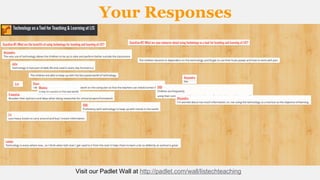
Your Responses

Visit our Padlet Wall at http://padlet.com/wall/listechteaching
Extracurricular Empowerment

Watch: Extracurricular Empowerment by Scott McLeod at http://youtu.be/GyIl4y_MRbU
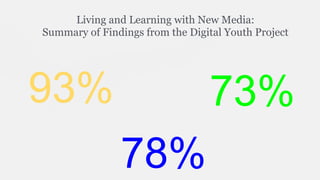
Living and Learning with New Media:
Summary of Findings from the Digital Youth Project

93%

73%
78%
Our Students: Ayo, Year 9
Well it does not really matter if we like it or not; it is
becoming a very essential part of our world today. We
live in the 21st century, and this is part of our
modern day world. People say we should stick with the
basics of teaching like a pen and pencil and that’s all
that’s required for a student’s learning, but just as a
paper and pencil was a great idea back in the 'olden
days', so is a laptop or iPad today.
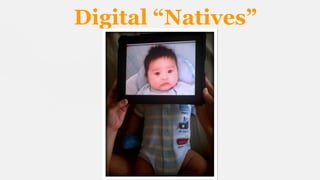
Digital “Natives”
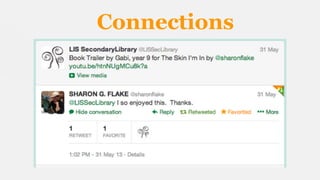
Connections
Tech Tools
Our Students: Sakile, Year 12
We use technology to access the internet so we can do research and communicate our
ideas. Being a part of an international school means we need to consciously be a part
of our international community, and that means the whole world.
The Internet can be used as a faster tool to share information and communicate ideas.
It would be very difficult to help a cause if it took four years for a reporter to learn
about it, research it, travel back, write the report, edit it, and finally publish it in a
newspaper. These days, people can update their blogs or tweet about their
experiences or even upload drafts or pictures of what they are doing.
Also, it is much easier to access old information. The New York Times has articles
dating back to the 1800's on their website. If I wanted to find that article without the
internet, I'd have to find a large library that has newspaper clippings (which would
DEFINITELY not be in Angola). The Internet makes learning much easier, so that
students and teachers can focus more on learning more difficult and complex topics
than spending hours just trying to find one newspaper clipping.
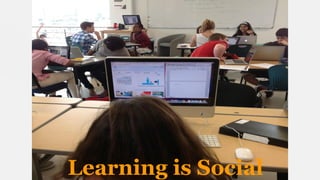
Learning is Social
Our Students: Alaric, Year 7
A lot of our homework needs to be done with
Word, Powerpoint, Excel, Managebac, and
MyMaths. We also need Internet access
because this is how a lot of students get their
answers. There is also a lot of software on
the Internet that helps us organize data like
MindMaps and Google Drive.
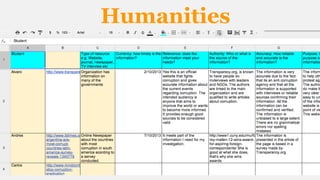
Humanities
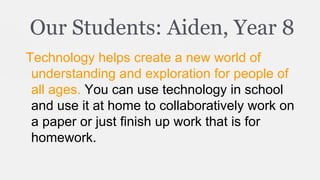
Our Students: Aiden, Year 8
Technology helps create a new world of
understanding and exploration for people of
all ages. You can use technology in school
and use it at home to collaboratively work on
a paper or just finish up work that is for
homework.
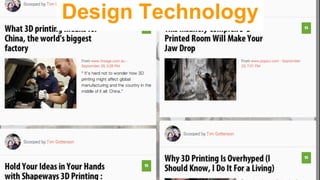
Design Technology
Design Technology
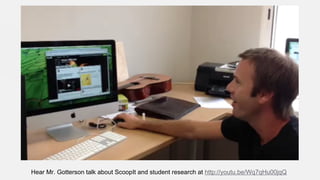
Hear Mr. Gotterson talk about ScoopIt and student research at http://youtu.be/Wq7qHu00jqQ
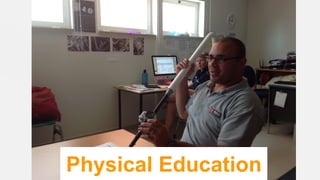
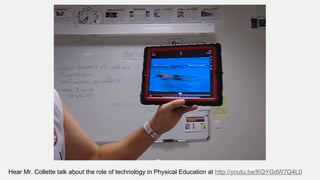
Physical Education

Physical Education
Hear Mr. Collette talk about the role of technology in Physical Education at http://youtu.be/KQYGdW7Q4L0
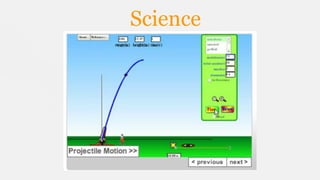
Science
Language A
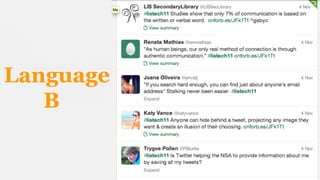
Language
B
Our Students: Enzo, year 7
With technology it is easier and more practical
to do many things, like researching and
sharing documents. With technology we can
share our work with the whole world and see
if somebody doing the same program in the
U.K. has any ideas about my project, while
without computers and the Internet I will not
be able to have such a good learning
experience.
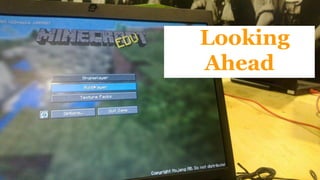
Looking
Ahead
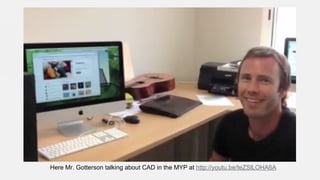
Here Mr. Gotterson talking about CAD in the MYP at http://youtu.be/teZSlLOHA6A
Bring Your Own Laptop
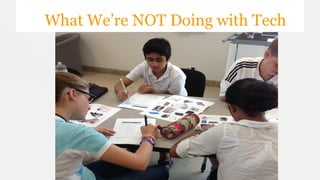
What We’re NOT Doing with Tech
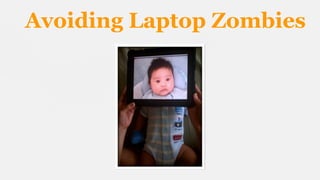
Avoiding Laptop Zombies
• 
• 
• 
• 
• 
• 
• 
• 

Works Cited

Technology as Teaching and Learning Tool at LIS - Padlet Wall
Extracurricular Empowerment: Scott McLeod at TEDexDesMoines
Living and Learning with New Media: Summary of Findings from the Digital Youth
Report - The John D. and Catherine T. MacArthur Foundation Reports on Digital
Media and Learning
Technology Integration: What Experts Say - Edutopia article by Suzie Boss
iPad baby by Flickr user ~C4Chaos under CC BY-NC-SA 2.0
Tech Tool Logos are under Public Domain
Macintosh Laptop: Apple Mac Book Pro - Core 2
Duo 3.06 GHz (17-inch) by Flickr User Carl Berkley
under CC BY-ND 2.0
MineCraft EDU by Flickr user dougbelshaw under
CC BY 2.0

Technology as a teaching & learning tool @LIS

  • 1.
    Technology as aTeaching & Learning Tool Secondary School Coffee Morning November 12, 2013
  • 2.
    Your Responses Visit ourPadlet Wall at http://padlet.com/wall/listechteaching
  • 3.
    Extracurricular Empowerment Watch: ExtracurricularEmpowerment by Scott McLeod at http://youtu.be/GyIl4y_MRbU
  • 4.
    Living and Learningwith New Media: Summary of Findings from the Digital Youth Project 93% 73% 78%
  • 5.
    Our Students: Ayo,Year 9 Well it does not really matter if we like it or not; it is becoming a very essential part of our world today. We live in the 21st century, and this is part of our modern day world. People say we should stick with the basics of teaching like a pen and pencil and that’s all that’s required for a student’s learning, but just as a paper and pencil was a great idea back in the 'olden days', so is a laptop or iPad today.
  • 6.
  • 7.
  • 8.
  • 9.
    Our Students: Sakile,Year 12 We use technology to access the internet so we can do research and communicate our ideas. Being a part of an international school means we need to consciously be a part of our international community, and that means the whole world. The Internet can be used as a faster tool to share information and communicate ideas. It would be very difficult to help a cause if it took four years for a reporter to learn about it, research it, travel back, write the report, edit it, and finally publish it in a newspaper. These days, people can update their blogs or tweet about their experiences or even upload drafts or pictures of what they are doing. Also, it is much easier to access old information. The New York Times has articles dating back to the 1800's on their website. If I wanted to find that article without the internet, I'd have to find a large library that has newspaper clippings (which would DEFINITELY not be in Angola). The Internet makes learning much easier, so that students and teachers can focus more on learning more difficult and complex topics than spending hours just trying to find one newspaper clipping.
  • 10.
  • 11.
    Our Students: Alaric,Year 7 A lot of our homework needs to be done with Word, Powerpoint, Excel, Managebac, and MyMaths. We also need Internet access because this is how a lot of students get their answers. There is also a lot of software on the Internet that helps us organize data like MindMaps and Google Drive.
  • 12.
  • 13.
    Our Students: Aiden,Year 8 Technology helps create a new world of understanding and exploration for people of all ages. You can use technology in school and use it at home to collaboratively work on a paper or just finish up work that is for homework.
  • 14.
  • 15.
    Hear Mr. Gottersontalk about ScoopIt and student research at http://youtu.be/Wq7qHu00jqQ
  • 16.
  • 17.
    Hear Mr. Collettetalk about the role of technology in Physical Education at http://youtu.be/KQYGdW7Q4L0
  • 18.
  • 19.
  • 20.
  • 21.
    Our Students: Enzo,year 7 With technology it is easier and more practical to do many things, like researching and sharing documents. With technology we can share our work with the whole world and see if somebody doing the same program in the U.K. has any ideas about my project, while without computers and the Internet I will not be able to have such a good learning experience.
  • 22.
  • 23.
    Here Mr. Gottersontalking about CAD in the MYP at http://youtu.be/teZSlLOHA6A
  • 24.
  • 25.
    What We’re NOTDoing with Tech
  • 26.
  • 27.
    •  •  •  •  •  •  •  •  Works Cited Technology asTeaching and Learning Tool at LIS - Padlet Wall Extracurricular Empowerment: Scott McLeod at TEDexDesMoines Living and Learning with New Media: Summary of Findings from the Digital Youth Report - The John D. and Catherine T. MacArthur Foundation Reports on Digital Media and Learning Technology Integration: What Experts Say - Edutopia article by Suzie Boss iPad baby by Flickr user ~C4Chaos under CC BY-NC-SA 2.0 Tech Tool Logos are under Public Domain Macintosh Laptop: Apple Mac Book Pro - Core 2 Duo 3.06 GHz (17-inch) by Flickr User Carl Berkley under CC BY-ND 2.0 MineCraft EDU by Flickr user dougbelshaw under CC BY 2.0