PUBLIC SCHOOLS NSW WWW.SCHOOLS.NSW.EDU.AU
Lena Arena, A/IT Engagement Advisor, Business Systems, Department of Education and
Communities
Driving Creativity: Technology in
NSW DEC Schools
PUBLIC SCHOOLS NSW WWW.SCHOOLS.NSW.EDU.AU
Today’s presentation and
resources
PUBLIC SCHOOLS NSW WWW.SCHOOLS.NSW.EDU.AU
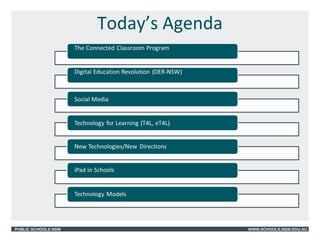
Today’s Agenda
PUBLIC SCHOOLS NSW WWW.SCHOOLS.NSW.EDU.AU
Connected Classroom Program
• Three individual projects:
– Interactive Classrooms
– Learning Tools
– Network Enhancement (NGEN)
PUBLIC SCHOOLS NSW WWW.SCHOOLS.NSW.EDU.AU
1. Interactive Classrooms
• Equip every NSW public school with an
Interactive Classroom:
– interactive whiteboard
– video conferencing facilities
– data collaboration and sharing software
(Bridgit)
– Lesson creation software (Smart
Notebook)
PUBLIC SCHOOLS NSW WWW.SCHOOLS.NSW.EDU.AU
2. Learning Tools
• Provision of the latest Web 2.0
technologies to staff and students for
teaching and learning
– blogEd (blogging tool)
– eBackpack (virtual/cloud storage)
– SPortal (new student Portal)
PUBLIC SCHOOLS NSW WWW.SCHOOLS.NSW.EDU.AU
Digital Education Revolution (DER)
• The Commonwealth and NSW
Governments commitment to provide a
wirelessly enabled specialist
educational laptop to every NSW public
school student in years 9 to 12.
• Four year, $386million project with over
200,000 laptops distributed across 500+
school sites. Ended December 2013.
PUBLIC SCHOOLS NSW WWW.SCHOOLS.NSW.EDU.AU
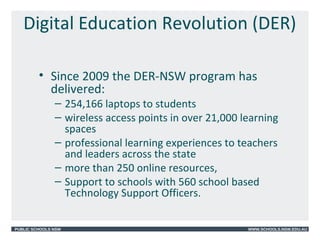
Digital Education Revolution (DER)
• Since 2009 the DER-NSW program has
delivered:
– 254,166 laptops to students
– wireless access points in over 21,000 learning
spaces
– professional learning experiences to teachers
and leaders across the state
– more than 250 online resources,
– Support to schools with 560 school based
Technology Support Officers.
PUBLIC SCHOOLS NSW WWW.SCHOOLS.NSW.EDU.AU
Features of the laptop
• Wireless connection – Bluetooth
• Microphone and webcam
• Standard netbook keyboard and touch pad
• Software
– Adobe Suite
– Microsoft Office Suite
– Subject specific software
• Security - COMPUTRACE
– tracks ‘atomic’ activity
– assists in recovery and denial of stolen
devices
PUBLIC SCHOOLS NSW WWW.SCHOOLS.NSW.EDU.AU
Resources
PUBLIC SCHOOLS NSW WWW.SCHOOLS.NSW.EDU.AU
Professional Learning and Curriculum
Support
• Resources to support Leaders and Teachers developed by
the Department
• Professional Learning funds allocated to teachers
• Scootle website supporting NSW Syllabuses for the
Australian Curriculum http://www.scootle.edu.au
• Teaching and Learning Exchange (TaLe) (internal site)
• Board of Studies, Teaching and Educational Standards
(BOSTES) http://
www.bostes.nsw.edu.au/wps/portal/home
• PLANE - Pathways for Learning, Anywhere, anytime –
provides accredited professional online learning and other
professional learning opportunities
http://my.plane.edu.au/
PUBLIC SCHOOLS NSW WWW.SCHOOLS.NSW.EDU.AU
New Directions?
• 21st
Century Skills
http://www.p21.org/about-us/p21-framework
PUBLIC SCHOOLS NSW WWW.SCHOOLS.NSW.EDU.AU
New Directions?
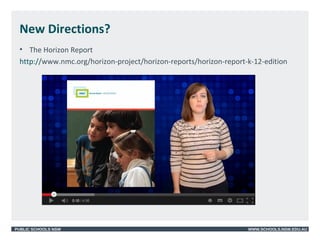
• The Horizon Report
http://www.nmc.org/horizon-project/horizon-reports/horizon-report-k-12-edition
PUBLIC SCHOOLS NSW WWW.SCHOOLS.NSW.EDU.AU
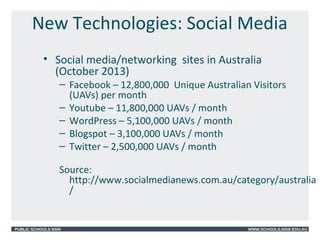
New Technologies: Social Media
• Social media/networking sites in Australia
(October 2013)
– Facebook – 12,800,000 Unique Australian Visitors
(UAVs) per month
– Youtube – 11,800,000 UAVs / month
– WordPress – 5,100,000 UAVs / month
– Blogspot – 3,100,000 UAVs / month
– Twitter – 2,500,000 UAVs / month
Source:
http://www.socialmedianews.com.au/category/australia
/
PUBLIC SCHOOLS NSW WWW.SCHOOLS.NSW.EDU.AU
Social Media – Departmental Sites
SocialText (micro-
blogging)
https://www.maang.nsw.edu.au/st/signals
PUBLIC SCHOOLS NSW WWW.SCHOOLS.NSW.EDU.AU
Social Media – Considerations
• Departmental policies including Code of
Conduct
• https://
detwww.det.nsw.edu.au/deptresources/temp
• Digital Citizenship
• Digital Reputation
• On-line behaviour
• Rights and responsibilities
PUBLIC SCHOOLS NSW WWW.SCHOOLS.NSW.EDU.AU
Social Media – Example
PUBLIC SCHOOLS NSW WWW.SCHOOLS.NSW.EDU.AU
Social Media
PUBLIC SCHOOLS NSW WWW.SCHOOLS.NSW.EDU.AU
Technology for Learning (T4L/eT4L)
• Computer allocation to schools based
on student enrolment
• 4 year allocation
• New computers every 4 years
• Standard Operating Environment
• Standardised software
• Remote management
• Managed by technology teams
PUBLIC SCHOOLS NSW WWW.SCHOOLS.NSW.EDU.AU
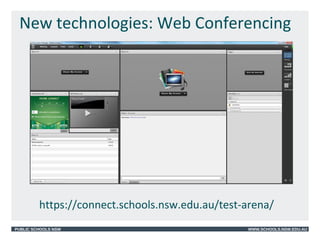
New technologies: Web Conferencing
• Adobe Connect available to all schools
• Web based conferencing
• On-line meetings in real time
• Computer with internet access, Flash,
combined headphones/microphone
and webcam
• Video/audio capabilities
• iPad, iPhone, android app available
PUBLIC SCHOOLS NSW WWW.SCHOOLS.NSW.EDU.AU
New technologies: Web Conferencing
https://connect.schools.nsw.edu.au/test-arena/
PUBLIC SCHOOLS NSW WWW.SCHOOLS.NSW.EDU.AU
New Technologies/Directions
• Google Apps
– Google Drive - Cloud storage
– Google applications and tools
• Microsoft 365
– Cloud storage
– Microsoft on-line software e.g. Word, Power
Point
• BYOD Policy – Bring Your Own Device
– http://mhsbyod.weebly.com/
PUBLIC SCHOOLS NSW WWW.SCHOOLS.NSW.EDU.AU
Sydney Region iPad Project
• Explore the use of iPads in the classroom
• Explore the use of educational apps in the
classroom
• Collect evidence of how the iPad has impacted
on:
– Student engagement
– Student learning outcomes
– Student learning behaviours
– Teacher practice
• Inform Sydney Region on the best strategies to
effectively implement learning with mobile
technologies.
PUBLIC SCHOOLS NSW WWW.SCHOOLS.NSW.EDU.AU
Key Findings
• Increased engagement and motivation
• Improved student knowledge and skills
• Enhanced communication and
communication between students
• Learning for students easy to
personalise
• Ease of differentiation
PUBLIC SCHOOLS NSW WWW.SCHOOLS.NSW.EDU.AU
Key Findings
• Students enabled to easily produce a
professional finished product
• Instant access to provide just-in-time
learning
• Preference for content-creation apps
• Transformative models of technology
integration provided by teacher’s use of
the iPad
PUBLIC SCHOOLS NSW WWW.SCHOOLS.NSW.EDU.AU
Key Findings
• Student-centred pedagogies supported
with the iPad – students learn with not
from technology
• Synchronous use of a range of
peripheral digital technologies
• Multimodal nature of the device
afforded new opportunities for learning
• Sharing work and just-in time feedback
PUBLIC SCHOOLS NSW WWW.SCHOOLS.NSW.EDU.AU
Evaluation Conclusion
“The iPad encouraged a shift towards a
student-centred, personalised learning
environment. ….As with any technological
innovation ….it is the role of the teacher
that is central to its success. As this study
has exemplified, teachers play a critical role
in aligning curriculum, pedagogy and
technology through the design and
implementation of authentic and engaging
learning experiences.”
Dr Kristy Goodwin
PUBLIC SCHOOLS NSW WWW.SCHOOLS.NSW.EDU.AU
What the students said…
PUBLIC SCHOOLS NSW WWW.SCHOOLS.NSW.EDU.AU
Presentation Resources Web Site
http://ictinitiatives-dec.weebly.com/
Pages
•Sample Classroom Activities
•iPad Apps
•Student Work Samples
•Web 2.0 Resources
•More..
– Useful Web Sites
– Inspirational Leaders
PUBLIC SCHOOLS NSW WWW.SCHOOLS.NSW.EDU.AU
Useful Web Sites
Example:
http://thepegeek.com/2009/05/23/watching-
my-classes-heart-beat/
http://thepegeek.com
PUBLIC SCHOOLS NSW WWW.SCHOOLS.NSW.EDU.AU
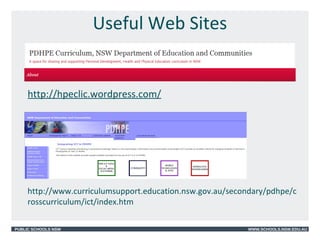
Useful Web Sites
http://hpeclic.wordpress.com/
http://www.curriculumsupport.education.nsw.gov.au/secondary/pdhpe/c
rosscurriculum/ict/index.htm
PUBLIC SCHOOLS NSW WWW.SCHOOLS.NSW.EDU.AU
Useful Web Sites
http://macict.webfactional.com/
PUBLIC SCHOOLS NSW WWW.SCHOOLS.NSW.EDU.AU
Inspiring innovators
PUBLIC SCHOOLS NSW WWW.SCHOOLS.NSW.EDU.AU
Considerations
PUBLIC SCHOOLS NSW WWW.SCHOOLS.NSW.EDU.AU
Questions?
Lena Arena
A/IT Engagement Advisor
Business Systems
Level 1, 1 Oxford Street
Darlinghurst 2010
Phone: 9266 8966
Carmelina.arena@det.nsw.edu.au
PUBLIC SCHOOLS NSW WWW.SCHOOLS.NSW.EDU.AU
Appendices
Models to support the successful
integration of technology into teaching
and learning
PUBLIC SCHOOLS NSW WWW.SCHOOLS.NSW.EDU.AU
The SAMR Model
PUBLIC SCHOOLS NSW WWW.SCHOOLS.NSW.EDU.AU
• Puentedura (2006) developed a Substitution,
Augmentation, Modification, Redefinition
(SAMR) model.
• Designed to help educators identify different
ways in which they can integrate technology
into teaching and learning practices.
• Puentedura’s model can be considered as a
continuum from novice level (substitution) to
an advanced, ideal level of technology
integration (redefinition) to encourage
teachers to seek optimal ways to include
technology in learning experiences.
The SAMR Model
http://www.educatorstechnology.com/2013/06/samr-model-explained-for-
teachers.html
PUBLIC SCHOOLS NSW WWW.SCHOOLS.NSW.EDU.AU
The TPACK Model
Reproduced by permission of the
publisher © 2012 by tpack.orghttp://www.tpack.org/
PUBLIC SCHOOLS NSW WWW.SCHOOLS.NSW.EDU.AU
• Technological Pedagogical Content Knowledge
(TPACK) is a framework that identifies the
knowledge teachers need to teach effectively with
technology.
• The TPACK framework extends Shulman’s idea of
Pedagogical Content Knowledge.
What is TPACK?
PUBLIC SCHOOLS NSW WWW.SCHOOLS.NSW.EDU.AU
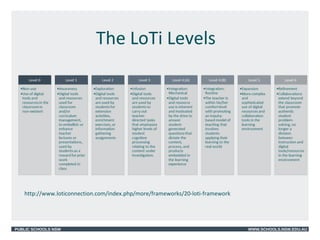
• The Levels of Teaching Innovation (LoTi)
Framework is a conceptual model to measure
classroom teachers implementation of digital-age
literacy .
• The LoTi Framework focuses on the balance
between instruction, assessment, and the effective
use of digital tools and resources to promote higher
order thinking, engaged student learning, and
authentic assessment practices in the classroom -all
characteristics of 21st Century teaching and
learning.
The LoTi Framework
PUBLIC SCHOOLS NSW WWW.SCHOOLS.NSW.EDU.AU
The LoTi Levels
http://www.loticonnection.com/index.php/more/frameworks/20-loti-framework

Driving Creativity:ICT in Schools

  • 1.
    PUBLIC SCHOOLS NSWWWW.SCHOOLS.NSW.EDU.AU Lena Arena, A/IT Engagement Advisor, Business Systems, Department of Education and Communities Driving Creativity: Technology in NSW DEC Schools
  • 2.
    PUBLIC SCHOOLS NSWWWW.SCHOOLS.NSW.EDU.AU Today’s presentation and resources
  • 3.
    PUBLIC SCHOOLS NSWWWW.SCHOOLS.NSW.EDU.AU Today’s Agenda
  • 4.
    PUBLIC SCHOOLS NSWWWW.SCHOOLS.NSW.EDU.AU Connected Classroom Program • Three individual projects: – Interactive Classrooms – Learning Tools – Network Enhancement (NGEN)
  • 5.
    PUBLIC SCHOOLS NSWWWW.SCHOOLS.NSW.EDU.AU 1. Interactive Classrooms • Equip every NSW public school with an Interactive Classroom: – interactive whiteboard – video conferencing facilities – data collaboration and sharing software (Bridgit) – Lesson creation software (Smart Notebook)
  • 6.
    PUBLIC SCHOOLS NSWWWW.SCHOOLS.NSW.EDU.AU 2. Learning Tools • Provision of the latest Web 2.0 technologies to staff and students for teaching and learning – blogEd (blogging tool) – eBackpack (virtual/cloud storage) – SPortal (new student Portal)
  • 7.
    PUBLIC SCHOOLS NSWWWW.SCHOOLS.NSW.EDU.AU Digital Education Revolution (DER) • The Commonwealth and NSW Governments commitment to provide a wirelessly enabled specialist educational laptop to every NSW public school student in years 9 to 12. • Four year, $386million project with over 200,000 laptops distributed across 500+ school sites. Ended December 2013.
  • 8.
    PUBLIC SCHOOLS NSWWWW.SCHOOLS.NSW.EDU.AU Digital Education Revolution (DER) • Since 2009 the DER-NSW program has delivered: – 254,166 laptops to students – wireless access points in over 21,000 learning spaces – professional learning experiences to teachers and leaders across the state – more than 250 online resources, – Support to schools with 560 school based Technology Support Officers.
  • 9.
    PUBLIC SCHOOLS NSWWWW.SCHOOLS.NSW.EDU.AU Features of the laptop • Wireless connection – Bluetooth • Microphone and webcam • Standard netbook keyboard and touch pad • Software – Adobe Suite – Microsoft Office Suite – Subject specific software • Security - COMPUTRACE – tracks ‘atomic’ activity – assists in recovery and denial of stolen devices
  • 10.
    PUBLIC SCHOOLS NSWWWW.SCHOOLS.NSW.EDU.AU Resources
  • 11.
    PUBLIC SCHOOLS NSWWWW.SCHOOLS.NSW.EDU.AU Professional Learning and Curriculum Support • Resources to support Leaders and Teachers developed by the Department • Professional Learning funds allocated to teachers • Scootle website supporting NSW Syllabuses for the Australian Curriculum http://www.scootle.edu.au • Teaching and Learning Exchange (TaLe) (internal site) • Board of Studies, Teaching and Educational Standards (BOSTES) http:// www.bostes.nsw.edu.au/wps/portal/home • PLANE - Pathways for Learning, Anywhere, anytime – provides accredited professional online learning and other professional learning opportunities http://my.plane.edu.au/
  • 12.
    PUBLIC SCHOOLS NSWWWW.SCHOOLS.NSW.EDU.AU New Directions? • 21st Century Skills http://www.p21.org/about-us/p21-framework
  • 13.
    PUBLIC SCHOOLS NSWWWW.SCHOOLS.NSW.EDU.AU New Directions? • The Horizon Report http://www.nmc.org/horizon-project/horizon-reports/horizon-report-k-12-edition
  • 14.
    PUBLIC SCHOOLS NSWWWW.SCHOOLS.NSW.EDU.AU New Technologies: Social Media • Social media/networking sites in Australia (October 2013) – Facebook – 12,800,000 Unique Australian Visitors (UAVs) per month – Youtube – 11,800,000 UAVs / month – WordPress – 5,100,000 UAVs / month – Blogspot – 3,100,000 UAVs / month – Twitter – 2,500,000 UAVs / month Source: http://www.socialmedianews.com.au/category/australia /
  • 15.
    PUBLIC SCHOOLS NSWWWW.SCHOOLS.NSW.EDU.AU Social Media – Departmental Sites SocialText (micro- blogging) https://www.maang.nsw.edu.au/st/signals
  • 16.
    PUBLIC SCHOOLS NSWWWW.SCHOOLS.NSW.EDU.AU Social Media – Considerations • Departmental policies including Code of Conduct • https:// detwww.det.nsw.edu.au/deptresources/temp • Digital Citizenship • Digital Reputation • On-line behaviour • Rights and responsibilities
  • 17.
    PUBLIC SCHOOLS NSWWWW.SCHOOLS.NSW.EDU.AU Social Media – Example
  • 18.
    PUBLIC SCHOOLS NSWWWW.SCHOOLS.NSW.EDU.AU Social Media
  • 19.
    PUBLIC SCHOOLS NSWWWW.SCHOOLS.NSW.EDU.AU Technology for Learning (T4L/eT4L) • Computer allocation to schools based on student enrolment • 4 year allocation • New computers every 4 years • Standard Operating Environment • Standardised software • Remote management • Managed by technology teams
  • 20.
    PUBLIC SCHOOLS NSWWWW.SCHOOLS.NSW.EDU.AU New technologies: Web Conferencing • Adobe Connect available to all schools • Web based conferencing • On-line meetings in real time • Computer with internet access, Flash, combined headphones/microphone and webcam • Video/audio capabilities • iPad, iPhone, android app available
  • 21.
    PUBLIC SCHOOLS NSWWWW.SCHOOLS.NSW.EDU.AU New technologies: Web Conferencing https://connect.schools.nsw.edu.au/test-arena/
  • 22.
    PUBLIC SCHOOLS NSWWWW.SCHOOLS.NSW.EDU.AU New Technologies/Directions • Google Apps – Google Drive - Cloud storage – Google applications and tools • Microsoft 365 – Cloud storage – Microsoft on-line software e.g. Word, Power Point • BYOD Policy – Bring Your Own Device – http://mhsbyod.weebly.com/
  • 23.
    PUBLIC SCHOOLS NSWWWW.SCHOOLS.NSW.EDU.AU Sydney Region iPad Project • Explore the use of iPads in the classroom • Explore the use of educational apps in the classroom • Collect evidence of how the iPad has impacted on: – Student engagement – Student learning outcomes – Student learning behaviours – Teacher practice • Inform Sydney Region on the best strategies to effectively implement learning with mobile technologies.
  • 24.
    PUBLIC SCHOOLS NSWWWW.SCHOOLS.NSW.EDU.AU Key Findings • Increased engagement and motivation • Improved student knowledge and skills • Enhanced communication and communication between students • Learning for students easy to personalise • Ease of differentiation
  • 25.
    PUBLIC SCHOOLS NSWWWW.SCHOOLS.NSW.EDU.AU Key Findings • Students enabled to easily produce a professional finished product • Instant access to provide just-in-time learning • Preference for content-creation apps • Transformative models of technology integration provided by teacher’s use of the iPad
  • 26.
    PUBLIC SCHOOLS NSWWWW.SCHOOLS.NSW.EDU.AU Key Findings • Student-centred pedagogies supported with the iPad – students learn with not from technology • Synchronous use of a range of peripheral digital technologies • Multimodal nature of the device afforded new opportunities for learning • Sharing work and just-in time feedback
  • 27.
    PUBLIC SCHOOLS NSWWWW.SCHOOLS.NSW.EDU.AU Evaluation Conclusion “The iPad encouraged a shift towards a student-centred, personalised learning environment. ….As with any technological innovation ….it is the role of the teacher that is central to its success. As this study has exemplified, teachers play a critical role in aligning curriculum, pedagogy and technology through the design and implementation of authentic and engaging learning experiences.” Dr Kristy Goodwin
  • 28.
    PUBLIC SCHOOLS NSWWWW.SCHOOLS.NSW.EDU.AU What the students said…
  • 29.
    PUBLIC SCHOOLS NSWWWW.SCHOOLS.NSW.EDU.AU Presentation Resources Web Site http://ictinitiatives-dec.weebly.com/ Pages •Sample Classroom Activities •iPad Apps •Student Work Samples •Web 2.0 Resources •More.. – Useful Web Sites – Inspirational Leaders
  • 30.
    PUBLIC SCHOOLS NSWWWW.SCHOOLS.NSW.EDU.AU Useful Web Sites Example: http://thepegeek.com/2009/05/23/watching- my-classes-heart-beat/ http://thepegeek.com
  • 31.
    PUBLIC SCHOOLS NSWWWW.SCHOOLS.NSW.EDU.AU Useful Web Sites http://hpeclic.wordpress.com/ http://www.curriculumsupport.education.nsw.gov.au/secondary/pdhpe/c rosscurriculum/ict/index.htm
  • 32.
    PUBLIC SCHOOLS NSWWWW.SCHOOLS.NSW.EDU.AU Useful Web Sites http://macict.webfactional.com/
  • 33.
    PUBLIC SCHOOLS NSWWWW.SCHOOLS.NSW.EDU.AU Inspiring innovators
  • 34.
    PUBLIC SCHOOLS NSWWWW.SCHOOLS.NSW.EDU.AU Considerations
  • 35.
    PUBLIC SCHOOLS NSWWWW.SCHOOLS.NSW.EDU.AU Questions? Lena Arena A/IT Engagement Advisor Business Systems Level 1, 1 Oxford Street Darlinghurst 2010 Phone: 9266 8966 Carmelina.arena@det.nsw.edu.au
  • 36.
    PUBLIC SCHOOLS NSWWWW.SCHOOLS.NSW.EDU.AU Appendices Models to support the successful integration of technology into teaching and learning
  • 37.
    PUBLIC SCHOOLS NSWWWW.SCHOOLS.NSW.EDU.AU The SAMR Model
  • 38.
    PUBLIC SCHOOLS NSWWWW.SCHOOLS.NSW.EDU.AU • Puentedura (2006) developed a Substitution, Augmentation, Modification, Redefinition (SAMR) model. • Designed to help educators identify different ways in which they can integrate technology into teaching and learning practices. • Puentedura’s model can be considered as a continuum from novice level (substitution) to an advanced, ideal level of technology integration (redefinition) to encourage teachers to seek optimal ways to include technology in learning experiences. The SAMR Model http://www.educatorstechnology.com/2013/06/samr-model-explained-for- teachers.html
  • 39.
    PUBLIC SCHOOLS NSWWWW.SCHOOLS.NSW.EDU.AU The TPACK Model Reproduced by permission of the publisher © 2012 by tpack.orghttp://www.tpack.org/
  • 40.
    PUBLIC SCHOOLS NSWWWW.SCHOOLS.NSW.EDU.AU • Technological Pedagogical Content Knowledge (TPACK) is a framework that identifies the knowledge teachers need to teach effectively with technology. • The TPACK framework extends Shulman’s idea of Pedagogical Content Knowledge. What is TPACK?
  • 41.
    PUBLIC SCHOOLS NSWWWW.SCHOOLS.NSW.EDU.AU • The Levels of Teaching Innovation (LoTi) Framework is a conceptual model to measure classroom teachers implementation of digital-age literacy . • The LoTi Framework focuses on the balance between instruction, assessment, and the effective use of digital tools and resources to promote higher order thinking, engaged student learning, and authentic assessment practices in the classroom -all characteristics of 21st Century teaching and learning. The LoTi Framework
  • 42.
    PUBLIC SCHOOLS NSWWWW.SCHOOLS.NSW.EDU.AU The LoTi Levels http://www.loticonnection.com/index.php/more/frameworks/20-loti-framework

Editor's Notes

  • #24 $50000 was allocated to implement a Sydney Region iPad trial. Focus was to be on the educational uses of the iPad and how it could impact on the learning outcomes for students. Regional Director wanted more than just the ‘wow’ factor.
  • #25 Page 47 – Evaluation Students considered the iPad as a helpful learning tool and enjoyed using it. All teachers reported that students’ engaged and motivation had increased exponentially Quality of task design
  • #39 Kristy used the SAMR model to determine how technology was integrated into teaching practice.