Tech Talk:
SlideShare
By Laura Macéus
Outline
• Welcome
• What is SlideShare?
• Technology
• Pedagogy
• Practical
• Societal Impact
• Activity
• Final Thoughts
• References
Welcome
Photo from Flickr by Antonio González García
What is SlideShare?
SlideShare is a community-based website
which hosts an extensive collection of
presentations. In the field of education,
both educators and learners can benefit
from this great web 2.0 tool.
Congruent with the emerging culture
of connecting and sharing, it can be
used by both industry experts and
those passionate about any given topic.
Slideshare has been described as the
YouTube of slide presentations,
allowing its users to share, like and
comment.
Technology
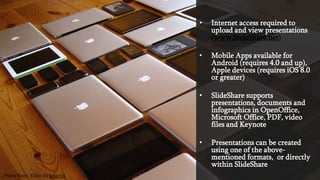
Photo from Flickr by frankieleon
• Internet access required to
upload and view presentations
(www.SlideShare.net)
• Mobile Apps available for
Android (requires 4.0 and up),
Apple devices (requires iOS 8.0
or greater)
• SlideShare supports
presentations, documents and
infographics in OpenOffice,
Microsoft Office, PDF, video
files and Keynote
• Presentations can be created
using one of the above-
mentioned formats, or directly
within SlideShare
Photo from Flickr by adactio
Pedagogy
Photo from Flickr by Barta IV
Constructivism
Learners construct their own knowledge through their personal
experience. This equips them for problem solving in complex
environment. In order for learning to be effective, learners
must engage in building and creating knowledge both
individually and socially (Al-Huneidi & Schreurs, 2012).
Net-Aware Theories of Learning
1. Heutagogy (Hase & Kenyon, 2000): This theory posits that
learner is in control of his learning; strong emphasis on self-
direction. The learner is involved in designing their own
learning content. Social media, such as SlideShare is a tool
used to network learners.
(http://www.slideshare.net/DrStewartHase/heutagogy-basics?next_slideshow=1)
Connectivism (Siemens, 2005): The advent of Internet
technologies has forged paths, allowing the creation of new
opportunities for people to learn and share information across
the World Wide Web and with each other. Any tool that
allows users to learn and share information with others.
These technologies include email, social networks and web
browsers. (http://www.learning-theories.com/)
Societal
Impact
Photo from Flickr by winnifredxoxo
Benefits
• Presentation can be imbedded in
social media sites
• Can be uploaded in LMS (such as
BlackBoard Learn)
• User-friendly interface for viewers
makes it easy to navigate
• Can be used in and out of a
classroom, seminar or conference
• Share, collaborate, and comment
using social media platforms
More Benefits
• Presentation can be imbedded
in social media sites
• Can be uploaded in LMS (such
as BlackBoard Learn)
• User-friendly interface for as a
user
• Can be used in and out of a
classroom, seminar or
conference
• Share, collaborate, and
comment using social media
• Presentations can be
downloaded
• Authors can make presentations
public or private
• Great tool for students and
educators
• Anyone can view public
presentations (no need to sign
up)
Bonus Benefit
• Presentation can be imbedded
in social media sites
• Can be uploaded in LMS (such
as BlackBoard Learn)
• User-friendly interface for as a
user
• Can be used in and out of a
classroom, seminar or
conference
• Share, collaborate, and
comment using social media
• Presentations can be
downloaded
• Authors can make presentations
public or private
• Great tool for students and
educators
• PRO version is now FREE!
• Anyone can view public
presentations (no need to sign
up)
Zipcast. It’s a web conferencing
feature which allows authors to
host online presentations via
audio/video. The presenter shares
the personalized URL and attendees
then log in via Facebook or a quick
login form to view and tell others
about their work. ZipCast also has
a built-in chat function.
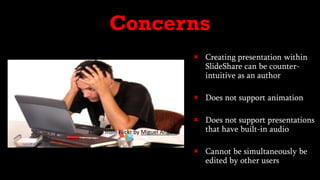
 Creating presentation within
SlideShare can be counter-
intuitive as an author
 Does not support animation
 Does not support presentations
that have built-in audio
 Cannot be simultaneously be
edited by other users
Concerns
Photo from Flickr by Miguel Angelo
Practical
Photo from Flickr by ebayink
 Cost-effective (FREE for everyone), even the premium features
 Great presentations can be viewed and created from a mobile device
 Can be shared by email, social media, links or embedded within a blog or
website
 Promotes online collaboration amongst students on almost any given
topic
 When author makes presentations downloadable, they can be
downloaded to be view in offline mode
 Provides great analytics
 Can be used in a classroom and/or posted on LMS (Blackboard Learn) or blog
 Features a useful blog where users can have their questions answered
 Once presentation is uploaded, it is easy to modify
 Offers an infinite amount of high quality images when creating presentations
directly in Slideshare, which saves time
 LinkedIn is affiliated with SlideShare, allowing the user’s presentations to be
displayed in LinkedIn profile
Activity:
Now it’s your turn!
Photo from Flickr by Indy Kethdy
1. Go to the SlideShare website. Using the search field, look up a topic that relates to this
course or one that relates to your practice. Select and view a presentation that piqued
your interest.
2. Reflection : Create a thread on Blackboard to answer questions below.
a) Have you heard of SlideShare prior to this Tech Talk?
b) If not, is this a tool you foresee using? How?
c) If so is this a tool you have used in the past? Why or why not?
Photo from Flickr by Lea Latumahina
References
Ahmad M. Al-Huneidi and Jeanne Schreurs (2012). Constructivism Based
Blended Learning in Higher Education. International Journal of Emerging
Technologies in Learning, 7(1), p.4 -9,
http://dx.doi.org/10.3991/ijet.v7i1.1792.
Anderson, T.(2010). Theories for Learning with Emerging Technologies In
Emerging Technologies in Distance Education (pp.23-39). Edmonton AB:
AU Press, Athabasca University.
Seechaliao, M. (2014).Lecturers’ Behaviors And Beliefs About The Use Of
Social Media In Higher Education: A Study At Mahasarakham University
In Thailand. Journal of International Education Research, 10(2), 155-160.

Tech Talk: SlideShare

  • 1.
  • 2.
    Outline • Welcome • Whatis SlideShare? • Technology • Pedagogy • Practical • Societal Impact • Activity • Final Thoughts • References
  • 3.
    Welcome Photo from Flickrby Antonio González García
  • 4.
  • 5.
    SlideShare is acommunity-based website which hosts an extensive collection of presentations. In the field of education, both educators and learners can benefit from this great web 2.0 tool.
  • 6.
    Congruent with theemerging culture of connecting and sharing, it can be used by both industry experts and those passionate about any given topic. Slideshare has been described as the YouTube of slide presentations, allowing its users to share, like and comment.
  • 7.
  • 8.
    • Internet accessrequired to upload and view presentations (www.SlideShare.net) • Mobile Apps available for Android (requires 4.0 and up), Apple devices (requires iOS 8.0 or greater) • SlideShare supports presentations, documents and infographics in OpenOffice, Microsoft Office, PDF, video files and Keynote • Presentations can be created using one of the above- mentioned formats, or directly within SlideShare Photo from Flickr by adactio
  • 9.
  • 10.
    Constructivism Learners construct theirown knowledge through their personal experience. This equips them for problem solving in complex environment. In order for learning to be effective, learners must engage in building and creating knowledge both individually and socially (Al-Huneidi & Schreurs, 2012).
  • 11.
    Net-Aware Theories ofLearning 1. Heutagogy (Hase & Kenyon, 2000): This theory posits that learner is in control of his learning; strong emphasis on self- direction. The learner is involved in designing their own learning content. Social media, such as SlideShare is a tool used to network learners. (http://www.slideshare.net/DrStewartHase/heutagogy-basics?next_slideshow=1)
  • 12.
    Connectivism (Siemens, 2005):The advent of Internet technologies has forged paths, allowing the creation of new opportunities for people to learn and share information across the World Wide Web and with each other. Any tool that allows users to learn and share information with others. These technologies include email, social networks and web browsers. (http://www.learning-theories.com/)
  • 13.
  • 14.
    Benefits • Presentation canbe imbedded in social media sites • Can be uploaded in LMS (such as BlackBoard Learn) • User-friendly interface for viewers makes it easy to navigate • Can be used in and out of a classroom, seminar or conference • Share, collaborate, and comment using social media platforms
  • 15.
    More Benefits • Presentationcan be imbedded in social media sites • Can be uploaded in LMS (such as BlackBoard Learn) • User-friendly interface for as a user • Can be used in and out of a classroom, seminar or conference • Share, collaborate, and comment using social media • Presentations can be downloaded • Authors can make presentations public or private • Great tool for students and educators • Anyone can view public presentations (no need to sign up)
  • 16.
    Bonus Benefit • Presentationcan be imbedded in social media sites • Can be uploaded in LMS (such as BlackBoard Learn) • User-friendly interface for as a user • Can be used in and out of a classroom, seminar or conference • Share, collaborate, and comment using social media • Presentations can be downloaded • Authors can make presentations public or private • Great tool for students and educators • PRO version is now FREE! • Anyone can view public presentations (no need to sign up) Zipcast. It’s a web conferencing feature which allows authors to host online presentations via audio/video. The presenter shares the personalized URL and attendees then log in via Facebook or a quick login form to view and tell others about their work. ZipCast also has a built-in chat function.
  • 17.
     Creating presentationwithin SlideShare can be counter- intuitive as an author  Does not support animation  Does not support presentations that have built-in audio  Cannot be simultaneously be edited by other users Concerns Photo from Flickr by Miguel Angelo
  • 18.
  • 19.
     Cost-effective (FREEfor everyone), even the premium features  Great presentations can be viewed and created from a mobile device  Can be shared by email, social media, links or embedded within a blog or website  Promotes online collaboration amongst students on almost any given topic  When author makes presentations downloadable, they can be downloaded to be view in offline mode
  • 20.
     Provides greatanalytics  Can be used in a classroom and/or posted on LMS (Blackboard Learn) or blog  Features a useful blog where users can have their questions answered  Once presentation is uploaded, it is easy to modify  Offers an infinite amount of high quality images when creating presentations directly in Slideshare, which saves time  LinkedIn is affiliated with SlideShare, allowing the user’s presentations to be displayed in LinkedIn profile
  • 21.
    Activity: Now it’s yourturn! Photo from Flickr by Indy Kethdy
  • 22.
    1. Go tothe SlideShare website. Using the search field, look up a topic that relates to this course or one that relates to your practice. Select and view a presentation that piqued your interest. 2. Reflection : Create a thread on Blackboard to answer questions below. a) Have you heard of SlideShare prior to this Tech Talk? b) If not, is this a tool you foresee using? How? c) If so is this a tool you have used in the past? Why or why not? Photo from Flickr by Lea Latumahina
  • 23.
    References Ahmad M. Al-Huneidiand Jeanne Schreurs (2012). Constructivism Based Blended Learning in Higher Education. International Journal of Emerging Technologies in Learning, 7(1), p.4 -9, http://dx.doi.org/10.3991/ijet.v7i1.1792. Anderson, T.(2010). Theories for Learning with Emerging Technologies In Emerging Technologies in Distance Education (pp.23-39). Edmonton AB: AU Press, Athabasca University. Seechaliao, M. (2014).Lecturers’ Behaviors And Beliefs About The Use Of Social Media In Higher Education: A Study At Mahasarakham University In Thailand. Journal of International Education Research, 10(2), 155-160.