Tech Meetup: Web Applications Performance
Welcome!
Moderators:
● Mariano Brolio
● Ramiro Castro
Tech Meetup: Web Applications Performance
Why bother?
● Better user experience
● Higher visitor engagement
● Retention
● Conversions
● Productivity
● Hardware efficiency
● ROI
Tech Meetup: Web Applications Performance
Web Applications Performance
Back-end vs. Front-end
The Golden Performance Rule:
80-90% of the end-user response time is spent on the frontend
Tech Meetup: Web Applications Performance
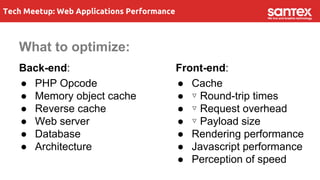
What to optimize:
Back-end:
● PHP Opcode
● Memory object cache
● Reverse cache
● Web server
● Database
● Architecture
Front-end:
● Cache
● ▿ Round-trip times
● ▿ Request overhead
● ▿ Payload size
● Rendering performance
● Javascript performance
● Perception of speed
Tech Meetup: Web Applications Performance
What is PHP Opcode cache?
● Performance Enhancing Extensions for PHP.
● Caches a compiled version of PHP script (bytecode) in
memory.
● Inject cache into the PHP life-cycle.
● Average 100% speed increase with default settings.
● Reduce file system I/O overhead.
Tech Meetup: Web Applications Performance
PHP Opcode
Extensions
● APC
● xCache
● Zend OPcache
● Microsoft WinCache
Tech Meetup: Web Applications Performance
Memory Object Cache
● Memcached
Memcached is an in-memory key-value store for small chunks of arbitrary
data (strings, objects) from results of database calls, API calls, or page
rendering.
● APC
● Redis
Tech Meetup: Web Applications Performance
Memory Object Cache
What to cache:
● Database results
● Config variables
● Rendered templates
● Processed data
● Web services responses
Tech Meetup: Web Applications Performance
Reverse Cache
● Varnish
● Nginx
● Squid
Web
Server
Web
Server
Web
Server
DB Server DB Server
Memcached / Redis
Varnish
Tech Meetup: Web Applications Performance
Server side compression
● Google PageSpeed module
● Apache
○ mod_deflate
● Nginx
○ HttpGzipModule
● IIS
○ Configure HTTP compression
Tech Meetup: Web Applications Performance
PHP Performance Tips
● Profile your code to pinpoint
bottlenecks
● Upgrade your version of PHP
● Use caching
● Use output buffering
● Avoid doing SQL queries within a
loop
● Use queues to avoid unnecessary
waits
● Prefer “foreach” loops
● Calculate loop length in advance
● Other micro-optimizations to
discuss
“Premature optimization is the root of all evil”. Donald Knuth
Tech Meetup: Web Applications Performance
MySQL Performance
● InnoDB vs. MyISAM
● Log slow queries
[mysqld]
log-slow-queries = /var/log/mysql/mysqld-
slow.log
long_query_time=1
● Analyze slow queries
EXPLAIN SELECT ...
● mytop
● Iterative Optimization by
Benchmarking
● Optimize Schema
○ Simple data types
○ Avoid NULL
○ Too many columns / joins
● Indexing
● Fetching more rows than needed
● Fetching all columns from a multi-
table join
● * is evil
● MySQL in the cloud
Tech Meetup: Web Applications Performance
Architecture Design
Just to mention a few:
● DNS Round Robin
● Load-balanced architecture
● HipHop Virtual Machine
● Database sharding
● Queues
Tech Meetup: Web Applications Performance
Performance in the Front-end
● Optimize Caching
● Minimize Round-Trip Times
● Minimize Request overhead
● Minimize Payload size
● Optimize Rendering
● asynchronous != instantaneous
Tech Meetup: Web Applications Performance
Optimize Caching
● Configure web server for caching
static resources
○ Set far future Expires header
○ Set Cache-Control
○ Configure ETags
● Set caching headers aggressively
for all static resources
● Cache redirections
● Use fingerprinting to dynamically
enable caching.
● Don't include a query string in the
URL for static resources.
● Don't enable proxy caching for
resources that set cookies.
● Be aware of issues with proxy
caching of JS and CSS files.
Tech Meetup: Web Applications Performance
Cache headers example
Request: Response:
Accept-Encoding:gzip,deflate,sdch Content-Encoding: gzip
Cache-Control: max-age=0 Cache-Control: public | private, no-cache, no-
store, must-revalidate
Expires:Mon, 16 Mar 2015 00:07:51 GMT
If-None-Match:
eb3878bf2bb06c1e33f1b09b285d13e0
ETag:eb3878bf2bb06c1e33f1b09b285d13e0
Connection:keep-alive Connection:Keep-Alive
Keep-Alive:timeout=5, max=100
If-Modified-Since: Mon, 16 Mar 2015 00:07:51
GMT
Last-Modified: Mon, 16 Mar 2015 00:07:51 GMT
Tech Meetup: Web Applications Performance
Minimize round-trip times
● Use a CDN for static content
● Minimize DNS lookups
● Minimize redirects
● Avoid bad requests
● Combine JS files
● Combine CSS files
● Combine images using sprites
● Use inline images when needed:
○ data: URL scheme
● Use image maps when possible
● Use font icons if available
● Put external scripts after external
stylesheets if possible.
● Put inline scripts after other
resources if possible.
● Avoid document.write
● Prefer async resources
○ async HTML5 attribute
Tech Meetup: Web Applications Performance
Minimize request overhead
● Don’t store large amounts of data
on cookies
● Serve static content from a
cookie-less domain
● Use server-side storage for most
of the cookie payload
● Remove unused or duplicated
cookie fields
Tech Meetup: Web Applications Performance
Minimize Payload Size
● Optimize Images
○ Use an appropriate file format
○ Use an image compressor
● Serve scaled version of images
● Defer loading of resources not
used on startup
● Enable Compression
○ Write your web page content to make
compression most effective
● Minify Javascript
● Minify CSS
○ Remove unused CSS
● Minify HTML
○ Omit optional HTML tags/attrib.
Tech Meetup: Web Applications Performance
Optimize browser rendering
● Apply animations with position fixed or
absolute
● Add/remove classes not styles
● Specify image dimensions
○ that match those of the images on the
img element or block-level parent
● Specify a character set
○ Always specify a content type and
correct character encoding.
● Reduce number of DOM elems.
● Batch DOM changes
● Stay away from table layouts
● Put CSS in the document head
● Use efficient CSS selectors
○ Avoid a universal key selector
○ Make your rules as specific as
possible.
○ Remove redundant qualifiers.
○ Use class selectors instead of
descendant selectors.
● Avoid CSS expressions
● Avoid reflows:
○ Change CSS classes as low in the
DOM as possible
Tech Meetup: Web Applications Performance
Optimize jQuery
● Use $(window).load( ) instead of
$(document).ready( ) when
possible.
● Use object detection even if
jQuery doesn't throw an error
● Use direct functions rather than
their convenience counterparts
● Avoid using jquery in loops
● Cache jQuery objects: $id =
$(‘#id’)
● Chain instead of repeat
● Always descend from an id:
$(‘#id’).find( )
● Use (HTML5) tags before classes
$(‘p’)
● Always prefix a class with a tag
name
● Avoid using general selectors
Tech Meetup: Web Applications Performance
Optimize JavaScript
● Use strict mode: “use strict”;
● Use window.performance
● Listen for events lower in the
DOM
● Bind multiple events at once
● Remember to unbind events when
they are no longer needed
● Avoid unnecessary closures
● Avoid creating functions
unnecessarily
● Cache references
● Cache AJAX results in an variable
● Store references to elements
deep in arrays when calling
multiple times.
● Use Local variables
● Batch DOM changes
Tech Meetup: Web Applications Performance
Tools
Analysis Tools
● Chrome Dev Tools
● Firebug
● YSlow extension
● PageSpeed Insights / extension
● Web Page Test
● Apache Benchmark
Compression Tools
● YUI Compressor
● Closure Compiler
● JSmin
● SpriteMe
● Smush.it
Tech Meetup: Web Applications Performance
Chrome Dev Tools
Tech Meetup: Web Applications Performance
Firebug
Tech Meetup: Web Applications Performance
Perception of speed
● The 100ms rule:
“No single JavaScript job should execute for more than 100ms to ensure a
responsive UI”
● Ensure a fast response
● Keep the user busy on waits
● Use progress bar indicators
● Staring at a blank page is not a good user experience
● Quickly show the skeleton of the screen
Tech Meetup: Web Applications Performance
Thanks!

Tech meetup: Web Applications Performance

  • 1.
    Tech Meetup: WebApplications Performance Welcome! Moderators: ● Mariano Brolio ● Ramiro Castro
  • 2.
    Tech Meetup: WebApplications Performance Why bother? ● Better user experience ● Higher visitor engagement ● Retention ● Conversions ● Productivity ● Hardware efficiency ● ROI
  • 3.
    Tech Meetup: WebApplications Performance Web Applications Performance Back-end vs. Front-end The Golden Performance Rule: 80-90% of the end-user response time is spent on the frontend
  • 4.
    Tech Meetup: WebApplications Performance What to optimize: Back-end: ● PHP Opcode ● Memory object cache ● Reverse cache ● Web server ● Database ● Architecture Front-end: ● Cache ● ▿ Round-trip times ● ▿ Request overhead ● ▿ Payload size ● Rendering performance ● Javascript performance ● Perception of speed
  • 5.
    Tech Meetup: WebApplications Performance What is PHP Opcode cache? ● Performance Enhancing Extensions for PHP. ● Caches a compiled version of PHP script (bytecode) in memory. ● Inject cache into the PHP life-cycle. ● Average 100% speed increase with default settings. ● Reduce file system I/O overhead.
  • 6.
    Tech Meetup: WebApplications Performance PHP Opcode Extensions ● APC ● xCache ● Zend OPcache ● Microsoft WinCache
  • 7.
    Tech Meetup: WebApplications Performance Memory Object Cache ● Memcached Memcached is an in-memory key-value store for small chunks of arbitrary data (strings, objects) from results of database calls, API calls, or page rendering. ● APC ● Redis
  • 8.
    Tech Meetup: WebApplications Performance Memory Object Cache What to cache: ● Database results ● Config variables ● Rendered templates ● Processed data ● Web services responses
  • 9.
    Tech Meetup: WebApplications Performance Reverse Cache ● Varnish ● Nginx ● Squid Web Server Web Server Web Server DB Server DB Server Memcached / Redis Varnish
  • 10.
    Tech Meetup: WebApplications Performance Server side compression ● Google PageSpeed module ● Apache ○ mod_deflate ● Nginx ○ HttpGzipModule ● IIS ○ Configure HTTP compression
  • 11.
    Tech Meetup: WebApplications Performance PHP Performance Tips ● Profile your code to pinpoint bottlenecks ● Upgrade your version of PHP ● Use caching ● Use output buffering ● Avoid doing SQL queries within a loop ● Use queues to avoid unnecessary waits ● Prefer “foreach” loops ● Calculate loop length in advance ● Other micro-optimizations to discuss “Premature optimization is the root of all evil”. Donald Knuth
  • 12.
    Tech Meetup: WebApplications Performance MySQL Performance ● InnoDB vs. MyISAM ● Log slow queries [mysqld] log-slow-queries = /var/log/mysql/mysqld- slow.log long_query_time=1 ● Analyze slow queries EXPLAIN SELECT ... ● mytop ● Iterative Optimization by Benchmarking ● Optimize Schema ○ Simple data types ○ Avoid NULL ○ Too many columns / joins ● Indexing ● Fetching more rows than needed ● Fetching all columns from a multi- table join ● * is evil ● MySQL in the cloud
  • 13.
    Tech Meetup: WebApplications Performance Architecture Design Just to mention a few: ● DNS Round Robin ● Load-balanced architecture ● HipHop Virtual Machine ● Database sharding ● Queues
  • 14.
    Tech Meetup: WebApplications Performance Performance in the Front-end ● Optimize Caching ● Minimize Round-Trip Times ● Minimize Request overhead ● Minimize Payload size ● Optimize Rendering ● asynchronous != instantaneous
  • 15.
    Tech Meetup: WebApplications Performance Optimize Caching ● Configure web server for caching static resources ○ Set far future Expires header ○ Set Cache-Control ○ Configure ETags ● Set caching headers aggressively for all static resources ● Cache redirections ● Use fingerprinting to dynamically enable caching. ● Don't include a query string in the URL for static resources. ● Don't enable proxy caching for resources that set cookies. ● Be aware of issues with proxy caching of JS and CSS files.
  • 16.
    Tech Meetup: WebApplications Performance Cache headers example Request: Response: Accept-Encoding:gzip,deflate,sdch Content-Encoding: gzip Cache-Control: max-age=0 Cache-Control: public | private, no-cache, no- store, must-revalidate Expires:Mon, 16 Mar 2015 00:07:51 GMT If-None-Match: eb3878bf2bb06c1e33f1b09b285d13e0 ETag:eb3878bf2bb06c1e33f1b09b285d13e0 Connection:keep-alive Connection:Keep-Alive Keep-Alive:timeout=5, max=100 If-Modified-Since: Mon, 16 Mar 2015 00:07:51 GMT Last-Modified: Mon, 16 Mar 2015 00:07:51 GMT
  • 17.
    Tech Meetup: WebApplications Performance Minimize round-trip times ● Use a CDN for static content ● Minimize DNS lookups ● Minimize redirects ● Avoid bad requests ● Combine JS files ● Combine CSS files ● Combine images using sprites ● Use inline images when needed: ○ data: URL scheme ● Use image maps when possible ● Use font icons if available ● Put external scripts after external stylesheets if possible. ● Put inline scripts after other resources if possible. ● Avoid document.write ● Prefer async resources ○ async HTML5 attribute
  • 18.
    Tech Meetup: WebApplications Performance Minimize request overhead ● Don’t store large amounts of data on cookies ● Serve static content from a cookie-less domain ● Use server-side storage for most of the cookie payload ● Remove unused or duplicated cookie fields
  • 19.
    Tech Meetup: WebApplications Performance Minimize Payload Size ● Optimize Images ○ Use an appropriate file format ○ Use an image compressor ● Serve scaled version of images ● Defer loading of resources not used on startup ● Enable Compression ○ Write your web page content to make compression most effective ● Minify Javascript ● Minify CSS ○ Remove unused CSS ● Minify HTML ○ Omit optional HTML tags/attrib.
  • 20.
    Tech Meetup: WebApplications Performance Optimize browser rendering ● Apply animations with position fixed or absolute ● Add/remove classes not styles ● Specify image dimensions ○ that match those of the images on the img element or block-level parent ● Specify a character set ○ Always specify a content type and correct character encoding. ● Reduce number of DOM elems. ● Batch DOM changes ● Stay away from table layouts ● Put CSS in the document head ● Use efficient CSS selectors ○ Avoid a universal key selector ○ Make your rules as specific as possible. ○ Remove redundant qualifiers. ○ Use class selectors instead of descendant selectors. ● Avoid CSS expressions ● Avoid reflows: ○ Change CSS classes as low in the DOM as possible
  • 21.
    Tech Meetup: WebApplications Performance Optimize jQuery ● Use $(window).load( ) instead of $(document).ready( ) when possible. ● Use object detection even if jQuery doesn't throw an error ● Use direct functions rather than their convenience counterparts ● Avoid using jquery in loops ● Cache jQuery objects: $id = $(‘#id’) ● Chain instead of repeat ● Always descend from an id: $(‘#id’).find( ) ● Use (HTML5) tags before classes $(‘p’) ● Always prefix a class with a tag name ● Avoid using general selectors
  • 22.
    Tech Meetup: WebApplications Performance Optimize JavaScript ● Use strict mode: “use strict”; ● Use window.performance ● Listen for events lower in the DOM ● Bind multiple events at once ● Remember to unbind events when they are no longer needed ● Avoid unnecessary closures ● Avoid creating functions unnecessarily ● Cache references ● Cache AJAX results in an variable ● Store references to elements deep in arrays when calling multiple times. ● Use Local variables ● Batch DOM changes
  • 23.
    Tech Meetup: WebApplications Performance Tools Analysis Tools ● Chrome Dev Tools ● Firebug ● YSlow extension ● PageSpeed Insights / extension ● Web Page Test ● Apache Benchmark Compression Tools ● YUI Compressor ● Closure Compiler ● JSmin ● SpriteMe ● Smush.it
  • 24.
    Tech Meetup: WebApplications Performance Chrome Dev Tools
  • 25.
    Tech Meetup: WebApplications Performance Firebug
  • 26.
    Tech Meetup: WebApplications Performance Perception of speed ● The 100ms rule: “No single JavaScript job should execute for more than 100ms to ensure a responsive UI” ● Ensure a fast response ● Keep the user busy on waits ● Use progress bar indicators ● Staring at a blank page is not a good user experience ● Quickly show the skeleton of the screen
  • 27.
    Tech Meetup: WebApplications Performance Thanks!