Journey through High
Performance Django Application
Gowtham
@iamgowthamm
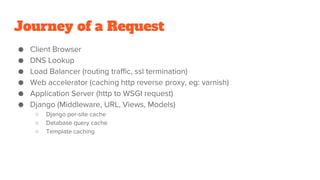
Journey of a Request
● Client Browser
● DNS Lookup
● Load Balancer (routing traffic, ssl termination)
● Web accelerator (caching http reverse proxy, eg: varnish)
● Application Server (http to WSGI request)
● Django (Middleware, URL, Views, Models)
○ Django per-site cache
○ Database query cache
○ Template caching
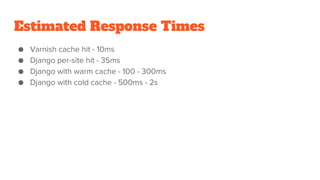
Estimated Response Times
● Varnish cache hit - 10ms
● Django per-site hit - 35ms
● Django with warm cache - 100 - 300ms
● Django with cold cache - 500ms - 2s
Load Balancer
● Open Source
○ HAProxy
○ Nginx
○ Varnish
● Commercial
○ Amazon ELB
○ Rackspace Cloud Load Balancer
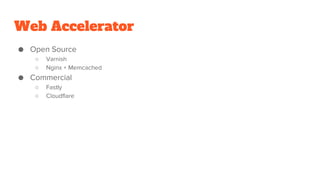
Web Accelerator
● Open Source
○ Varnish
○ Nginx + Memcached
● Commercial
○ Fastly
○ Cloudflare
App Server
● uWSGI
● Gunicorn
● Apache
Cache
● Memcached
● Redis
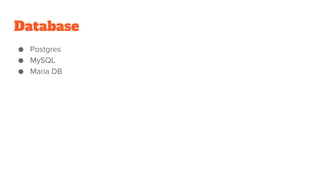
Database
● Postgres
● MySQL
● Maria DB
The Approach
Be cautious with third party apps
● Does it cover your complete requirements?
● It is a healthy project?
● Does it have any impact on rest of the application?
● Does it have a license and is compatible with your existing code base
Tools
● Django Debug Toolbar
● django-debug-panel (non html ajax requests)
● django-devserver (show the sql info in console instead of browser, runserver
replacement)
● Some of the info retrieved are
○ Cumulative time spent in the database
○ Individual queries ran and time taken for each
○ Code that generated each query
○ Templates that are used to render the page
○ How does a warm/cold cache affect performance?
Database Optimizations
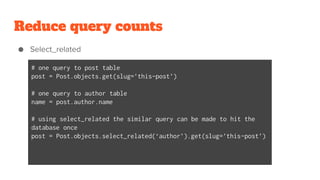
Reduce query counts
● Select_related
# one query to post table
post = Post.objects.get(slug=’this-post’)
# one query to author table
name = post.author.name
# using select_related the similar query can be made to hit the
database once
post = Post.objects.select_related(‘author’).get(slug=’this-post’)
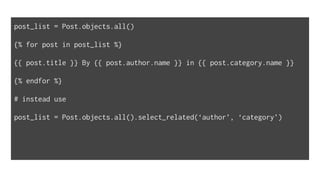
post_list = Post.objects.all()
{% for post in post_list %}
{{ post.title }} By {{ post.author.name }} in {{ post.category.name }}
{% endfor %}
# instead use
post_list = Post.objects.all().select_related(‘author’, ‘category’)
● prefetch_related
Post = Post.objects.prefetch_related(‘tags’).get(slug=’this-post’)
# no extra queries
all_tags = post.tags.all()
# triggers additional queries
active_tags = post.tags.filter(is_active=True)
# such additional queries can be avoided by doing the additional filtering in
memory
active_tags = [tag for tag in all_tags if tag.is_active]
Reduce query time
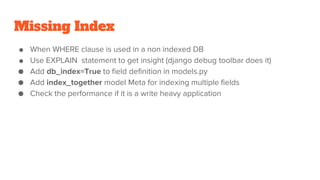
Missing Index
● When WHERE clause is used in a non indexed DB
● Use EXPLAIN statement to get insight (django debug toolbar does it)
● Add db_index=True to field definition in models.py
● Add index_together model Meta for indexing multiple fields
● Check the performance if it is a write heavy application
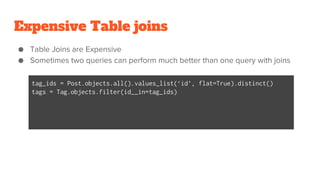
Expensive Table joins
● Table Joins are Expensive
● Sometimes two queries can perform much better than one query with joins
tag_ids = Post.objects.all().values_list(‘id’, flat=True).distinct()
tags = Tag.objects.filter(id__in=tag_ids)
Too many Results
● Limit the queries using queryset[:n] where n is the maximum results returned
● Use pagination where appropriate
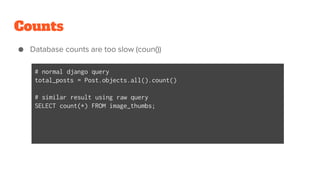
Counts
● Database counts are too slow (coun())
# normal django query
total_posts = Post.objects.all().count()
# similar result using raw query
SELECT count(*) FROM image_thumbs;
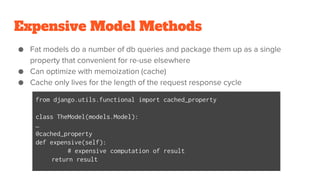
Expensive Model Methods
● Fat models do a number of db queries and package them up as a single
property that convenient for re-use elsewhere
● Can optimize with memoization (cache)
● Cache only lives for the length of the request response cycle
from django.utils.functional import cached_property
class TheModel(models.Model):
…
@cached_property
def expensive(self):
# expensive computation of result
return result
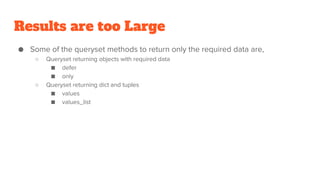
Results are too Large
● Some of the queryset methods to return only the required data are,
○ Queryset returning objects with required data
■ defer
■ only
○ Queryset returning dict and tuples
■ values
■ values_list
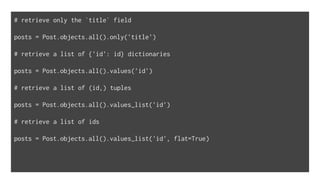
# retrieve only the `title` field
posts = Post.objects.all().only('title')
# retrieve a list of {'id': id} dictionaries
posts = Post.objects.all().values('id')
# retrieve a list of (id,) tuples
posts = Post.objects.all().values_list('id')
# retrieve a list of ids
posts = Post.objects.all().values_list('id', flat=True)
Query Caching
● Problems faced for query caching
○ Manual error caused by human
○ Cache invalidation is a hardest problem
● Some of the caching tools/libs used are
○ Johnny Cache (stable)
○ Cache machine
Read-Only Replicas
● Add more database replica and push all read traffic to replica database using
django’s multi-database and router support
Raw Queries
● Some queries would not be suitable for some poor performing ORM queries
using raw method
Denormalization
● Some columns from source table joins that are necessary but are too slow can
be copied from source table to table in need
● Some of the cons of using this method are
○ Writes for the table are doubled since they need to update every table that includes a
denormalized field
Alternate Data Stores
● NoSQL database to be used in some scenarios
● MongoDB
Sharding
● Used to partition the data across multiple databases when the size of the
database increases linearly causing an exponential increase in the response
time for querying the database
● Data sharding is a complex process and thus use it only when you are 100%
sure it’s the best option for you
Template Optimization
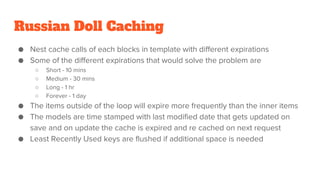
Russian Doll Caching
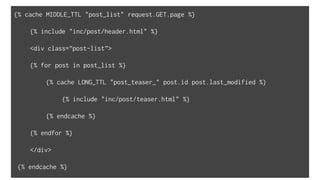
● Nest cache calls of each blocks in template with different expirations
● Some of the different expirations that would solve the problem are
○ Short - 10 mins
○ Medium - 30 mins
○ Long - 1 hr
○ Forever - 1 day
● The items outside of the loop will expire more frequently than the inner items
● The models are time stamped with last modified date that gets updated on
save and on update the cache is expired and re cached on next request
● Least Recently Used keys are flushed if additional space is needed
{% cache MIDDLE_TTL "post_list" request.GET.page %}
{% include "inc/post/header.html" %}
<div class=”post-list”>
{% for post in post_list %}
{% cache LONG_TTL "post_teaser_" post.id post.last_modified %}
{% include "inc/post/teaser.html" %}
{% endcache %}
{% endfor %}
</div>
{% endcache %}
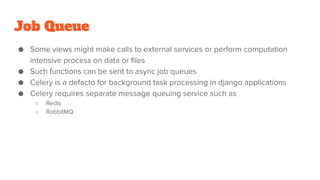
Job Queue
● Some views might make calls to external services or perform computation
intensive process on data or files
● Such functions can be sent to async job queues
● Celery is a defacto for background task processing in django applications
● Celery requires separate message queuing service such as
○ Redis
○ RabbitMQ
Front-End Optimizations
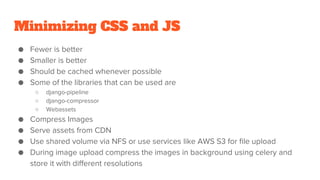
Minimizing CSS and JS
● Fewer is better
● Smaller is better
● Should be cached whenever possible
● Some of the libraries that can be used are
○ django-pipeline
○ django-compressor
○ Webassets
● Compress Images
● Serve assets from CDN
● Use shared volume via NFS or use services like AWS S3 for file upload
● During image upload compress the images in background using celery and
store it with different resolutions
Deployment
CI & CD
● Automate deployment with continuous integration and continuous deployment
● Check if the following tests are in place
○ Unit tests
○ PEP8 / Linting
○ Functional tests using selenium
○ Performance tests using Jmeter
● Use jenkins for deploying django application with the tests in place
● django-discover-jenkins package can be useful to setup django application in
jenkins with code coverage, pylint and flake8
● Use docker containers and kubernetes cluster
Server Layout
● Load Balancer
● Web Accelerator
● Django Application
● Background Workers
● Cache
● Database
Database Tuning
● The databases that we use are not tuned out of the box
● The following adjustments can be done for PostgreSQL DB
○ shared_buffers 25% of RAM up to 8GB
○ work_mem (2x RAM) / max_connections
○ maintenance_work_mem RAM / 16
○ effective_cache_size RAM / 2
○ max_connections less than 400
● The following tuning can be done for MySQL DB
○ innodb-buffer-pool-size 80% of RAM
uWSGI Tuning
● Some of the options to be tuned in uWSGI are
○ processes (number of processor cores)
○ threads (number of threads)
○ harakiri (maximum time a worker can take to process a single request before killing it)
○ max-requests (maximum request that can be handled at a time, to be set to higher number)
○ post-buffering (max size of HTTP request body for file uploads, set it to 4096)
○ stats (publish stats about the uWSGI process)
Tuning Django
● CACHES (redis and memcached)
● SESSION_ENGINE (use cache backend to store the session)
● DATABASES
○ CONN_MAX_AGE 300 is good option
● MIDDLEWARE_CLASSES
● General Security
○ Install django-secure project and run manage.py checksecure to verify production installations
○ Refer OWASP for understanding such vulnerabilities
Monitoring
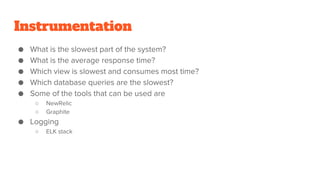
● What is the slowest part of the system?
● What is the average response time?
● Which view is slowest and consumes most time?
● Which database queries are the slowest?
● Some of the tools that can be used are
○ NewRelic
○ Graphite
● Logging
○ ELK stack
Instrumentation
Launch Planning
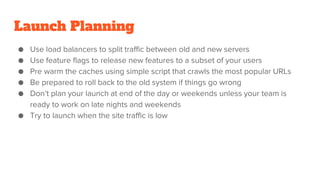
● Use load balancers to split traffic between old and new servers
● Use feature flags to release new features to a subset of your users
● Pre warm the caches using simple script that crawls the most popular URLs
● Be prepared to roll back to the old system if things go wrong
● Don’t plan your launch at end of the day or weekends unless your team is
ready to work on late nights and weekends
● Try to launch when the site traffic is low
The Launch
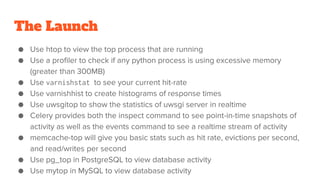
● Use htop to view the top process that are running
● Use a profiler to check if any python process is using excessive memory
(greater than 300MB)
● Use varnishstat to see your current hit-rate
● Use varnishhist to create histograms of response times
● Use uwsgitop to show the statistics of uwsgi server in realtime
● Celery provides both the inspect command to see point-in-time snapshots of
activity as well as the events command to see a realtime stream of activity
● memcache-top will give you basic stats such as hit rate, evictions per second,
and read/writes per second
● Use pg_top in PostgreSQL to view database activity
● Use mytop in MySQL to view database activity
The Road Ahead
Traffic Spikes
● During normal operation your site shouldn’t utilize 100% of the resources at
any level of the stack.
● Anything that utilize 70% and above should be optimized or given additional
resources
● Keep auto scaling in place for sites with frequent traffic bursts
● Regularly monitor and keep optimize the site
Bit Rot
● Keep the third party libraries and other softwares in the application updated
● The softwares needs to stay patched on a regular basis
● We tend to avoid this step since we are busy developing new features
● Outdated software also leads to security vulnerability
● Make sure the versions of servers and libraries that you use are LTS
Poor Decision
● You are your worst enemy
● Accidental flushing of the cache
● Locking the database
● Migrations should be reviewed and tested on a recent replica of the live data
before going to production
● Mass cache invalidation
● Expensive admin views
● Expensive background tasks
● Gradual Performance degradation
● Complexity creep
Thank you

Journey through high performance django application

  • 1.
    Journey through High PerformanceDjango Application Gowtham @iamgowthamm
  • 2.
    Journey of aRequest ● Client Browser ● DNS Lookup ● Load Balancer (routing traffic, ssl termination) ● Web accelerator (caching http reverse proxy, eg: varnish) ● Application Server (http to WSGI request) ● Django (Middleware, URL, Views, Models) ○ Django per-site cache ○ Database query cache ○ Template caching
  • 3.
    Estimated Response Times ●Varnish cache hit - 10ms ● Django per-site hit - 35ms ● Django with warm cache - 100 - 300ms ● Django with cold cache - 500ms - 2s
  • 4.
    Load Balancer ● OpenSource ○ HAProxy ○ Nginx ○ Varnish ● Commercial ○ Amazon ELB ○ Rackspace Cloud Load Balancer
  • 5.
    Web Accelerator ● OpenSource ○ Varnish ○ Nginx + Memcached ● Commercial ○ Fastly ○ Cloudflare
  • 6.
    App Server ● uWSGI ●Gunicorn ● Apache
  • 7.
  • 8.
  • 9.
  • 10.
    Be cautious withthird party apps ● Does it cover your complete requirements? ● It is a healthy project? ● Does it have any impact on rest of the application? ● Does it have a license and is compatible with your existing code base
  • 11.
    Tools ● Django DebugToolbar ● django-debug-panel (non html ajax requests) ● django-devserver (show the sql info in console instead of browser, runserver replacement) ● Some of the info retrieved are ○ Cumulative time spent in the database ○ Individual queries ran and time taken for each ○ Code that generated each query ○ Templates that are used to render the page ○ How does a warm/cold cache affect performance?
  • 12.
  • 13.
    Reduce query counts ●Select_related # one query to post table post = Post.objects.get(slug=’this-post’) # one query to author table name = post.author.name # using select_related the similar query can be made to hit the database once post = Post.objects.select_related(‘author’).get(slug=’this-post’)
  • 14.
    post_list = Post.objects.all() {%for post in post_list %} {{ post.title }} By {{ post.author.name }} in {{ post.category.name }} {% endfor %} # instead use post_list = Post.objects.all().select_related(‘author’, ‘category’)
  • 15.
    ● prefetch_related Post =Post.objects.prefetch_related(‘tags’).get(slug=’this-post’) # no extra queries all_tags = post.tags.all() # triggers additional queries active_tags = post.tags.filter(is_active=True) # such additional queries can be avoided by doing the additional filtering in memory active_tags = [tag for tag in all_tags if tag.is_active]
  • 16.
  • 17.
    Missing Index ● WhenWHERE clause is used in a non indexed DB ● Use EXPLAIN statement to get insight (django debug toolbar does it) ● Add db_index=True to field definition in models.py ● Add index_together model Meta for indexing multiple fields ● Check the performance if it is a write heavy application
  • 18.
    Expensive Table joins ●Table Joins are Expensive ● Sometimes two queries can perform much better than one query with joins tag_ids = Post.objects.all().values_list(‘id’, flat=True).distinct() tags = Tag.objects.filter(id__in=tag_ids)
  • 19.
    Too many Results ●Limit the queries using queryset[:n] where n is the maximum results returned ● Use pagination where appropriate
  • 20.
    Counts ● Database countsare too slow (coun()) # normal django query total_posts = Post.objects.all().count() # similar result using raw query SELECT count(*) FROM image_thumbs;
  • 21.
    Expensive Model Methods ●Fat models do a number of db queries and package them up as a single property that convenient for re-use elsewhere ● Can optimize with memoization (cache) ● Cache only lives for the length of the request response cycle from django.utils.functional import cached_property class TheModel(models.Model): … @cached_property def expensive(self): # expensive computation of result return result
  • 22.
    Results are tooLarge ● Some of the queryset methods to return only the required data are, ○ Queryset returning objects with required data ■ defer ■ only ○ Queryset returning dict and tuples ■ values ■ values_list
  • 23.
    # retrieve onlythe `title` field posts = Post.objects.all().only('title') # retrieve a list of {'id': id} dictionaries posts = Post.objects.all().values('id') # retrieve a list of (id,) tuples posts = Post.objects.all().values_list('id') # retrieve a list of ids posts = Post.objects.all().values_list('id', flat=True)
  • 24.
    Query Caching ● Problemsfaced for query caching ○ Manual error caused by human ○ Cache invalidation is a hardest problem ● Some of the caching tools/libs used are ○ Johnny Cache (stable) ○ Cache machine
  • 25.
    Read-Only Replicas ● Addmore database replica and push all read traffic to replica database using django’s multi-database and router support
  • 26.
    Raw Queries ● Somequeries would not be suitable for some poor performing ORM queries using raw method
  • 27.
    Denormalization ● Some columnsfrom source table joins that are necessary but are too slow can be copied from source table to table in need ● Some of the cons of using this method are ○ Writes for the table are doubled since they need to update every table that includes a denormalized field
  • 28.
    Alternate Data Stores ●NoSQL database to be used in some scenarios ● MongoDB
  • 29.
    Sharding ● Used topartition the data across multiple databases when the size of the database increases linearly causing an exponential increase in the response time for querying the database ● Data sharding is a complex process and thus use it only when you are 100% sure it’s the best option for you
  • 30.
  • 31.
    Russian Doll Caching ●Nest cache calls of each blocks in template with different expirations ● Some of the different expirations that would solve the problem are ○ Short - 10 mins ○ Medium - 30 mins ○ Long - 1 hr ○ Forever - 1 day ● The items outside of the loop will expire more frequently than the inner items ● The models are time stamped with last modified date that gets updated on save and on update the cache is expired and re cached on next request ● Least Recently Used keys are flushed if additional space is needed
  • 32.
    {% cache MIDDLE_TTL"post_list" request.GET.page %} {% include "inc/post/header.html" %} <div class=”post-list”> {% for post in post_list %} {% cache LONG_TTL "post_teaser_" post.id post.last_modified %} {% include "inc/post/teaser.html" %} {% endcache %} {% endfor %} </div> {% endcache %}
  • 33.
    Job Queue ● Someviews might make calls to external services or perform computation intensive process on data or files ● Such functions can be sent to async job queues ● Celery is a defacto for background task processing in django applications ● Celery requires separate message queuing service such as ○ Redis ○ RabbitMQ
  • 34.
  • 35.
    Minimizing CSS andJS ● Fewer is better ● Smaller is better ● Should be cached whenever possible ● Some of the libraries that can be used are ○ django-pipeline ○ django-compressor ○ Webassets ● Compress Images ● Serve assets from CDN ● Use shared volume via NFS or use services like AWS S3 for file upload ● During image upload compress the images in background using celery and store it with different resolutions
  • 36.
  • 37.
    CI & CD ●Automate deployment with continuous integration and continuous deployment ● Check if the following tests are in place ○ Unit tests ○ PEP8 / Linting ○ Functional tests using selenium ○ Performance tests using Jmeter ● Use jenkins for deploying django application with the tests in place ● django-discover-jenkins package can be useful to setup django application in jenkins with code coverage, pylint and flake8 ● Use docker containers and kubernetes cluster
  • 38.
    Server Layout ● LoadBalancer ● Web Accelerator ● Django Application ● Background Workers ● Cache ● Database
  • 39.
    Database Tuning ● Thedatabases that we use are not tuned out of the box ● The following adjustments can be done for PostgreSQL DB ○ shared_buffers 25% of RAM up to 8GB ○ work_mem (2x RAM) / max_connections ○ maintenance_work_mem RAM / 16 ○ effective_cache_size RAM / 2 ○ max_connections less than 400 ● The following tuning can be done for MySQL DB ○ innodb-buffer-pool-size 80% of RAM
  • 40.
    uWSGI Tuning ● Someof the options to be tuned in uWSGI are ○ processes (number of processor cores) ○ threads (number of threads) ○ harakiri (maximum time a worker can take to process a single request before killing it) ○ max-requests (maximum request that can be handled at a time, to be set to higher number) ○ post-buffering (max size of HTTP request body for file uploads, set it to 4096) ○ stats (publish stats about the uWSGI process)
  • 41.
    Tuning Django ● CACHES(redis and memcached) ● SESSION_ENGINE (use cache backend to store the session) ● DATABASES ○ CONN_MAX_AGE 300 is good option ● MIDDLEWARE_CLASSES ● General Security ○ Install django-secure project and run manage.py checksecure to verify production installations ○ Refer OWASP for understanding such vulnerabilities
  • 42.
  • 43.
    ● What isthe slowest part of the system? ● What is the average response time? ● Which view is slowest and consumes most time? ● Which database queries are the slowest? ● Some of the tools that can be used are ○ NewRelic ○ Graphite ● Logging ○ ELK stack Instrumentation
  • 44.
    Launch Planning ● Useload balancers to split traffic between old and new servers ● Use feature flags to release new features to a subset of your users ● Pre warm the caches using simple script that crawls the most popular URLs ● Be prepared to roll back to the old system if things go wrong ● Don’t plan your launch at end of the day or weekends unless your team is ready to work on late nights and weekends ● Try to launch when the site traffic is low
  • 45.
    The Launch ● Usehtop to view the top process that are running ● Use a profiler to check if any python process is using excessive memory (greater than 300MB) ● Use varnishstat to see your current hit-rate ● Use varnishhist to create histograms of response times ● Use uwsgitop to show the statistics of uwsgi server in realtime ● Celery provides both the inspect command to see point-in-time snapshots of activity as well as the events command to see a realtime stream of activity ● memcache-top will give you basic stats such as hit rate, evictions per second, and read/writes per second ● Use pg_top in PostgreSQL to view database activity ● Use mytop in MySQL to view database activity
  • 46.
  • 47.
    Traffic Spikes ● Duringnormal operation your site shouldn’t utilize 100% of the resources at any level of the stack. ● Anything that utilize 70% and above should be optimized or given additional resources ● Keep auto scaling in place for sites with frequent traffic bursts ● Regularly monitor and keep optimize the site
  • 48.
    Bit Rot ● Keepthe third party libraries and other softwares in the application updated ● The softwares needs to stay patched on a regular basis ● We tend to avoid this step since we are busy developing new features ● Outdated software also leads to security vulnerability ● Make sure the versions of servers and libraries that you use are LTS
  • 49.
    Poor Decision ● Youare your worst enemy ● Accidental flushing of the cache ● Locking the database ● Migrations should be reviewed and tested on a recent replica of the live data before going to production ● Mass cache invalidation ● Expensive admin views ● Expensive background tasks ● Gradual Performance degradation ● Complexity creep
  • 50.