HTML5 Web Storage
(DOM storage)


                    ©Inbal Geffen 2012
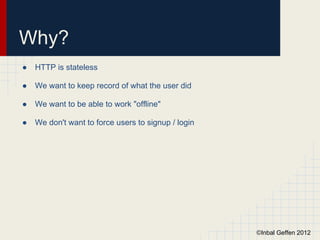
Why?
●   HTTP is stateless

●   We want to keep record of what the user did

●   We want to be able to work "offline"

●   We don't want to force users to signup / login


                                                     ©Inbal Geffen 2012
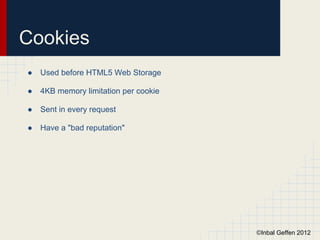
Cookies
●   Used before HTML5 Web Storage

●   4KB memory limitation per cookie

●   Sent in every request

●   Have a "bad reputation"


                                       ©Inbal Geffen 2012
localStorage vs.
sessionStorage
In Both
●   Data is stored as key/value pairs

●   Data is stored in string form

●   Use the same API : setItem(), getItem(), clear(), removeItem()

●   Fire 'storage' event


                                                                 ©Inbal Geffen 2012
localStorage vs.
sessionStorage
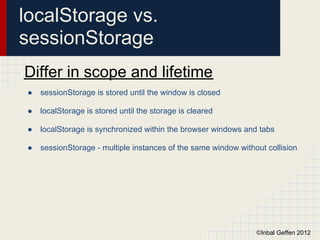
Differ in scope and lifetime
●   sessionStorage is stored until the window is closed

●   localStorage is stored until the storage is cleared

●   localStorage is synchronized within the browser windows and tabs

●   sessionStorage - multiple instances of the same window without collision


                                                                ©Inbal Geffen 2012
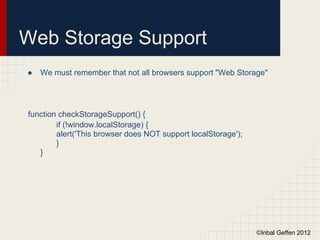
Web Storage Support
●   We must remember that not all browsers support "Web Storage"


function checkStorageSupport() {
        if (!window.localStorage) {
        alert('This browser does NOT support localStorage');
        }
   }


                                                               ©Inbal Geffen 2012
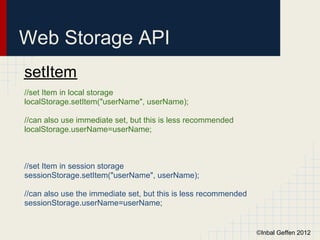
Web Storage API
setItem
//set Item in local storage
localStorage.setItem("userName", userName);

//can also use immediate set, but this is less recommended
localStorage.userName=userName;


//set Item in session storage
sessionStorage.setItem("userName", userName);

//can also use the immediate set, but this is less recommended
sessionStorage.userName=userName;


                                                                 ©Inbal Geffen 2012
Web Storage API
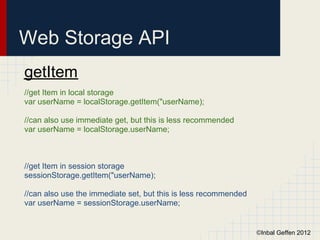
getItem
//get Item in local storage
var userName = localStorage.getItem("userName);

//can also use immediate get, but this is less recommended
var userName = localStorage.userName;


//get Item in session storage
sessionStorage.getItem("userName);

//can also use the immediate set, but this is less recommended
var userName = sessionStorage.userName;


                                                                 ©Inbal Geffen 2012
Web Storage API
clear(), removeItem
//clear the local storage
localStorage.clear();

//remove specific item from local storage
localStorage.removeItem("userName");
//localStorage.getItem("userName") => NULL

//clear the session storage
sessionStorage.clear();

//remove specific item from session storage
sessionStorage.removeItem("userName");


                                              ©Inbal Geffen 2012
Web Storage API

●   Web Storage is an array

●   localStorage.length

●   Item in the ith position in the array : localStorage.key(i)


                                                                  ©Inbal Geffen 2012
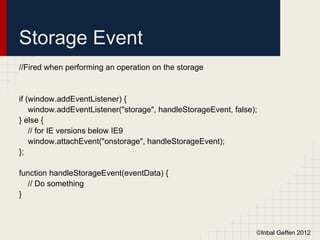
Storage Event
//Fired when performing an operation on the storage


if (window.addEventListener) {
    window.addEventListener("storage", handleStorageEvent, false);
} else {
    // for IE versions below IE9
    window.attachEvent("onstorage", handleStorageEvent);
};

function handleStorageEvent(eventData) {
  // Do something
}


                                                                 ©Inbal Geffen 2012
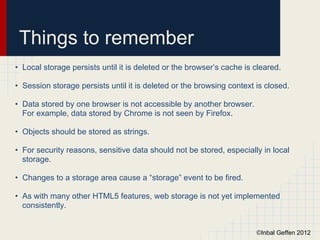
Things to remember
• Local storage persists until it is deleted or the browser’s cache is cleared.

• Session storage persists until it is deleted or the browsing context is closed.

• Data stored by one browser is not accessible by another browser.
  For example, data stored by Chrome is not seen by Firefox.

• Objects should be stored as strings.

• For security reasons, sensitive data should not be stored, especially in local
  storage.

• Changes to a storage area cause a “storage” event to be fired.

• As with many other HTML5 features, web storage is not yet implemented
  consistently.


                                                                       ©Inbal Geffen 2012
HTML5 Web Workers


                    ©Inbal Geffen 2012
THE PROBLEM:
 JAVASCRIPT CONCURRENCY
• JavaScript is a single-threaded environment

• Used to be "solved" with asynchronous techniques such as:
  setTimeout(), setInterval(), XMLHttpRequest, and event handlers

• Asynchronous events are processed after the current executing script

• Web Workers are the HTML5 solution, enabling multi threading


                                                                    ©Inbal Geffen 2012
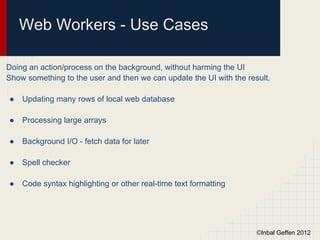
Web Workers - Use Cases

Doing an action/process on the background, without harming the UI
Show something to the user and then we can update the UI with the result.

●   Updating many rows of local web database

●   Processing large arrays

●   Background I/O - fetch data for later

●   Spell checker

●   Code syntax highlighting or other real-time text formatting


                                                                     ©Inbal Geffen 2012
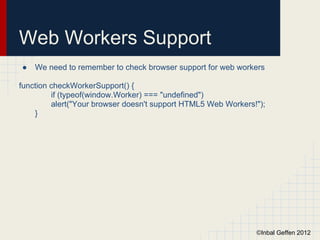
Web Workers Support
●   We need to remember to check browser support for web workers

function checkWorkerSupport() {
         if (typeof(window.Worker) === "undefined")
         alert("Your browser doesn't support HTML5 Web Workers!");
    }


                                                               ©Inbal Geffen 2012
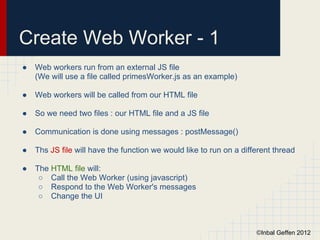
Create Web Worker - 1
●   Web workers run from an external JS file
    (We will use a file called primesWorker.js as an example)

●   Web workers will be called from our HTML file

●   So we need two files : our HTML file and a JS file

●   Communication is done using messages : postMessage()

●   Ths JS file will have the function we would like to run on a different thread

●   The HTML file will:
     ○ Call the Web Worker (using javascript)
     ○ Respond to the Web Worker's messages
     ○ Change the UI


                                                                     ©Inbal Geffen 2012
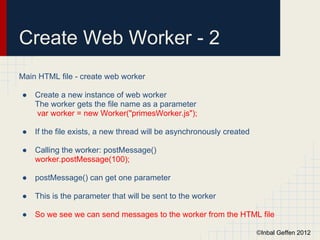
Create Web Worker - 2
Main HTML file - create web worker

●   Create a new instance of web worker
    The worker gets the file name as a parameter
    var worker = new Worker("primesWorker.js");

●   If the file exists, a new thread will be asynchronously created

●   Calling the worker: postMessage()
    worker.postMessage(100);

●   postMessage() can get one parameter

●   This is the parameter that will be sent to the worker

●   So we see we can send messages to the worker from the HTML file

                                                                      ©Inbal Geffen 2012
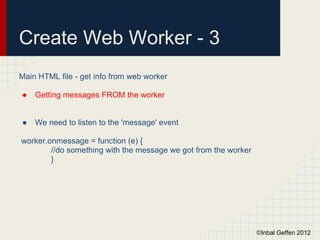
Create Web Worker - 3
Main HTML file - get info from web worker

●   Getting messages FROM the worker


●   We need to listen to the 'message' event

worker.onmessage = function (e) {
        //do something with the message we got from the worker
        }


                                                                 ©Inbal Geffen 2012
Create Web Worker - 4
Main HTML file - errors

●   Check for errors

// Show errors from the worker
        worker.onerror = function (error) {
        alert(error.data);
        }


                                              ©Inbal Geffen 2012
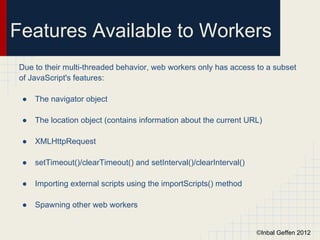
Features Available to Workers
Due to their multi-threaded behavior, web workers only has access to a subset
of JavaScript's features:

 ●   The navigator object

 ●   The location object (contains information about the current URL)

 ●   XMLHttpRequest

 ●   setTimeout()/clearTimeout() and setInterval()/clearInterval()

 ●   Importing external scripts using the importScripts() method

 ●   Spawning other web workers


                                                                     ©Inbal Geffen 2012
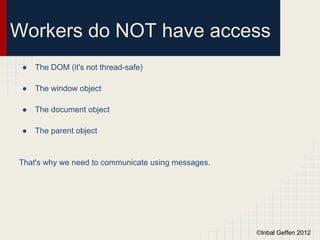
Workers do NOT have access
 ●   The DOM (it's not thread-safe)

 ●   The window object

 ●   The document object

 ●   The parent object


That's why we need to communicate using messages.


                                                    ©Inbal Geffen 2012

Web Storage & Web Workers

  • 1.
    HTML5 Web Storage (DOMstorage) ©Inbal Geffen 2012
  • 2.
    Why? ● HTTP is stateless ● We want to keep record of what the user did ● We want to be able to work "offline" ● We don't want to force users to signup / login ©Inbal Geffen 2012
  • 3.
    Cookies ● Used before HTML5 Web Storage ● 4KB memory limitation per cookie ● Sent in every request ● Have a "bad reputation" ©Inbal Geffen 2012
  • 4.
    localStorage vs. sessionStorage In Both ● Data is stored as key/value pairs ● Data is stored in string form ● Use the same API : setItem(), getItem(), clear(), removeItem() ● Fire 'storage' event ©Inbal Geffen 2012
  • 5.
    localStorage vs. sessionStorage Differ inscope and lifetime ● sessionStorage is stored until the window is closed ● localStorage is stored until the storage is cleared ● localStorage is synchronized within the browser windows and tabs ● sessionStorage - multiple instances of the same window without collision ©Inbal Geffen 2012
  • 6.
    Web Storage Support ● We must remember that not all browsers support "Web Storage" function checkStorageSupport() { if (!window.localStorage) { alert('This browser does NOT support localStorage'); } } ©Inbal Geffen 2012
  • 7.
    Web Storage API setItem //setItem in local storage localStorage.setItem("userName", userName); //can also use immediate set, but this is less recommended localStorage.userName=userName; //set Item in session storage sessionStorage.setItem("userName", userName); //can also use the immediate set, but this is less recommended sessionStorage.userName=userName; ©Inbal Geffen 2012
  • 8.
    Web Storage API getItem //getItem in local storage var userName = localStorage.getItem("userName); //can also use immediate get, but this is less recommended var userName = localStorage.userName; //get Item in session storage sessionStorage.getItem("userName); //can also use the immediate set, but this is less recommended var userName = sessionStorage.userName; ©Inbal Geffen 2012
  • 9.
    Web Storage API clear(),removeItem //clear the local storage localStorage.clear(); //remove specific item from local storage localStorage.removeItem("userName"); //localStorage.getItem("userName") => NULL //clear the session storage sessionStorage.clear(); //remove specific item from session storage sessionStorage.removeItem("userName"); ©Inbal Geffen 2012
  • 10.
    Web Storage API ● Web Storage is an array ● localStorage.length ● Item in the ith position in the array : localStorage.key(i) ©Inbal Geffen 2012
  • 11.
    Storage Event //Fired whenperforming an operation on the storage if (window.addEventListener) { window.addEventListener("storage", handleStorageEvent, false); } else { // for IE versions below IE9 window.attachEvent("onstorage", handleStorageEvent); }; function handleStorageEvent(eventData) { // Do something } ©Inbal Geffen 2012
  • 12.
    Things to remember •Local storage persists until it is deleted or the browser’s cache is cleared. • Session storage persists until it is deleted or the browsing context is closed. • Data stored by one browser is not accessible by another browser. For example, data stored by Chrome is not seen by Firefox. • Objects should be stored as strings. • For security reasons, sensitive data should not be stored, especially in local storage. • Changes to a storage area cause a “storage” event to be fired. • As with many other HTML5 features, web storage is not yet implemented consistently. ©Inbal Geffen 2012
  • 13.
    HTML5 Web Workers ©Inbal Geffen 2012
  • 14.
    THE PROBLEM: JAVASCRIPTCONCURRENCY • JavaScript is a single-threaded environment • Used to be "solved" with asynchronous techniques such as: setTimeout(), setInterval(), XMLHttpRequest, and event handlers • Asynchronous events are processed after the current executing script • Web Workers are the HTML5 solution, enabling multi threading ©Inbal Geffen 2012
  • 15.
    Web Workers -Use Cases Doing an action/process on the background, without harming the UI Show something to the user and then we can update the UI with the result. ● Updating many rows of local web database ● Processing large arrays ● Background I/O - fetch data for later ● Spell checker ● Code syntax highlighting or other real-time text formatting ©Inbal Geffen 2012
  • 16.
    Web Workers Support ● We need to remember to check browser support for web workers function checkWorkerSupport() { if (typeof(window.Worker) === "undefined") alert("Your browser doesn't support HTML5 Web Workers!"); } ©Inbal Geffen 2012
  • 17.
    Create Web Worker- 1 ● Web workers run from an external JS file (We will use a file called primesWorker.js as an example) ● Web workers will be called from our HTML file ● So we need two files : our HTML file and a JS file ● Communication is done using messages : postMessage() ● Ths JS file will have the function we would like to run on a different thread ● The HTML file will: ○ Call the Web Worker (using javascript) ○ Respond to the Web Worker's messages ○ Change the UI ©Inbal Geffen 2012
  • 18.
    Create Web Worker- 2 Main HTML file - create web worker ● Create a new instance of web worker The worker gets the file name as a parameter var worker = new Worker("primesWorker.js"); ● If the file exists, a new thread will be asynchronously created ● Calling the worker: postMessage() worker.postMessage(100); ● postMessage() can get one parameter ● This is the parameter that will be sent to the worker ● So we see we can send messages to the worker from the HTML file ©Inbal Geffen 2012
  • 19.
    Create Web Worker- 3 Main HTML file - get info from web worker ● Getting messages FROM the worker ● We need to listen to the 'message' event worker.onmessage = function (e) { //do something with the message we got from the worker } ©Inbal Geffen 2012
  • 20.
    Create Web Worker- 4 Main HTML file - errors ● Check for errors // Show errors from the worker worker.onerror = function (error) { alert(error.data); } ©Inbal Geffen 2012
  • 21.
    Features Available toWorkers Due to their multi-threaded behavior, web workers only has access to a subset of JavaScript's features: ● The navigator object ● The location object (contains information about the current URL) ● XMLHttpRequest ● setTimeout()/clearTimeout() and setInterval()/clearInterval() ● Importing external scripts using the importScripts() method ● Spawning other web workers ©Inbal Geffen 2012
  • 22.
    Workers do NOThave access ● The DOM (it's not thread-safe) ● The window object ● The document object ● The parent object That's why we need to communicate using messages. ©Inbal Geffen 2012