Performance (Browser)
How browsers work?
● Rendering Engine (Webkit, Blink, Gecko)
● Javascript Engine (Nitro, V8, *monkey)
● Networking
● Persistence
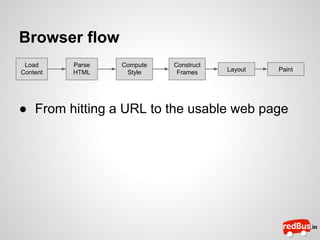
Browser flow
Load
Content

Parse
HTML

Compute
Style

Construct
Frames

Layout

Paint

● From hitting a URL to the usable web page
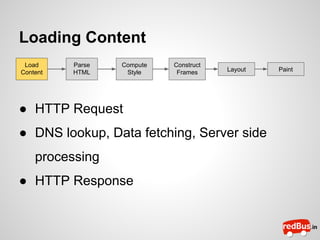
Loading Content
Load
Content

Parse
HTML

Compute
Style

Construct
Frames

Layout

● HTTP Request
● DNS lookup, Data fetching, Server side
processing
● HTTP Response

Paint
Parsing HTML
Load
Content

Parse
HTML

Compute
Style

Construct
Frames

Layout

Paint

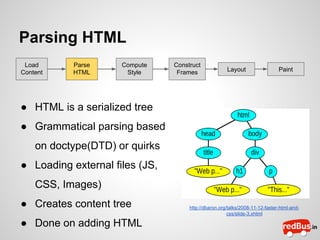
● HTML is a serialized tree
● Grammatical parsing based
on doctype(DTD) or quirks
● Loading external files (JS,
CSS, Images)
● Creates content tree
● Done on adding HTML

http://dbaron.org/talks/2008-11-12-faster-html-andcss/slide-3.xhtml
Computing Style
Load
Content

Parse
HTML

Compute
Style

Construct
Frames

Layout

Paint

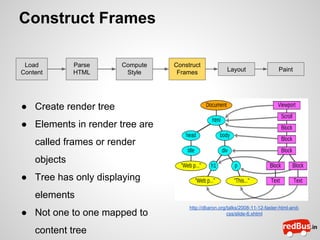
● CSS selector matching
● Computed Stylesheet
● CSS parser
● Computes style for each
node
● Cascaded (Browser native
style, external, inline)
● Done on adding Styles

http://dbaron.org/talks/2008-11-12-faster-html-andcss/slide-8.xhtml
Construct Frames
Load
Content

Parse
HTML

Compute
Style

Construct
Frames

Layout

Paint

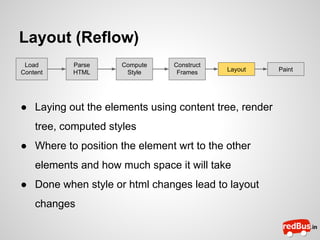
● Create render tree
● Elements in render tree are
called frames or render
objects
● Tree has only displaying
elements
● Not one to one mapped to
content tree

http://dbaron.org/talks/2008-11-12-faster-html-andcss/slide-6.xhtml
Layout (Reflow)
Load
Content

Parse
HTML

Compute
Style

Construct
Frames

Layout

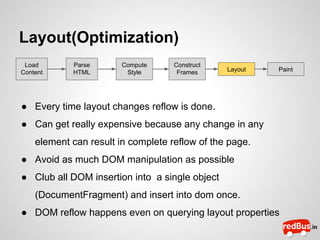
● Laying out the elements using content tree, render
tree, computed styles
● Where to position the element wrt to the other
elements and how much space it will take
● Done when style or html changes lead to layout
changes

Paint
Paint (Repaint)
Load
Content

Parse
HTML

Compute
Style

Construct
Frames

Layout

● Paints the layout on to the viewport using 2D
rendering api
● Tells GPU how to render the document
● Modern browsers use compositing and hardware
acceleration of GPU to provide faster paint cycles
● Done when layout, or styles changes and even on
scroll.

Paint
Optimizations
The way we write code can be used to optimize
each step the browser takes to build a
webpage and render it to user
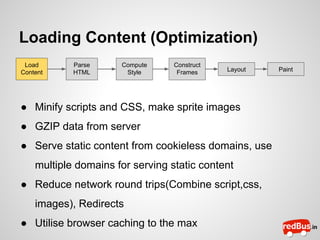
Loading Content (Optimization)
Load
Content

Parse
HTML

Compute
Style

Construct
Frames

Layout

● Minify scripts and CSS, make sprite images
● GZIP data from server
● Serve static content from cookieless domains, use
multiple domains for serving static content
● Reduce network round trips(Combine script,css,
images), Redirects
● Utilise browser caching to the max

Paint
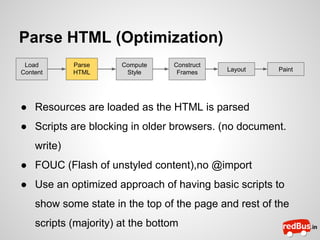
Parse HTML (Optimization)
Load
Content

Parse
HTML

Compute
Style

Construct
Frames

Layout

Paint

● Resources are loaded as the HTML is parsed
● Scripts are blocking in older browsers. (no document.
write)
● FOUC (Flash of unstyled content),no @import
● Use an optimized approach of having basic scripts to
show some state in the top of the page and rest of the
scripts (majority) at the bottom
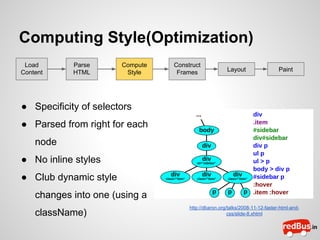
Computing Style(Optimization)
Load
Content

Parse
HTML

Compute
Style

Construct
Frames

Layout

Paint

● Specificity of selectors
● Parsed from right for each
node
● No inline styles
● Club dynamic style
changes into one (using a
className)

http://dbaron.org/talks/2008-11-12-faster-html-andcss/slide-8.xhtml
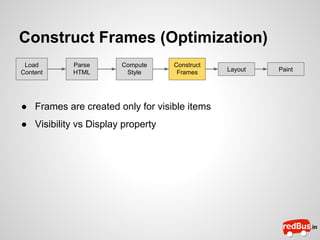
Construct Frames (Optimization)
Load
Content

Parse
HTML

Compute
Style

Construct
Frames

● Frames are created only for visible items
● Visibility vs Display property

Layout

Paint
Layout(Optimization)
Load
Content

Parse
HTML

Compute
Style

Construct
Frames

Layout

Paint

● Every time layout changes reflow is done.
● Can get really expensive because any change in any
element can result in complete reflow of the page.
● Avoid as much DOM manipulation as possible
● Club all DOM insertion into a single object
(DocumentFragment) and insert into dom once.
● DOM reflow happens even on querying layout properties
Paint(Optimization)
Load
Content

Parse
HTML

Compute
Style

Construct
Frames

Layout

Paint

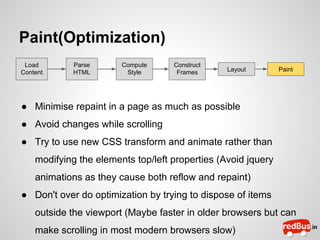
● Minimise repaint in a page as much as possible
● Avoid changes while scrolling
● Try to use new CSS transform and animate rather than
modifying the elements top/left properties (Avoid jquery
animations as they cause both reflow and repaint)
● Don't over do optimization by trying to dispose of items
outside the viewport (Maybe faster in older browsers but can
make scrolling in most modern browsers slow)
Javascript Optimization
Scoping
● Scope variables and functions properly. Avoid using the global
namespace (use var statement)
● Global variables are the deepest in the scope chain
● with and try,catch add a level to scope chain
● Closure also add to a level in scope chain
Activation object
this
Scope Chain
Execution Context
0

window

arguments

[]

variables

undefined

Scope
1

Global
document

(object)

window

(object)
Javascript Optimization
Data Access
● Local variables and literals fastest
● Global variables are the deepest in the scope chain
● Accessing properties of objects and elements of array is more
expensive
● If a property is accessed in a loop more than once store it in a local
variable
Loops
● Avoid for each, for in, and other function based iterators as they
access all properties of the array object not just the elements
Demo
● http://codepen.io/paulirish/pen/nkwKs
vs
http://codepen.io/paulirish/pen/LsxyF

● Repaint demo : http://175.41.136.68:8090
Tools
● Chrome Dev Tools
● Pagespeed
● Yslow
● Fiddler
References
● How browsers work http://taligarsiel.
com/Projects/howbrowserswork1.htm
● Speed up Your Javascript : http://youtu.
be/mHtdZgou0qU
● Faster HTML and CSS: Layout Engine Internals for
Web Developers
be/a2_6bGNZ7bA

http://youtu.

Performance (browser)