Teacher Tools
For teacher use or initiation:
• Explore Learning Gizmos
• Verso
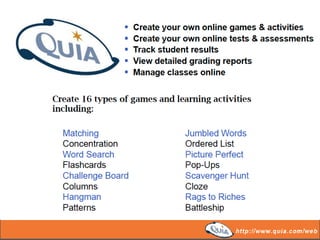
• QUIA Web
• Survey Monkey
• Scootle
EXPLORE LEARNING
ExploreLearning Gizmos® - the world's largest library of interactive online
simulations for math and science education in grades 3-12. Gizmos are:
• Fun, easy to use, and help students develop a deep understanding of
challenging concepts through inquiry and exploration on computers and iPads.
• Research-based, flexible tools used by teachers in a wide variety of ways.
Gizmos are ideal for small group work, individual exploration, and whole class
instruction using an LCD projector or interactive whiteboard.
• Designed to supplement your existing curriculum and are easy to integrate into
your instructional program.
• Backed by first-rate training and professional development services that help
maximize the value of your investment.
Where pedagogy meets technology
Activate student voice, get authentic feedback
and personalise learning with this free cross
platform app.
Learn, teach and collaborate using
digital resources to support the
Australian Curriculum
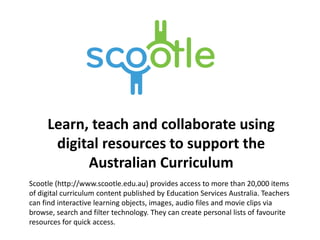
Scootle (http://www.scootle.edu.au) provides access to more than 20,000 items
of digital curriculum content published by Education Services Australia. Teachers
can find interactive learning objects, images, audio files and movie clips via
browse, search and filter technology. They can create personal lists of favourite
resources for quick access.

Teacher tools

  • 1.
    Teacher Tools For teacheruse or initiation: • Explore Learning Gizmos • Verso • QUIA Web • Survey Monkey • Scootle
  • 2.
    EXPLORE LEARNING ExploreLearning Gizmos®- the world's largest library of interactive online simulations for math and science education in grades 3-12. Gizmos are: • Fun, easy to use, and help students develop a deep understanding of challenging concepts through inquiry and exploration on computers and iPads. • Research-based, flexible tools used by teachers in a wide variety of ways. Gizmos are ideal for small group work, individual exploration, and whole class instruction using an LCD projector or interactive whiteboard. • Designed to supplement your existing curriculum and are easy to integrate into your instructional program. • Backed by first-rate training and professional development services that help maximize the value of your investment.
  • 3.
    Where pedagogy meetstechnology Activate student voice, get authentic feedback and personalise learning with this free cross platform app.
  • 6.
    Learn, teach andcollaborate using digital resources to support the Australian Curriculum Scootle (http://www.scootle.edu.au) provides access to more than 20,000 items of digital curriculum content published by Education Services Australia. Teachers can find interactive learning objects, images, audio files and movie clips via browse, search and filter technology. They can create personal lists of favourite resources for quick access.