We used
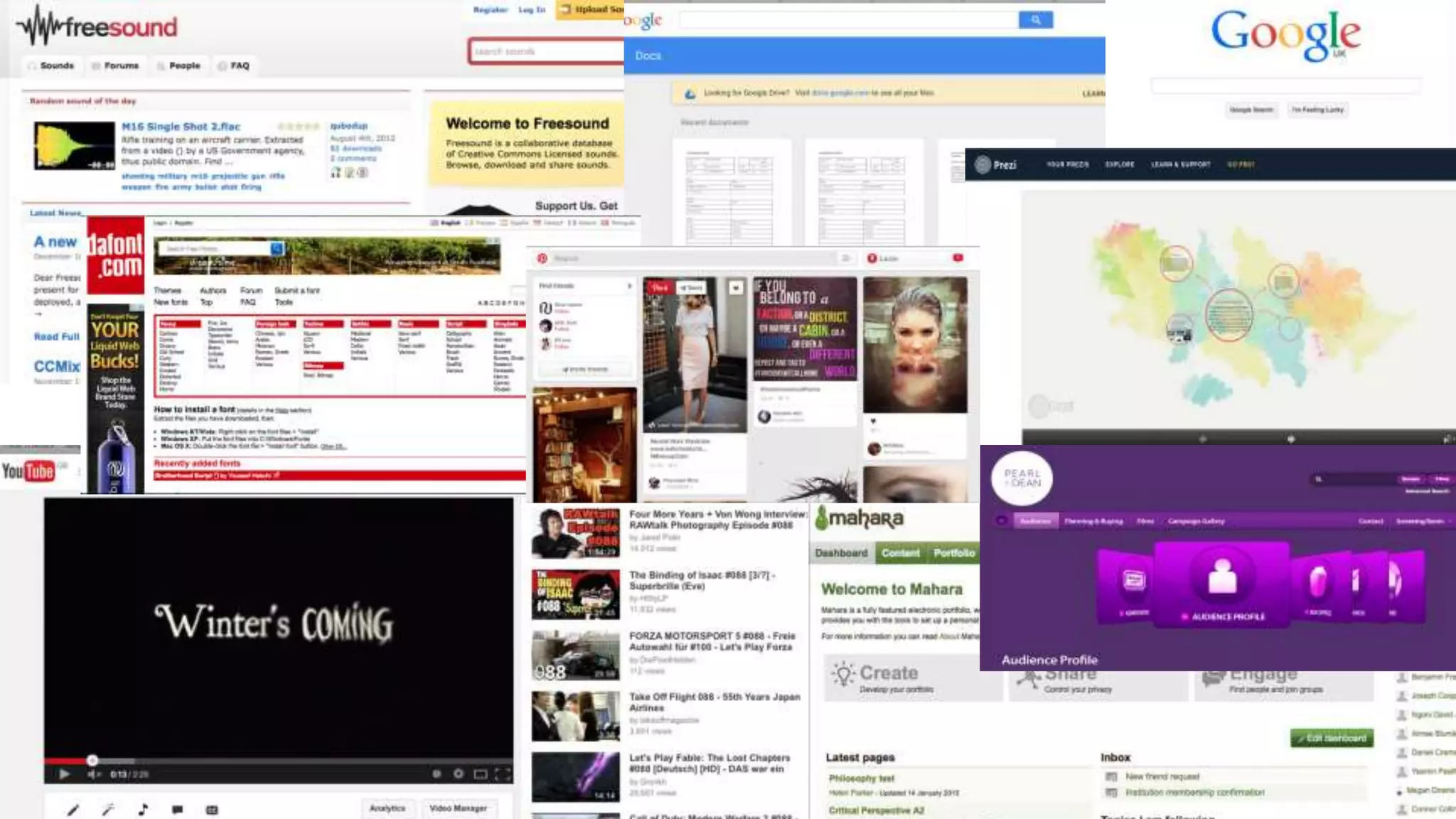
Freesound to find
some music and
sound effects to go
in our video, From
here we got the
background music
and other sounds
such as the water
dripping
We used google
to research other
films of our genre,
clothing,
backgrounds etc...
We used Googledocs to present our
pitch ideas to the class using their slide
settings.
We also used prezi
to present some
ideas and to
research our
audience, film genre
and distribution
companies.
We used the Pearl and
Dean website to
research our genres
target audience to see
what ages we would
be targeting at and if
male or females
enjoyed thrillers the
most.
We used Mahara to post all our research
onto our journals, this includes, sound,
camera angle/ shots etc...
We used Youtube to share our video
and to also edit it with speech bubbles
explaining the shots, angle, sound,
setting, costume etc...
In Dafont we had
a look at fonts
that we could
use for our title,
and in the end
we found a font
that we liked
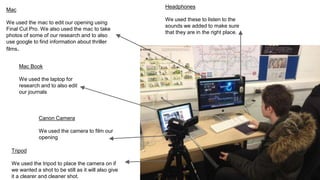
Headphones
We used these to listen to the
sounds we added to make sure
that they are in the right place.
Mac
We used the mac to edit our opening using
Final Cut Pro. We also used the mac to take
photos of some of our research and to also
use google to find information about thriller
films.
Canon Camera
We used the camera to film our
opening
Tripod
We used the tripod to place the camera on if
we wanted a shot to be still as it will also give
it a clearer and cleaner shot.
Mac Book
We used the laptop for
research and to also edit
our journals
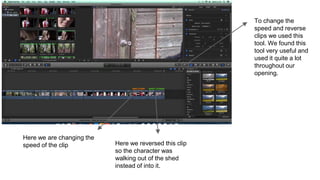
Here we are changing the
speed of the clip Here we reversed this clip
so the character was
walking out of the shed
instead of into it.
To change the
speed and reverse
clips we used this
tool. We found this
tool very useful and
used it quite a lot
throughout our
opening.
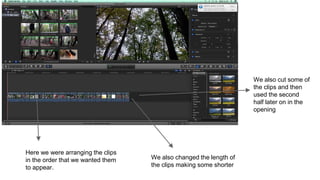
Here we were arranging the clips
in the order that we wanted them
to appear.
We also changed the length of
the clips making some shorter
We also cut some of
the clips and then
used the second
half later on in the
opening
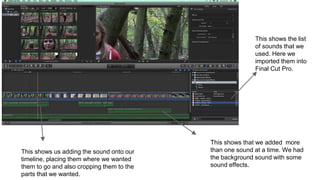
This shows the list
of sounds that we
used. Here we
imported them into
Final Cut Pro.
This shows us adding the sound onto our
timeline, placing them where we wanted
them to go and also cropping them to the
parts that we wanted.
This shows that we added more
than one sound at a time. We had
the background sound with some
sound effects.
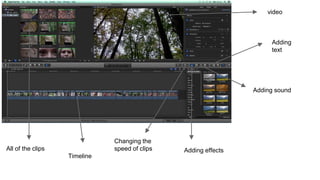
video
Adding
text
Adding sound
Adding effects
Changing the
speed of clips
Timeline
All of the clips

Task 6

  • 2.
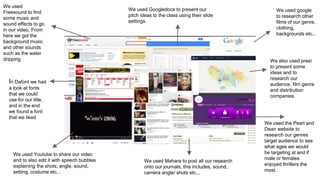
    We used Freesound tofind some music and sound effects to go in our video, From here we got the background music and other sounds such as the water dripping We used google to research other films of our genre, clothing, backgrounds etc... We used Googledocs to present our pitch ideas to the class using their slide settings. We also used prezi to present some ideas and to research our audience, film genre and distribution companies. We used the Pearl and Dean website to research our genres target audience to see what ages we would be targeting at and if male or females enjoyed thrillers the most. We used Mahara to post all our research onto our journals, this includes, sound, camera angle/ shots etc... We used Youtube to share our video and to also edit it with speech bubbles explaining the shots, angle, sound, setting, costume etc... In Dafont we had a look at fonts that we could use for our title, and in the end we found a font that we liked
  • 3.
    Headphones We used theseto listen to the sounds we added to make sure that they are in the right place. Mac We used the mac to edit our opening using Final Cut Pro. We also used the mac to take photos of some of our research and to also use google to find information about thriller films. Canon Camera We used the camera to film our opening Tripod We used the tripod to place the camera on if we wanted a shot to be still as it will also give it a clearer and cleaner shot. Mac Book We used the laptop for research and to also edit our journals
  • 4.
    Here we arechanging the speed of the clip Here we reversed this clip so the character was walking out of the shed instead of into it. To change the speed and reverse clips we used this tool. We found this tool very useful and used it quite a lot throughout our opening.
  • 5.
    Here we werearranging the clips in the order that we wanted them to appear. We also changed the length of the clips making some shorter We also cut some of the clips and then used the second half later on in the opening
  • 6.
    This shows thelist of sounds that we used. Here we imported them into Final Cut Pro. This shows us adding the sound onto our timeline, placing them where we wanted them to go and also cropping them to the parts that we wanted. This shows that we added more than one sound at a time. We had the background sound with some sound effects.
  • 7.
    video Adding text Adding sound Adding effects Changingthe speed of clips Timeline All of the clips