TAGGING BEST PRACTICES
FOR CLOUD GOVERNANCE
• Kim Weins
• Vice President Marketing, RightScale
• Brian Adler
• Director Enterprise Architecture, RightScale
Panelists
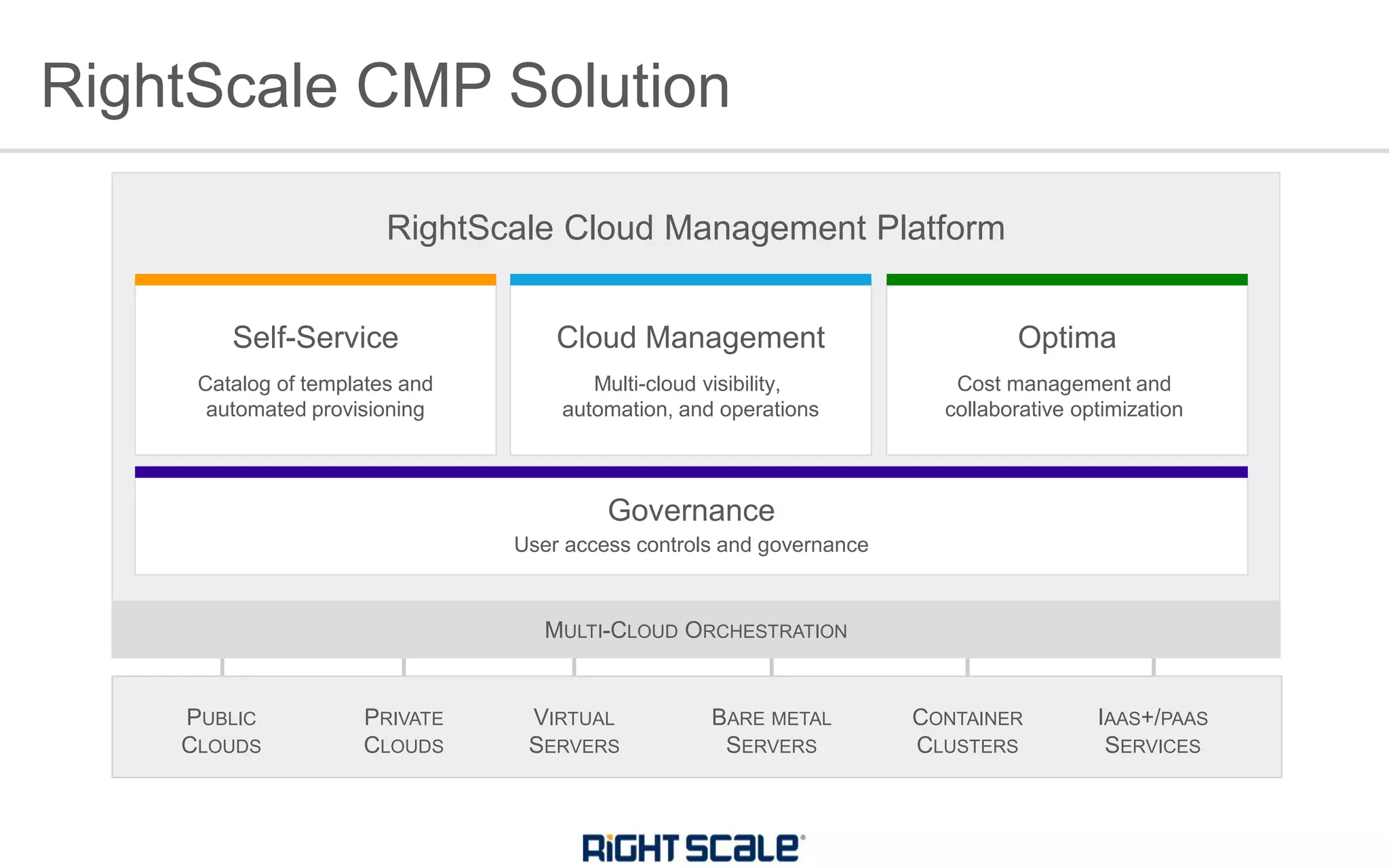
Optima
Cost management and
collaborative optimization
RightScale CMP Solution
VIRTUAL
SERVERS
PUBLIC
CLOUDS
IAAS+/PAAS
SERVICES
PRIVATE
CLOUDS
BARE METAL
SERVERS
CONTAINER
CLUSTERS
RightScale Cloud Management Platform
User access controls and governance
Governance
Cloud Management
Multi-cloud visibility,
automation, and operations
Self-Service
Catalog of templates and
automated provisioning
MULTI-CLOUD ORCHESTRATION
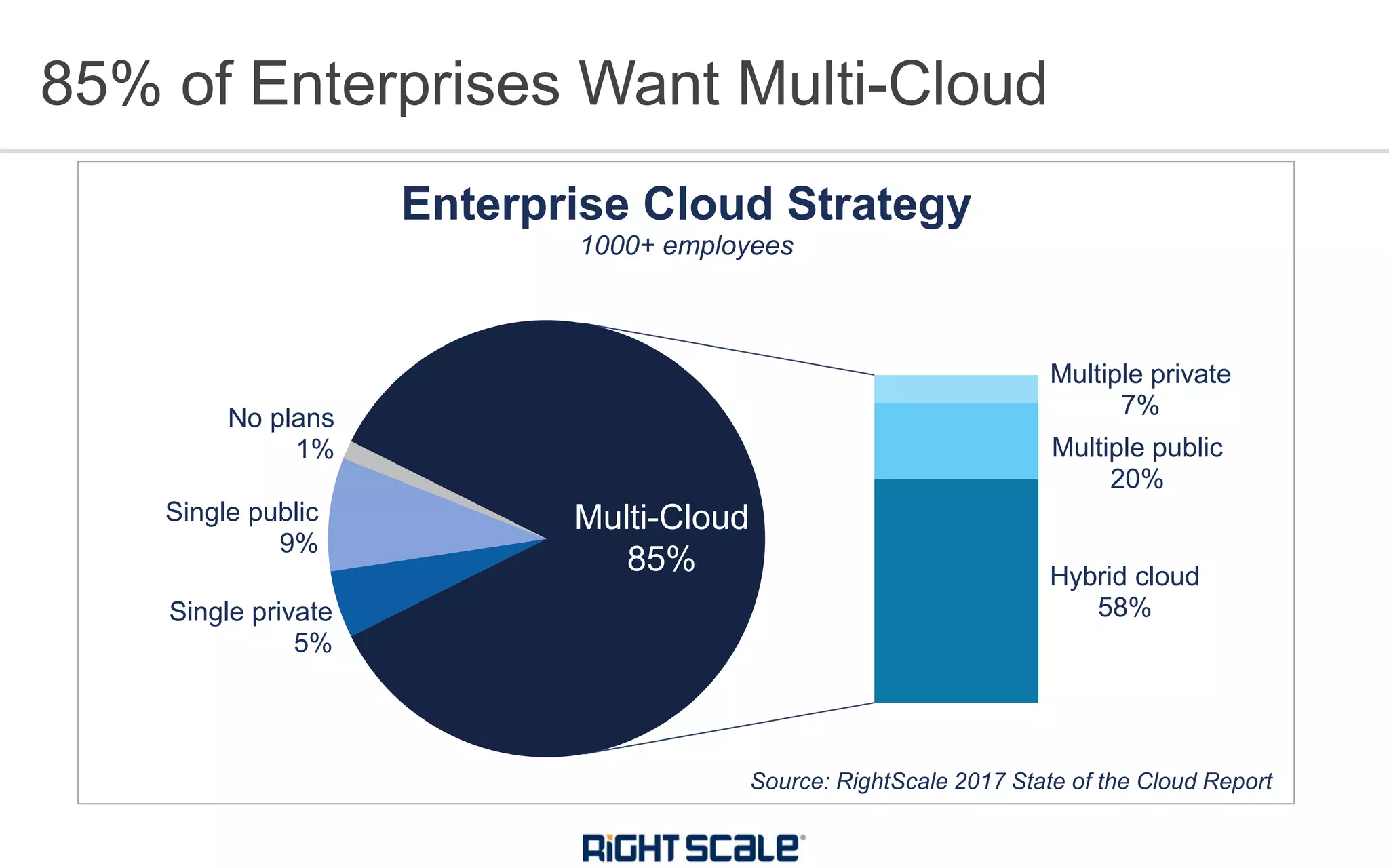
85% of Enterprises Want Multi-Cloud
Single private
5%
Single public
9%
No plans
1%
Multiple private
7%
Multiple public
20%
Hybrid cloud
58%
Enterprise Cloud Strategy
1000+ employees
Multi-Cloud
85%
Source: RightScale 2017 State of the Cloud Report
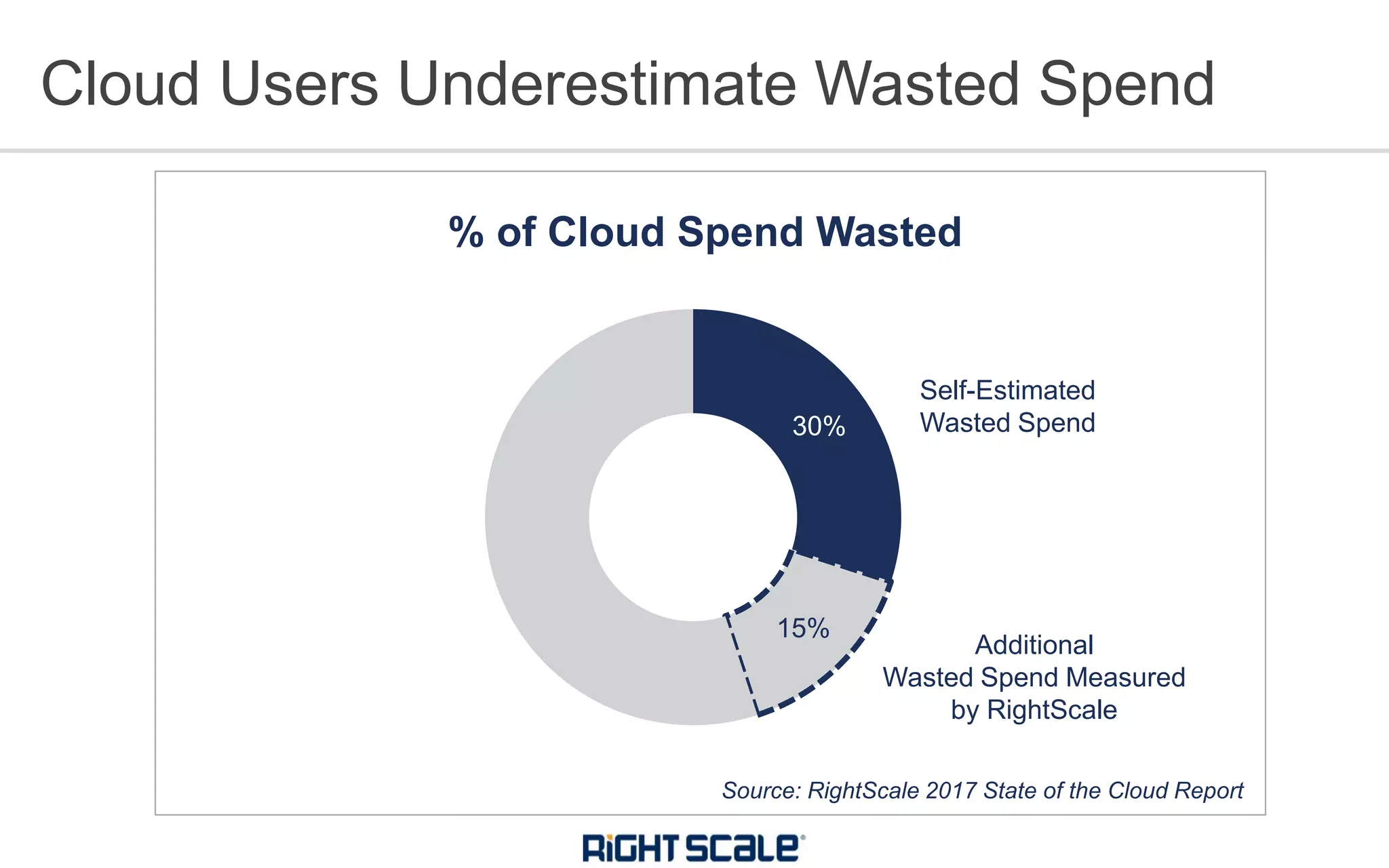
30%
15%
% of Cloud Spend Wasted
Cloud Users Underestimate Wasted Spend
Source: RightScale 2017 State of the Cloud Report
Self-Estimated
Wasted Spend
Additional
Wasted Spend Measured
by RightScale
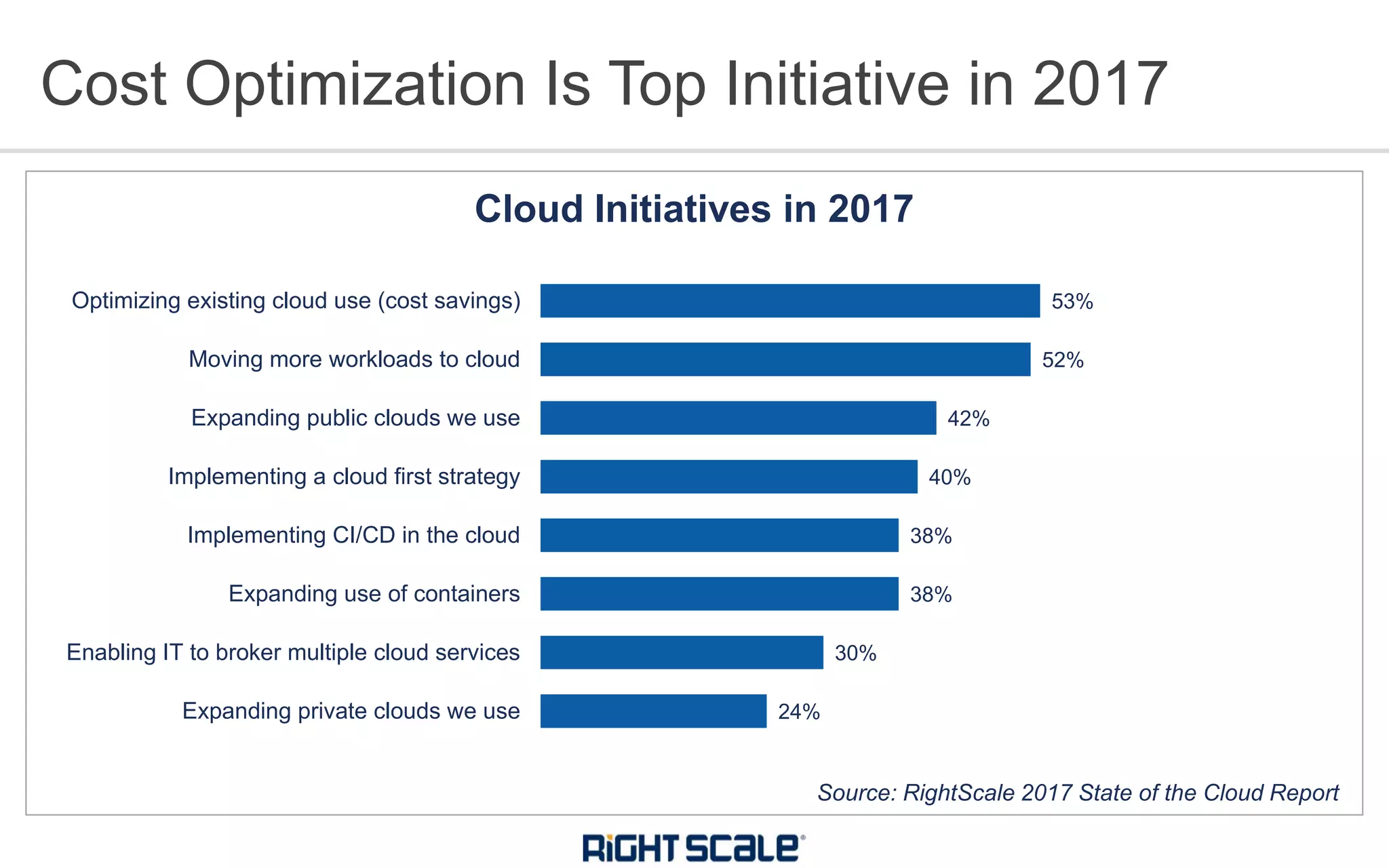
24%
30%
38%
38%
40%
42%
52%
53%
Expanding private clouds we use
Enabling IT to broker multiple cloud services
Expanding use of containers
Implementing CI/CD in the cloud
Implementing a cloud first strategy
Expanding public clouds we use
Moving more workloads to cloud
Optimizing existing cloud use (cost savings)
Cloud Initiatives in 2017
Cost Optimization Is Top Initiative in 2017
Source: RightScale 2017 State of the Cloud Report
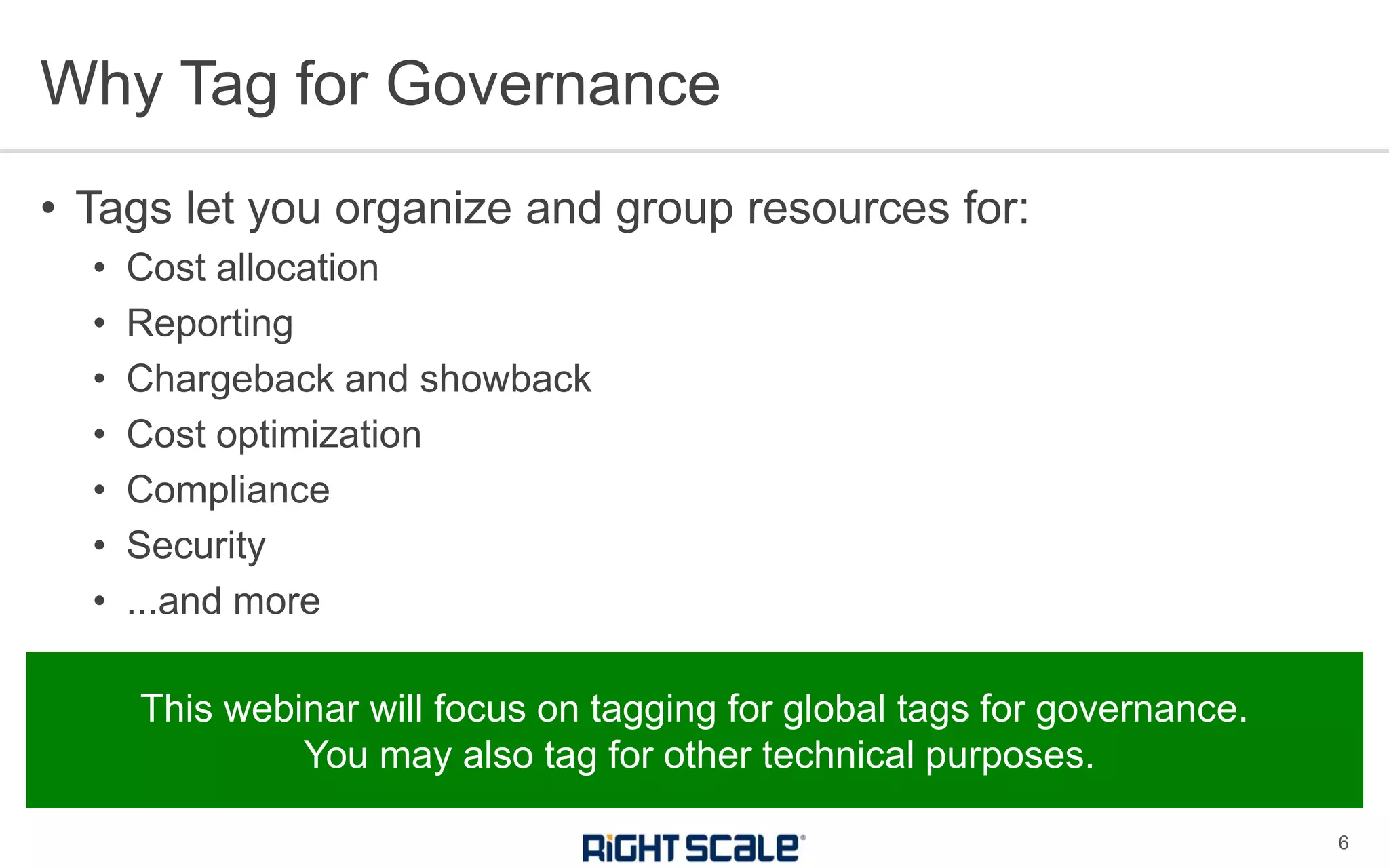
• Tags let you organize and group resources for:
• Cost allocation
• Reporting
• Chargeback and showback
• Cost optimization
• Compliance
• Security
• ...and more
Why Tag for Governance
6
This webinar will focus on tagging for global tags for governance.
You may also tag for other technical purposes.
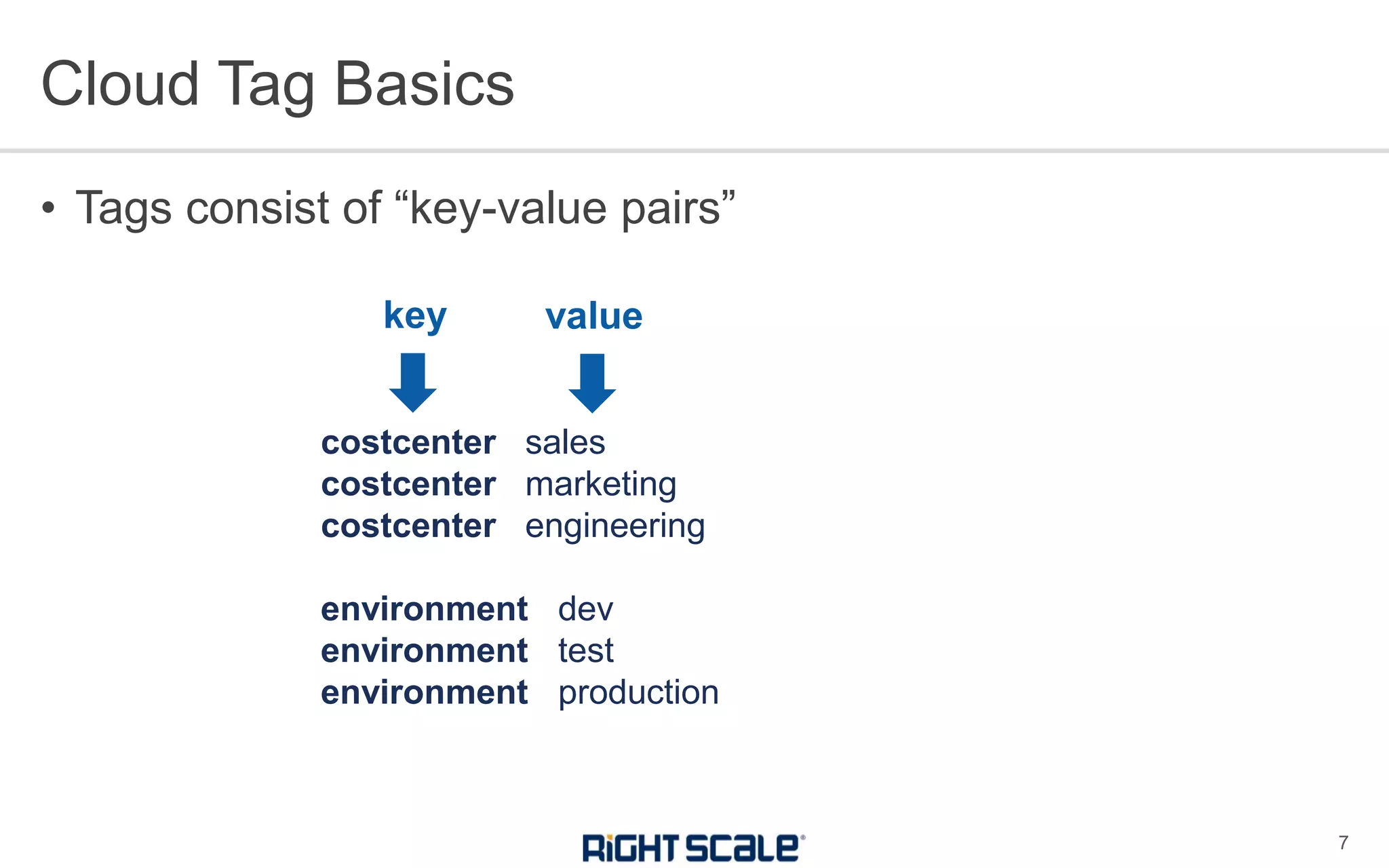
• Tags consist of “key-value pairs”
Cloud Tag Basics
7
costcenter sales
costcenter marketing
costcenter engineering
environment dev
environment test
environment production
key value
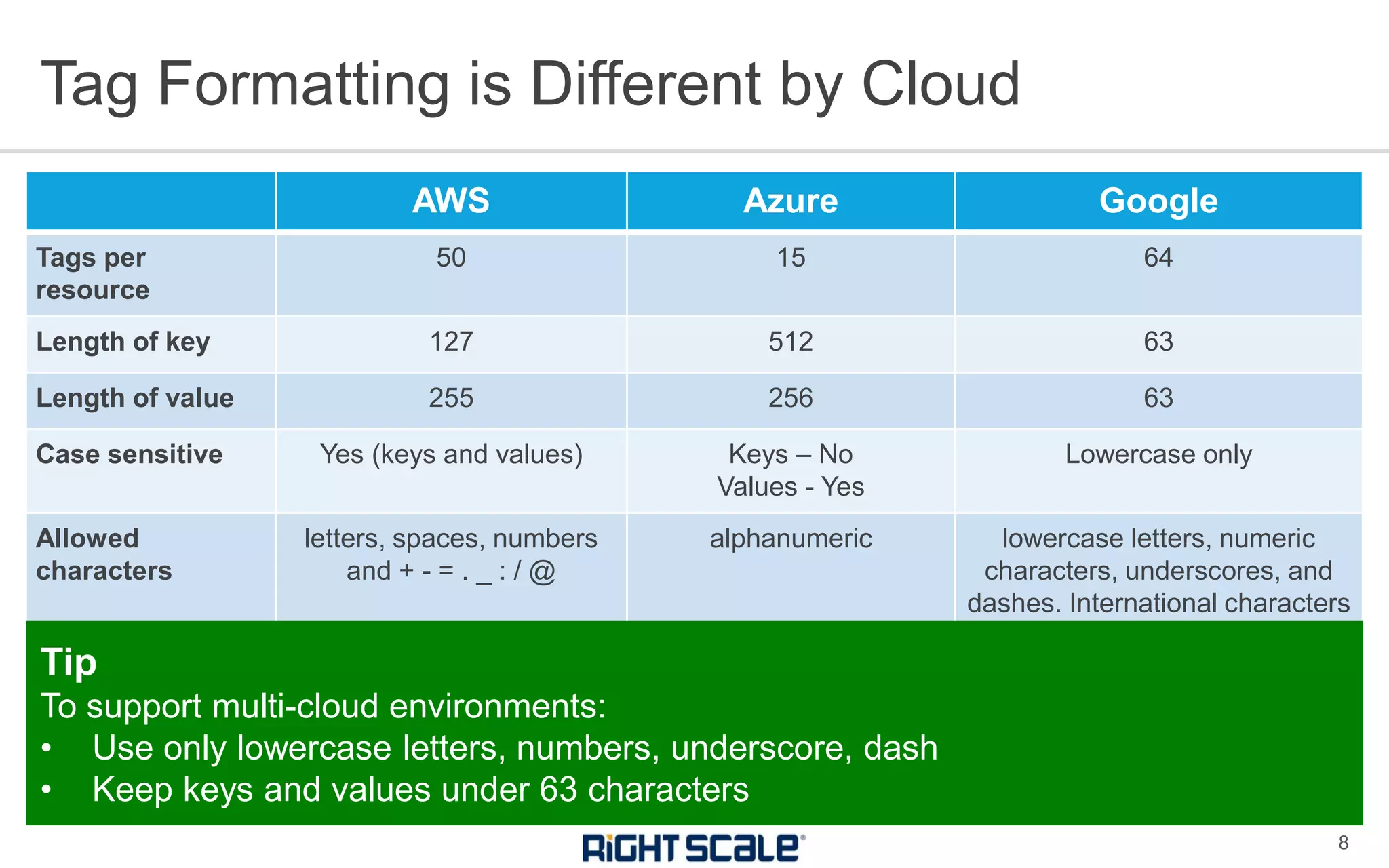
AWS Azure Google
Tags per
resource
50 15 64
Length of key 127 512 63
Length of value 255 256 63
Case sensitive Yes (keys and values) Keys – No
Values - Yes
Lowercase only
Allowed
characters
letters, spaces, numbers
and + - = . _ : / @
alphanumeric lowercase letters, numeric
characters, underscores, and
dashes. International characters
are allowed
Tag Formatting is Different by Cloud
8
Tip
To support multi-cloud environments:
• Use only lowercase letters, numbers, underscore, dash
• Keep keys and values under 63 characters
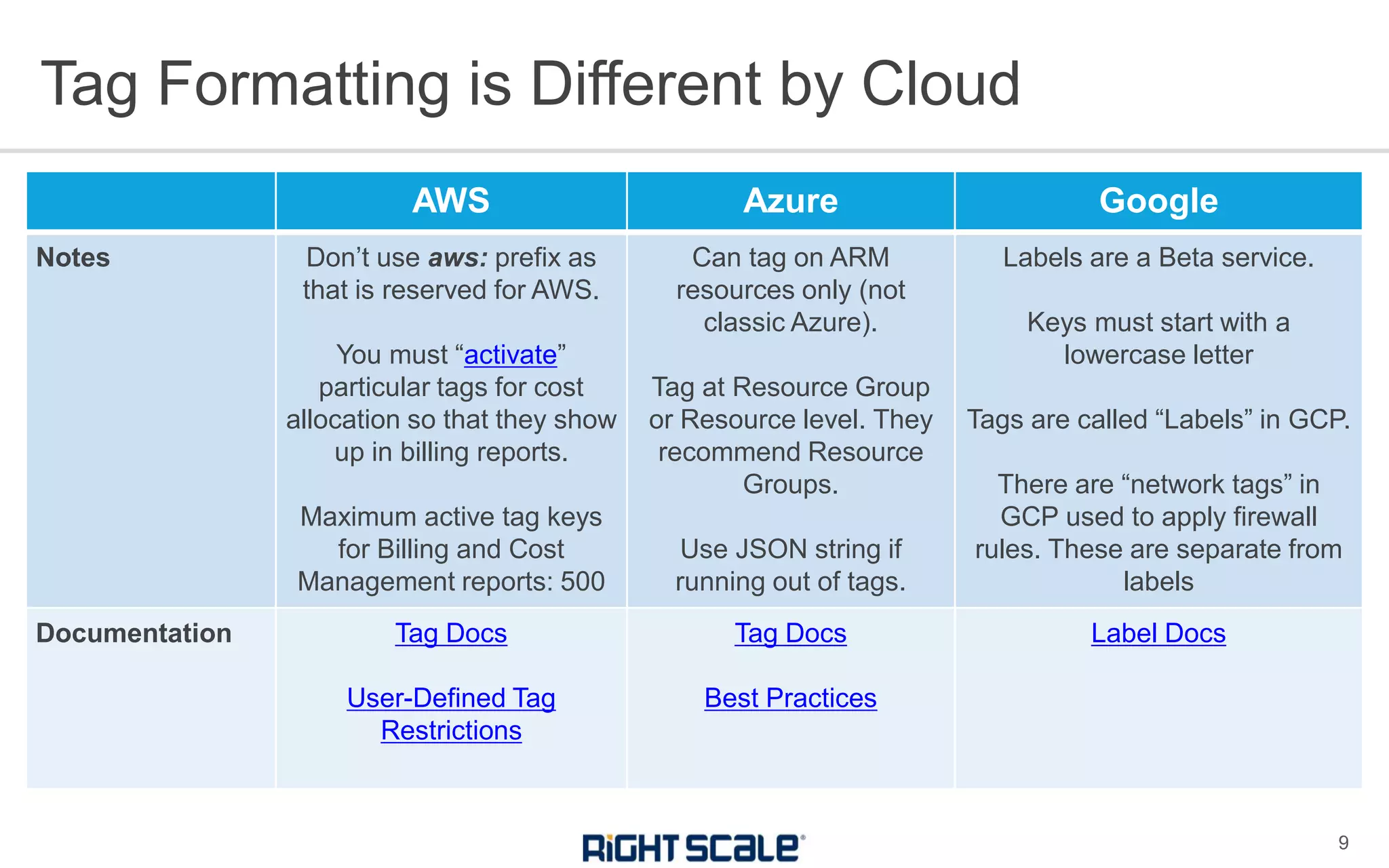
AWS Azure Google
Notes Don’t use aws: prefix as
that is reserved for AWS.
You must “activate”
particular tags for cost
allocation so that they show
up in billing reports.
Maximum active tag keys
for Billing and Cost
Management reports: 500
Can tag on ARM
resources only (not
classic Azure).
Tag at Resource Group
or Resource level. They
recommend Resource
Groups.
Use JSON string if
running out of tags.
Labels are a Beta service.
Keys must start with a
lowercase letter
Tags are called “Labels” in GCP.
There are “network tags” in
GCP used to apply firewall
rules. These are separate from
labels
Documentation Tag Docs
User-Defined Tag
Restrictions
Tag Docs
Best Practices
Label Docs
Tag Formatting is Different by Cloud
9
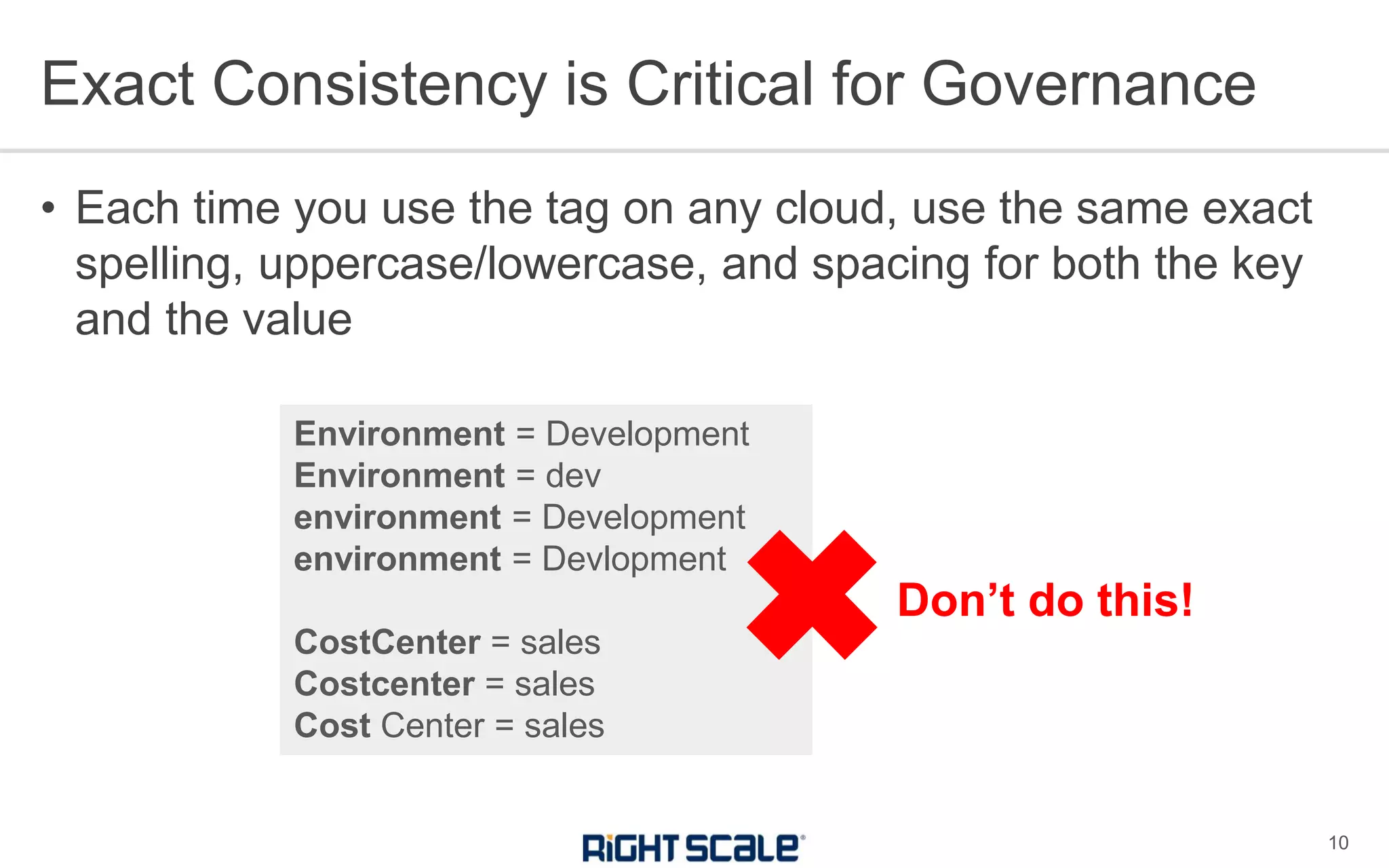
• Each time you use the tag on any cloud, use the same exact
spelling, uppercase/lowercase, and spacing for both the key
and the value
Exact Consistency is Critical for Governance
10
Environment = Development
Environment = dev
environment = Development
environment = Devlopment
CostCenter = sales
Costcenter = sales
Cost Center = sales
✖Don’t do this!
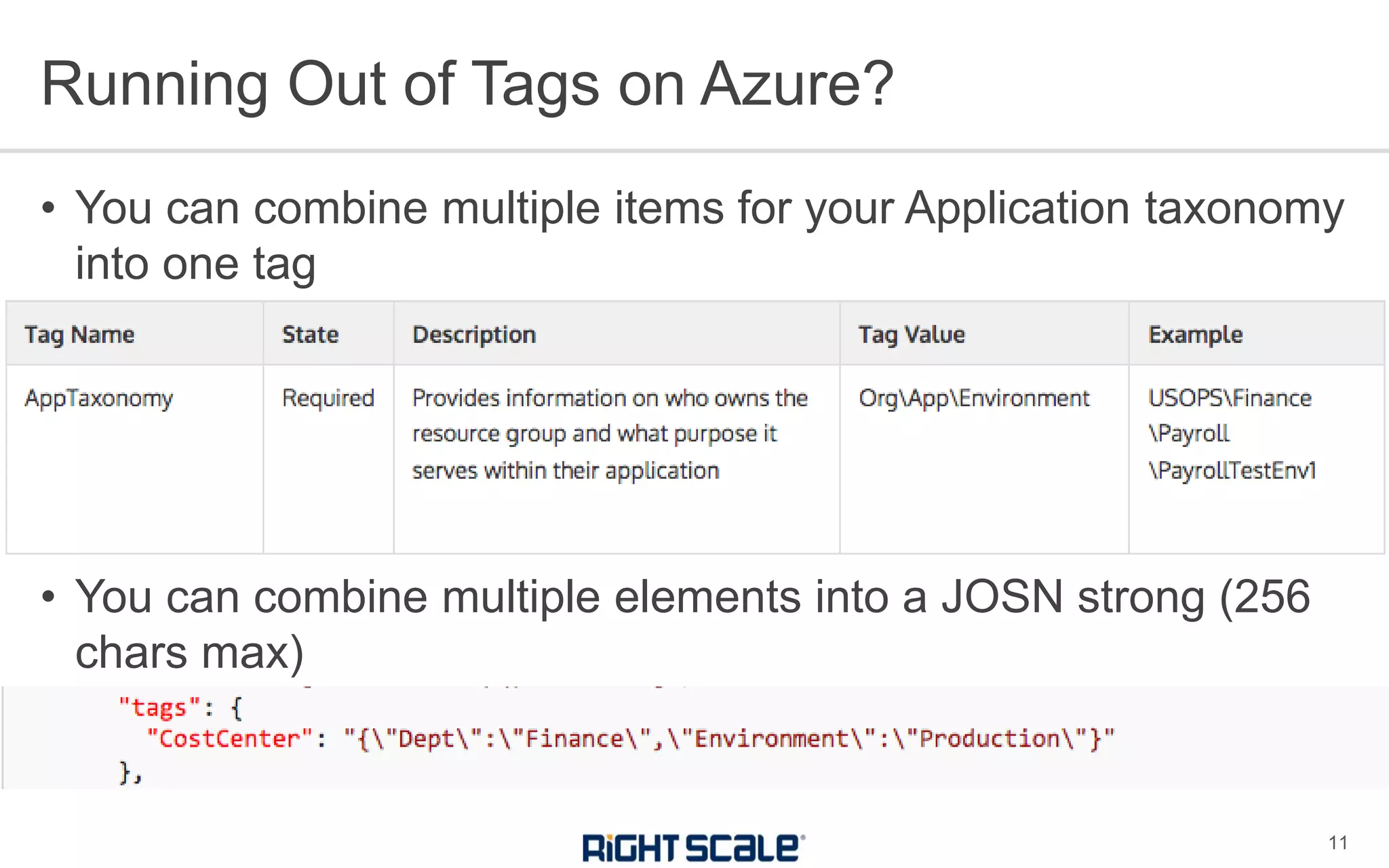
• You can combine multiple items for your Application taxonomy
into one tag
• You can combine multiple elements into a JOSN strong (256
chars max)
Running Out of Tags on Azure?
11
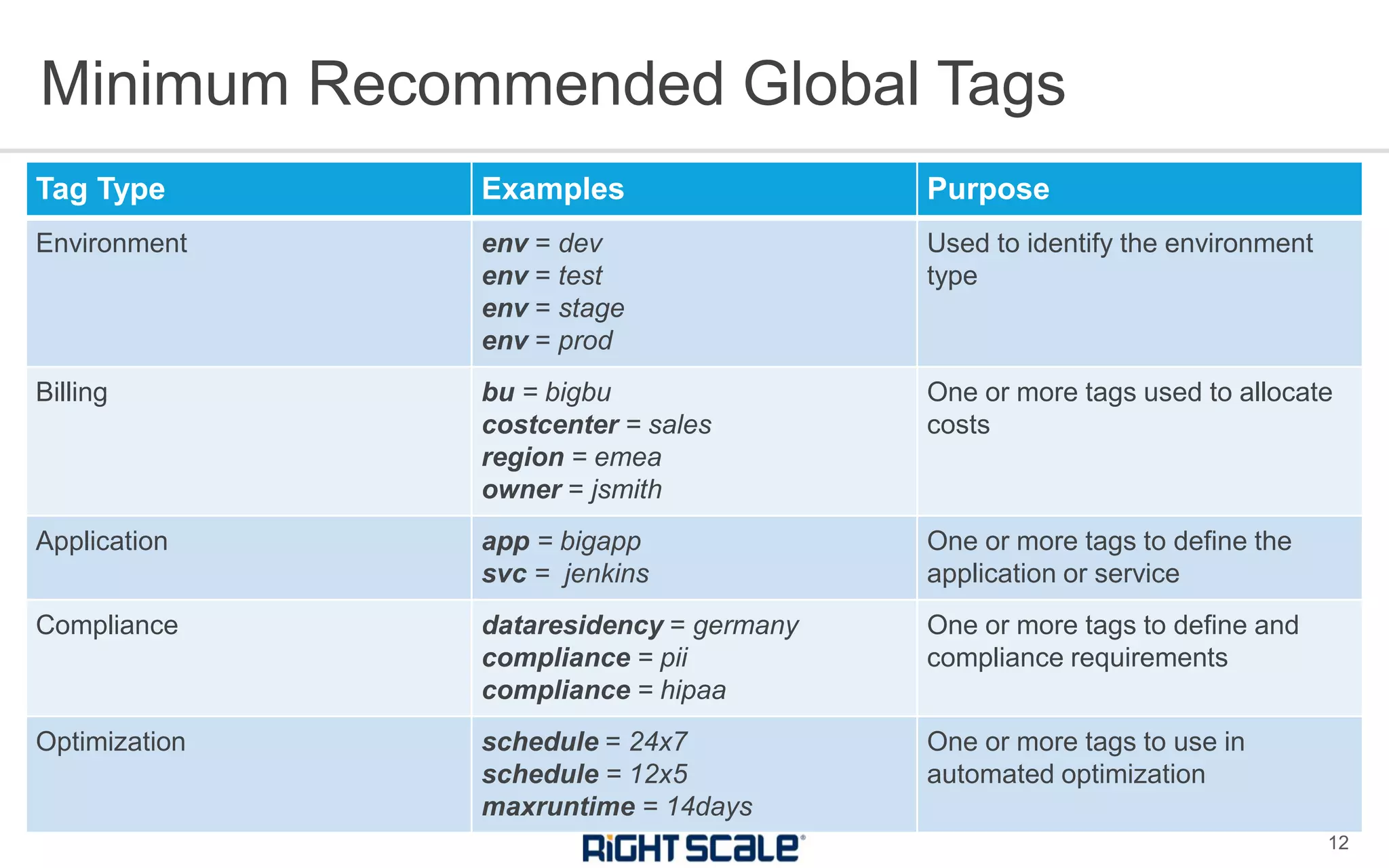
Tag Type Examples Purpose
Environment env = dev
env = test
env = stage
env = prod
Used to identify the environment
type
Billing bu = bigbu
costcenter = sales
region = emea
owner = jsmith
One or more tags used to allocate
costs
Application app = bigapp
svc = jenkins
One or more tags to define the
application or service
Compliance dataresidency = germany
compliance = pii
compliance = hipaa
One or more tags to define and
compliance requirements
Optimization schedule = 24x7
schedule = 12x5
maxruntime = 14days
One or more tags to use in
automated optimization
Minimum Recommended Global Tags
12
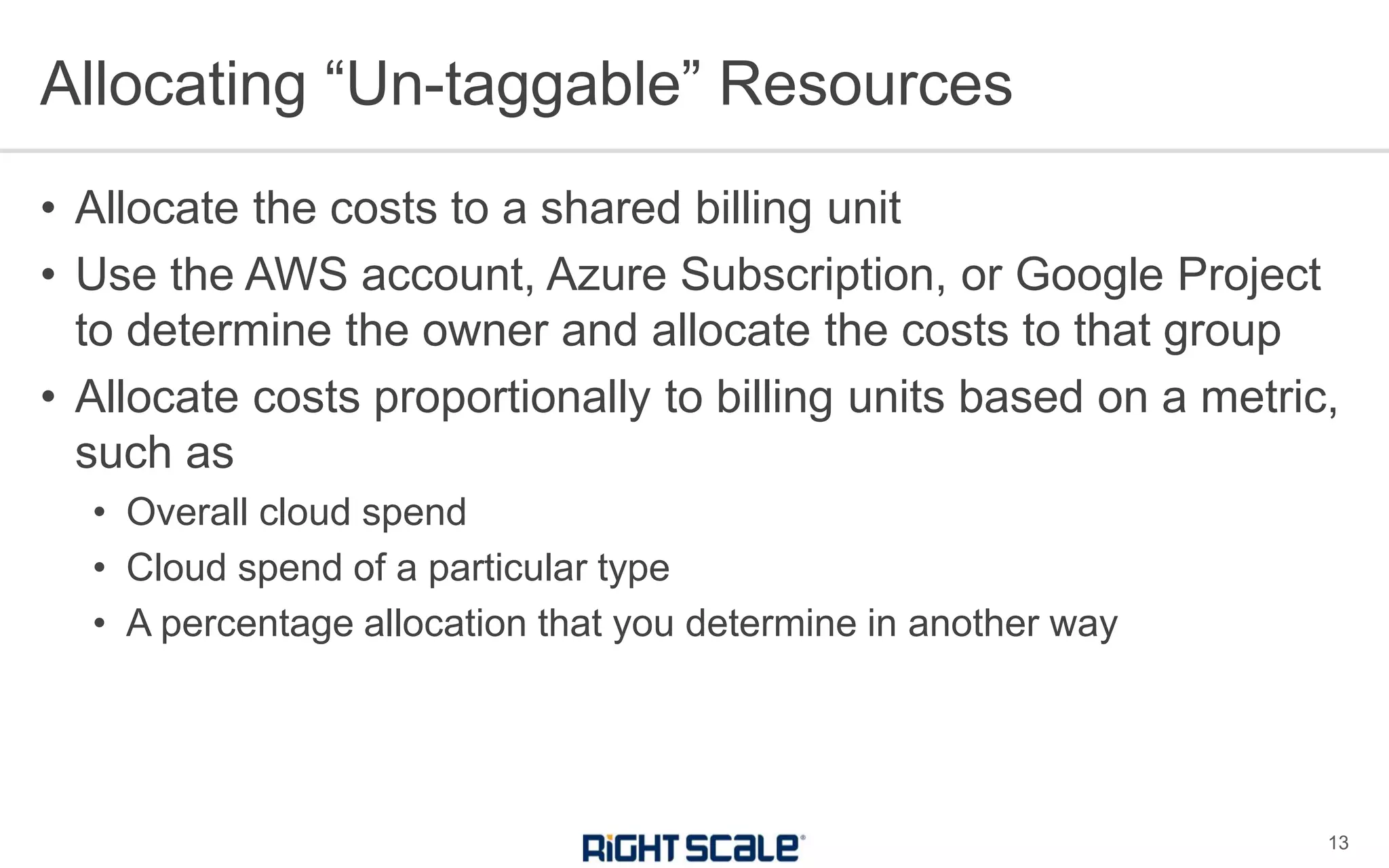
• Allocate the costs to a shared billing unit
• Use the AWS account, Azure Subscription, or Google Project
to determine the owner and allocate the costs to that group
• Allocate costs proportionally to billing units based on a metric,
such as
• Overall cloud spend
• Cloud spend of a particular type
• A percentage allocation that you determine in another way
Allocating “Un-taggable” Resources
13
• What if we have naming conventions?
• Tags can more easily be used for reporting.
• If you already have naming conventions
• Use automation to copy appropriate parts of the name to your global
tags!
Tags vs. Naming Conventions
14
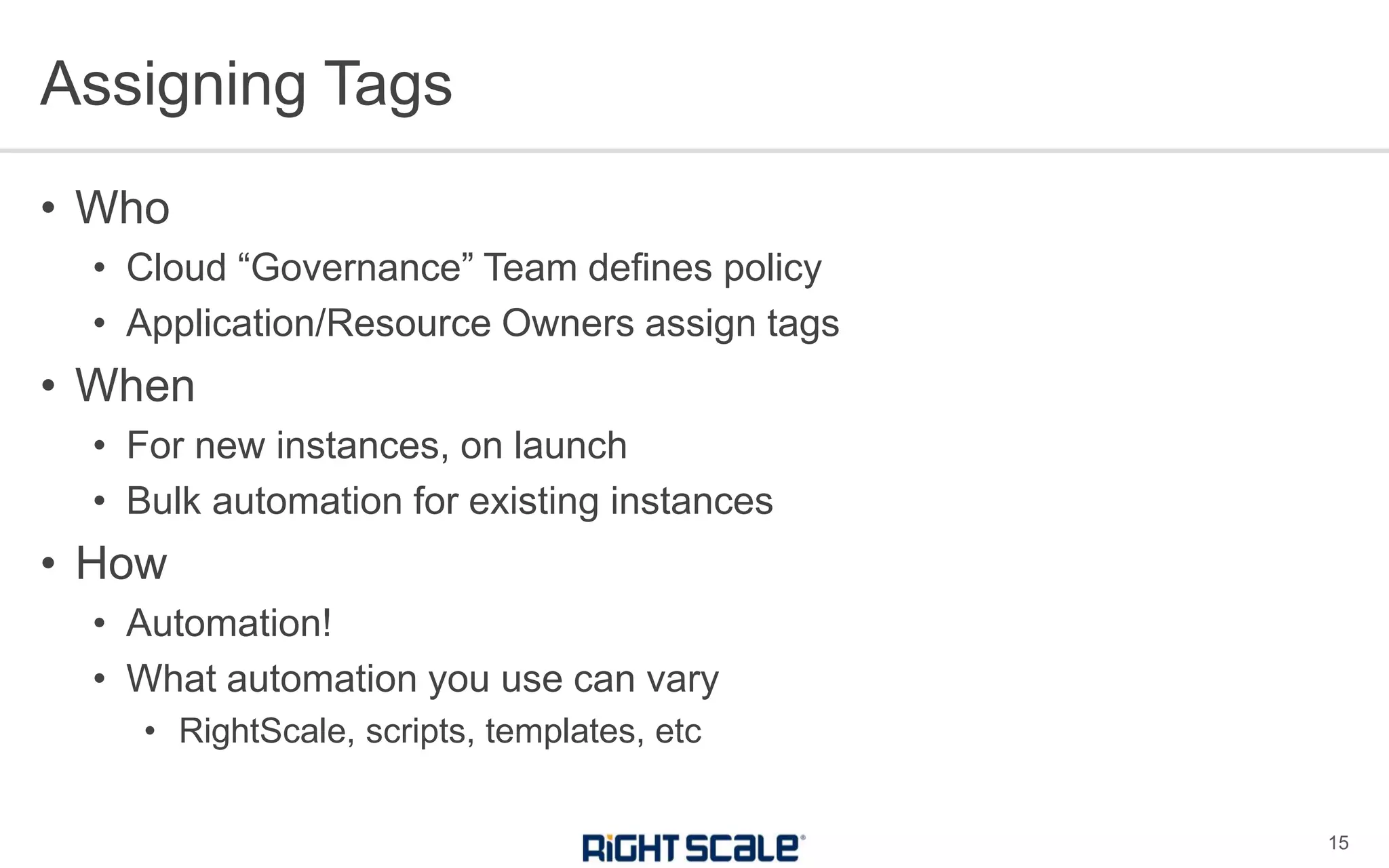
• Who
• Cloud “Governance” Team defines policy
• Application/Resource Owners assign tags
• When
• For new instances, on launch
• Bulk automation for existing instances
• How
• Automation!
• What automation you use can vary
• RightScale, scripts, templates, etc
Assigning Tags
15
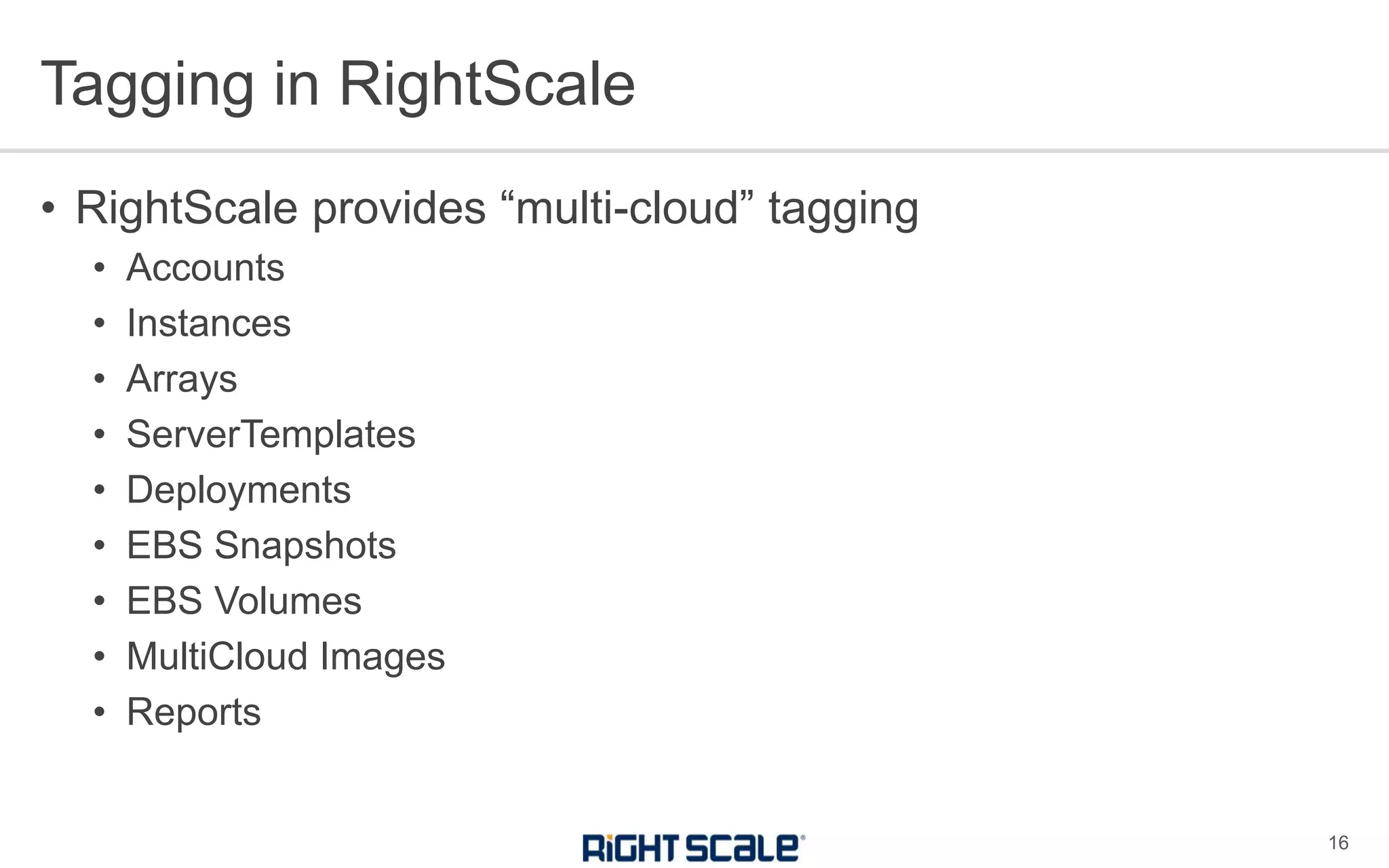
• RightScale provides “multi-cloud” tagging
• Accounts
• Instances
• Arrays
• ServerTemplates
• Deployments
• EBS Snapshots
• EBS Volumes
• MultiCloud Images
• Reports
Tagging in RightScale
16
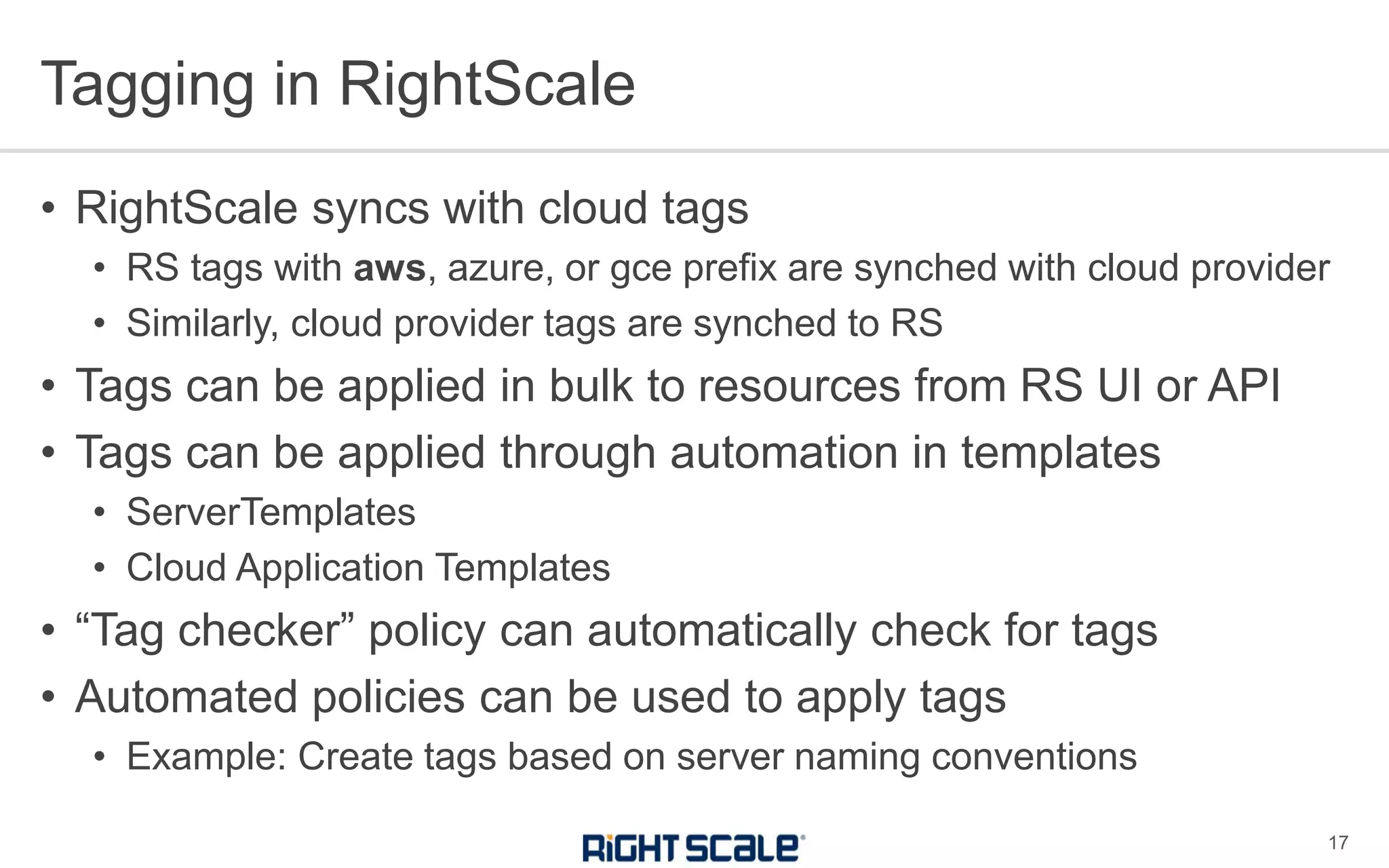
• RightScale syncs with cloud tags
• RS tags with aws, azure, or gce prefix are synched with cloud provider
• Similarly, cloud provider tags are synched to RS
• Tags can be applied in bulk to resources from RS UI or API
• Tags can be applied through automation in templates
• ServerTemplates
• Cloud Application Templates
• “Tag checker” policy can automatically check for tags
• Automated policies can be used to apply tags
• Example: Create tags based on server naming conventions
Tagging in RightScale
17
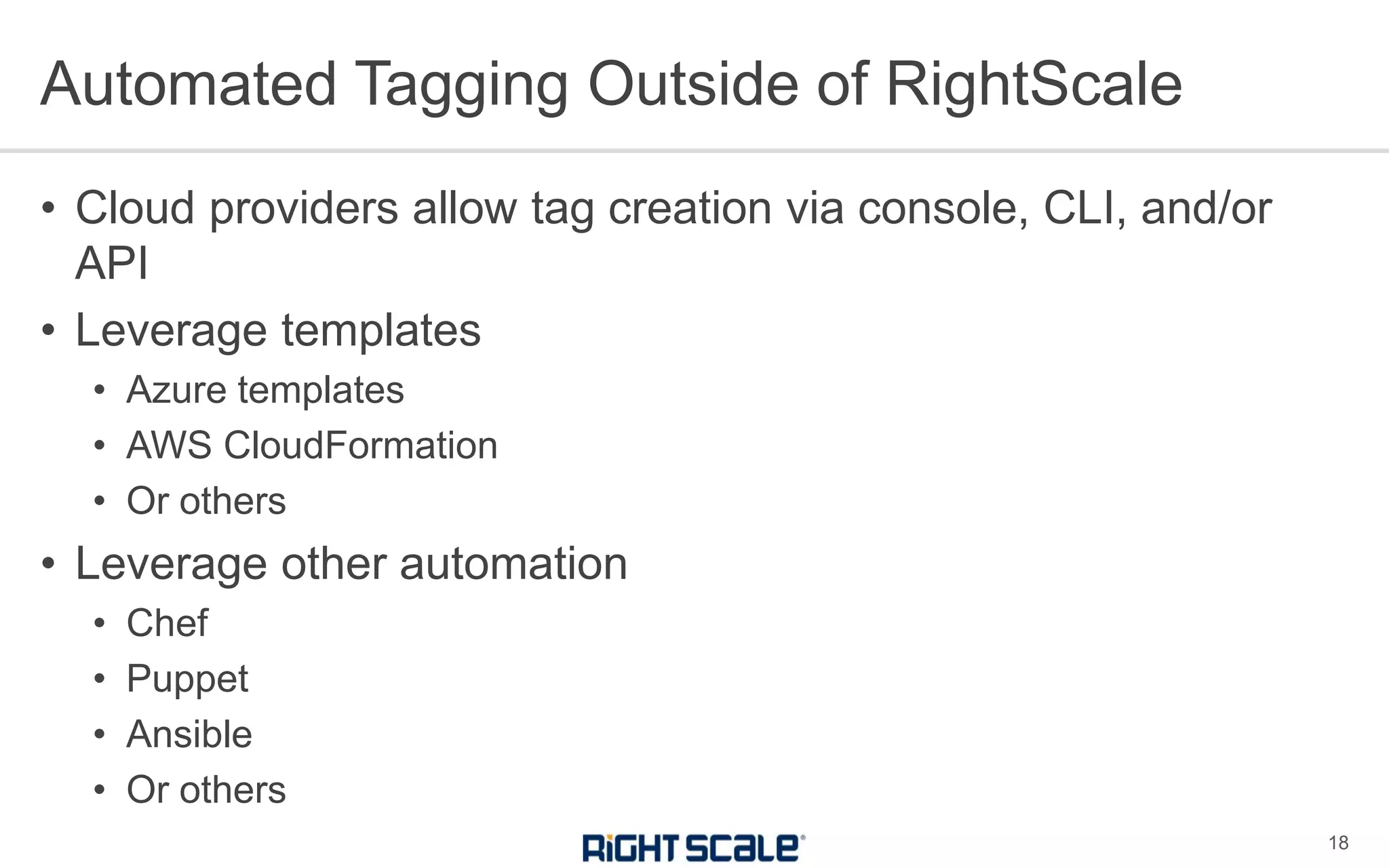
• Cloud providers allow tag creation via console, CLI, and/or
API
• Leverage templates
• Azure templates
• AWS CloudFormation
• Or others
• Leverage other automation
• Chef
• Puppet
• Ansible
• Or others
Automated Tagging Outside of RightScale
18
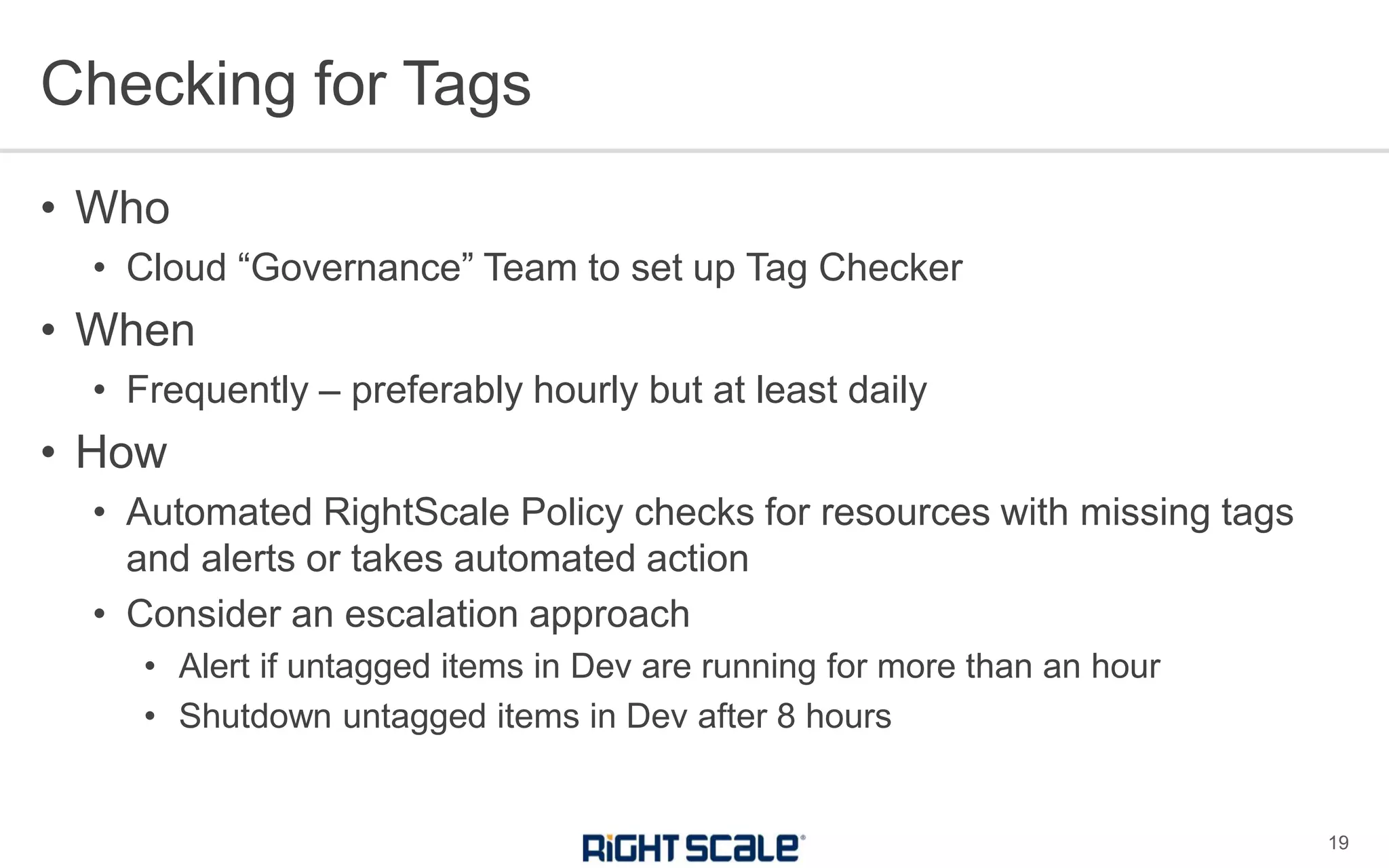
• Who
• Cloud “Governance” Team to set up Tag Checker
• When
• Frequently – preferably hourly but at least daily
• How
• Automated RightScale Policy checks for resources with missing tags
and alerts or takes automated action
• Consider an escalation approach
• Alert if untagged items in Dev are running for more than an hour
• Shutdown untagged items in Dev after 8 hours
Checking for Tags
19
Rollout Process for Global Tagging
20
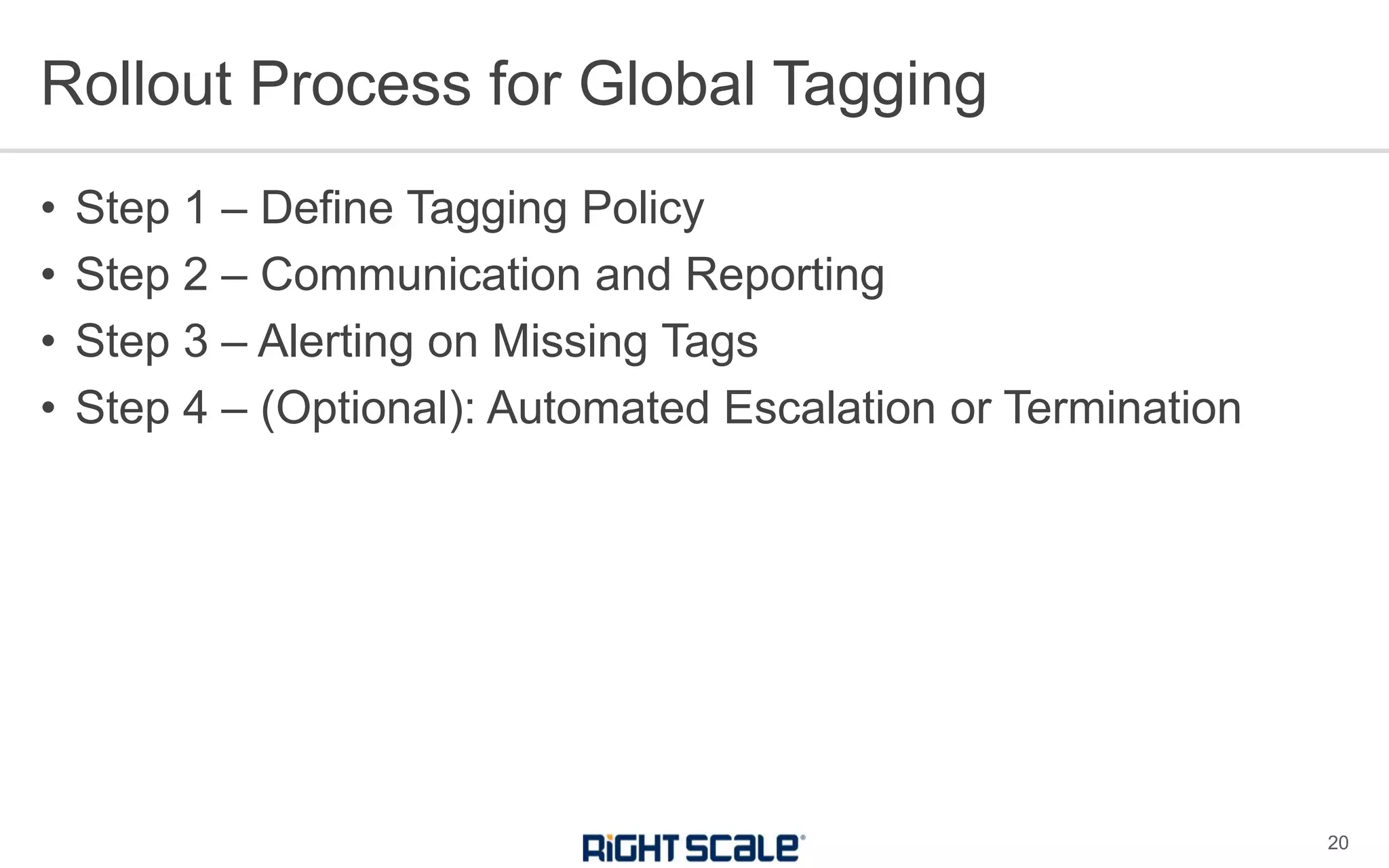
• Step 1 – Define Tagging Policy
• Step 2 – Communication and Reporting
• Step 3 – Alerting on Missing Tags
• Step 4 – (Optional): Automated Escalation or Termination
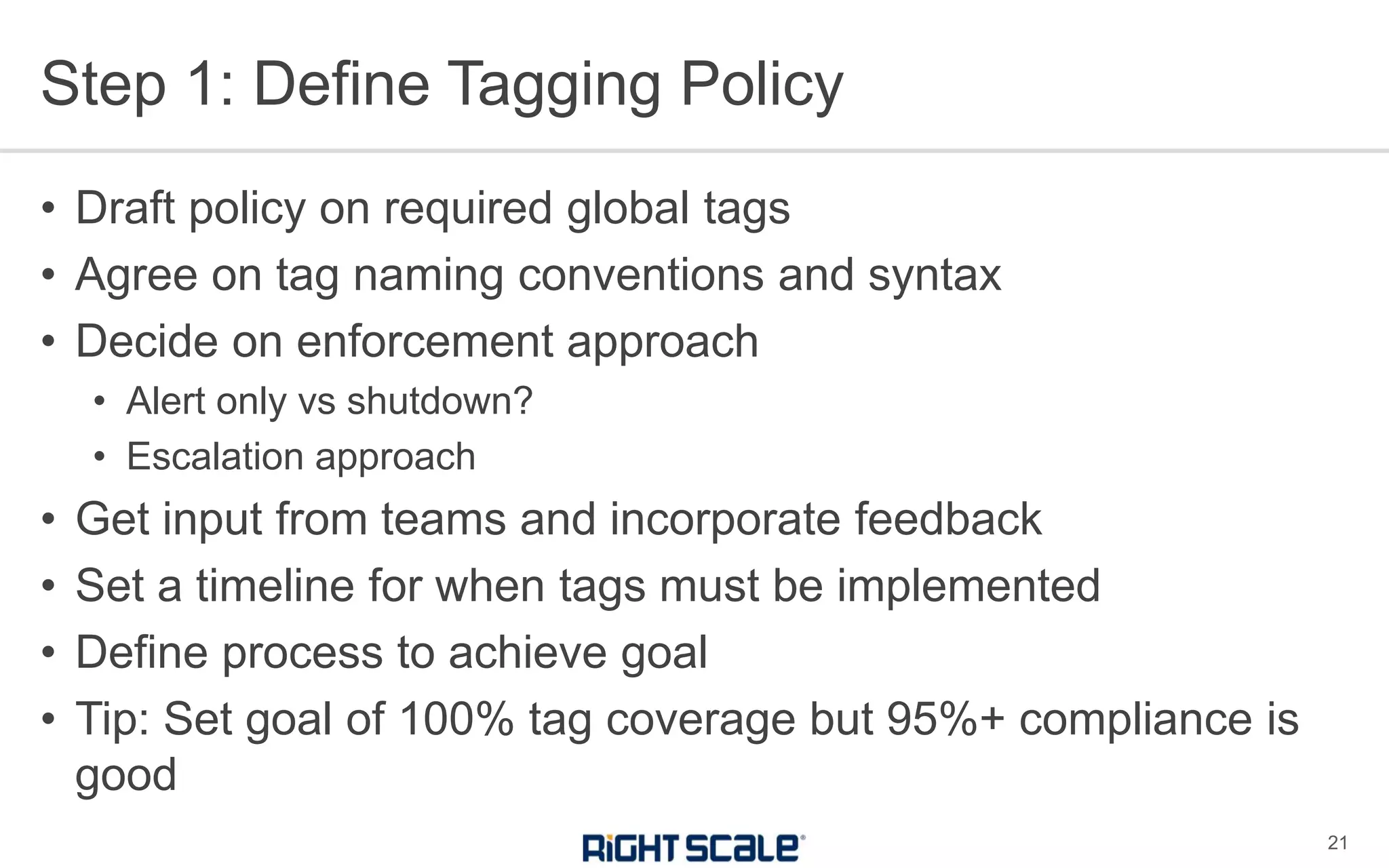
Step 1: Define Tagging Policy
21
• Draft policy on required global tags
• Agree on tag naming conventions and syntax
• Decide on enforcement approach
• Alert only vs shutdown?
• Escalation approach
• Get input from teams and incorporate feedback
• Set a timeline for when tags must be implemented
• Define process to achieve goal
• Tip: Set goal of 100% tag coverage but 95%+ compliance is
good
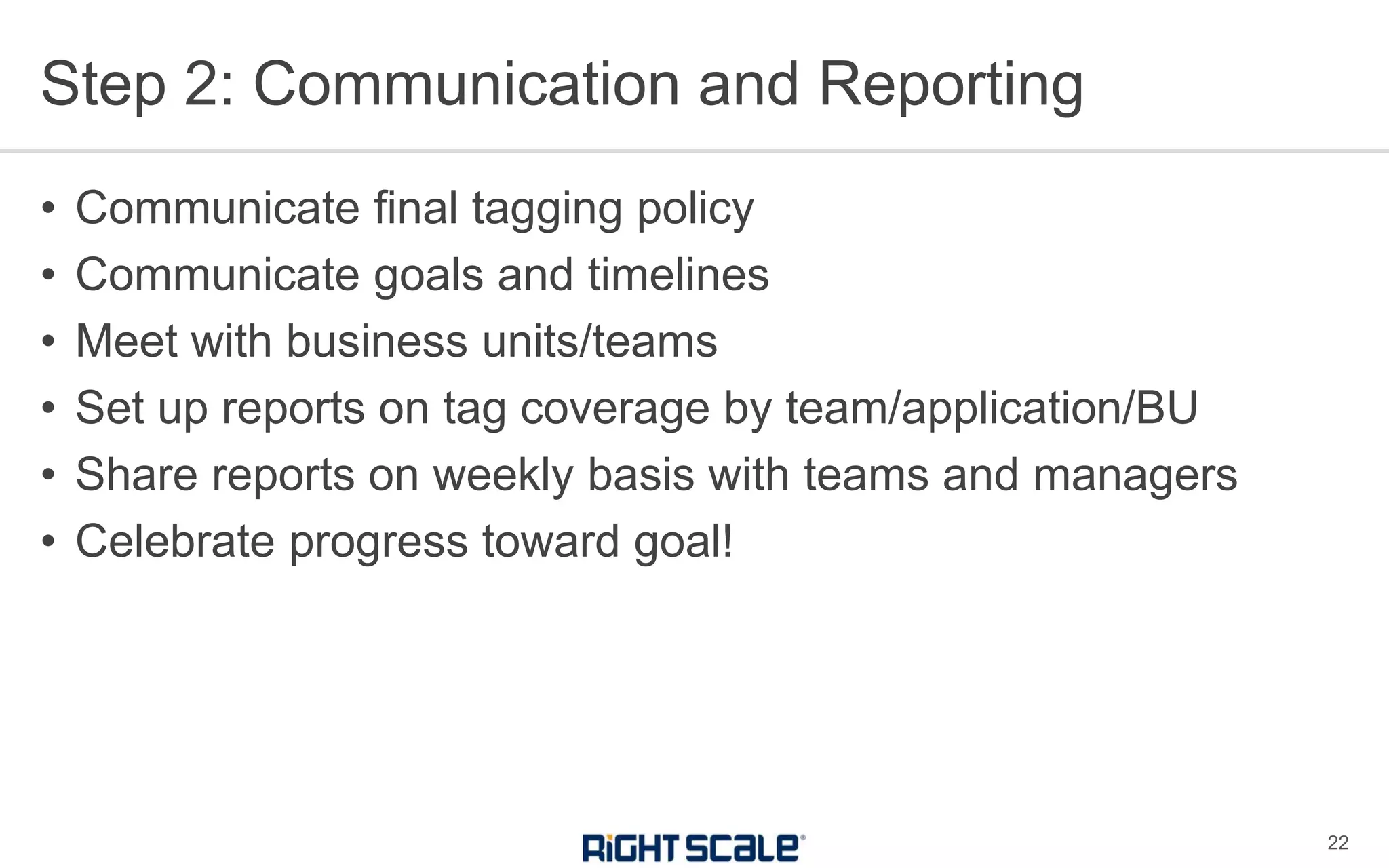
Step 2: Communication and Reporting
22
• Communicate final tagging policy
• Communicate goals and timelines
• Meet with business units/teams
• Set up reports on tag coverage by team/application/BU
• Share reports on weekly basis with teams and managers
• Celebrate progress toward goal!
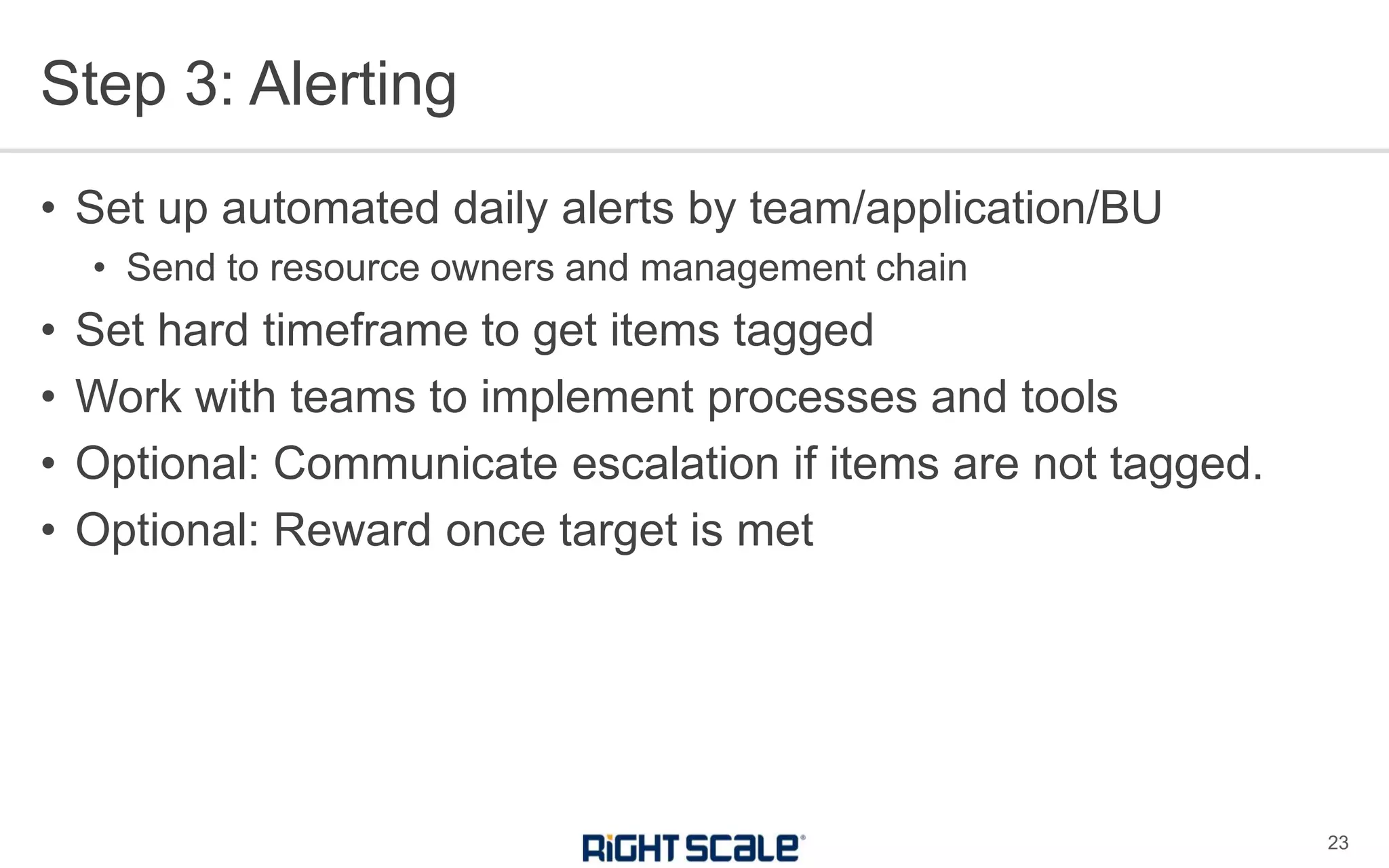
Step 3: Alerting
23
• Set up automated daily alerts by team/application/BU
• Send to resource owners and management chain
• Set hard timeframe to get items tagged
• Work with teams to implement processes and tools
• Optional: Communicate escalation if items are not tagged.
• Optional: Reward once target is met
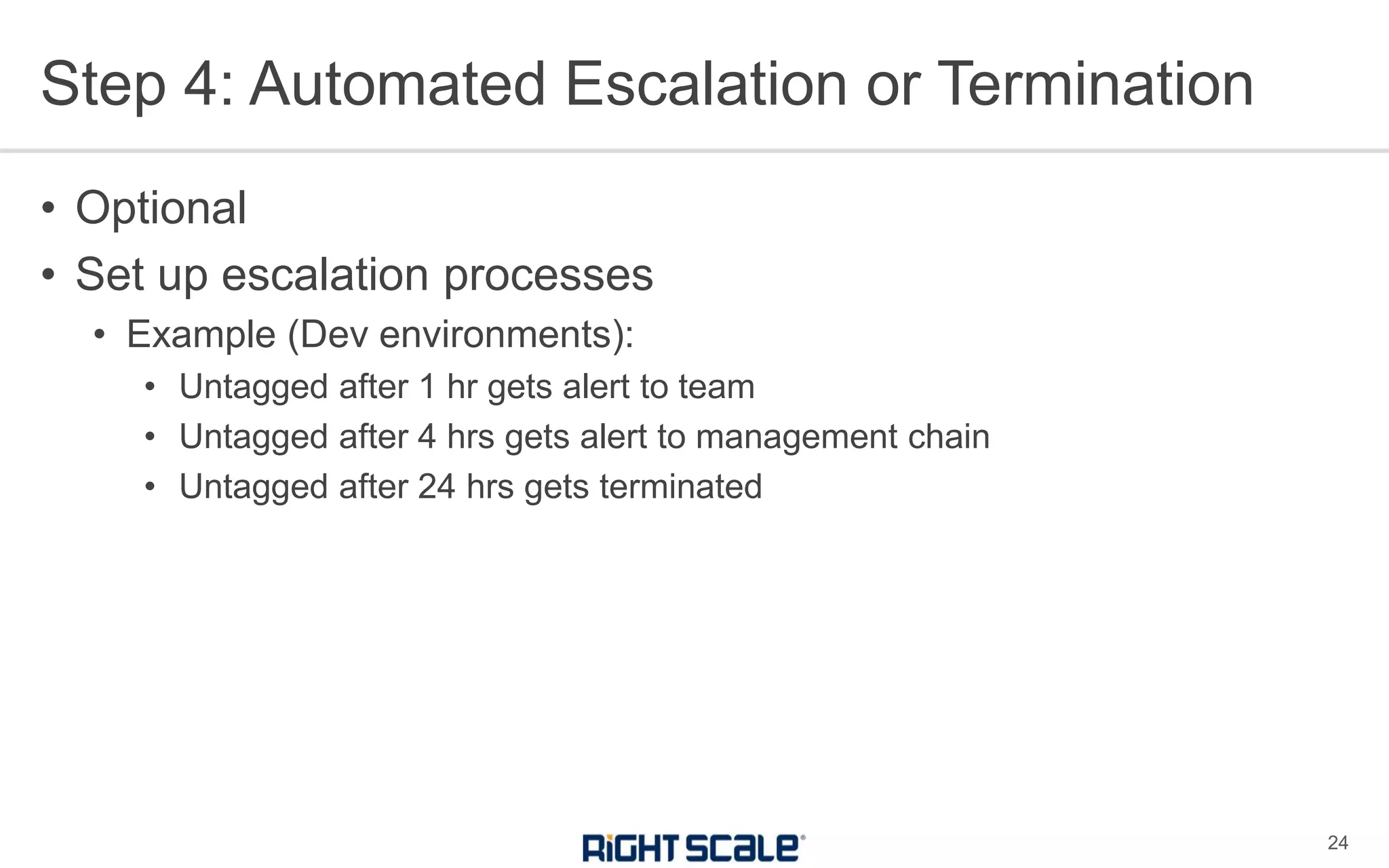
Step 4: Automated Escalation or Termination
24
• Optional
• Set up escalation processes
• Example (Dev environments):
• Untagged after 1 hr gets alert to team
• Untagged after 4 hrs gets alert to management chain
• Untagged after 24 hrs gets terminated
• To learn more, email sales@rightscale.com
Q&A
25

Tagging Best Practices for Cloud Governance

  • 1.
  • 2.
    • Kim Weins •Vice President Marketing, RightScale • Brian Adler • Director Enterprise Architecture, RightScale Panelists
  • 3.
    Optima Cost management and collaborativeoptimization RightScale CMP Solution VIRTUAL SERVERS PUBLIC CLOUDS IAAS+/PAAS SERVICES PRIVATE CLOUDS BARE METAL SERVERS CONTAINER CLUSTERS RightScale Cloud Management Platform User access controls and governance Governance Cloud Management Multi-cloud visibility, automation, and operations Self-Service Catalog of templates and automated provisioning MULTI-CLOUD ORCHESTRATION
  • 4.
    85% of EnterprisesWant Multi-Cloud Single private 5% Single public 9% No plans 1% Multiple private 7% Multiple public 20% Hybrid cloud 58% Enterprise Cloud Strategy 1000+ employees Multi-Cloud 85% Source: RightScale 2017 State of the Cloud Report
  • 5.
    30% 15% % of CloudSpend Wasted Cloud Users Underestimate Wasted Spend Source: RightScale 2017 State of the Cloud Report Self-Estimated Wasted Spend Additional Wasted Spend Measured by RightScale
  • 6.
    24% 30% 38% 38% 40% 42% 52% 53% Expanding private cloudswe use Enabling IT to broker multiple cloud services Expanding use of containers Implementing CI/CD in the cloud Implementing a cloud first strategy Expanding public clouds we use Moving more workloads to cloud Optimizing existing cloud use (cost savings) Cloud Initiatives in 2017 Cost Optimization Is Top Initiative in 2017 Source: RightScale 2017 State of the Cloud Report
  • 7.
    • Tags letyou organize and group resources for: • Cost allocation • Reporting • Chargeback and showback • Cost optimization • Compliance • Security • ...and more Why Tag for Governance 6 This webinar will focus on tagging for global tags for governance. You may also tag for other technical purposes.
  • 8.
    • Tags consistof “key-value pairs” Cloud Tag Basics 7 costcenter sales costcenter marketing costcenter engineering environment dev environment test environment production key value
  • 9.
    AWS Azure Google Tagsper resource 50 15 64 Length of key 127 512 63 Length of value 255 256 63 Case sensitive Yes (keys and values) Keys – No Values - Yes Lowercase only Allowed characters letters, spaces, numbers and + - = . _ : / @ alphanumeric lowercase letters, numeric characters, underscores, and dashes. International characters are allowed Tag Formatting is Different by Cloud 8 Tip To support multi-cloud environments: • Use only lowercase letters, numbers, underscore, dash • Keep keys and values under 63 characters
  • 10.
    AWS Azure Google NotesDon’t use aws: prefix as that is reserved for AWS. You must “activate” particular tags for cost allocation so that they show up in billing reports. Maximum active tag keys for Billing and Cost Management reports: 500 Can tag on ARM resources only (not classic Azure). Tag at Resource Group or Resource level. They recommend Resource Groups. Use JSON string if running out of tags. Labels are a Beta service. Keys must start with a lowercase letter Tags are called “Labels” in GCP. There are “network tags” in GCP used to apply firewall rules. These are separate from labels Documentation Tag Docs User-Defined Tag Restrictions Tag Docs Best Practices Label Docs Tag Formatting is Different by Cloud 9
  • 11.
    • Each timeyou use the tag on any cloud, use the same exact spelling, uppercase/lowercase, and spacing for both the key and the value Exact Consistency is Critical for Governance 10 Environment = Development Environment = dev environment = Development environment = Devlopment CostCenter = sales Costcenter = sales Cost Center = sales ✖Don’t do this!
  • 12.
    • You cancombine multiple items for your Application taxonomy into one tag • You can combine multiple elements into a JOSN strong (256 chars max) Running Out of Tags on Azure? 11
  • 13.
    Tag Type ExamplesPurpose Environment env = dev env = test env = stage env = prod Used to identify the environment type Billing bu = bigbu costcenter = sales region = emea owner = jsmith One or more tags used to allocate costs Application app = bigapp svc = jenkins One or more tags to define the application or service Compliance dataresidency = germany compliance = pii compliance = hipaa One or more tags to define and compliance requirements Optimization schedule = 24x7 schedule = 12x5 maxruntime = 14days One or more tags to use in automated optimization Minimum Recommended Global Tags 12
  • 14.
    • Allocate thecosts to a shared billing unit • Use the AWS account, Azure Subscription, or Google Project to determine the owner and allocate the costs to that group • Allocate costs proportionally to billing units based on a metric, such as • Overall cloud spend • Cloud spend of a particular type • A percentage allocation that you determine in another way Allocating “Un-taggable” Resources 13
  • 15.
    • What ifwe have naming conventions? • Tags can more easily be used for reporting. • If you already have naming conventions • Use automation to copy appropriate parts of the name to your global tags! Tags vs. Naming Conventions 14
  • 16.
    • Who • Cloud“Governance” Team defines policy • Application/Resource Owners assign tags • When • For new instances, on launch • Bulk automation for existing instances • How • Automation! • What automation you use can vary • RightScale, scripts, templates, etc Assigning Tags 15
  • 17.
    • RightScale provides“multi-cloud” tagging • Accounts • Instances • Arrays • ServerTemplates • Deployments • EBS Snapshots • EBS Volumes • MultiCloud Images • Reports Tagging in RightScale 16
  • 18.
    • RightScale syncswith cloud tags • RS tags with aws, azure, or gce prefix are synched with cloud provider • Similarly, cloud provider tags are synched to RS • Tags can be applied in bulk to resources from RS UI or API • Tags can be applied through automation in templates • ServerTemplates • Cloud Application Templates • “Tag checker” policy can automatically check for tags • Automated policies can be used to apply tags • Example: Create tags based on server naming conventions Tagging in RightScale 17
  • 19.
    • Cloud providersallow tag creation via console, CLI, and/or API • Leverage templates • Azure templates • AWS CloudFormation • Or others • Leverage other automation • Chef • Puppet • Ansible • Or others Automated Tagging Outside of RightScale 18
  • 20.
    • Who • Cloud“Governance” Team to set up Tag Checker • When • Frequently – preferably hourly but at least daily • How • Automated RightScale Policy checks for resources with missing tags and alerts or takes automated action • Consider an escalation approach • Alert if untagged items in Dev are running for more than an hour • Shutdown untagged items in Dev after 8 hours Checking for Tags 19
  • 21.
    Rollout Process forGlobal Tagging 20 • Step 1 – Define Tagging Policy • Step 2 – Communication and Reporting • Step 3 – Alerting on Missing Tags • Step 4 – (Optional): Automated Escalation or Termination
  • 22.
    Step 1: DefineTagging Policy 21 • Draft policy on required global tags • Agree on tag naming conventions and syntax • Decide on enforcement approach • Alert only vs shutdown? • Escalation approach • Get input from teams and incorporate feedback • Set a timeline for when tags must be implemented • Define process to achieve goal • Tip: Set goal of 100% tag coverage but 95%+ compliance is good
  • 23.
    Step 2: Communicationand Reporting 22 • Communicate final tagging policy • Communicate goals and timelines • Meet with business units/teams • Set up reports on tag coverage by team/application/BU • Share reports on weekly basis with teams and managers • Celebrate progress toward goal!
  • 24.
    Step 3: Alerting 23 •Set up automated daily alerts by team/application/BU • Send to resource owners and management chain • Set hard timeframe to get items tagged • Work with teams to implement processes and tools • Optional: Communicate escalation if items are not tagged. • Optional: Reward once target is met
  • 25.
    Step 4: AutomatedEscalation or Termination 24 • Optional • Set up escalation processes • Example (Dev environments): • Untagged after 1 hr gets alert to team • Untagged after 4 hrs gets alert to management chain • Untagged after 24 hrs gets terminated
  • 26.
    • To learnmore, email sales@rightscale.com Q&A 25