Tabular Data on the Web
Intro to W3C CSV on the Web Specifications
Gregg Kellogg
gregg@greggkellogg.net
@gkellogg
1
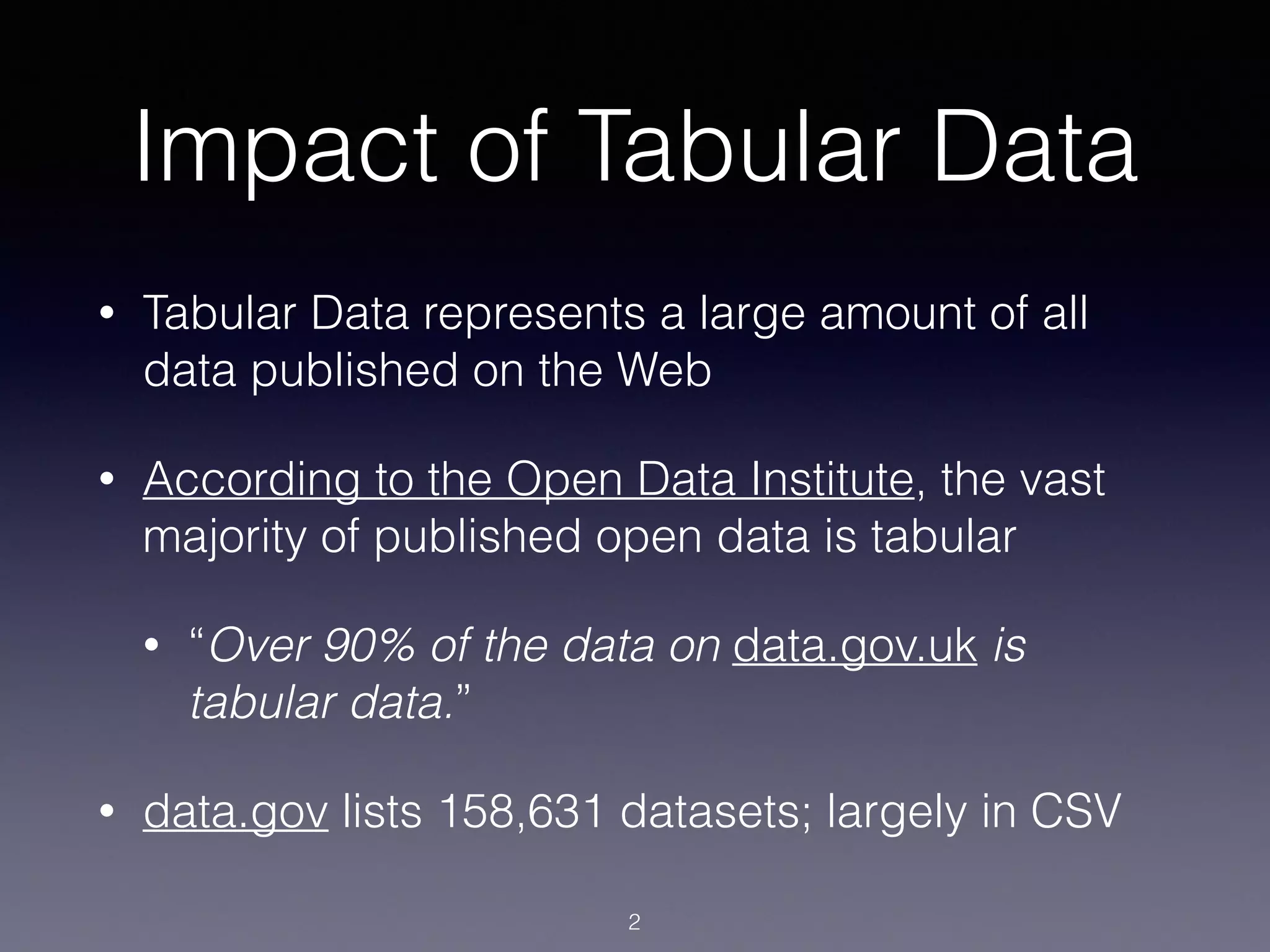
Impact of Tabular Data
• Tabular Data represents a large amount of all
data published on the Web
• According to the Open Data Institute, the vast
majority of published open data is tabular
• “Over 90% of the data on data.gov.uk is
tabular data.”
• data.gov lists 158,631 datasets; largely in CSV
2
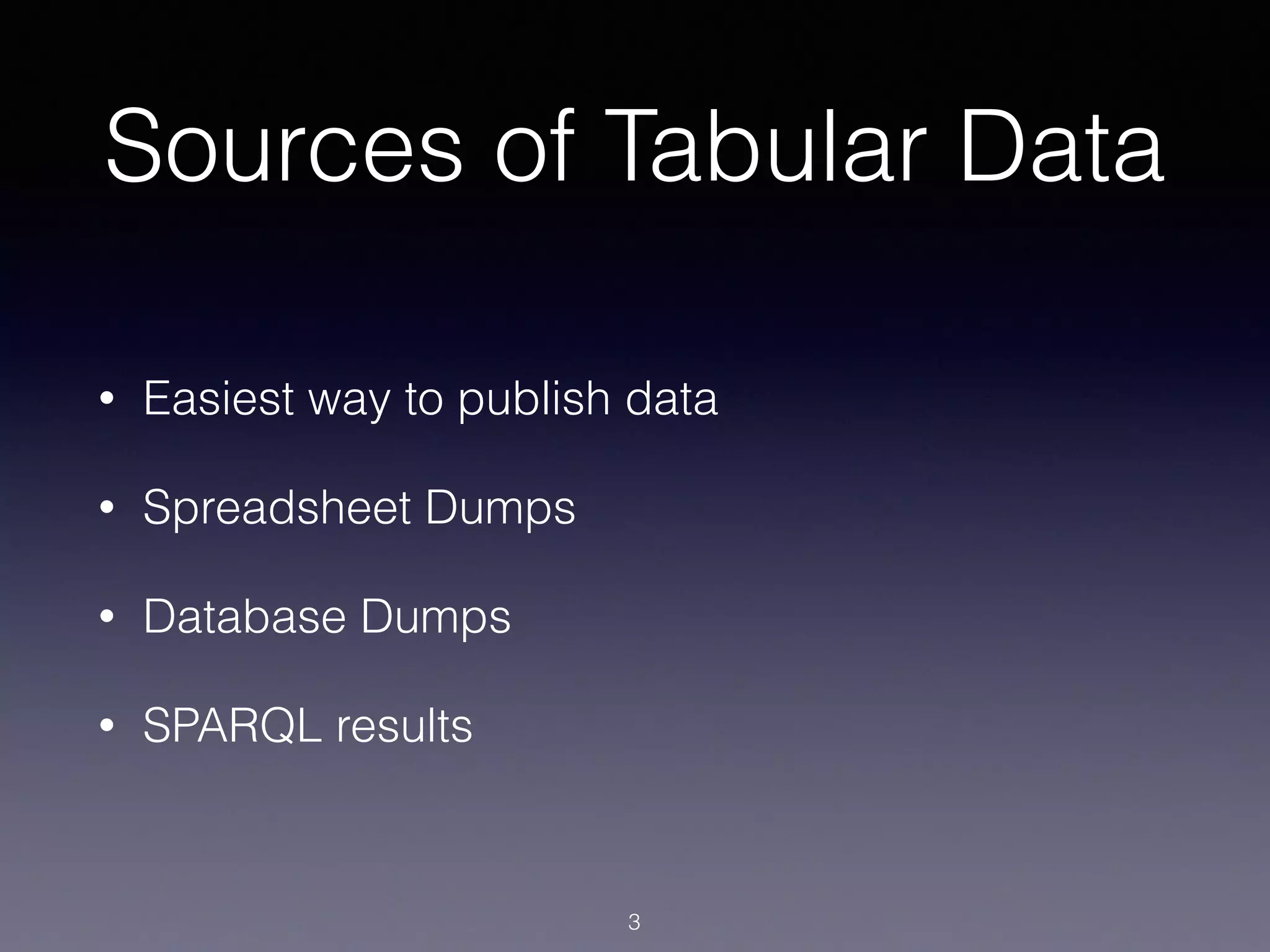
Sources of Tabular Data
• Easiest way to publish data
• Spreadsheet Dumps
• Database Dumps
• SPARQL results
3
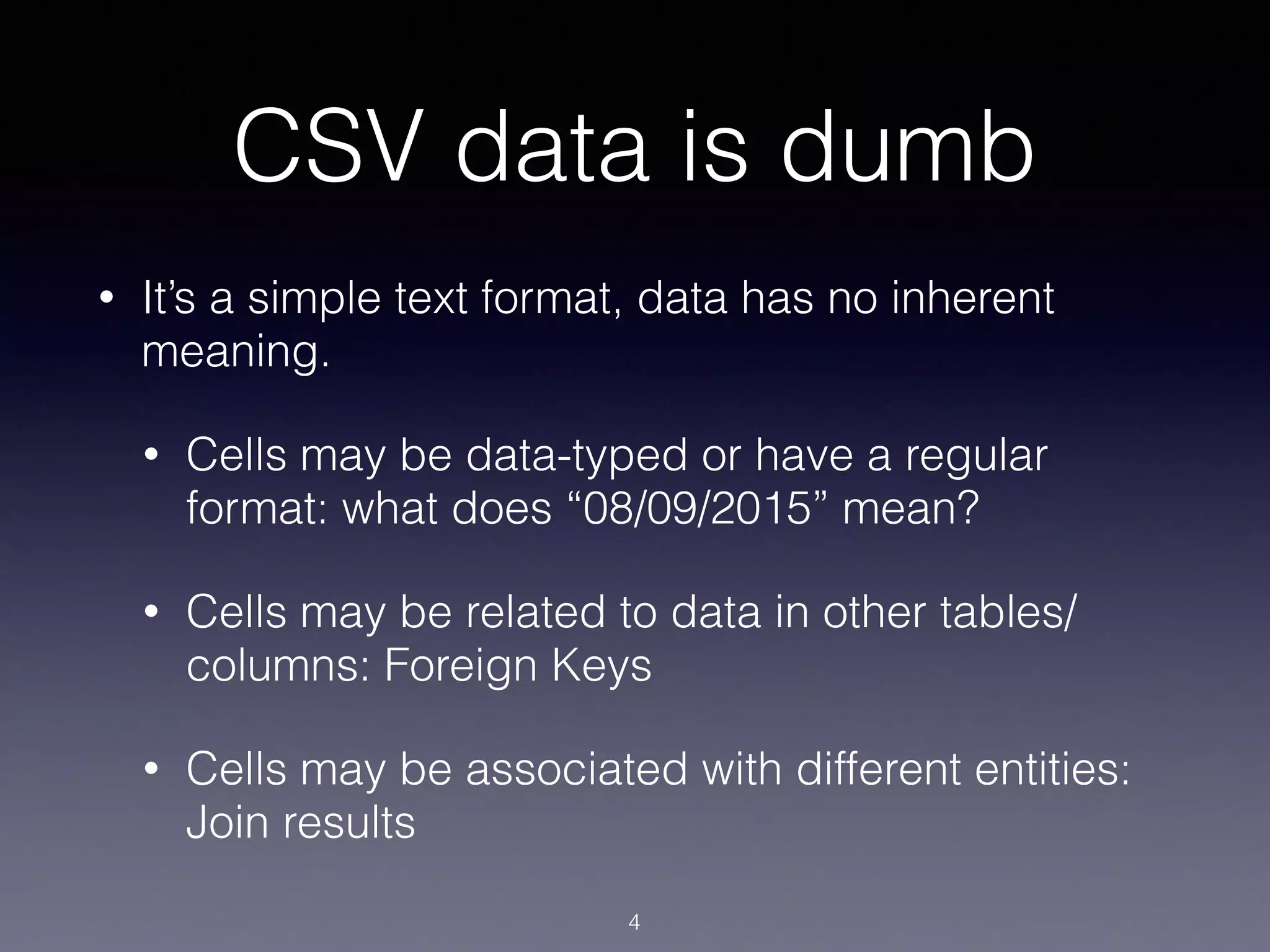
CSV data is dumb
• It’s a simple text format, data has no inherent
meaning.
• Cells may be data-typed or have a regular
format: what does “08/09/2015” mean?
• Cells may be related to data in other tables/
columns: Foreign Keys
• Cells may be associated with different entities:
Join results
4
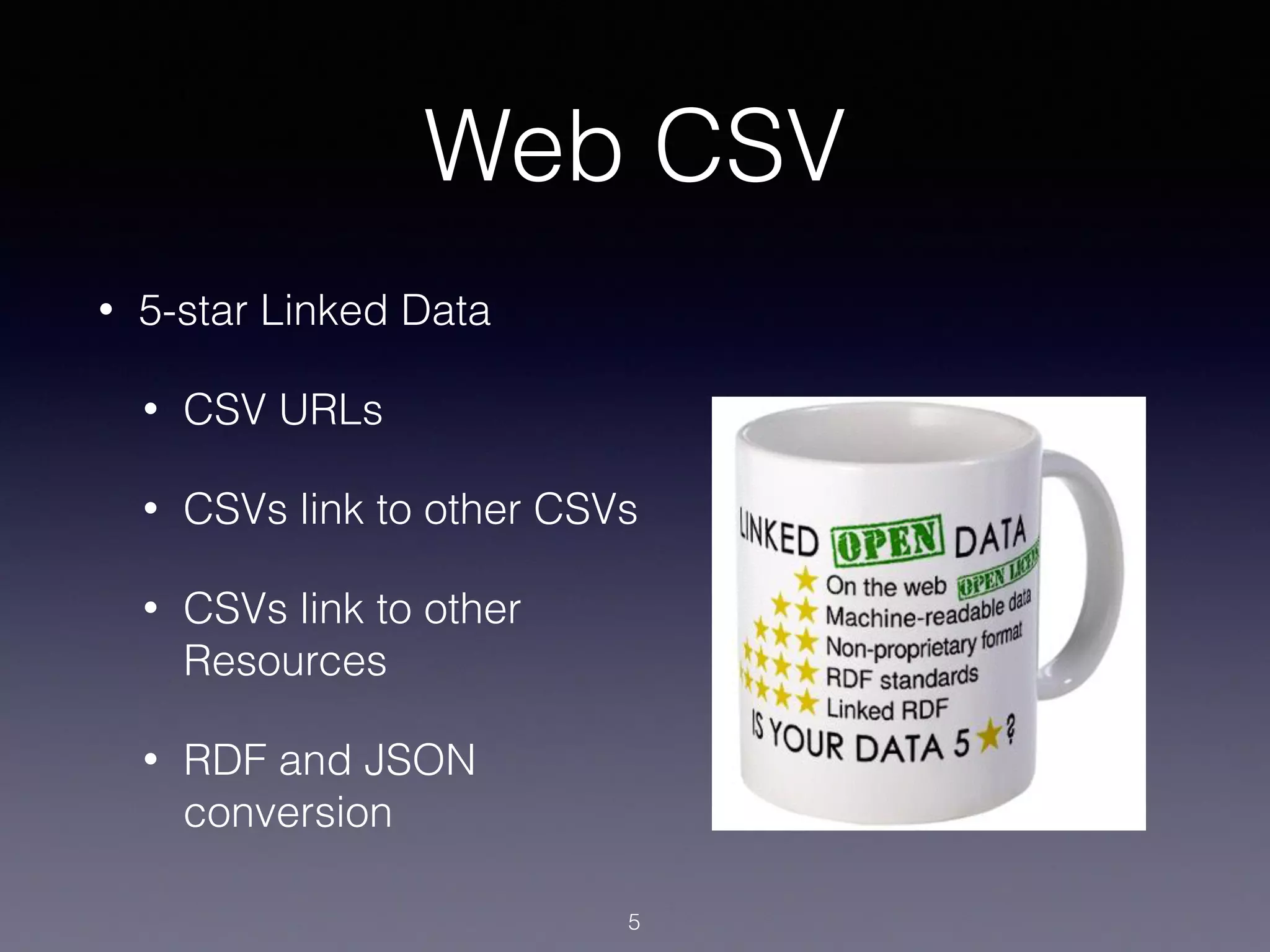
Web CSV
• 5-star Linked Data
• CSV URLs
• CSVs link to other CSVs
• CSVs link to other
Resources
• RDF and JSON
conversion
5
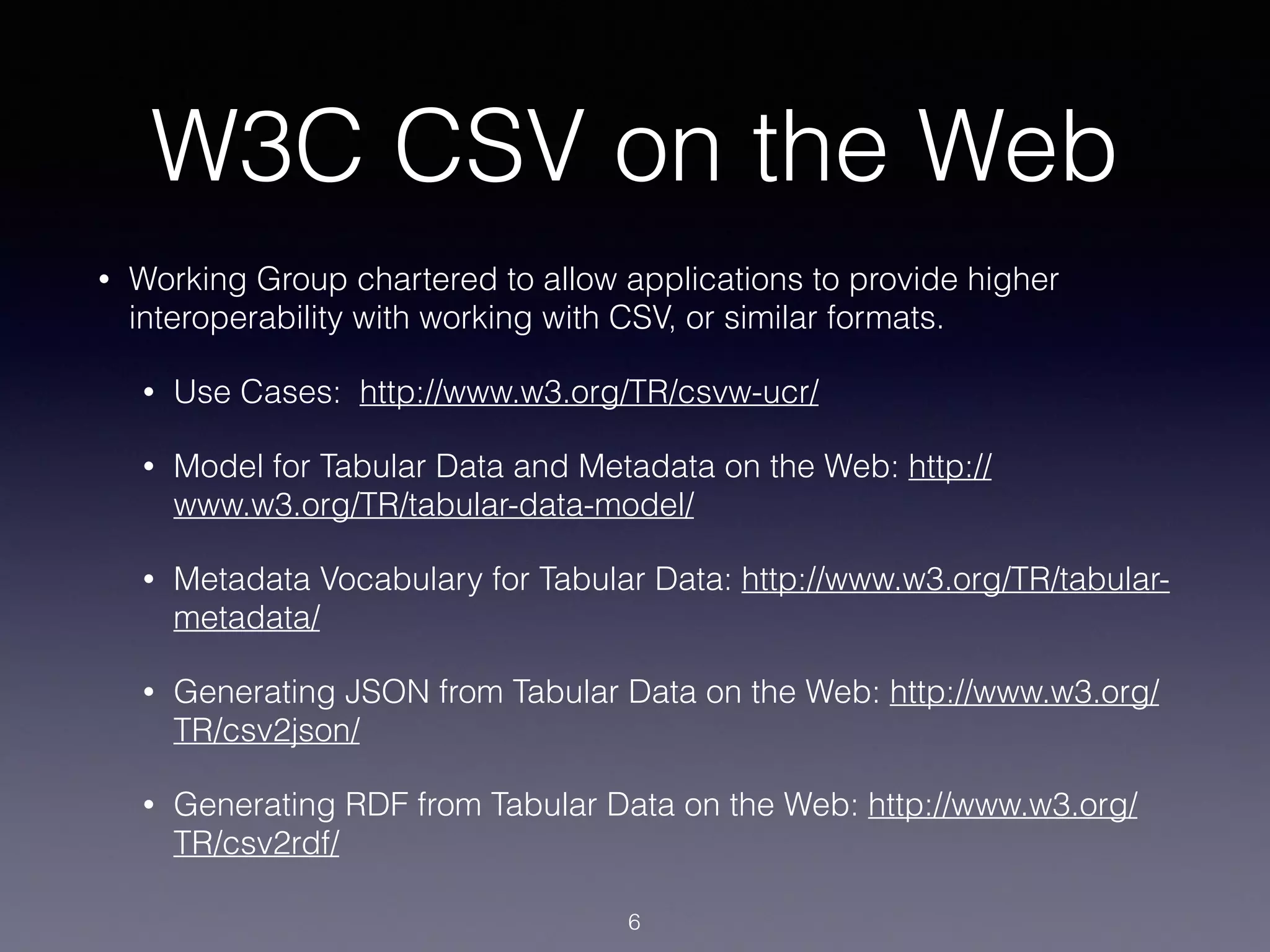
W3C CSV on the Web
• Working Group chartered to allow applications to provide higher
interoperability with working with CSV, or similar formats.
• Use Cases: http://www.w3.org/TR/csvw-ucr/
• Model for Tabular Data and Metadata on the Web: http://
www.w3.org/TR/tabular-data-model/
• Metadata Vocabulary for Tabular Data: http://www.w3.org/TR/tabular-
metadata/
• Generating JSON from Tabular Data on the Web: http://www.w3.org/
TR/csv2json/
• Generating RDF from Tabular Data on the Web: http://www.w3.org/
TR/csv2rdf/
6
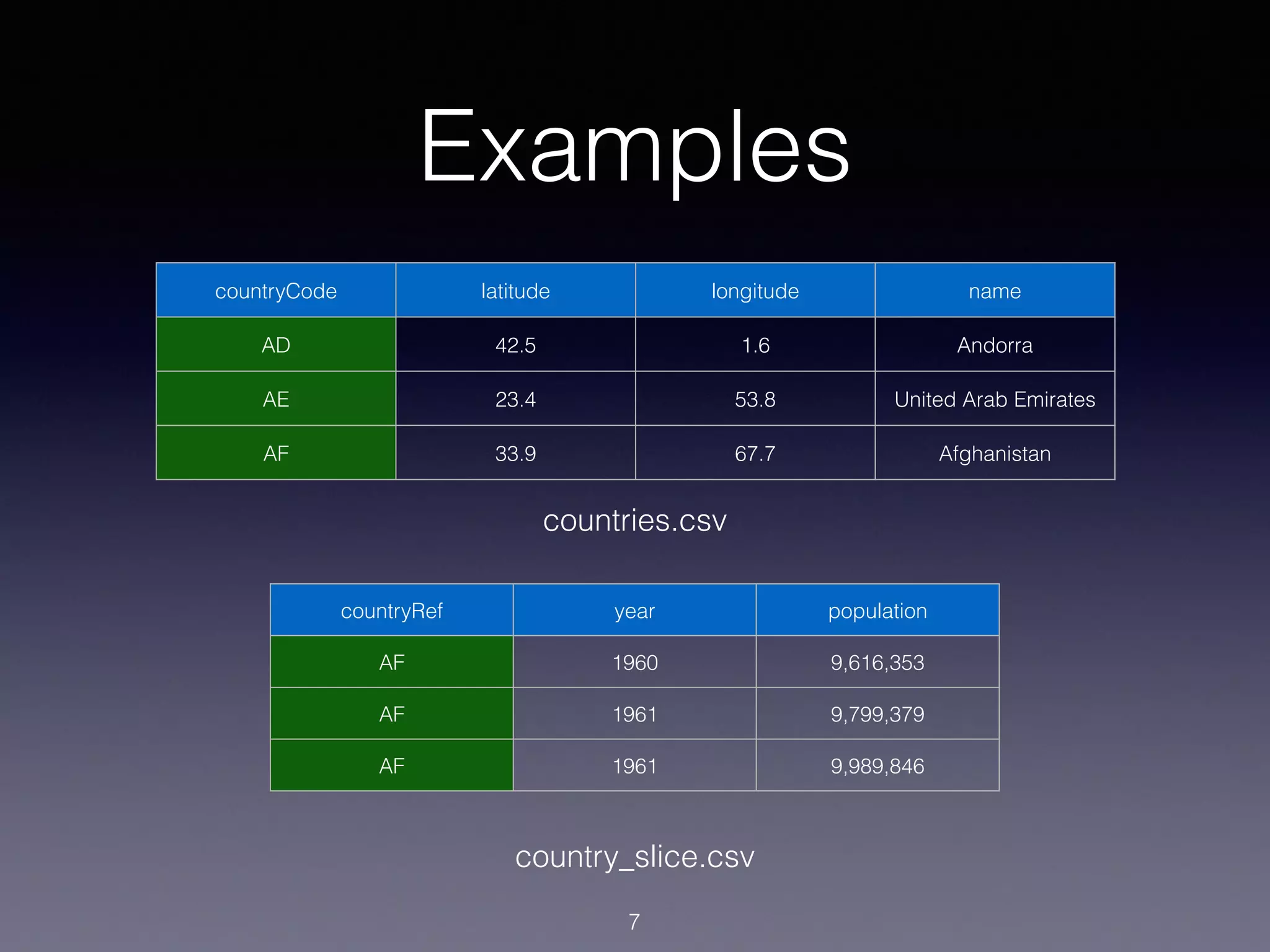
Examples
7
countryCode latitude longitude name
AD 42.5 1.6 Andorra
AE 23.4 53.8 United Arab Emirates
AF 33.9 67.7 Afghanistan
countries.csv
countryRef year population
AF 1960 9,616,353
AF 1961 9,799,379
AF 1961 9,989,846
country_slice.csv
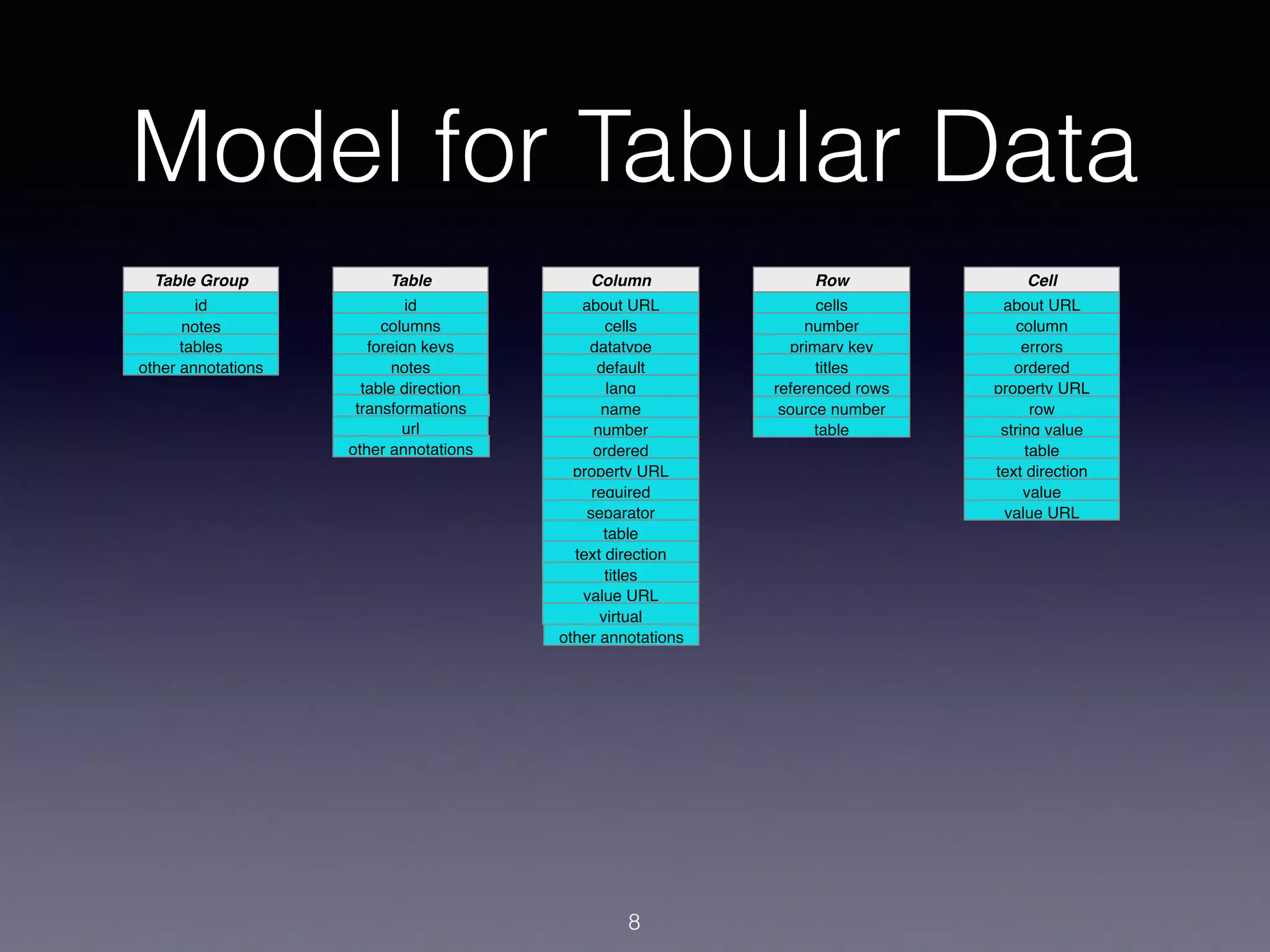
Model for Tabular Data
id
Table Group
id
Table
notes
transformations
about URL
cells
datatype
default
Column
lang
name
number
ordered
property URL
required
separator
table
text direction
titles
value URL
virtual
cells
number
primary key
titles
Row
referenced rows
source number
table
about URL
column
errors
ordered
Cell
property URL
row
string value
table
text direction
value
value URL
8
notes
foreign keys
other annotations
url
other annotations
tables
columns
rows
table direction
other annotations
rows
table
Mapping CSV to Model
• Parse CSV: RFC4180 + dialect metadata.
• delimiter, doubleQuote, headerRowCount,
lineTerminators, quoteChar, …
• Dialect Description comes from Metadata Document.
• Match Headers to Columns.
• Parse Cells using Column metadata/datatype.
• Abstract data model used for viewing, validation, and
conversions.
9
Metadata
• Finding Metadata from a CSV
• User-specified, Link Header, well-known
locations
• Matching Metadata to a CSV
• CSV must be compatible with metadata (titles/
names)
• Metadata must reference CSV URL
10
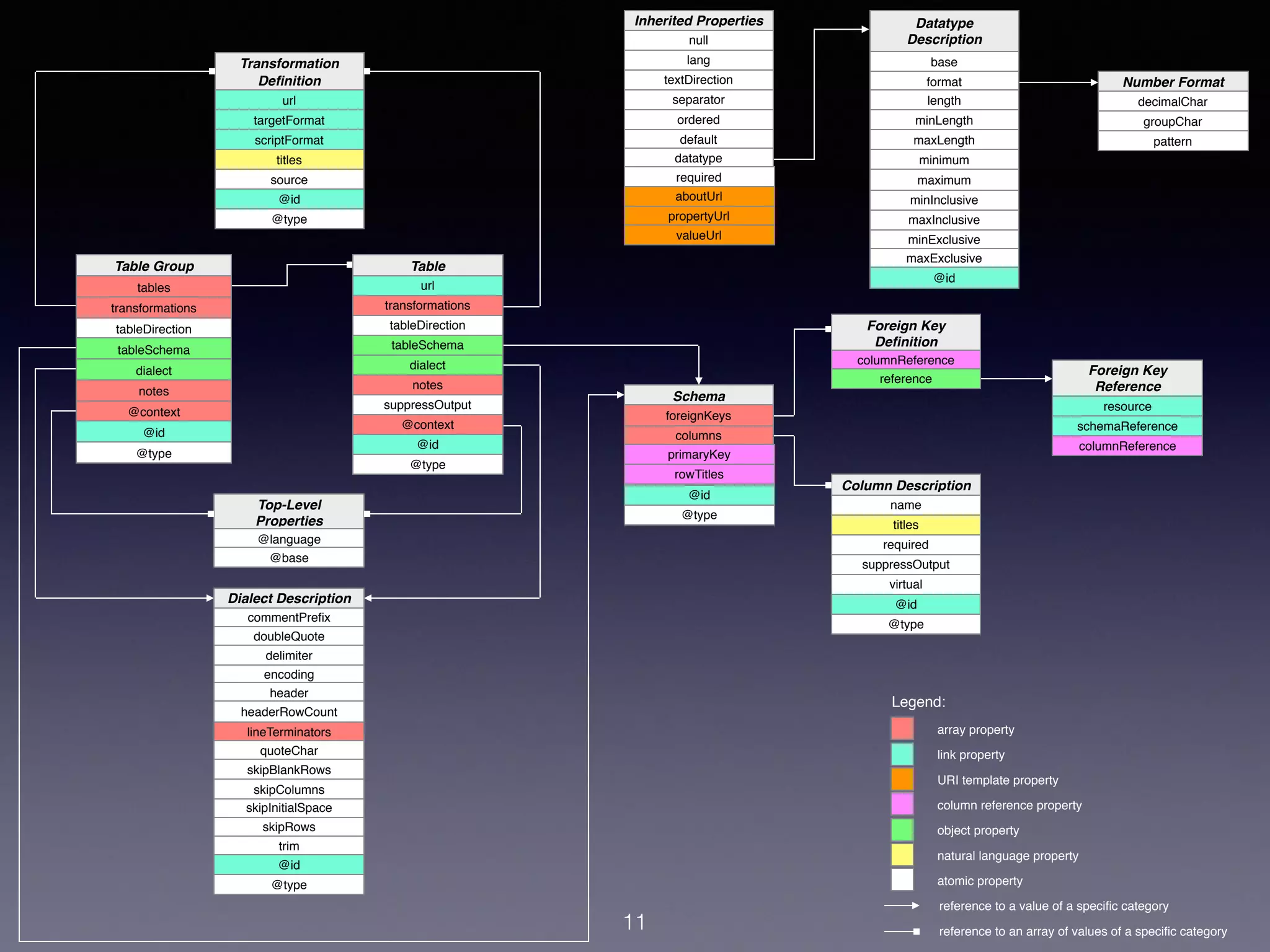
foreignKeys
columns
@id
@type
Schema
primaryKey
rowTitles
11
url
targetFormat
scriptFormat
titles
source
@id
@type
Transformation
Definition
name
titles
required
suppressOutput
virtual
@id
@type
Column Description
columnReference
reference
Foreign Key
Definition
resource
schemaReference
columnReference
Foreign Key
Reference
array property
link property
URI template property
column reference property
object property
natural language property
atomic property
Legend:
reference to an array of values of a specific category
reference to a value of a specific category
@language
@base
Top-Level
Properties
tables
transformations
tableDirection
tableSchema
dialect
@context
@id
Table Group
notes
@type
decimalChar
groupChar
pattern
Number Format
url
transformations
tableDirection
tableSchema
dialect
notes
Table
@context
@id
@type
suppressOutput
null
lang
textDirection
separator
ordered
default
datatype
Inherited Properties
aboutUrl
propertyUrl
valueUrl
required
base
format
length
minLength
maxLength
minimum
maximum
Datatype
Description
minInclusive
maxInclusive
minExclusive
maxExclusive
@id
@type
encoding
lineTerminators
quoteChar
doubleQuote
skipRows
commentPrefix
header
Dialect Description
headerRowCount
skipBlankRows
skipInitialSpace
trim
@id
delimiter
skipColumns
Schema
• Column Descriptions
• Names/Titles
• Datatype
• Primary Keys
• Foreign Key Relationships
12
Embedded Metadata
• Generally Column Titles.
• Formats may define CSV conventions for
embedded metadata.
• Principally used to determine metadata
compatibility.
• Also serves as default metadata if no file
located.
13
Datatypes
• Basic XSD datatypes
• maximum/minimum facets
• minLength/maxLength facets
• format/pattern
• RegExp, Boolean, UAX35 date/time picture
string, UAX35 number picture string
14
Other Features
• Split cells into multiple items
• Validate Primary Keys and Foreign Key
references (single and multiple columns)
• Define URL properties for columns
• Multiple subjects per column (may be URLs)
• Values as URLs
15
Conversions: JSON
countryCode latitude longitude name
AD 42.5 1.6 Andorra
AE 23.4 53.8 United Arab
Emirates
AF 33.9 67.7 Afghanistan
countries.csv
16
{
"tables": [{
"url": "http://example.org/countries.csv",
"row": [{
"url": "http://example.org/countries.csv#row=2",
"rownum": 1,
"describes": [{
"countryCoe": "AD",
"latitude": "42.5",
"longitude": "1.6",
"name": "Andorra"
}]
}, {
"url": "http://example.org/countries.csv#row=3",
"rownum": 2,
"describes": [{
"countryCode": "AE",
"latitude": "23.4",
"longitude": "53.8",
"name": "United Arab Emirates"
}]
}, {
"url": "http://example.org/countries.csv#row=4",
"rownum": 3,
"describes": [{
"countryCode": "AF",
"latitude": "33.9",
"longitude": "67.7",
"name": "Afghanistan"
}]
}]
}]
}
countries.json
countries-standard.json
Conversions: JSON (min)
countryCode latitude longitude name
AD 42.5 1.6 Andorra
AE 23.4 53.8 United Arab
Emirates
AF 33.9 67.7 Afghanistan
17
[{
"countryCode": "AD",
"latitude": "42.5",
"longitude": "1.6",
"name": "Andorra"
}, {
"countryCode": "AE",
"latitude": "23.4",
"longitude": "53.8",
"name": "United Arab Emirates"
}, {
"countryCode": "AF",
"latitude": "33.9",
"longitude": "67.7",
"name": "Afghanistan"
}]
countries.csv
countries.json
countries-minimal.json
Conversions: RDF
countryCode latitude longitude name
AD 42.5 1.6 Andorra
AE 23.4 53.8 United Arab
Emirates
AF 33.9 67.7 Afghanistan
18
@base <http://example.org/countries.csv> .
@prefix csvw: <http://www.w3.org/ns/csvw#> .
@prefix xsd: <http://www.w3.org/2001/XMLSchema#> .
_:tg a csvw:TableGroup ;
csvw:table [ a csvw:Table ;
csvw:url <http://example.org/countries.csv> ;
csvw:row [ a csvw:Row ;
csvw:rownum "1"^^xsd:integer ;
csvw:url <#row=2> ;
csvw:describes _:t1r1
], [ a csvw:Row ;
csvw:rownum "2"^^xsd:integer ;
csvw:url <#row=3> ;
csvw:describes _:t1r2
], [ a csvw:Row ;
csvw:rownum "3"^^xsd:integer ;
csvw:url <#row=4> ;
csvw:describes _:t1r3
]
] .
_:t1r1
<#countryCode> "AD" ;
<#latitude> "42.5" ;
<#longitude> "1.6" ;
<#name> "Andorra" .
_:t1r2
<#countryCode> "AE" ;
<#latitude> "23.4" ;
<#longitude> "53.8" ;
<#name> "United Arab Emirates" .
_:t1r3
<#countryCode> "AF" ;
<#latitude> "33.9" ;
<#longitude> "67.7" ;
<#name> "Afghanistan" .
countries.csv
countries.json
countries-standard.ttl
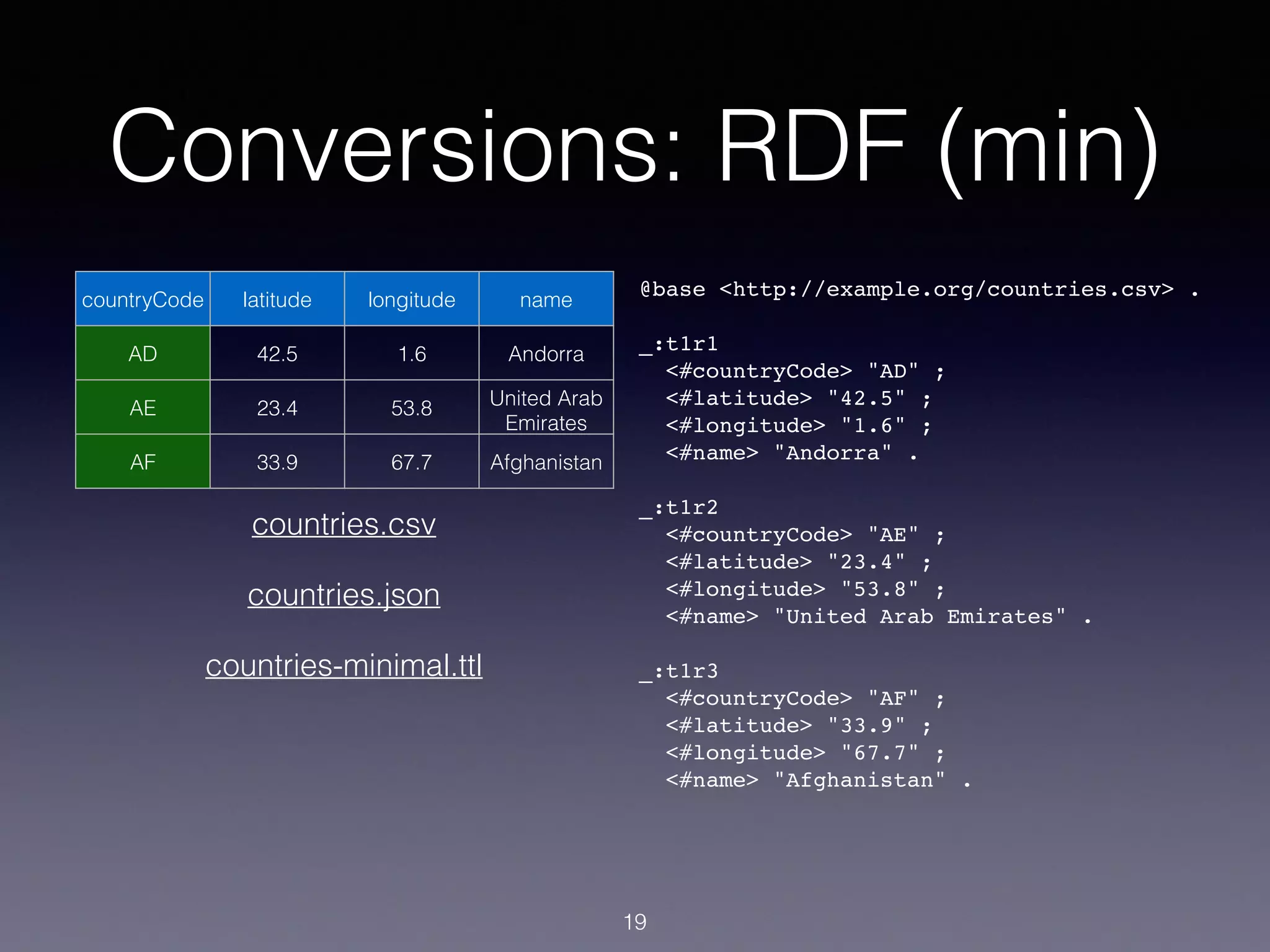
Conversions: RDF (min)
countryCode latitude longitude name
AD 42.5 1.6 Andorra
AE 23.4 53.8 United Arab
Emirates
AF 33.9 67.7 Afghanistan
19
@base <http://example.org/countries.csv> .
_:t1r1
<#countryCode> "AD" ;
<#latitude> "42.5" ;
<#longitude> "1.6" ;
<#name> "Andorra" .
_:t1r2
<#countryCode> "AE" ;
<#latitude> "23.4" ;
<#longitude> "53.8" ;
<#name> "United Arab Emirates" .
_:t1r3
<#countryCode> "AF" ;
<#latitude> "33.9" ;
<#longitude> "67.7" ;
<#name> "Afghanistan" .
countries.csv
countries.json
countries-minimal.ttl
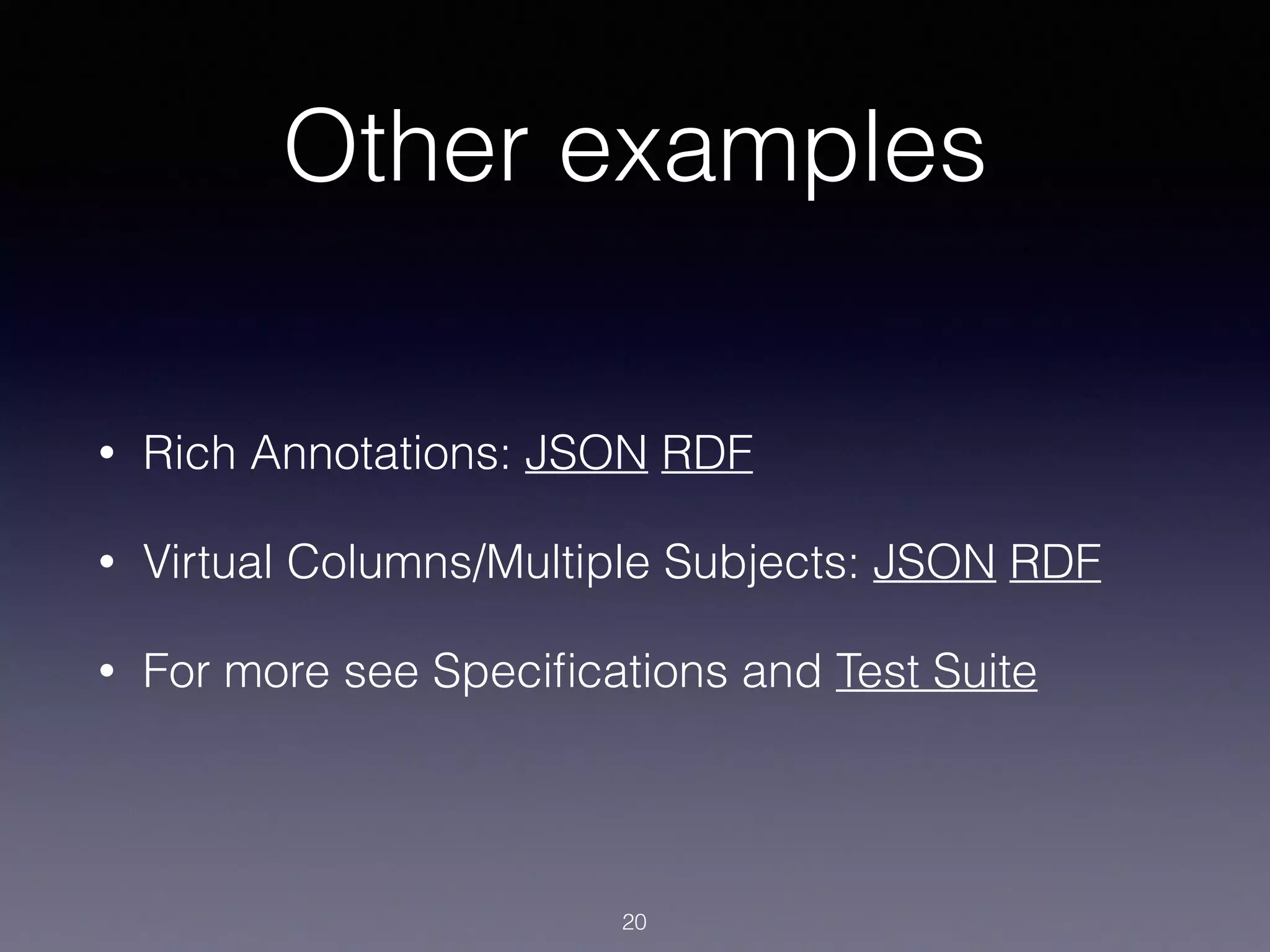
Other examples
• Rich Annotations: JSON RDF
• Virtual Columns/Multiple Subjects: JSON RDF
• For more see Specifications and Test Suite
20
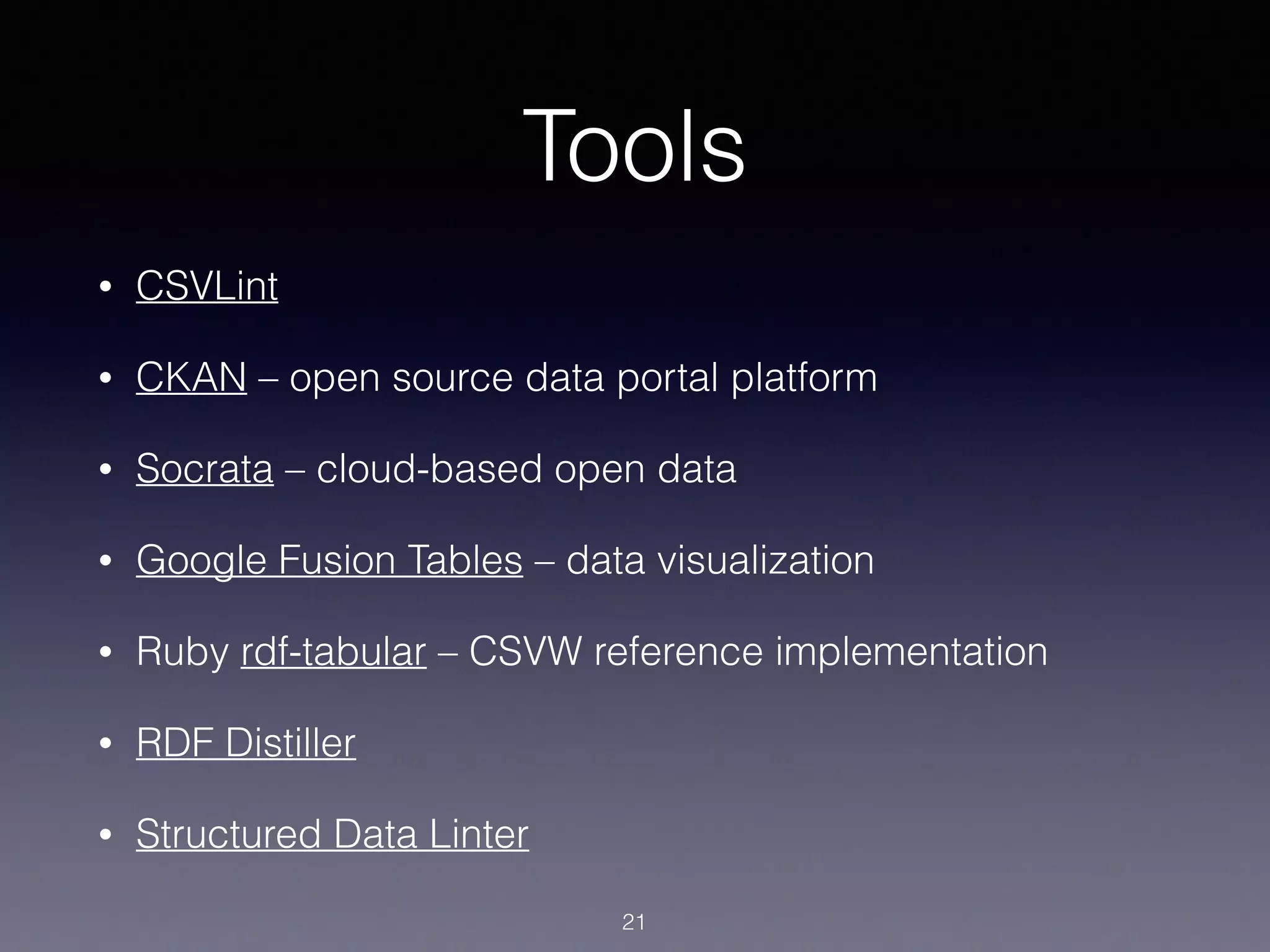
Tools
• CSVLint
• CKAN – open source data portal platform
• Socrata – cloud-based open data
• Google Fusion Tables – data visualization
• Ruby rdf-tabular – CSVW reference implementation
• RDF Distiller
• Structured Data Linter
21
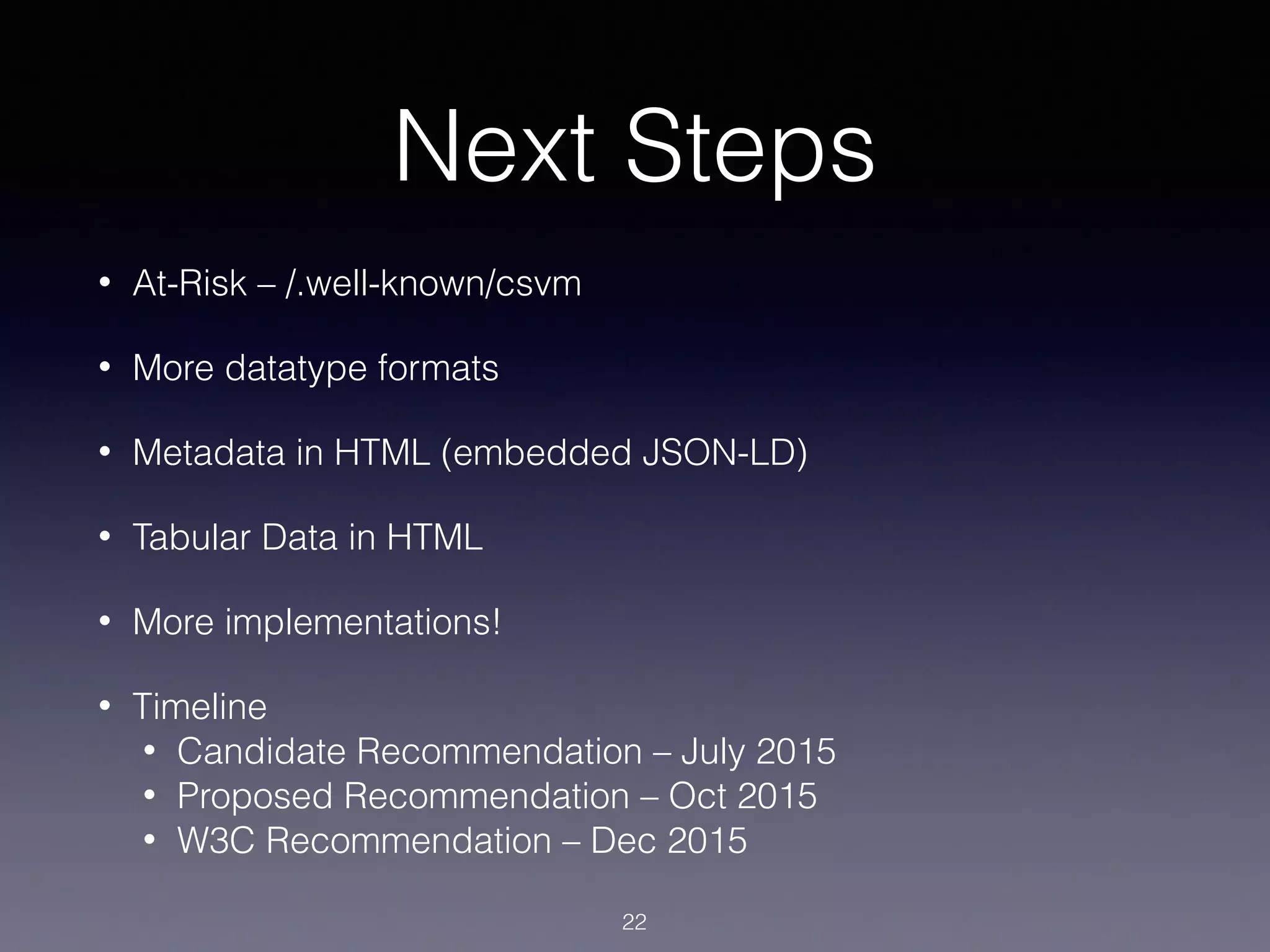
Next Steps
• At-Risk – /.well-known/csvm
• More datatype formats
• Metadata in HTML (embedded JSON-LD)
• Tabular Data in HTML
• More implementations!
• Timeline
• Candidate Recommendation – July 2015
• Proposed Recommendation – Oct 2015
• W3C Recommendation – Dec 2015
22
More Information
GitHub
w3c
Gregg Kellogg
@gkellogg
gregg@greggkellogg.net
http://greggkellogg.net/
http://www.slideshare.net/gkellogg1/tabular-data-on-the-web
distiller
linterSlideshare

Tabular Data on the Web

  • 1.
    Tabular Data onthe Web Intro to W3C CSV on the Web Specifications Gregg Kellogg gregg@greggkellogg.net @gkellogg 1
  • 2.
    Impact of TabularData • Tabular Data represents a large amount of all data published on the Web • According to the Open Data Institute, the vast majority of published open data is tabular • “Over 90% of the data on data.gov.uk is tabular data.” • data.gov lists 158,631 datasets; largely in CSV 2
  • 3.
    Sources of TabularData • Easiest way to publish data • Spreadsheet Dumps • Database Dumps • SPARQL results 3
  • 4.
    CSV data isdumb • It’s a simple text format, data has no inherent meaning. • Cells may be data-typed or have a regular format: what does “08/09/2015” mean? • Cells may be related to data in other tables/ columns: Foreign Keys • Cells may be associated with different entities: Join results 4
  • 5.
    Web CSV • 5-starLinked Data • CSV URLs • CSVs link to other CSVs • CSVs link to other Resources • RDF and JSON conversion 5
  • 6.
    W3C CSV onthe Web • Working Group chartered to allow applications to provide higher interoperability with working with CSV, or similar formats. • Use Cases: http://www.w3.org/TR/csvw-ucr/ • Model for Tabular Data and Metadata on the Web: http:// www.w3.org/TR/tabular-data-model/ • Metadata Vocabulary for Tabular Data: http://www.w3.org/TR/tabular- metadata/ • Generating JSON from Tabular Data on the Web: http://www.w3.org/ TR/csv2json/ • Generating RDF from Tabular Data on the Web: http://www.w3.org/ TR/csv2rdf/ 6
  • 7.
    Examples 7 countryCode latitude longitudename AD 42.5 1.6 Andorra AE 23.4 53.8 United Arab Emirates AF 33.9 67.7 Afghanistan countries.csv countryRef year population AF 1960 9,616,353 AF 1961 9,799,379 AF 1961 9,989,846 country_slice.csv
  • 8.
    Model for TabularData id Table Group id Table notes transformations about URL cells datatype default Column lang name number ordered property URL required separator table text direction titles value URL virtual cells number primary key titles Row referenced rows source number table about URL column errors ordered Cell property URL row string value table text direction value value URL 8 notes foreign keys other annotations url other annotations tables columns rows table direction other annotations rows table
  • 9.
    Mapping CSV toModel • Parse CSV: RFC4180 + dialect metadata. • delimiter, doubleQuote, headerRowCount, lineTerminators, quoteChar, … • Dialect Description comes from Metadata Document. • Match Headers to Columns. • Parse Cells using Column metadata/datatype. • Abstract data model used for viewing, validation, and conversions. 9
  • 10.
    Metadata • Finding Metadatafrom a CSV • User-specified, Link Header, well-known locations • Matching Metadata to a CSV • CSV must be compatible with metadata (titles/ names) • Metadata must reference CSV URL 10
  • 11.
    foreignKeys columns @id @type Schema primaryKey rowTitles 11 url targetFormat scriptFormat titles source @id @type Transformation Definition name titles required suppressOutput virtual @id @type Column Description columnReference reference Foreign Key Definition resource schemaReference columnReference ForeignKey Reference array property link property URI template property column reference property object property natural language property atomic property Legend: reference to an array of values of a specific category reference to a value of a specific category @language @base Top-Level Properties tables transformations tableDirection tableSchema dialect @context @id Table Group notes @type decimalChar groupChar pattern Number Format url transformations tableDirection tableSchema dialect notes Table @context @id @type suppressOutput null lang textDirection separator ordered default datatype Inherited Properties aboutUrl propertyUrl valueUrl required base format length minLength maxLength minimum maximum Datatype Description minInclusive maxInclusive minExclusive maxExclusive @id @type encoding lineTerminators quoteChar doubleQuote skipRows commentPrefix header Dialect Description headerRowCount skipBlankRows skipInitialSpace trim @id delimiter skipColumns
  • 12.
    Schema • Column Descriptions •Names/Titles • Datatype • Primary Keys • Foreign Key Relationships 12
  • 13.
    Embedded Metadata • GenerallyColumn Titles. • Formats may define CSV conventions for embedded metadata. • Principally used to determine metadata compatibility. • Also serves as default metadata if no file located. 13
  • 14.
    Datatypes • Basic XSDdatatypes • maximum/minimum facets • minLength/maxLength facets • format/pattern • RegExp, Boolean, UAX35 date/time picture string, UAX35 number picture string 14
  • 15.
    Other Features • Splitcells into multiple items • Validate Primary Keys and Foreign Key references (single and multiple columns) • Define URL properties for columns • Multiple subjects per column (may be URLs) • Values as URLs 15
  • 16.
    Conversions: JSON countryCode latitudelongitude name AD 42.5 1.6 Andorra AE 23.4 53.8 United Arab Emirates AF 33.9 67.7 Afghanistan countries.csv 16 { "tables": [{ "url": "http://example.org/countries.csv", "row": [{ "url": "http://example.org/countries.csv#row=2", "rownum": 1, "describes": [{ "countryCoe": "AD", "latitude": "42.5", "longitude": "1.6", "name": "Andorra" }] }, { "url": "http://example.org/countries.csv#row=3", "rownum": 2, "describes": [{ "countryCode": "AE", "latitude": "23.4", "longitude": "53.8", "name": "United Arab Emirates" }] }, { "url": "http://example.org/countries.csv#row=4", "rownum": 3, "describes": [{ "countryCode": "AF", "latitude": "33.9", "longitude": "67.7", "name": "Afghanistan" }] }] }] } countries.json countries-standard.json
  • 17.
    Conversions: JSON (min) countryCodelatitude longitude name AD 42.5 1.6 Andorra AE 23.4 53.8 United Arab Emirates AF 33.9 67.7 Afghanistan 17 [{ "countryCode": "AD", "latitude": "42.5", "longitude": "1.6", "name": "Andorra" }, { "countryCode": "AE", "latitude": "23.4", "longitude": "53.8", "name": "United Arab Emirates" }, { "countryCode": "AF", "latitude": "33.9", "longitude": "67.7", "name": "Afghanistan" }] countries.csv countries.json countries-minimal.json
  • 18.
    Conversions: RDF countryCode latitudelongitude name AD 42.5 1.6 Andorra AE 23.4 53.8 United Arab Emirates AF 33.9 67.7 Afghanistan 18 @base <http://example.org/countries.csv> . @prefix csvw: <http://www.w3.org/ns/csvw#> . @prefix xsd: <http://www.w3.org/2001/XMLSchema#> . _:tg a csvw:TableGroup ; csvw:table [ a csvw:Table ; csvw:url <http://example.org/countries.csv> ; csvw:row [ a csvw:Row ; csvw:rownum "1"^^xsd:integer ; csvw:url <#row=2> ; csvw:describes _:t1r1 ], [ a csvw:Row ; csvw:rownum "2"^^xsd:integer ; csvw:url <#row=3> ; csvw:describes _:t1r2 ], [ a csvw:Row ; csvw:rownum "3"^^xsd:integer ; csvw:url <#row=4> ; csvw:describes _:t1r3 ] ] . _:t1r1 <#countryCode> "AD" ; <#latitude> "42.5" ; <#longitude> "1.6" ; <#name> "Andorra" . _:t1r2 <#countryCode> "AE" ; <#latitude> "23.4" ; <#longitude> "53.8" ; <#name> "United Arab Emirates" . _:t1r3 <#countryCode> "AF" ; <#latitude> "33.9" ; <#longitude> "67.7" ; <#name> "Afghanistan" . countries.csv countries.json countries-standard.ttl
  • 19.
    Conversions: RDF (min) countryCodelatitude longitude name AD 42.5 1.6 Andorra AE 23.4 53.8 United Arab Emirates AF 33.9 67.7 Afghanistan 19 @base <http://example.org/countries.csv> . _:t1r1 <#countryCode> "AD" ; <#latitude> "42.5" ; <#longitude> "1.6" ; <#name> "Andorra" . _:t1r2 <#countryCode> "AE" ; <#latitude> "23.4" ; <#longitude> "53.8" ; <#name> "United Arab Emirates" . _:t1r3 <#countryCode> "AF" ; <#latitude> "33.9" ; <#longitude> "67.7" ; <#name> "Afghanistan" . countries.csv countries.json countries-minimal.ttl
  • 20.
    Other examples • RichAnnotations: JSON RDF • Virtual Columns/Multiple Subjects: JSON RDF • For more see Specifications and Test Suite 20
  • 21.
    Tools • CSVLint • CKAN– open source data portal platform • Socrata – cloud-based open data • Google Fusion Tables – data visualization • Ruby rdf-tabular – CSVW reference implementation • RDF Distiller • Structured Data Linter 21
  • 22.
    Next Steps • At-Risk– /.well-known/csvm • More datatype formats • Metadata in HTML (embedded JSON-LD) • Tabular Data in HTML • More implementations! • Timeline • Candidate Recommendation – July 2015 • Proposed Recommendation – Oct 2015 • W3C Recommendation – Dec 2015 22
  • 23.