Mr . Sathish Kumar . M
Department of Electronics and Communication
Engineering
I’ve learned that people will forget what you said,
people will forget what you did, but people will never
forget how you made them feel. –Maya Angelou
System Hardware
In
Management Information
System
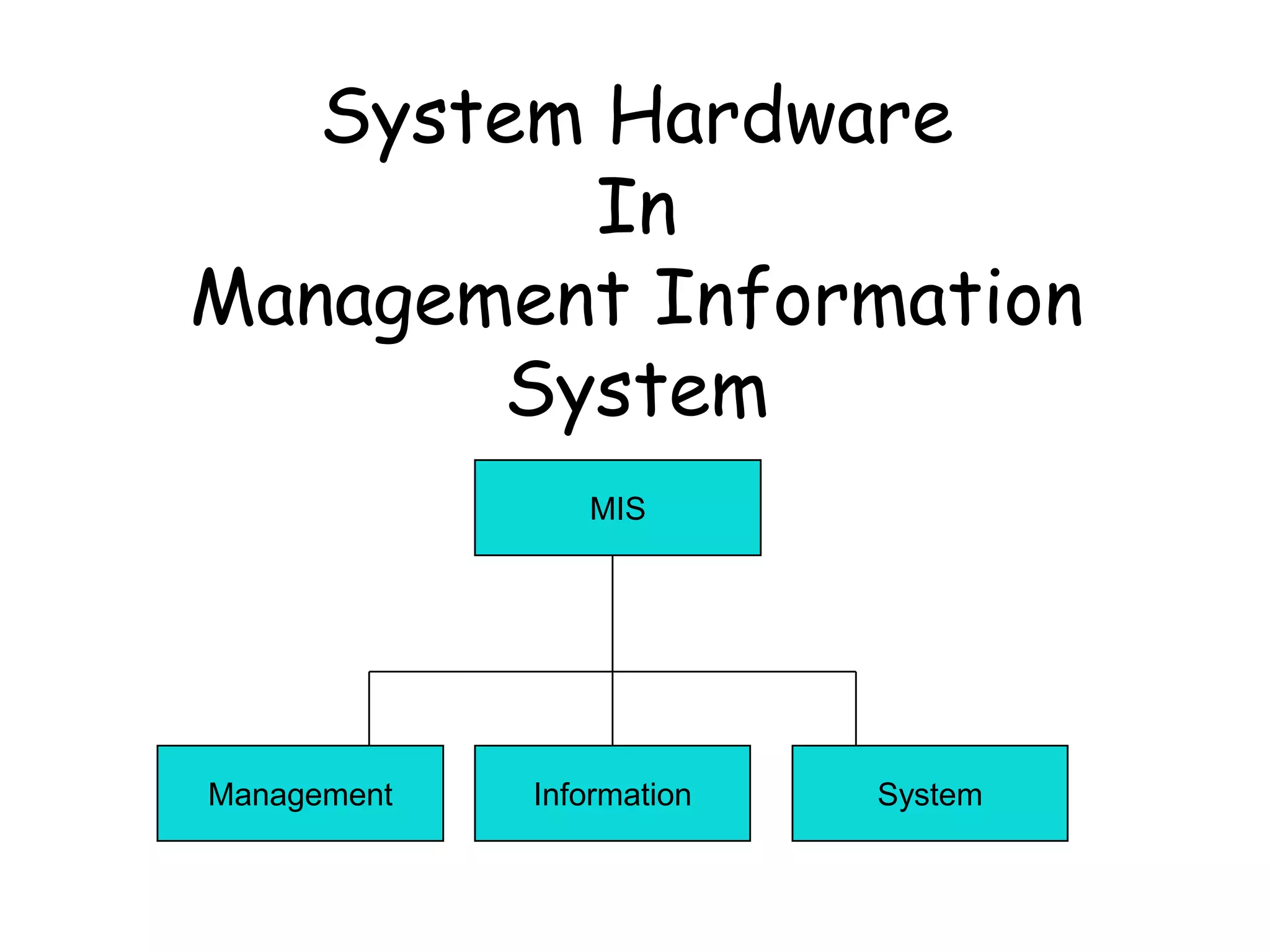
MIS
Management Information System
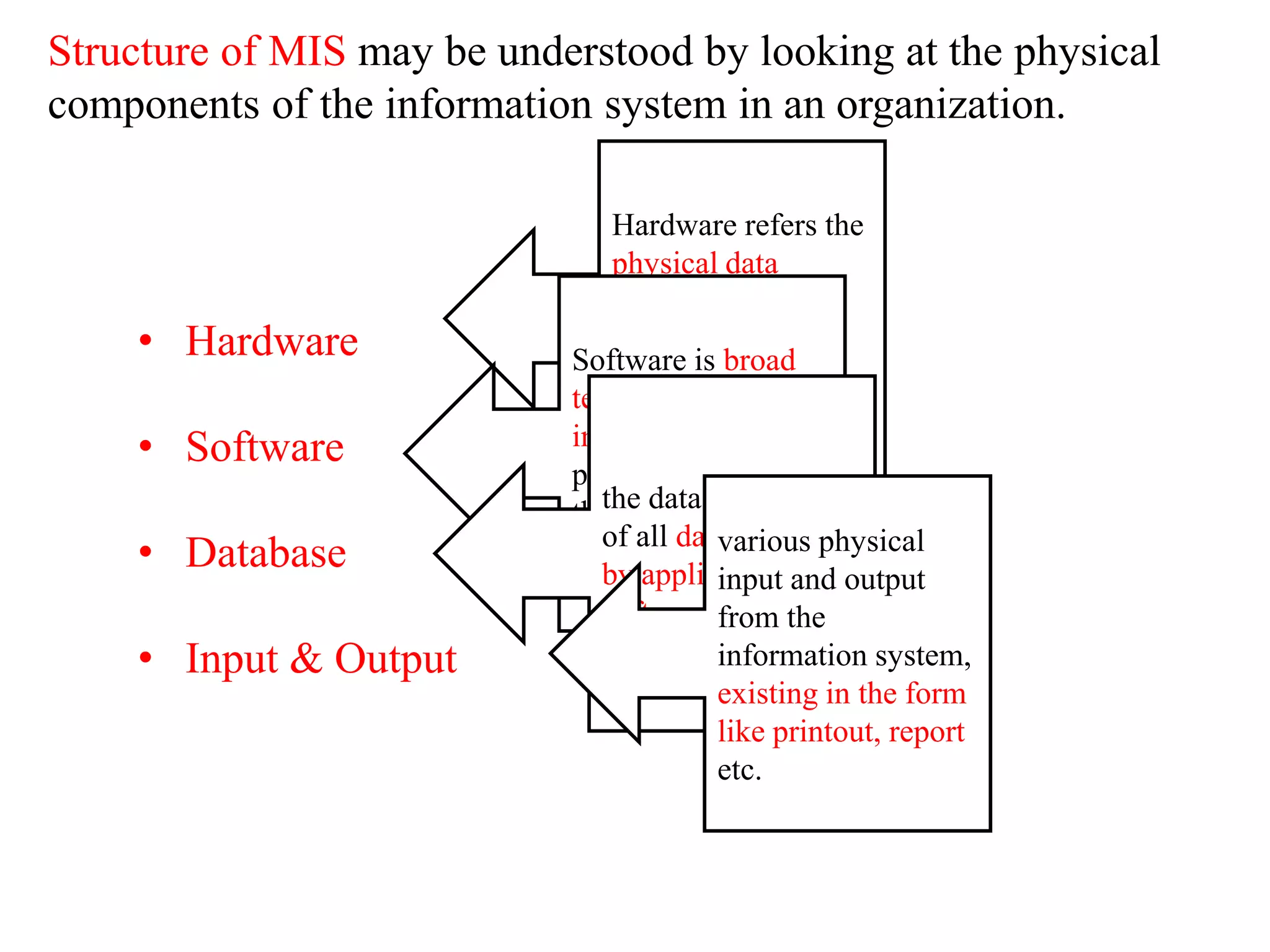
Structure of MIS may be understood by looking at the physical
components of the information system in an organization.
• Hardware
• Software
• Database
• Input & Output
Hardware refers the
physical data
processing
equipment and
peripheral devices.
Software is broad
term given to the
instruction or
program that direct
the operation of the
hardware.
the data base consist
of all data utilized
by application
software.
various physical
input and output
from the
information system,
existing in the form
like printout, report
etc.
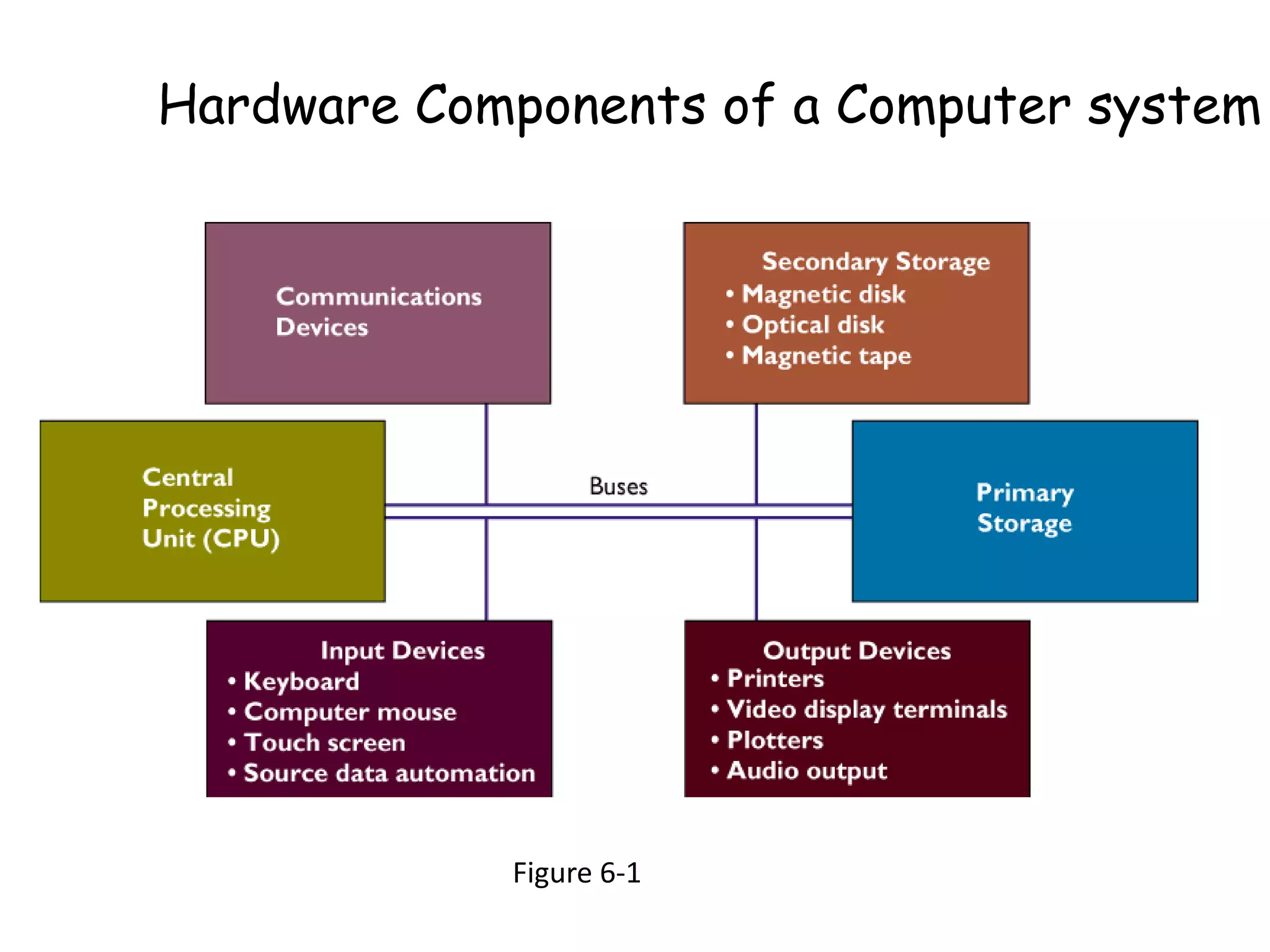
Figure 6-1
Hardware Components of a Computer system
What is hardware….. ?
 Hardware refers to the physical components
of a computer and devices that perform the
input, processing, storage, and output
activities of the computer.
 Hardware can support objective of the
information system, and goal of organization.
Advantages of hardware in Organization
Organization invest in computer hardware to
improve worker productivity, increase revenue,
reduce cost, and provide better customer
service, Speed up time-to-market, and enable
collaboration among employees.
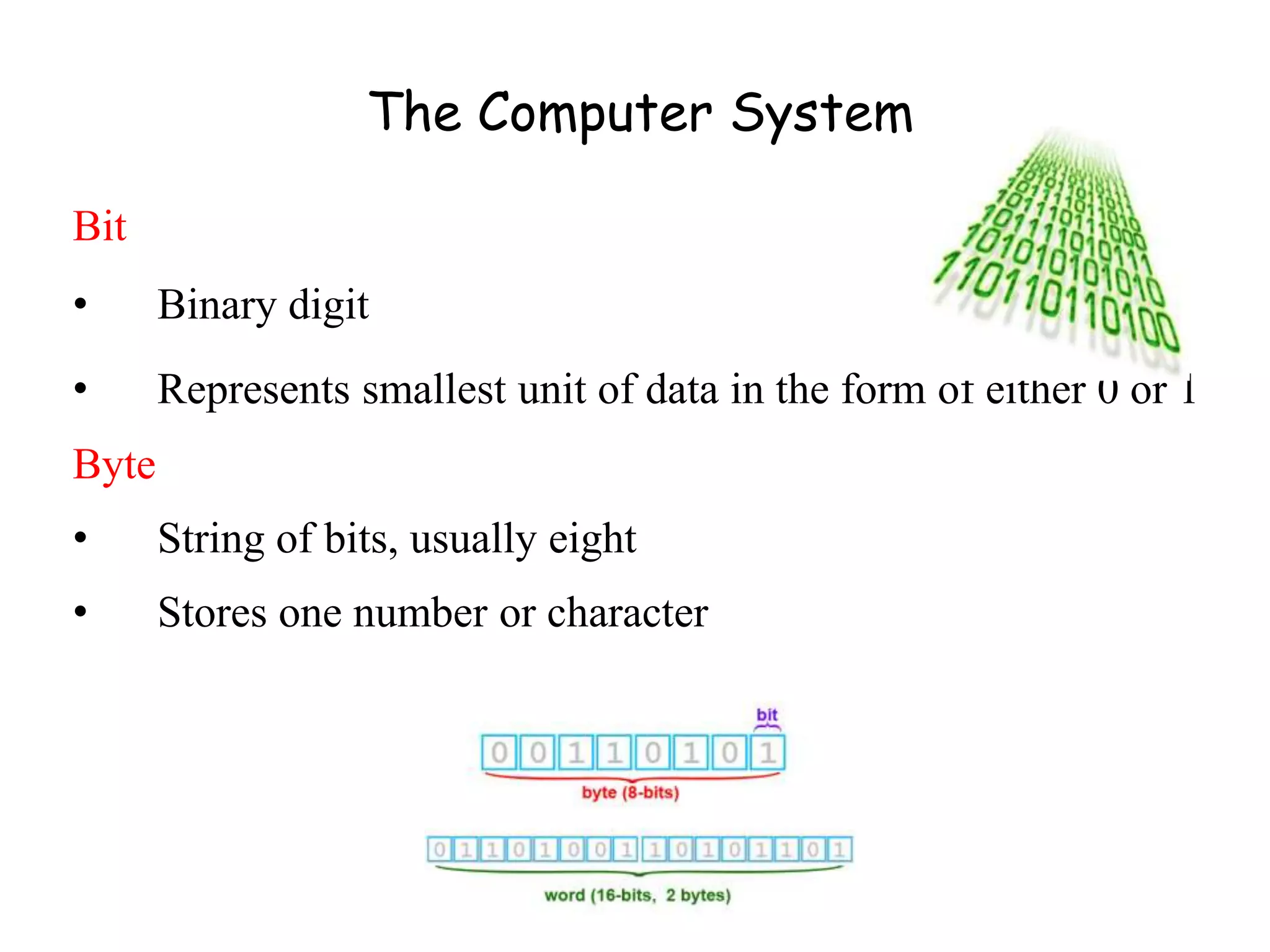
Bit
• Binary digit
• Represents smallest unit of data in the form of either 0 or 1
Byte
• String of bits, usually eight
• Stores one number or character
The Computer System
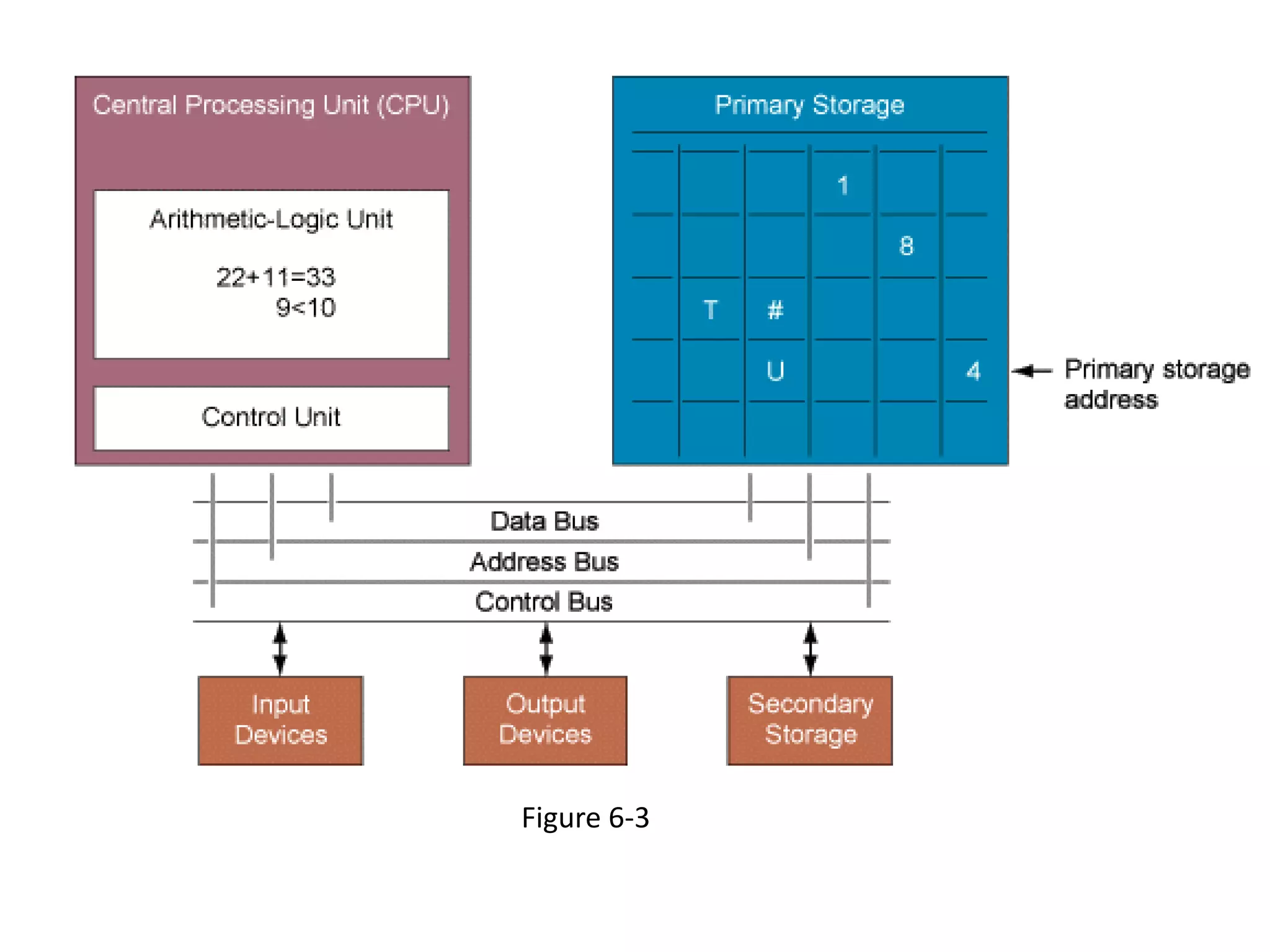
Central Processing Unit (CPU)
• Manipulates symbols, numbers, and letters
• Controls other parts of the computer system
The CPU and Primary Storage
Primary Storage
• Temporarily stores program instructions
• Data being used by the instructions
Figure 6-3
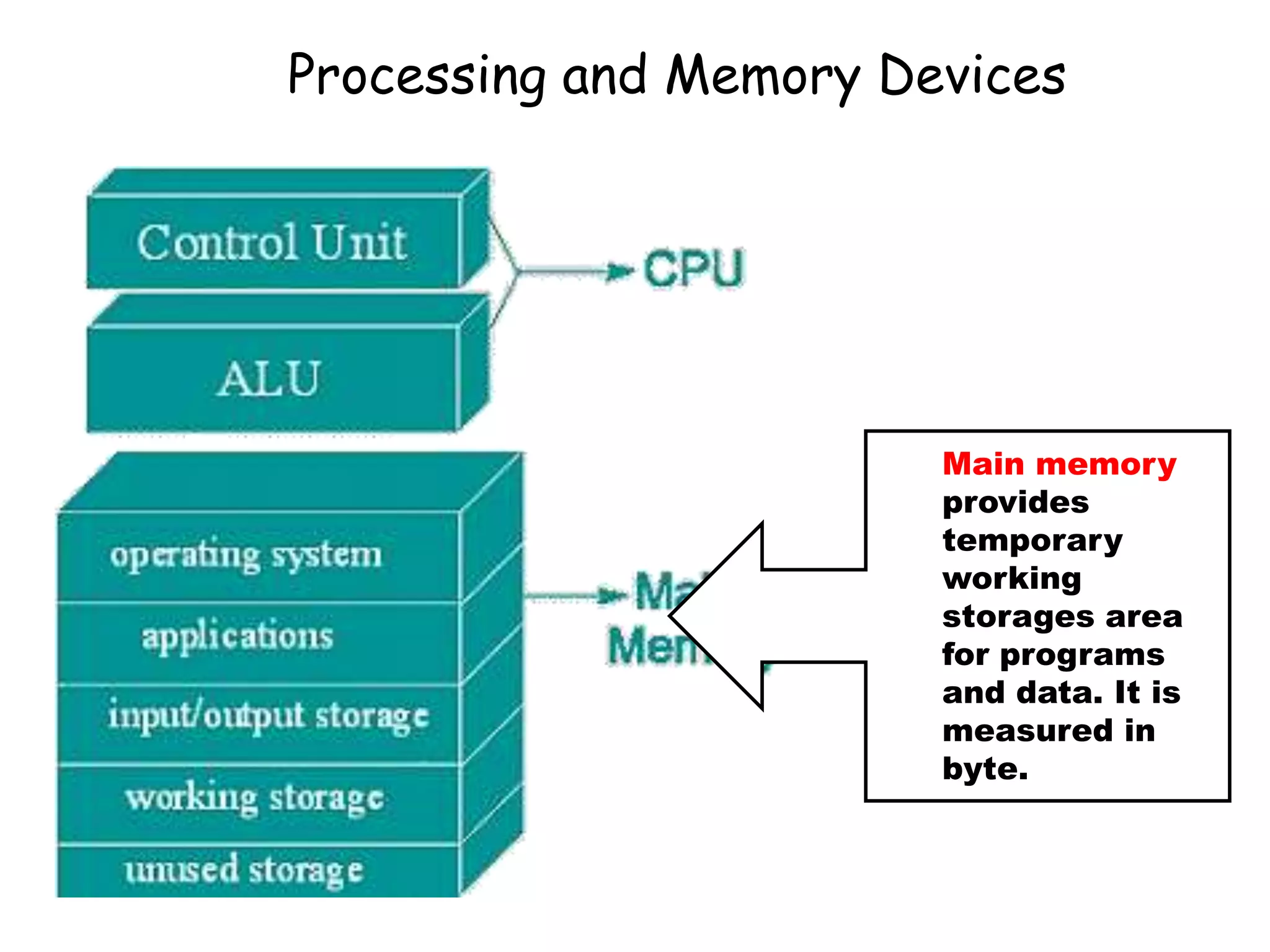
Processing and Memory Devices
Main memory
provides
temporary
working
storages area
for programs
and data. It is
measured in
byte.
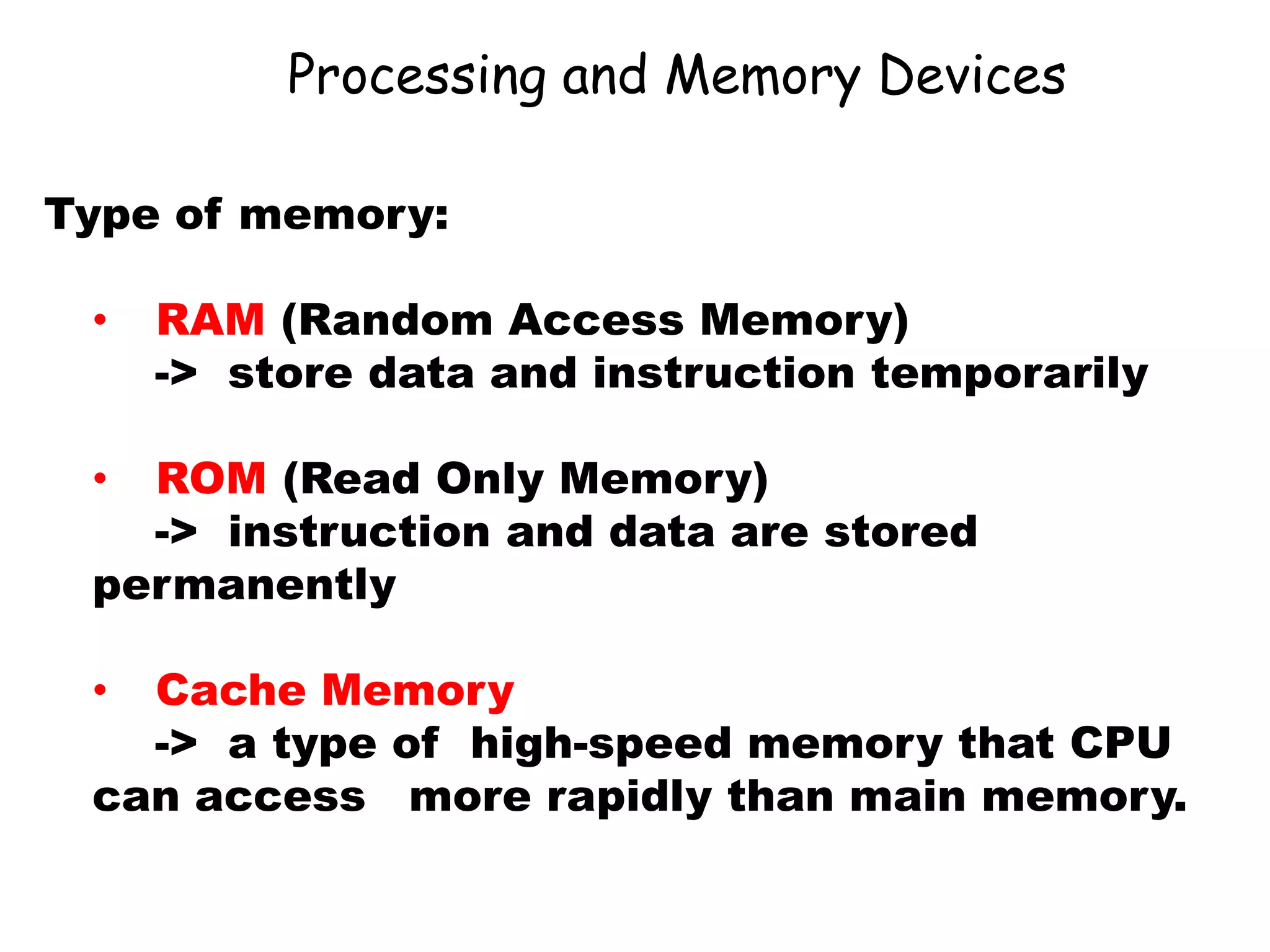
Processing and Memory Devices
Type of memory:
• RAM (Random Access Memory)
-> store data and instruction temporarily
• ROM (Read Only Memory)
-> instruction and data are stored
permanently
• Cache Memory
-> a type of high-speed memory that CPU
can access more rapidly than main memory.
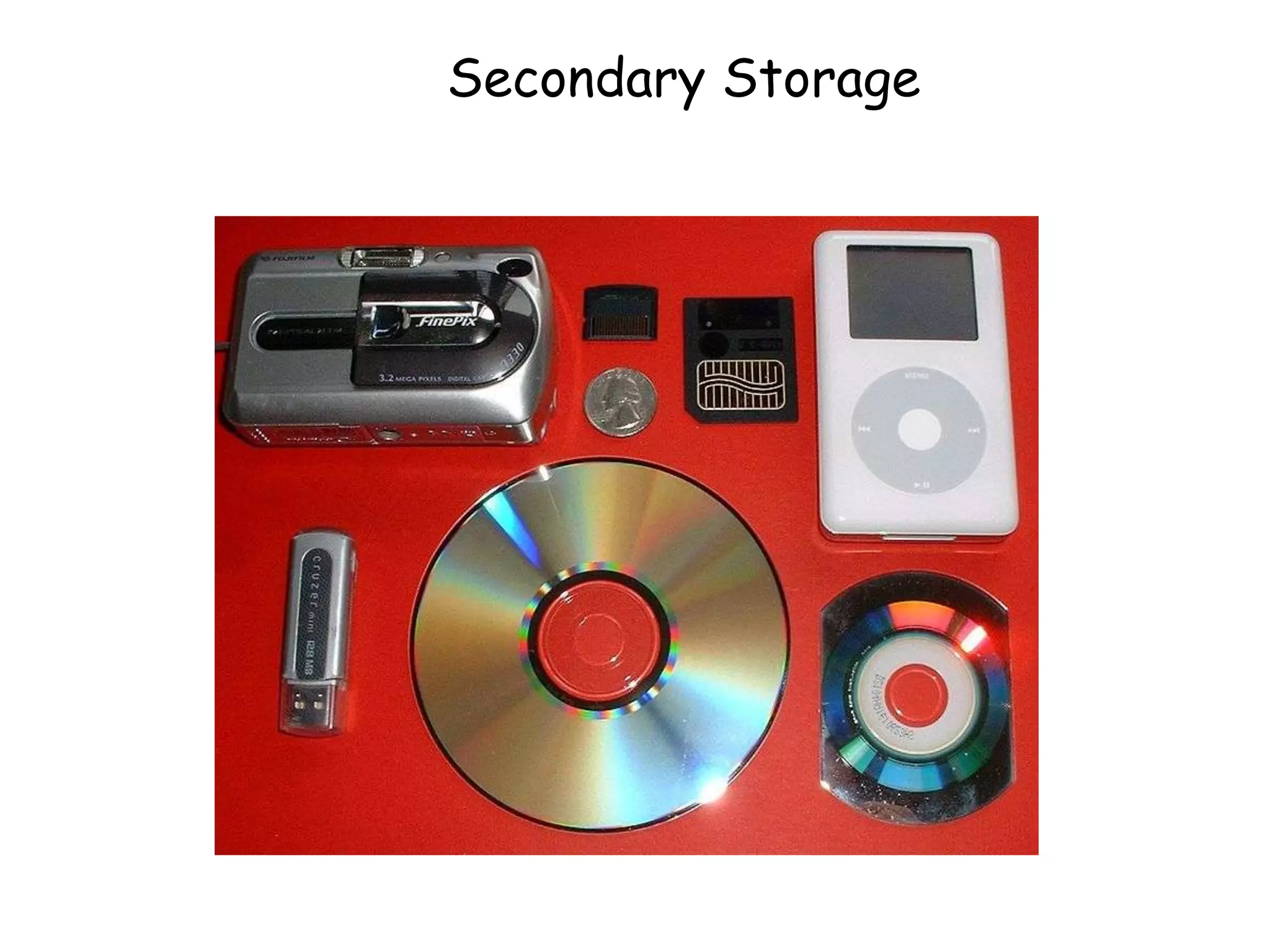
Secondary Storage
Secondary Storage
• Store a large amount of data and instruction
safely and effectively.
Access Methods
• Data and information access can be
sequential or direct.
• Sequential Access data must be accessed
in the order in which it is stored.
• Direct Access data can be accessed
directly. Without the need to pass by other
data in sequences.
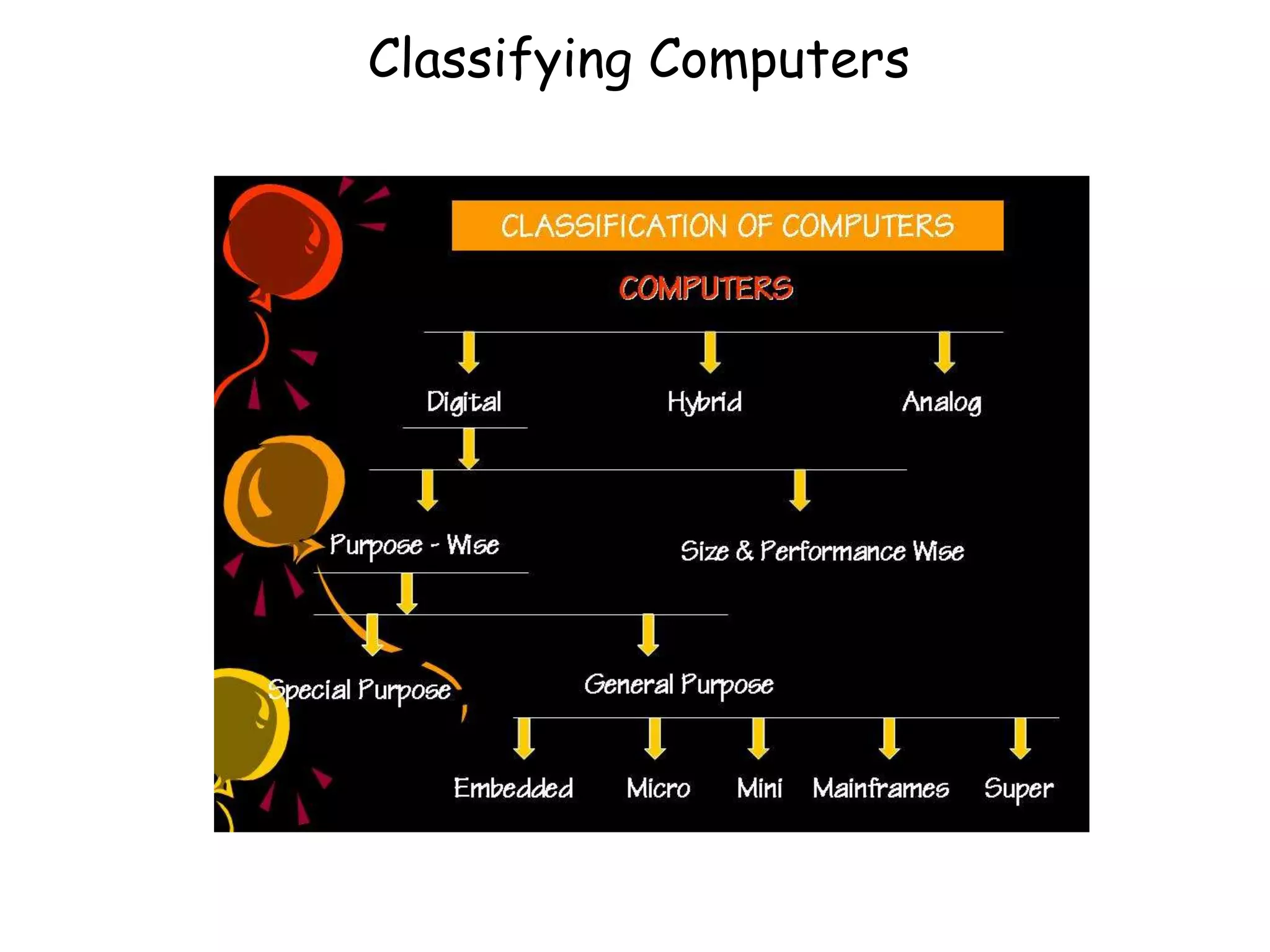
Classifying Computers
Mainframes
Largest computer, massive memory, rapid processing power
Midrange computers
Less powerful, less expensive, and smaller than a mainframe
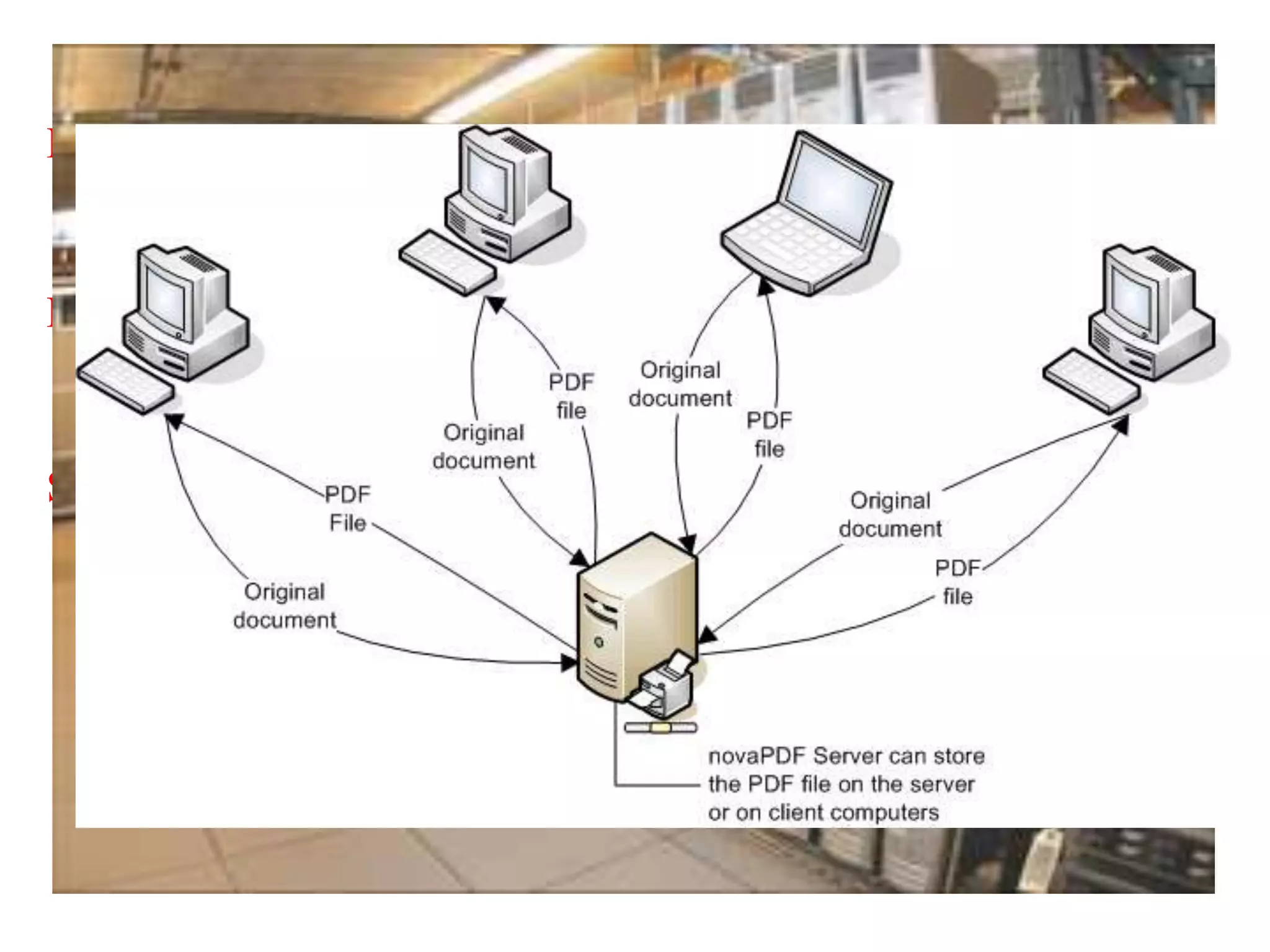
Server
Provides software and other resources to computers over a
network
Minicomputers
Middle-range computer, used in universities, factories, or
research laboratories
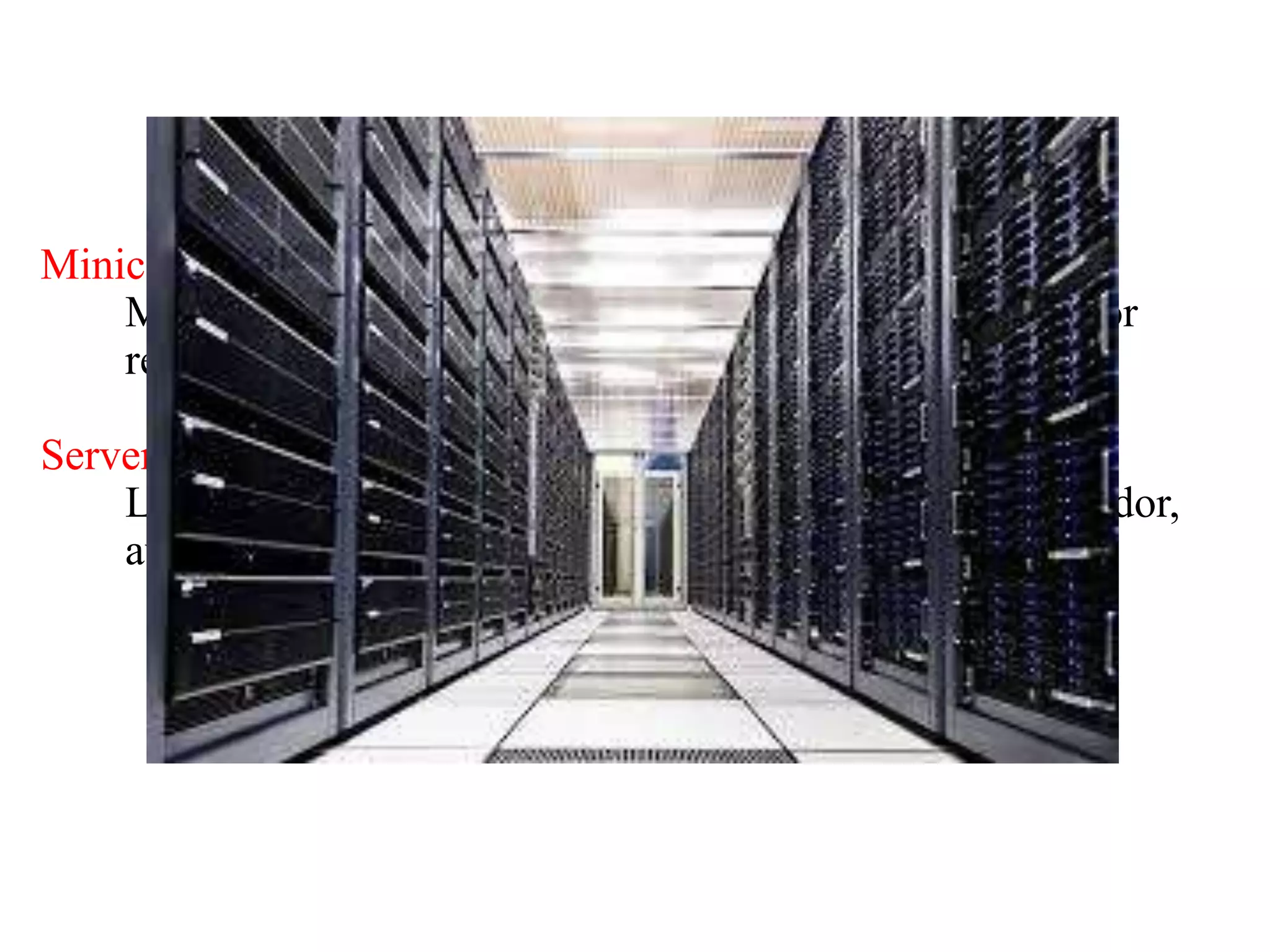
Server Farm
Large group of servers maintained by a commercial vendor,
available for electronic commerce and other activities
Managing Hardware & Software Assets
• Capacity planning: Process of predicting the computing power
• Scalability: Ability of a computer, product, or system to expand
and to serve without breaking down
• Designates the total cost of owning technology resources
• Includes initial purchase costs, cost of hardware and software
upgrades, maintenance, technical support, and training
System hardware

System hardware

  • 1.
    Mr . SathishKumar . M Department of Electronics and Communication Engineering I’ve learned that people will forget what you said, people will forget what you did, but people will never forget how you made them feel. –Maya Angelou
  • 2.
  • 3.
    Structure of MISmay be understood by looking at the physical components of the information system in an organization. • Hardware • Software • Database • Input & Output Hardware refers the physical data processing equipment and peripheral devices. Software is broad term given to the instruction or program that direct the operation of the hardware. the data base consist of all data utilized by application software. various physical input and output from the information system, existing in the form like printout, report etc.
  • 4.
    Figure 6-1 Hardware Componentsof a Computer system
  • 5.
    What is hardware…..?  Hardware refers to the physical components of a computer and devices that perform the input, processing, storage, and output activities of the computer.  Hardware can support objective of the information system, and goal of organization.
  • 6.
    Advantages of hardwarein Organization Organization invest in computer hardware to improve worker productivity, increase revenue, reduce cost, and provide better customer service, Speed up time-to-market, and enable collaboration among employees.
  • 7.
    Bit • Binary digit •Represents smallest unit of data in the form of either 0 or 1 Byte • String of bits, usually eight • Stores one number or character The Computer System
  • 8.
    Central Processing Unit(CPU) • Manipulates symbols, numbers, and letters • Controls other parts of the computer system The CPU and Primary Storage Primary Storage • Temporarily stores program instructions • Data being used by the instructions
  • 9.
  • 10.
    Processing and MemoryDevices Main memory provides temporary working storages area for programs and data. It is measured in byte.
  • 11.
    Processing and MemoryDevices Type of memory: • RAM (Random Access Memory) -> store data and instruction temporarily • ROM (Read Only Memory) -> instruction and data are stored permanently • Cache Memory -> a type of high-speed memory that CPU can access more rapidly than main memory.
  • 12.
  • 13.
    Secondary Storage • Storea large amount of data and instruction safely and effectively. Access Methods • Data and information access can be sequential or direct. • Sequential Access data must be accessed in the order in which it is stored. • Direct Access data can be accessed directly. Without the need to pass by other data in sequences.
  • 14.
  • 15.
    Mainframes Largest computer, massivememory, rapid processing power Midrange computers Less powerful, less expensive, and smaller than a mainframe Server Provides software and other resources to computers over a network
  • 16.
    Minicomputers Middle-range computer, usedin universities, factories, or research laboratories Server Farm Large group of servers maintained by a commercial vendor, available for electronic commerce and other activities
  • 17.
    Managing Hardware &Software Assets • Capacity planning: Process of predicting the computing power • Scalability: Ability of a computer, product, or system to expand and to serve without breaking down • Designates the total cost of owning technology resources • Includes initial purchase costs, cost of hardware and software upgrades, maintenance, technical support, and training