Supporting Documents Module 5 Lesson 4
What are supporting documents? Title page (for business report) Table of Contents Outline
Title Page Only a Business Report (not an Academic Report) should include a Title Page. Center the page horizontally and vertically. Include the following information (minimum): Report Title Writer’s Name Date The course name and teacher’s name may also be included.
Title Page title 2” student and course 5” date 9”
Outlines Sample 1 Sample 2 Sample 3
Outline A type of  enumeration  (numbered list) that organizes information. The top margin is 2” or vertically centered. All other margins are the same as the report. Main and side entries or headings are used to organize information.
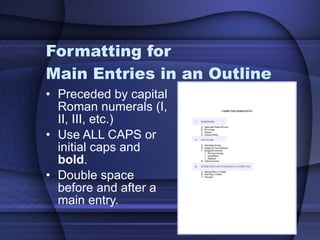
Formatting for  Main Entries in an Outline Preceded by capital Roman numerals (I, II, III, etc.) Use ALL CAPS or initial caps and  bold . Double space before and after a main entry.
Formatting for Secondary Entries in an Outline Preceded by capital letters (A, B, C, etc.) Key  important  words in initial caps. Lower level entries are preceded by Arabic numbers (1, 2, 3, etc.) and lower-case letters (a, b, c, etc.)  Only capitalize the 1 st  letter of the 1 st  word when keying these.  Single space  all  secondary entries.
Table of Contents Sample 1 Sample 2 Sample 3
Table of Contents An outline of the side and paragraph headings in a report with their respective page numbers. Follows the Title Page. Margins are the same as for the report (using a 2” top margin).
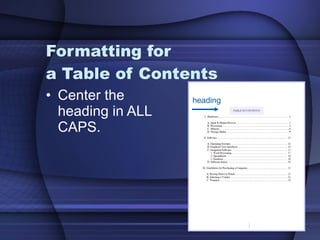
Formatting for  a Table of Contents Center the heading in ALL CAPS. heading i
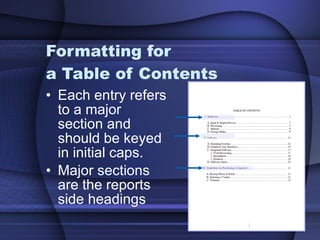
Formatting for  a Table of Contents Each entry refers to a major section and should be keyed in initial caps. Major sections are the reports side headings i
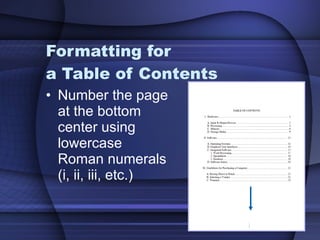
Formatting for  a Table of Contents Number the page at the bottom center using lowercase Roman numerals (i, ii, iii, etc.) i
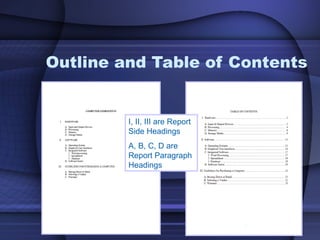
Outline and Table of Contents i I, II, III are Report Side Headings A, B, C, D are Report Paragraph Headings
 

Supporting documents

  • 1.
  • 2.
    What are supportingdocuments? Title page (for business report) Table of Contents Outline
  • 3.
    Title Page Onlya Business Report (not an Academic Report) should include a Title Page. Center the page horizontally and vertically. Include the following information (minimum): Report Title Writer’s Name Date The course name and teacher’s name may also be included.
  • 4.
    Title Page title2” student and course 5” date 9”
  • 5.
    Outlines Sample 1Sample 2 Sample 3
  • 6.
    Outline A typeof enumeration (numbered list) that organizes information. The top margin is 2” or vertically centered. All other margins are the same as the report. Main and side entries or headings are used to organize information.
  • 7.
    Formatting for Main Entries in an Outline Preceded by capital Roman numerals (I, II, III, etc.) Use ALL CAPS or initial caps and bold . Double space before and after a main entry.
  • 8.
    Formatting for SecondaryEntries in an Outline Preceded by capital letters (A, B, C, etc.) Key important words in initial caps. Lower level entries are preceded by Arabic numbers (1, 2, 3, etc.) and lower-case letters (a, b, c, etc.) Only capitalize the 1 st letter of the 1 st word when keying these. Single space all secondary entries.
  • 9.
    Table of ContentsSample 1 Sample 2 Sample 3
  • 10.
    Table of ContentsAn outline of the side and paragraph headings in a report with their respective page numbers. Follows the Title Page. Margins are the same as for the report (using a 2” top margin).
  • 11.
    Formatting for a Table of Contents Center the heading in ALL CAPS. heading i
  • 12.
    Formatting for a Table of Contents Each entry refers to a major section and should be keyed in initial caps. Major sections are the reports side headings i
  • 13.
    Formatting for a Table of Contents Number the page at the bottom center using lowercase Roman numerals (i, ii, iii, etc.) i
  • 14.
    Outline and Tableof Contents i I, II, III are Report Side Headings A, B, C, D are Report Paragraph Headings
  • 15.