NEVER LAUNCH WITHOUT TRAINING
Site owners deserve it
BeckyDavisDesign.com @beckyddesign
WHY DO WE USE WORDPRESS?
 Lots of reasons
 Easy entrance to Front End Development
 Lots of flexibility
 Great community support
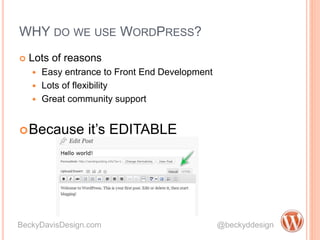
Because it’s EDITABLE
BeckyDavisDesign.com @beckyddesign
WHAT USUALLY HAPPENS…
 You design/develop a site
 Finally get the content and then add it
 At launch, maybe there’s a nice training session
BeckyDavisDesign.com @beckyddesign
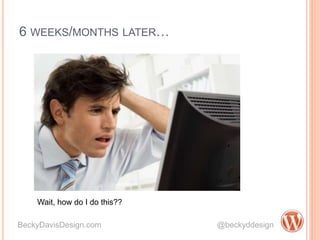
6 WEEKS/MONTHS LATER…
BeckyDavisDesign.com @beckyddesign
Wait, how do I do this??
CONFESSION
BeckyDavisDesign.com @beckyddesign
I hate putting in content.
BUILD TRAINING INTO THE PROJECT
 Develop theme
 Setup site
 Let Client add most of the content
= Win-Win
 They have the power to use their site
 You don’t have to put in all the content
 Present it as cost saving!
BeckyDavisDesign.com @beckyddesign
BUT WORDPRESS SITES ARE SUPPOSED TO BE EASY!
THINGS YOU CAN DO IN DEVELOPMENT
 DO
 Create templates for
different layouts
 Create CPT for special
types of repeatable
content
 Make special styles
available in the editor
 Use custom fields.
Content for that page
should be on that page.
 DON’T
 Assume that they will know
where things are
 Use Widgets for page
content, reserve them for
universal things like
Sidebar, Header and
Footer
BeckyDavisDesign.com @beckyddesign
CONTENT ADDITION = TRAINING
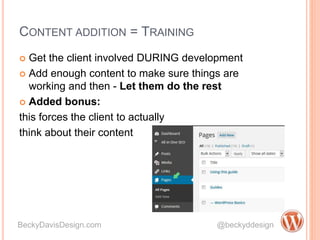
 Get the client involved DURING development
 Add enough content to make sure things are
working and then - Let them do the rest
 Added bonus:
this forces the client to actually
think about their content
BeckyDavisDesign.com @beckyddesign
I HEAR YOU
 Yes, they will struggle with layouts, images, links –
Teach them how
 Yes, this can slow down dev
 BUT, clients who want to edit and actually have to
DO it, become comfortable with their sites.
BeckyDavisDesign.com @beckyddesign
=
OK, HOW?
 Documentation
 1 way to go, but nobody reads
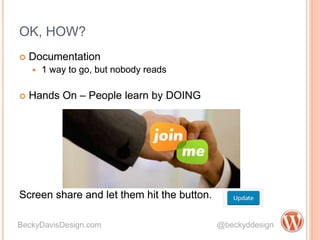
 Hands On – People learn by DOING
Screen share and let them hit the button.
BeckyDavisDesign.com @beckyddesign
 Documentation
 1 way to go, but nobody reads
 Hands On – People learn by DOING
Screen share and let them hit the button.
BUT THE TIME, AGGRAVATION, ETC.
 Easier that you think!
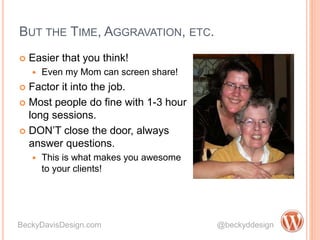
 Even my Mom can screen share!
 Factor it into the job.
 Most people do fine with 1-3 hour
long sessions.
 DON’T close the door, always
answer questions.
 This is what makes you awesome
to your clients!
BeckyDavisDesign.com @beckyddesign
THANK YOU!
Questions?
See you at the Chicago WordPress meetup!
http://www.meetup.com/Chicago-WordPress-Meetup/
BeckyDavisDesign.com @beckyddesign

Never Launch without Training

  • 1.
    NEVER LAUNCH WITHOUTTRAINING Site owners deserve it BeckyDavisDesign.com @beckyddesign
  • 2.
    WHY DO WEUSE WORDPRESS?  Lots of reasons  Easy entrance to Front End Development  Lots of flexibility  Great community support Because it’s EDITABLE BeckyDavisDesign.com @beckyddesign
  • 3.
    WHAT USUALLY HAPPENS… You design/develop a site  Finally get the content and then add it  At launch, maybe there’s a nice training session BeckyDavisDesign.com @beckyddesign
  • 4.
    6 WEEKS/MONTHS LATER… BeckyDavisDesign.com@beckyddesign Wait, how do I do this??
  • 5.
  • 6.
    BUILD TRAINING INTOTHE PROJECT  Develop theme  Setup site  Let Client add most of the content = Win-Win  They have the power to use their site  You don’t have to put in all the content  Present it as cost saving! BeckyDavisDesign.com @beckyddesign
  • 7.
    BUT WORDPRESS SITESARE SUPPOSED TO BE EASY! THINGS YOU CAN DO IN DEVELOPMENT  DO  Create templates for different layouts  Create CPT for special types of repeatable content  Make special styles available in the editor  Use custom fields. Content for that page should be on that page.  DON’T  Assume that they will know where things are  Use Widgets for page content, reserve them for universal things like Sidebar, Header and Footer BeckyDavisDesign.com @beckyddesign
  • 8.
    CONTENT ADDITION =TRAINING  Get the client involved DURING development  Add enough content to make sure things are working and then - Let them do the rest  Added bonus: this forces the client to actually think about their content BeckyDavisDesign.com @beckyddesign
  • 9.
    I HEAR YOU Yes, they will struggle with layouts, images, links – Teach them how  Yes, this can slow down dev  BUT, clients who want to edit and actually have to DO it, become comfortable with their sites. BeckyDavisDesign.com @beckyddesign =
  • 10.
    OK, HOW?  Documentation 1 way to go, but nobody reads  Hands On – People learn by DOING Screen share and let them hit the button. BeckyDavisDesign.com @beckyddesign  Documentation  1 way to go, but nobody reads  Hands On – People learn by DOING Screen share and let them hit the button.
  • 11.
    BUT THE TIME,AGGRAVATION, ETC.  Easier that you think!  Even my Mom can screen share!  Factor it into the job.  Most people do fine with 1-3 hour long sessions.  DON’T close the door, always answer questions.  This is what makes you awesome to your clients! BeckyDavisDesign.com @beckyddesign
  • 12.
    THANK YOU! Questions? See youat the Chicago WordPress meetup! http://www.meetup.com/Chicago-WordPress-Meetup/ BeckyDavisDesign.com @beckyddesign