Q. What's  worse  than a boring lesson, filled with PowerPoint slides?
A. A VLE crammed with PowerPoint slides from a boring lesson.
*sigh*   Posted by Sarah Horrigan at  9:45 AM   http://kindalearning.blogspot.com/2009/05/boredom-x-2.html
STOP Killing Your Students with PowerPoint
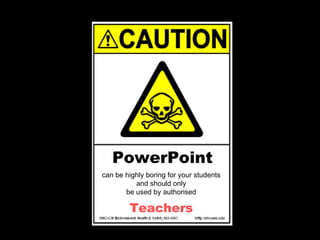
can be highly boring for your students and should only be used by authorised PowerPoint Teachers
Warning
PowerPoint
It’s my duty to warn you
How to avoid
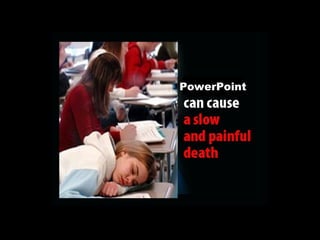
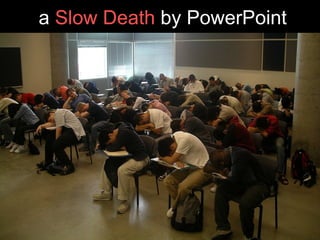
a  Slow Death  by PowerPoint
(No students were harmed during the making of this presentation)
The Top Cardinal Sins
Cardinal Sin 1
The Script
The problem is that most people  speak  at
150 WPM
Yet most people  read  at
250 WPM
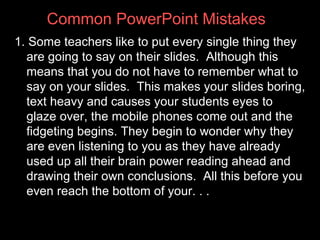
1. Some teachers like to put every single thing they are going to say on their slides.  Although this means that you do not have to remember what to say on your slides.  This makes your slides boring, text heavy and causes your students eyes to glaze over, the mobile phones come out and the fidgeting begins. They begin to wonder why they are even listening to you as they have already used up all their brain power reading ahead and drawing their own conclusions.  All this before you even reach the bottom of your. . .  Common PowerPoint Mistakes
1. Continued -  first slide Common PowerPoint Mistakes
Cardinal Sin 2
Dodging Bullets
Example
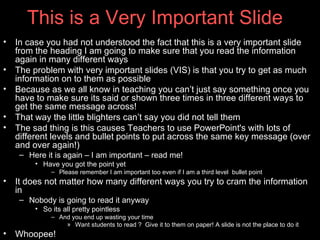
This is a Very Important Slide In case you have not understood the fact that this is a very important slide from the heading I am going to make sure that you read the information again in many different ways The problem with very important slides (VIS) is that you try to get as much information on to them as possible Because as we all know in teaching you can’t just say something once you have to make sure its said or shown three times in three different ways to get the same message across! That way the little blighters can’t say you did not tell them The sad thing is this causes Teachers to use PowerPoint's with lots of different levels and bullet points to put across the same key message (over and over again!) Here it is again – I am important – read me! Have you got the point yet Please remember I am important too even if I am a third level  bullet point It does not matter how many different ways you try to cram the information in  Nobody is going to read it anyway So it’s all pretty pointless  And you end up wasting your time Want students to read ?  Give it to them on paper! A slide is not the place to do it Whoopee! Phew is that it now?
Not exactly exciting is it?
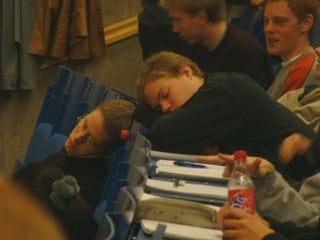
To a student this is a signal to
 
Followed with a sprinkling of these
 
And time to catch up on
 
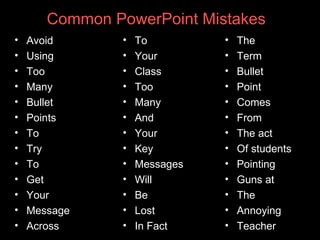
Avoid Using Too Many Bullet Points To Try  To  Get Your  Message Across Common PowerPoint Mistakes To  Your  Class Too Many And  Your  Key Messages  Will  Be Lost In fact The  Term Bullet  Point  Comes  From The act Of students Pointing  Finger guns at  The Annoying  Teacher
Ditch the bullet points!
Cardinal Sin 3
Spell Checks
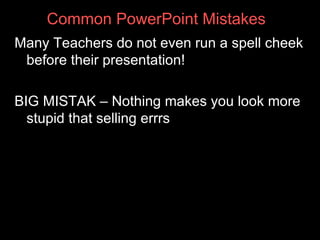
Many teachers do not even run a spell cheek before their presentation! BIG MISTAK – Nothing makes you look more stupid that selling errrs Common PowerPoint Mistakes
Cardinal Sin 4
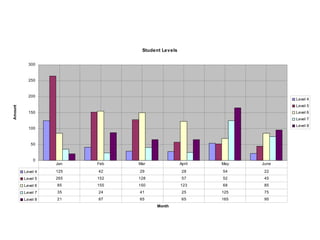
People who  love  data
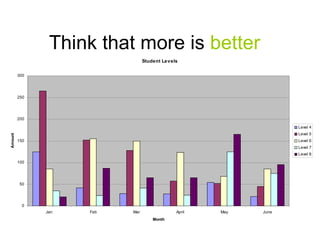
Think that more is   better ?
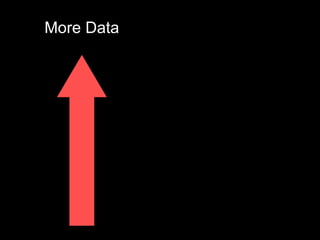
More Data
Effectiveness
Lets  demonstrate  this
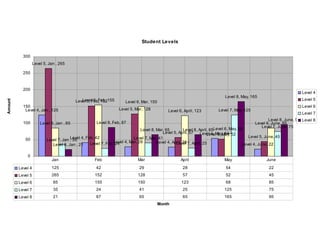
By  adding  more!
 
 
In some  desperate  attempt
To convince  you  of their point
Cardinal Sin 5
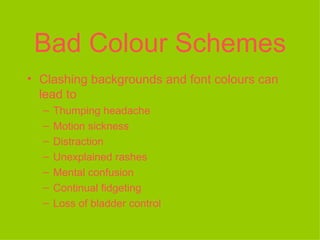
Bad Colour Schemes Clashing backgrounds and font colours can lead to Thumping headache Motion sickness Distraction Unexplained rashes Mental confusion Continual fidgeting Loss of bladder control
Cardinal Sin 6
Animation
Can be   good
For   visual  learners
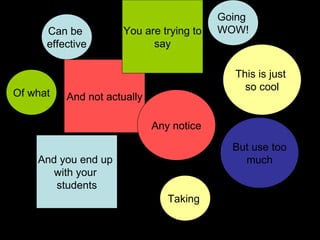
Animation Can be  effective But use too much And you end up  with your  students Going  WOW! This is just  so cool And not actually Taking  Any notice Of what You are trying to say
And your  PowerPoint  becomes this
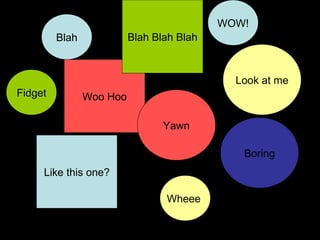
Animation Blah Boring Like this one? WOW! Look at me Woo hoo Wheee  Yawn Fidget Blah Blah Blah
More Animation
Less Effect
So how do you get  away  from mindless text and bullets?
 
Example
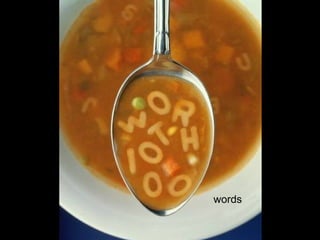
We’ve all heard the  proverb
A  picture  is
words
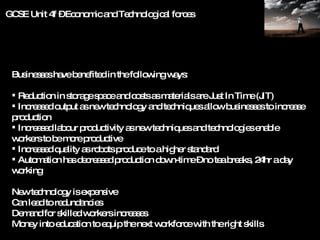
Taken from an example of a  real GCSE Business  lesson
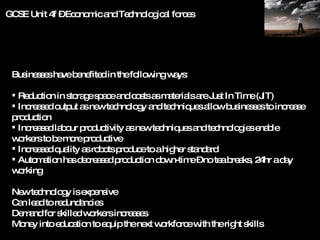
Businesses have benefited in the following ways: Reduction in storage space and costs as materials are Just In Time (JIT) Increased output as new technology and techniques allow businesses to increase production Increased labour productivity as new techniques and technologies enable workers to be more productive Increased quality as robots produce to a higher standard Automation has decreased production down-time – no tea breaks, 24hr a day working New technology is expensive Can lead to redundancies Demand for skilled workers increases Money into education to equip the next workforce with the right skills GCSE Unit 4f – Economic and Technological forces
Doesn’t it make you  feel  like this?
 
Let’s  break  it down
Technological  Forces
Manufacturing products only when ordered (JIT)
I n c r e a s e s
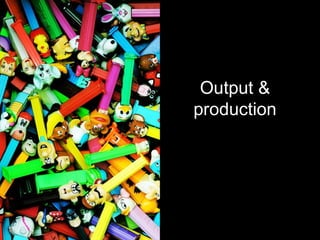
Output & production
Productivity
Demand for skilled workers
Skills education for workforce
Technology costs
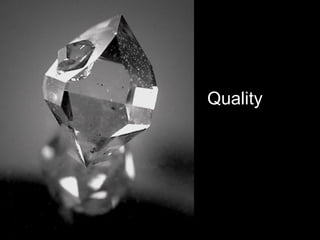
Quality
D e c r e a ses
Costs and storage space
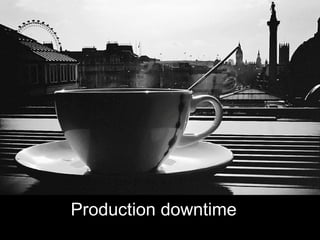
Production downtime storage space
Jobs (redundancies) storage space
Its all there except
You nor the students read it!
 
computer Sometimes the best slides have no text at all
Have you got it yet?
Less  is  more
Communication involves emotions
If you can’t   explain it  short and simple
Then you don’t understand it
This is  bad  communication
Businesses have benefited in the following ways: Reduction in storage space and costs as materials are Just In Time (JIT) Increased output as new technology and techniques allow businesses to increase production Increased labour productivity as new techniques and technologies enable workers to be more productive Increased quality as robots produce to a higher standard Automation has decreased production down-time – no tea breaks, 24hr a day working New technology is expensive Can lead to redundancies Demand for skilled workers increases Money into education to equip the next workforce with the right skills GCSE Unit 4f – Economic and Technological forces
This is   good   communication
Only use images that match your message
… and  evoke   emotion
Too  much   text & data   is
bad bad bad bad bad bad bad bad bad bad bad bad bad bad bad  bad bad bad bad bad bad bad bad bad bad bad bad bad bad bad bad bad bad bad bad bad bad bad bad bad bad bad bad bad bad bad bad bad bad bad bad bad bad  bad   bad bad bad bad bad bad bad bad bad bad bad bad bad bad bad bad bad  bad bad bad bad bad bad bad bad bad bad bad bad bad bad bad bad bad bad bad bad bad bad bad bad bad bad bad bad bad bad bad bad bad bad bad bad bad bad bad bad bad bad bad bad bad bad bad bad
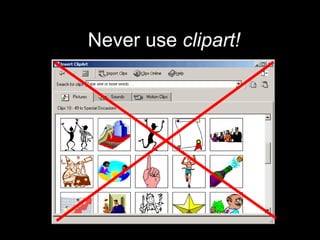
Try to avoid  clipart!
L i m i t
Your Words Per Slide
Less   text   and data   is
G  d
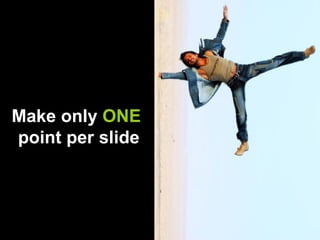
Make only  ONE   point per slide
Dodge the bullets
Don’t use bad colour schemes
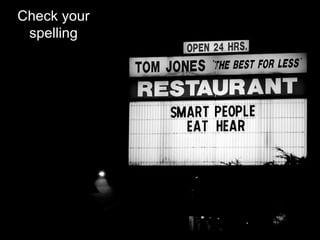
Check your spelling
Use pictures
Try http://www.zoo-m.com/flickr-storm/
Try
Try
Now it’s  your  turn
2
 
Killing  your  students
Don McMillan (Life after death by PowerPoint) Death by PowerPoint (and how to fight it) by Alexei Kapterev Dodging bullets in presentations by Rowan Manahan (fortifyservices. Blogspot.com) Flikr-Storm www.slideshare.net www.google.co.uk/images   Music from  www.freeplaymusic.com  track – “Warped”  Music from  www.freeplaymusic.com  track – “She will stop” Music from  www.freeplaymusic.com  track – “Misfit” With Thanks To
www.prezi.com   (free educational accounts – up to 100 users) Keynotes –  also available for iphone/ ipad www.animoto.com   (free educational accounts) Microsoft Photo Story  (free download) Alternatives to PowerPoint
Jacqueline Hicks © 2010 Lead Teacher of ICT [email_address]

Stop Killing Students With PowerPoint

  • 1.
    Q. What's worse than a boring lesson, filled with PowerPoint slides?
  • 2.
    A. A VLEcrammed with PowerPoint slides from a boring lesson.
  • 3.
    *sigh* Posted by Sarah Horrigan at 9:45 AM http://kindalearning.blogspot.com/2009/05/boredom-x-2.html
  • 4.
    STOP Killing YourStudents with PowerPoint
  • 5.
    can be highlyboring for your students and should only be used by authorised PowerPoint Teachers
  • 6.
  • 7.
  • 8.
    It’s my dutyto warn you
  • 9.
  • 10.
    a SlowDeath by PowerPoint
  • 11.
    (No students wereharmed during the making of this presentation)
  • 12.
  • 13.
  • 14.
  • 15.
    The problem isthat most people speak at
  • 16.
  • 17.
  • 18.
  • 19.
    1. Some teacherslike to put every single thing they are going to say on their slides. Although this means that you do not have to remember what to say on your slides. This makes your slides boring, text heavy and causes your students eyes to glaze over, the mobile phones come out and the fidgeting begins. They begin to wonder why they are even listening to you as they have already used up all their brain power reading ahead and drawing their own conclusions. All this before you even reach the bottom of your. . . Common PowerPoint Mistakes
  • 20.
    1. Continued - first slide Common PowerPoint Mistakes
  • 21.
  • 22.
  • 23.
  • 24.
    This is aVery Important Slide In case you have not understood the fact that this is a very important slide from the heading I am going to make sure that you read the information again in many different ways The problem with very important slides (VIS) is that you try to get as much information on to them as possible Because as we all know in teaching you can’t just say something once you have to make sure its said or shown three times in three different ways to get the same message across! That way the little blighters can’t say you did not tell them The sad thing is this causes Teachers to use PowerPoint's with lots of different levels and bullet points to put across the same key message (over and over again!) Here it is again – I am important – read me! Have you got the point yet Please remember I am important too even if I am a third level bullet point It does not matter how many different ways you try to cram the information in Nobody is going to read it anyway So it’s all pretty pointless And you end up wasting your time Want students to read ? Give it to them on paper! A slide is not the place to do it Whoopee! Phew is that it now?
  • 25.
  • 26.
    To a studentthis is a signal to
  • 27.
  • 28.
    Followed with asprinkling of these
  • 29.
  • 30.
    And time tocatch up on
  • 31.
  • 32.
    Avoid Using TooMany Bullet Points To Try To Get Your Message Across Common PowerPoint Mistakes To Your Class Too Many And Your Key Messages Will Be Lost In fact The Term Bullet Point Comes From The act Of students Pointing Finger guns at The Annoying Teacher
  • 33.
  • 34.
  • 35.
  • 36.
    Many teachers donot even run a spell cheek before their presentation! BIG MISTAK – Nothing makes you look more stupid that selling errrs Common PowerPoint Mistakes
  • 37.
  • 38.
    People who love data
  • 39.
    Think that moreis better ?
  • 40.
  • 41.
  • 42.
  • 43.
    By adding more!
  • 44.
  • 45.
  • 46.
    In some desperate attempt
  • 47.
    To convince you of their point
  • 48.
  • 49.
    Bad Colour SchemesClashing backgrounds and font colours can lead to Thumping headache Motion sickness Distraction Unexplained rashes Mental confusion Continual fidgeting Loss of bladder control
  • 50.
  • 51.
  • 52.
    Can be good
  • 53.
    For visual learners
  • 54.
    Animation Can be effective But use too much And you end up with your students Going WOW! This is just so cool And not actually Taking Any notice Of what You are trying to say
  • 55.
    And your PowerPoint becomes this
  • 56.
    Animation Blah BoringLike this one? WOW! Look at me Woo hoo Wheee Yawn Fidget Blah Blah Blah
  • 57.
  • 58.
  • 59.
    So how doyou get away from mindless text and bullets?
  • 60.
  • 61.
  • 62.
    We’ve all heardthe proverb
  • 63.
  • 64.
  • 65.
    Taken from anexample of a real GCSE Business lesson
  • 66.
    Businesses have benefitedin the following ways: Reduction in storage space and costs as materials are Just In Time (JIT) Increased output as new technology and techniques allow businesses to increase production Increased labour productivity as new techniques and technologies enable workers to be more productive Increased quality as robots produce to a higher standard Automation has decreased production down-time – no tea breaks, 24hr a day working New technology is expensive Can lead to redundancies Demand for skilled workers increases Money into education to equip the next workforce with the right skills GCSE Unit 4f – Economic and Technological forces
  • 67.
    Doesn’t it makeyou feel like this?
  • 68.
  • 69.
    Let’s break it down
  • 70.
  • 71.
    Manufacturing products onlywhen ordered (JIT)
  • 72.
    I n cr e a s e s
  • 73.
  • 74.
  • 75.
  • 76.
  • 77.
  • 78.
  • 79.
    D e cr e a ses
  • 80.
  • 81.
  • 82.
  • 83.
  • 84.
    You nor thestudents read it!
  • 85.
  • 86.
    computer Sometimes thebest slides have no text at all
  • 87.
    Have you gotit yet?
  • 88.
    Less is more
  • 89.
  • 90.
    If you can’t explain it short and simple
  • 91.
    Then you don’tunderstand it
  • 92.
    This is bad communication
  • 93.
    Businesses have benefitedin the following ways: Reduction in storage space and costs as materials are Just In Time (JIT) Increased output as new technology and techniques allow businesses to increase production Increased labour productivity as new techniques and technologies enable workers to be more productive Increased quality as robots produce to a higher standard Automation has decreased production down-time – no tea breaks, 24hr a day working New technology is expensive Can lead to redundancies Demand for skilled workers increases Money into education to equip the next workforce with the right skills GCSE Unit 4f – Economic and Technological forces
  • 94.
    This is good communication
  • 95.
    Only use imagesthat match your message
  • 96.
    … and evoke emotion
  • 97.
    Too much text & data is
  • 98.
    bad bad badbad bad bad bad bad bad bad bad bad bad bad bad bad bad bad bad bad bad bad bad bad bad bad bad bad bad bad bad bad bad bad bad bad bad bad bad bad bad bad bad bad bad bad bad bad bad bad bad bad bad bad bad bad bad bad bad bad bad bad bad bad bad bad bad bad bad bad bad bad bad bad bad bad bad bad bad bad bad bad bad bad bad bad bad bad bad bad bad bad bad bad bad bad bad bad bad bad bad bad bad bad bad bad bad bad bad bad bad bad bad bad bad bad bad bad bad
  • 99.
    Try to avoid clipart!
  • 100.
    L i mi t
  • 101.
  • 102.
    Less text and data is
  • 103.
  • 104.
    Make only ONE point per slide
  • 105.
  • 106.
    Don’t use badcolour schemes
  • 107.
  • 108.
  • 109.
  • 110.
  • 111.
  • 112.
    Now it’s your turn
  • 113.
  • 114.
  • 115.
    Killing your students
  • 116.
    Don McMillan (Lifeafter death by PowerPoint) Death by PowerPoint (and how to fight it) by Alexei Kapterev Dodging bullets in presentations by Rowan Manahan (fortifyservices. Blogspot.com) Flikr-Storm www.slideshare.net www.google.co.uk/images Music from www.freeplaymusic.com track – “Warped” Music from www.freeplaymusic.com track – “She will stop” Music from www.freeplaymusic.com track – “Misfit” With Thanks To
  • 117.
    www.prezi.com (free educational accounts – up to 100 users) Keynotes – also available for iphone/ ipad www.animoto.com (free educational accounts) Microsoft Photo Story (free download) Alternatives to PowerPoint
  • 118.
    Jacqueline Hicks ©2010 Lead Teacher of ICT [email_address]