Creating Effective Presentations and Lectures
Learning Objectives You will be able to describe some of the issues surrounding the use of PowerPoint You will have a list of strategies that you can use to improve the use of PowerPoint in your classroom or online ______________________________
PowerPoint = Presentation If, PowerPoint = Presentation & If, Presentation = Lecture Then, does PowerPoint = Lecture?
Critics of PowerPoint Death by PowerPoint Official: PowerPoint is bad for Brains Bad PowerPoint: When is enough enough? PowerPoint: Shot with its own bullets. PowerPoint is evil Does PowerPoint make us Stupid? PowerPoint: Can software edit our thoughts?
Gettysburg: Where it all began? http://norvig.com/Gettysburg/ http://norvig.com/Gettysburg/sld001.htm
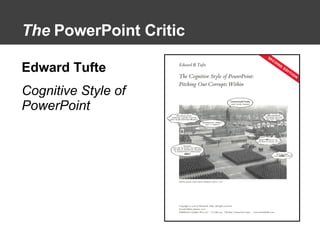
The  PowerPoint Critic Edward Tufte Cognitive Style of PowerPoint
Edward Tufte’s Criticisms Low resolution Bullet outlines dilute thought Deeply hierarchical and linear structure Fragments narrative and data  Preoccupation with format, not content Decoration and phluff
Critiques of Tufte Focused on presentations—not learning Blames the tool Over-emphasis on content Doesn’t offer any strategies to improve PowerPoint ________________________________ ________________________________
Tufte’s   Implicit Recommendations Use more useful visuals or give handouts Use clear headings, numbered lists or very few bulleted outlines Design and leverage PowerPoint’s non-linear and non-hierarchical capabilities Use plain, non-distracting backgrounds; use information rich and relevant images
Critiques Tufte Missed Additional Critiques of PowerPoint Teacher centered Technology centered Screen centered __________________________________
Four ways to use PowerPoint For presentations To teach a face-to-face class Computer-based & online learning  Student Assignments
Strategies to Improve PowerPoint 1. Sound Instructional Design 2. Visual Literacy & Message Design
Instructional Design Instructional Design  is the systematic development of instructional specifications using learning and instructional theory to ensure the quality of instruction. It is the entire process of analysis of  learning needs and goals  and the development of a delivery system to meet those needs. It includes  development of instructional materials and activities ; and tryout and  evaluation  of all instruction and learner activities.
Visual Literacy “ Visual literacy is … the ability to understand and use images, including the ability to think, learn, and express oneself in terms of images”
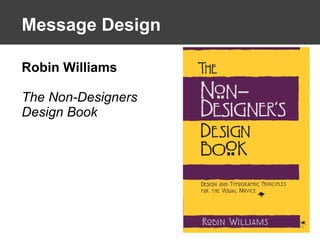
Message Design Robin Williams The Non-Designers Design Book
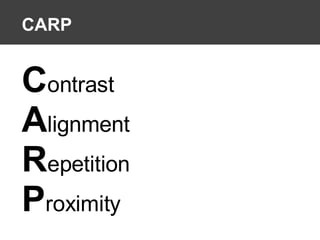
CARP C ontrast A lignment R epetition P roximity
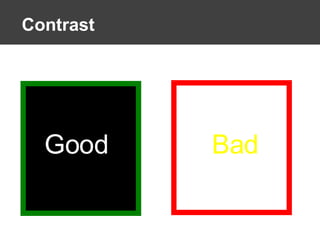
Contrast Bad Good
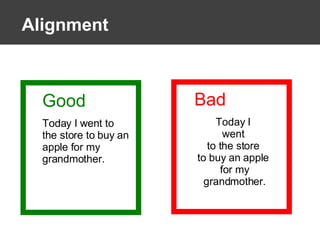
Alignment Good Today I went to the store to buy an apple for my grandmother. Bad Today I  went  to the store  to buy an apple  for my grandmother.
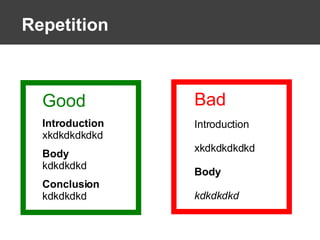
Repetition Bad Introduction xkdkdkdkdkd Body kdkdkdkd Good Introduction xkdkdkdkdkd Body kdkdkdkd Conclusion kdkdkdkd
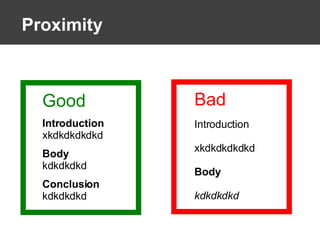
Proximity Bad Introduction xkdkdkdkdkd Body kdkdkdkd Good Introduction xkdkdkdkdkd Body kdkdkdkd Conclusion kdkdkdkd
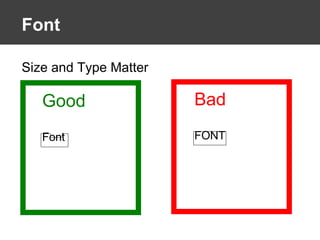
Font  Size and Type Matter Bad FONT Good Font
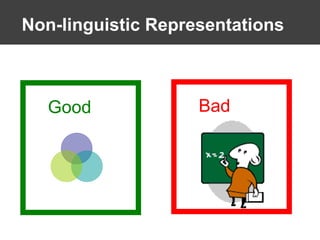
Non-linguistic Representations Good Bad
Multimedia: Audio & Video http://www.youtube.com/watch?v=cagxPlVqrtM   Example #1: Link to audio and video
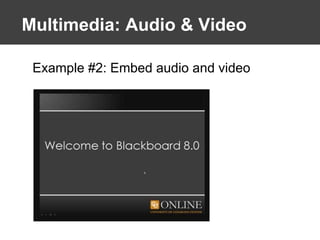
Multimedia: Audio & Video Example #2: Embed audio and video
Delivering PowerPoint Presentations
Presentation Tips Test your PowerPoint before giving it Learn how to move from slide to slide Use the “B” key or the “W” key to turn it off Don’t be locked to a podium Use numbers to navigate your slides
Some Rules of Thumb PPT should support learning objectives  Avoid PowerPoint templates Avoid using more than one level of bullets Less is better: less words & less slides Avoid distracting clip art or unrelated images Avoid distracting slide transitions Use CARP to improve design Avoid using all CAPS Leverage the multimedia: visual & audio when appropriately Don’t let PowerPoint control your teaching Handouts are available
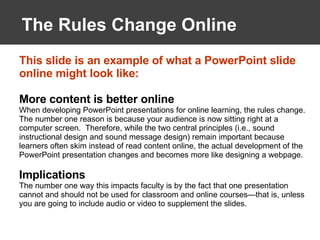
The Rules Change Online This slide is an example of what a PowerPoint slide online might look like: More content is better online When developing PowerPoint presentations for online learning, the rules change.  The number one reason is because your audience is now sitting right at a computer screen.  Therefore, while the two central principles (i.e., sound instructional design and sound message design) remain important because learners often skim instead of read content online, the actual development of the PowerPoint presentation changes and becomes more like designing a webpage. Implications The number one way this impacts faculty is by the fact that one presentation cannot and should not be used for classroom and online courses—that is, unless you are going to include audio or video to supplement the slides.
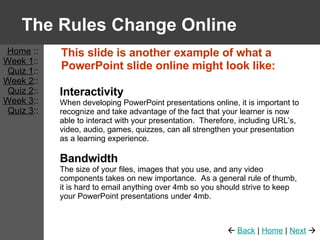
The Rules Change Online This slide is another example of what a PowerPoint slide online might look like: Interactivity When developing PowerPoint presentations online, it is important to recognize and take advantage of the fact that your learner is now able to interact with your presentation.  Therefore, including URL’s, video, audio, games, quizzes, can all strengthen your presentation as a learning experience. Bandwidth The size of your files, images that you use, and any video components takes on new importance.  As a general rule of thumb, it is hard to email anything over 4mb so you should strive to keep your PowerPoint presentations under 4mb. Home  :: Week 1 :: Quiz 1 :: Week 2 :: Quiz 2 :: Week 3 :: Quiz 3 ::    Back  |  Home  |  Next   
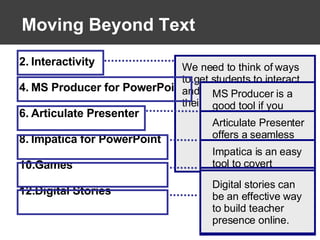
Moving Beyond Text Interactivity MS Producer for PowerPoint Articulate Presenter Impatica for PowerPoint Games Digital Stories We need to think of ways to get students to interact and actively engage in their learning. MS Producer is a good tool if you want to add audio and video to your slides. It is also free! Articulate Presenter offers a seamless (but expensive) alternative to Producer.  Also has quiz making tools. Impatica is an easy tool to covert PowerPoint slides for the web. PowerPoint can used to create learning games to engage students online Digital stories can be an effective way to build teacher presence online.
Resources Resources: PowerPoint Viewer http://tinyurl.com/3buwr5   PowerPoint Producer http://tinyurl.com/4mcn69   Articulate http://www.articulate.com/   Impatica http://www.impatica.com/imp4ppt/index.html   Games http://it.coe.uga.edu/wwild/index.html  or  http://www.internet4classrooms.com/on-line_powerpoint.htm   Digital Stories http://www.storycenter.org
Selected References Gall, J., & Lohr, L. L. (2005). Dancing with the Devil: Can Good People Still Use  PowerPoint?  Retrieved April 30, 2006, from  http://www.coe.unco.edu/JimGall/DevilDancing.pdf Lohr, L. L. (2003). Creating graphics for learning and performance: Lessons in visual  literacy. Upper Saddle River, NJ: Merrill Prentice Hall. Norvig, P. (n.d). The making of the Gettysburg PowerPoint presentation.  Retrieved  May 5, 2006, from http://www.norvig.com/Gettysburg/making.html Norvig, P. (n.d.). The Gettysburg PowerPoint presentation.  Retrieved January 1,  2006, from http://www.norvig.com/Gettysburg/ Norvig, P. (n.d.). PowerPoint: Shot with its own bullets.  Retrieved April 1, 2006,  from http://www.norvig.com/lancet.html Tufte, E. (2003a). The cognitive style of PowerPoint. Cheshire, CN: Graphics Press  Tufte, E. (2003b). PowerPoint is evil: Power corrupts. PowerPoint corrupts  absolutely. Wired  Retrieved 11.09, from  http://www.wired.com/wired/archive/11.09/ppt2.html Wineburg, S. (2004). Must it be this way? Ten rules for keeping your audience awake  during conferences. Educational Researcher, 33(4), 13-14. Winn, W. (1993). Perception principles. In M. Fleming & H. W. Levie (Eds.),  Instructional message design: Principles from the behavioral and cognitive  sciences. Englewood Cliffs, NJ: Educational Technology Publications.
Copy of Presentation www.patricklowenthal.com/powerpoint/powerpoint.pdf

Effectively Using PowerPoint

  • 1.
  • 2.
    Learning Objectives Youwill be able to describe some of the issues surrounding the use of PowerPoint You will have a list of strategies that you can use to improve the use of PowerPoint in your classroom or online ______________________________
  • 3.
    PowerPoint = PresentationIf, PowerPoint = Presentation & If, Presentation = Lecture Then, does PowerPoint = Lecture?
  • 4.
    Critics of PowerPointDeath by PowerPoint Official: PowerPoint is bad for Brains Bad PowerPoint: When is enough enough? PowerPoint: Shot with its own bullets. PowerPoint is evil Does PowerPoint make us Stupid? PowerPoint: Can software edit our thoughts?
  • 5.
    Gettysburg: Where itall began? http://norvig.com/Gettysburg/ http://norvig.com/Gettysburg/sld001.htm
  • 6.
    The PowerPointCritic Edward Tufte Cognitive Style of PowerPoint
  • 7.
    Edward Tufte’s CriticismsLow resolution Bullet outlines dilute thought Deeply hierarchical and linear structure Fragments narrative and data Preoccupation with format, not content Decoration and phluff
  • 8.
    Critiques of TufteFocused on presentations—not learning Blames the tool Over-emphasis on content Doesn’t offer any strategies to improve PowerPoint ________________________________ ________________________________
  • 9.
    Tufte’s Implicit Recommendations Use more useful visuals or give handouts Use clear headings, numbered lists or very few bulleted outlines Design and leverage PowerPoint’s non-linear and non-hierarchical capabilities Use plain, non-distracting backgrounds; use information rich and relevant images
  • 10.
    Critiques Tufte MissedAdditional Critiques of PowerPoint Teacher centered Technology centered Screen centered __________________________________
  • 11.
    Four ways touse PowerPoint For presentations To teach a face-to-face class Computer-based & online learning Student Assignments
  • 12.
    Strategies to ImprovePowerPoint 1. Sound Instructional Design 2. Visual Literacy & Message Design
  • 13.
    Instructional Design InstructionalDesign is the systematic development of instructional specifications using learning and instructional theory to ensure the quality of instruction. It is the entire process of analysis of learning needs and goals and the development of a delivery system to meet those needs. It includes development of instructional materials and activities ; and tryout and evaluation of all instruction and learner activities.
  • 14.
    Visual Literacy “Visual literacy is … the ability to understand and use images, including the ability to think, learn, and express oneself in terms of images”
  • 15.
    Message Design RobinWilliams The Non-Designers Design Book
  • 16.
    CARP C ontrastA lignment R epetition P roximity
  • 17.
  • 18.
    Alignment Good TodayI went to the store to buy an apple for my grandmother. Bad Today I went to the store to buy an apple for my grandmother.
  • 19.
    Repetition Bad Introductionxkdkdkdkdkd Body kdkdkdkd Good Introduction xkdkdkdkdkd Body kdkdkdkd Conclusion kdkdkdkd
  • 20.
    Proximity Bad Introductionxkdkdkdkdkd Body kdkdkdkd Good Introduction xkdkdkdkdkd Body kdkdkdkd Conclusion kdkdkdkd
  • 21.
    Font Sizeand Type Matter Bad FONT Good Font
  • 22.
  • 23.
    Multimedia: Audio &Video http://www.youtube.com/watch?v=cagxPlVqrtM Example #1: Link to audio and video
  • 24.
    Multimedia: Audio &Video Example #2: Embed audio and video
  • 25.
  • 26.
    Presentation Tips Testyour PowerPoint before giving it Learn how to move from slide to slide Use the “B” key or the “W” key to turn it off Don’t be locked to a podium Use numbers to navigate your slides
  • 27.
    Some Rules ofThumb PPT should support learning objectives Avoid PowerPoint templates Avoid using more than one level of bullets Less is better: less words & less slides Avoid distracting clip art or unrelated images Avoid distracting slide transitions Use CARP to improve design Avoid using all CAPS Leverage the multimedia: visual & audio when appropriately Don’t let PowerPoint control your teaching Handouts are available
  • 28.
    The Rules ChangeOnline This slide is an example of what a PowerPoint slide online might look like: More content is better online When developing PowerPoint presentations for online learning, the rules change. The number one reason is because your audience is now sitting right at a computer screen. Therefore, while the two central principles (i.e., sound instructional design and sound message design) remain important because learners often skim instead of read content online, the actual development of the PowerPoint presentation changes and becomes more like designing a webpage. Implications The number one way this impacts faculty is by the fact that one presentation cannot and should not be used for classroom and online courses—that is, unless you are going to include audio or video to supplement the slides.
  • 29.
    The Rules ChangeOnline This slide is another example of what a PowerPoint slide online might look like: Interactivity When developing PowerPoint presentations online, it is important to recognize and take advantage of the fact that your learner is now able to interact with your presentation. Therefore, including URL’s, video, audio, games, quizzes, can all strengthen your presentation as a learning experience. Bandwidth The size of your files, images that you use, and any video components takes on new importance. As a general rule of thumb, it is hard to email anything over 4mb so you should strive to keep your PowerPoint presentations under 4mb. Home :: Week 1 :: Quiz 1 :: Week 2 :: Quiz 2 :: Week 3 :: Quiz 3 ::  Back | Home | Next 
  • 30.
    Moving Beyond TextInteractivity MS Producer for PowerPoint Articulate Presenter Impatica for PowerPoint Games Digital Stories We need to think of ways to get students to interact and actively engage in their learning. MS Producer is a good tool if you want to add audio and video to your slides. It is also free! Articulate Presenter offers a seamless (but expensive) alternative to Producer. Also has quiz making tools. Impatica is an easy tool to covert PowerPoint slides for the web. PowerPoint can used to create learning games to engage students online Digital stories can be an effective way to build teacher presence online.
  • 31.
    Resources Resources: PowerPointViewer http://tinyurl.com/3buwr5 PowerPoint Producer http://tinyurl.com/4mcn69 Articulate http://www.articulate.com/ Impatica http://www.impatica.com/imp4ppt/index.html Games http://it.coe.uga.edu/wwild/index.html or http://www.internet4classrooms.com/on-line_powerpoint.htm Digital Stories http://www.storycenter.org
  • 32.
    Selected References Gall,J., & Lohr, L. L. (2005). Dancing with the Devil: Can Good People Still Use PowerPoint? Retrieved April 30, 2006, from http://www.coe.unco.edu/JimGall/DevilDancing.pdf Lohr, L. L. (2003). Creating graphics for learning and performance: Lessons in visual literacy. Upper Saddle River, NJ: Merrill Prentice Hall. Norvig, P. (n.d). The making of the Gettysburg PowerPoint presentation. Retrieved May 5, 2006, from http://www.norvig.com/Gettysburg/making.html Norvig, P. (n.d.). The Gettysburg PowerPoint presentation. Retrieved January 1, 2006, from http://www.norvig.com/Gettysburg/ Norvig, P. (n.d.). PowerPoint: Shot with its own bullets. Retrieved April 1, 2006, from http://www.norvig.com/lancet.html Tufte, E. (2003a). The cognitive style of PowerPoint. Cheshire, CN: Graphics Press Tufte, E. (2003b). PowerPoint is evil: Power corrupts. PowerPoint corrupts absolutely. Wired Retrieved 11.09, from http://www.wired.com/wired/archive/11.09/ppt2.html Wineburg, S. (2004). Must it be this way? Ten rules for keeping your audience awake during conferences. Educational Researcher, 33(4), 13-14. Winn, W. (1993). Perception principles. In M. Fleming & H. W. Levie (Eds.), Instructional message design: Principles from the behavioral and cognitive sciences. Englewood Cliffs, NJ: Educational Technology Publications.
  • 33.
    Copy of Presentationwww.patricklowenthal.com/powerpoint/powerpoint.pdf