
Giving Effective PresentationsPatrick R. Lowenthalpatrick.lowenthal@ucdenver.edu
Why are we here?Does this matter to me?2
AgendaLimitations of PowerPointDesign strategiesPresentation strategiesDistribution strategiesGood, the bad, and the ugly activity3
Limitations of PowerPoint4
Articles about PowerPoint misuseDeath by PowerPoint
Official: PowerPoint is bad for Brains
Bad PowerPoint: When is enough enough?
PowerPoint: Shot with its own bullets
PowerPoint is evil
Does PowerPoint make us Stupid?
PowerPoint: Can software edit our thoughts?6
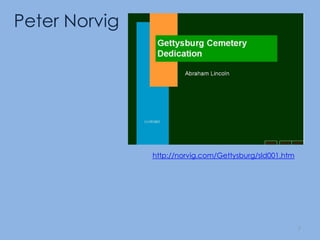
Peter Norvighttp://norvig.com/Gettysburg/sld001.htm7
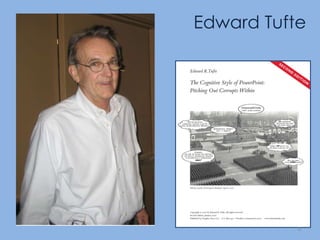
Edward Tufte8
Limitations of PowerPoint – TufteLow resolutionBullet outlines dilute thoughtDeeply hierarchical and linear structureFragments narrative and data Preoccupation with format, not contentDecoration and phluff9
http://www.youtube.com/watch?v=cagxPlVqrtM
Design Strategies11
Design Strategies: According to Tufte12
Use more useful visuals or give handoutsUse clear headings, numbered lists or very few bulleted outlinesDesign and leverage PowerPoint’s non-linear and non-hierarchical capabilitiesUse plain, non-distracting backgrounds; use information rich and relevant images13
Use more useful visuals or give handoutsUse clear headings, numbered lists or very few bulleted outlinesDesign and leverage PowerPoint’s non-linear and non-hierarchical capabilitiesUse plain, non-distracting backgrounds; use information rich and relevant images14
Use more useful visuals or give handoutsUse clear headings, numbered lists or very few bulleted outlinesDesign and leverage PowerPoint’s non-linear and non-hierarchical capabilitiesUse plain, non-distracting backgrounds; use information rich and relevant images15
Use more useful visuals or give handoutsUse clear headings, numbered lists or very few bulleted outlinesDesign and leverage PowerPoint’s non-linear and non-hierarchical capabilitiesUse plain, non-distracting backgrounds; use information rich and relevant images16
Design Strategies: According to Williams17
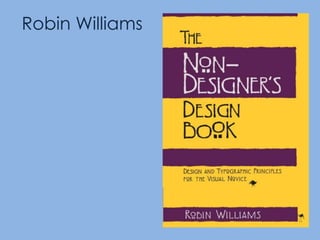
Robin Williams
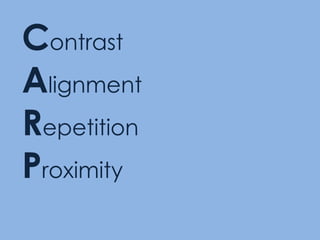
ContrastAlignmentRepetitionProximity
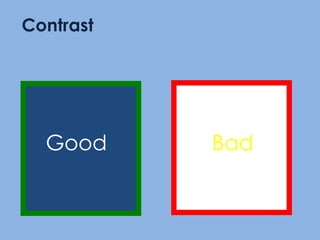
GoodContrastBad
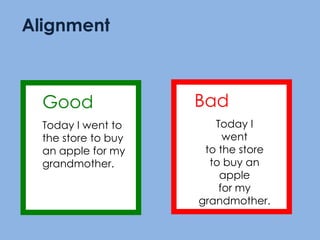
BadToday I went to the store to buy an apple for my grandmother.GoodToday I went to the store to buy an apple for my grandmother.Alignment
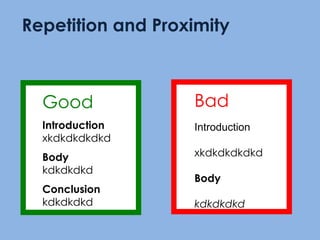
GoodIntroductionxkdkdkdkdkdBodykdkdkdkdConclusionkdkdkdkdRepetition and ProximityBadIntroductionxkdkdkdkdkdBodykdkdkdkd
Design Strategies: According to Patrick (me!)23
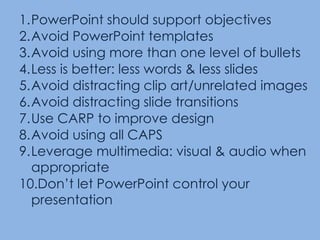
PowerPoint should support objectives Avoid PowerPoint templatesAvoid using more than one level of bulletsLess is better: less words & less slidesAvoid distracting clip art/unrelated imagesAvoid distracting slide transitionsUse CARP to improve designAvoid using all CAPSLeverage multimedia: visual & audio when appropriateDon’t let PowerPoint control your presentation
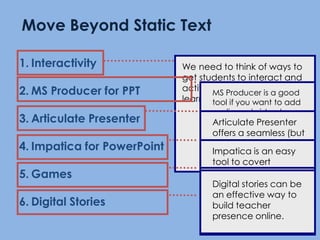
We need to think of ways to get students to interact and actively engage in their learning.MS Producer is a good tool if you want to add audio and video to your slides.It is also free!Articulate Presenter offers a seamless (but expensive) alternative to Producer.  Also has quiz making tools.Impatica is an easy tool to covert PowerPoint slides for the web.PowerPoint can used to create learning games to engage students onlineDigital stories can be an effective way to build teacher presence online.Move Beyond Static TextInteractivityMS Producer for PPTArticulate PresenterImpatica for PowerPointGamesDigital Stories
Design Strategies: According to PechaKucha et al.26
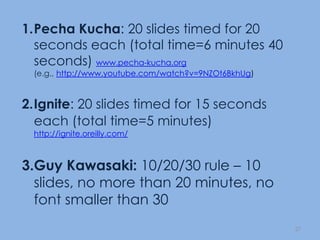
PechaKucha: 20 slides timed for 20 seconds each (total time=6 minutes 40 seconds) www.pecha-kucha.org(e.g., http://www.youtube.com/watch?v=9NZOt6BkhUg)Ignite: 20 slides timed for 15 seconds each (total time=5 minutes)http://ignite.oreilly.com/Guy Kawasaki: 10/20/30 rule – 10 slides, no more than 20 minutes, no font smaller than 3027
Design Strategies: According to the experts28
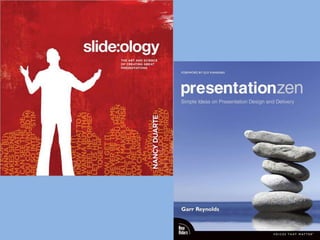
29
Presentation Strategies30
Practice your Presentation Test your PowerPoint before giving itLearn how to move from slide to slideUse the “B” key (or the “W”) Don’t be locked to your PPT or the podiumUse numbers to navigate your slidesHave a “plan B” if the technology fails

Professional Powerpoint Presentation

  • 1.
    Giving Effective PresentationsPatrickR. Lowenthalpatrick.lowenthal@ucdenver.edu
  • 2.
    Why are wehere?Does this matter to me?2
  • 3.
    AgendaLimitations of PowerPointDesignstrategiesPresentation strategiesDistribution strategiesGood, the bad, and the ugly activity3
  • 4.
  • 6.
    Articles about PowerPointmisuseDeath by PowerPoint
  • 7.
  • 8.
    Bad PowerPoint: Whenis enough enough?
  • 9.
    PowerPoint: Shot withits own bullets
  • 10.
  • 11.
  • 12.
    PowerPoint: Can softwareedit our thoughts?6
  • 13.
  • 14.
  • 15.
    Limitations of PowerPoint– TufteLow resolutionBullet outlines dilute thoughtDeeply hierarchical and linear structureFragments narrative and data Preoccupation with format, not contentDecoration and phluff9
  • 16.
  • 17.
  • 18.
  • 19.
    Use more usefulvisuals or give handoutsUse clear headings, numbered lists or very few bulleted outlinesDesign and leverage PowerPoint’s non-linear and non-hierarchical capabilitiesUse plain, non-distracting backgrounds; use information rich and relevant images13
  • 20.
    Use more usefulvisuals or give handoutsUse clear headings, numbered lists or very few bulleted outlinesDesign and leverage PowerPoint’s non-linear and non-hierarchical capabilitiesUse plain, non-distracting backgrounds; use information rich and relevant images14
  • 21.
    Use more usefulvisuals or give handoutsUse clear headings, numbered lists or very few bulleted outlinesDesign and leverage PowerPoint’s non-linear and non-hierarchical capabilitiesUse plain, non-distracting backgrounds; use information rich and relevant images15
  • 22.
    Use more usefulvisuals or give handoutsUse clear headings, numbered lists or very few bulleted outlinesDesign and leverage PowerPoint’s non-linear and non-hierarchical capabilitiesUse plain, non-distracting backgrounds; use information rich and relevant images16
  • 23.
  • 24.
  • 25.
  • 26.
  • 27.
    BadToday I wentto the store to buy an apple for my grandmother.GoodToday I went to the store to buy an apple for my grandmother.Alignment
  • 28.
  • 29.
  • 30.
    PowerPoint should supportobjectives Avoid PowerPoint templatesAvoid using more than one level of bulletsLess is better: less words & less slidesAvoid distracting clip art/unrelated imagesAvoid distracting slide transitionsUse CARP to improve designAvoid using all CAPSLeverage multimedia: visual & audio when appropriateDon’t let PowerPoint control your presentation
  • 31.
    We need tothink of ways to get students to interact and actively engage in their learning.MS Producer is a good tool if you want to add audio and video to your slides.It is also free!Articulate Presenter offers a seamless (but expensive) alternative to Producer. Also has quiz making tools.Impatica is an easy tool to covert PowerPoint slides for the web.PowerPoint can used to create learning games to engage students onlineDigital stories can be an effective way to build teacher presence online.Move Beyond Static TextInteractivityMS Producer for PPTArticulate PresenterImpatica for PowerPointGamesDigital Stories
  • 32.
    Design Strategies: Accordingto PechaKucha et al.26
  • 33.
    PechaKucha: 20 slidestimed for 20 seconds each (total time=6 minutes 40 seconds) www.pecha-kucha.org(e.g., http://www.youtube.com/watch?v=9NZOt6BkhUg)Ignite: 20 slides timed for 15 seconds each (total time=5 minutes)http://ignite.oreilly.com/Guy Kawasaki: 10/20/30 rule – 10 slides, no more than 20 minutes, no font smaller than 3027
  • 34.
  • 35.
  • 36.
  • 37.
    Practice your PresentationTest your PowerPoint before giving itLearn how to move from slide to slideUse the “B” key (or the “W”) Don’t be locked to your PPT or the podiumUse numbers to navigate your slidesHave a “plan B” if the technology fails
  • 38.
    Practice your PresentationTest your PowerPoint before giving itLearn how to move from slide to slideUse the “B” key (or the “W”) Don’t be locked to your PPT or the podiumUse numbers to navigate your slidesHave a “plan B” if the technology fails
  • 39.
    Practice your PresentationTest your PowerPoint before giving itLearn how to move from slide to slideUse the “B” key (or the “W”) Don’t be locked to your PPT or the podiumUse numbers to navigate your slidesHave a “plan B” if the technology fails
  • 40.
    Practice your PresentationTest your PowerPoint before giving itLearn how to move from slide to slideUse the “B” key (or the “W”) Don’t be locked to your PPT or the podiumUse numbers to navigate your slidesHave a “plan B” if the technology fails
  • 41.
    Practice your PresentationTest your PowerPoint before giving itLearn how to move from slide to slideUse the “B” key (or the “W”) Don’t be locked to your PPT or the podiumUse numbers to navigate your slidesHave a “plan B” if the technology fails
  • 42.
    Practice your PresentationTest your PowerPoint before giving itLearn how to move from slide to slideUse the “B” key (or the “W”) Don’t be locked to your PPT or the podiumUse numbers to navigate your slidesHave a “plan B” if the technology fails
  • 43.
    Practice your PresentationTest your PowerPoint before giving itLearn how to move from slide to slideUse the “B” key (or the “W”) Don’t be locked to your PPT or the podiumUse numbers to navigate your slidesHave a “plan B” if the technology fails

Editor's Notes

  • #5 PowerPointWhy are we discussing PowerPoint?Millions of PowerPoint are given each day.For many powerpoint=presentation.
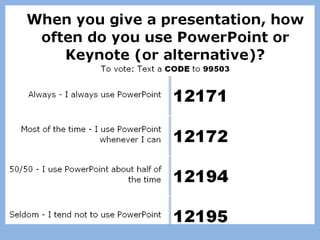
  • #6 Press F5 or enter presentation mode to view the pollTime constraints – when you have limited time to cover a topic, presentation software can help you present the material quickly and succinctly, and can help you make sure you address all of the points you want to coverDevelopment efficiency – presentation software is easy to use and learn how to use; once you have built a presentation, it is easy to repurpose and reuse slides for a new presentation; once you create the slideshow, you automatically can also produce a handout for the audience and a script for yourselfTransferability – PowerPoint is everywhere, on every computer, so you don’t have to worry about technology support issues during delivery or when distributing to othersProfessional credibility – the audience does not perceive you as an expert unless you have prepared a technology-enhanced presentationAudience expectations – the audience is used to the structure of a presentation slideshow, having experienced so many of them; if you are delivering a presentation, the audience expects you to support what you are saying with a slideshow (and expects a handout of the slides)
  • #41 Show some bad ones/discuss themWork on the gettysburg address
  • #43 Show some bad ones/discuss themWork on the gettysburg address