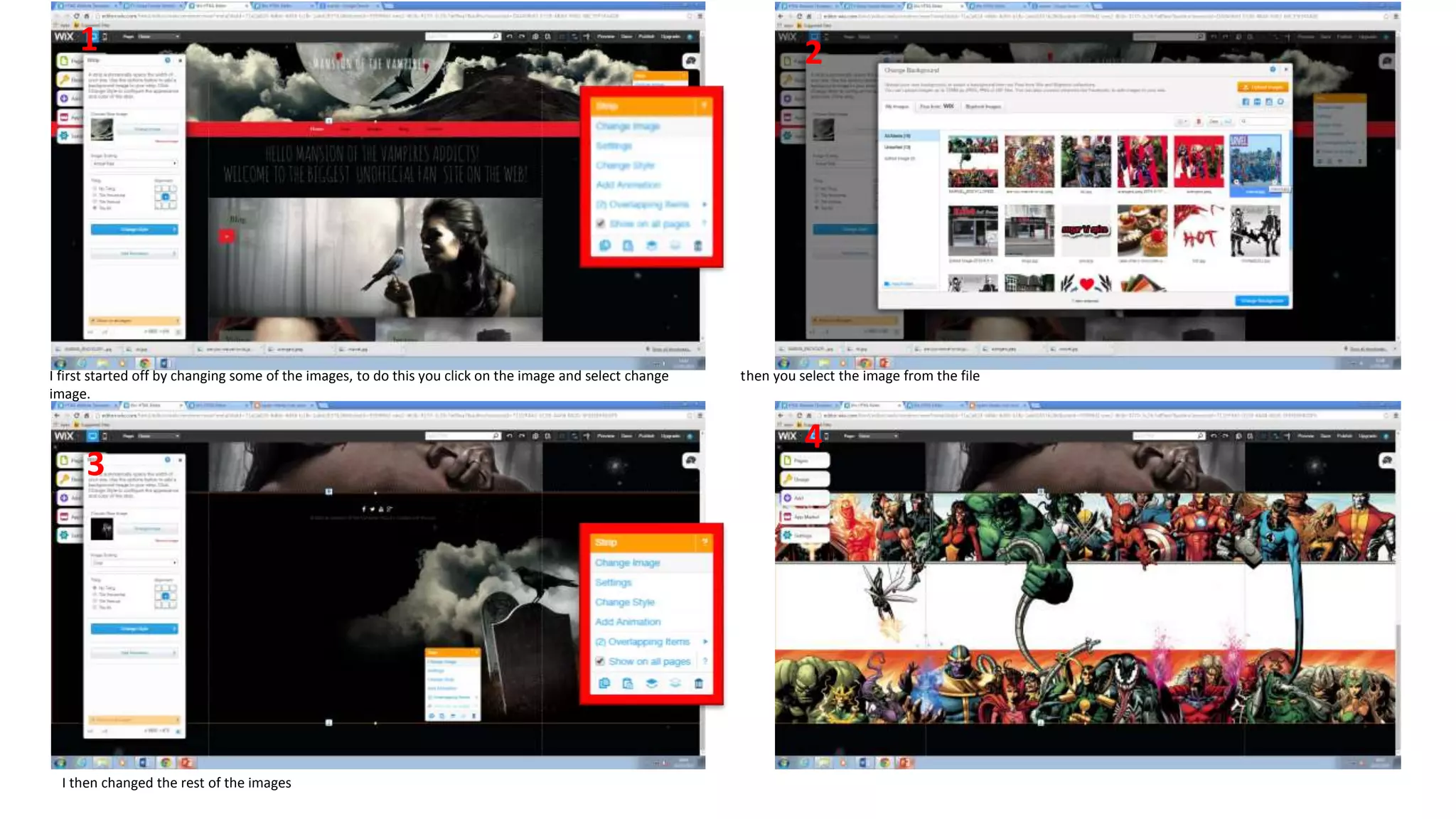
I first started off by changing some of the images, to do this you click on the image and select change then you select the image from the file
image.
I then changed the rest of the images
1 2
4
3
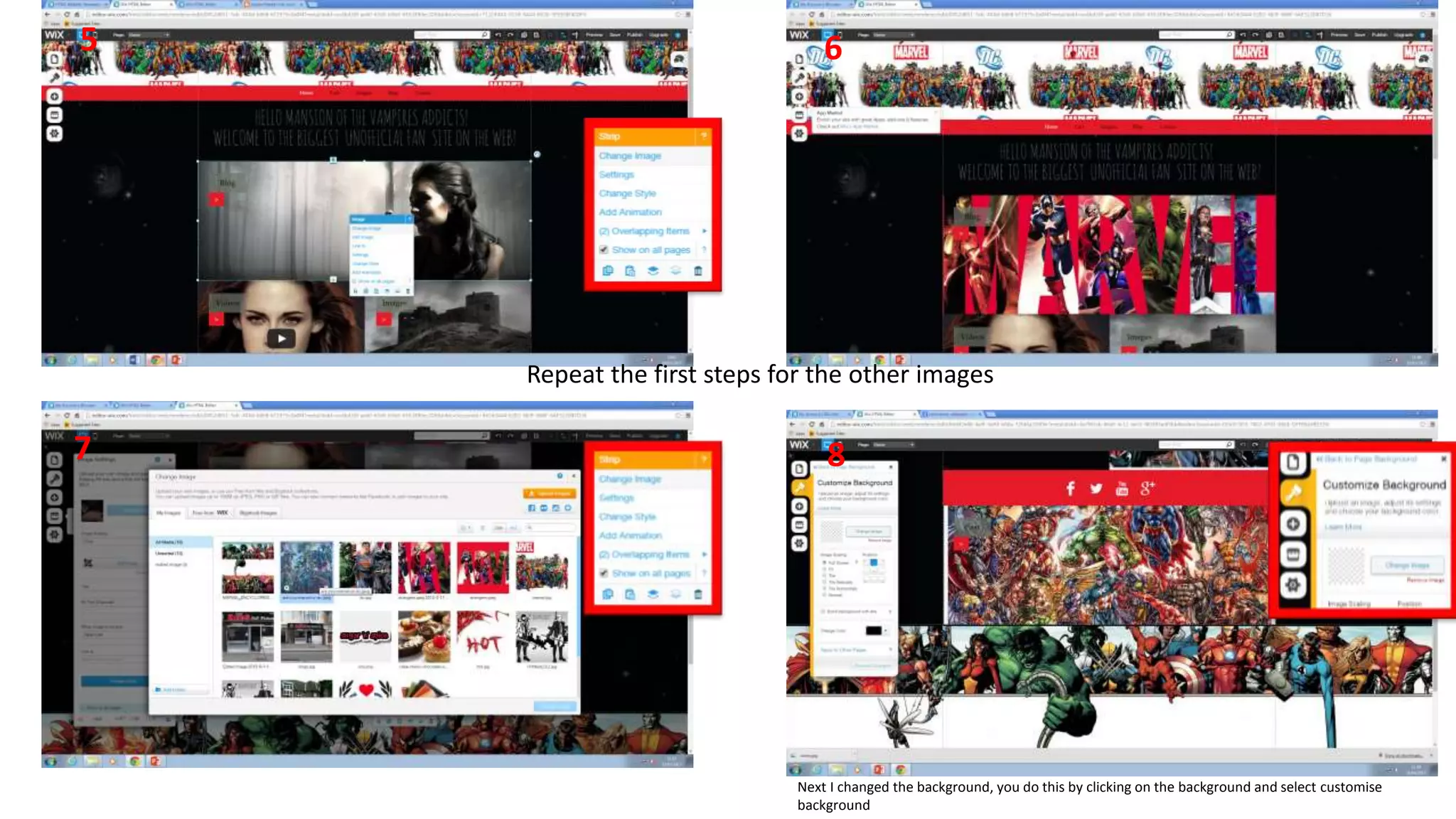
Repeat the first steps for the other images
5
87
6
Next I changed the background, you do this by clicking on the background and select customise
background
9
12
11
10
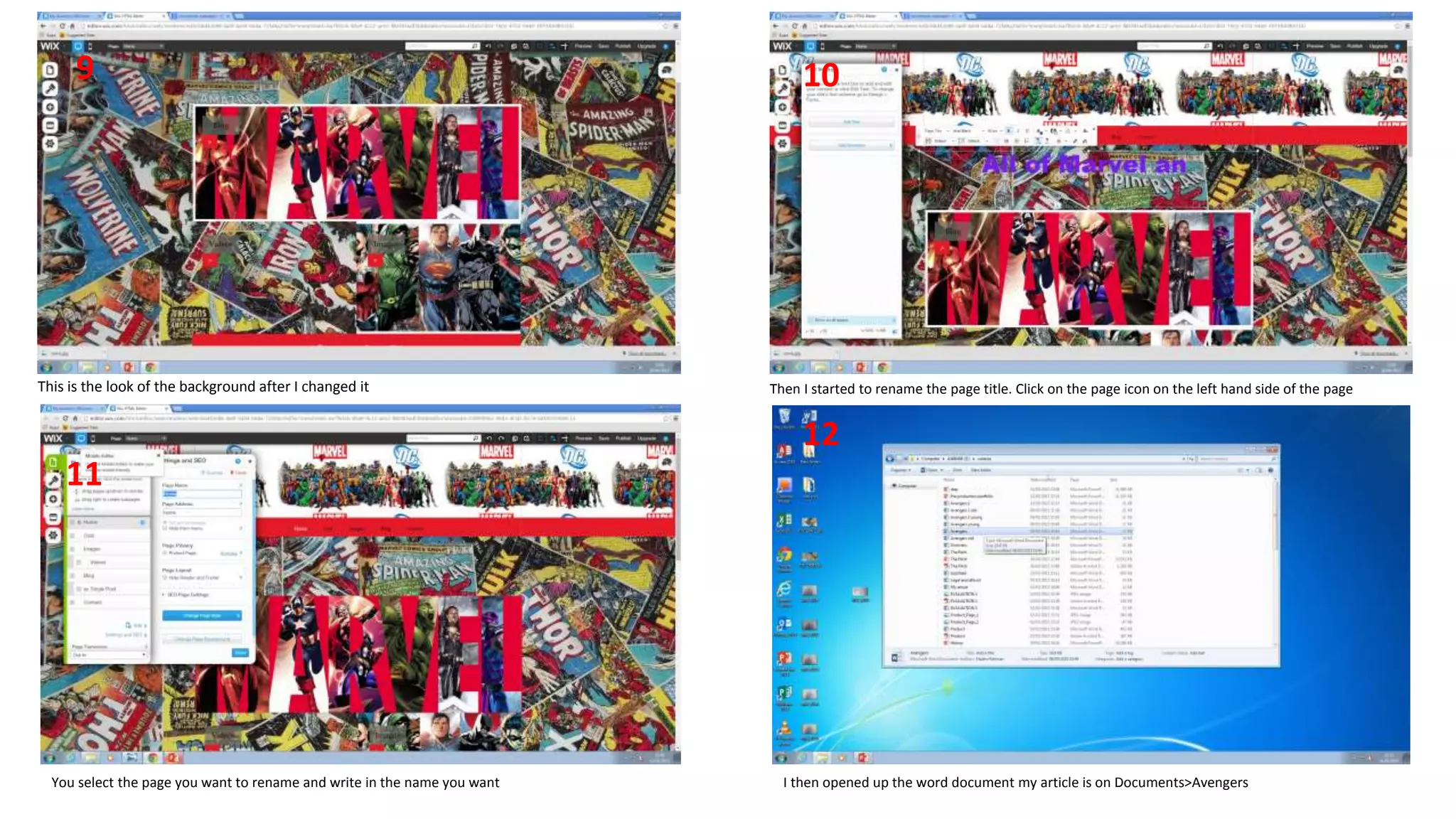
This is the look of the background after I changed it Then I started to rename the page title. Click on the page icon on the left hand side of the page
You select the page you want to rename and write in the name you want I then opened up the word document my article is on Documents>Avengers
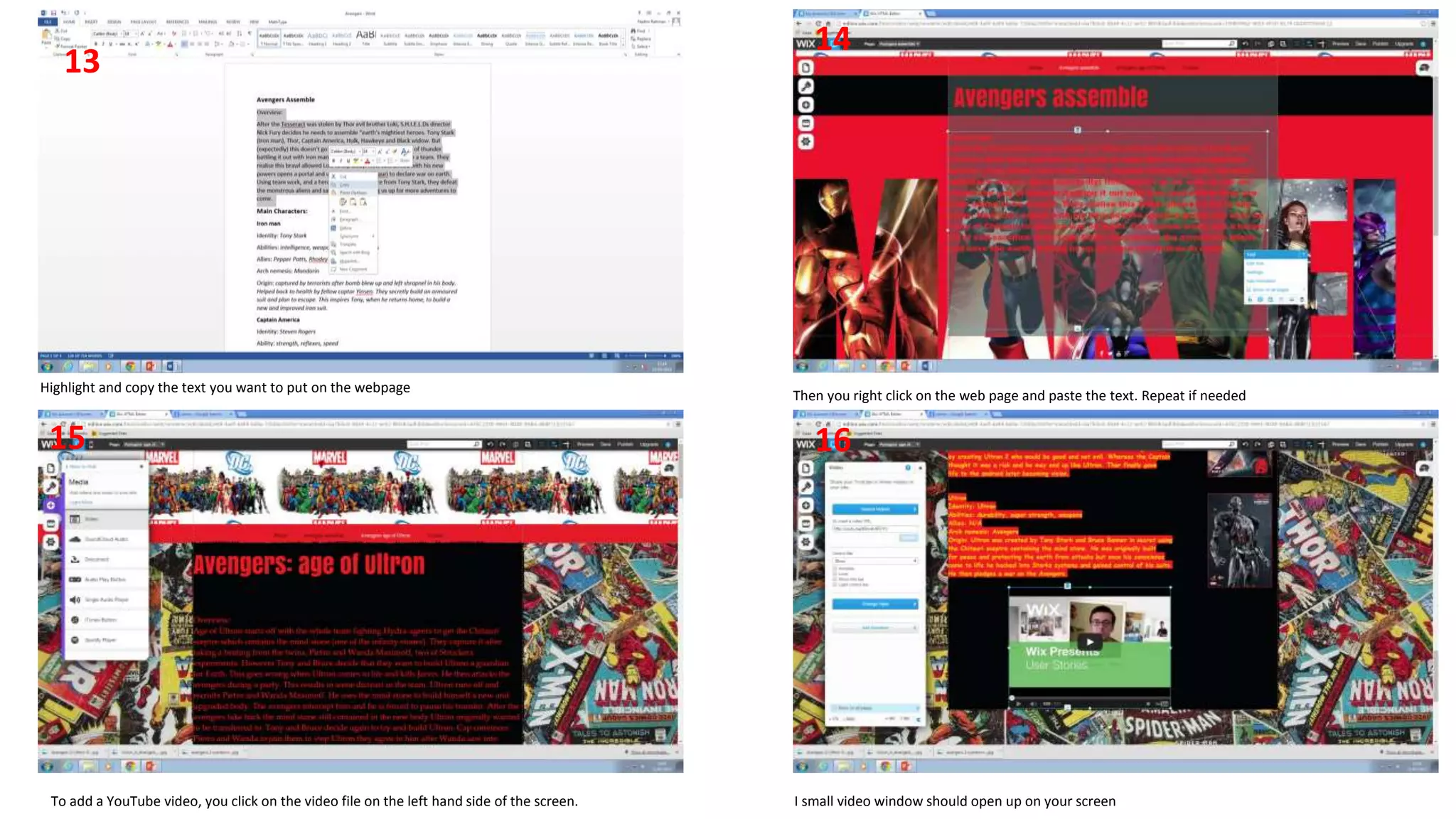
Highlight and copy the text you want to put on the webpage
14
13
Then you right click on the web page and paste the text. Repeat if needed
To add a YouTube video, you click on the video file on the left hand side of the screen. I small video window should open up on your screen
1615
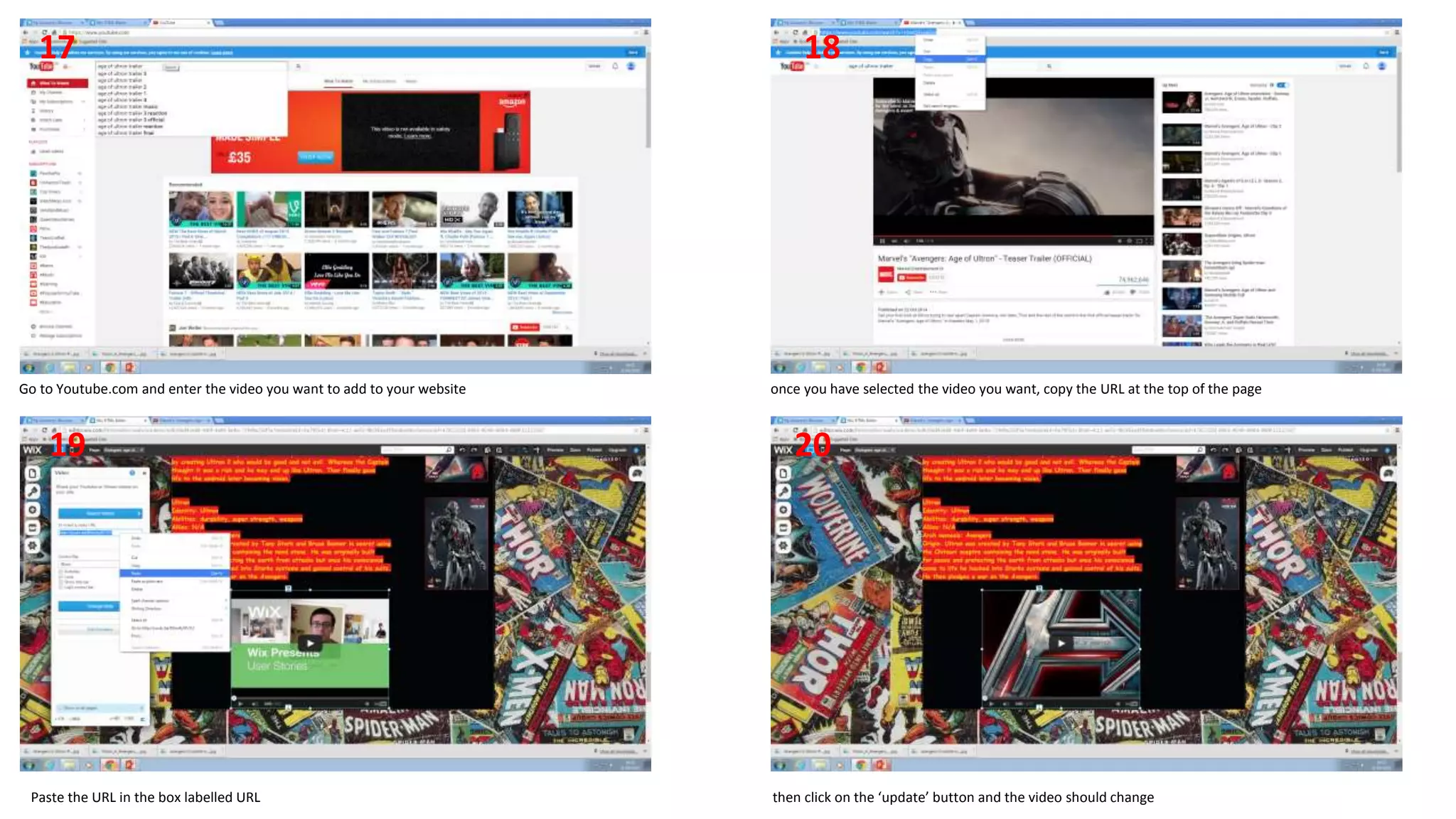
Go to Youtube.com and enter the video you want to add to your website once you have selected the video you want, copy the URL at the top of the page
Paste the URL in the box labelled URL then click on the ‘update’ button and the video should change
18
2019
17
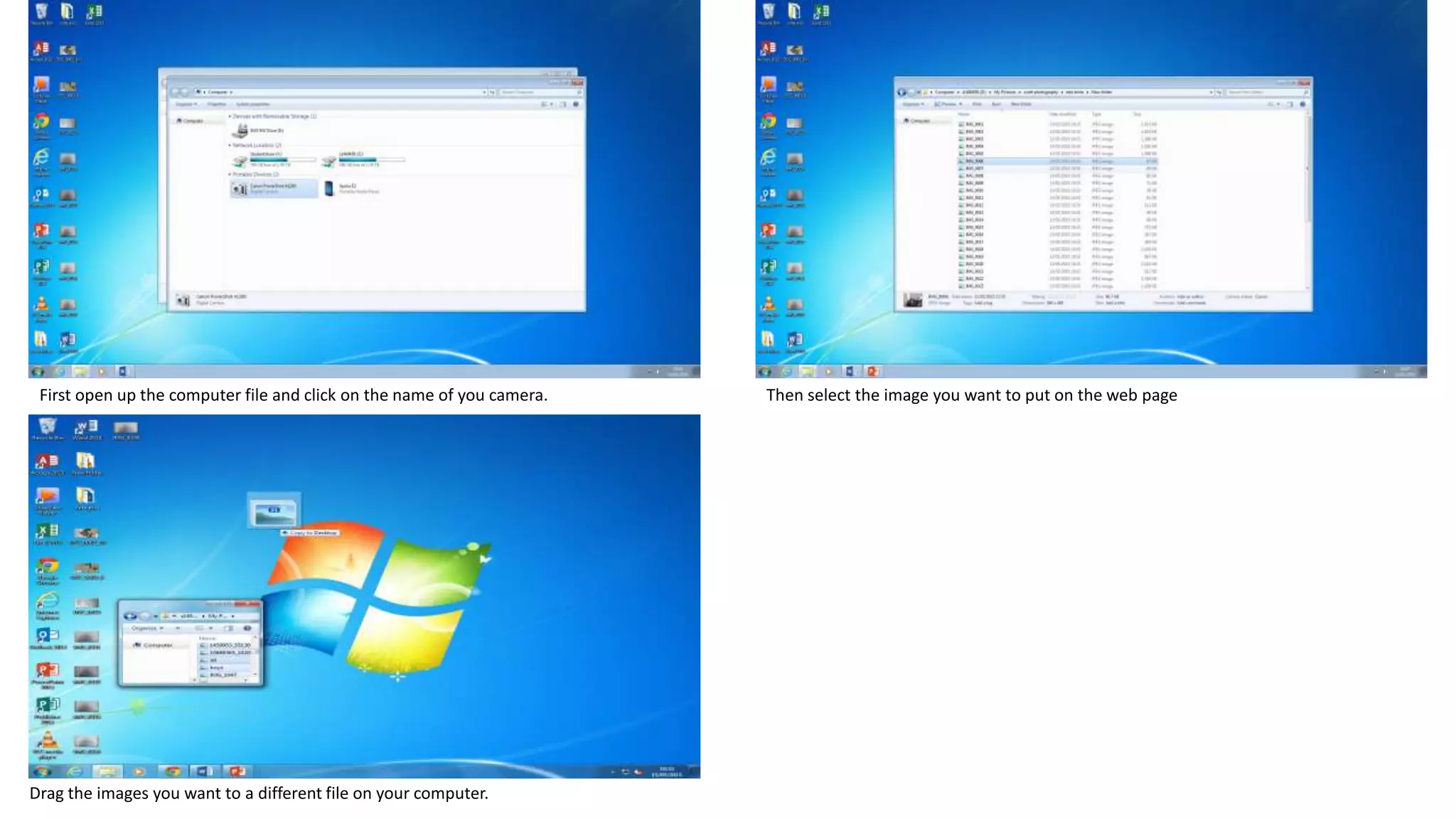
First open up the computer file and click on the name of you camera. Then select the image you want to put on the web page
Drag the images you want to a different file on your computer.
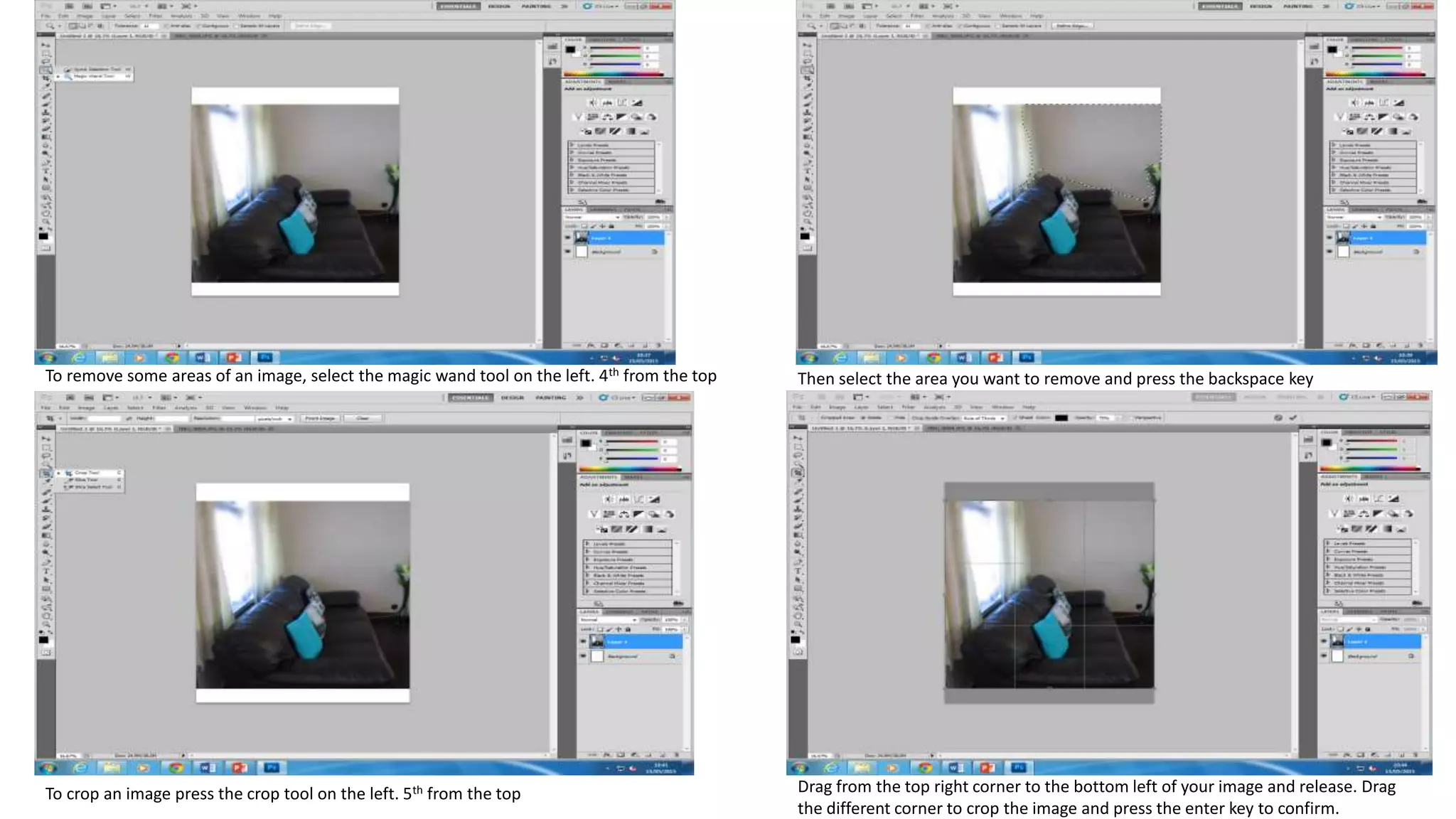
To remove some areas of an image, select the magic wand tool on the left. 4th from the top Then select the area you want to remove and press the backspace key
To crop an image press the crop tool on the left. 5th from the top Drag from the top right corner to the bottom left of your image and release. Drag
the different corner to crop the image and press the enter key to confirm.

Step 1

  • 1.
    I first startedoff by changing some of the images, to do this you click on the image and select change then you select the image from the file image. I then changed the rest of the images 1 2 4 3
  • 2.
    Repeat the firststeps for the other images 5 87 6 Next I changed the background, you do this by clicking on the background and select customise background
  • 3.
    9 12 11 10 This is thelook of the background after I changed it Then I started to rename the page title. Click on the page icon on the left hand side of the page You select the page you want to rename and write in the name you want I then opened up the word document my article is on Documents>Avengers
  • 4.
    Highlight and copythe text you want to put on the webpage 14 13 Then you right click on the web page and paste the text. Repeat if needed To add a YouTube video, you click on the video file on the left hand side of the screen. I small video window should open up on your screen 1615
  • 5.
    Go to Youtube.comand enter the video you want to add to your website once you have selected the video you want, copy the URL at the top of the page Paste the URL in the box labelled URL then click on the ‘update’ button and the video should change 18 2019 17
  • 6.
    First open upthe computer file and click on the name of you camera. Then select the image you want to put on the web page Drag the images you want to a different file on your computer.
  • 7.
    To remove someareas of an image, select the magic wand tool on the left. 4th from the top Then select the area you want to remove and press the backspace key To crop an image press the crop tool on the left. 5th from the top Drag from the top right corner to the bottom left of your image and release. Drag the different corner to crop the image and press the enter key to confirm.