Columnstore Indexes
on SQL Server 2014
22th SQL Saturday Night
with Antonios Chatzipavlis

Jan 25, 2014
Η παρουσίαση αυτή θα καταγραφεί ώστε να είναι διαθέσιμη
για όσους θέλουν να την ξαναδούν, ή δεν είχαν την

δυνατότητα να την παρακολουθήσουν σε πραγματικό χρόνο.
Εάν κάποιος από τους παραβρισκόμενους σε αυτή έχει το
οποιοδήποτε πρόβλημα ή αντίρρηση να είναι μέρος της
καταγραφή αυτής, παρακαλείται να αποχωρήσει άμεσα.
Σε

διαφορετική

περίπτωση

η

παραμονή

εκλαμβάνεται ως αποδοχή της καταγραφής.
Η παρουσίαση αυτή διατίθεται δωρεάν,
και θα αρχίσει σε 1 λεπτό…

σε

αυτή
Αυτή την στιγμή ο παρουσιαστής μιλάει και σας ζητάει να
βεβαιώσετε ότι τον ακούτε.
Εάν αυτό δεν είναι δυνατόν παρακαλείστε να αλλάξετε το

χρώμα της κάρτας σας στο αντίστοιχο χρώμα ώστε να τον
ενημερώσετε.
Αυτό μπορεί να γίνει πατώντας την αντίστοιχη επιλογή που

βρίσκεται στο πάνω δεξί μέρος του περιβάλλοντος του live
meeting.
Σας ευχαριστούμε για την συνεργασία.
Columnstore Indexes
in SQL Server 2014
22th SQL Saturday Night
Jan 25, 2014
SP_WHO
Antonios Chatzipavlis

Solution Architect • SQL Server Evangelist • Trainer • Speaker
MCT, MCSE, MCITP, MCPD, MCSD, MCDBA, MCSA, MCTS, MCAD, MCP, OCA, ITIL-F

• 1982

I have been started with computers.

• 1988

I started my professional carrier in computers industry.

• 1996

I have been started to work with SQL Server version 6.0

• 1998

I earned my first certification at Microsoft as Microsoft Certified
Solution Developer (3rd in Greece) and started my carrier as Microsoft
Certified Trainer (MCT) with more than 20.000 hours of training until
now!

• 2010

I became for first time Microsoft MVP on SQL Server
I created the SQL School Greece (www.sqlschool.gr)

• 2012

I became MCT Regional Lead by Microsoft Learning Program.

• 2013

I was certified as MCSE : Data Platform, MCSE: Business Intelligence
GET IN TOUCH

@antoniosch
@sqlschool

SQL School Greece

www.sqlschool.gr

help@sqlschool.gr
AGENDA
• Overview
• Introduction
• Implementing and Maintaining

• Architecture
• Internals
• Compression
• Batch Mode Processing
• FAQ
Overview
Columnstore Indexes in SQL Server 2014
Approximate data volume managed by DW
41%

Less than 1TB

17%
21%

1 - 3 TB

Today

18%

In 3 years

19%

3 - 10 TB

25%
17%

More than 10 TB

34%
2%

Don't Know

6%

0%

5%

10%

15%

20%

25%

30%

Source: TDWI Report – Next Generation DW

35%

40%

45%
How does Microsoft SQL Server answer to this opportunity?
Microsoft's in-memory technologies
WHAT ARE MICROSOFT'S IN-MEMORY TECHNOLOGIES?
• These are all next-generation technologies built for extreme
speed on modern hardware systems with large memories
and many cores.
• The in-memory technologies include
• in-memory analytics engine used in PowerPivot and Analysis Services,
• and the in-memory columnstore index used in the SQL Server database.

• SQL Server 2012, SQL Server 2014, and SQL Server PDW all
use in-memory technologies to accelerate common data
warehouse queries.
SQL SERVER
SQL Server 2012 introduced two innovations targeted
for data warehousing workloads:

• Column store indexes
• Batch (vectorized) processing mode.
Introduction
Columnstore Indexes in SQL Server 2014
WHAT IS A COLUMNSTORE INDEX?
• A technology for storing, retrieving and managing data by
using a columnar data format

• Data is compressed, stored, and managed as a collection of
partial columns
• We can use a columnstore index to answer a query just like
data in any other type of index.
• The query optimizer considers the columnstore index as a
data source for accessing data just like it considers other
indexes when creating a query plan.
WHAT IS A COLUMNSTORE?

A columnstore is data that
is logically organized as a table
with rows and columns,
and physically stored in a
columnar data format. “
BENEFITS OF COLUMNSTORE INDEXES
• Are part of a new family of technologies called xVelocity

• 10x query performance
• Up to 10x query performance gains over traditional row-oriented storage,
by storing and compressing data by columns

• 7x data compression
• Up to 7x data compression over the uncompressed data size, by using
fewer reads to bring compressed data into memory and then using the
reduced data volume for the in-memory processing
WHERE TO USE THEM?

“We view the clustered columnstore
index as the standard for storing
large data warehousing fact tables,
and expect it will be used in most
data warehousing scenarios. “
Microsoft Note from MSDN
IMPROVEMENTS ON SQL SERVER 2014
• Making tables updatable
• Schema modification is available

• More data types included
• Mixed execution modes support
• More operations support for the batch mode
• Improved global dictionaries for segments compression

• Archival data compression support
• Seek and Spill (Bulk insert) operation support
Implementing
and Maintaining
Columnstore Indexes in SQL Server 2014
KEY CHARACTERISTICS
• Clustered Columnstore Indexes
• Added as new feature in SQL Server 2014

• Nonclustered Columnstore Indexes
• Added as new feature in SQL Server 2012

• Columnstore Indexes don’t need special hardware
NONCLUSTRED COLUMNSTORE INDEX
• Does not need to include all of the columns in the table.
• Requires storage to store a copy of the columns in the
index.

• Can be combined with other indexes on the table.
• Uses columnstore compression.
• The compression is not configurable.

• Does not physically store columns in a sorted order.
• Instead, it stores data to improve compression and performance
CLUSTERED COLUMNSTORE INDEX
• Available on Enterprise, Developer editions of SQL Server
2014.

• Includes all columns in the table and is the method for
storing the entire table.
• Is the only index on the table.
• It cannot be combined with any other indexes.

• Uses columnstore compression.
• The compression is not configurable.

• Does not physically store columns in a sorted order.
• Instead, it stores data to improve compression and performance.
CREATE COLUMNSTORE INDEX
CLUSTERED
table

index name

myCSIndex
Customers

NONCLUSTERED
table
columns list

CustomerID

index name

CompanyName

ContactName
UNSUPPORTED DATA TYPES
• ntext, text, image
• varchar(max), nvarchar(max)

• rowversion (and timestamp)
• sql_variant
• decimal (and numeric) with precision greater than 18 digits
• datetimeoffset, with scale greater than 2

• CLR types (hierarchyid and spatial types)
• xml
UNSUPPORTED FEATURES
• Sparse columns
• Computed columns

• Included columns
• Views or Indexed Views
• Can’t be ordered by ASC or DESC
• Replication

• Filestream
• Change tracking and Change data capture
SUPPORTED ISOLATION LEVELS
• READ UNCOMMITTED
• READ COMMITTED
• REPEATABLE READ

• SERIALIZABLE
• READ_COMMITED_SNAPSHOT
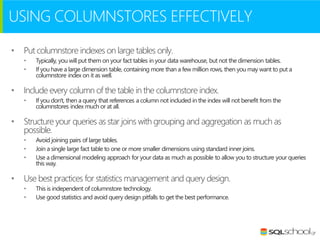
USING COLUMNSTORES EFFECTIVELY
•

Put columnstore indexes on large tables only.
•
•

•

Include every column of the table in the columnstore index.
•

•

If you don't, then a query that references a column not included in the index will not benefit from the
columnstores index much or at all.

Structure your queries as star joins with grouping and aggregation as much as
possible.
•
•
•

•

Typically, you will put them on your fact tables in your data warehouse, but not the dimension tables.
If you have a large dimension table, containing more than a few million rows, then you may want to put a
columnstore index on it as well.

Avoid joining pairs of large tables.
Join a single large fact table to one or more smaller dimensions using standard inner joins.
Use a dimensional modeling approach for your data as much as possible to allow you to structure your queries
this way.

Use best practices for statistics management and query design.
•
•

This is independent of columnstore technology.
Use good statistics and avoid query design pitfalls to get the best performance.
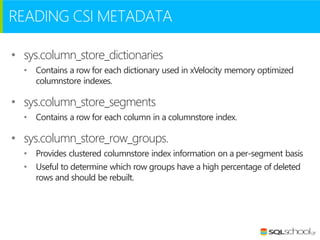
READING CSI METADATA
• sys.column_store_dictionaries
• Contains a row for each dictionary used in xVelocity memory optimized
columnstore indexes.

• sys.column_store_segments
• Contains a row for each column in a columnstore index.

• sys.column_store_row_groups.
• Provides clustered columnstore index information on a per-segment basis
• Useful to determine which row groups have a high percentage of deleted
rows and should be rebuilt.
DBCC CSINDEX
DBCC CSIndex
(
{'dbname' | db_id}
, rowsetid
, columned
, rowgroupid
, object_type
, print_option
, [ start]
, [ end]
)

•

rowsetid
•
•

•

•

segment_id from sys.column_store_segments

•
•

•

column_id from sys.column_store_segments

•

•

HoBT or PartitionID from sys.column_store_segments

1 = Segment
2 = Dictionary

•
•

Valid Values are 0, 1, 2
Under investigation

columnid

rowgroupid
object_type

print_option

• Undocumented DBCC statement
• Works on SQL Server 2012 and above

• Similar to DBCC PAGE for CS Indexes
Architecture
Columnstore Indexes in SQL Server 2014
COLUMNSTORE VS HEAP AND B-TREE
Data stored as rows

Data stored as columns

C1

…

C2

C3

C4

C5
BENEFITS OF COLUMNSTORE
• Smaller in-memory footprint.
• High compression rates improve query performance by using a smaller inmemory footprint. In turn, query performance can improve because SQL
Server can perform more query and data operations in-memory.

• Reduces total I/O
• Queries often select only a few columns from a table, which reduces total
I/O to and from the physical media.

• Reduces CPU usage
• Advanced query execution technology processes chunks of columns called
batches in a streamlined manner, which reduces CPU usage.
KEY TERMS – PART I
• Rowgroup
•
•
•
•

Is a group of rows that are compressed into
columnstore format at the same time.
Each column in the rowgroup is compressed
and stored separately onto the physical media.
Each rowgroup contains one column segment
for every column in the table.
Rowgroups define the column values that are in
each column segment.

• Column segment
•
•
•
•

Is the basic storage unit for a columnstore index.
It is a group of column values that are
compressed and physically stored together on
the physical media.
Each column is comprised of one or many
column segments.
When SQL Server compresses a rowgroup, it
compresses each column within the rowgroup
as one column segment.
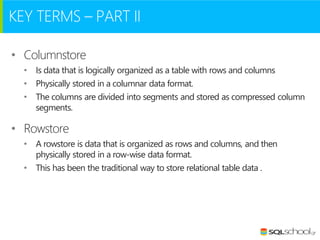
KEY TERMS – PART II
• Columnstore
• Is data that is logically organized as a table with rows and columns
• Physically stored in a columnar data format.
• The columns are divided into segments and stored as compressed column
segments.

• Rowstore
• A rowstore is data that is organized as rows and columns, and then
physically stored in a row-wise data format.
• This has been the traditional way to store relational table data .
KEY TERMS – PART III
• Deltastore
• Is a rowstore table that holds rows until the number of rows is large
enough to be moved into the columnstore.
• Rows accumulate in each deltastore until the number of rows is the
maximum number of rows allowed for a rowgroup.
• For each columnstore there can be multiple deltastores.
• For a partitioned table, there are one or more deltastores for every
partition.

• They are in the traditional row-mode (B-Trees) format
• It’s expensive to query than the compressed columnar segments
• Each deltastore has 1.048.576 rows and when reached converted to
columnstore
TERMINOLOGY PICTURE

The source of this picture is Microsoft MSDN
COLUMNSTORE INDEX EXAMPLE
OrderDateKey

ProductKey

StoreKey

RegionKey

Quantity

SalesAmount

20101107

106

01

1

6

30.00

20101107

103

04

2

1

17.00

20101107

109

04

2

2

20.00

20101107

103

03

2

1

17.00

20101107

106

05

3

4

20.00

20101108

106

02

1

5

25.00

20101108

102

02

1

1

14.00

20101108

106

03

2

5

25.00

20101108

109

01

1

1

10.00

20101109

106

04

2

4

20.00

20101109

106

04

2

5

25.00

20101109

103

01

1

1

17.00
COLUMNSTORE INDEX EXAMPLE
Step 1 - Horizontally Partition (create Row Groups)
OrderDateKey

ProductKey

StoreKey

RegionKey

Quantity

SalesAmount

20101107

106

01

1

6

30.00

20101107

103

04

2

1

17.00

20101107

109

04

2

2

20.00

20101107

103

03

2

1

17.00

20101107

106

05

3

4

20.00

20101108

106

02

1

5

25.00

OrderDateKey

ProductKey

StoreKey

RegionKey

Quantity

SalesAmount

20101108

102

02

1

1

14.00

20101108

106

03

2

5

25.00

20101108

109

01

1

1

10.00

20101109

106

04

2

4

20.00

20101109

106

04

2

5

25.00

20101109

103

01

1

1

17.00

~1M rows
COLUMNSTORE INDEX EXAMPLE
Step 2 - Vertically Partition (create Segments)
OrderDateKey

ProductKey

StoreKey

RegionKey

Quantity

SalesAmount

20101107

106

01

1

6

30.00

20101107

103

04

2

1

17.00

20101107

109

04

2

2

20.00

20101107

103

03

2

1

17.00

20101107

106

05

3

4

20.00

20101108

106

02

1

5

25.00

OrderDateKey

ProductKey

StoreKey

RegionKey

Quantity

SalesAmount

20101108

102

02

1

1

14.00

20101108

106

03

2

5

25.00

20101108

109

01

1

1

10.00

20101109

106

04

2

4

20.00

20101109

106

04

2

5

25.00

20101109

103

01

1

1

17.00
COLUMNSTORE INDEX EXAMPLE
Step 3 - Compress Each Segment
OrderDateKey
20101107
20101107
20101107
20101107
20101107
20101108

ProductKey

StoreKey

RegionKey

Quantity

SalesAmount

106

01

1

6

30.00

04

2

1

2

17.00

2

103
109

04

103

03

106

05

106

20101108

ProductKey

20101108

102

20101108

106
109

20101109

106

20101109

106
103

3
1

02

OrderDateKey

20101109

2

RegionKey
StoreKey

1

02

2

03

1

01

2

04
04

2
1

1
4
5

20.00
17.00
20.00

25.00
Quantity
1

SalesAmount

5

14.00

1

25.00

4
5
1

01

10.00
20.00
25.00
17.00

Some segments will compress more than others
COLUMNSTORE INDEX EXAMPLE
Step 4 - Read the Data
ProductKey
OrderDateKey
OrderDateKey
20101107
20101107
20101107

20101107
20101107
20101108

ProductKey

StoreKey

RegionKey

Quantity

SalesAmount

106

01

1

6

30.00

04

2

1

2

17.00

2

103
109
103
106
106

OrderDateKey
20101108

ProductKey

20101108

102

20101108

106

20101109

109

20101109

106

20101109

SalesAmount

106
103

04
03
05

2
3
1

02
RegionKey
StoreKey

1

02

2

03

1

01

2

04

2

04
01

1

1
4
5

20.00
17.00
20.00
25.00

Quantity
1

SalesAmount

5

14.00

1

25.00

4
5
1

10.00
20.00
25.00
17.00
Internals
Columnstore Indexes in SQL Server 2014
HOW BASIC OPERATIONS WORKS
• Inserts
• Added to one of the currently open Delta Stores.

• Deletes
• If the deleted row is found inside of a RowGroup, then the Deleted Bitmap
information is updated with the row id of the respective row.
• If the deleted row is actually inside of a Delta Store, then the direct process
of removal is executed on the b-tree.

• Updates
• As you know an update represented as delete and insert.
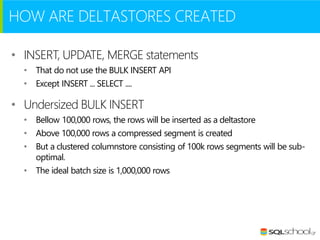
HOW ARE DELTASTORES CREATED
• INSERT, UPDATE, MERGE statements
• That do not use the BULK INSERT API
• Except INSERT ... SELECT ....

• Undersized BULK INSERT
• Bellow 100,000 rows, the rows will be inserted as a deltastore
• Above 100,000 rows a compressed segment is created
• But a clustered columnstore consisting of 100k rows segments will be suboptimal.
• The ideal batch size is 1,000,000 rows
TUPLE MOVER
• When a deltastore …
• reaches the max size of 1048576 rows
• is going to be closed
• and will become available for the Tuple Mover to compress it.

• The Tuple Mover
• create big, healthy segments
• it is not designed to be a replacement for index build
• running every 5 min

• Running on demand
• ALTER INDEX ... REORGANIZE
• ALTER INDEX ... REBUILD
C1

C1

C2

C3

C4

C5

C2

C3

C4

C5

C6

C6

tuple mover

Column
Store

Delta (row)
store

TUPLE MOVER
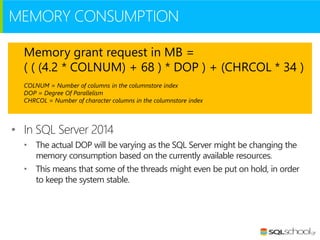
MEMORY CONSUMPTION
Memory grant request in MB =
( ( (4.2 * COLNUM) + 68 ) * DOP ) + (CHRCOL * 34 )
COLNUM = Number of columns in the columnstore index
DOP = Degree Of Parallelism
CHRCOL = Number of character columns in the columnstore index

• In SQL Server 2014
• The actual DOP will be varying as the SQL Server might be changing the
memory consumption based on the currently available resources.
• This means that some of the threads might even be put on hold, in order
to keep the system stable.
MEMORY ERRORS DURING CSI CREATION
• Errors 8657 or 8658
•
•

This errors raised when the initial memory grant fails
Consider changing the resource governor settings to allow the create index
statement to access more memory
• The default setting for resource governor limits a query in the default pool to 25% of
available memory
• Even if the server is otherwise inactive.
• This is true even if you have not enabled resource governor.
ALTER WORKLOAD GROUP [DEFAULT] WITH (REQUEST_MAX_MEMORY_GRANT_PERCENT=??)
ALTER RESOURCE GOVERNOR RECONFIGURE

• Errors 701 or 802
•
•

You may get these errors if memory runs out later during execution.
The only viable way to work around these errors in this case is
• to explicitly reduce DOP when you create the index,
• reduce query concurrency, or add more memory.
DELETE BITMAP
• Α storage which contains
information about the deleted
rows inside of the Segments.
• Memory representation is a
bitmap

• Stored on the disk as a B-Tree
• Contains ids of the deleted rows.

• Consulted on a regular basis
• In order to avoid returning the rows
which were already deleted.
STORAGE OF COLUMNSTORE INDEXES

Illustrating how a column store index is created and stored.
The set of rows is divided into row groups that are converted to column segments and dictionaries that are then stored using SQL Server blob
storage
WHAT ARE DICTIONARIES?
• Widely used in columnar storage
• Efficiently encode large data types, like strings.
• The values stores in the column segments will be just entry numbers in the
dictionary, and the actual values are stored in the dictionary.

• Very good compression for repeated values
• but yields bad results if the values are all distinct (the required storage
actually increases).
• This is what makes large columns (strings) with distinct values very poor
candidates for columnstore indexes.
• Columnstore indexes contain separate dictionaries for each column and
string columns contain two types of dictionaries:
DICTIONARIES
• Primary (global) Dictionary
• This is an global dictionary used by all
segments of a column.

• Secondary (local) Dictionary
• This is an overflow dictionary for entries that
did not fit in the primary dictionaries.
• It can be shared by several segments of a
column: the relation between dictionaries and
column segments is one-to-many.

• sys.column_store_dictionaries
• Information about the dictionaries used by a
columnstore can be found in this dmv
Compression
Columnstore Indexes in SQL Server 2014
COMPRESSION
Space Used in GB (101 million row table)
20,0

15,0

91%
savings

10,0

5,0

0,0
Table with
customary
indexing

Table with Table with no Table with no Table with
Clustered
customary
indexing
indexing columnstore columnstore
indexing
(page
index
(page
compression)
compression)

** Space Used = Table space + Index space
ARCHIVAL COMPRESSION
• New in SQL Server 2014
•

Can be applied on a table or a partition

• Gives 37% to
•
•
•
•

67%

more compression

Compression gain depending on data
Transparent process
Compressing the data blobs before storing them on disk
Archival compression is implemented as an extra compression layer that
transparency compresses the bytes being written to disk

• Uses XPress8 algorithm
•
•
•

A Microsoft internal variant of LZ77 compression (1970)
Working with multiple threads
Uses up to 64KB data streams
ARCHIVAL COMPRESSION COMPARISON
Compression ratio
Database
Name

Raw data
size(GB)

Archival compression %
No

Yes

GZIP

EDW

95.4

5.84

9.33

4.85

Sim

41.3

2.2

3.65

3.08

Telco

47.1

3.0

5.27

5.1

SQL

1.3

5.41

10.37

8.07

MS Sales

14.7

6.92

16.11

11.93

Hospitality

1.0

23.8

70.4

43.3

The above table shows the compression ratios achieved with and without archival compression for several real data sets
Batch Mode
Processing
Columnstore Indexes in SQL Server 2014
BATCH MODE PROCESSING
• Introduced for first time in SQL Server 2012
• Uses a new iterator model for processing data a-batch-at-a-time
instead of a-row-at-a-time.
•

A batch typically represents about 1000 rows of data.

•

Each column within a batch is stored as a vector in a separate area of memory,
so batch mode processing is vector-based.

•

Uses algorithms that are optimized for the multicore CPUs and increased
memory throughput that are found on modern hardware.

•

Batch mode processing spreads metadata access costs and other types of
overhead over all the rows in a batch, rather than paying the cost for each row.

•

Batch mode processing operates on compressed data when possible and
eliminates some of the exchange operators used by row mode processing.

• The result is better parallelism and faster performance.
select prod.ProductName, sum(sales.SalesAmount)
from dbo.DimProduct as prod
right outer join dbo.FactOnlineSales as sales
on sales.ProductKey = prod.ProductKey
group by prod.ProductName
order by prod.ProductName

SQL Server 2012

SQL Server 2014

This test performed by Niko Neugebauer
Demo
Columnstore Indexes
in Action
FAQ
Columnstore Indexes in SQL Server 2014
FAQ
• Are columnstore indexes available in SQL Azure?
• No, not yet.

• Does the columnstore index have a primary key?
• No. There is no notion of a primary key for a columnstore index.

• How long does it take to create a columnstore index?
• Creating a columnstore index takes on the order of 1.5 times as long as
building a B-tree on the same columns.

• Is creating a columnstore index a parallel operation?
• Creating a columnstore index is a parallel operation, subject to the
limitations on the number of CPUs available and any restrictions set on
MaxDOP.
FAQ
• My MAXDOP is greater than one but the columnstore
index was created with DOP = 1. Why it was not created
using parallelism?
• If your table has less than one million rows, SQL Server will use only one
thread to create the columnstore index.
• Creating the index in parallel requires more memory than creating the
index serially.
• If your table has more than one million rows, but SQL Server cannot get a
large enough memory grant to create the index using MAXDOP, SQL
Server will automatically decrease DOP as needed to fit into the available
memory grant.
• In some cases, DOP must be decreased to one in order to build the index
under constrained memory.
FAQ
• I tried to create a columnstore index with SQL Server
Management Studio using the Indexes->New Index menu
and it timed out after 20 minutes. How can I work around
this?
• Run a CREATE NONCLUSTERED COLUMNSTORE INDEX statement
manually in a T-SQL window instead of using the graphical interface.
• This will avoid the timeout imposed by the Management Studio graphical
user interface.

• Can I create multiple columnstore indexes?
• No. You can only create one columnstore index on a table.
• The columnstore index can contain data from all, or some, of the columns
in a table. Since the columns can be accessed independently from one
another, you will usually want all the columns in the table to be part of the
columnstore index.
FAQ
• Is a columnstore index better than a covering index that has exactly
the columns I need for a query
•
•
•

•
•
•
•
•

The answer depends on the data and the query.
Most likely the columnstore index will be compressed more than a covering row store
index.
If the query is not too selective, so that the query optimizer will choose an index scan and
not an index seek, scanning the columnstore index will be faster than scanning the row
store covering index.
In addition, depending on the nature of the query, you can get batch mode processing
when the query uses a columnstore index.
Batch mode processing can substantially speed up operations on the data in addition to
the speed up from a reduction in IO.
If there is no columnstore index used in the query plan, you will not get batch mode
processing.
On the other hand, if the query is very selective, doing a single lookup, or a few lookups, in
a row store covering index might be faster than scanning the columnstore index.
Another advantage of the columnstore index is that you can spend less time designing
indexes.
FAQ
• Is the columnstore index the same as a set of covering
indexes, one for each column?
• No. Although the data for individual columns can be accessed
independently, the columnstore index is a single object; the data from all
the columns is organized and compressed as an entity.
• While the amount of compression achieved is dependent on the
characteristics of the data, a columnstore index will most likely be much
more compressed than a set of covering indexes, resulting in less IO to
read the data into memory and the opportunity for more of the data to
reside in memory across multiple queries.
• In addition, queries using columnstore indexes can benefit from batch
mode processing, whereas a query using covering indexes for each column
would not use batch mode processing.
SUMMARY
• Overview
• Introduction
• Implementing and Maintaining

• Architecture
• Internals
• Compression
• Batch Mode Processing
• FAQ
SELECT
KNOWLEDGE
FROM
SQL SERVER
http://www.sqlschool.gr
Copyright © 2014 SQL School Greece

Columnstore indexes in sql server 2014

  • 1.
    Columnstore Indexes on SQLServer 2014 22th SQL Saturday Night with Antonios Chatzipavlis Jan 25, 2014
  • 2.
    Η παρουσίαση αυτήθα καταγραφεί ώστε να είναι διαθέσιμη για όσους θέλουν να την ξαναδούν, ή δεν είχαν την δυνατότητα να την παρακολουθήσουν σε πραγματικό χρόνο. Εάν κάποιος από τους παραβρισκόμενους σε αυτή έχει το οποιοδήποτε πρόβλημα ή αντίρρηση να είναι μέρος της καταγραφή αυτής, παρακαλείται να αποχωρήσει άμεσα. Σε διαφορετική περίπτωση η παραμονή εκλαμβάνεται ως αποδοχή της καταγραφής. Η παρουσίαση αυτή διατίθεται δωρεάν, και θα αρχίσει σε 1 λεπτό… σε αυτή
  • 3.
    Αυτή την στιγμήο παρουσιαστής μιλάει και σας ζητάει να βεβαιώσετε ότι τον ακούτε. Εάν αυτό δεν είναι δυνατόν παρακαλείστε να αλλάξετε το χρώμα της κάρτας σας στο αντίστοιχο χρώμα ώστε να τον ενημερώσετε. Αυτό μπορεί να γίνει πατώντας την αντίστοιχη επιλογή που βρίσκεται στο πάνω δεξί μέρος του περιβάλλοντος του live meeting. Σας ευχαριστούμε για την συνεργασία.
  • 4.
    Columnstore Indexes in SQLServer 2014 22th SQL Saturday Night Jan 25, 2014
  • 5.
    SP_WHO Antonios Chatzipavlis Solution Architect• SQL Server Evangelist • Trainer • Speaker MCT, MCSE, MCITP, MCPD, MCSD, MCDBA, MCSA, MCTS, MCAD, MCP, OCA, ITIL-F • 1982 I have been started with computers. • 1988 I started my professional carrier in computers industry. • 1996 I have been started to work with SQL Server version 6.0 • 1998 I earned my first certification at Microsoft as Microsoft Certified Solution Developer (3rd in Greece) and started my carrier as Microsoft Certified Trainer (MCT) with more than 20.000 hours of training until now! • 2010 I became for first time Microsoft MVP on SQL Server I created the SQL School Greece (www.sqlschool.gr) • 2012 I became MCT Regional Lead by Microsoft Learning Program. • 2013 I was certified as MCSE : Data Platform, MCSE: Business Intelligence
  • 6.
    GET IN TOUCH @antoniosch @sqlschool SQLSchool Greece www.sqlschool.gr help@sqlschool.gr
  • 7.
    AGENDA • Overview • Introduction •Implementing and Maintaining • Architecture • Internals • Compression • Batch Mode Processing • FAQ
  • 8.
  • 9.
    Approximate data volumemanaged by DW 41% Less than 1TB 17% 21% 1 - 3 TB Today 18% In 3 years 19% 3 - 10 TB 25% 17% More than 10 TB 34% 2% Don't Know 6% 0% 5% 10% 15% 20% 25% 30% Source: TDWI Report – Next Generation DW 35% 40% 45%
  • 10.
    How does MicrosoftSQL Server answer to this opportunity?
  • 11.
  • 12.
    WHAT ARE MICROSOFT'SIN-MEMORY TECHNOLOGIES? • These are all next-generation technologies built for extreme speed on modern hardware systems with large memories and many cores. • The in-memory technologies include • in-memory analytics engine used in PowerPivot and Analysis Services, • and the in-memory columnstore index used in the SQL Server database. • SQL Server 2012, SQL Server 2014, and SQL Server PDW all use in-memory technologies to accelerate common data warehouse queries.
  • 13.
    SQL SERVER SQL Server2012 introduced two innovations targeted for data warehousing workloads: • Column store indexes • Batch (vectorized) processing mode.
  • 14.
  • 15.
    WHAT IS ACOLUMNSTORE INDEX? • A technology for storing, retrieving and managing data by using a columnar data format • Data is compressed, stored, and managed as a collection of partial columns • We can use a columnstore index to answer a query just like data in any other type of index. • The query optimizer considers the columnstore index as a data source for accessing data just like it considers other indexes when creating a query plan.
  • 16.
    WHAT IS ACOLUMNSTORE? A columnstore is data that is logically organized as a table with rows and columns, and physically stored in a columnar data format. “
  • 17.
    BENEFITS OF COLUMNSTOREINDEXES • Are part of a new family of technologies called xVelocity • 10x query performance • Up to 10x query performance gains over traditional row-oriented storage, by storing and compressing data by columns • 7x data compression • Up to 7x data compression over the uncompressed data size, by using fewer reads to bring compressed data into memory and then using the reduced data volume for the in-memory processing
  • 18.
    WHERE TO USETHEM? “We view the clustered columnstore index as the standard for storing large data warehousing fact tables, and expect it will be used in most data warehousing scenarios. “ Microsoft Note from MSDN
  • 19.
    IMPROVEMENTS ON SQLSERVER 2014 • Making tables updatable • Schema modification is available • More data types included • Mixed execution modes support • More operations support for the batch mode • Improved global dictionaries for segments compression • Archival data compression support • Seek and Spill (Bulk insert) operation support
  • 20.
  • 21.
    KEY CHARACTERISTICS • ClusteredColumnstore Indexes • Added as new feature in SQL Server 2014 • Nonclustered Columnstore Indexes • Added as new feature in SQL Server 2012 • Columnstore Indexes don’t need special hardware
  • 22.
    NONCLUSTRED COLUMNSTORE INDEX •Does not need to include all of the columns in the table. • Requires storage to store a copy of the columns in the index. • Can be combined with other indexes on the table. • Uses columnstore compression. • The compression is not configurable. • Does not physically store columns in a sorted order. • Instead, it stores data to improve compression and performance
  • 23.
    CLUSTERED COLUMNSTORE INDEX •Available on Enterprise, Developer editions of SQL Server 2014. • Includes all columns in the table and is the method for storing the entire table. • Is the only index on the table. • It cannot be combined with any other indexes. • Uses columnstore compression. • The compression is not configurable. • Does not physically store columns in a sorted order. • Instead, it stores data to improve compression and performance.
  • 24.
    CREATE COLUMNSTORE INDEX CLUSTERED table indexname myCSIndex Customers NONCLUSTERED table columns list CustomerID index name CompanyName ContactName
  • 25.
    UNSUPPORTED DATA TYPES •ntext, text, image • varchar(max), nvarchar(max) • rowversion (and timestamp) • sql_variant • decimal (and numeric) with precision greater than 18 digits • datetimeoffset, with scale greater than 2 • CLR types (hierarchyid and spatial types) • xml
  • 26.
    UNSUPPORTED FEATURES • Sparsecolumns • Computed columns • Included columns • Views or Indexed Views • Can’t be ordered by ASC or DESC • Replication • Filestream • Change tracking and Change data capture
  • 27.
    SUPPORTED ISOLATION LEVELS •READ UNCOMMITTED • READ COMMITTED • REPEATABLE READ • SERIALIZABLE • READ_COMMITED_SNAPSHOT
  • 28.
    USING COLUMNSTORES EFFECTIVELY • Putcolumnstore indexes on large tables only. • • • Include every column of the table in the columnstore index. • • If you don't, then a query that references a column not included in the index will not benefit from the columnstores index much or at all. Structure your queries as star joins with grouping and aggregation as much as possible. • • • • Typically, you will put them on your fact tables in your data warehouse, but not the dimension tables. If you have a large dimension table, containing more than a few million rows, then you may want to put a columnstore index on it as well. Avoid joining pairs of large tables. Join a single large fact table to one or more smaller dimensions using standard inner joins. Use a dimensional modeling approach for your data as much as possible to allow you to structure your queries this way. Use best practices for statistics management and query design. • • This is independent of columnstore technology. Use good statistics and avoid query design pitfalls to get the best performance.
  • 29.
    READING CSI METADATA •sys.column_store_dictionaries • Contains a row for each dictionary used in xVelocity memory optimized columnstore indexes. • sys.column_store_segments • Contains a row for each column in a columnstore index. • sys.column_store_row_groups. • Provides clustered columnstore index information on a per-segment basis • Useful to determine which row groups have a high percentage of deleted rows and should be rebuilt.
  • 30.
    DBCC CSINDEX DBCC CSIndex ( {'dbname'| db_id} , rowsetid , columned , rowgroupid , object_type , print_option , [ start] , [ end] ) • rowsetid • • • • segment_id from sys.column_store_segments • • • column_id from sys.column_store_segments • • HoBT or PartitionID from sys.column_store_segments 1 = Segment 2 = Dictionary • • Valid Values are 0, 1, 2 Under investigation columnid rowgroupid object_type print_option • Undocumented DBCC statement • Works on SQL Server 2012 and above • Similar to DBCC PAGE for CS Indexes
  • 31.
  • 32.
    COLUMNSTORE VS HEAPAND B-TREE Data stored as rows Data stored as columns C1 … C2 C3 C4 C5
  • 33.
    BENEFITS OF COLUMNSTORE •Smaller in-memory footprint. • High compression rates improve query performance by using a smaller inmemory footprint. In turn, query performance can improve because SQL Server can perform more query and data operations in-memory. • Reduces total I/O • Queries often select only a few columns from a table, which reduces total I/O to and from the physical media. • Reduces CPU usage • Advanced query execution technology processes chunks of columns called batches in a streamlined manner, which reduces CPU usage.
  • 34.
    KEY TERMS –PART I • Rowgroup • • • • Is a group of rows that are compressed into columnstore format at the same time. Each column in the rowgroup is compressed and stored separately onto the physical media. Each rowgroup contains one column segment for every column in the table. Rowgroups define the column values that are in each column segment. • Column segment • • • • Is the basic storage unit for a columnstore index. It is a group of column values that are compressed and physically stored together on the physical media. Each column is comprised of one or many column segments. When SQL Server compresses a rowgroup, it compresses each column within the rowgroup as one column segment.
  • 35.
    KEY TERMS –PART II • Columnstore • Is data that is logically organized as a table with rows and columns • Physically stored in a columnar data format. • The columns are divided into segments and stored as compressed column segments. • Rowstore • A rowstore is data that is organized as rows and columns, and then physically stored in a row-wise data format. • This has been the traditional way to store relational table data .
  • 36.
    KEY TERMS –PART III • Deltastore • Is a rowstore table that holds rows until the number of rows is large enough to be moved into the columnstore. • Rows accumulate in each deltastore until the number of rows is the maximum number of rows allowed for a rowgroup. • For each columnstore there can be multiple deltastores. • For a partitioned table, there are one or more deltastores for every partition. • They are in the traditional row-mode (B-Trees) format • It’s expensive to query than the compressed columnar segments • Each deltastore has 1.048.576 rows and when reached converted to columnstore
  • 37.
    TERMINOLOGY PICTURE The sourceof this picture is Microsoft MSDN
  • 38.
  • 39.
    COLUMNSTORE INDEX EXAMPLE Step1 - Horizontally Partition (create Row Groups) OrderDateKey ProductKey StoreKey RegionKey Quantity SalesAmount 20101107 106 01 1 6 30.00 20101107 103 04 2 1 17.00 20101107 109 04 2 2 20.00 20101107 103 03 2 1 17.00 20101107 106 05 3 4 20.00 20101108 106 02 1 5 25.00 OrderDateKey ProductKey StoreKey RegionKey Quantity SalesAmount 20101108 102 02 1 1 14.00 20101108 106 03 2 5 25.00 20101108 109 01 1 1 10.00 20101109 106 04 2 4 20.00 20101109 106 04 2 5 25.00 20101109 103 01 1 1 17.00 ~1M rows
  • 40.
    COLUMNSTORE INDEX EXAMPLE Step2 - Vertically Partition (create Segments) OrderDateKey ProductKey StoreKey RegionKey Quantity SalesAmount 20101107 106 01 1 6 30.00 20101107 103 04 2 1 17.00 20101107 109 04 2 2 20.00 20101107 103 03 2 1 17.00 20101107 106 05 3 4 20.00 20101108 106 02 1 5 25.00 OrderDateKey ProductKey StoreKey RegionKey Quantity SalesAmount 20101108 102 02 1 1 14.00 20101108 106 03 2 5 25.00 20101108 109 01 1 1 10.00 20101109 106 04 2 4 20.00 20101109 106 04 2 5 25.00 20101109 103 01 1 1 17.00
  • 41.
    COLUMNSTORE INDEX EXAMPLE Step3 - Compress Each Segment OrderDateKey 20101107 20101107 20101107 20101107 20101107 20101108 ProductKey StoreKey RegionKey Quantity SalesAmount 106 01 1 6 30.00 04 2 1 2 17.00 2 103 109 04 103 03 106 05 106 20101108 ProductKey 20101108 102 20101108 106 109 20101109 106 20101109 106 103 3 1 02 OrderDateKey 20101109 2 RegionKey StoreKey 1 02 2 03 1 01 2 04 04 2 1 1 4 5 20.00 17.00 20.00 25.00 Quantity 1 SalesAmount 5 14.00 1 25.00 4 5 1 01 10.00 20.00 25.00 17.00 Some segments will compress more than others
  • 42.
    COLUMNSTORE INDEX EXAMPLE Step4 - Read the Data ProductKey OrderDateKey OrderDateKey 20101107 20101107 20101107 20101107 20101107 20101108 ProductKey StoreKey RegionKey Quantity SalesAmount 106 01 1 6 30.00 04 2 1 2 17.00 2 103 109 103 106 106 OrderDateKey 20101108 ProductKey 20101108 102 20101108 106 20101109 109 20101109 106 20101109 SalesAmount 106 103 04 03 05 2 3 1 02 RegionKey StoreKey 1 02 2 03 1 01 2 04 2 04 01 1 1 4 5 20.00 17.00 20.00 25.00 Quantity 1 SalesAmount 5 14.00 1 25.00 4 5 1 10.00 20.00 25.00 17.00
  • 43.
  • 44.
    HOW BASIC OPERATIONSWORKS • Inserts • Added to one of the currently open Delta Stores. • Deletes • If the deleted row is found inside of a RowGroup, then the Deleted Bitmap information is updated with the row id of the respective row. • If the deleted row is actually inside of a Delta Store, then the direct process of removal is executed on the b-tree. • Updates • As you know an update represented as delete and insert.
  • 45.
    HOW ARE DELTASTORESCREATED • INSERT, UPDATE, MERGE statements • That do not use the BULK INSERT API • Except INSERT ... SELECT .... • Undersized BULK INSERT • Bellow 100,000 rows, the rows will be inserted as a deltastore • Above 100,000 rows a compressed segment is created • But a clustered columnstore consisting of 100k rows segments will be suboptimal. • The ideal batch size is 1,000,000 rows
  • 46.
    TUPLE MOVER • Whena deltastore … • reaches the max size of 1048576 rows • is going to be closed • and will become available for the Tuple Mover to compress it. • The Tuple Mover • create big, healthy segments • it is not designed to be a replacement for index build • running every 5 min • Running on demand • ALTER INDEX ... REORGANIZE • ALTER INDEX ... REBUILD
  • 47.
  • 48.
    MEMORY CONSUMPTION Memory grantrequest in MB = ( ( (4.2 * COLNUM) + 68 ) * DOP ) + (CHRCOL * 34 ) COLNUM = Number of columns in the columnstore index DOP = Degree Of Parallelism CHRCOL = Number of character columns in the columnstore index • In SQL Server 2014 • The actual DOP will be varying as the SQL Server might be changing the memory consumption based on the currently available resources. • This means that some of the threads might even be put on hold, in order to keep the system stable.
  • 49.
    MEMORY ERRORS DURINGCSI CREATION • Errors 8657 or 8658 • • This errors raised when the initial memory grant fails Consider changing the resource governor settings to allow the create index statement to access more memory • The default setting for resource governor limits a query in the default pool to 25% of available memory • Even if the server is otherwise inactive. • This is true even if you have not enabled resource governor. ALTER WORKLOAD GROUP [DEFAULT] WITH (REQUEST_MAX_MEMORY_GRANT_PERCENT=??) ALTER RESOURCE GOVERNOR RECONFIGURE • Errors 701 or 802 • • You may get these errors if memory runs out later during execution. The only viable way to work around these errors in this case is • to explicitly reduce DOP when you create the index, • reduce query concurrency, or add more memory.
  • 50.
    DELETE BITMAP • Αstorage which contains information about the deleted rows inside of the Segments. • Memory representation is a bitmap • Stored on the disk as a B-Tree • Contains ids of the deleted rows. • Consulted on a regular basis • In order to avoid returning the rows which were already deleted.
  • 51.
    STORAGE OF COLUMNSTOREINDEXES Illustrating how a column store index is created and stored. The set of rows is divided into row groups that are converted to column segments and dictionaries that are then stored using SQL Server blob storage
  • 52.
    WHAT ARE DICTIONARIES? •Widely used in columnar storage • Efficiently encode large data types, like strings. • The values stores in the column segments will be just entry numbers in the dictionary, and the actual values are stored in the dictionary. • Very good compression for repeated values • but yields bad results if the values are all distinct (the required storage actually increases). • This is what makes large columns (strings) with distinct values very poor candidates for columnstore indexes. • Columnstore indexes contain separate dictionaries for each column and string columns contain two types of dictionaries:
  • 53.
    DICTIONARIES • Primary (global)Dictionary • This is an global dictionary used by all segments of a column. • Secondary (local) Dictionary • This is an overflow dictionary for entries that did not fit in the primary dictionaries. • It can be shared by several segments of a column: the relation between dictionaries and column segments is one-to-many. • sys.column_store_dictionaries • Information about the dictionaries used by a columnstore can be found in this dmv
  • 54.
  • 55.
    COMPRESSION Space Used inGB (101 million row table) 20,0 15,0 91% savings 10,0 5,0 0,0 Table with customary indexing Table with Table with no Table with no Table with Clustered customary indexing indexing columnstore columnstore indexing (page index (page compression) compression) ** Space Used = Table space + Index space
  • 56.
    ARCHIVAL COMPRESSION • Newin SQL Server 2014 • Can be applied on a table or a partition • Gives 37% to • • • • 67% more compression Compression gain depending on data Transparent process Compressing the data blobs before storing them on disk Archival compression is implemented as an extra compression layer that transparency compresses the bytes being written to disk • Uses XPress8 algorithm • • • A Microsoft internal variant of LZ77 compression (1970) Working with multiple threads Uses up to 64KB data streams
  • 57.
    ARCHIVAL COMPRESSION COMPARISON Compressionratio Database Name Raw data size(GB) Archival compression % No Yes GZIP EDW 95.4 5.84 9.33 4.85 Sim 41.3 2.2 3.65 3.08 Telco 47.1 3.0 5.27 5.1 SQL 1.3 5.41 10.37 8.07 MS Sales 14.7 6.92 16.11 11.93 Hospitality 1.0 23.8 70.4 43.3 The above table shows the compression ratios achieved with and without archival compression for several real data sets
  • 58.
  • 59.
    BATCH MODE PROCESSING •Introduced for first time in SQL Server 2012 • Uses a new iterator model for processing data a-batch-at-a-time instead of a-row-at-a-time. • A batch typically represents about 1000 rows of data. • Each column within a batch is stored as a vector in a separate area of memory, so batch mode processing is vector-based. • Uses algorithms that are optimized for the multicore CPUs and increased memory throughput that are found on modern hardware. • Batch mode processing spreads metadata access costs and other types of overhead over all the rows in a batch, rather than paying the cost for each row. • Batch mode processing operates on compressed data when possible and eliminates some of the exchange operators used by row mode processing. • The result is better parallelism and faster performance.
  • 60.
    select prod.ProductName, sum(sales.SalesAmount) fromdbo.DimProduct as prod right outer join dbo.FactOnlineSales as sales on sales.ProductKey = prod.ProductKey group by prod.ProductName order by prod.ProductName SQL Server 2012 SQL Server 2014 This test performed by Niko Neugebauer
  • 61.
  • 62.
  • 63.
    FAQ • Are columnstoreindexes available in SQL Azure? • No, not yet. • Does the columnstore index have a primary key? • No. There is no notion of a primary key for a columnstore index. • How long does it take to create a columnstore index? • Creating a columnstore index takes on the order of 1.5 times as long as building a B-tree on the same columns. • Is creating a columnstore index a parallel operation? • Creating a columnstore index is a parallel operation, subject to the limitations on the number of CPUs available and any restrictions set on MaxDOP.
  • 64.
    FAQ • My MAXDOPis greater than one but the columnstore index was created with DOP = 1. Why it was not created using parallelism? • If your table has less than one million rows, SQL Server will use only one thread to create the columnstore index. • Creating the index in parallel requires more memory than creating the index serially. • If your table has more than one million rows, but SQL Server cannot get a large enough memory grant to create the index using MAXDOP, SQL Server will automatically decrease DOP as needed to fit into the available memory grant. • In some cases, DOP must be decreased to one in order to build the index under constrained memory.
  • 65.
    FAQ • I triedto create a columnstore index with SQL Server Management Studio using the Indexes->New Index menu and it timed out after 20 minutes. How can I work around this? • Run a CREATE NONCLUSTERED COLUMNSTORE INDEX statement manually in a T-SQL window instead of using the graphical interface. • This will avoid the timeout imposed by the Management Studio graphical user interface. • Can I create multiple columnstore indexes? • No. You can only create one columnstore index on a table. • The columnstore index can contain data from all, or some, of the columns in a table. Since the columns can be accessed independently from one another, you will usually want all the columns in the table to be part of the columnstore index.
  • 66.
    FAQ • Is acolumnstore index better than a covering index that has exactly the columns I need for a query • • • • • • • • The answer depends on the data and the query. Most likely the columnstore index will be compressed more than a covering row store index. If the query is not too selective, so that the query optimizer will choose an index scan and not an index seek, scanning the columnstore index will be faster than scanning the row store covering index. In addition, depending on the nature of the query, you can get batch mode processing when the query uses a columnstore index. Batch mode processing can substantially speed up operations on the data in addition to the speed up from a reduction in IO. If there is no columnstore index used in the query plan, you will not get batch mode processing. On the other hand, if the query is very selective, doing a single lookup, or a few lookups, in a row store covering index might be faster than scanning the columnstore index. Another advantage of the columnstore index is that you can spend less time designing indexes.
  • 67.
    FAQ • Is thecolumnstore index the same as a set of covering indexes, one for each column? • No. Although the data for individual columns can be accessed independently, the columnstore index is a single object; the data from all the columns is organized and compressed as an entity. • While the amount of compression achieved is dependent on the characteristics of the data, a columnstore index will most likely be much more compressed than a set of covering indexes, resulting in less IO to read the data into memory and the opportunity for more of the data to reside in memory across multiple queries. • In addition, queries using columnstore indexes can benefit from batch mode processing, whereas a query using covering indexes for each column would not use batch mode processing.
  • 69.
    SUMMARY • Overview • Introduction •Implementing and Maintaining • Architecture • Internals • Compression • Batch Mode Processing • FAQ
  • 72.