SQL 
USING MYSQL 
By Shahriar Robbani
MySQL 
• RDBMS 
• Faster Than File System 
• Easy to Query 
• Download Exercise Files 
– http://www.mediafire.com/download/aufy14p0g 
mi3zvg/SQL.zip
Creating and Deleting Database 
• Creating a DB 
– CREATE DATABASE myDB 
• Deleting a DB 
– DROP DATABASE myDB
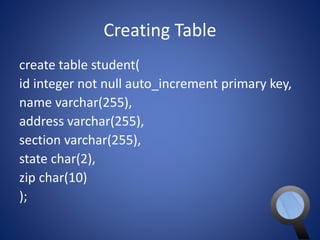
Creating Table 
create table student( 
id integer not null auto_increment primary key, 
name varchar(255), 
address varchar(255), 
section varchar(255), 
state char(2), 
zip char(10) 
);
Deleting Table 
drop table student;
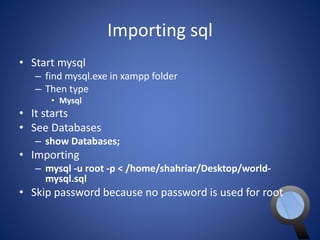
Importing sql 
• Start mysql 
– find mysql.exe in xampp folder 
– Then type 
• Mysql 
• It starts 
• See Databases 
– show Databases; 
• Importing 
– mysql -u root -p < /home/shahriar/Desktop/world-mysql. 
sql 
• Skip password because no password is used for root
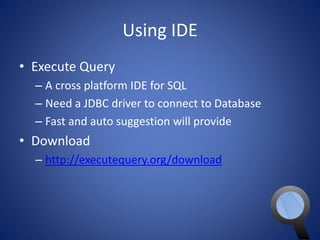
Using IDE 
• Execute Query 
– A cross platform IDE for SQL 
– Need a JDBC driver to connect to Database 
– Fast and auto suggestion will provide 
• Download 
– http://executequery.org/download
Configure Execute Query 
• Start the MySQL server 
• Open Execute Query 
• Follow the next steps
Configure Execute 
Query(Cont.) 
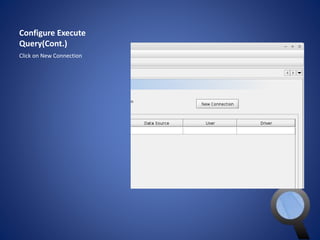
Click on New Connection
Configure Execute 
Query(Cont.) 
• In Connection Name any name 
• User Name is must be choose as like 
the user name exist in the MySQL DB 
• Password field will contain the 
password for the specific user of the 
username provided 
• Host Name will be localhost because 
the server is running on your own 
computer 
• Port is 3306 for MySQL database 
• Data Source is the name of the 
database from which you want to 
manipulate data 
• JDBC URL should like that 
jdbc:mysql://[host_name]:[port_num 
ber]/[name_of_the database] 
• In this case our database is world so 
the url is 
jdbc:mysql://localhost:3306/world 
• But now we need to select a JDBC 
Driver 
• To add new driver please click on 
New Driver and follow next slides
Configure Execute 
Query(Cont.) 
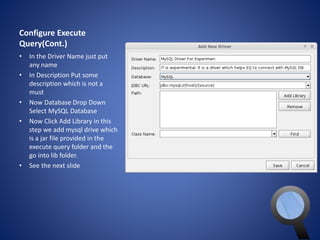
• In the Driver Name just put 
any name 
• In Description Put some 
description which is not a 
must 
• Now Database Drop Down 
Select MySQL Database 
• Now Click Add Library in this 
step we add mysql drive which 
is a jar file provided in the 
execute query folder and the 
go into lib folder. 
• See the next slide
Configure Execute Query(Cont.) 
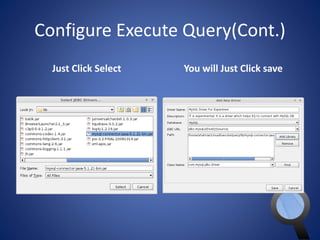
Just Click Select You will Just Click save
Configure Execute Query(Cont.) 
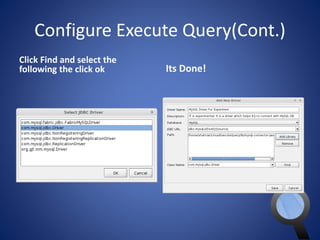
Click Find and select the 
following the click ok Its Done!
Configure Execute Query(Cont.) 
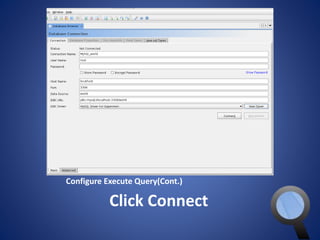
Click Connect
Configure Execute Query(Cont.) 
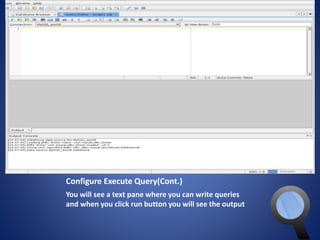
You will see a text pane where you can write queries 
and when you click run button you will see the output
Select Statement 
• Entering into a db 
– use <name of db>; 
– Ex. use test; 
• See tables 
– show tables; 
• Select the whole table 
– SELECT * FROM <Table Name>; 
– Ex. SELECT * FROM item;
Select Statement (Cont.) 
• Simple from 
• SELECT ‘Hello, World’; 
– It doesn't querying a dB just show the values 
• Show every thing of a table 
– SELECT * FROM Country; 
– * means all the columns 
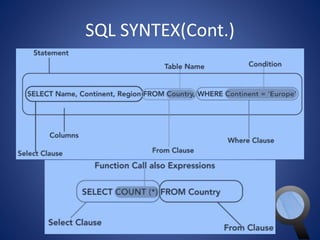
• Using functions with Select 
– SELECT COUNT(*) FROM Country;
Select Statement (Cont.) 
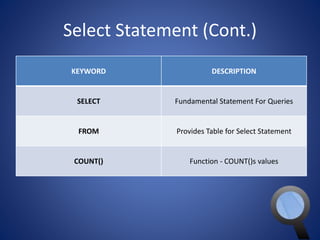
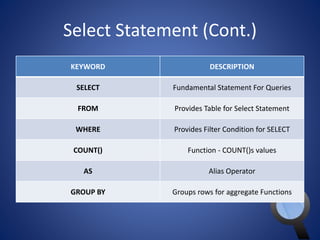
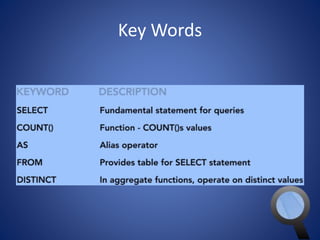
KEYWORD DESCRIPTION 
SELECT Fundamental Statement For Queries 
FROM Provides Table for Select Statement 
COUNT() Function - COUNT()s values
Select Statement (Cont.) 
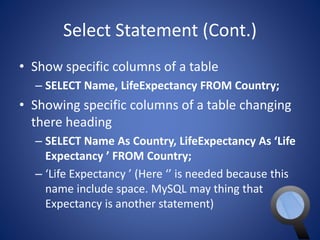
• Show specific columns of a table 
– SELECT Name, LifeExpectancy FROM Country; 
• Showing specific columns of a table changing 
there heading 
– SELECT Name As Country, LifeExpectancy As ‘Life 
Expectancy ’ FROM Country; 
– ‘Life Expectancy ’ (Here ‘’ is needed because this 
name include space. MySQL may thing that 
Expectancy is another statement)
Select Statement (Cont.) 
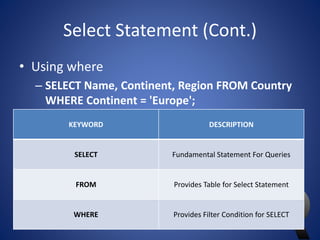
• Using where 
– SELECT Name, Continent, Region FROM Country 
WHERE Continent = 'Europe'; 
KEYWORD DESCRIPTION 
SELECT Fundamental Statement For Queries 
FROM Provides Table for Select Statement 
WHERE Provides Filter Condition for SELECT
Select Statement (Cont.) 
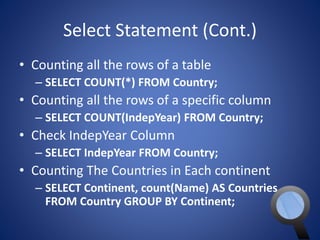
• Counting all the rows of a table 
– SELECT COUNT(*) FROM Country; 
• Counting all the rows of a specific column 
– SELECT COUNT(IndepYear) FROM Country; 
• Check IndepYear Column 
– SELECT IndepYear FROM Country; 
• Counting The Countries in Each continent 
– SELECT Continent, count(Name) AS Countries 
FROM Country GROUP BY Continent;
Select Statement (Cont.) 
KEYWORD DESCRIPTION 
SELECT Fundamental Statement For Queries 
FROM Provides Table for Select Statement 
WHERE Provides Filter Condition for SELECT 
COUNT() Function - COUNT()s values 
AS Alias Operator 
GROUP BY Groups rows for aggregate Functions
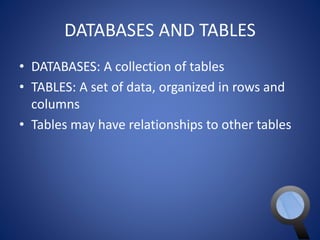
DATABASES AND TABLES 
• DATABASES: A collection of tables 
• TABLES: A set of data, organized in rows and 
columns 
• Tables may have relationships to other tables
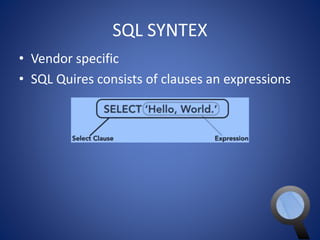
SQL SYNTEX 
• Vendor specific 
• SQL Quires consists of clauses an expressions
SQL SYNTEX(Cont.)
Inserting DATA 
• Insert a record 
INSERT INTO 
customer 
(name, address, city, state, zip ) 
VALUES 
('Shahriar Robbani', 'Shantibag', 'DH', 'DH', 
'1219'); 
• Show the customers 
– SELECT * FROM customer;
Join Query 
• A Complex Query 
SELECT c.Name AS Country, c.Continent, 
ct.Name AS Capital 
FROM Country AS c 
JOIN City AS ct 
ON ct.ID = c.Capital 
ORDER BY Country;
Join Query 
• An Older way to JOIN 
SELECT c.Name AS Country, c.Continent, 
ct.Name AS Capital 
FROM Country AS c, City AS ct 
WHERE ct.ID = c.Capital 
ORDER BY Country;
Filtering data with WHERE 
• A simple example 
SELECT CountryCode, Name, Population 
FROM City 
WHERE CountryCode = 'GBR'; 
• Another example 
SELECT CountryCode, Name, Population 
FROM City 
WHERE Population >= 5000000;
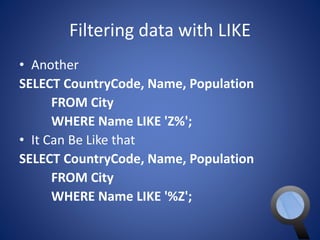
Filtering data with LIKE 
• Another 
SELECT CountryCode, Name, Population 
FROM City 
WHERE Name LIKE 'Z%'; 
• It Can Be Like that 
SELECT CountryCode, Name, Population 
FROM City 
WHERE Name LIKE '%Z';
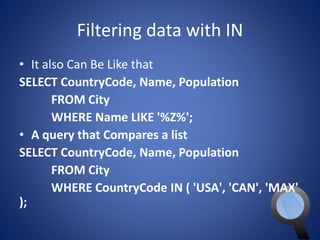
Filtering data with IN 
• It also Can Be Like that 
SELECT CountryCode, Name, Population 
FROM City 
WHERE Name LIKE '%Z%'; 
• A query that Compares a list 
SELECT CountryCode, Name, Population 
FROM City 
WHERE CountryCode IN ( 'USA', 'CAN', 'MAX' 
);
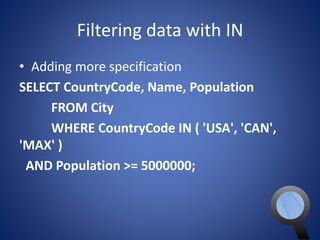
Filtering data with IN 
• Adding more specification 
SELECT CountryCode, Name, Population 
FROM City 
WHERE CountryCode IN ( 'USA', 'CAN', 
'MAX' ) 
AND Population >= 5000000;
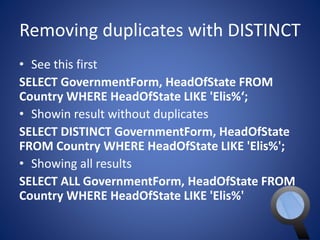
Removing duplicates with DISTINCT 
• See this first 
SELECT GovernmentForm, HeadOfState FROM 
Country WHERE HeadOfState LIKE 'Elis%‘; 
• Showin result without duplicates 
SELECT DISTINCT GovernmentForm, HeadOfState 
FROM Country WHERE HeadOfState LIKE 'Elis%'; 
• Showing all results 
SELECT ALL GovernmentForm, HeadOfState FROM 
Country WHERE HeadOfState LIKE 'Elis%'
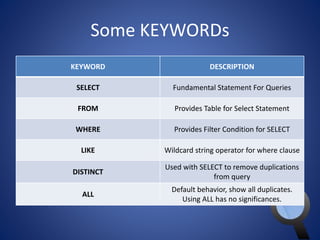
Some KEYWORDs 
KEYWORD DESCRIPTION 
SELECT Fundamental Statement For Queries 
FROM Provides Table for Select Statement 
WHERE Provides Filter Condition for SELECT 
LIKE Wildcard string operator for where clause 
DISTINCT 
Used with SELECT to remove duplications 
from query 
ALL 
Default behavior, show all duplicates. 
Using ALL has no significances.
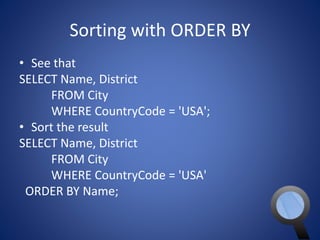
Sorting with ORDER BY 
• See that 
SELECT Name, District 
FROM City 
WHERE CountryCode = 'USA'; 
• Sort the result 
SELECT Name, District 
FROM City 
WHERE CountryCode = 'USA' 
ORDER BY Name;
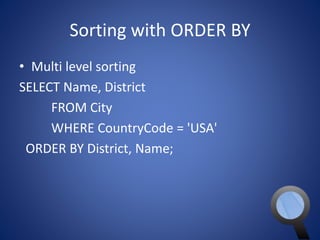
Sorting with ORDER BY 
• Multi level sorting 
SELECT Name, District 
FROM City 
WHERE CountryCode = 'USA' 
ORDER BY District, Name;
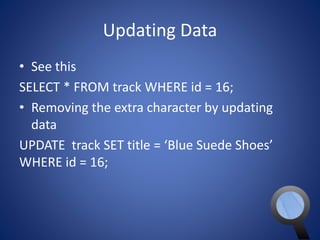
Updating Data 
• See this 
SELECT * FROM track WHERE id = 16; 
• Removing the extra character by updating 
data 
UPDATE track SET title = ‘Blue Suede Shoes’ 
WHERE id = 16;
Deleting Data 
• See this 
SELECT * FROM track WHERE id = 70; 
• Delete the row 
DELETE FROM track WHERE id = 70;
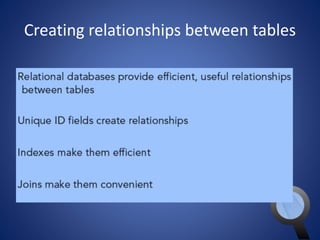
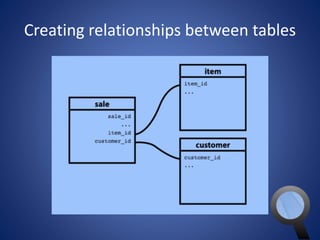
Creating relationships between tables
Joins 
• See that 
SELECT SUM(quantity) As Quantity, i.name AS Item 
FROM sale AS s 
JOIN item AS i ON s.item_id = i.id 
GROUP BY i.id; 
• Right Join 
SELECT SUM(quantity) As Quantity, i.name AS Item 
FROM sale AS s 
RIGHT JOIN item AS i ON s.item_id = i.id 
GROUP BY i.id;
Joins 
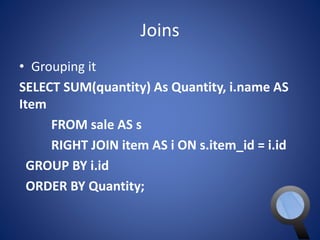
• Grouping it 
SELECT SUM(quantity) As Quantity, i.name AS 
Item 
FROM sale AS s 
RIGHT JOIN item AS i ON s.item_id = i.id 
GROUP BY i.id 
ORDER BY Quantity;
Joins 
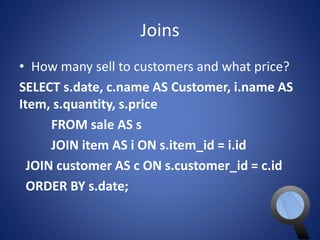
• How many sell to customers and what price? 
SELECT s.date, c.name AS Customer, i.name AS 
Item, s.quantity, s.price 
FROM sale AS s 
JOIN item AS i ON s.item_id = i.id 
JOIN customer AS c ON s.customer_id = c.id 
ORDER BY s.date;
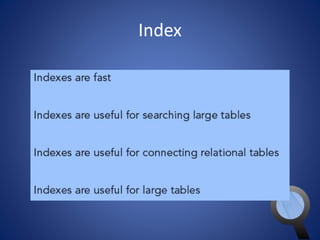
Index
Index 
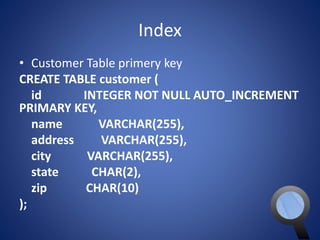
• Customer Table primery key 
CREATE TABLE customer ( 
id INTEGER NOT NULL AUTO_INCREMENT 
PRIMARY KEY, 
name VARCHAR(255), 
address VARCHAR(255), 
city VARCHAR(255), 
state CHAR(2), 
zip CHAR(10) 
);
Index 
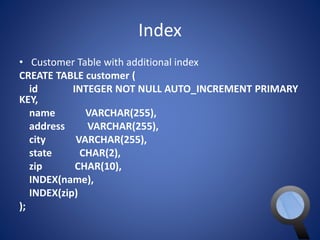
• Customer Table with additional index 
CREATE TABLE customer ( 
id INTEGER NOT NULL AUTO_INCREMENT PRIMARY 
KEY, 
name VARCHAR(255), 
address VARCHAR(255), 
city VARCHAR(255), 
state CHAR(2), 
zip CHAR(10), 
INDEX(name), 
INDEX(zip) 
);
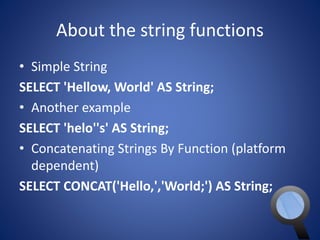
About the string functions 
• Simple String 
SELECT 'Hellow, World' AS String; 
• Another example 
SELECT 'helo''s' AS String; 
• Concatenating Strings By Function (platform 
dependent) 
SELECT CONCAT('Hello,','World;') AS String;
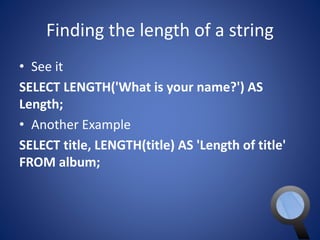
Finding the length of a string 
• See it 
SELECT LENGTH('What is your name?') AS 
Length; 
• Another Example 
SELECT title, LENGTH(title) AS 'Length of title' 
FROM album;
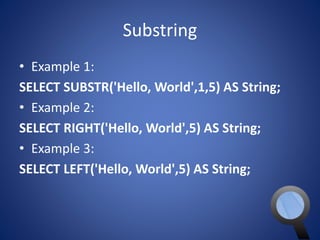
Substring 
• Example 1: 
SELECT SUBSTR('Hello, World',1,5) AS String; 
• Example 2: 
SELECT RIGHT('Hello, World',5) AS String; 
• Example 3: 
SELECT LEFT('Hello, World',5) AS String;
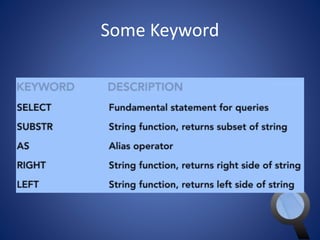
Some Keyword
Trim Function 
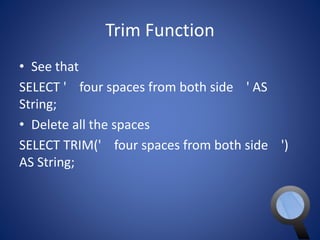
• See that 
SELECT ' four spaces from both side ' AS 
String; 
• Delete all the spaces 
SELECT TRIM(' four spaces from both side ') 
AS String;
Making strings UPPERCASE and 
lowercase 
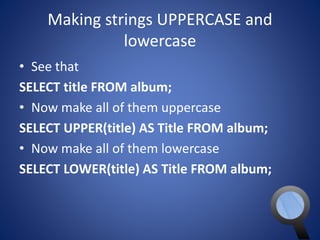
• See that 
SELECT title FROM album; 
• Now make all of them uppercase 
SELECT UPPER(title) AS Title FROM album; 
• Now make all of them lowercase 
SELECT LOWER(title) AS Title FROM album;
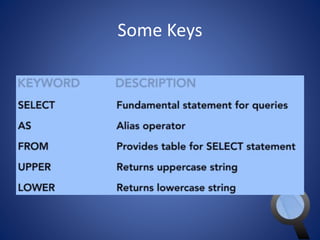
Some Keys
When to use numeric functions 
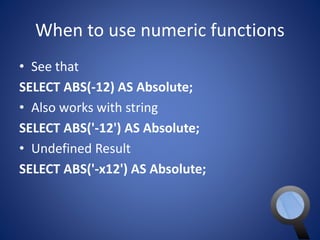
• See that 
SELECT ABS(-12) AS Absolute; 
• Also works with string 
SELECT ABS('-12') AS Absolute; 
• Undefined Result 
SELECT ABS('-x12') AS Absolute;
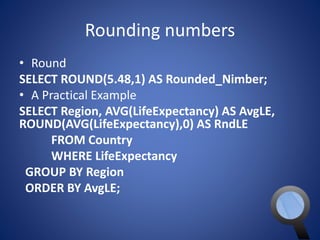
Rounding numbers 
• Round 
SELECT ROUND(5.48,1) AS Rounded_Nimber; 
• A Practical Example 
SELECT Region, AVG(LifeExpectancy) AS AvgLE, 
ROUND(AVG(LifeExpectancy),0) AS RndLE 
FROM Country 
WHERE LifeExpectancy 
GROUP BY Region 
ORDER BY AvgLE;
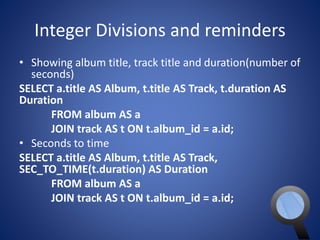
Integer Divisions and reminders 
• Showing album title, track title and duration(number of 
seconds) 
SELECT a.title AS Album, t.title AS Track, t.duration AS 
Duration 
FROM album AS a 
JOIN track AS t ON t.album_id = a.id; 
• Seconds to time 
SELECT a.title AS Album, t.title AS Track, 
SEC_TO_TIME(t.duration) AS Duration 
FROM album AS a 
JOIN track AS t ON t.album_id = a.id;
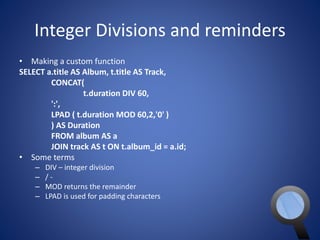
Integer Divisions and reminders 
• Making a custom function 
SELECT a.title AS Album, t.title AS Track, 
CONCAT( 
t.duration DIV 60, 
':', 
LPAD ( t.duration MOD 60,2,'0' ) 
) AS Duration 
FROM album AS a 
JOIN track AS t ON t.album_id = a.id; 
• Some terms 
– DIV – integer division 
– / - 
– MOD returns the remainder 
– LPAD is used for padding characters
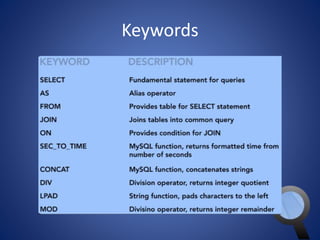
Keywords
Dates and times
Dates and times 
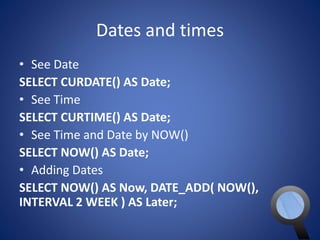
• See Date 
SELECT CURDATE() AS Date; 
• See Time 
SELECT CURTIME() AS Date; 
• See Time and Date by NOW() 
SELECT NOW() AS Date; 
• Adding Dates 
SELECT NOW() AS Now, DATE_ADD( NOW(), 
INTERVAL 2 WEEK ) AS Later;
Dates and times 
• Subtract Dates 
SELECT NOW() AS Now, DATE_SUB( NOW(), 
INTERVAL 2 WEEK ) AS Earlier;
How aggregates work 
• See 
SELECT COUNT(*) FROM Country; 
• Gives You the number of all rows 
SELECT COUNT(*) AS Count 
FROM Country; 
• Gives You the number of all rows in each group of 
region 
SELECT Region, COUNT(*) AS Count 
FROM Country 
GROUP BY Region 
ORDER BY Count, Region;
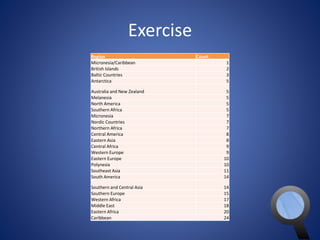
Exercise 
Region Count 
Micronesia/Caribbean 1 
British Islands 2 
Baltic Countries 3 
Antarctica 5 
Australia and New Zealand 5 
Melanesia 5 
North America 5 
Southern Africa 5 
Micronesia 7 
Nordic Countries 7 
Northern Africa 7 
Central America 8 
Eastern Asia 8 
Central Africa 9 
Western Europe 9 
Eastern Europe 10 
Polynesia 10 
Southeast Asia 11 
South America 14 
Southern and Central Asia 14 
Southern Europe 15 
Western Africa 17 
Middle East 18 
Eastern Africa 20 
Caribbean 24
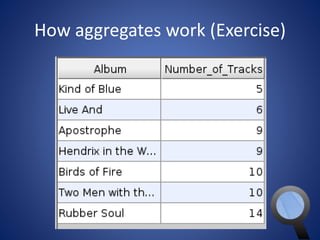
How aggregates work (Exercise)
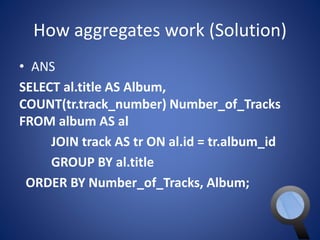
How aggregates work (Solution) 
• ANS 
SELECT al.title AS Album, 
COUNT(tr.track_number) Number_of_Tracks 
FROM album AS al 
JOIN track AS tr ON al.id = tr.album_id 
GROUP BY al.title 
ORDER BY Number_of_Tracks, Album;
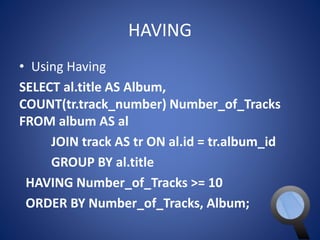
HAVING 
• Using Having 
SELECT al.title AS Album, 
COUNT(tr.track_number) Number_of_Tracks 
FROM album AS al 
JOIN track AS tr ON al.id = tr.album_id 
GROUP BY al.title 
HAVING Number_of_Tracks >= 10 
ORDER BY Number_of_Tracks, Album;
How aggregates work 
• Aggregates works in group rows rather than 
individual rows
Removing duplicates with DISTINCT 
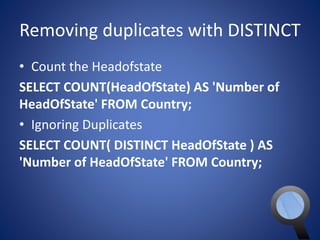
• Count the Headofstate 
SELECT COUNT(HeadOfState) AS 'Number of 
HeadOfState' FROM Country; 
• Ignoring Duplicates 
SELECT COUNT( DISTINCT HeadOfState ) AS 
'Number of HeadOfState' FROM Country;
Key Words
Useful Aggregate Functions 
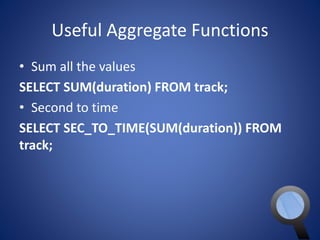
• Sum all the values 
SELECT SUM(duration) FROM track; 
• Second to time 
SELECT SEC_TO_TIME(SUM(duration)) FROM 
track;
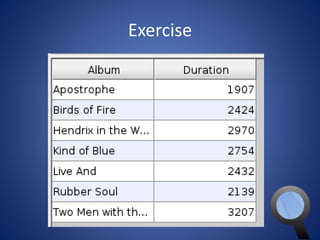
Exercise
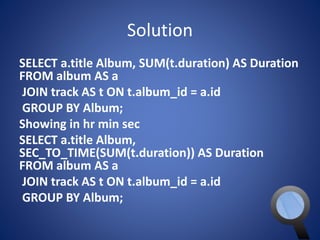
Solution 
SELECT a.title Album, SUM(t.duration) AS Duration 
FROM album AS a 
JOIN track AS t ON t.album_id = a.id 
GROUP BY Album; 
Showing in hr min sec 
SELECT a.title Album, 
SEC_TO_TIME(SUM(t.duration)) AS Duration 
FROM album AS a 
JOIN track AS t ON t.album_id = a.id 
GROUP BY Album;
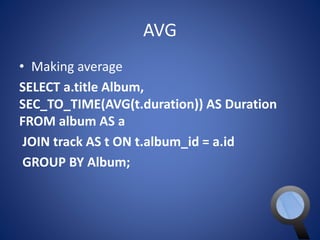
AVG 
• Making average 
SELECT a.title Album, 
SEC_TO_TIME(AVG(t.duration)) AS Duration 
FROM album AS a 
JOIN track AS t ON t.album_id = a.id 
GROUP BY Album;
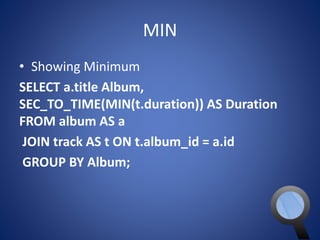
MIN 
• Showing Minimum 
SELECT a.title Album, 
SEC_TO_TIME(MIN(t.duration)) AS Duration 
FROM album AS a 
JOIN track AS t ON t.album_id = a.id 
GROUP BY Album;
MAX 
• Showing Minimum 
SELECT a.title Album, 
SEC_TO_TIME(MAX(t.duration)) AS Duration 
FROM album AS a 
JOIN track AS t ON t.album_id = a.id 
GROUP BY Album
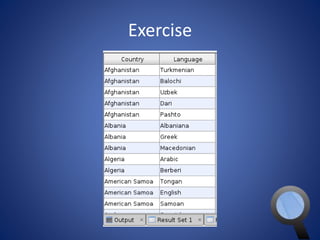
Exercise
Solution 
SELECT c.Name AS Country, cl.Language FROM 
Country AS c 
JOIN CountryLanguage AS cl ON 
cl.CountryCode = c.Code 
ORDER BY Country;
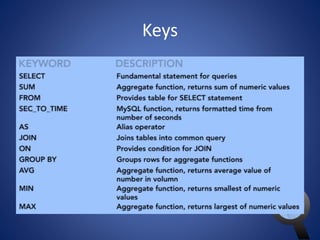
Keys
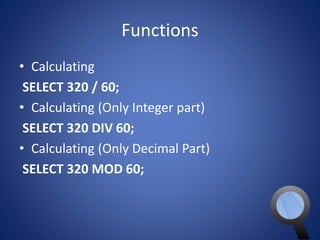
Functions 
• Calculating 
SELECT 320 / 60; 
• Calculating (Only Integer part) 
SELECT 320 DIV 60; 
• Calculating (Only Decimal Part) 
SELECT 320 MOD 60;
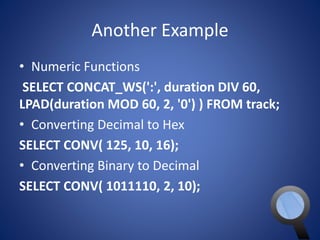
Another Example 
• Numeric Functions 
SELECT CONCAT_WS(':', duration DIV 60, 
LPAD(duration MOD 60, 2, '0') ) FROM track; 
• Converting Decimal to Hex 
SELECT CONV( 125, 10, 16); 
• Converting Binary to Decimal 
SELECT CONV( 1011110, 2, 10);
CRC32 
• Finding CRC32 
SELECT CRC32('Hello, World'); 
• Covert it to Hex 
SELECT HEX(CRC32('Hello, World')); 
• Making crc32 of all the header 
SELECT title, HEX(CRC32(title)) FROM track;
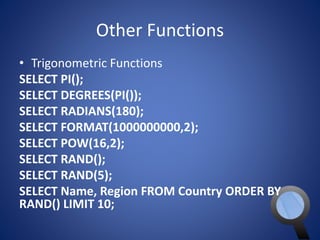
Other Functions 
• Trigonometric Functions 
SELECT PI(); 
SELECT DEGREES(PI()); 
SELECT RADIANS(180); 
SELECT FORMAT(1000000000,2); 
SELECT POW(16,2); 
SELECT RAND(); 
SELECT RAND(5); 
SELECT Name, Region FROM Country ORDER BY 
RAND() LIMIT 10;
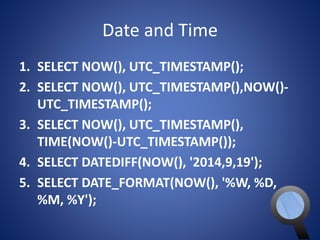
Date and Time 
1. SELECT NOW(), UTC_TIMESTAMP(); 
2. SELECT NOW(), UTC_TIMESTAMP(),NOW()- 
UTC_TIMESTAMP(); 
3. SELECT NOW(), UTC_TIMESTAMP(), 
TIME(NOW()-UTC_TIMESTAMP()); 
4. SELECT DATEDIFF(NOW(), '2014,9,19'); 
5. SELECT DATE_FORMAT(NOW(), '%W, %D, 
%M, %Y');
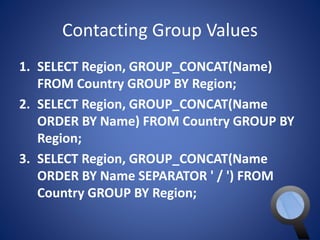
Contacting Group Values 
1. SELECT Region, GROUP_CONCAT(Name) 
FROM Country GROUP BY Region; 
2. SELECT Region, GROUP_CONCAT(Name 
ORDER BY Name) FROM Country GROUP BY 
Region; 
3. SELECT Region, GROUP_CONCAT(Name 
ORDER BY Name SEPARATOR ' / ') FROM 
Country GROUP BY Region;
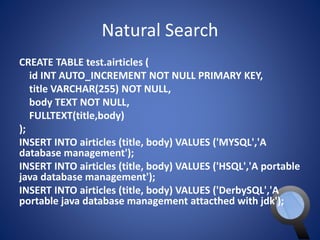
Natural Search 
CREATE TABLE test.airticles ( 
id INT AUTO_INCREMENT NOT NULL PRIMARY KEY, 
title VARCHAR(255) NOT NULL, 
body TEXT NOT NULL, 
FULLTEXT(title,body) 
); 
INSERT INTO airticles (title, body) VALUES ('MYSQL','A 
database management'); 
INSERT INTO airticles (title, body) VALUES ('HSQL','A portable 
java database management'); 
INSERT INTO airticles (title, body) VALUES ('DerbySQL','A 
portable java database management attacthed with jdk');

SQL

  • 1.
    SQL USING MYSQL By Shahriar Robbani
  • 2.
    MySQL • RDBMS • Faster Than File System • Easy to Query • Download Exercise Files – http://www.mediafire.com/download/aufy14p0g mi3zvg/SQL.zip
  • 3.
    Creating and DeletingDatabase • Creating a DB – CREATE DATABASE myDB • Deleting a DB – DROP DATABASE myDB
  • 4.
    Creating Table createtable student( id integer not null auto_increment primary key, name varchar(255), address varchar(255), section varchar(255), state char(2), zip char(10) );
  • 5.
    Deleting Table droptable student;
  • 6.
    Importing sql •Start mysql – find mysql.exe in xampp folder – Then type • Mysql • It starts • See Databases – show Databases; • Importing – mysql -u root -p < /home/shahriar/Desktop/world-mysql. sql • Skip password because no password is used for root
  • 7.
    Using IDE •Execute Query – A cross platform IDE for SQL – Need a JDBC driver to connect to Database – Fast and auto suggestion will provide • Download – http://executequery.org/download
  • 8.
    Configure Execute Query • Start the MySQL server • Open Execute Query • Follow the next steps
  • 9.
    Configure Execute Query(Cont.) Click on New Connection
  • 10.
    Configure Execute Query(Cont.) • In Connection Name any name • User Name is must be choose as like the user name exist in the MySQL DB • Password field will contain the password for the specific user of the username provided • Host Name will be localhost because the server is running on your own computer • Port is 3306 for MySQL database • Data Source is the name of the database from which you want to manipulate data • JDBC URL should like that jdbc:mysql://[host_name]:[port_num ber]/[name_of_the database] • In this case our database is world so the url is jdbc:mysql://localhost:3306/world • But now we need to select a JDBC Driver • To add new driver please click on New Driver and follow next slides
  • 11.
    Configure Execute Query(Cont.) • In the Driver Name just put any name • In Description Put some description which is not a must • Now Database Drop Down Select MySQL Database • Now Click Add Library in this step we add mysql drive which is a jar file provided in the execute query folder and the go into lib folder. • See the next slide
  • 12.
    Configure Execute Query(Cont.) Just Click Select You will Just Click save
  • 13.
    Configure Execute Query(Cont.) Click Find and select the following the click ok Its Done!
  • 14.
  • 15.
    Configure Execute Query(Cont.) You will see a text pane where you can write queries and when you click run button you will see the output
  • 16.
    Select Statement •Entering into a db – use <name of db>; – Ex. use test; • See tables – show tables; • Select the whole table – SELECT * FROM <Table Name>; – Ex. SELECT * FROM item;
  • 17.
    Select Statement (Cont.) • Simple from • SELECT ‘Hello, World’; – It doesn't querying a dB just show the values • Show every thing of a table – SELECT * FROM Country; – * means all the columns • Using functions with Select – SELECT COUNT(*) FROM Country;
  • 18.
    Select Statement (Cont.) KEYWORD DESCRIPTION SELECT Fundamental Statement For Queries FROM Provides Table for Select Statement COUNT() Function - COUNT()s values
  • 19.
    Select Statement (Cont.) • Show specific columns of a table – SELECT Name, LifeExpectancy FROM Country; • Showing specific columns of a table changing there heading – SELECT Name As Country, LifeExpectancy As ‘Life Expectancy ’ FROM Country; – ‘Life Expectancy ’ (Here ‘’ is needed because this name include space. MySQL may thing that Expectancy is another statement)
  • 20.
    Select Statement (Cont.) • Using where – SELECT Name, Continent, Region FROM Country WHERE Continent = 'Europe'; KEYWORD DESCRIPTION SELECT Fundamental Statement For Queries FROM Provides Table for Select Statement WHERE Provides Filter Condition for SELECT
  • 21.
    Select Statement (Cont.) • Counting all the rows of a table – SELECT COUNT(*) FROM Country; • Counting all the rows of a specific column – SELECT COUNT(IndepYear) FROM Country; • Check IndepYear Column – SELECT IndepYear FROM Country; • Counting The Countries in Each continent – SELECT Continent, count(Name) AS Countries FROM Country GROUP BY Continent;
  • 22.
    Select Statement (Cont.) KEYWORD DESCRIPTION SELECT Fundamental Statement For Queries FROM Provides Table for Select Statement WHERE Provides Filter Condition for SELECT COUNT() Function - COUNT()s values AS Alias Operator GROUP BY Groups rows for aggregate Functions
  • 23.
    DATABASES AND TABLES • DATABASES: A collection of tables • TABLES: A set of data, organized in rows and columns • Tables may have relationships to other tables
  • 24.
    SQL SYNTEX •Vendor specific • SQL Quires consists of clauses an expressions
  • 25.
  • 26.
    Inserting DATA •Insert a record INSERT INTO customer (name, address, city, state, zip ) VALUES ('Shahriar Robbani', 'Shantibag', 'DH', 'DH', '1219'); • Show the customers – SELECT * FROM customer;
  • 27.
    Join Query •A Complex Query SELECT c.Name AS Country, c.Continent, ct.Name AS Capital FROM Country AS c JOIN City AS ct ON ct.ID = c.Capital ORDER BY Country;
  • 28.
    Join Query •An Older way to JOIN SELECT c.Name AS Country, c.Continent, ct.Name AS Capital FROM Country AS c, City AS ct WHERE ct.ID = c.Capital ORDER BY Country;
  • 29.
    Filtering data withWHERE • A simple example SELECT CountryCode, Name, Population FROM City WHERE CountryCode = 'GBR'; • Another example SELECT CountryCode, Name, Population FROM City WHERE Population >= 5000000;
  • 30.
    Filtering data withLIKE • Another SELECT CountryCode, Name, Population FROM City WHERE Name LIKE 'Z%'; • It Can Be Like that SELECT CountryCode, Name, Population FROM City WHERE Name LIKE '%Z';
  • 31.
    Filtering data withIN • It also Can Be Like that SELECT CountryCode, Name, Population FROM City WHERE Name LIKE '%Z%'; • A query that Compares a list SELECT CountryCode, Name, Population FROM City WHERE CountryCode IN ( 'USA', 'CAN', 'MAX' );
  • 32.
    Filtering data withIN • Adding more specification SELECT CountryCode, Name, Population FROM City WHERE CountryCode IN ( 'USA', 'CAN', 'MAX' ) AND Population >= 5000000;
  • 33.
    Removing duplicates withDISTINCT • See this first SELECT GovernmentForm, HeadOfState FROM Country WHERE HeadOfState LIKE 'Elis%‘; • Showin result without duplicates SELECT DISTINCT GovernmentForm, HeadOfState FROM Country WHERE HeadOfState LIKE 'Elis%'; • Showing all results SELECT ALL GovernmentForm, HeadOfState FROM Country WHERE HeadOfState LIKE 'Elis%'
  • 34.
    Some KEYWORDs KEYWORDDESCRIPTION SELECT Fundamental Statement For Queries FROM Provides Table for Select Statement WHERE Provides Filter Condition for SELECT LIKE Wildcard string operator for where clause DISTINCT Used with SELECT to remove duplications from query ALL Default behavior, show all duplicates. Using ALL has no significances.
  • 35.
    Sorting with ORDERBY • See that SELECT Name, District FROM City WHERE CountryCode = 'USA'; • Sort the result SELECT Name, District FROM City WHERE CountryCode = 'USA' ORDER BY Name;
  • 36.
    Sorting with ORDERBY • Multi level sorting SELECT Name, District FROM City WHERE CountryCode = 'USA' ORDER BY District, Name;
  • 37.
    Updating Data •See this SELECT * FROM track WHERE id = 16; • Removing the extra character by updating data UPDATE track SET title = ‘Blue Suede Shoes’ WHERE id = 16;
  • 38.
    Deleting Data •See this SELECT * FROM track WHERE id = 70; • Delete the row DELETE FROM track WHERE id = 70;
  • 39.
  • 40.
  • 41.
    Joins • Seethat SELECT SUM(quantity) As Quantity, i.name AS Item FROM sale AS s JOIN item AS i ON s.item_id = i.id GROUP BY i.id; • Right Join SELECT SUM(quantity) As Quantity, i.name AS Item FROM sale AS s RIGHT JOIN item AS i ON s.item_id = i.id GROUP BY i.id;
  • 42.
    Joins • Groupingit SELECT SUM(quantity) As Quantity, i.name AS Item FROM sale AS s RIGHT JOIN item AS i ON s.item_id = i.id GROUP BY i.id ORDER BY Quantity;
  • 43.
    Joins • Howmany sell to customers and what price? SELECT s.date, c.name AS Customer, i.name AS Item, s.quantity, s.price FROM sale AS s JOIN item AS i ON s.item_id = i.id JOIN customer AS c ON s.customer_id = c.id ORDER BY s.date;
  • 44.
  • 45.
    Index • CustomerTable primery key CREATE TABLE customer ( id INTEGER NOT NULL AUTO_INCREMENT PRIMARY KEY, name VARCHAR(255), address VARCHAR(255), city VARCHAR(255), state CHAR(2), zip CHAR(10) );
  • 46.
    Index • CustomerTable with additional index CREATE TABLE customer ( id INTEGER NOT NULL AUTO_INCREMENT PRIMARY KEY, name VARCHAR(255), address VARCHAR(255), city VARCHAR(255), state CHAR(2), zip CHAR(10), INDEX(name), INDEX(zip) );
  • 47.
    About the stringfunctions • Simple String SELECT 'Hellow, World' AS String; • Another example SELECT 'helo''s' AS String; • Concatenating Strings By Function (platform dependent) SELECT CONCAT('Hello,','World;') AS String;
  • 48.
    Finding the lengthof a string • See it SELECT LENGTH('What is your name?') AS Length; • Another Example SELECT title, LENGTH(title) AS 'Length of title' FROM album;
  • 49.
    Substring • Example1: SELECT SUBSTR('Hello, World',1,5) AS String; • Example 2: SELECT RIGHT('Hello, World',5) AS String; • Example 3: SELECT LEFT('Hello, World',5) AS String;
  • 50.
  • 51.
    Trim Function •See that SELECT ' four spaces from both side ' AS String; • Delete all the spaces SELECT TRIM(' four spaces from both side ') AS String;
  • 52.
    Making strings UPPERCASEand lowercase • See that SELECT title FROM album; • Now make all of them uppercase SELECT UPPER(title) AS Title FROM album; • Now make all of them lowercase SELECT LOWER(title) AS Title FROM album;
  • 53.
  • 54.
    When to usenumeric functions • See that SELECT ABS(-12) AS Absolute; • Also works with string SELECT ABS('-12') AS Absolute; • Undefined Result SELECT ABS('-x12') AS Absolute;
  • 55.
    Rounding numbers •Round SELECT ROUND(5.48,1) AS Rounded_Nimber; • A Practical Example SELECT Region, AVG(LifeExpectancy) AS AvgLE, ROUND(AVG(LifeExpectancy),0) AS RndLE FROM Country WHERE LifeExpectancy GROUP BY Region ORDER BY AvgLE;
  • 56.
    Integer Divisions andreminders • Showing album title, track title and duration(number of seconds) SELECT a.title AS Album, t.title AS Track, t.duration AS Duration FROM album AS a JOIN track AS t ON t.album_id = a.id; • Seconds to time SELECT a.title AS Album, t.title AS Track, SEC_TO_TIME(t.duration) AS Duration FROM album AS a JOIN track AS t ON t.album_id = a.id;
  • 57.
    Integer Divisions andreminders • Making a custom function SELECT a.title AS Album, t.title AS Track, CONCAT( t.duration DIV 60, ':', LPAD ( t.duration MOD 60,2,'0' ) ) AS Duration FROM album AS a JOIN track AS t ON t.album_id = a.id; • Some terms – DIV – integer division – / - – MOD returns the remainder – LPAD is used for padding characters
  • 58.
  • 59.
  • 60.
    Dates and times • See Date SELECT CURDATE() AS Date; • See Time SELECT CURTIME() AS Date; • See Time and Date by NOW() SELECT NOW() AS Date; • Adding Dates SELECT NOW() AS Now, DATE_ADD( NOW(), INTERVAL 2 WEEK ) AS Later;
  • 61.
    Dates and times • Subtract Dates SELECT NOW() AS Now, DATE_SUB( NOW(), INTERVAL 2 WEEK ) AS Earlier;
  • 62.
    How aggregates work • See SELECT COUNT(*) FROM Country; • Gives You the number of all rows SELECT COUNT(*) AS Count FROM Country; • Gives You the number of all rows in each group of region SELECT Region, COUNT(*) AS Count FROM Country GROUP BY Region ORDER BY Count, Region;
  • 63.
    Exercise Region Count Micronesia/Caribbean 1 British Islands 2 Baltic Countries 3 Antarctica 5 Australia and New Zealand 5 Melanesia 5 North America 5 Southern Africa 5 Micronesia 7 Nordic Countries 7 Northern Africa 7 Central America 8 Eastern Asia 8 Central Africa 9 Western Europe 9 Eastern Europe 10 Polynesia 10 Southeast Asia 11 South America 14 Southern and Central Asia 14 Southern Europe 15 Western Africa 17 Middle East 18 Eastern Africa 20 Caribbean 24
  • 64.
  • 65.
    How aggregates work(Solution) • ANS SELECT al.title AS Album, COUNT(tr.track_number) Number_of_Tracks FROM album AS al JOIN track AS tr ON al.id = tr.album_id GROUP BY al.title ORDER BY Number_of_Tracks, Album;
  • 66.
    HAVING • UsingHaving SELECT al.title AS Album, COUNT(tr.track_number) Number_of_Tracks FROM album AS al JOIN track AS tr ON al.id = tr.album_id GROUP BY al.title HAVING Number_of_Tracks >= 10 ORDER BY Number_of_Tracks, Album;
  • 67.
    How aggregates work • Aggregates works in group rows rather than individual rows
  • 68.
    Removing duplicates withDISTINCT • Count the Headofstate SELECT COUNT(HeadOfState) AS 'Number of HeadOfState' FROM Country; • Ignoring Duplicates SELECT COUNT( DISTINCT HeadOfState ) AS 'Number of HeadOfState' FROM Country;
  • 69.
  • 70.
    Useful Aggregate Functions • Sum all the values SELECT SUM(duration) FROM track; • Second to time SELECT SEC_TO_TIME(SUM(duration)) FROM track;
  • 71.
  • 72.
    Solution SELECT a.titleAlbum, SUM(t.duration) AS Duration FROM album AS a JOIN track AS t ON t.album_id = a.id GROUP BY Album; Showing in hr min sec SELECT a.title Album, SEC_TO_TIME(SUM(t.duration)) AS Duration FROM album AS a JOIN track AS t ON t.album_id = a.id GROUP BY Album;
  • 73.
    AVG • Makingaverage SELECT a.title Album, SEC_TO_TIME(AVG(t.duration)) AS Duration FROM album AS a JOIN track AS t ON t.album_id = a.id GROUP BY Album;
  • 74.
    MIN • ShowingMinimum SELECT a.title Album, SEC_TO_TIME(MIN(t.duration)) AS Duration FROM album AS a JOIN track AS t ON t.album_id = a.id GROUP BY Album;
  • 75.
    MAX • ShowingMinimum SELECT a.title Album, SEC_TO_TIME(MAX(t.duration)) AS Duration FROM album AS a JOIN track AS t ON t.album_id = a.id GROUP BY Album
  • 76.
  • 77.
    Solution SELECT c.NameAS Country, cl.Language FROM Country AS c JOIN CountryLanguage AS cl ON cl.CountryCode = c.Code ORDER BY Country;
  • 78.
  • 79.
    Functions • Calculating SELECT 320 / 60; • Calculating (Only Integer part) SELECT 320 DIV 60; • Calculating (Only Decimal Part) SELECT 320 MOD 60;
  • 80.
    Another Example •Numeric Functions SELECT CONCAT_WS(':', duration DIV 60, LPAD(duration MOD 60, 2, '0') ) FROM track; • Converting Decimal to Hex SELECT CONV( 125, 10, 16); • Converting Binary to Decimal SELECT CONV( 1011110, 2, 10);
  • 81.
    CRC32 • FindingCRC32 SELECT CRC32('Hello, World'); • Covert it to Hex SELECT HEX(CRC32('Hello, World')); • Making crc32 of all the header SELECT title, HEX(CRC32(title)) FROM track;
  • 82.
    Other Functions •Trigonometric Functions SELECT PI(); SELECT DEGREES(PI()); SELECT RADIANS(180); SELECT FORMAT(1000000000,2); SELECT POW(16,2); SELECT RAND(); SELECT RAND(5); SELECT Name, Region FROM Country ORDER BY RAND() LIMIT 10;
  • 83.
    Date and Time 1. SELECT NOW(), UTC_TIMESTAMP(); 2. SELECT NOW(), UTC_TIMESTAMP(),NOW()- UTC_TIMESTAMP(); 3. SELECT NOW(), UTC_TIMESTAMP(), TIME(NOW()-UTC_TIMESTAMP()); 4. SELECT DATEDIFF(NOW(), '2014,9,19'); 5. SELECT DATE_FORMAT(NOW(), '%W, %D, %M, %Y');
  • 84.
    Contacting Group Values 1. SELECT Region, GROUP_CONCAT(Name) FROM Country GROUP BY Region; 2. SELECT Region, GROUP_CONCAT(Name ORDER BY Name) FROM Country GROUP BY Region; 3. SELECT Region, GROUP_CONCAT(Name ORDER BY Name SEPARATOR ' / ') FROM Country GROUP BY Region;
  • 85.
    Natural Search CREATETABLE test.airticles ( id INT AUTO_INCREMENT NOT NULL PRIMARY KEY, title VARCHAR(255) NOT NULL, body TEXT NOT NULL, FULLTEXT(title,body) ); INSERT INTO airticles (title, body) VALUES ('MYSQL','A database management'); INSERT INTO airticles (title, body) VALUES ('HSQL','A portable java database management'); INSERT INTO airticles (title, body) VALUES ('DerbySQL','A portable java database management attacthed with jdk');