SPYWARE
Prepared by: Vikas Patel
(160010107039)
Vaibhav Soni
(160010107055)
Guided by: Professor Kiran Macwan
1.INTRODUCTION
2.Types of SPYWARE
3.Working principal
4.Spyware Behaviour on OS
5.Advantages & Disadvantages
Contents
What is
spyware
?
 Spyware is software that aims to gather information about a
person or organization sometimes without their knowledge,
that may send such information to another entity without the
consumer's consent, that asserts control over a device without
the consumer's knowledge, or it may send such information to
another entity with the consumer's consent, through cookies
 Spyware is programming that is put in someone's computer to
secretly gather information about the user and relay it to
advertisers or other interested parties.
Working
Principal
 Spyware does necessarily not spread in the same way as
a virus or worm because infected systems generally do not
attempt to transmit or copy the software to other computers.
Instead, spyware installs itself on a system by deceiving the user
or by exploiting software vulnerabilities.
 Most spyware is installed without knowledge, or by using
deceptive tactics. Spyware may try to deceive users by bundling
itself with desirable software. Other common tactics are using
a Trojan horse, spy gadgets that look like normal devices but turn
out to be something else, such as a USB Key logger. These
devices actually are connected to the device as memory units
but are capable of recording each stroke made on the keyboard
Types
of
spyware
1. Adware
2. System monitors
3.Tracking cookies
4.Trojans
Spyware is classified into four parts.
Adware
 Adware, or advertising-supported software,
is software that generates revenue for its developer by
automatically generating online advertisements in the
user interface of the software or on a screen presented
to the user during the installation process.
 Some legitimate application software is offered as
either a free version that is advertising-supported or as
a paid version without advertisements. Users would
purchase a software license code or a separate piece of
software for an ad-free experience.This type of adware
gives users the opportunity to access the software
without making large payments.
Example
s of
Adware
Aartemis Search
BatBrowse
Beamrise Search
Coupon Pigeon
JollyWallet
OfferMosquito
DealFairy
System
monitor
s
 System monitors are applications designed to monitor
computer activity to various degrees.These programs
can capture virtually everything you do on your
computer including recording all keystrokes, emails,
chat room dialogue, websites visited, and programs
run.
 System monitors usually run in the background so that
you do not know that you are being monitored.The
information gathered by the system monitor is stored
on your computer in an encrypted log file for later
retrieval. Some programs are capable of emailing the
log files to another location.
Tracking
cookies
 A Cookie is a plain text file that is stored on your computer in
a cookies folder that stores data about your browsing
sessions. Cookies are used by many websites to track visitor
information. Hackers can steal your cookies and can generate
password’s and user account can be at threat.
 Tracking cookies are used to track users' web browsing habits.This
can also be done to some extent by using the IP address of the
computer requesting the page or the referer field of
the HTTP request header, but cookies allow for greater precision.
By analyzing this log file, it is then possible to find out which pages
the user has visited, in what sequence, and for how long.
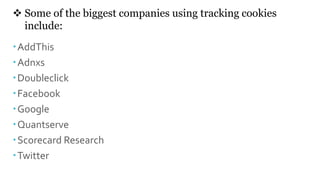
 Some of the biggest companies using tracking cookies
include:
AddThis
Adnxs
Doubleclick
Facebook
Google
Quantserve
Scorecard Research
Twitter
Trojans
 Trojans:- Trojans Horses or Trojans are malicious programs
that appear as harmless or even desirable applications. Trojans
are designed to cause loss or theft of computer data, and to
destroy your system. Some Trojans, called RATs (Remote
Administration Tools), allow an attacker to gain unrestricted
access of your computer whenever you are online.
 The victim receives an official-looking email with an
attachment. The attachment contains malicious code that is
executed as soon as the victim clicks on the attachment.
Because nothing bad happens and the computer continues to
work as expected, the victim does not suspect that the
attachment is actually a Trojan horse and his computing device
is now infected.
Remote
Administra
tion Tools
Nanocore
Blackshades
Plasma
Jspy
NJRAT
Revenge Rat
Darkcomet
Effects and
behaviours
 A spyware rarely operates alone on a computer; an
affected machine usually has multiple infections. Users
frequently notice unwanted behaviour and degradation of
system performance. A spyware infestation can create
significant unwanted CPU activity, disk usage, and
network traffic. Stability issues, such as applications
freezing, failure to boot, and system-wide crashes are also
common. Spyware, which interferes with networking
software commonly causes difficulty connecting to the
Internet.
 Moreover, some types of spyware disable
software firewalls and antivirus software, and/or reduce
browser security settings, which opens the system to
further opportunistic infections. Some spyware disables or
even removes competing spyware programs, on the
grounds that more spyware-related annoyances increase
the likelihood that users will take action to remove the
programs.
ADVANTAG
ES &
DISADVANT
AGES
 Advantages of spyware is that you can keep watch on
your children's continuously through software that spy
your child’s computer without knowing them, you can
check what kind of sites they access when they use the
internet when you are away.You can check what they
do on social media.
 Disadvantages of spyware: Some time if user installed
malicious software which can steal their password and
private data that can led into big trouble as their
private data will be accessed without their consent and
their social media account can be hacked, money can
be withdrawn without knowing them.
Preferenc
es
 https://searchsecurity.techtarget.com/definition/adware
 https://www.internetworldstats.com/articles/art035.html
 https://en.wikipedia.org/wiki/HTTP_cookie#Tracking
 https://searchsecurity.techtarget.com/definition/Trojan-
horse
Spyware-A online threat to privacy

Spyware-A online threat to privacy

  • 1.
    SPYWARE Prepared by: VikasPatel (160010107039) Vaibhav Soni (160010107055) Guided by: Professor Kiran Macwan
  • 2.
    1.INTRODUCTION 2.Types of SPYWARE 3.Workingprincipal 4.Spyware Behaviour on OS 5.Advantages & Disadvantages Contents
  • 3.
    What is spyware ?  Spywareis software that aims to gather information about a person or organization sometimes without their knowledge, that may send such information to another entity without the consumer's consent, that asserts control over a device without the consumer's knowledge, or it may send such information to another entity with the consumer's consent, through cookies  Spyware is programming that is put in someone's computer to secretly gather information about the user and relay it to advertisers or other interested parties.
  • 4.
    Working Principal  Spyware doesnecessarily not spread in the same way as a virus or worm because infected systems generally do not attempt to transmit or copy the software to other computers. Instead, spyware installs itself on a system by deceiving the user or by exploiting software vulnerabilities.  Most spyware is installed without knowledge, or by using deceptive tactics. Spyware may try to deceive users by bundling itself with desirable software. Other common tactics are using a Trojan horse, spy gadgets that look like normal devices but turn out to be something else, such as a USB Key logger. These devices actually are connected to the device as memory units but are capable of recording each stroke made on the keyboard
  • 5.
    Types of spyware 1. Adware 2. Systemmonitors 3.Tracking cookies 4.Trojans Spyware is classified into four parts.
  • 6.
    Adware  Adware, oradvertising-supported software, is software that generates revenue for its developer by automatically generating online advertisements in the user interface of the software or on a screen presented to the user during the installation process.  Some legitimate application software is offered as either a free version that is advertising-supported or as a paid version without advertisements. Users would purchase a software license code or a separate piece of software for an ad-free experience.This type of adware gives users the opportunity to access the software without making large payments.
  • 7.
    Example s of Adware Aartemis Search BatBrowse BeamriseSearch Coupon Pigeon JollyWallet OfferMosquito DealFairy
  • 8.
    System monitor s  System monitorsare applications designed to monitor computer activity to various degrees.These programs can capture virtually everything you do on your computer including recording all keystrokes, emails, chat room dialogue, websites visited, and programs run.  System monitors usually run in the background so that you do not know that you are being monitored.The information gathered by the system monitor is stored on your computer in an encrypted log file for later retrieval. Some programs are capable of emailing the log files to another location.
  • 9.
    Tracking cookies  A Cookieis a plain text file that is stored on your computer in a cookies folder that stores data about your browsing sessions. Cookies are used by many websites to track visitor information. Hackers can steal your cookies and can generate password’s and user account can be at threat.  Tracking cookies are used to track users' web browsing habits.This can also be done to some extent by using the IP address of the computer requesting the page or the referer field of the HTTP request header, but cookies allow for greater precision. By analyzing this log file, it is then possible to find out which pages the user has visited, in what sequence, and for how long.
  • 10.
     Some ofthe biggest companies using tracking cookies include: AddThis Adnxs Doubleclick Facebook Google Quantserve Scorecard Research Twitter
  • 11.
    Trojans  Trojans:- TrojansHorses or Trojans are malicious programs that appear as harmless or even desirable applications. Trojans are designed to cause loss or theft of computer data, and to destroy your system. Some Trojans, called RATs (Remote Administration Tools), allow an attacker to gain unrestricted access of your computer whenever you are online.  The victim receives an official-looking email with an attachment. The attachment contains malicious code that is executed as soon as the victim clicks on the attachment. Because nothing bad happens and the computer continues to work as expected, the victim does not suspect that the attachment is actually a Trojan horse and his computing device is now infected.
  • 12.
  • 13.
    Effects and behaviours  Aspyware rarely operates alone on a computer; an affected machine usually has multiple infections. Users frequently notice unwanted behaviour and degradation of system performance. A spyware infestation can create significant unwanted CPU activity, disk usage, and network traffic. Stability issues, such as applications freezing, failure to boot, and system-wide crashes are also common. Spyware, which interferes with networking software commonly causes difficulty connecting to the Internet.  Moreover, some types of spyware disable software firewalls and antivirus software, and/or reduce browser security settings, which opens the system to further opportunistic infections. Some spyware disables or even removes competing spyware programs, on the grounds that more spyware-related annoyances increase the likelihood that users will take action to remove the programs.
  • 14.
    ADVANTAG ES & DISADVANT AGES  Advantagesof spyware is that you can keep watch on your children's continuously through software that spy your child’s computer without knowing them, you can check what kind of sites they access when they use the internet when you are away.You can check what they do on social media.  Disadvantages of spyware: Some time if user installed malicious software which can steal their password and private data that can led into big trouble as their private data will be accessed without their consent and their social media account can be hacked, money can be withdrawn without knowing them.
  • 15.
    Preferenc es  https://searchsecurity.techtarget.com/definition/adware  https://www.internetworldstats.com/articles/art035.html https://en.wikipedia.org/wiki/HTTP_cookie#Tracking  https://searchsecurity.techtarget.com/definition/Trojan- horse