Code Camp NZ 2011#CCNZwww.mscommunities.co.nz
IntroductionPowerShell and SharePoint extensively covered on TechNet2010 Products administration by using Windows PowerShellhttp://technet.microsoft.com/en-us/library/ee806878.aspxSession GoalsDemystify PowerShell + SharePointExamples of PowerShell in action
Session AgendaQuick review of the basics and some useful CmdletsWalkthrough building a portal using PowerShellFarm AdministrationSite AdministrationDeployment of CustomisationsDiagnostics and TroubleshootingTips and Resources
basicsPowerShell Basics
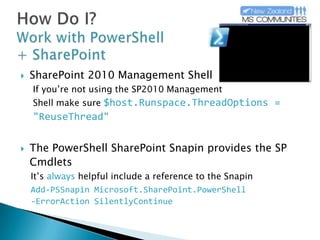
How Do I?Work with PowerShell + SharePointSharePoint 2010 Management ShellIf you’re not using the SP2010 ManagementShell make sure $host.Runspace.ThreadOptions = "ReuseThread"The PowerShell SharePoint Snapin provides the SP CmdletsIt’s always helpful include a reference to the SnapinAdd-PSSnapinMicrosoft.SharePoint.PowerShell-ErrorActionSilentlyContinue
What Do I Get?With PowerShell + SharePointSharePoint Cmdlets245 listed on TechNet for SharePoint Foundation527 listed on TechNet for SharePoint Server (there’s more according to Get-Command)
Cmdlets“…a lightweight command [for PowerShell]…”Cmdlets return or operate on objects or collectionsUse the pipeline | to pass and process objects$myObject | ForEach-Object { DoStuff $_ }	ForEach %$myObject | Where-Object { $_ -gt 1 }	Where ?I need some help? Some helpful Cmdlets:Get-HelpGet-Command				$myObject | Get-Member
Assemblies and ClassesPowerShell is not just limited to CmdletsCreate objects with New-Object$site = New-Object Microsoft.SharePoint.SPSite("http://tech.ed")Load other SharePoint or .NET assemblies[System.Reflection.Assembly]::LoadWithPartialName	("Microsoft.Office.Server.Search")[System.Reflection.Assembly]::Load	("Microsoft.Office.Server.Search, Version=14.0.0.0, 	Culture=neutral, PublicKeyToken=71e9bce111e9429c")Deprecated
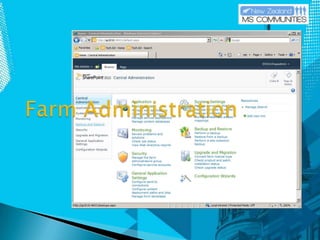
Farm Administration
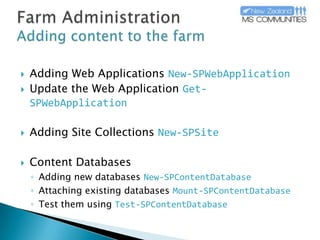
Farm AdministrationAdding content to the farmAdding Web ApplicationsNew-SPWebApplicationUpdate the Web ApplicationGet-SPWebApplicationAdding Site CollectionsNew-SPSiteContent DatabasesAdding new databasesNew-SPContentDatabaseAttaching existing databasesMount-SPContentDatabaseTest them using Test-SPContentDatabase
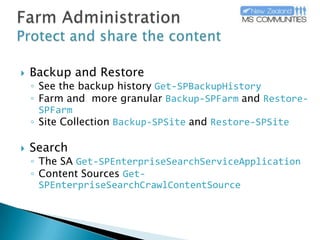
Farm AdministrationProtect and share the contentBackup and RestoreSee the backup historyGet-SPBackupHistoryFarm and  more granularBackup-SPFarmandRestore-SPFarmSite CollectionBackup-SPSiteandRestore-SPSiteSearch The SAGet-SPEnterpriseSearchServiceApplicationContent SourcesGet-SPEnterpriseSearchCrawlContentSource
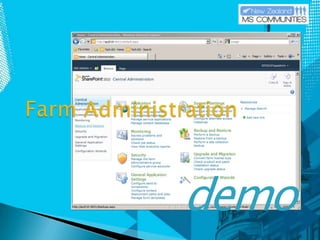
demoFarm Administration
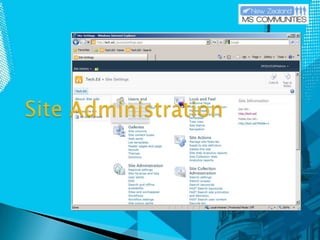
Site Administration
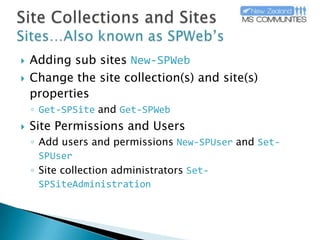
Site Collections and SitesSites…Also known as SPWeb’sAdding sub sitesNew-SPWebChange the site collection(s) and site(s) properties Get-SPSiteandGet-SPWebSite Permissions and UsersAdd users and permissionsNew-SPUserandSet-SPUserSite collection administratorsSet-SPSiteAdministration
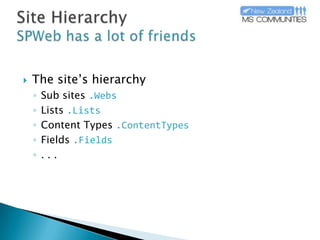
Site HierarchySPWeb has a lot of friendsThe site’s hierarchySub sites.WebsLists.ListsContent Types.ContentTypesFields.Fields. . .
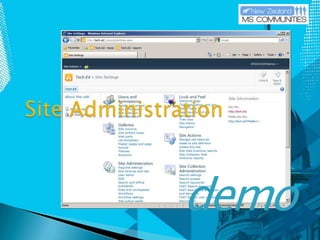
demoSite Administration
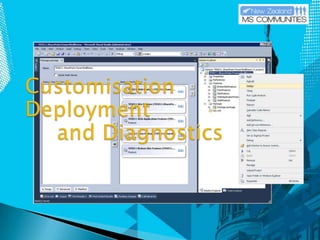
Customisation Deployment	and Diagnostics
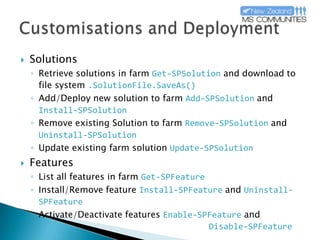
Customisations and DeploymentSolutionsRetrieve solutions in farmGet-SPSolutionand download to file system.SolutionFile.SaveAs()Add/Deploy new solution to farmAdd-SPSolutionand Install-SPSolutionRemove existing Solution to farmRemove-SPSolutionandUninstall-SPSolutionUpdate existing farm solutionUpdate-SPSolutionFeaturesList all features in farmGet-SPFeatureInstall/Remove featureInstall-SPFeatureand Uninstall-SPFeatureActivate/Deactivate featuresEnable-SPFeatureand Disable-SPFeature
Diagnostics and TroubleshootingDeveloper Dashboard[Microsoft.SharePoint.Administration.SPWebService]	::ContentService.DeveloperDashboardSettingsListening to SharePoint’s logging service (ULS) Get-SPLogEvent
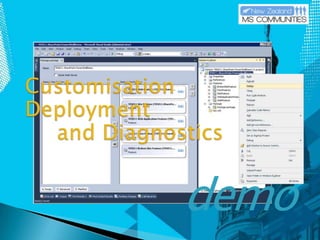
demoCustomisation Deployment	and Diagnostics
tipsResources and Tips
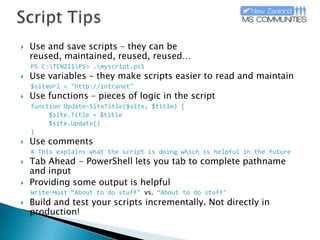
Script TipsUse and save scripts – they can be reused, maintained, reused, reused…PS C:\TENZ11\PS> .\myscript.ps1Use variables – they make scripts easier to read and maintain$siteUrl = "http://intranet"Use functions – pieces of logic in the scriptfunction Update-SiteTitle($site, $title) {	$site.Title = $title$site.Update()}Use comments# This explains what the script is doing which is helpful in the futureTab Ahead - PowerShell lets you tab to complete pathname and input Providing some output is helpfulWrite-Host “About to do stuff" vs. “About to do stuff"Build and test your scripts incrementally. Not directly in production!
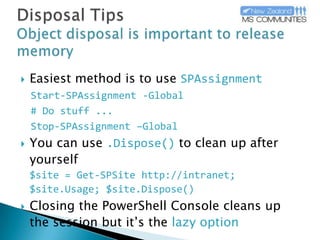
Disposal TipsObject disposal is important to release memoryEasiest method is to useSPAssignmentStart-SPAssignment -Global# Do stuff ...Stop-SPAssignment –GlobalYou can use.Dispose()to clean up after yourself$site = Get-SPSite http://intranet; $site.Usage; $site.Dispose()Closing the PowerShell Console cleans up the session but it’s the lazy option
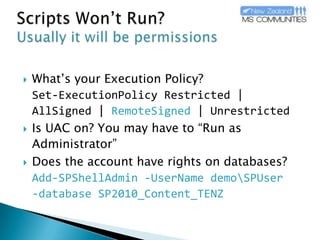
Scripts Won’t Run?Usually it will be permissionsWhat’s your Execution Policy?Set-ExecutionPolicyRestricted | AllSigned | RemoteSigned| UnrestrictedIs UAC on? You may have to “Run as Administrator”Does the account have rights on databases? Add-SPShellAdmin-UserNamedemo\SPUser-database SP2010_Content_TENZ
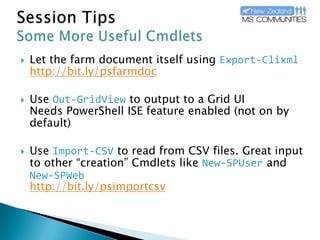
Session TipsSome More Useful CmdletsLet the farm document itself usingExport-Clixmlhttp://bit.ly/psfarmdocUseOut-GridViewto output to a Grid UINeeds PowerShell ISE feature enabled (not on by default)UseImport-CSVto read from CSV files. Great input to other “creation” Cmdlets likeNew-SPUserand New-SPWebhttp://bit.ly/psimportcsv
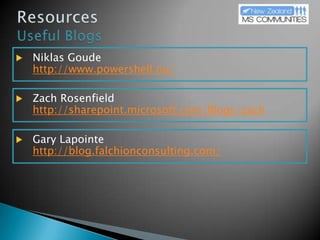
ResourcesUseful BlogsNiklasGoudehttp://www.powershell.nu/Zach Rosenfieldhttp://sharepoint.microsoft.com/Blogs/zachGary Lapointehttp://blog.falchionconsulting.com/
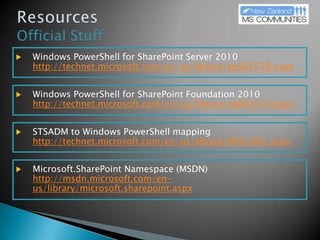
ResourcesOfficial StuffWindows PowerShell for SharePoint Server 2010http://technet.microsoft.com/en-us/library/ee662539.aspxWindows PowerShell for SharePoint Foundation 2010http://technet.microsoft.com/en-us/library/ee662510.aspxSTSADM to Windows PowerShell mappinghttp://technet.microsoft.com/en-us/library/ff621081.aspxMicrosoft.SharePoint Namespace (MSDN)http://msdn.microsoft.com/en-us/library/microsoft.sharepoint.aspx
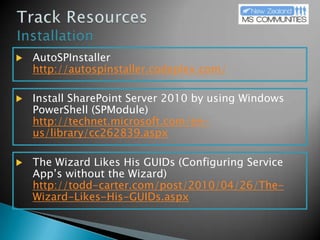
Track ResourcesInstallationAutoSPInstallerhttp://autospinstaller.codeplex.com/Install SharePoint Server 2010 by using Windows PowerShell (SPModule)http://technet.microsoft.com/en-us/library/cc262839.aspxThe Wizard Likes His GUIDs (Configuring Service App’s without the Wizard)http://todd-carter.com/post/2010/04/26/The-Wizard-Likes-His-GUIDs.aspx
Content Slide4th Annual Community SharePoint ConferenceBusiness and Technical Tracks, all levelsSuperb Internationally Renowned SharePoint Experts
Thanks to our sponsorsand partners!SponsorPremierPartnersAssociatedPartnersSupportingPartners

NZ Code Camp 2011 PowerShell + SharePoint

  • 1.
    Code Camp NZ2011#CCNZwww.mscommunities.co.nz
  • 2.
    IntroductionPowerShell and SharePointextensively covered on TechNet2010 Products administration by using Windows PowerShellhttp://technet.microsoft.com/en-us/library/ee806878.aspxSession GoalsDemystify PowerShell + SharePointExamples of PowerShell in action
  • 3.
    Session AgendaQuick reviewof the basics and some useful CmdletsWalkthrough building a portal using PowerShellFarm AdministrationSite AdministrationDeployment of CustomisationsDiagnostics and TroubleshootingTips and Resources
  • 4.
  • 5.
    How Do I?Workwith PowerShell + SharePointSharePoint 2010 Management ShellIf you’re not using the SP2010 ManagementShell make sure $host.Runspace.ThreadOptions = "ReuseThread"The PowerShell SharePoint Snapin provides the SP CmdletsIt’s always helpful include a reference to the SnapinAdd-PSSnapinMicrosoft.SharePoint.PowerShell-ErrorActionSilentlyContinue
  • 6.
    What Do IGet?With PowerShell + SharePointSharePoint Cmdlets245 listed on TechNet for SharePoint Foundation527 listed on TechNet for SharePoint Server (there’s more according to Get-Command)
  • 7.
    Cmdlets“…a lightweight command[for PowerShell]…”Cmdlets return or operate on objects or collectionsUse the pipeline | to pass and process objects$myObject | ForEach-Object { DoStuff $_ } ForEach %$myObject | Where-Object { $_ -gt 1 } Where ?I need some help? Some helpful Cmdlets:Get-HelpGet-Command $myObject | Get-Member
  • 8.
    Assemblies and ClassesPowerShellis not just limited to CmdletsCreate objects with New-Object$site = New-Object Microsoft.SharePoint.SPSite("http://tech.ed")Load other SharePoint or .NET assemblies[System.Reflection.Assembly]::LoadWithPartialName ("Microsoft.Office.Server.Search")[System.Reflection.Assembly]::Load ("Microsoft.Office.Server.Search, Version=14.0.0.0, Culture=neutral, PublicKeyToken=71e9bce111e9429c")Deprecated
  • 9.
  • 10.
    Farm AdministrationAdding contentto the farmAdding Web ApplicationsNew-SPWebApplicationUpdate the Web ApplicationGet-SPWebApplicationAdding Site CollectionsNew-SPSiteContent DatabasesAdding new databasesNew-SPContentDatabaseAttaching existing databasesMount-SPContentDatabaseTest them using Test-SPContentDatabase
  • 11.
    Farm AdministrationProtect andshare the contentBackup and RestoreSee the backup historyGet-SPBackupHistoryFarm and more granularBackup-SPFarmandRestore-SPFarmSite CollectionBackup-SPSiteandRestore-SPSiteSearch The SAGet-SPEnterpriseSearchServiceApplicationContent SourcesGet-SPEnterpriseSearchCrawlContentSource
  • 12.
  • 13.
  • 14.
    Site Collections andSitesSites…Also known as SPWeb’sAdding sub sitesNew-SPWebChange the site collection(s) and site(s) properties Get-SPSiteandGet-SPWebSite Permissions and UsersAdd users and permissionsNew-SPUserandSet-SPUserSite collection administratorsSet-SPSiteAdministration
  • 15.
    Site HierarchySPWeb hasa lot of friendsThe site’s hierarchySub sites.WebsLists.ListsContent Types.ContentTypesFields.Fields. . .
  • 16.
  • 17.
  • 18.
    Customisations and DeploymentSolutionsRetrievesolutions in farmGet-SPSolutionand download to file system.SolutionFile.SaveAs()Add/Deploy new solution to farmAdd-SPSolutionand Install-SPSolutionRemove existing Solution to farmRemove-SPSolutionandUninstall-SPSolutionUpdate existing farm solutionUpdate-SPSolutionFeaturesList all features in farmGet-SPFeatureInstall/Remove featureInstall-SPFeatureand Uninstall-SPFeatureActivate/Deactivate featuresEnable-SPFeatureand Disable-SPFeature
  • 19.
    Diagnostics and TroubleshootingDeveloperDashboard[Microsoft.SharePoint.Administration.SPWebService] ::ContentService.DeveloperDashboardSettingsListening to SharePoint’s logging service (ULS) Get-SPLogEvent
  • 20.
  • 21.
  • 22.
    Script TipsUse andsave scripts – they can be reused, maintained, reused, reused…PS C:\TENZ11\PS> .\myscript.ps1Use variables – they make scripts easier to read and maintain$siteUrl = "http://intranet"Use functions – pieces of logic in the scriptfunction Update-SiteTitle($site, $title) { $site.Title = $title$site.Update()}Use comments# This explains what the script is doing which is helpful in the futureTab Ahead - PowerShell lets you tab to complete pathname and input Providing some output is helpfulWrite-Host “About to do stuff" vs. “About to do stuff"Build and test your scripts incrementally. Not directly in production!
  • 23.
    Disposal TipsObject disposalis important to release memoryEasiest method is to useSPAssignmentStart-SPAssignment -Global# Do stuff ...Stop-SPAssignment –GlobalYou can use.Dispose()to clean up after yourself$site = Get-SPSite http://intranet; $site.Usage; $site.Dispose()Closing the PowerShell Console cleans up the session but it’s the lazy option
  • 24.
    Scripts Won’t Run?Usuallyit will be permissionsWhat’s your Execution Policy?Set-ExecutionPolicyRestricted | AllSigned | RemoteSigned| UnrestrictedIs UAC on? You may have to “Run as Administrator”Does the account have rights on databases? Add-SPShellAdmin-UserNamedemo\SPUser-database SP2010_Content_TENZ
  • 25.
    Session TipsSome MoreUseful CmdletsLet the farm document itself usingExport-Clixmlhttp://bit.ly/psfarmdocUseOut-GridViewto output to a Grid UINeeds PowerShell ISE feature enabled (not on by default)UseImport-CSVto read from CSV files. Great input to other “creation” Cmdlets likeNew-SPUserand New-SPWebhttp://bit.ly/psimportcsv
  • 26.
  • 27.
    ResourcesOfficial StuffWindows PowerShellfor SharePoint Server 2010http://technet.microsoft.com/en-us/library/ee662539.aspxWindows PowerShell for SharePoint Foundation 2010http://technet.microsoft.com/en-us/library/ee662510.aspxSTSADM to Windows PowerShell mappinghttp://technet.microsoft.com/en-us/library/ff621081.aspxMicrosoft.SharePoint Namespace (MSDN)http://msdn.microsoft.com/en-us/library/microsoft.sharepoint.aspx
  • 28.
    Track ResourcesInstallationAutoSPInstallerhttp://autospinstaller.codeplex.com/Install SharePointServer 2010 by using Windows PowerShell (SPModule)http://technet.microsoft.com/en-us/library/cc262839.aspxThe Wizard Likes His GUIDs (Configuring Service App’s without the Wizard)http://todd-carter.com/post/2010/04/26/The-Wizard-Likes-His-GUIDs.aspx
  • 29.
    Content Slide4th AnnualCommunity SharePoint ConferenceBusiness and Technical Tracks, all levelsSuperb Internationally Renowned SharePoint Experts
  • 30.
    Thanks to oursponsorsand partners!SponsorPremierPartnersAssociatedPartnersSupportingPartners

Editor's Notes

  • #8 ForEach-Object and Where-Object both use $_ to represent the default objectWhere-ObjectFiltering the data streamUse operators to perform filter:-lt -- Less than-le -- Less than or equal to-gt -- Greater than-ge -- Greater than or equal to-eq -- Equal to-ne -- Not equal to-like - Like; uses wildcards for pattern matching
  • #15 New Site CollectionFind out what templates are available Get-SPWebTemplate
  • #25 Set-ExecutionPolicyhttp://technet.microsoft.com/en-us/library/ee176961.aspxAdd-SPShellAdminhttp://blogs.technet.com/b/heyscriptingguy/archive/2010/07/06/hey-scripting-guy-tell-me-about-permissions-for-using-windows-powershell-2-0-cmdlets-with-sharepoint-2010.aspx
  • #26 Document Farm with export-Clixmlhttp://technet.microsoft.com/en-us/library/ff645391.aspxImport-CSV http://technet.microsoft.com/en-us/library/dd347665.aspx