

Are You Ready for the
Modern SharePoint Experience?
Theresa Eller
SharePoint Administrator – IBERIABANK
#sphelp
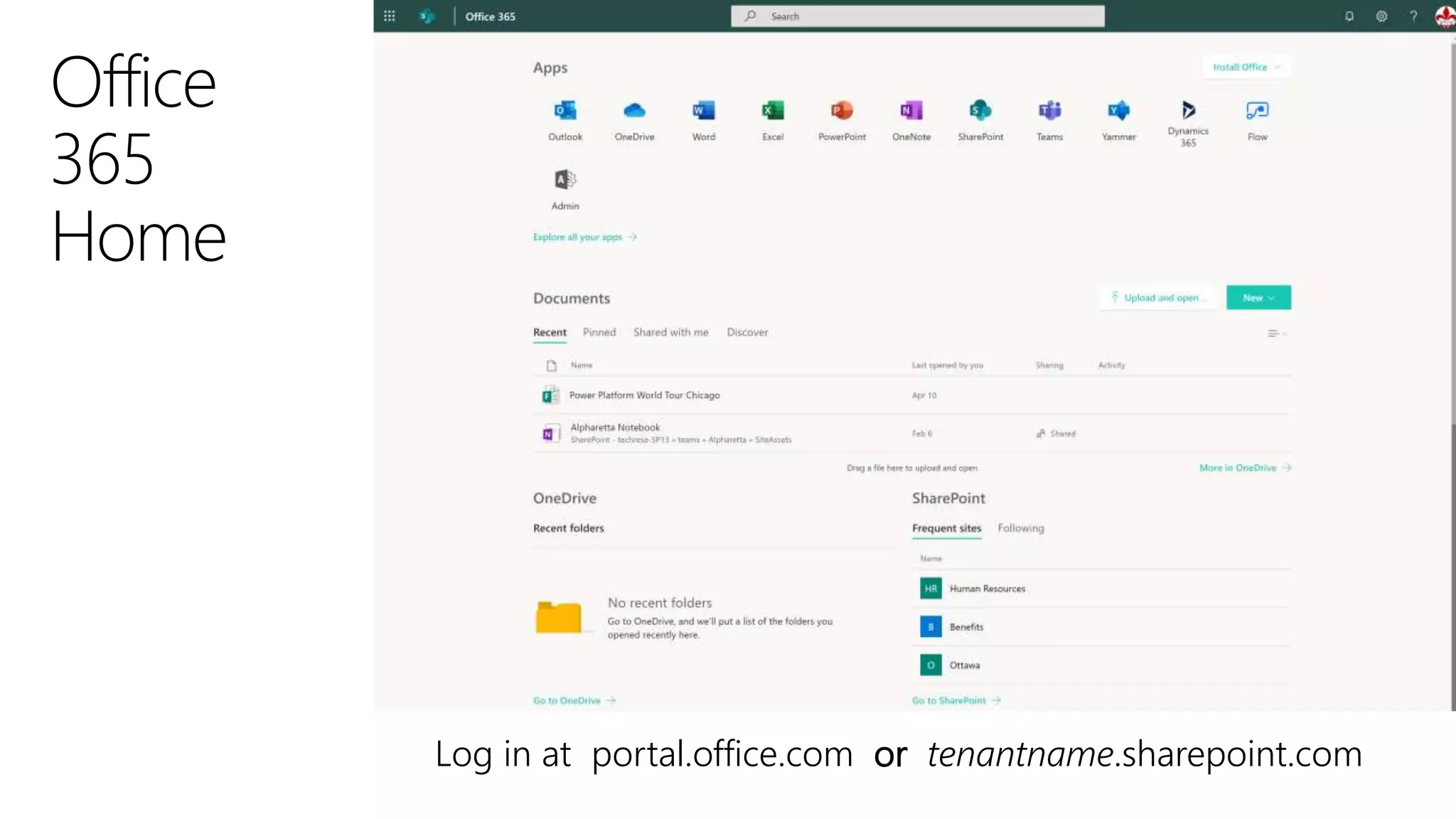
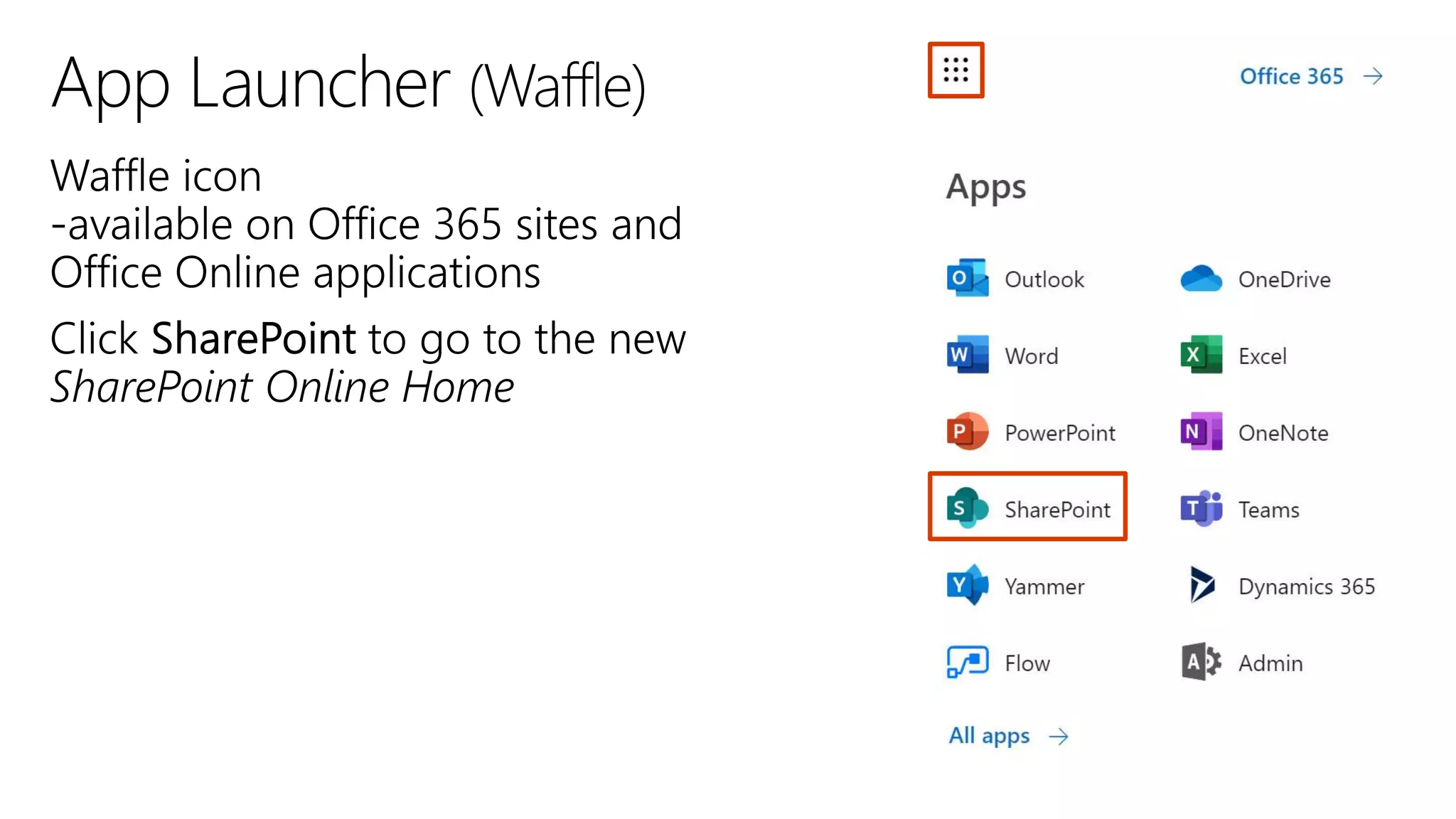
Log in at portal.office.com or tenantname.sharepoint.com
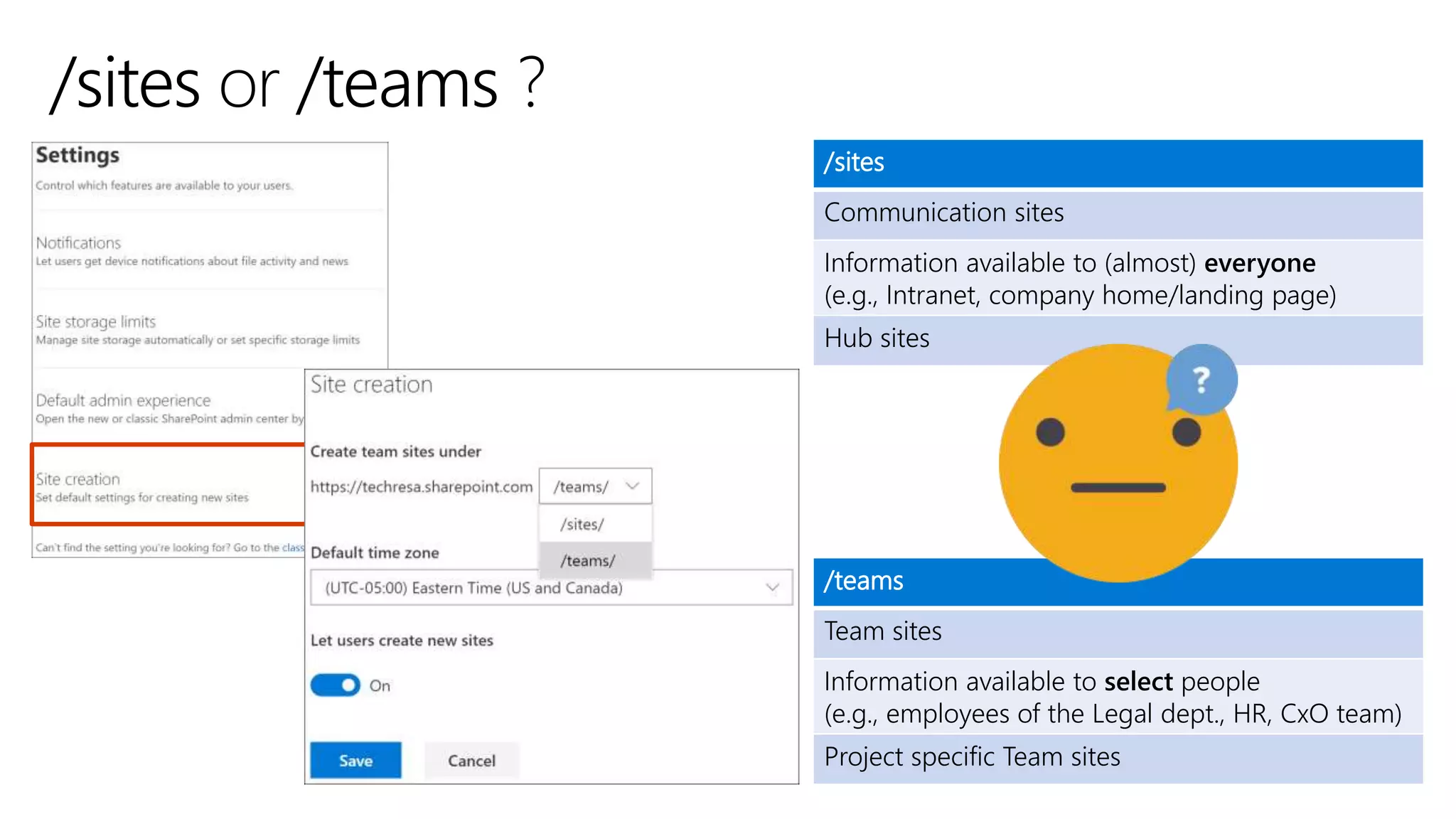
/sites
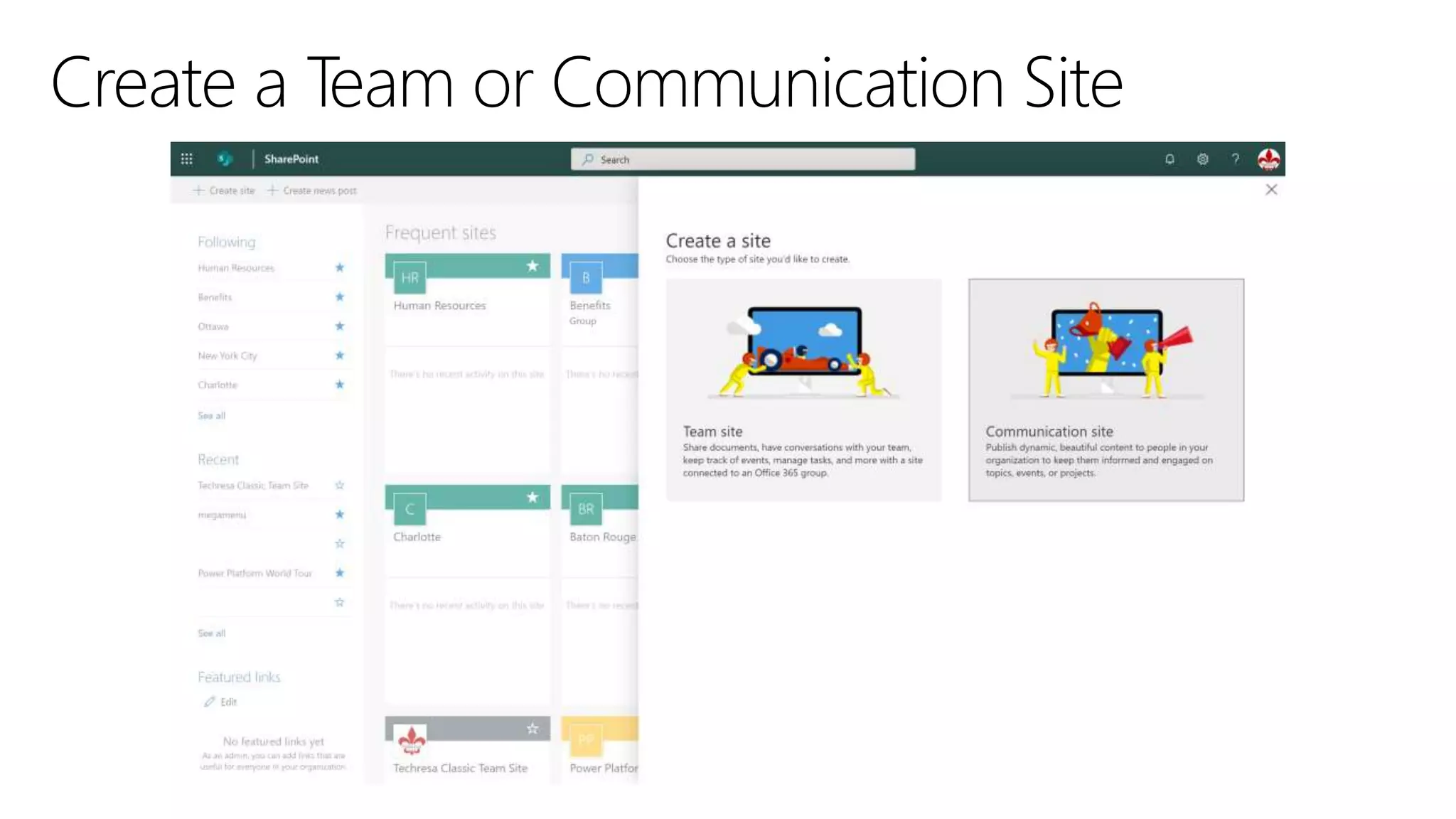
Communication sites
Information available to (almost) everyone
(e.g., Intranet, company home/landing page)
Hub sites
/teams
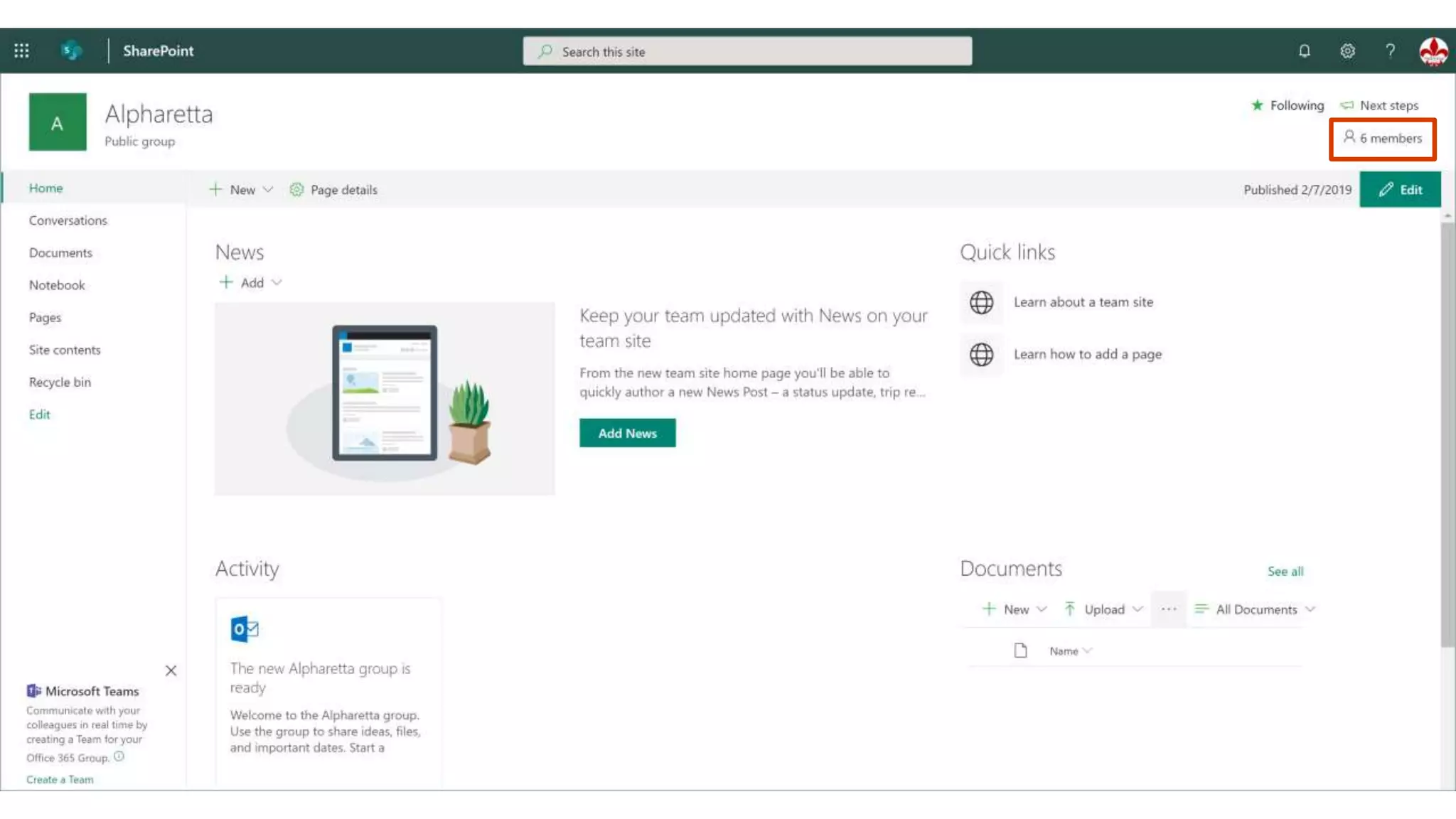
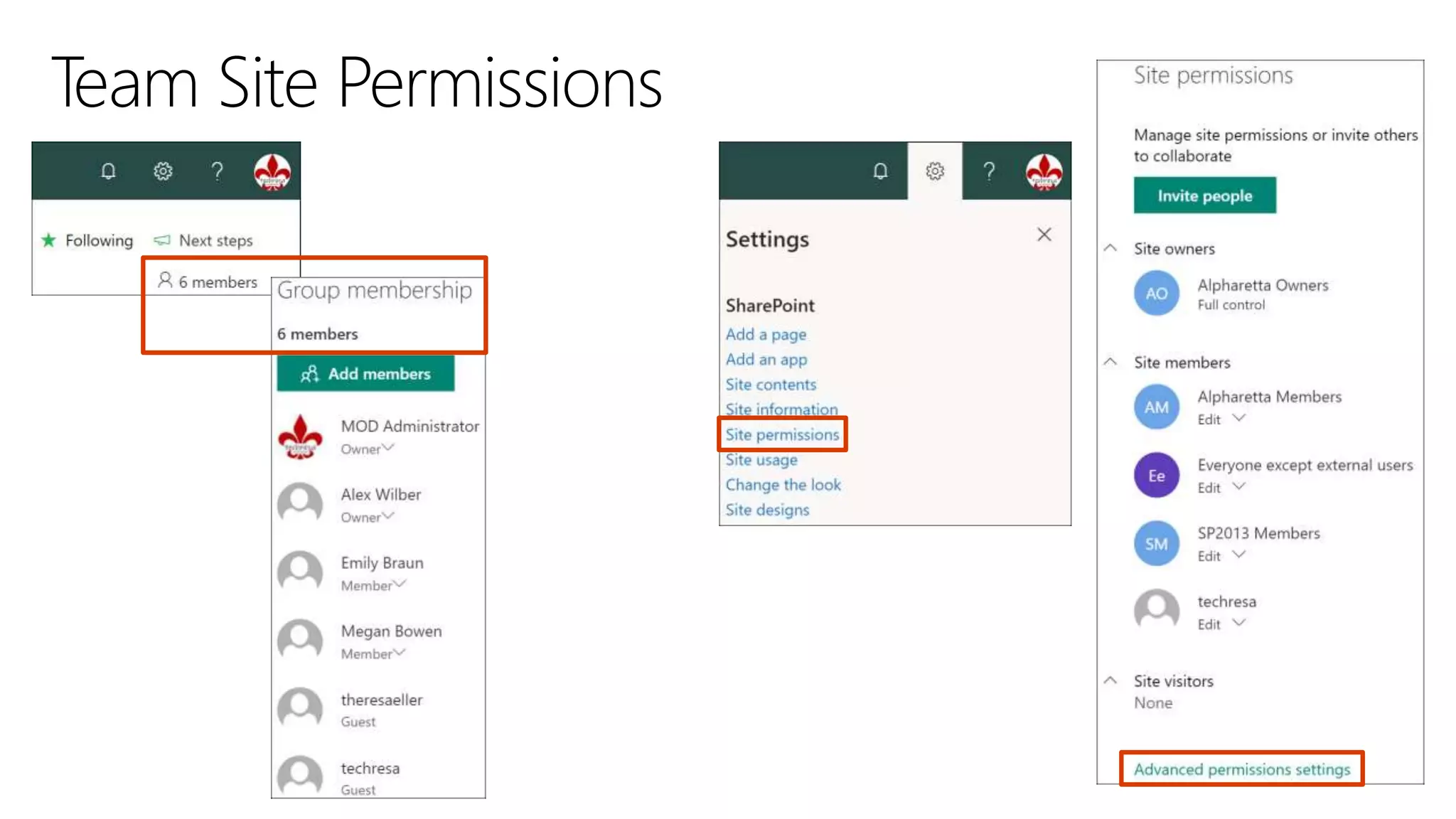
Team sites
Information available to select people
(e.g., employees of the Legal dept., HR, CxO team)
Project specific Team sites
Communication
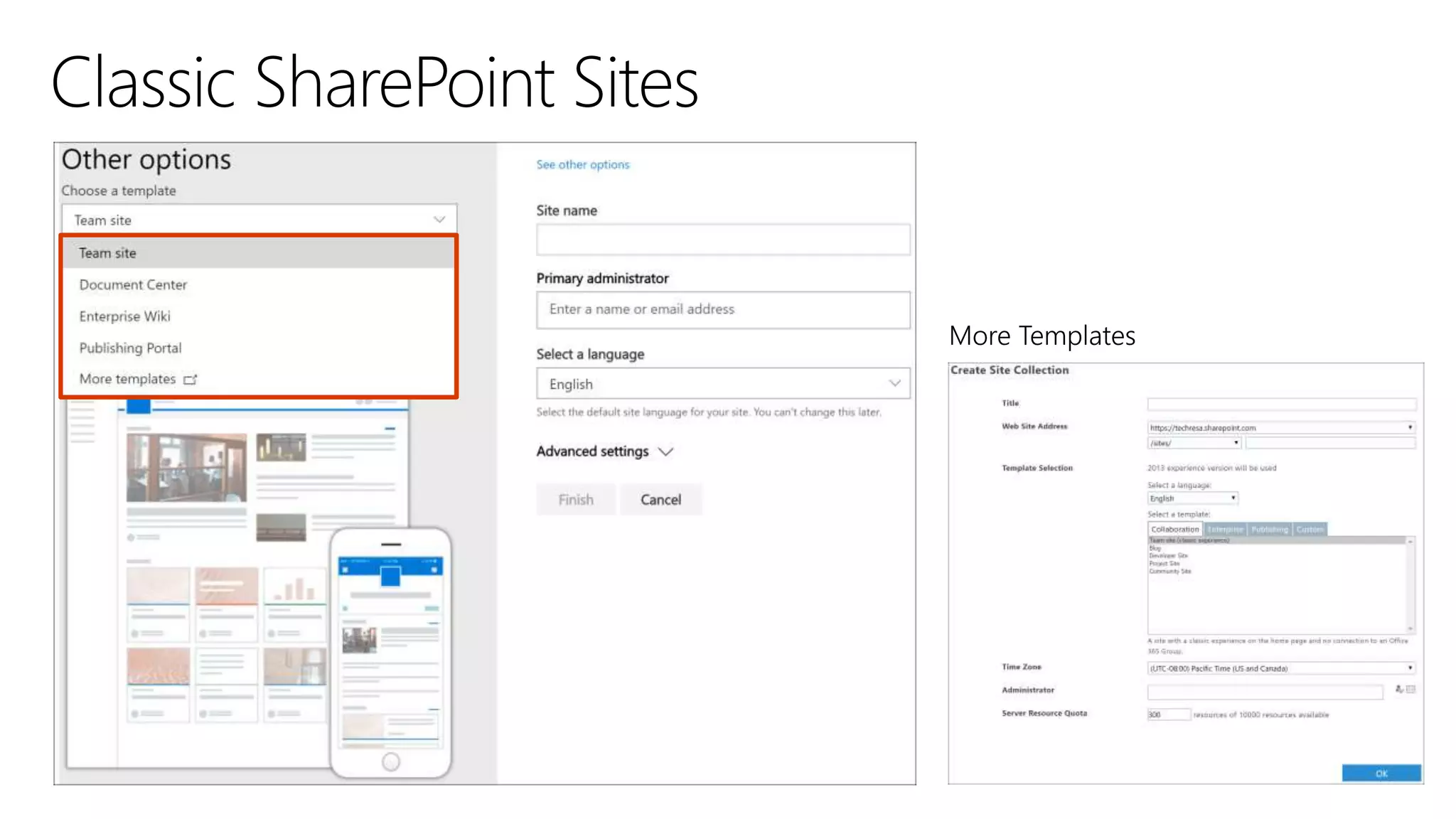
Sites
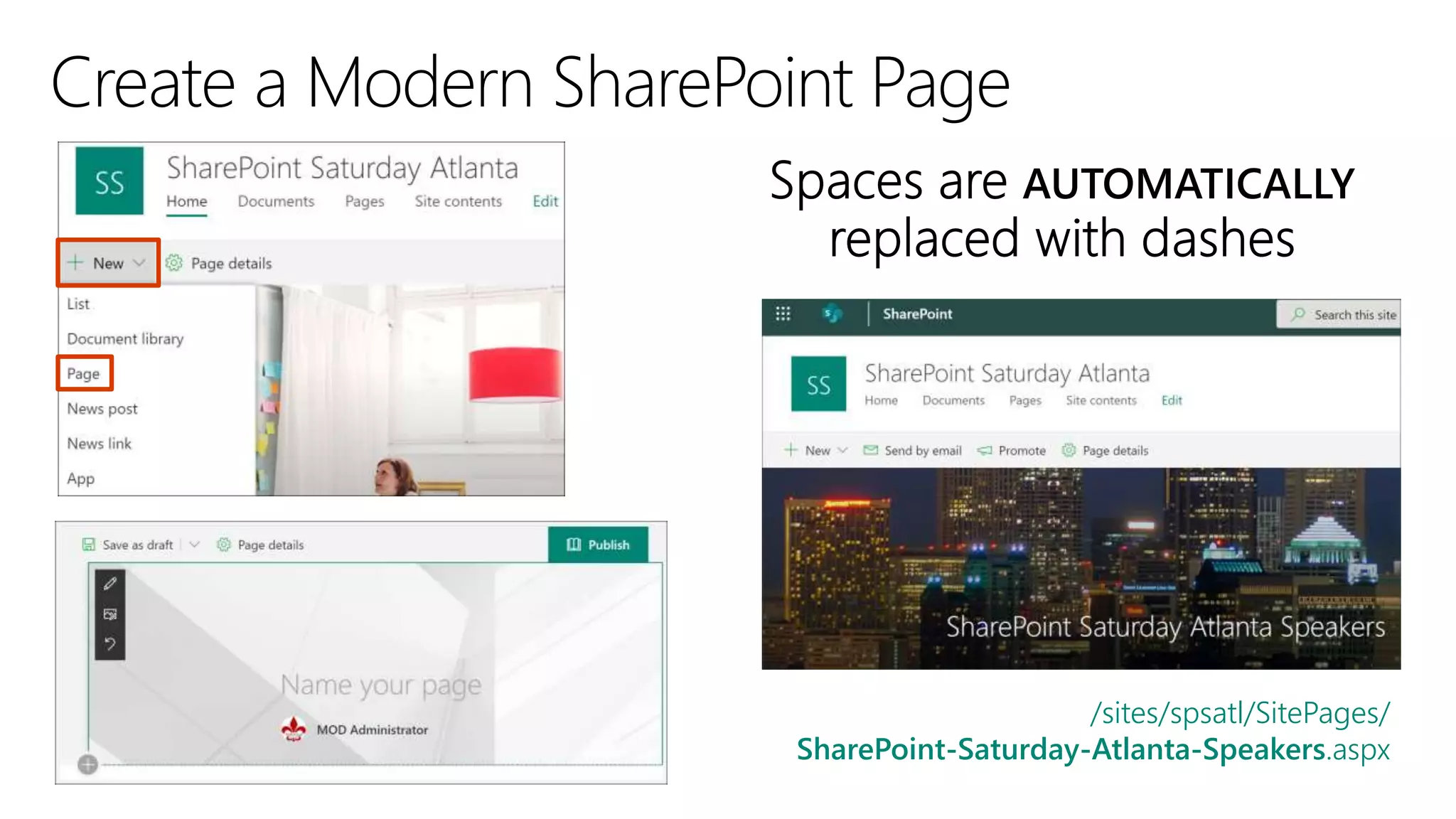
/sites/spsatl/SitePages/
SharePoint-Saturday-Atlanta-Speakers.aspx
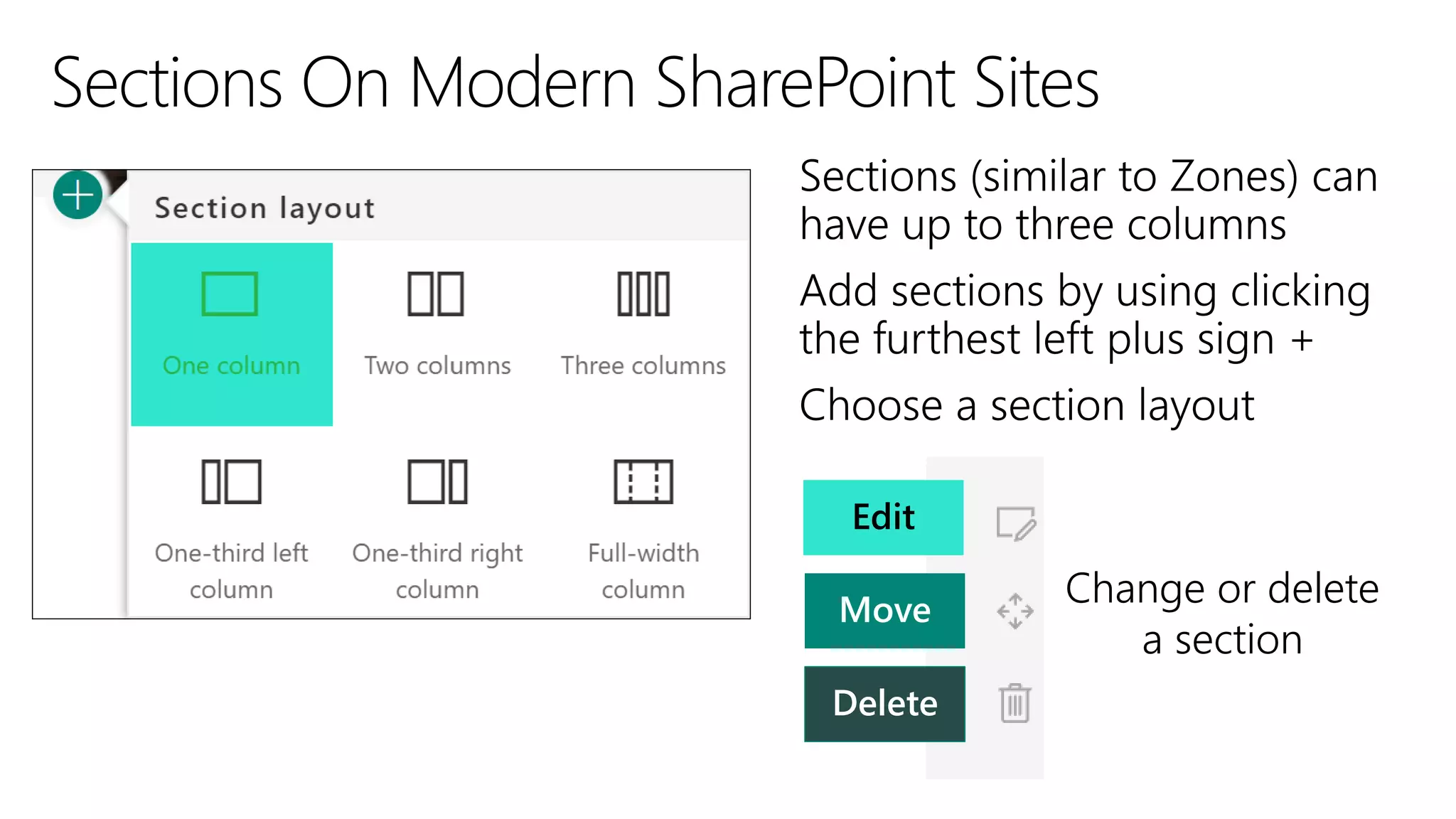
Edit
Move
Delete
Change or delete
a section
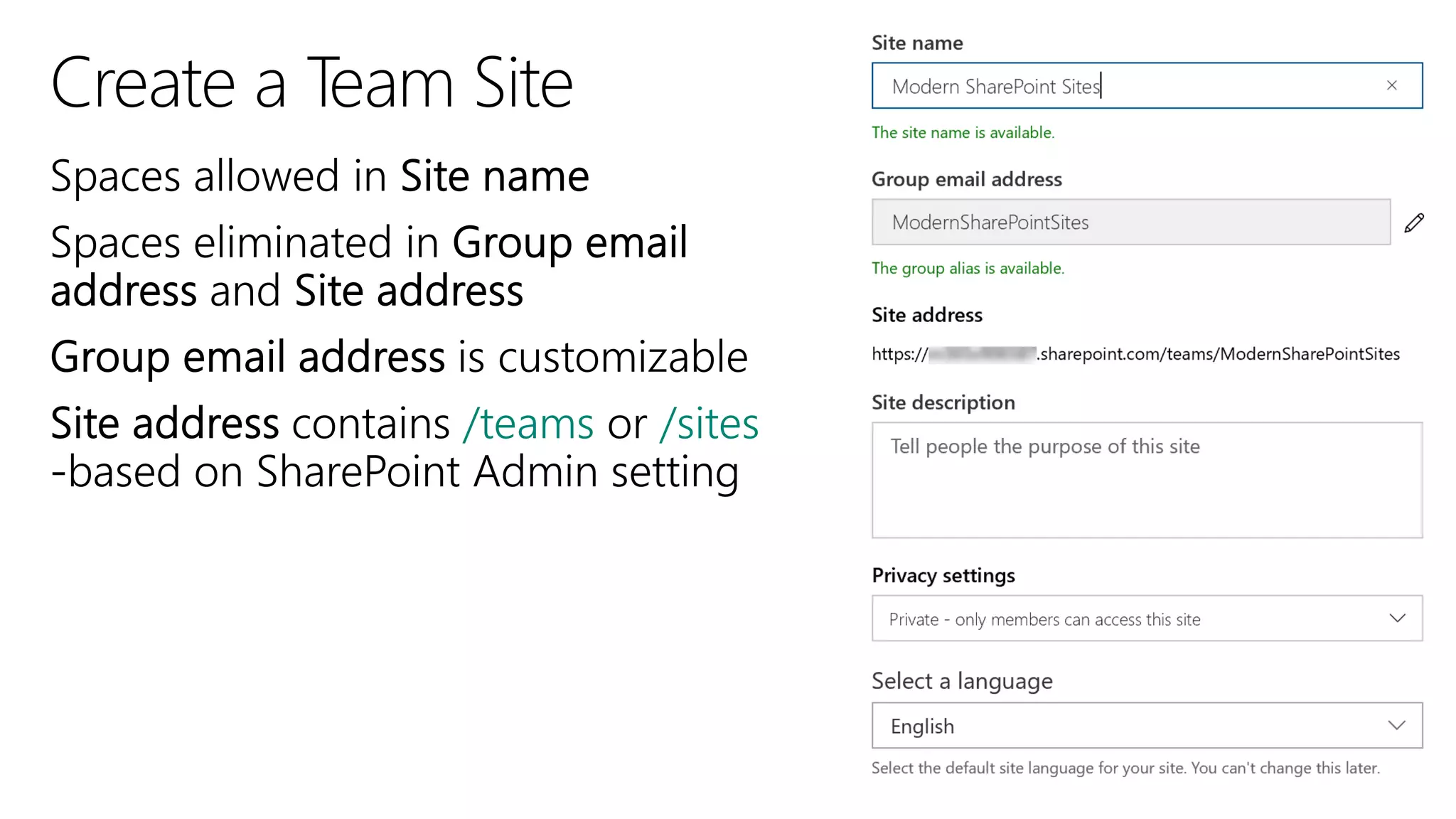
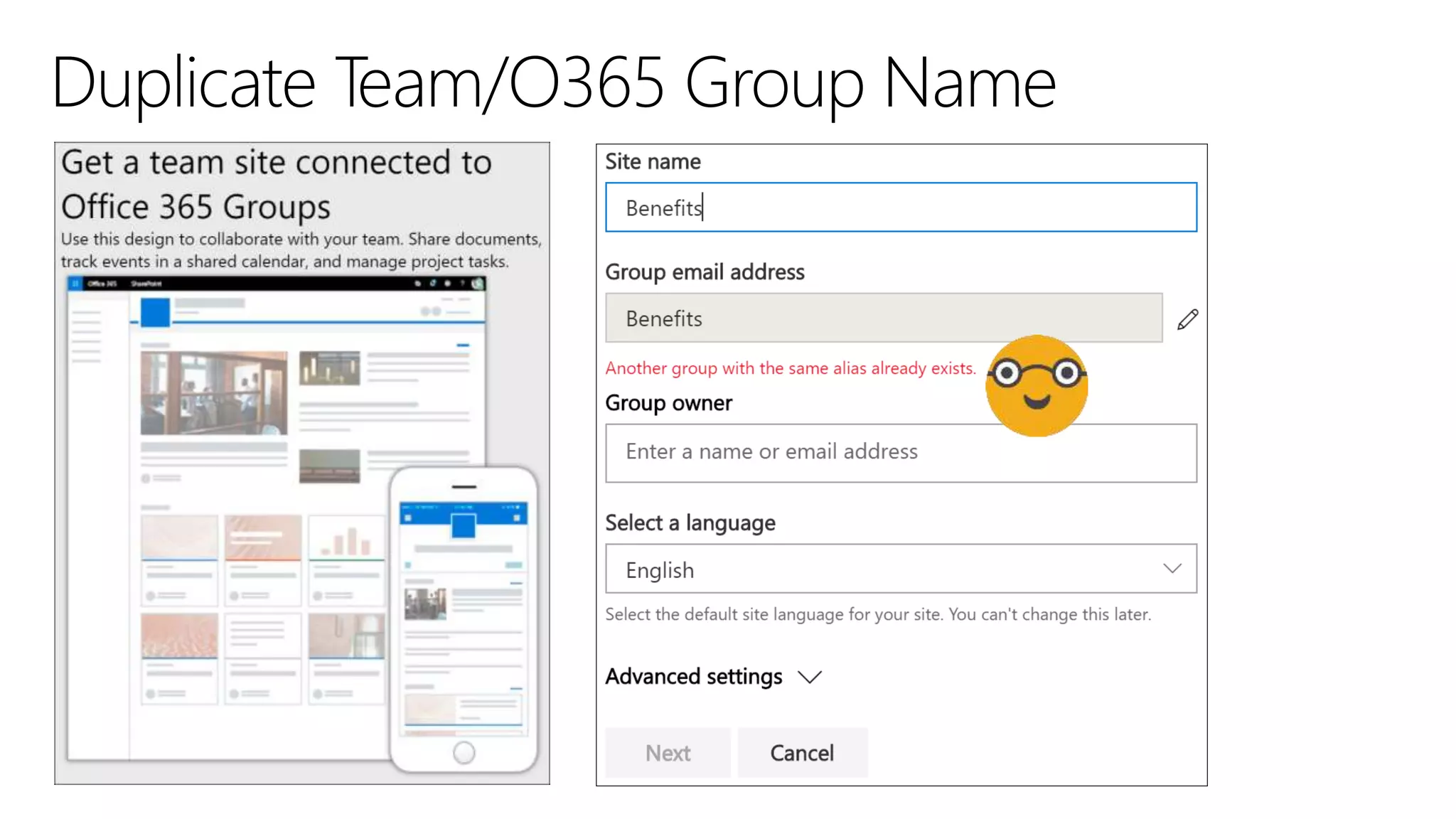
Team Sites
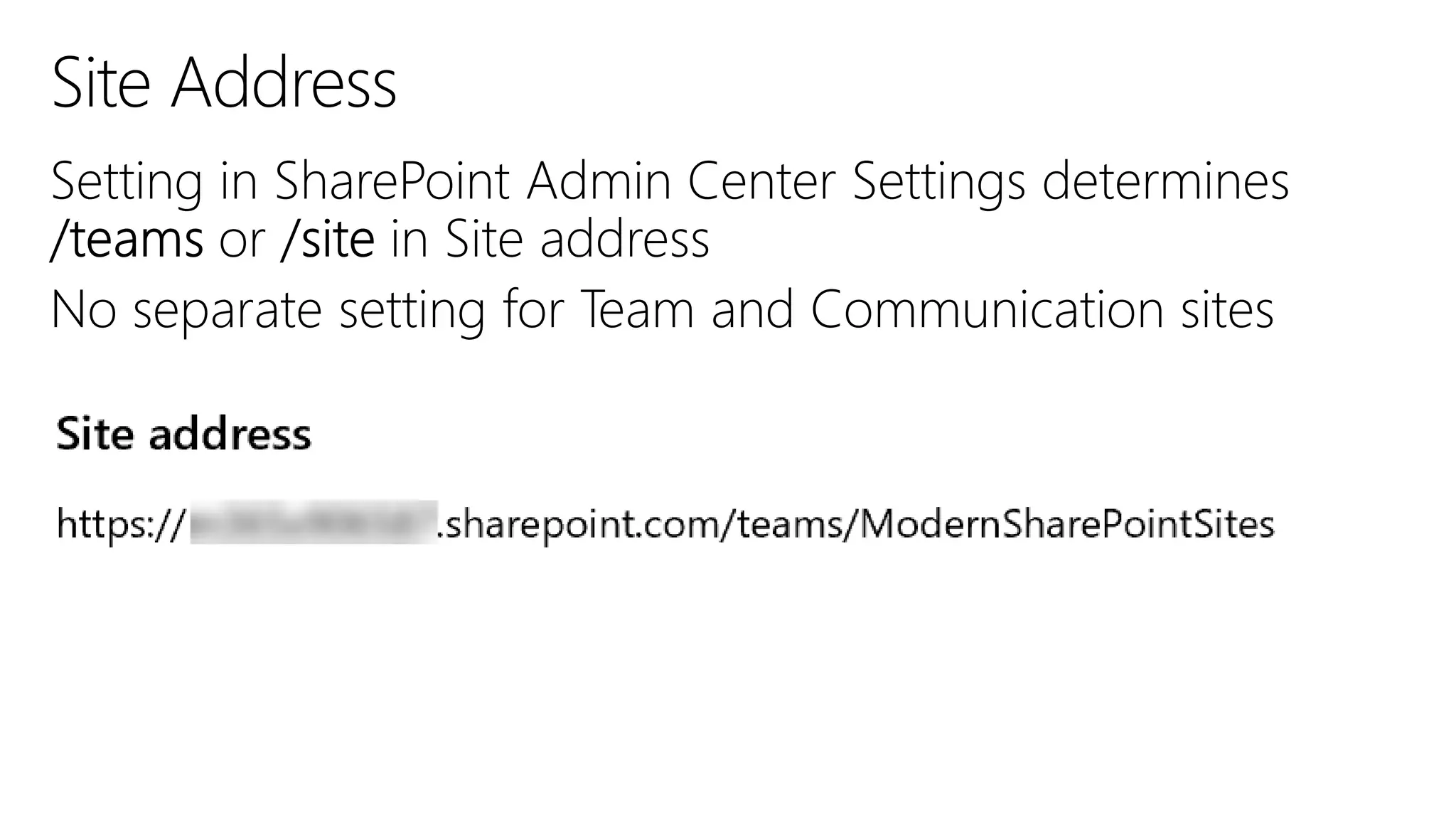
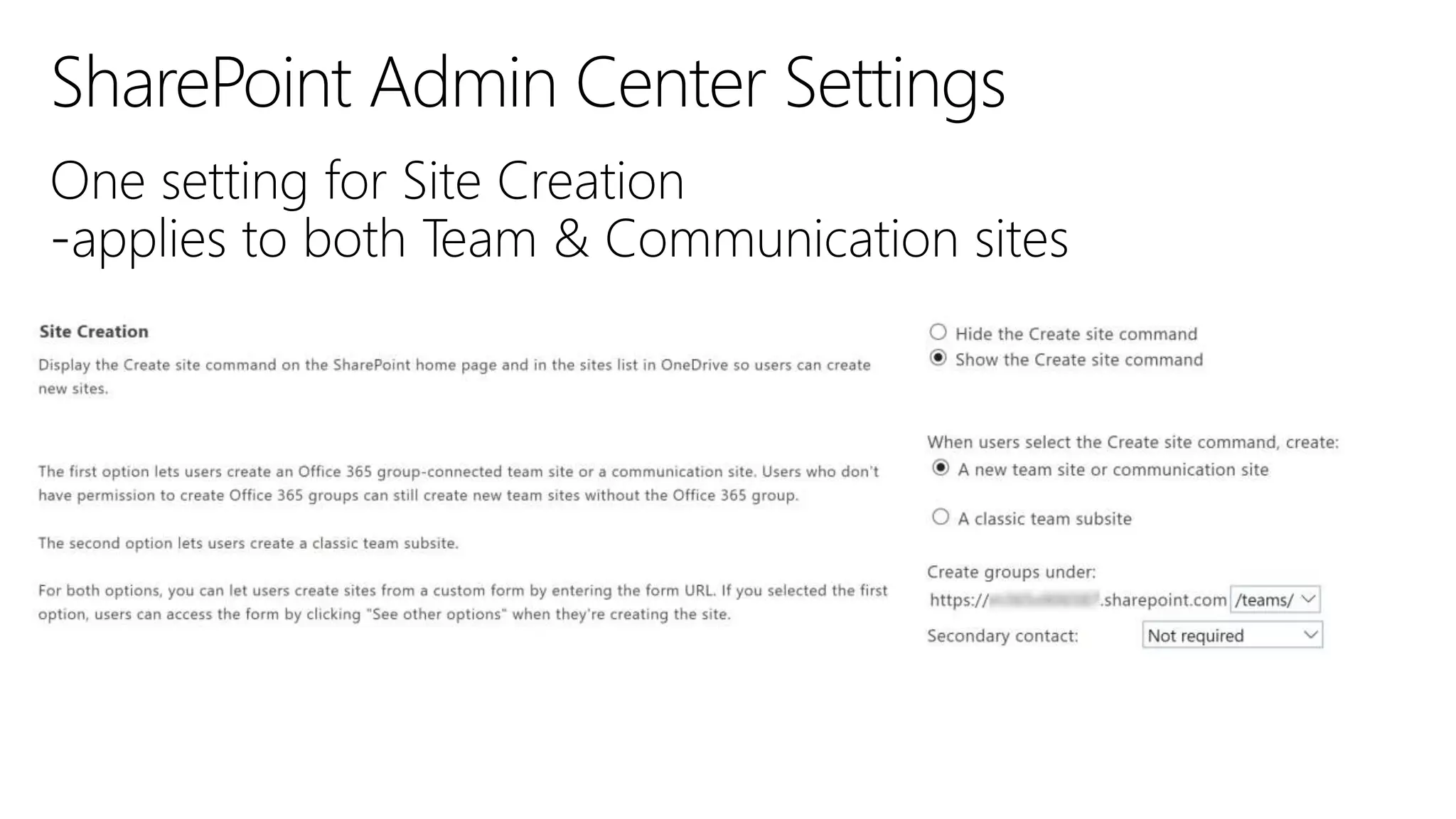
/teams /sites
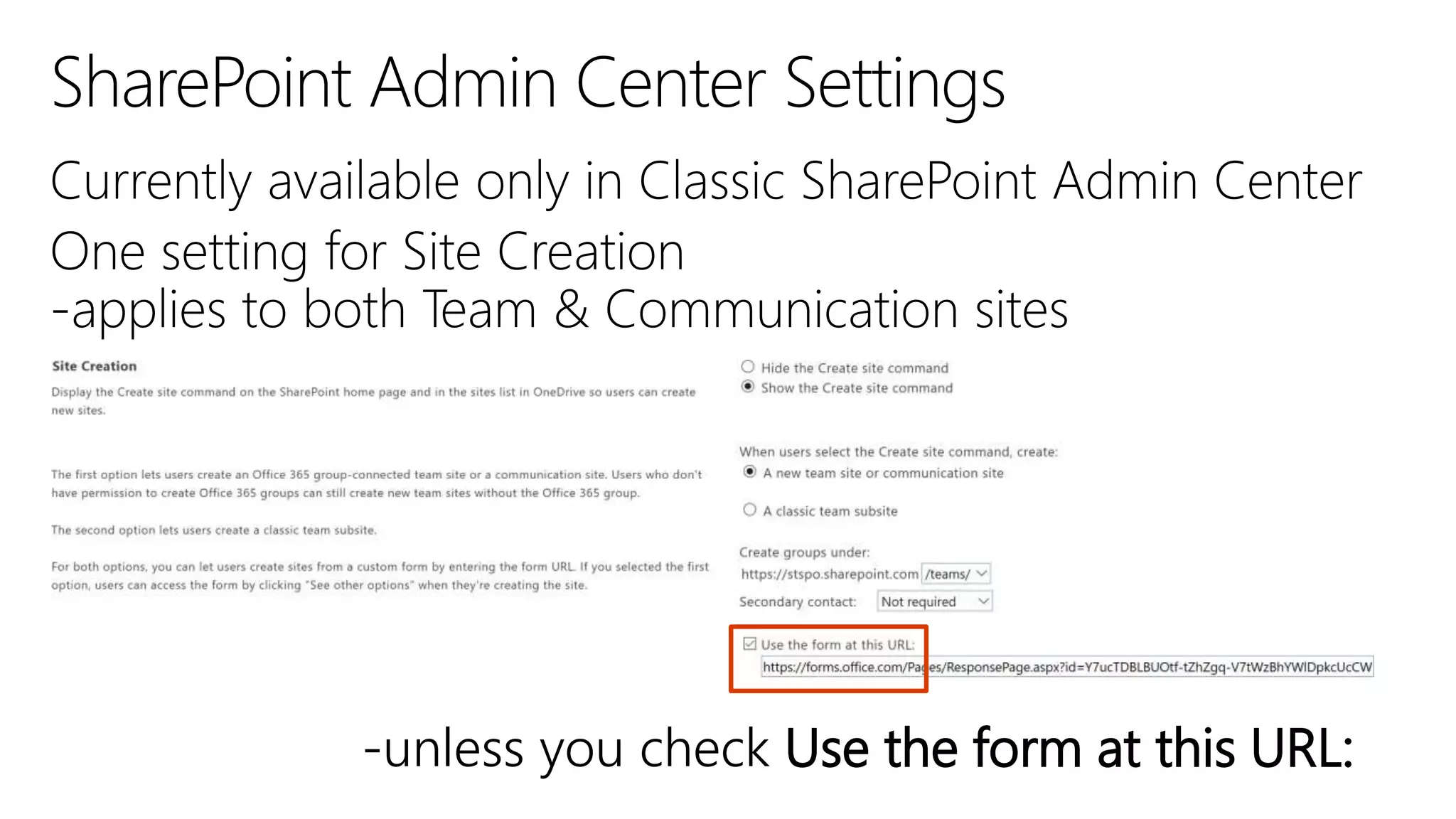
-unless you check Use the form at this URL:
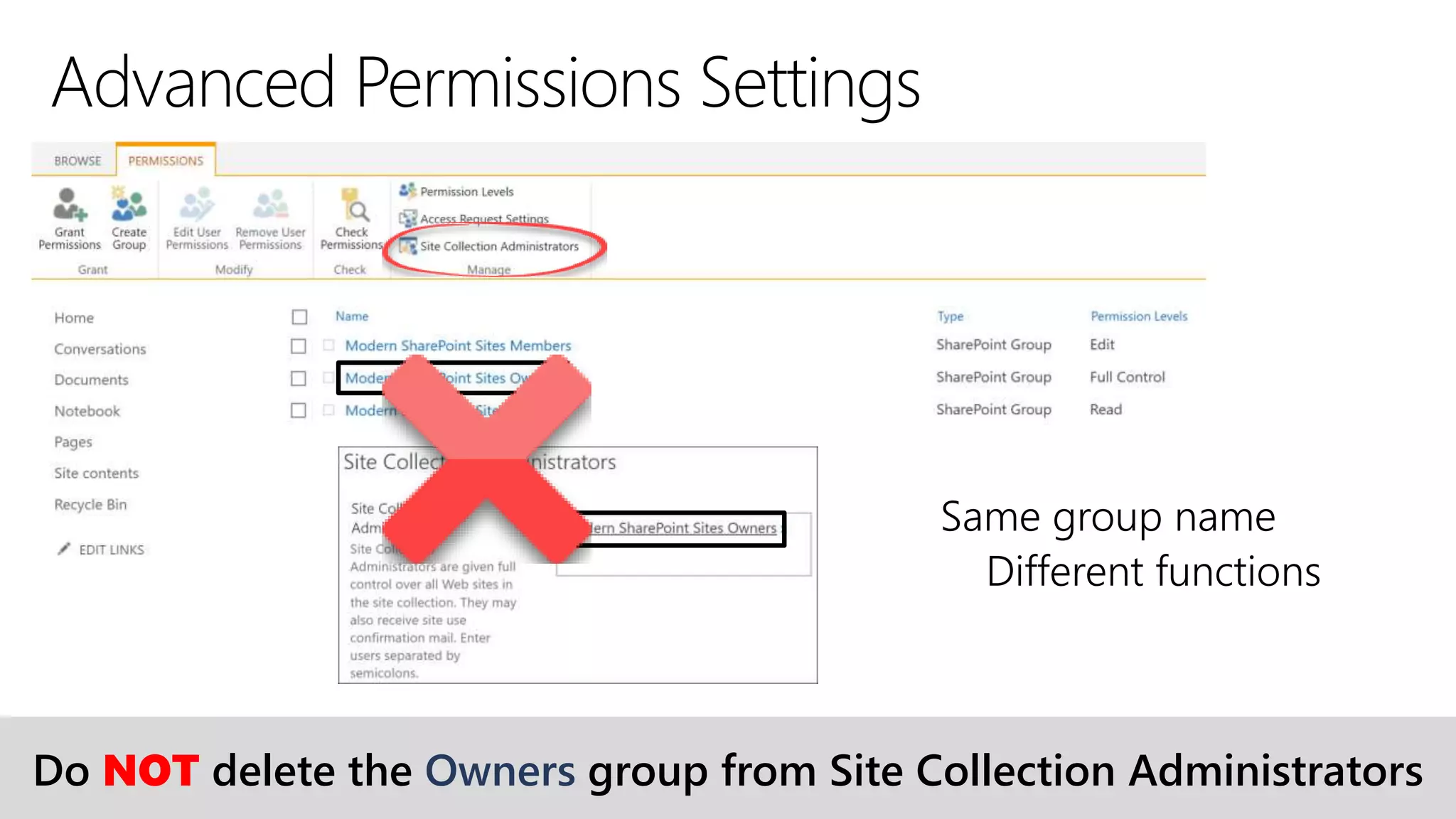
Do NOT delete the Owners group from Site Collection Administrators
x
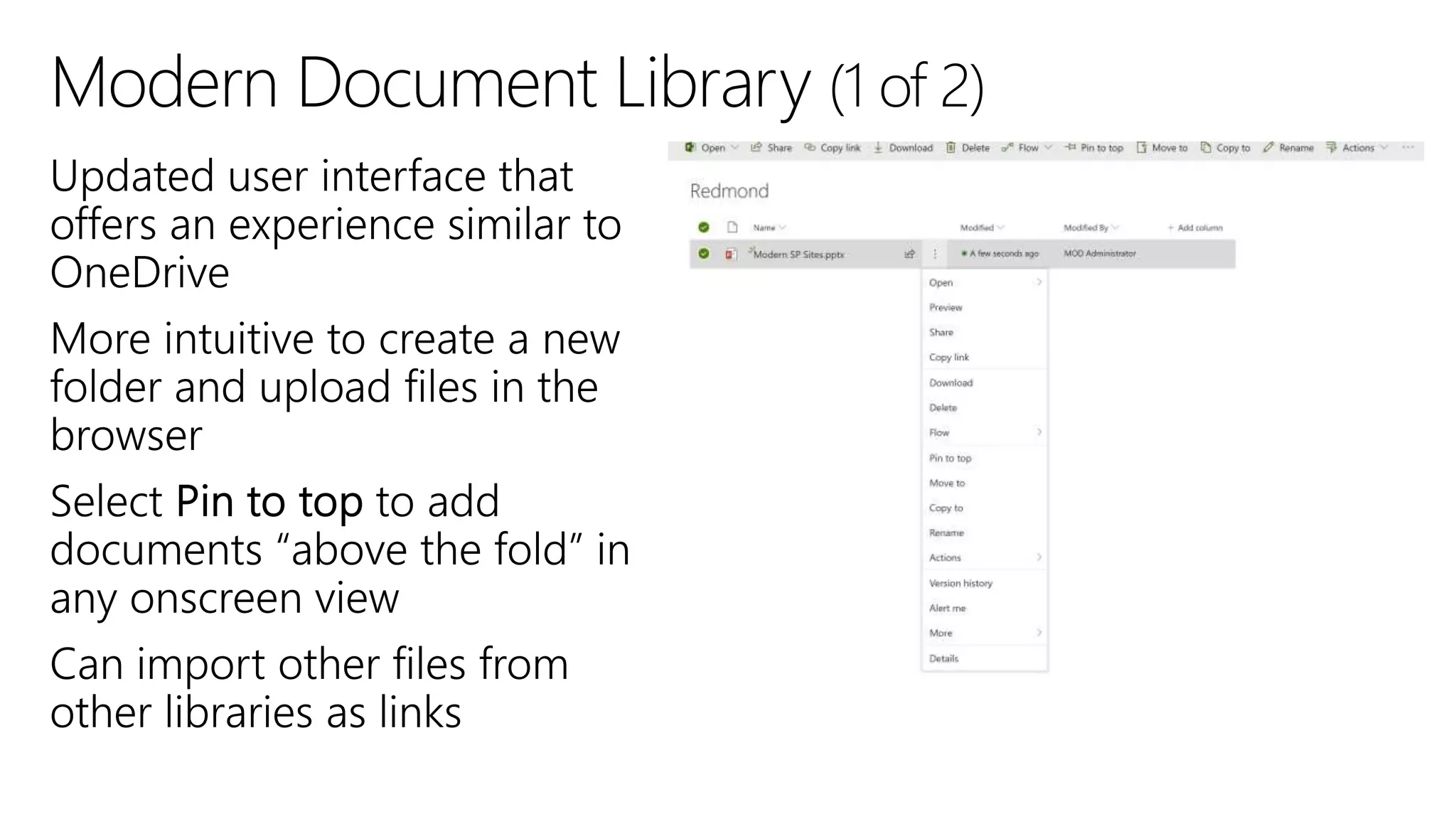
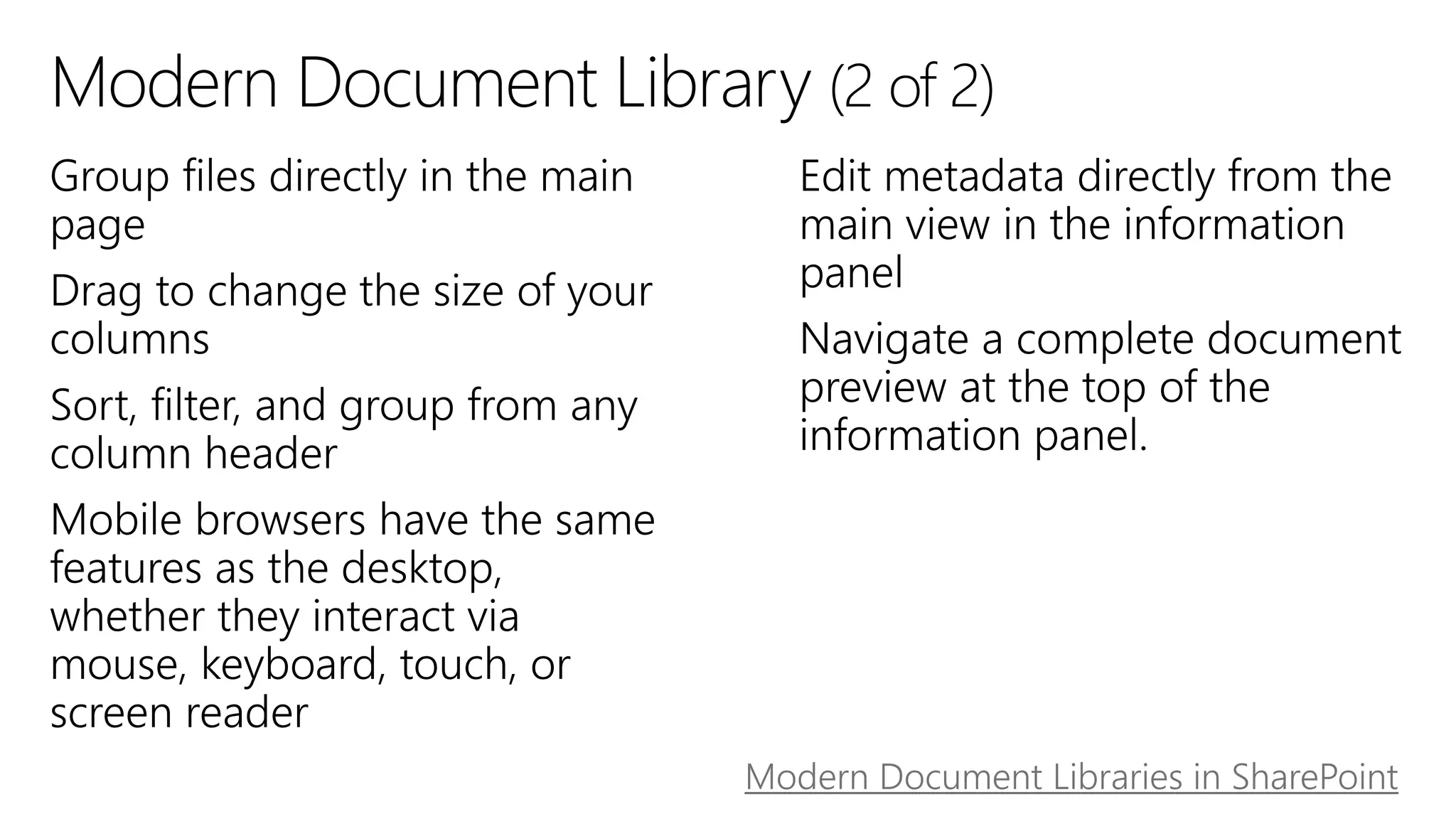
Modern Document Libraries in SharePoint
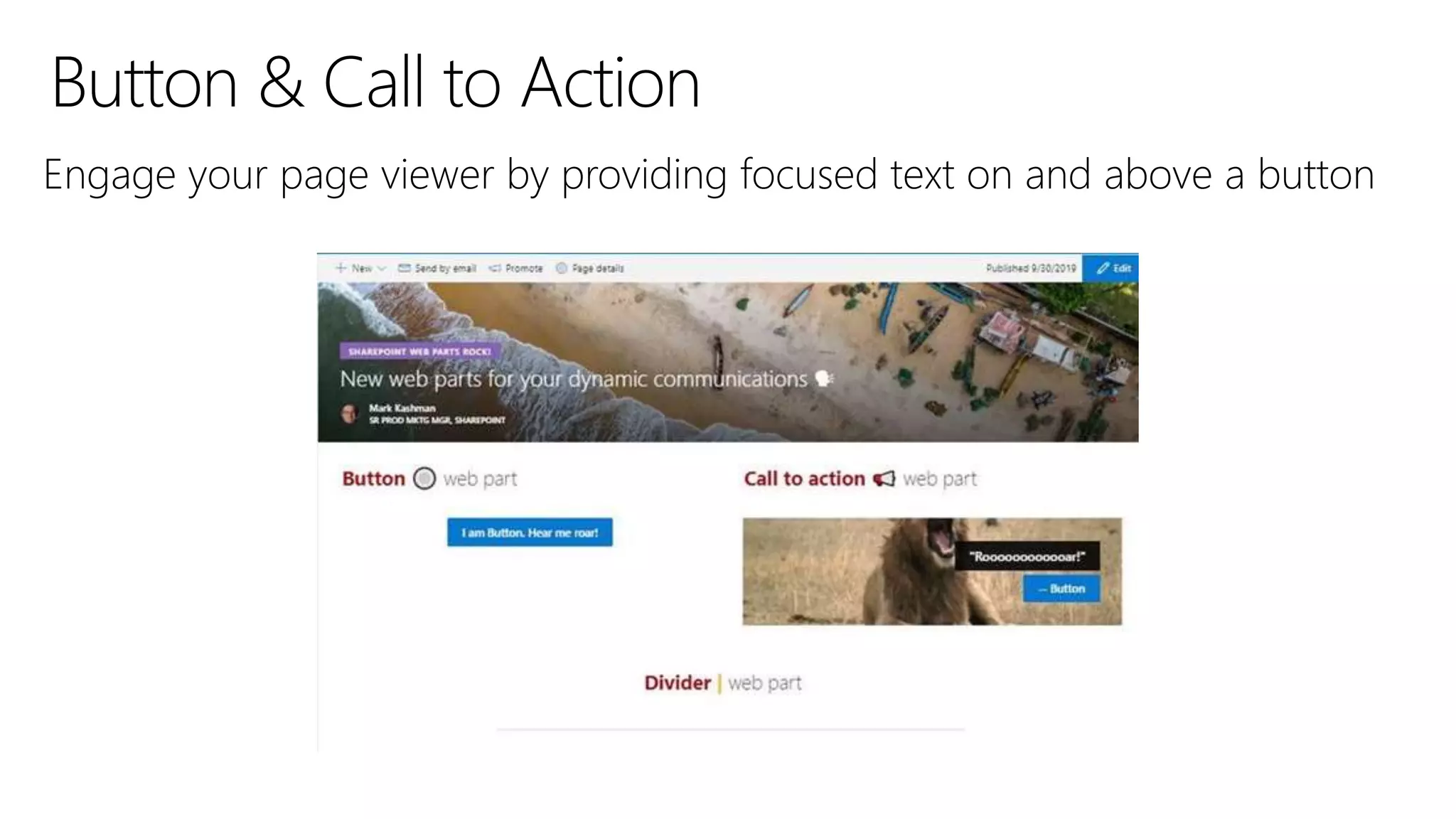
Engage your page viewer by providing focused text on and above a button
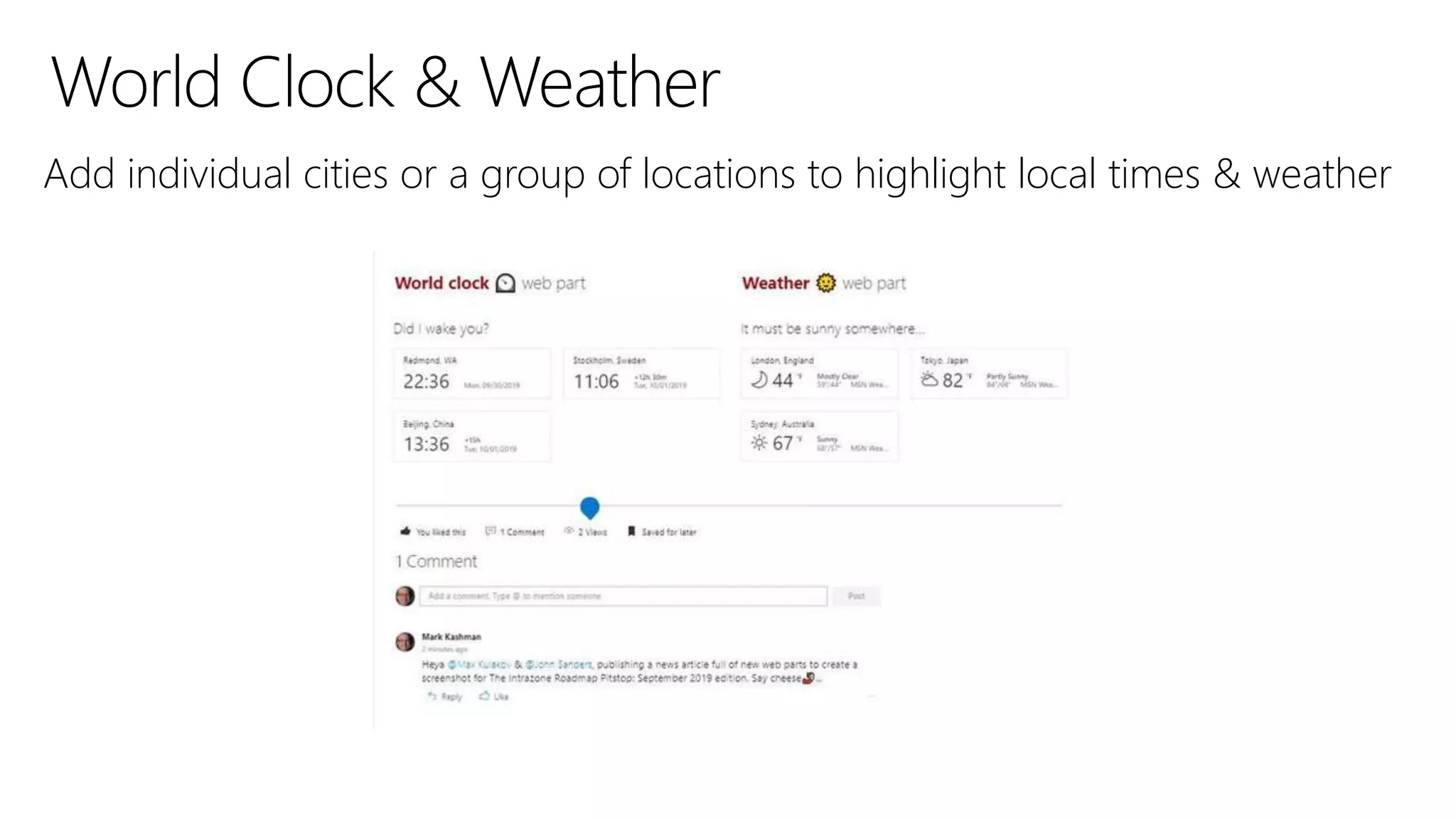
Add individual cities or a group of locations to highlight local times & weather
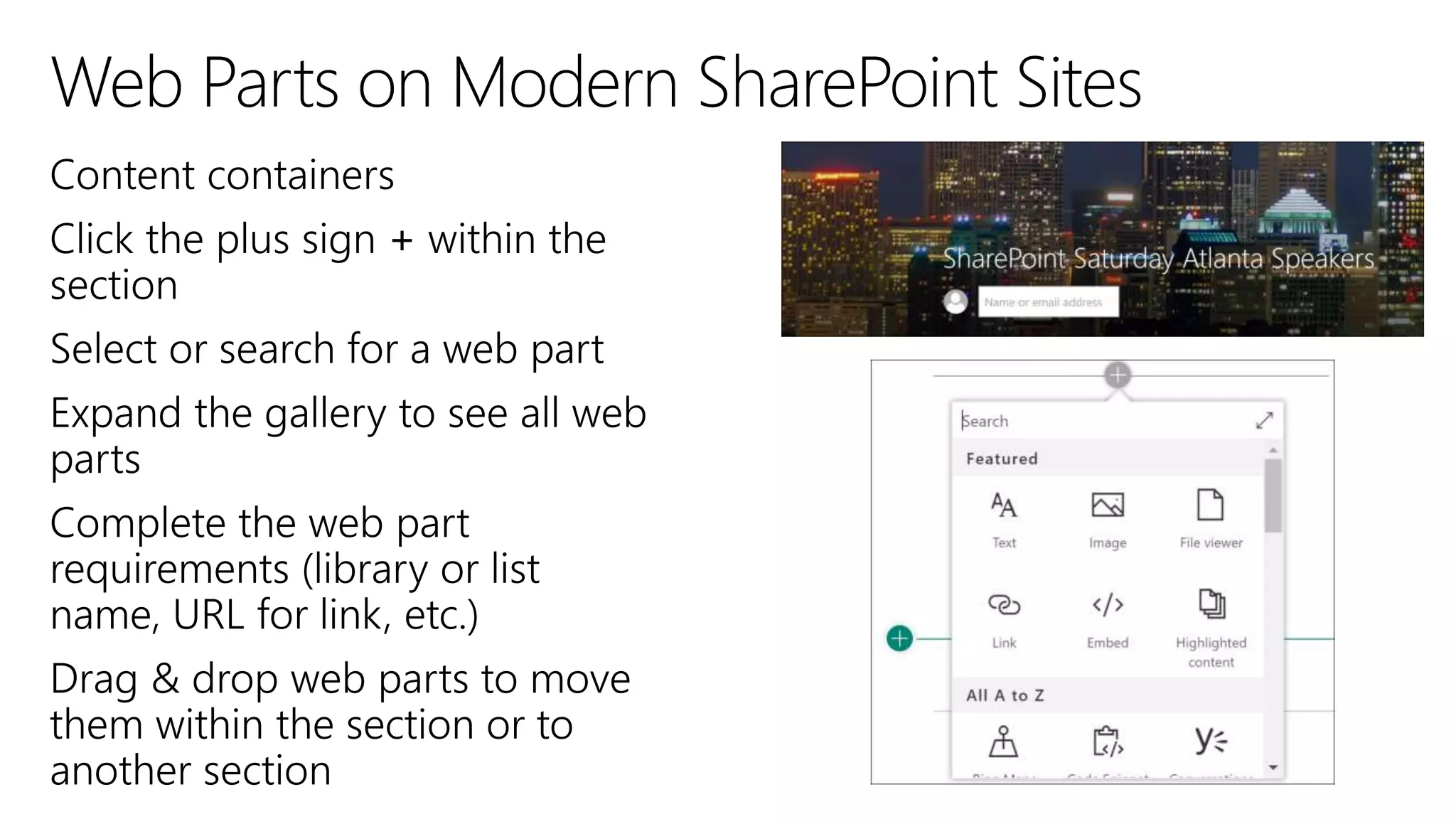
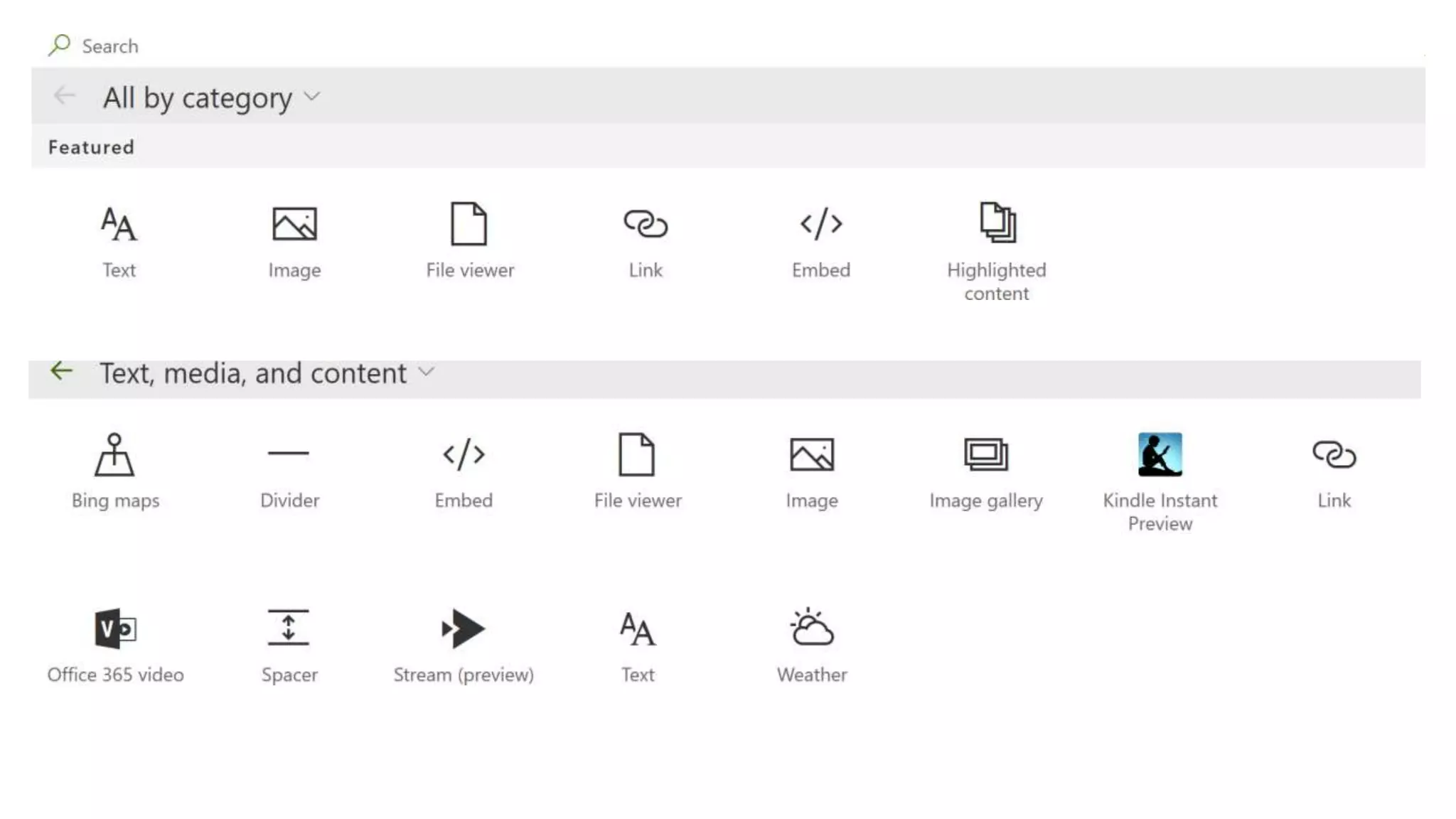
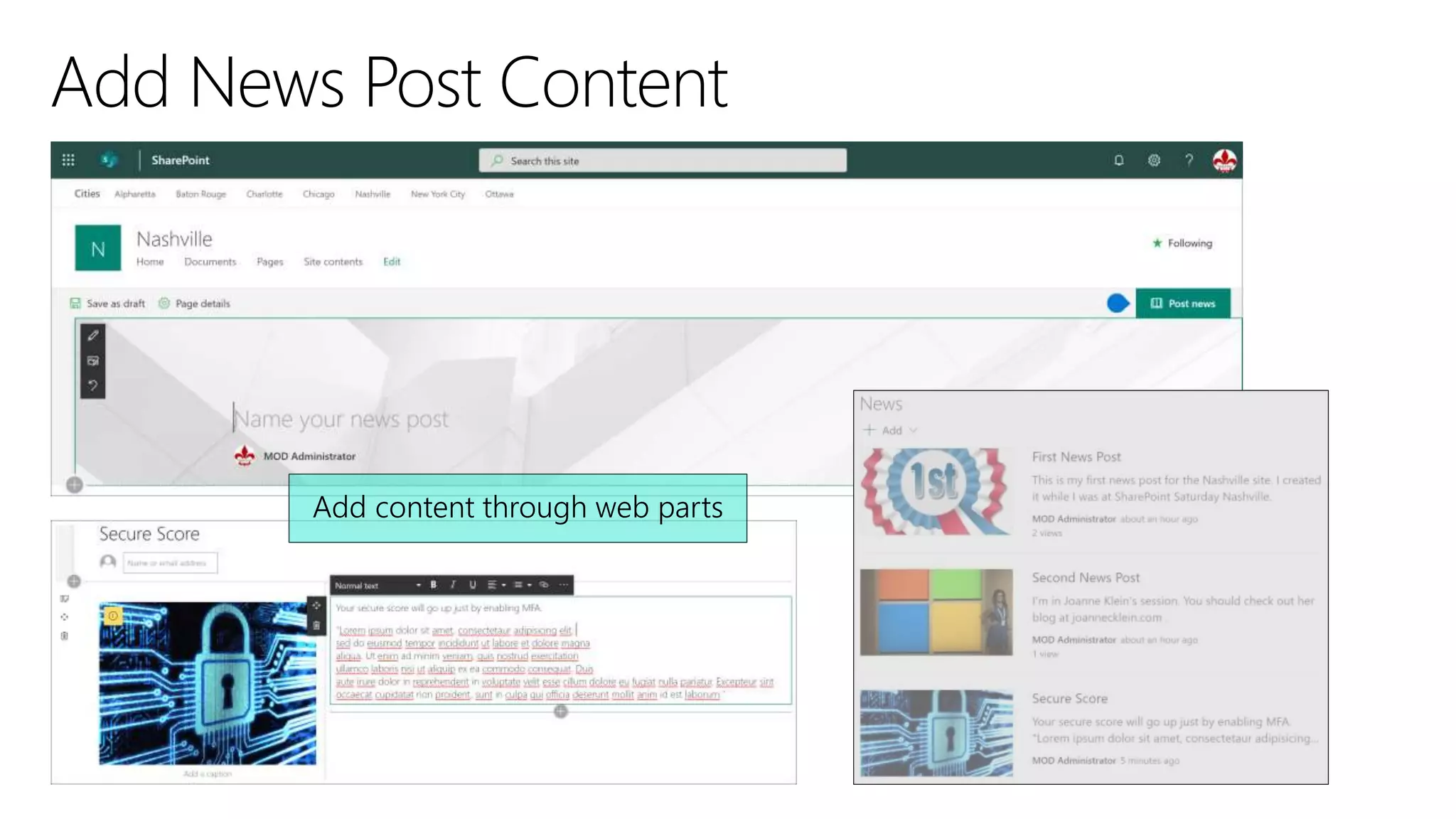
When you add a modern page to a site, you add and customize web parts, which
are the building blocks of your page. You can add text, images, files, video,
dynamic content and more using the web parts in the web part gallery.
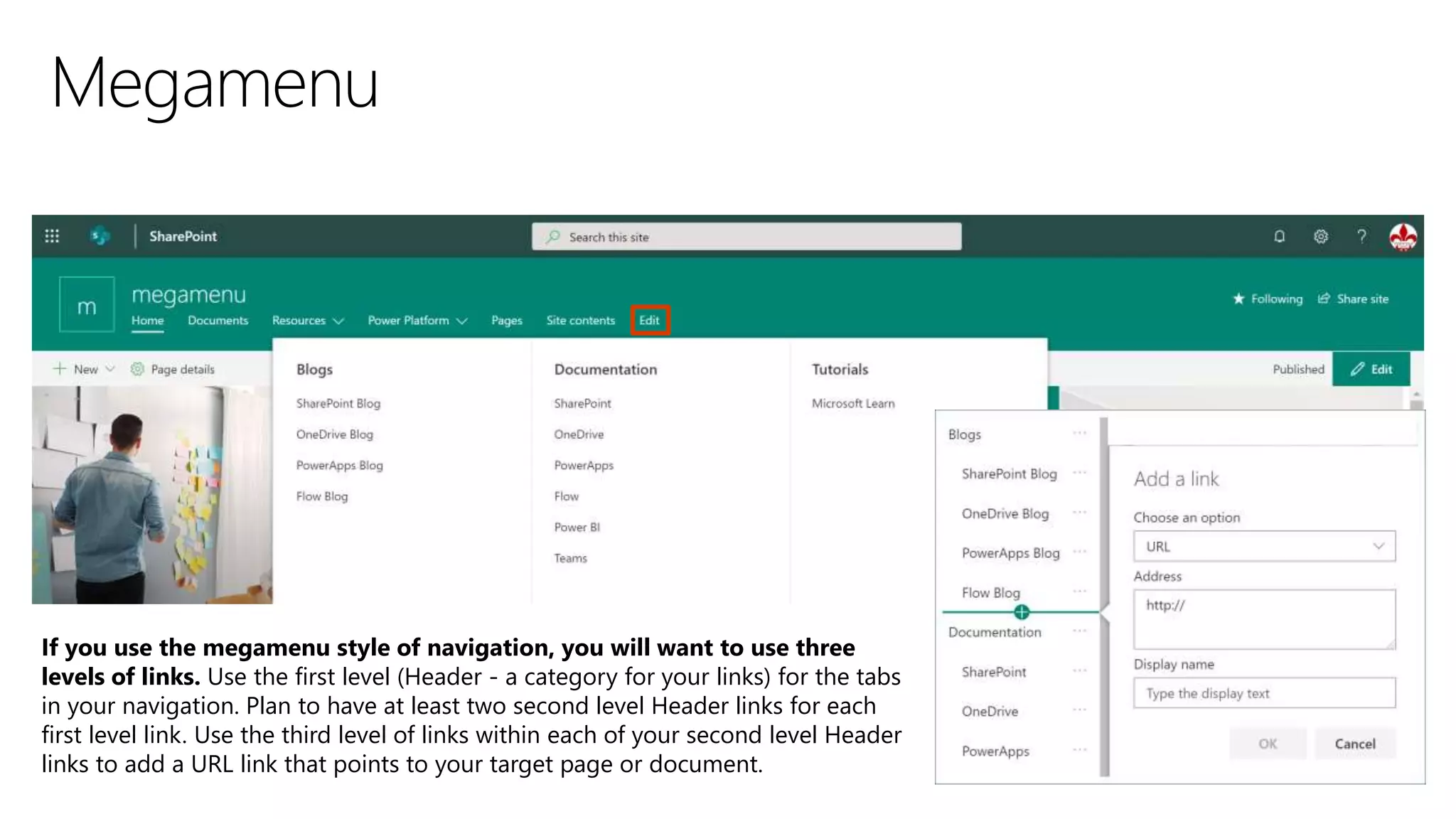
If you use the megamenu style of navigation, you will want to use three
levels of links. Use the first level (Header - a category for your links) for the tabs
in your navigation. Plan to have at least two second level Header links for each
first level link. Use the third level of links within each of your second level Header
links to add a URL link that points to your target page or document.
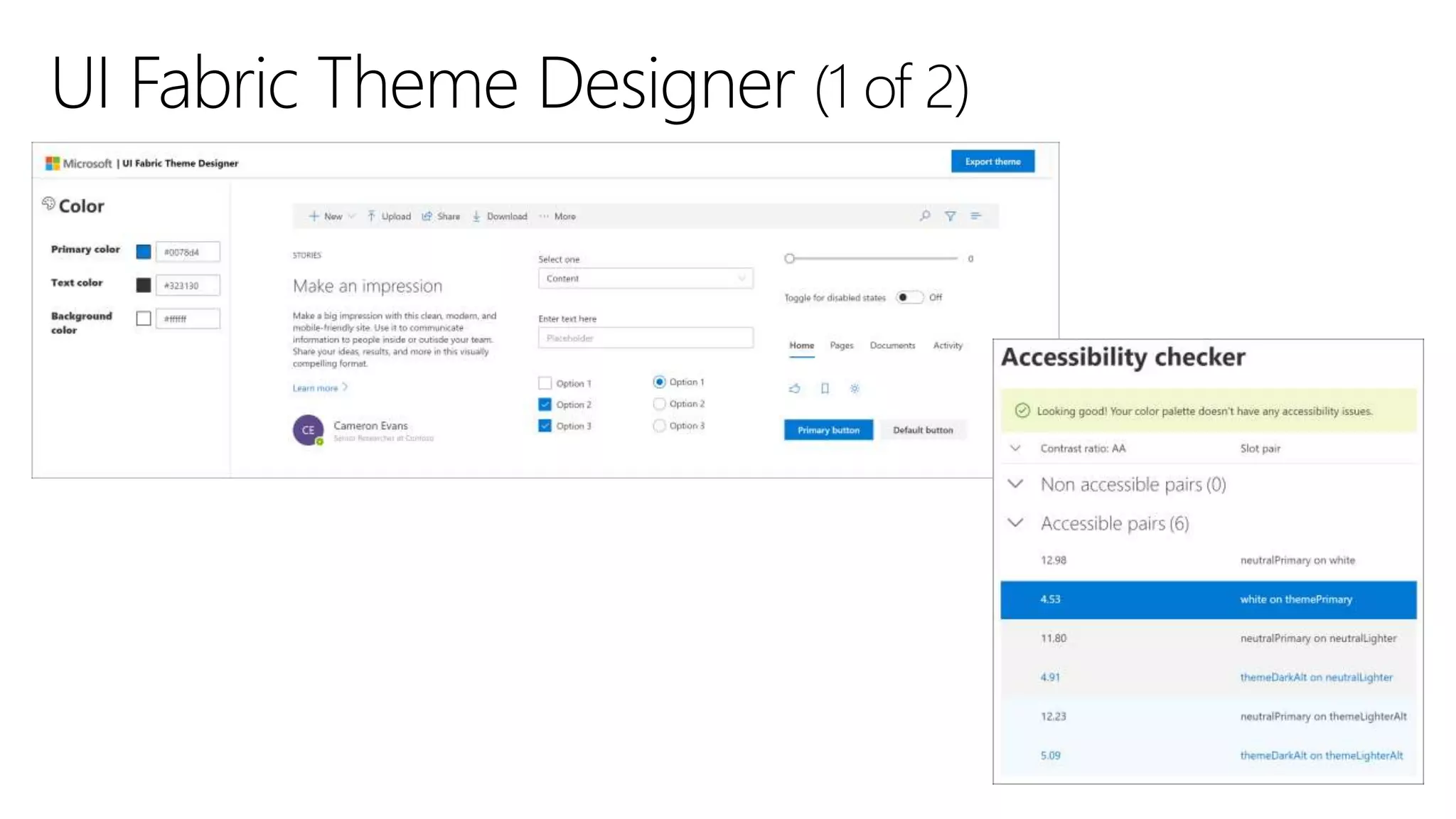
Theme Generator tool
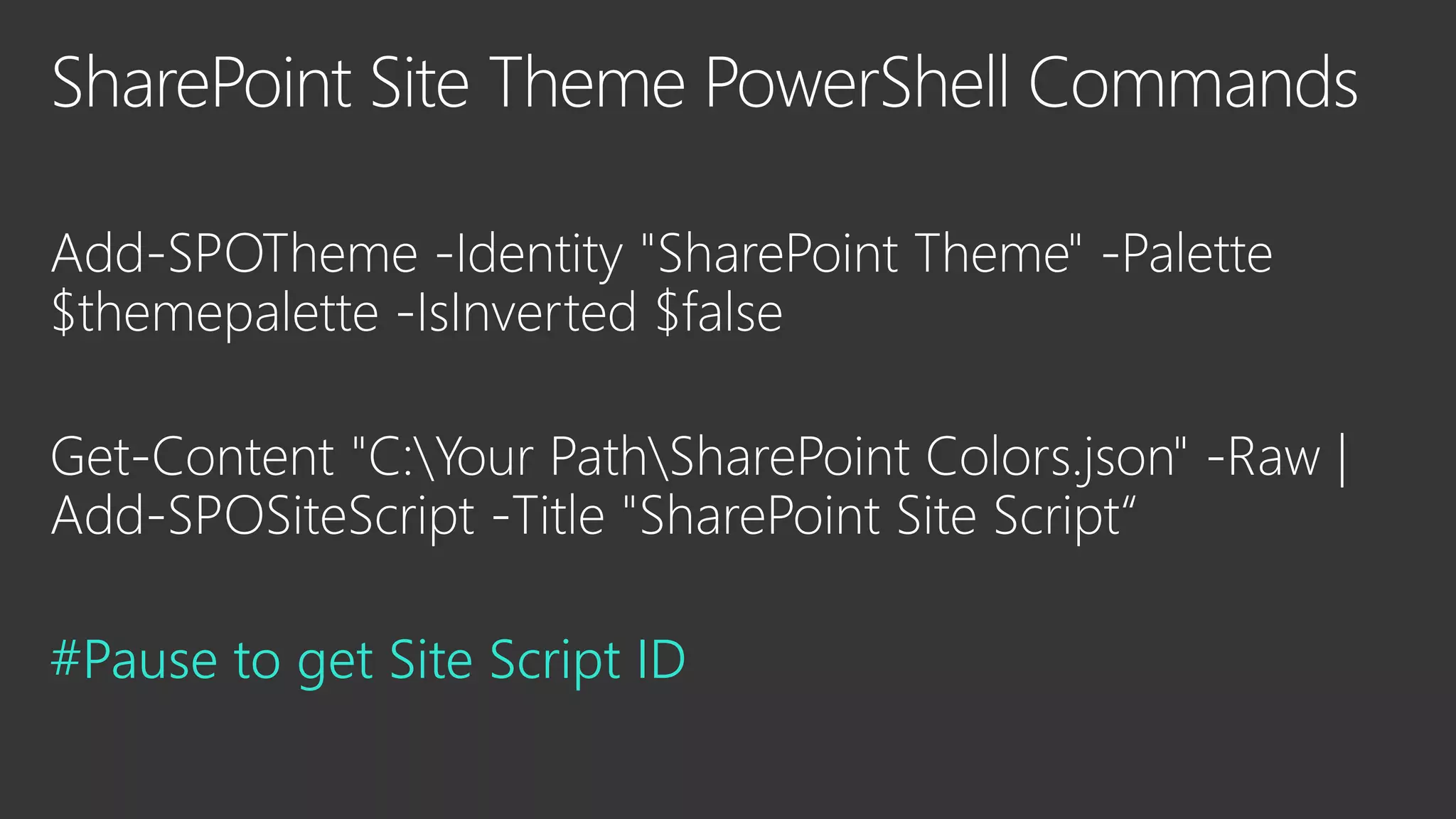
#Pause to get Site Script ID
31e1061e-eaeb-4257-b824-
ec160eb82c41
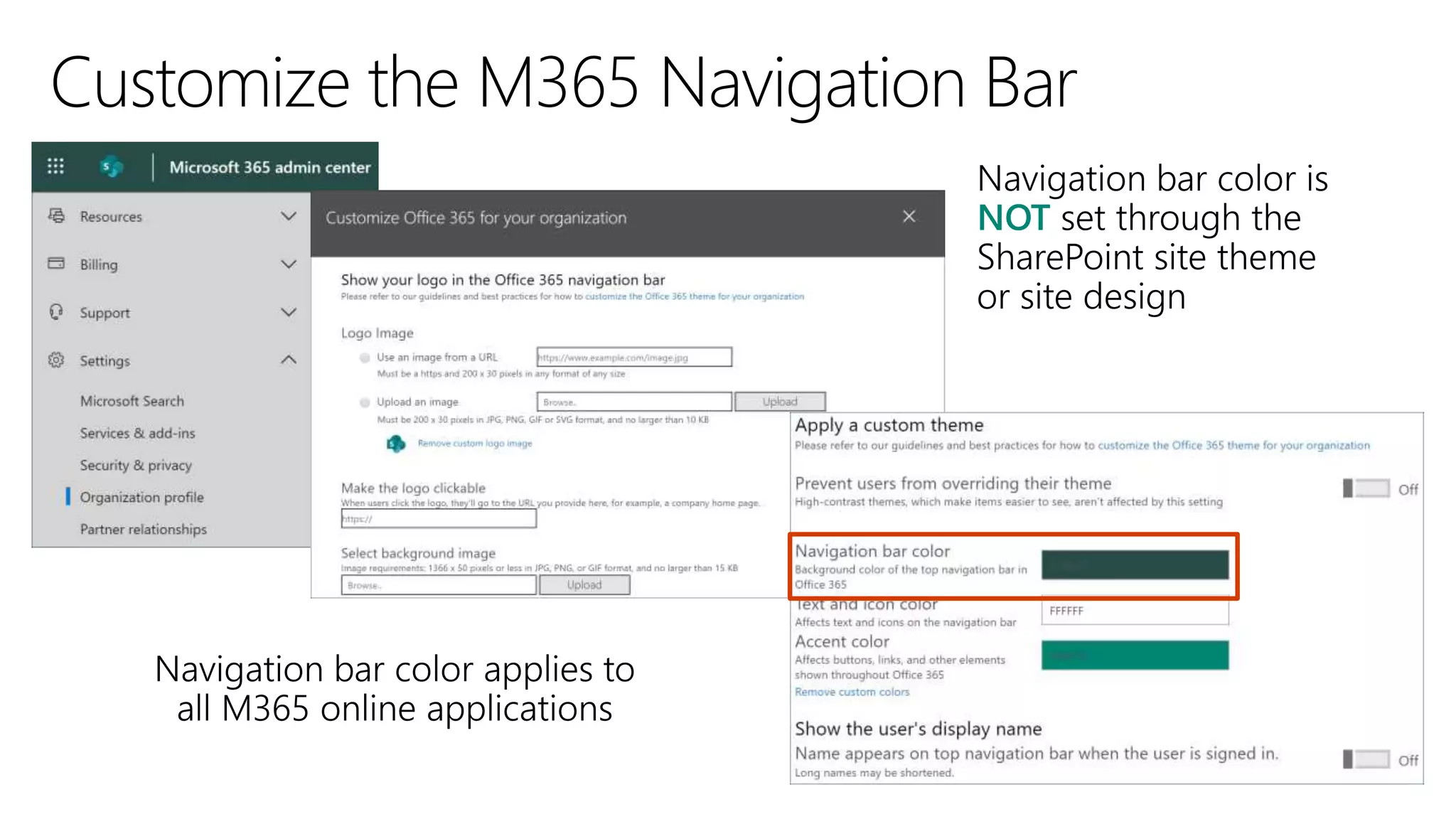
NOT
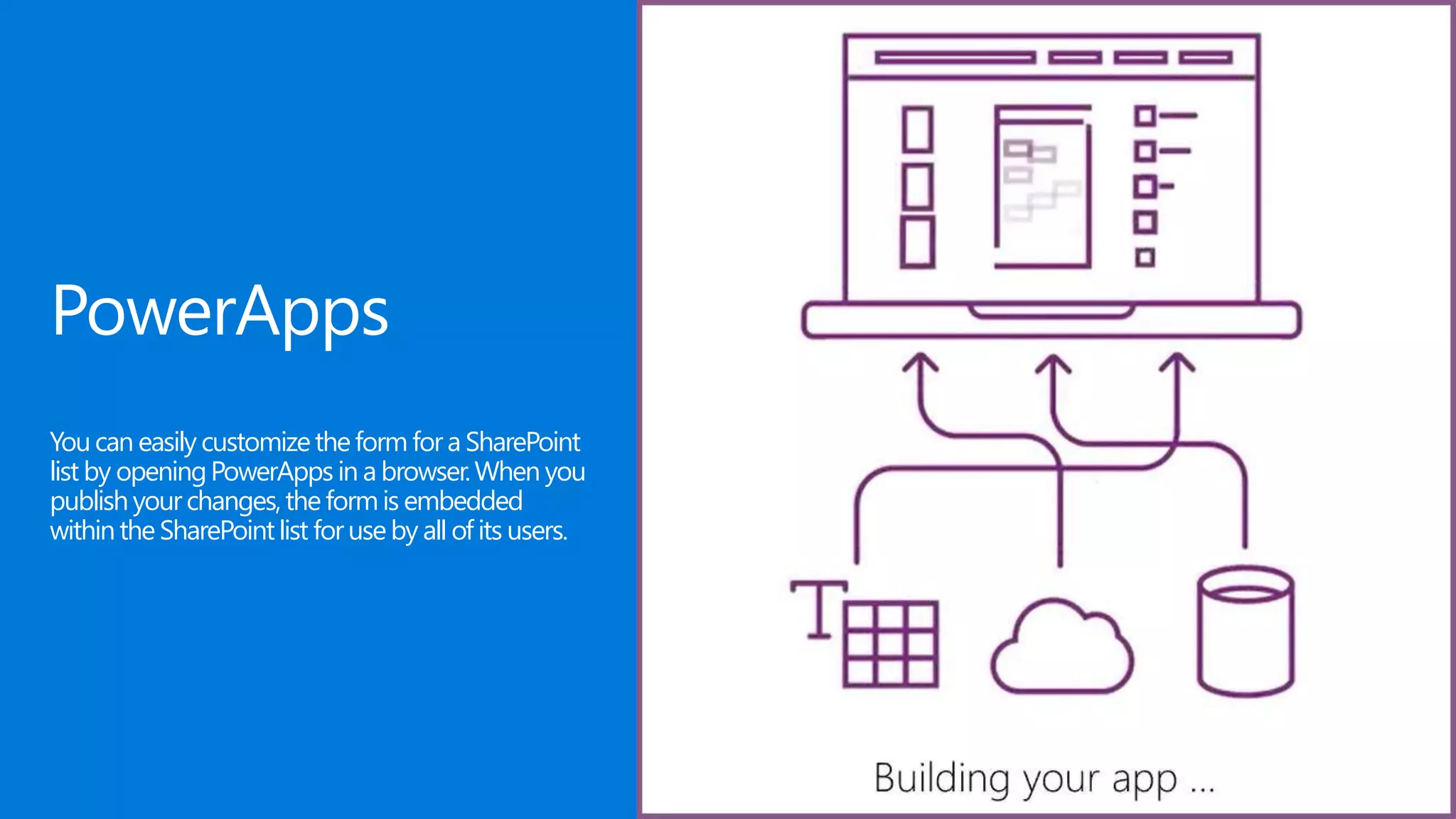
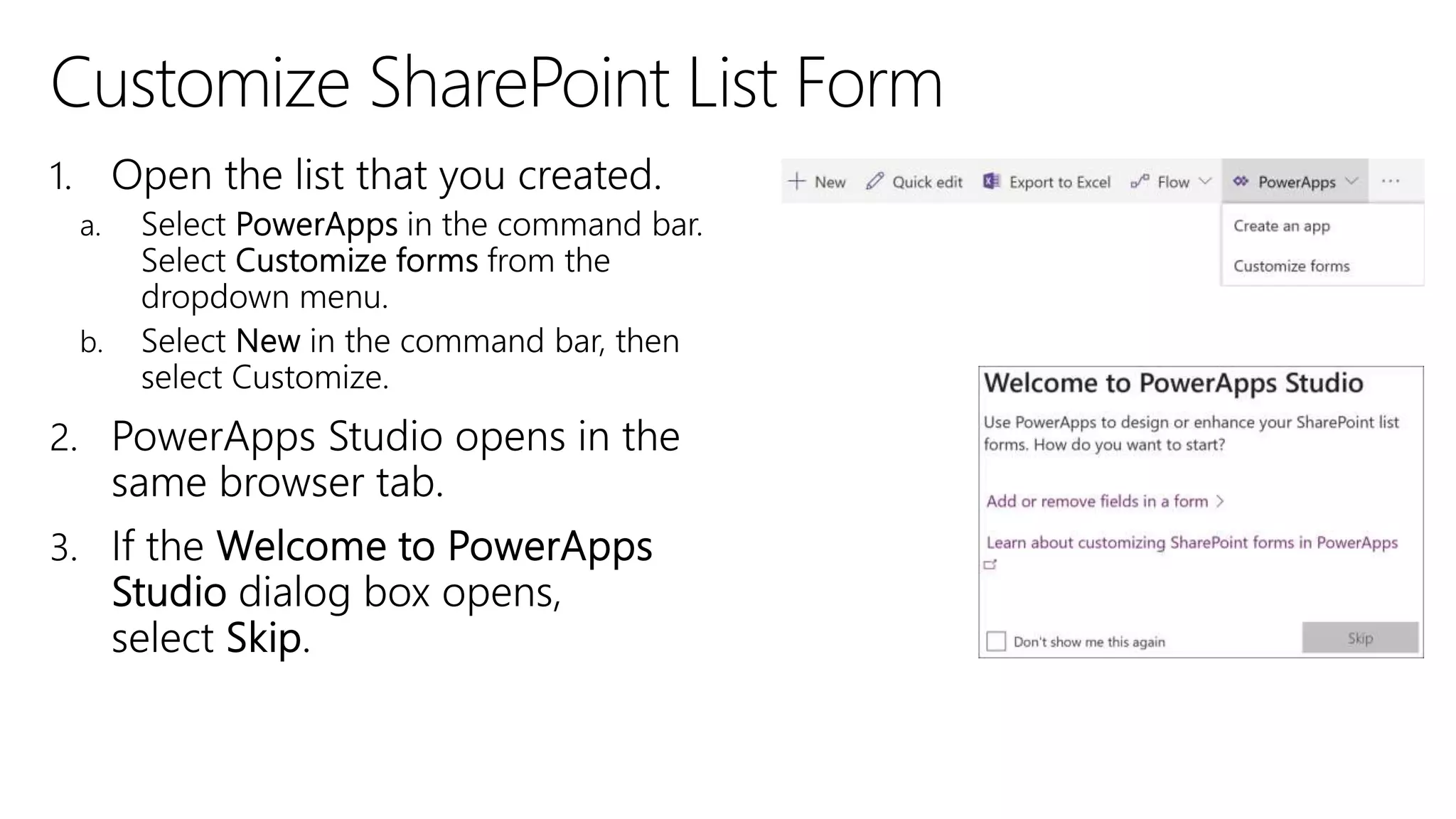
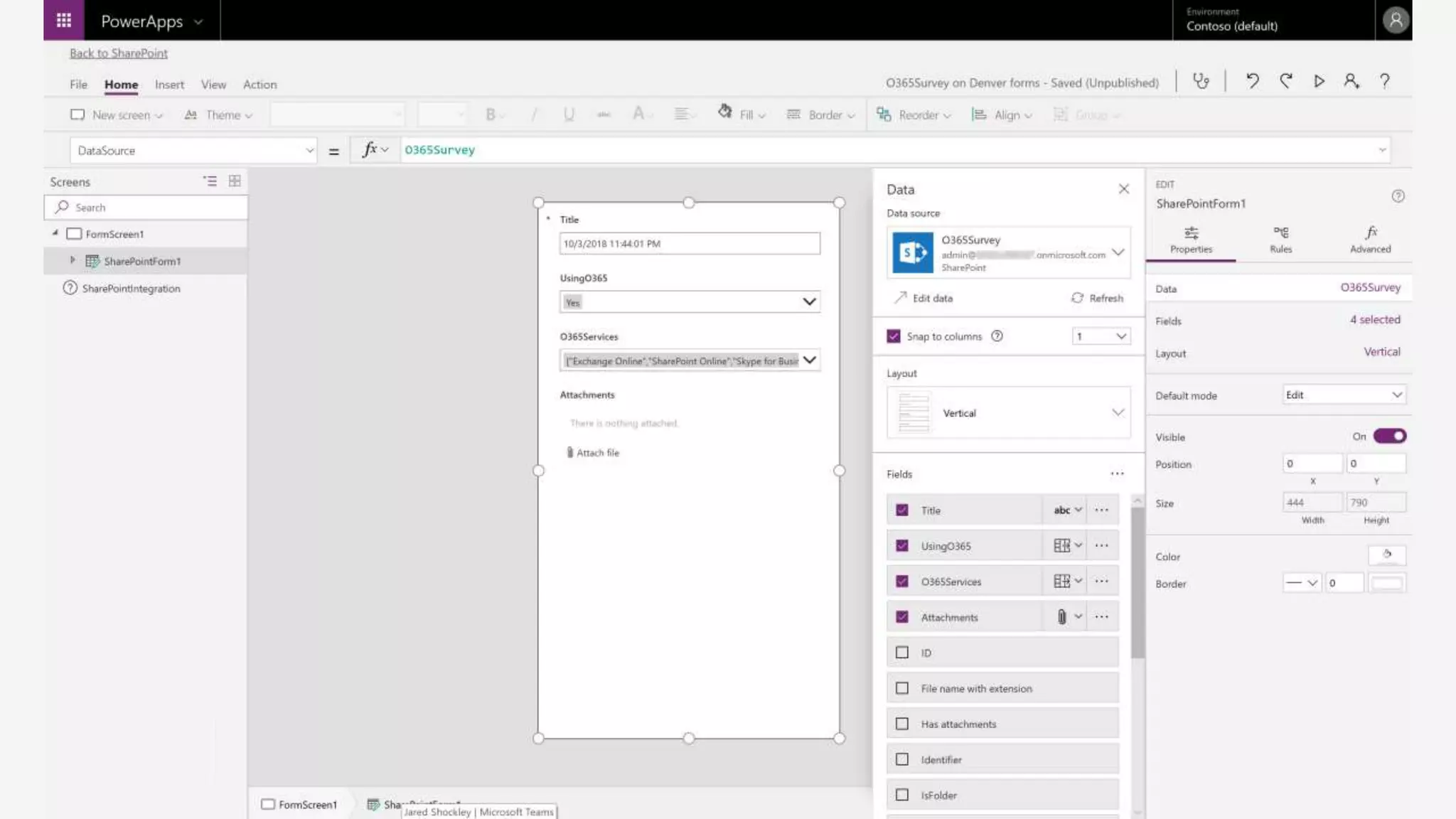
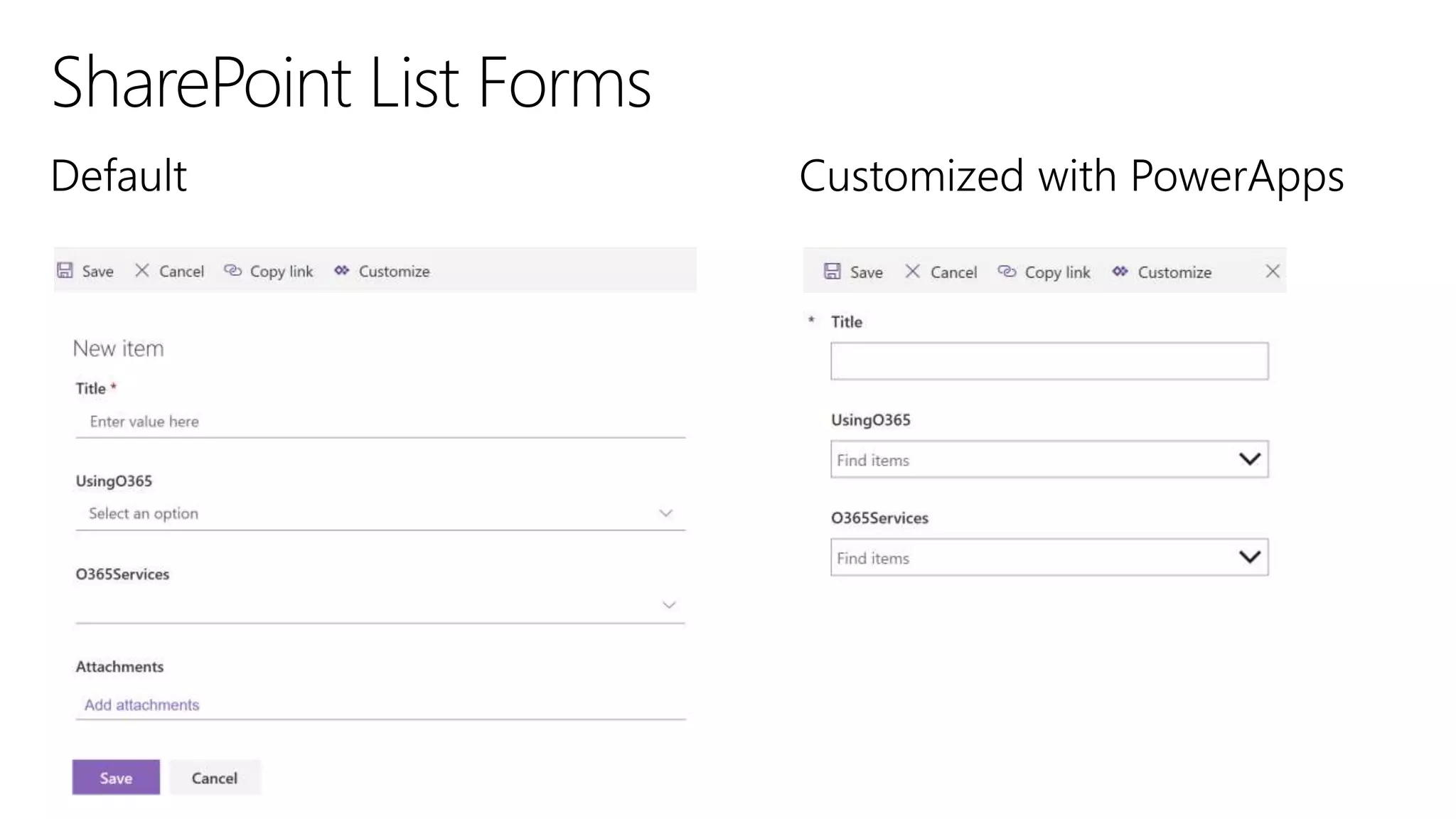
PowerApps
Youcan easily customizetheform fora SharePoint
list by openingPowerApps in a browser.When you
publishyourchanges,theformis embedded
withinthe SharePointlist foruse by all of its users.
1.
2.
3.
•
•
•
•
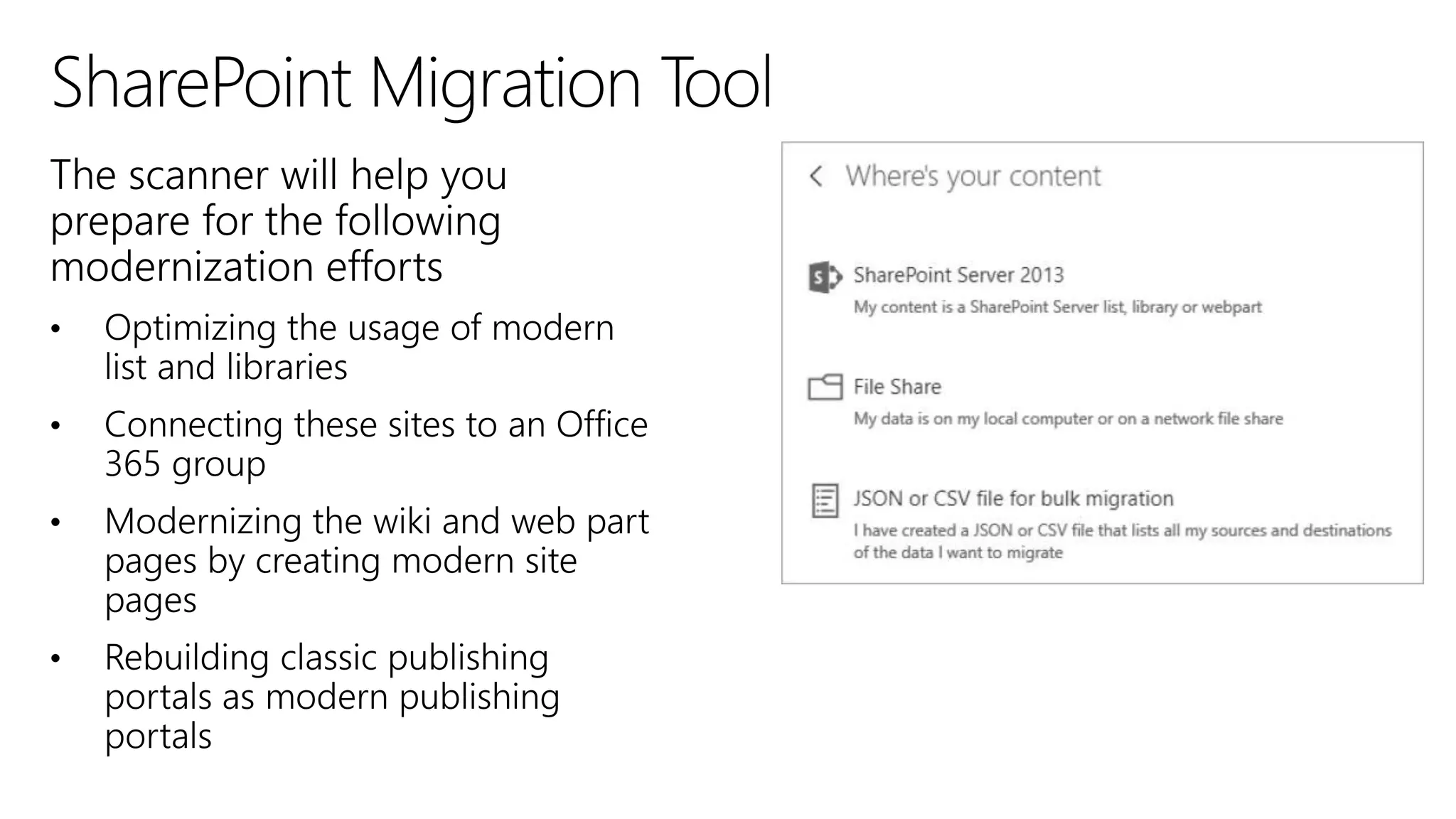
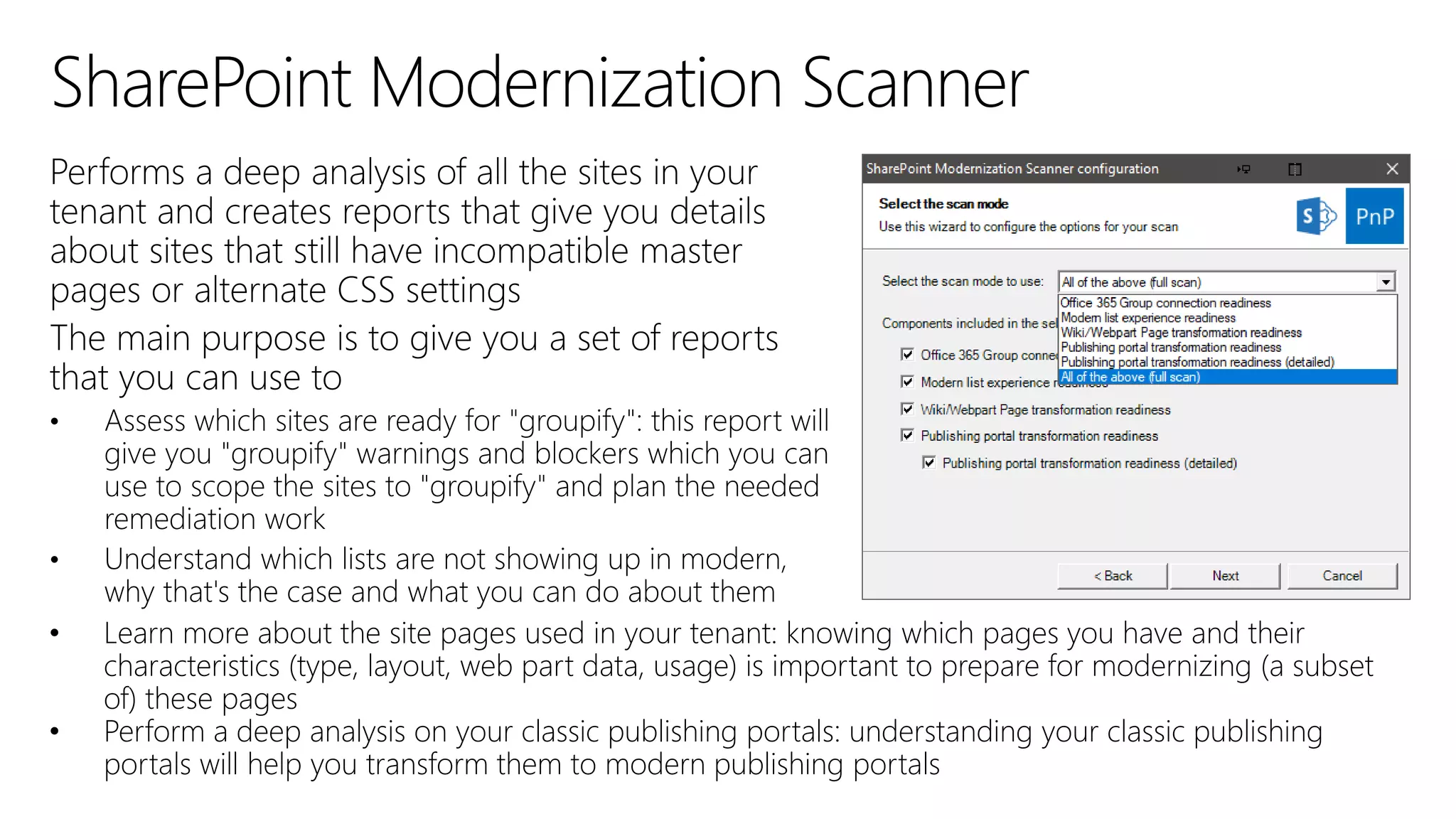
• Learn more about the site pages used in your tenant: knowing which pages you have and their
characteristics (type, layout, web part data, usage) is important to prepare for modernizing (a subset
of) these pages
• Perform a deep analysis on your classic publishing portals: understanding your classic publishing
portals will help you transform them to modern publishing portals
•
•
#sphelp
https://docs.microsoft.com/en-us/sharepoint/
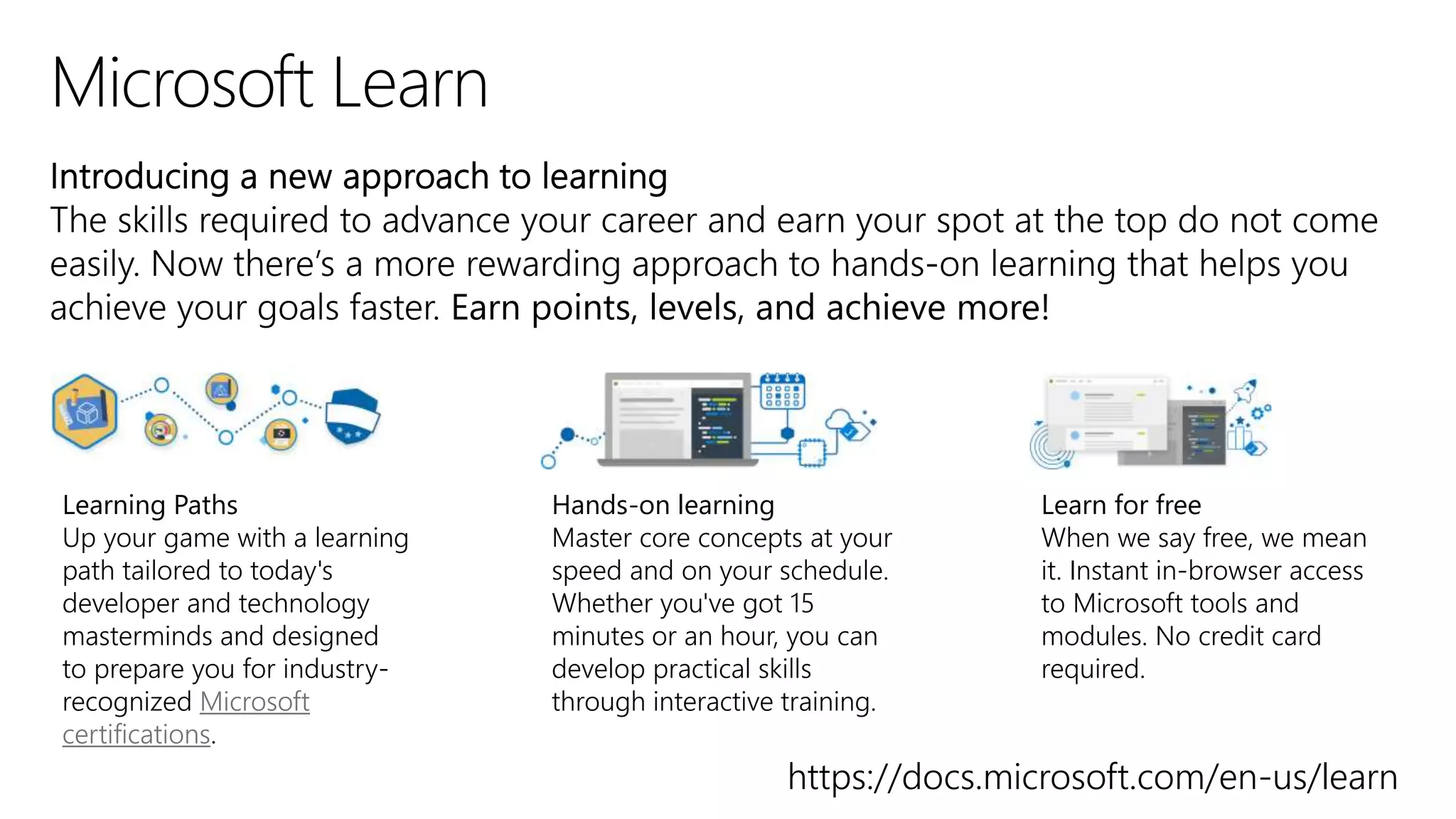
Learning Paths
Up your game with a learning
path tailored to today's
developer and technology
masterminds and designed
to prepare you for industry-
recognized Microsoft
certifications.
Hands-on learning
Master core concepts at your
speed and on your schedule.
Whether you've got 15
minutes or an hour, you can
develop practical skills
through interactive training.
Learn for free
When we say free, we mean
it. Instant in-browser access
to Microsoft tools and
modules. No credit card
required.
https://docs.microsoft.com/en-us/learn
Create a Hub Site in SharePoint Online
Create a Hub Site Using PowerShell
Create and Share News on Your SharePoint Sites
Customizing Modern SharePoint Sites
Differences Between the New and Classic
Experiences for Lists and Libraries
Get Started with the New SharePoint Admin Center
Guide to the Modern Experience in SharePoint
Intrazone Podcast
Luise Freese – Sketchnote Artist
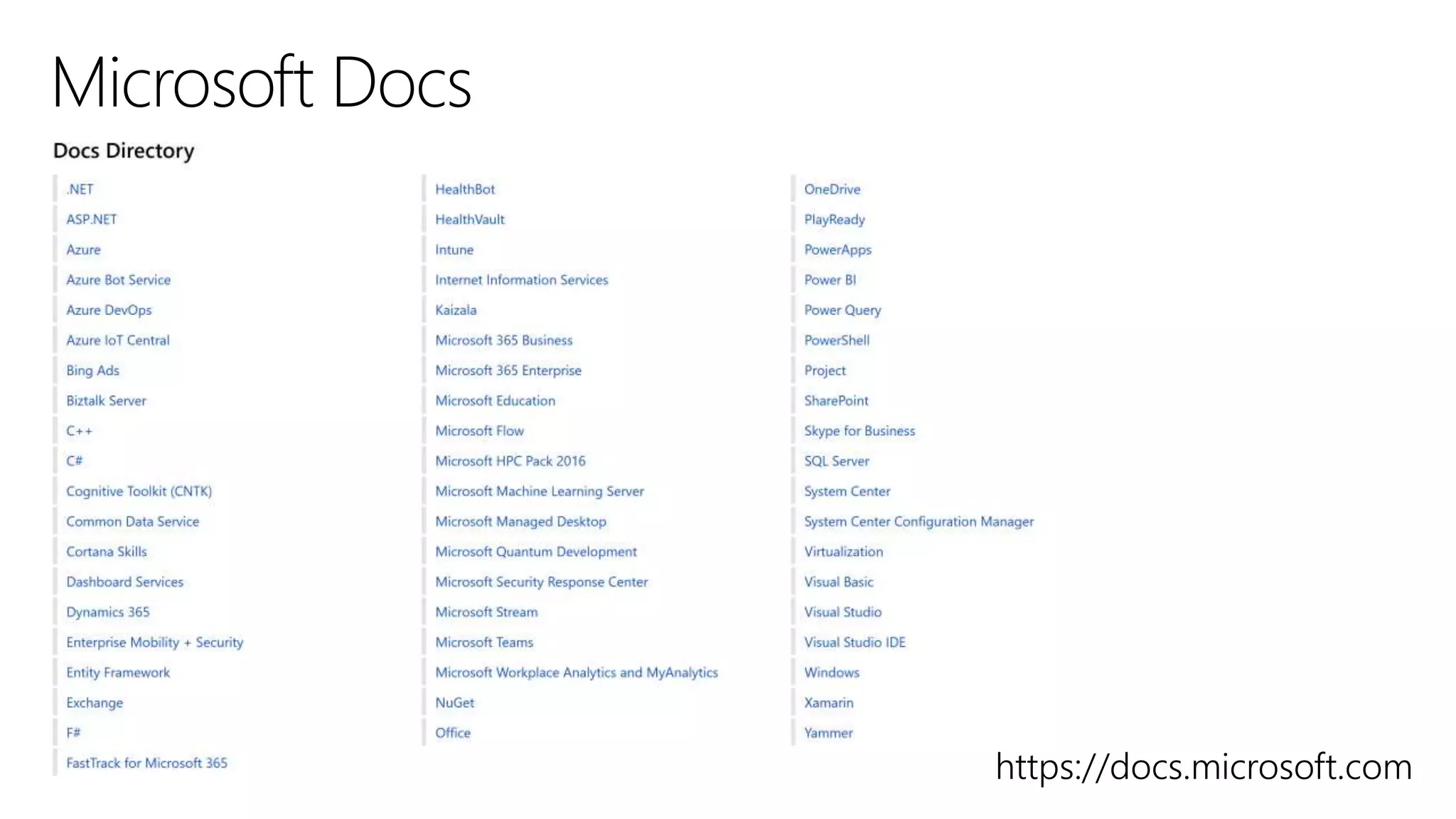
Microsoft Docs
Microsoft Learn
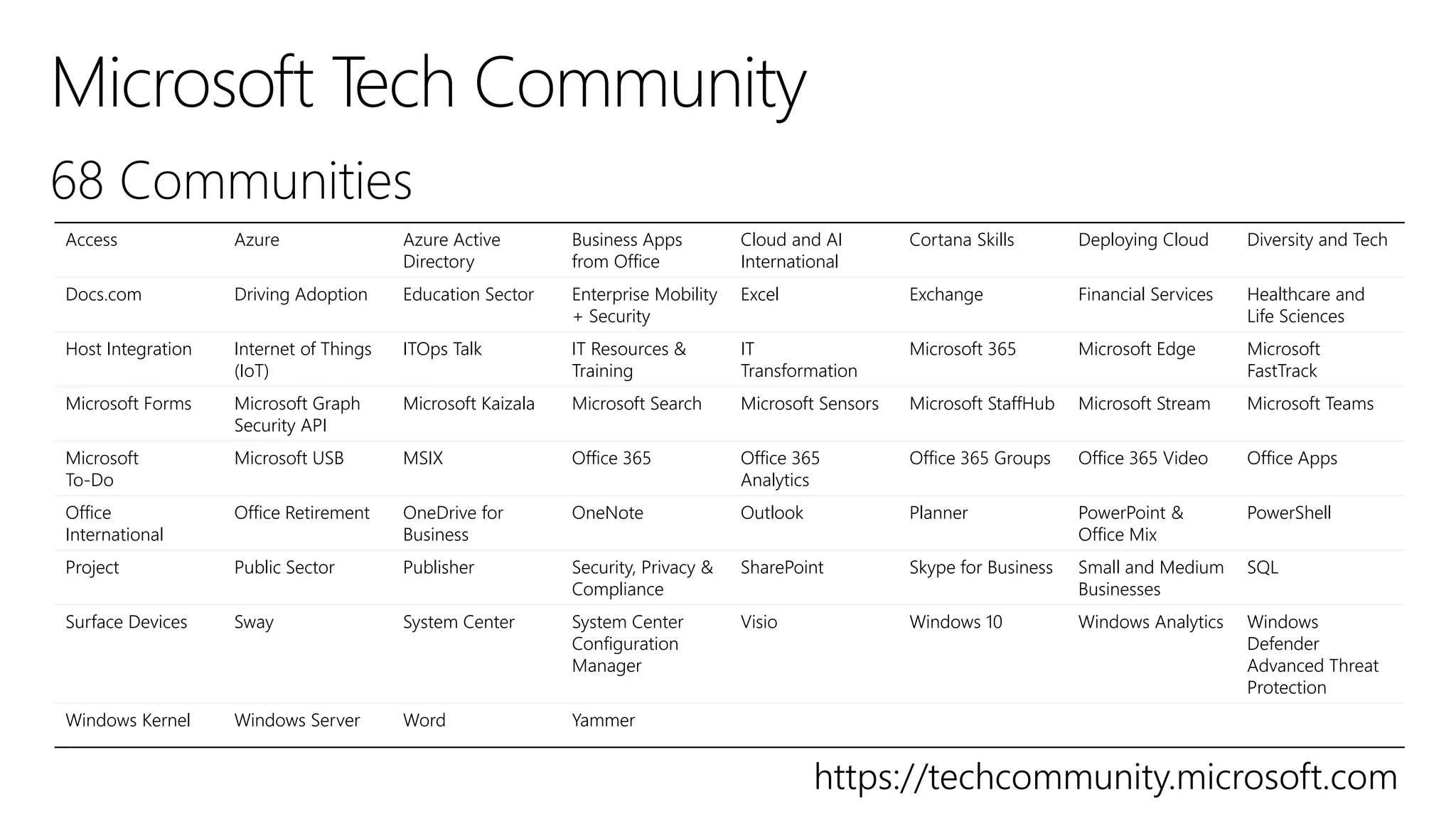
Microsoft Tech Community
Modern SharePoint Lists Are Here
Modernize Site Branding
Moving from Publishing Sites to Communication
Sites
Navigation for the Modern SharePoint Experience
No Code Solutions for Custom Formatting
SharePoint Documentation
SharePoint Modernization Scanner
SharePoint Site Design and Script Overview
SharePoint Site Footer
SharePoint Site Theming
SharePoint User Voice
Transforming from Modern Site Pages Inside the
SharePoint UI
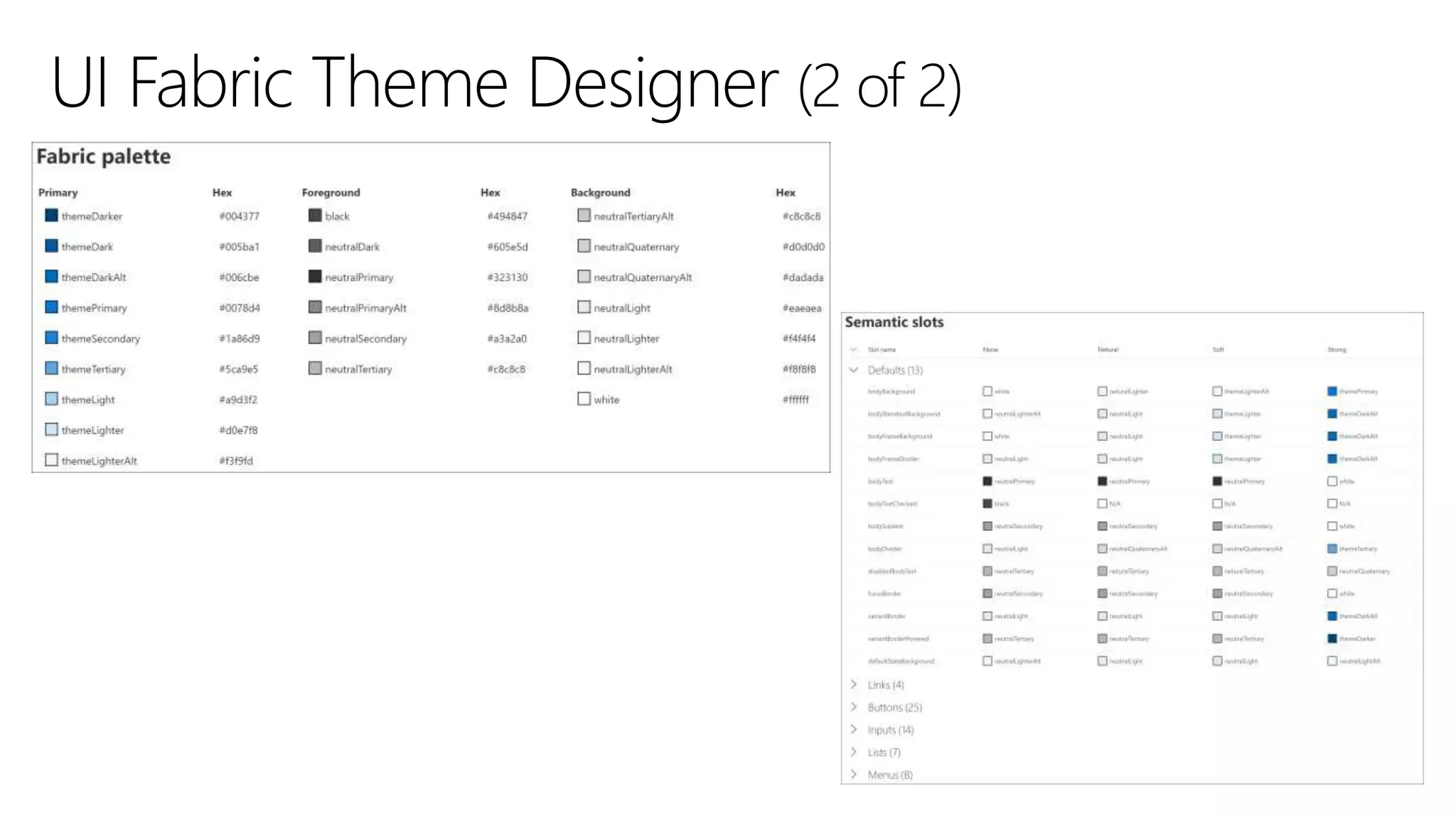
UI Fabric Theme Designer
Ways to Work with SharePoint
What Is Modern SharePoint and Why Should I Care
https://docs.microsoft.com
https://techcommunity.microsoft.com
Access Azure Azure Active
Directory
Business Apps
from Office
Cloud and AI
International
Cortana Skills Deploying Cloud Diversity and Tech
Docs.com Driving Adoption Education Sector Enterprise Mobility
+ Security
Excel Exchange Financial Services Healthcare and
Life Sciences
Host Integration Internet of Things
(IoT)
ITOps Talk IT Resources &
Training
IT
Transformation
Microsoft 365 Microsoft Edge Microsoft
FastTrack
Microsoft Forms Microsoft Graph
Security API
Microsoft Kaizala Microsoft Search Microsoft Sensors Microsoft StaffHub Microsoft Stream Microsoft Teams
Microsoft
To-Do
Microsoft USB MSIX Office 365 Office 365
Analytics
Office 365 Groups Office 365 Video Office Apps
Office
International
Office Retirement OneDrive for
Business
OneNote Outlook Planner PowerPoint &
Office Mix
PowerShell
Project Public Sector Publisher Security, Privacy &
Compliance
SharePoint Skype for Business Small and Medium
Businesses
SQL
Surface Devices Sway System Center System Center
Configuration
Manager
Visio Windows 10 Windows Analytics Windows
Defender
Advanced Threat
Protection
Windows Kernel Windows Server Word Yammer
Theresa Eller | Premier Field Engineer​
@SharePointMadam​ | @techresa
LinkedIn.com/in/theresaeller | slideshare.net/sharepointmadam

SPS Cincinnati Modern SharePoint Experience

  • 1.
    Are You Readyfor the Modern SharePoint Experience? Theresa Eller SharePoint Administrator – IBERIABANK
  • 2.
  • 5.
    Log in atportal.office.com or tenantname.sharepoint.com
  • 8.
    /sites Communication sites Information availableto (almost) everyone (e.g., Intranet, company home/landing page) Hub sites /teams Team sites Information available to select people (e.g., employees of the Legal dept., HR, CxO team) Project specific Team sites
  • 9.
  • 15.
  • 16.
  • 18.
  • 19.
  • 24.
    -unless you checkUse the form at this URL:
  • 28.
    Do NOT deletethe Owners group from Site Collection Administrators
  • 29.
    Do NOT deletethe Owners group from Site Collection Administrators x
  • 34.
  • 38.
    Engage your pageviewer by providing focused text on and above a button
  • 39.
    Add individual citiesor a group of locations to highlight local times & weather
  • 44.
    When you adda modern page to a site, you add and customize web parts, which are the building blocks of your page. You can add text, images, files, video, dynamic content and more using the web parts in the web part gallery.
  • 53.
    If you usethe megamenu style of navigation, you will want to use three levels of links. Use the first level (Header - a category for your links) for the tabs in your navigation. Plan to have at least two second level Header links for each first level link. Use the third level of links within each of your second level Header links to add a URL link that points to your target page or document.
  • 58.
  • 61.
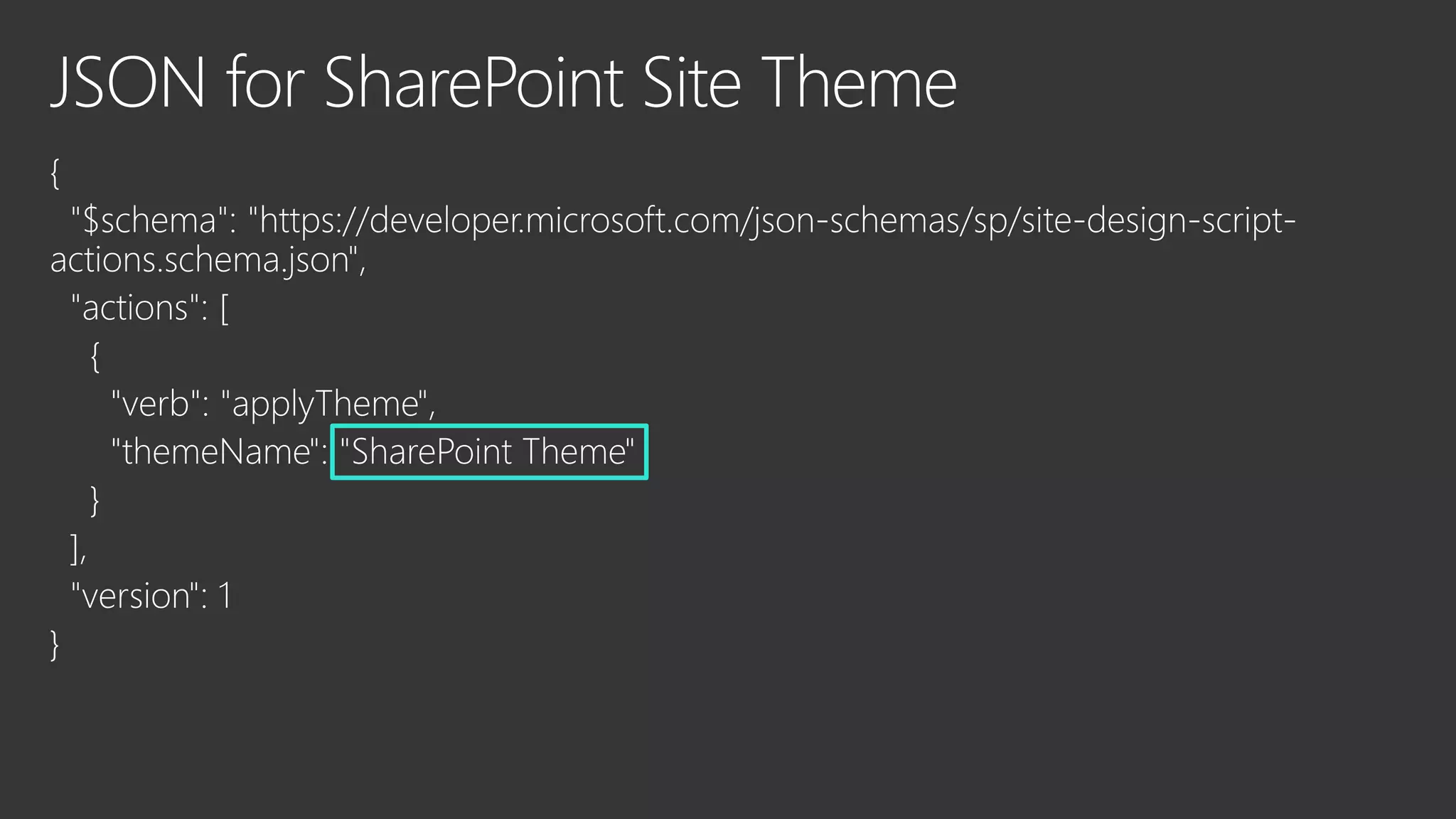
    #Pause to getSite Script ID
  • 63.
  • 66.
  • 68.
    PowerApps Youcan easily customizetheformfora SharePoint list by openingPowerApps in a browser.When you publishyourchanges,theformis embedded withinthe SharePointlist foruse by all of its users.
  • 69.
  • 78.
  • 79.
    • Learn moreabout the site pages used in your tenant: knowing which pages you have and their characteristics (type, layout, web part data, usage) is important to prepare for modernizing (a subset of) these pages • Perform a deep analysis on your classic publishing portals: understanding your classic publishing portals will help you transform them to modern publishing portals
  • 80.
  • 82.
  • 84.
  • 85.
    Learning Paths Up yourgame with a learning path tailored to today's developer and technology masterminds and designed to prepare you for industry- recognized Microsoft certifications. Hands-on learning Master core concepts at your speed and on your schedule. Whether you've got 15 minutes or an hour, you can develop practical skills through interactive training. Learn for free When we say free, we mean it. Instant in-browser access to Microsoft tools and modules. No credit card required. https://docs.microsoft.com/en-us/learn
  • 86.
    Create a HubSite in SharePoint Online Create a Hub Site Using PowerShell Create and Share News on Your SharePoint Sites Customizing Modern SharePoint Sites Differences Between the New and Classic Experiences for Lists and Libraries Get Started with the New SharePoint Admin Center Guide to the Modern Experience in SharePoint Intrazone Podcast Luise Freese – Sketchnote Artist Microsoft Docs Microsoft Learn Microsoft Tech Community Modern SharePoint Lists Are Here Modernize Site Branding Moving from Publishing Sites to Communication Sites Navigation for the Modern SharePoint Experience No Code Solutions for Custom Formatting SharePoint Documentation SharePoint Modernization Scanner SharePoint Site Design and Script Overview SharePoint Site Footer SharePoint Site Theming SharePoint User Voice Transforming from Modern Site Pages Inside the SharePoint UI UI Fabric Theme Designer Ways to Work with SharePoint What Is Modern SharePoint and Why Should I Care
  • 87.
  • 88.
    https://techcommunity.microsoft.com Access Azure AzureActive Directory Business Apps from Office Cloud and AI International Cortana Skills Deploying Cloud Diversity and Tech Docs.com Driving Adoption Education Sector Enterprise Mobility + Security Excel Exchange Financial Services Healthcare and Life Sciences Host Integration Internet of Things (IoT) ITOps Talk IT Resources & Training IT Transformation Microsoft 365 Microsoft Edge Microsoft FastTrack Microsoft Forms Microsoft Graph Security API Microsoft Kaizala Microsoft Search Microsoft Sensors Microsoft StaffHub Microsoft Stream Microsoft Teams Microsoft To-Do Microsoft USB MSIX Office 365 Office 365 Analytics Office 365 Groups Office 365 Video Office Apps Office International Office Retirement OneDrive for Business OneNote Outlook Planner PowerPoint & Office Mix PowerShell Project Public Sector Publisher Security, Privacy & Compliance SharePoint Skype for Business Small and Medium Businesses SQL Surface Devices Sway System Center System Center Configuration Manager Visio Windows 10 Windows Analytics Windows Defender Advanced Threat Protection Windows Kernel Windows Server Word Yammer
  • 89.
    Theresa Eller |Premier Field Engineer​ @SharePointMadam​ | @techresa LinkedIn.com/in/theresaeller | slideshare.net/sharepointmadam

Editor's Notes

  • #23 [roadmap ID: 56205]
  • #29 Behind the scene, this is how SharePoint is able to differentiate user accounts that are in the same Office 365 group but have been given different role assignments (Owner vs. Member) in SharePoint. This provides the ability for administrators to manage access to SharePoint sites using Office 365 group membership.
  • #30 Behind the scene, this is how SharePoint is able to differentiate user accounts that are in the same Office 365 group but have been given different role assignments (Owner vs. Member) in SharePoint. This provides the ability for administrators to manage access to SharePoint sites using Office 365 group membership.
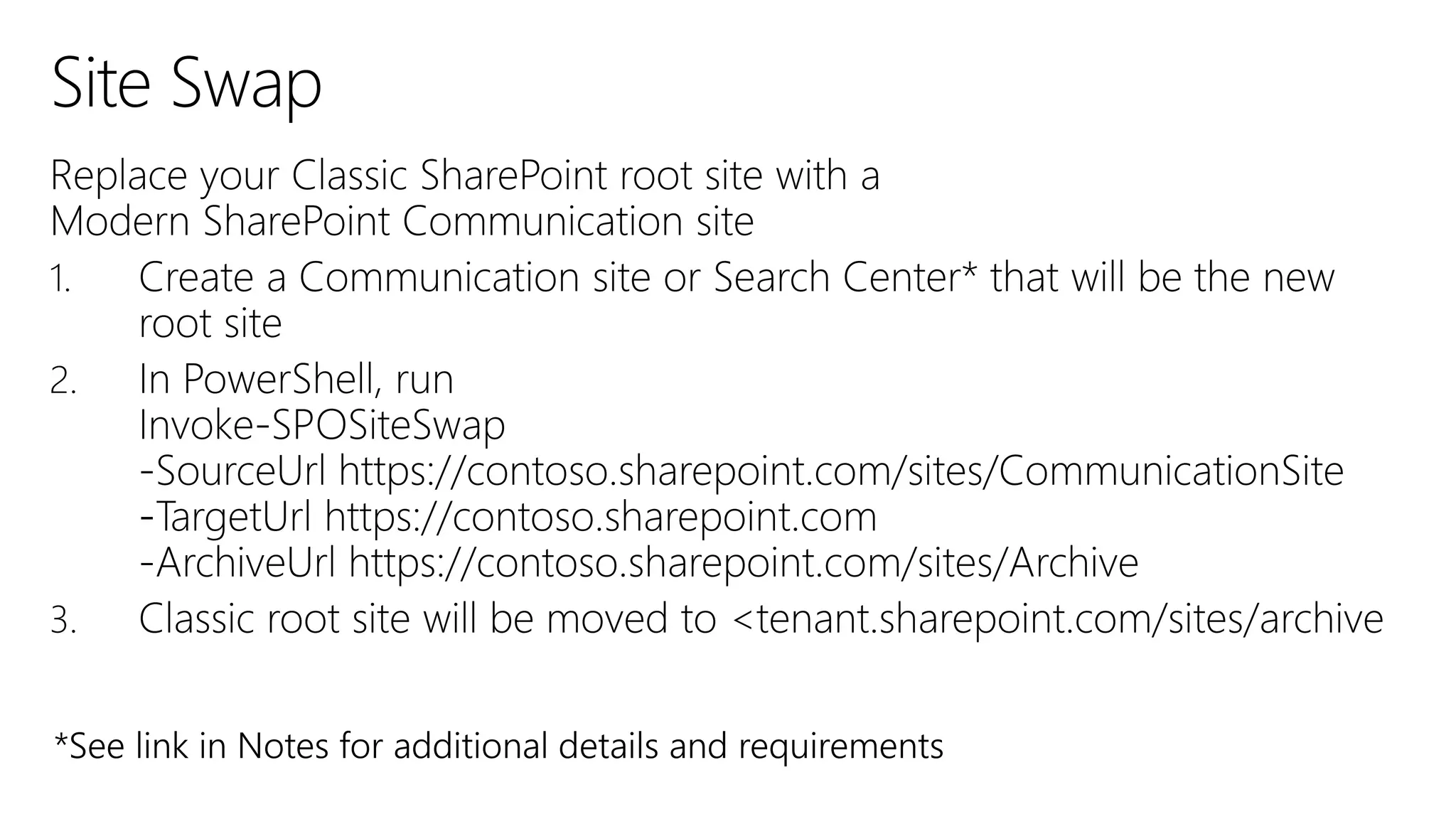
  • #32 https://docs.microsoft.com/en-us/powershell/module/sharepoint-online/invoke-spositeswap?view=sharepoint-ps
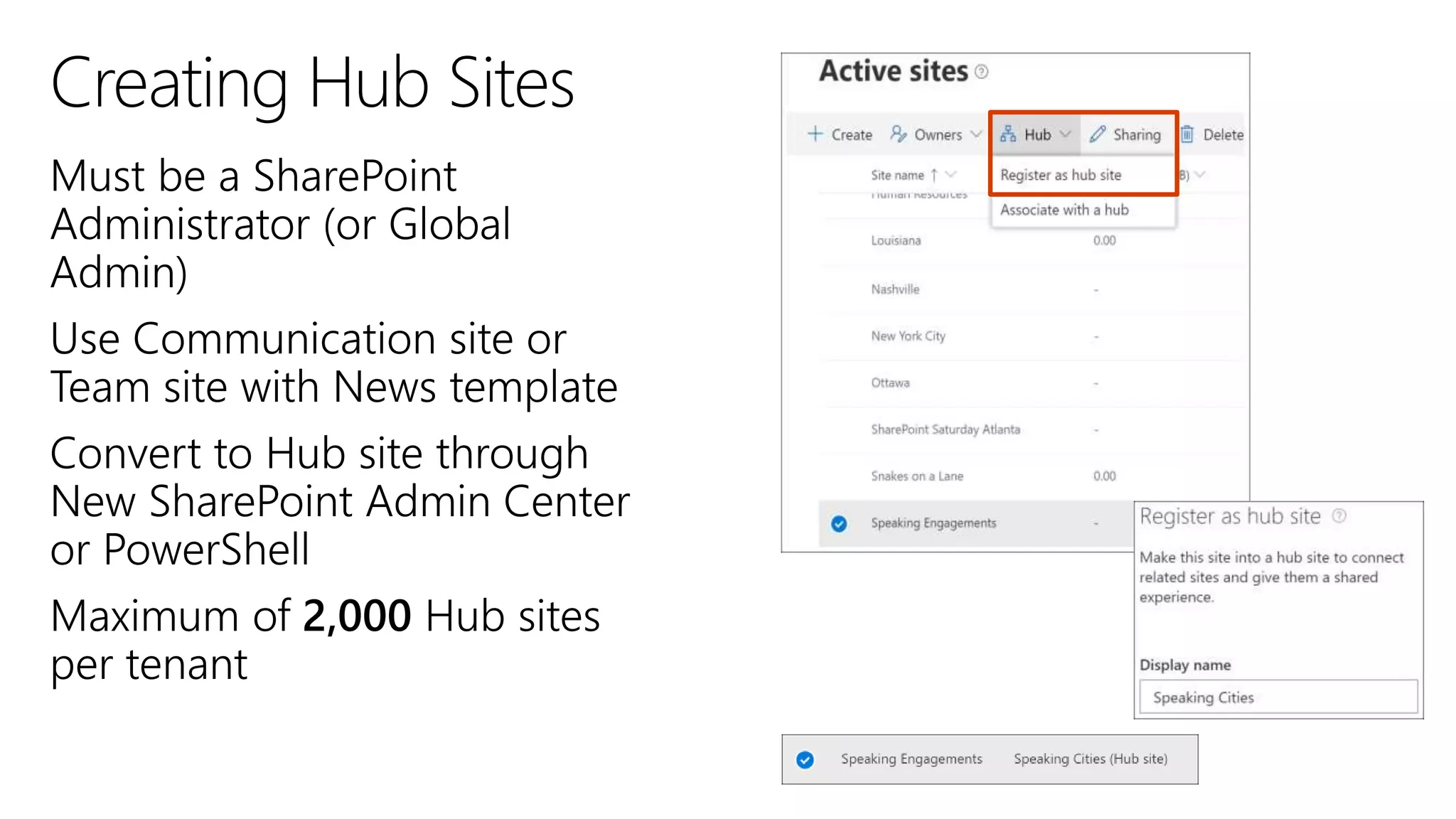
  • #51 After this change rolls out the number of SharePoint hubs will raise from 100 to 2000. We'll be gradually rolling this out in mid-June, and the roll out will be completed worldwide by the end of July.
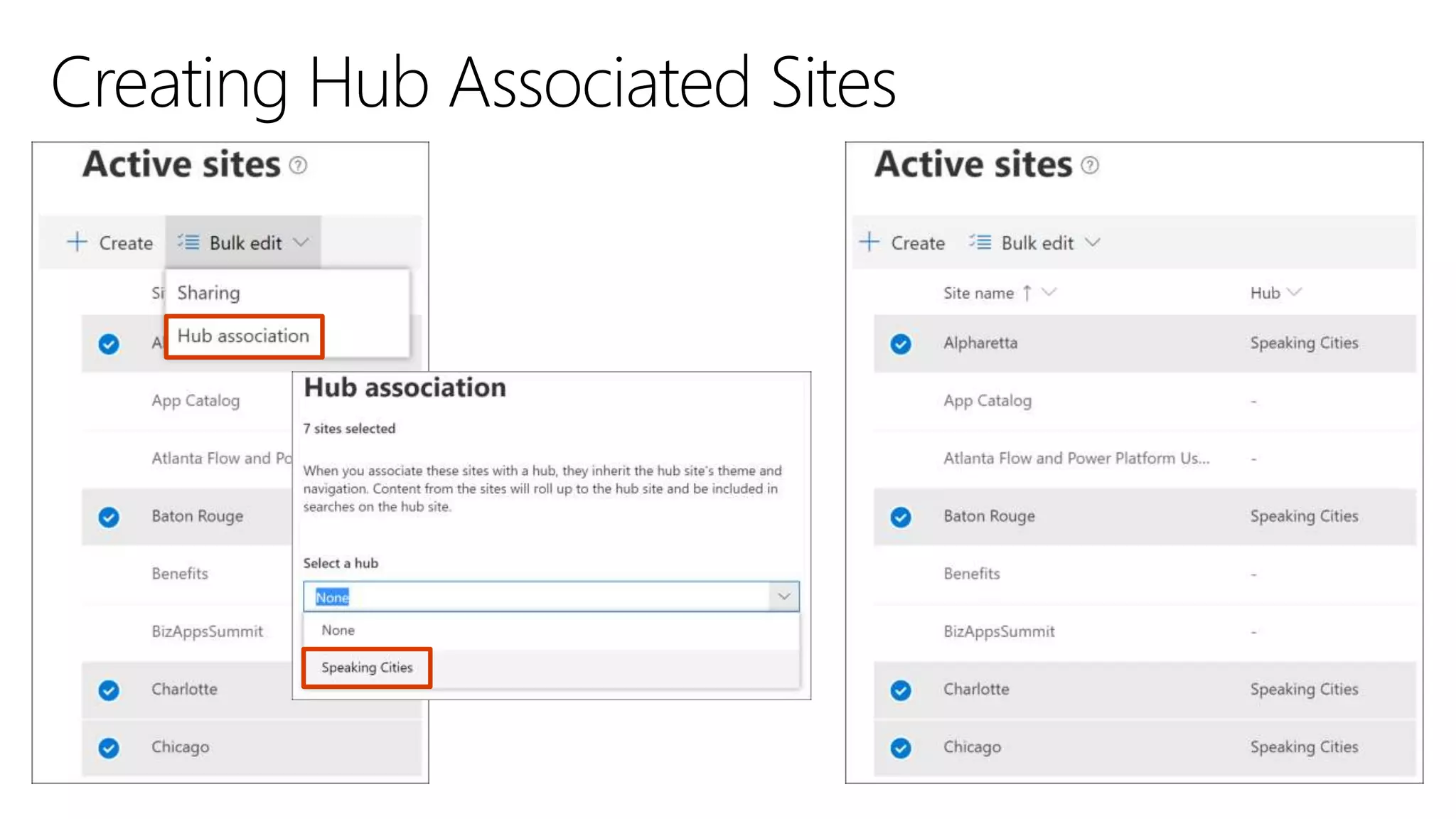
  • #52 Site Collection Owners can associate Communication and/or Team sites to an existing Hub site No limit on Team or Communication sites associated with Hub site
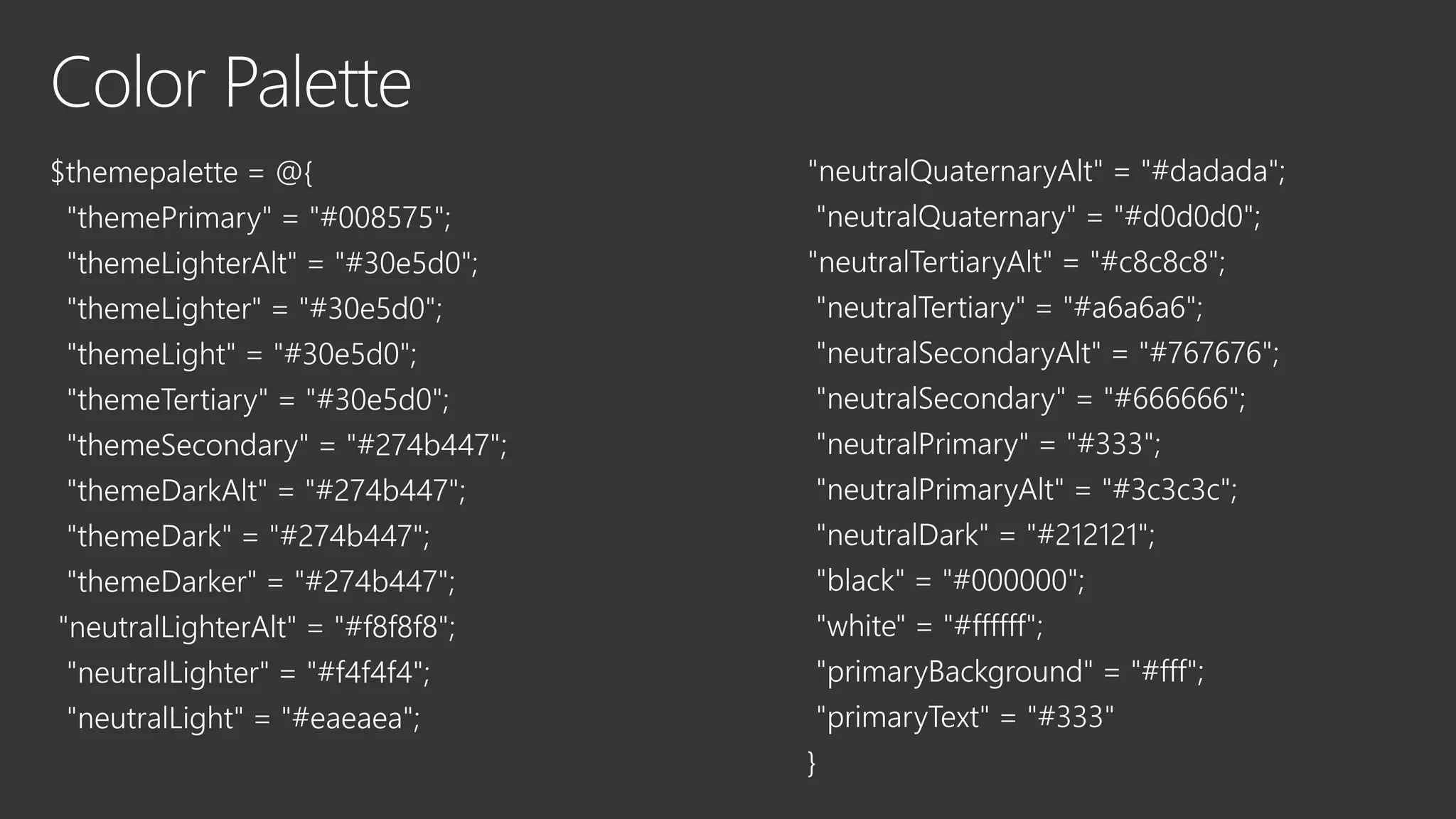
  • #61 Use the theme name from the previous slide