The Latest SharePoint Features:
What They Are and
Why They Matter
Theresa Eller
Premier Field Engineer
2019
Diamond
Platinum
Gold
Silver
Speaker Survey
and Raffle
• This year we are replacing the paper version
of Speaker Survey with Microsoft Forms.
• Scan the QR code for each session to access
and submit your survey.
• QR codes can be found in the program guide
or on the room sign located by the door.
• You will receive ONE raffle ticket for each
session survey you complete.
• The raffle ticket volunteer will validate your
First and Last name before providing your
ticket(s)
• Drawing will be held this afternoon 4:30-
5:00 pm.
• Must be present to win.
You can download and use the QR Reader app
available for both iOS and Android
#SPSCLT19 Speaker Survey Session 1
SharePint Happy Hour event held after
SPSCLT19 at Duckworth’s Grill and Taphouse
Uptown.
Walking distance from UNC Charlotte Center
City campus and the 7th street light rail stop.
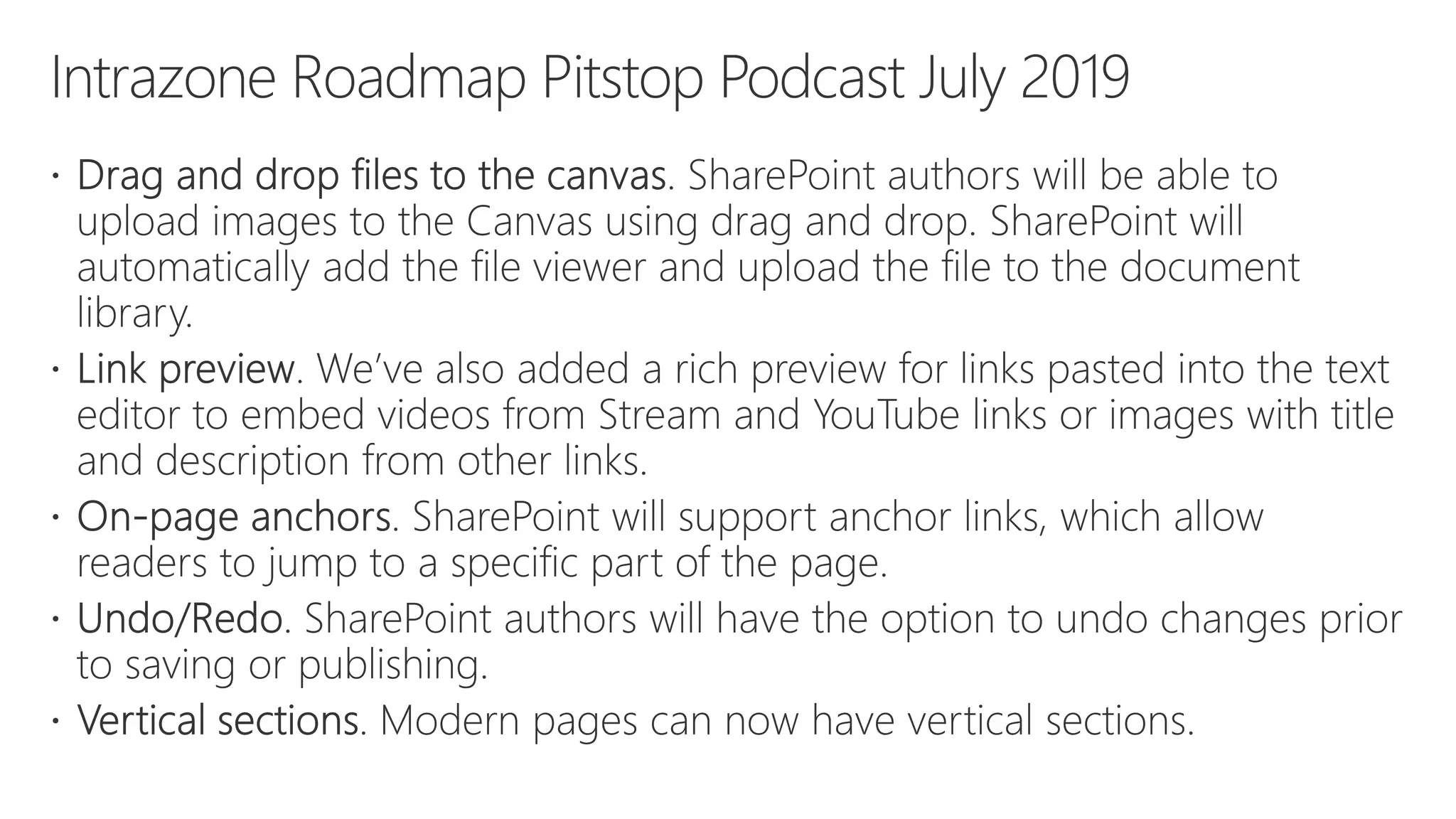
Intrazone Roadmap Pitstop Podcast (monthly)
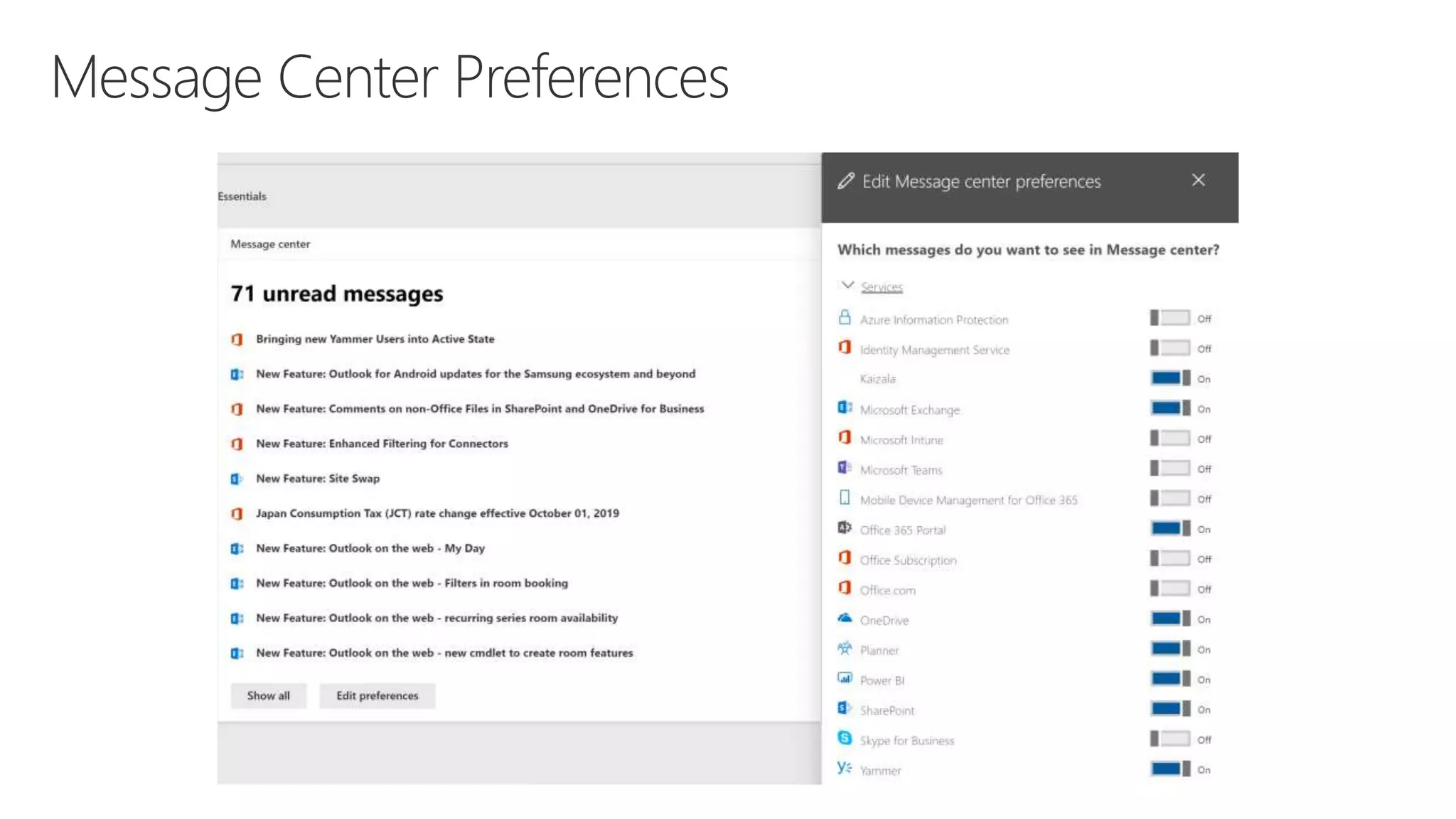
Message Center
Microsoft 365 Roadmap
Social Media (especially Twitter)
Tech Community Blogs
Resources for the Latest SharePoint Features
#sphelp
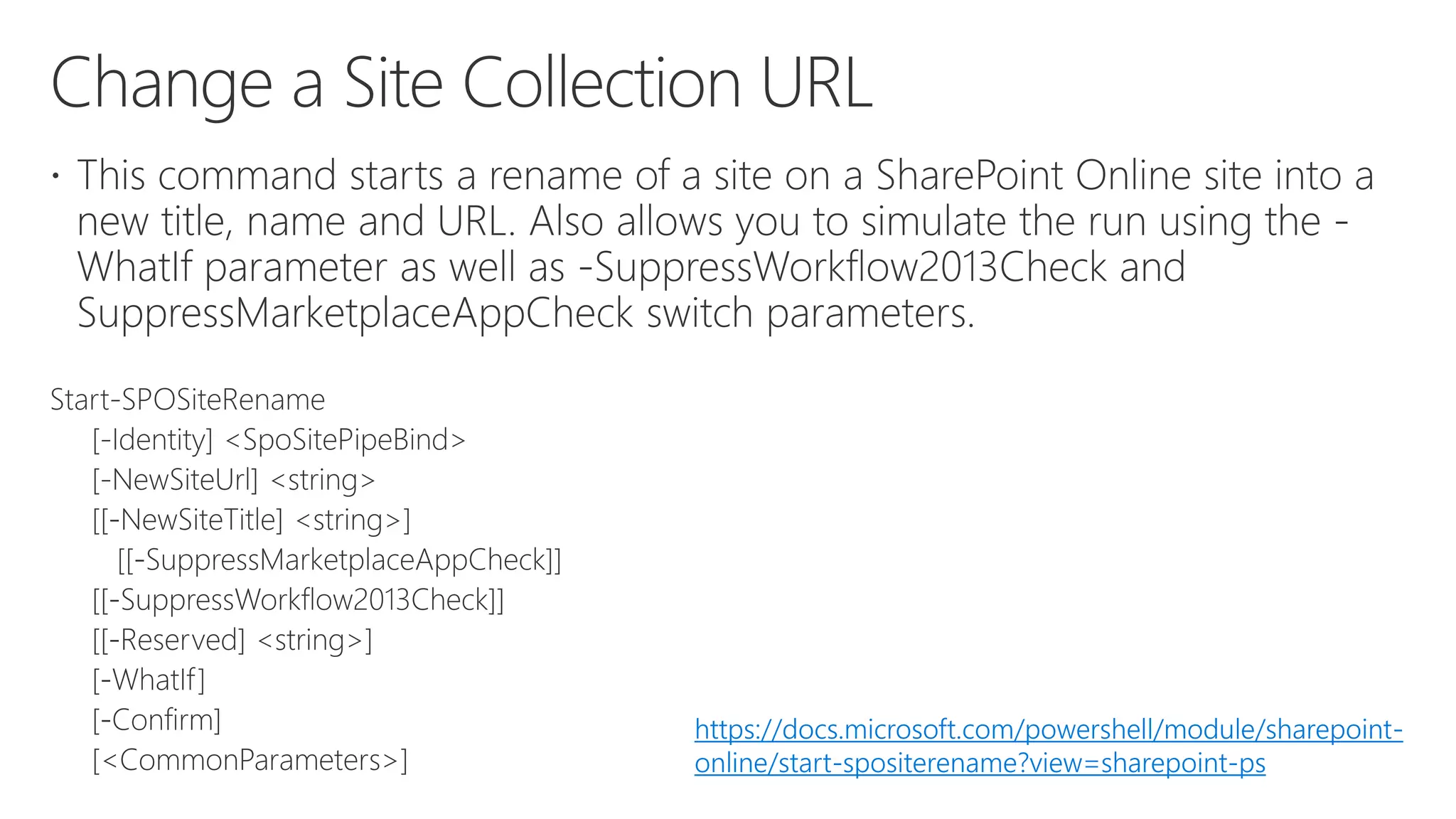
https://docs.microsoft.com/powershell/module/sharepoint-
online/start-spositerename?view=sharepoint-ps
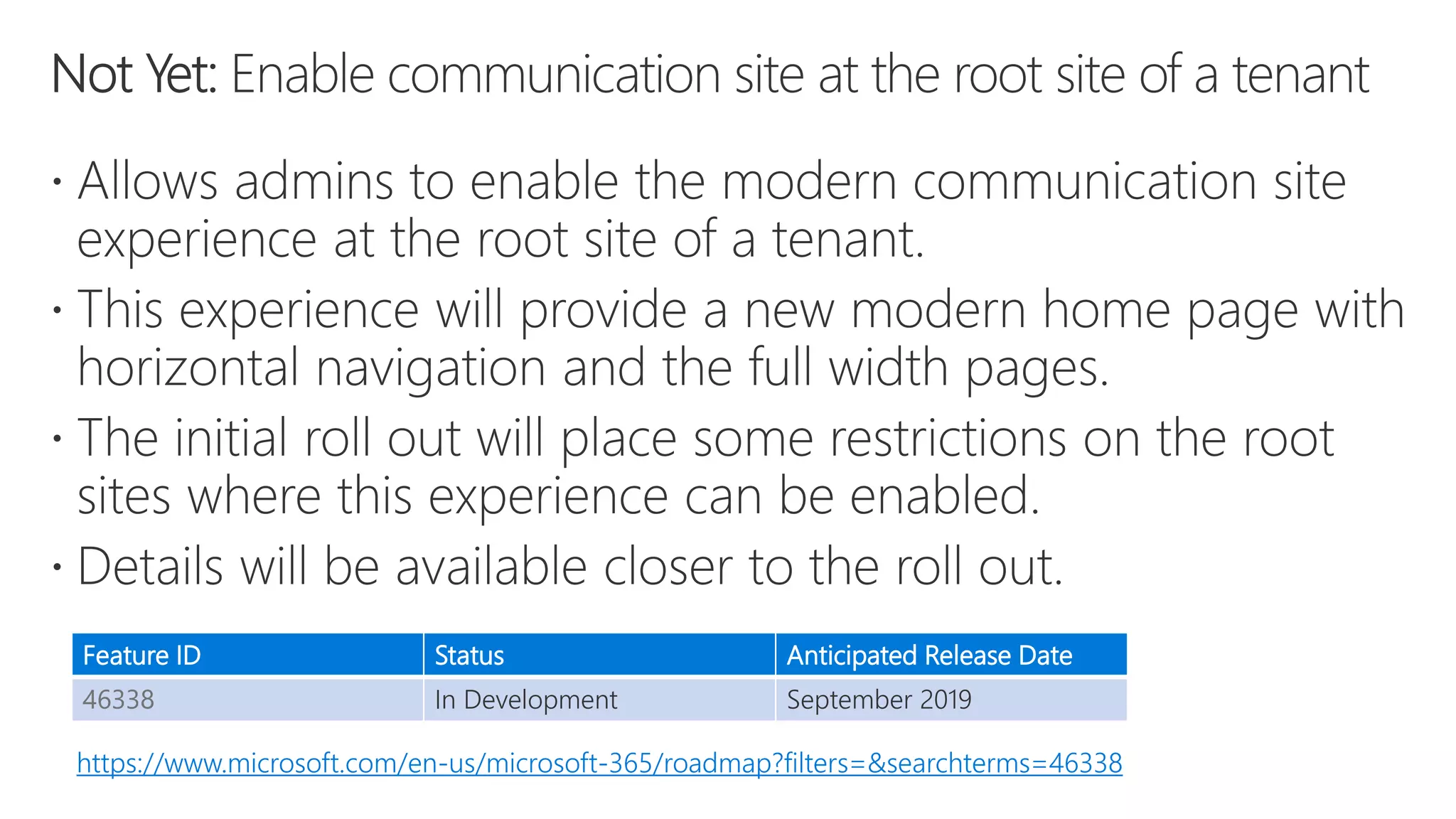
Feature ID Status Anticipated Release Date
46338 In Development September 2019
https://www.microsoft.com/en-us/microsoft-365/roadmap?filters=&searchterms=46338
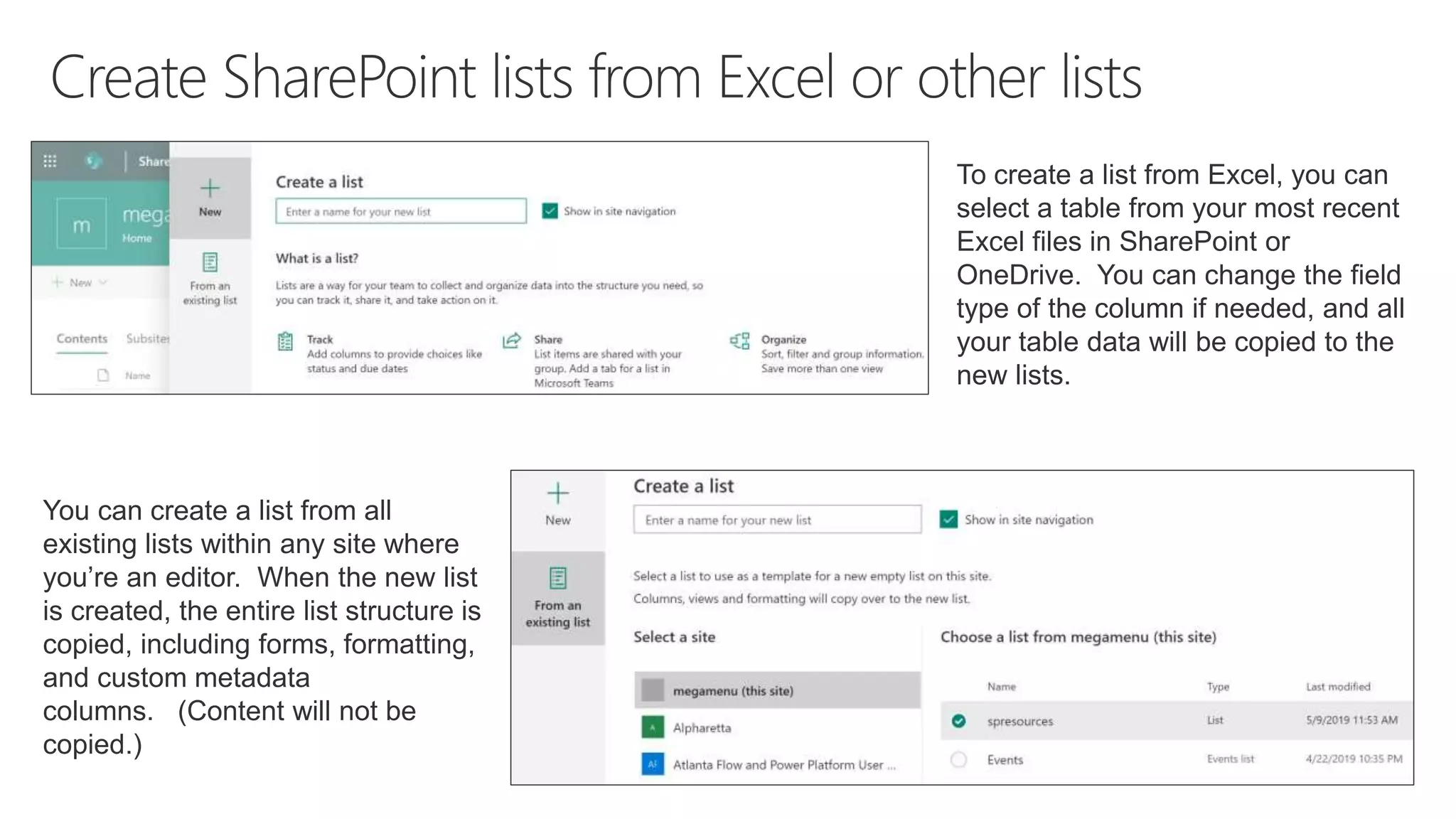
You can create a list from all
existing lists within any site where
you’re an editor. When the new list
is created, the entire list structure is
copied, including forms, formatting,
and custom metadata
columns. (Content will not be
copied.)
To create a list from Excel, you can
select a table from your most recent
Excel files in SharePoint or
OneDrive. You can change the field
type of the column if needed, and all
your table data will be copied to the
new lists.
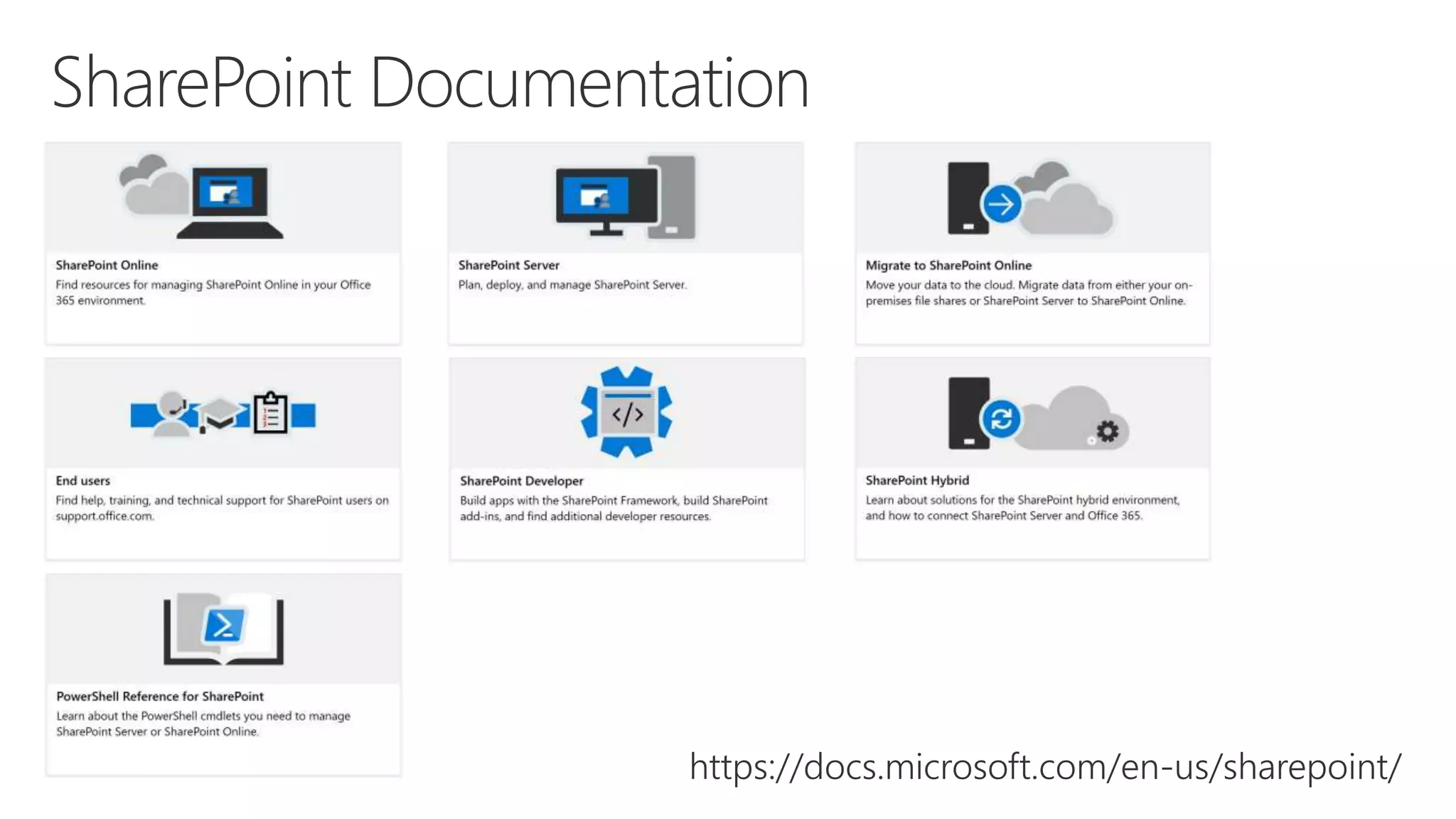
https://docs.microsoft.com/en-us/sharepoint/
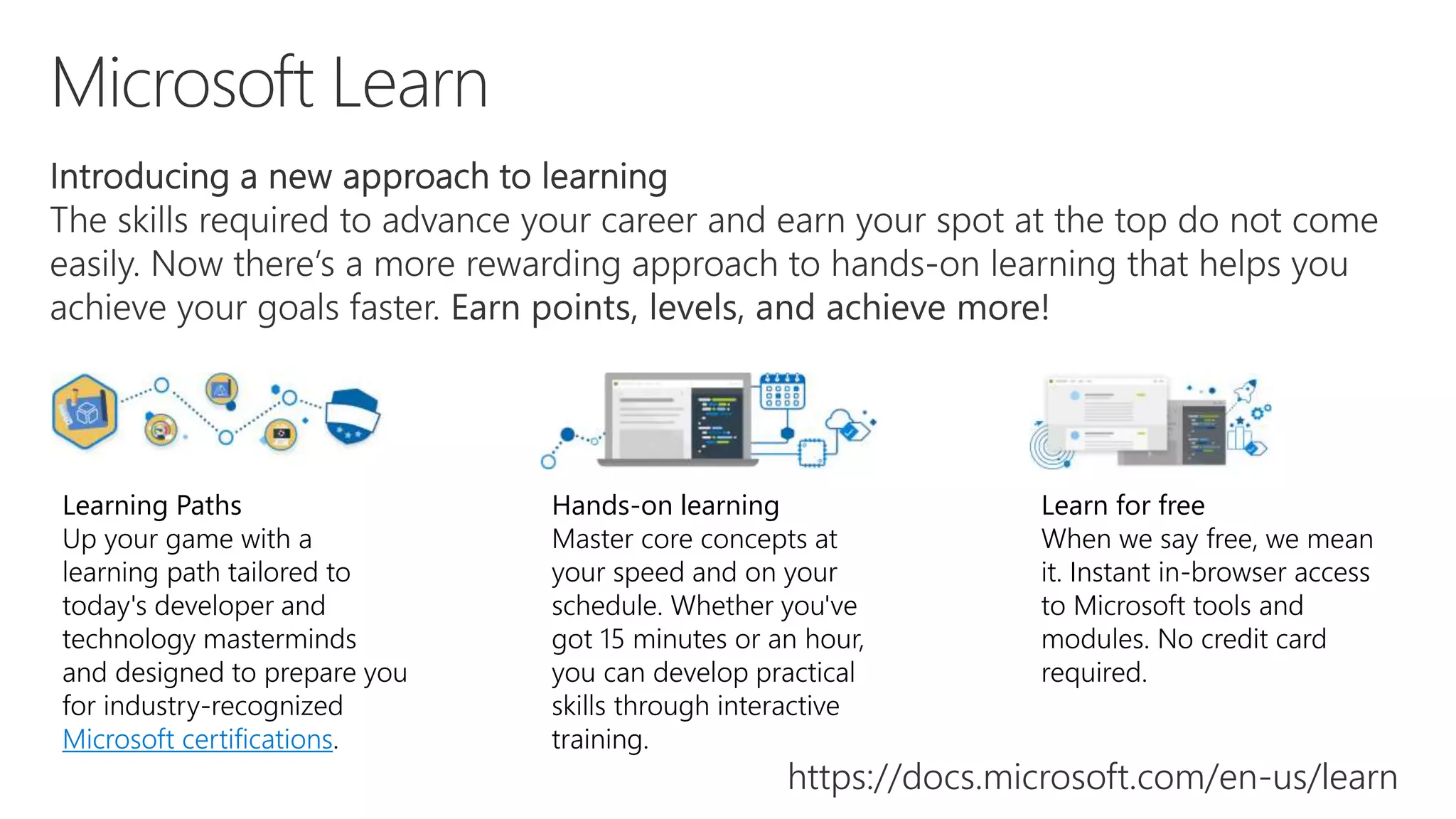
Learning Paths
Up your game with a
learning path tailored to
today's developer and
technology masterminds
and designed to prepare you
for industry-recognized
Microsoft certifications.
Hands-on learning
Master core concepts at
your speed and on your
schedule. Whether you've
got 15 minutes or an hour,
you can develop practical
skills through interactive
training.
Learn for free
When we say free, we mean
it. Instant in-browser access
to Microsoft tools and
modules. No credit card
required.
https://docs.microsoft.com/en-us/learn
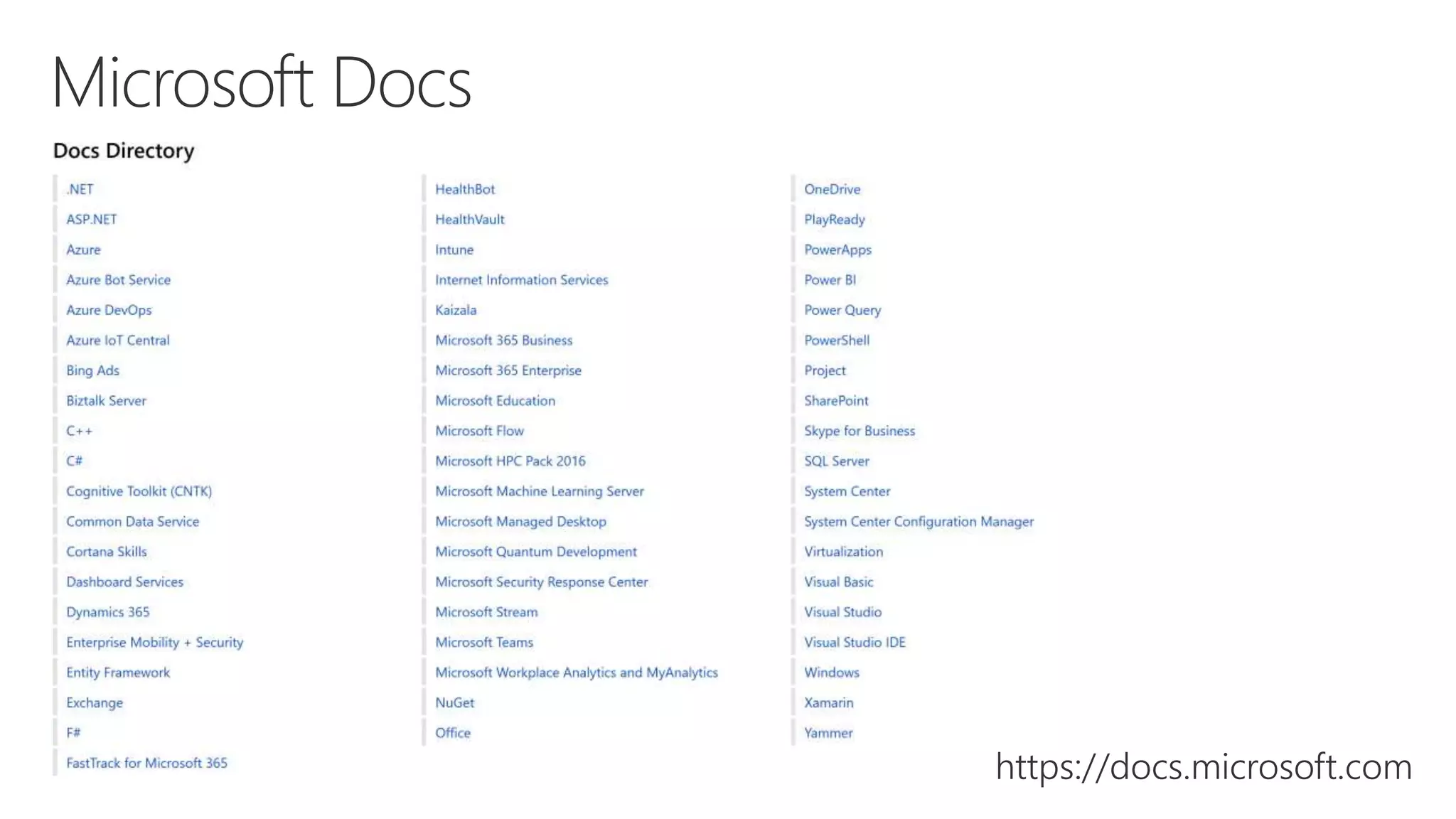
https://docs.microsoft.com
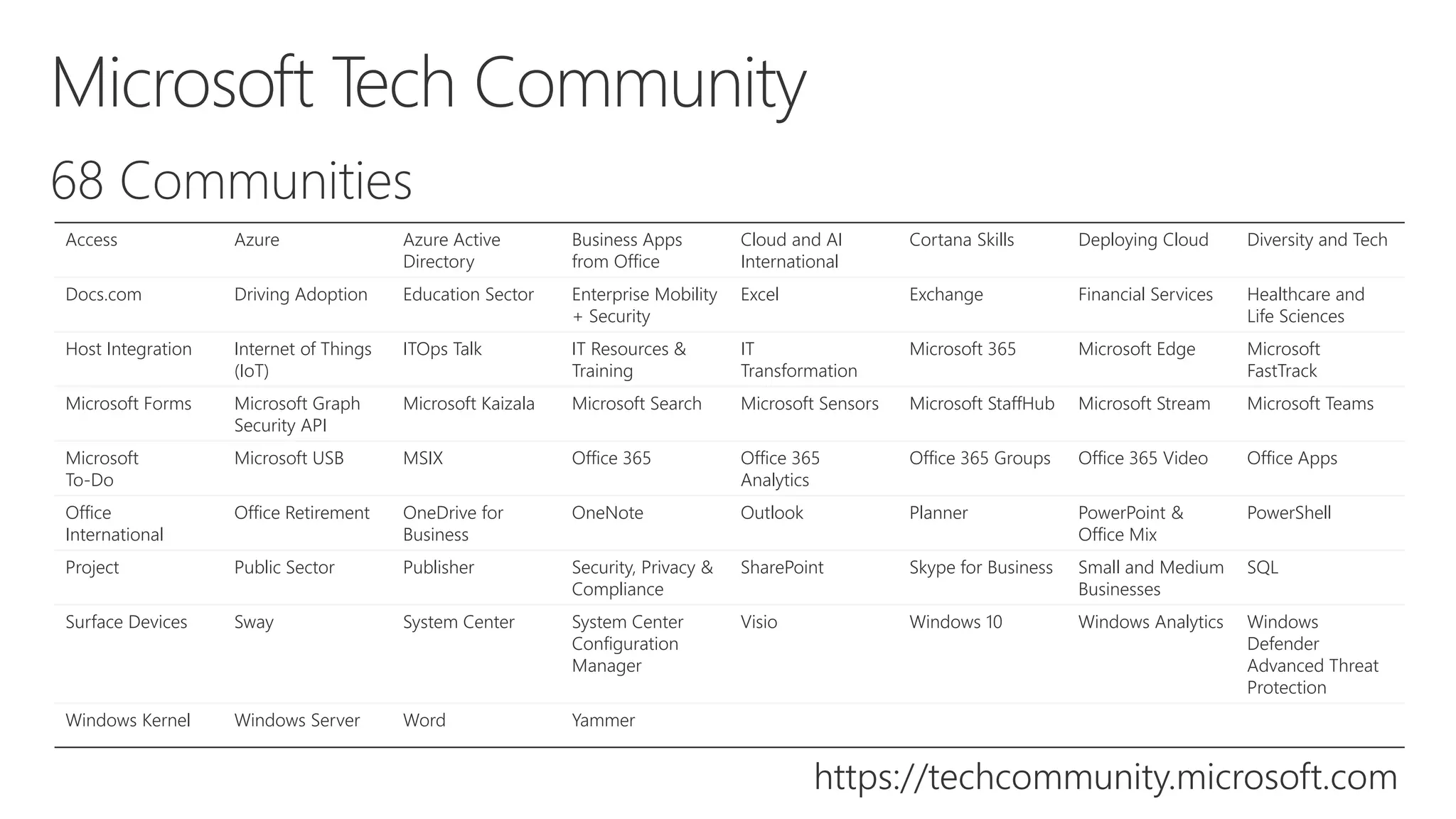
https://techcommunity.microsoft.com
Access Azure Azure Active
Directory
Business Apps
from Office
Cloud and AI
International
Cortana Skills Deploying Cloud Diversity and Tech
Docs.com Driving Adoption Education Sector Enterprise Mobility
+ Security
Excel Exchange Financial Services Healthcare and
Life Sciences
Host Integration Internet of Things
(IoT)
ITOps Talk IT Resources &
Training
IT
Transformation
Microsoft 365 Microsoft Edge Microsoft
FastTrack
Microsoft Forms Microsoft Graph
Security API
Microsoft Kaizala Microsoft Search Microsoft Sensors Microsoft StaffHub Microsoft Stream Microsoft Teams
Microsoft
To-Do
Microsoft USB MSIX Office 365 Office 365
Analytics
Office 365 Groups Office 365 Video Office Apps
Office
International
Office Retirement OneDrive for
Business
OneNote Outlook Planner PowerPoint &
Office Mix
PowerShell
Project Public Sector Publisher Security, Privacy &
Compliance
SharePoint Skype for Business Small and Medium
Businesses
SQL
Surface Devices Sway System Center System Center
Configuration
Manager
Visio Windows 10 Windows Analytics Windows
Defender
Advanced Threat
Protection
Windows Kernel Windows Server Word Yammer
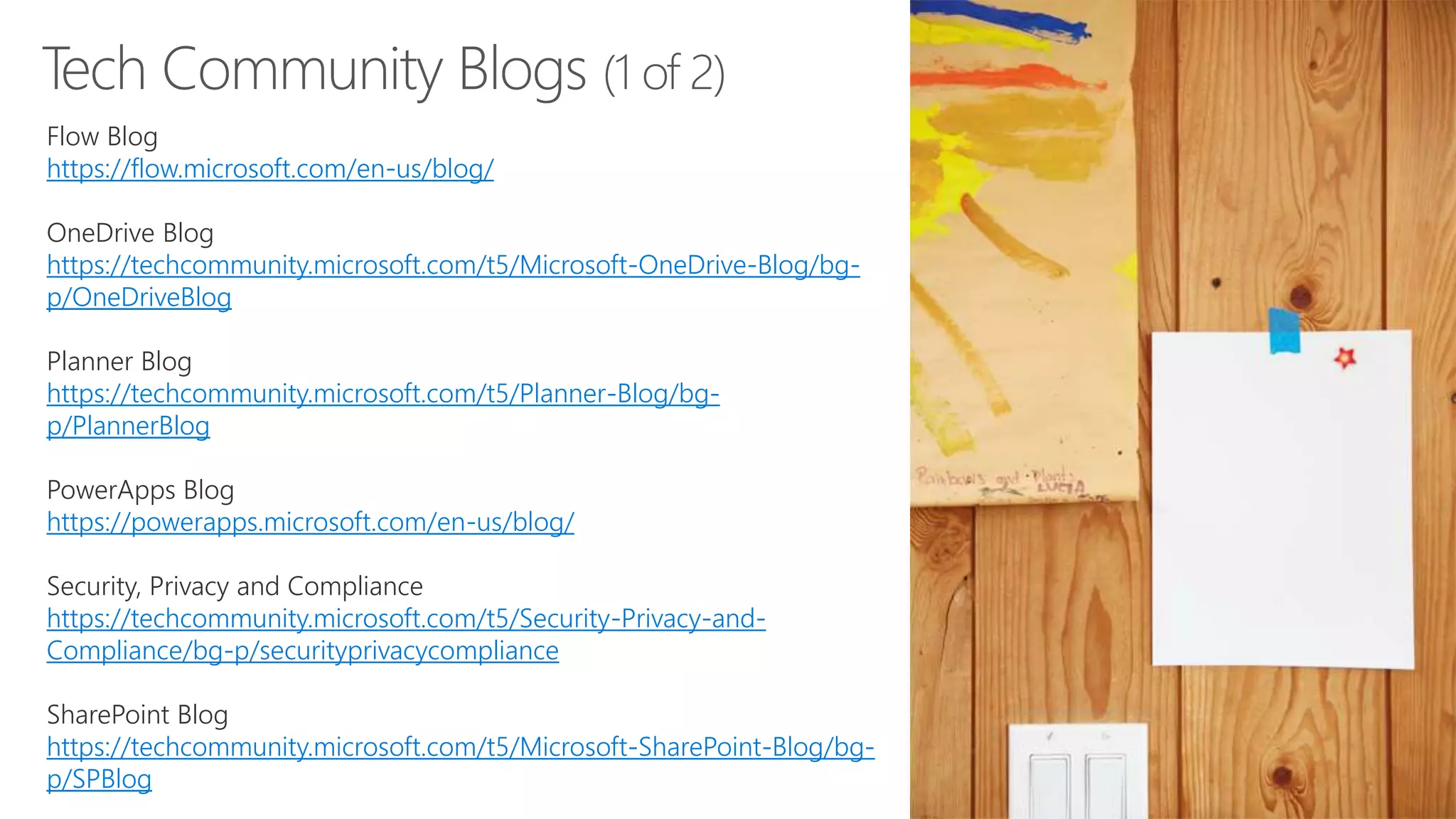
Tech Community Blogs (1 of 2)
Flow Blog
https://flow.microsoft.com/en-us/blog/
OneDrive Blog
https://techcommunity.microsoft.com/t5/Microsoft-OneDrive-Blog/bg-
p/OneDriveBlog
Planner Blog
https://techcommunity.microsoft.com/t5/Planner-Blog/bg-
p/PlannerBlog
PowerApps Blog
https://powerapps.microsoft.com/en-us/blog/
Security, Privacy and Compliance
https://techcommunity.microsoft.com/t5/Security-Privacy-and-
Compliance/bg-p/securityprivacycompliance
SharePoint Blog
https://techcommunity.microsoft.com/t5/Microsoft-SharePoint-Blog/bg-
p/SPBlog
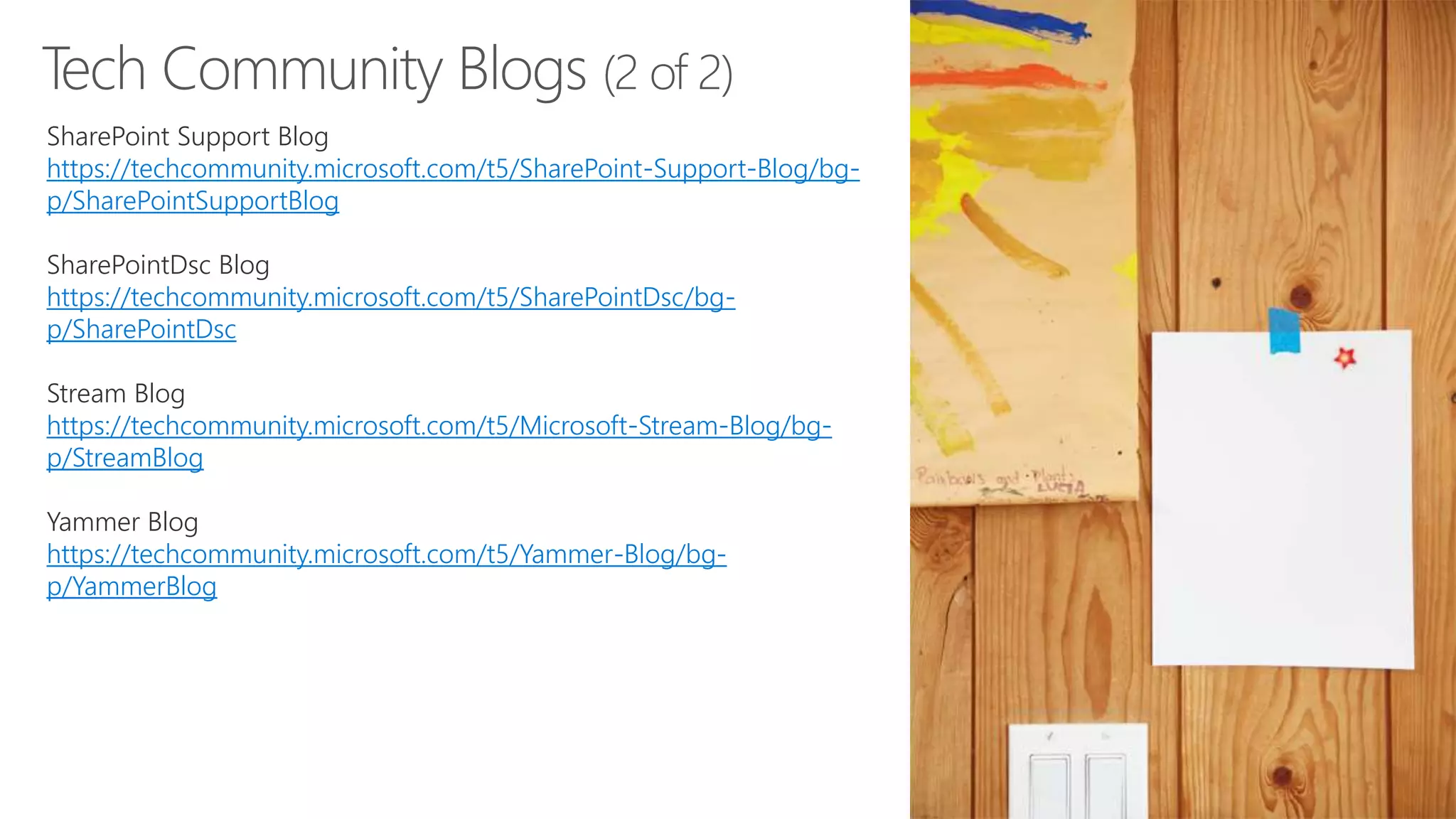
Tech Community Blogs (2 of 2)
SharePoint Support Blog
https://techcommunity.microsoft.com/t5/SharePoint-Support-Blog/bg-
p/SharePointSupportBlog
SharePointDsc Blog
https://techcommunity.microsoft.com/t5/SharePointDsc/bg-
p/SharePointDsc
Stream Blog
https://techcommunity.microsoft.com/t5/Microsoft-Stream-Blog/bg-
p/StreamBlog
Yammer Blog
https://techcommunity.microsoft.com/t5/Yammer-Blog/bg-
p/YammerBlog
Theresa Eller | Premier Field Engineer​
@SharePointMadam​ | @techresa
LinkedIn.com/in/theresaeller | slideshare.net/sharepointmadam

SPSCLT - The Latest Modern SharePoint Features

  • 1.
    The Latest SharePointFeatures: What They Are and Why They Matter Theresa Eller Premier Field Engineer
  • 2.
  • 3.
  • 4.
    Speaker Survey and Raffle •This year we are replacing the paper version of Speaker Survey with Microsoft Forms. • Scan the QR code for each session to access and submit your survey. • QR codes can be found in the program guide or on the room sign located by the door. • You will receive ONE raffle ticket for each session survey you complete. • The raffle ticket volunteer will validate your First and Last name before providing your ticket(s) • Drawing will be held this afternoon 4:30- 5:00 pm. • Must be present to win. You can download and use the QR Reader app available for both iOS and Android
  • 5.
  • 6.
    SharePint Happy Hourevent held after SPSCLT19 at Duckworth’s Grill and Taphouse Uptown. Walking distance from UNC Charlotte Center City campus and the 7th street light rail stop.
  • 7.
    Intrazone Roadmap PitstopPodcast (monthly) Message Center Microsoft 365 Roadmap Social Media (especially Twitter) Tech Community Blogs Resources for the Latest SharePoint Features
  • 8.
  • 17.
  • 19.
    Feature ID StatusAnticipated Release Date 46338 In Development September 2019 https://www.microsoft.com/en-us/microsoft-365/roadmap?filters=&searchterms=46338
  • 24.
    You can createa list from all existing lists within any site where you’re an editor. When the new list is created, the entire list structure is copied, including forms, formatting, and custom metadata columns. (Content will not be copied.) To create a list from Excel, you can select a table from your most recent Excel files in SharePoint or OneDrive. You can change the field type of the column if needed, and all your table data will be copied to the new lists.
  • 27.
  • 28.
    Learning Paths Up yourgame with a learning path tailored to today's developer and technology masterminds and designed to prepare you for industry-recognized Microsoft certifications. Hands-on learning Master core concepts at your speed and on your schedule. Whether you've got 15 minutes or an hour, you can develop practical skills through interactive training. Learn for free When we say free, we mean it. Instant in-browser access to Microsoft tools and modules. No credit card required. https://docs.microsoft.com/en-us/learn
  • 29.
  • 30.
    https://techcommunity.microsoft.com Access Azure AzureActive Directory Business Apps from Office Cloud and AI International Cortana Skills Deploying Cloud Diversity and Tech Docs.com Driving Adoption Education Sector Enterprise Mobility + Security Excel Exchange Financial Services Healthcare and Life Sciences Host Integration Internet of Things (IoT) ITOps Talk IT Resources & Training IT Transformation Microsoft 365 Microsoft Edge Microsoft FastTrack Microsoft Forms Microsoft Graph Security API Microsoft Kaizala Microsoft Search Microsoft Sensors Microsoft StaffHub Microsoft Stream Microsoft Teams Microsoft To-Do Microsoft USB MSIX Office 365 Office 365 Analytics Office 365 Groups Office 365 Video Office Apps Office International Office Retirement OneDrive for Business OneNote Outlook Planner PowerPoint & Office Mix PowerShell Project Public Sector Publisher Security, Privacy & Compliance SharePoint Skype for Business Small and Medium Businesses SQL Surface Devices Sway System Center System Center Configuration Manager Visio Windows 10 Windows Analytics Windows Defender Advanced Threat Protection Windows Kernel Windows Server Word Yammer
  • 31.
    Tech Community Blogs(1 of 2) Flow Blog https://flow.microsoft.com/en-us/blog/ OneDrive Blog https://techcommunity.microsoft.com/t5/Microsoft-OneDrive-Blog/bg- p/OneDriveBlog Planner Blog https://techcommunity.microsoft.com/t5/Planner-Blog/bg- p/PlannerBlog PowerApps Blog https://powerapps.microsoft.com/en-us/blog/ Security, Privacy and Compliance https://techcommunity.microsoft.com/t5/Security-Privacy-and- Compliance/bg-p/securityprivacycompliance SharePoint Blog https://techcommunity.microsoft.com/t5/Microsoft-SharePoint-Blog/bg- p/SPBlog
  • 32.
    Tech Community Blogs(2 of 2) SharePoint Support Blog https://techcommunity.microsoft.com/t5/SharePoint-Support-Blog/bg- p/SharePointSupportBlog SharePointDsc Blog https://techcommunity.microsoft.com/t5/SharePointDsc/bg- p/SharePointDsc Stream Blog https://techcommunity.microsoft.com/t5/Microsoft-Stream-Blog/bg- p/StreamBlog Yammer Blog https://techcommunity.microsoft.com/t5/Yammer-Blog/bg- p/YammerBlog
  • 33.
    Theresa Eller |Premier Field Engineer​ @SharePointMadam​ | @techresa LinkedIn.com/in/theresaeller | slideshare.net/sharepointmadam