Practical guide to build Modern
Intranet sites with SharePoint
Communication Sites
Asish Padhy
About me
- SharePoint, Office 365 and Azure Solutions Consultant
at Kloud Solutions
- 12 years of experience working on SharePoint and MS Technologies
- I am a Consultant, Architect, Project Lead
and always a Developer.
- Microsoft Certified Professional in SharePoint
 https://asishpadhy.com
 https://twitter.com/asishpadhy - @asishpadhy
 https://www.linkedin.com/in/asishpadhy
 https://blog.kloud.com.au/author/asishpadhykloud/
Agenda
 Introduction
 Communication Sites
 Mapping the old structure
 Configure Communication sites as Intranet
 Demo
 Challenges
 Extensibility Options
 Final thoughts
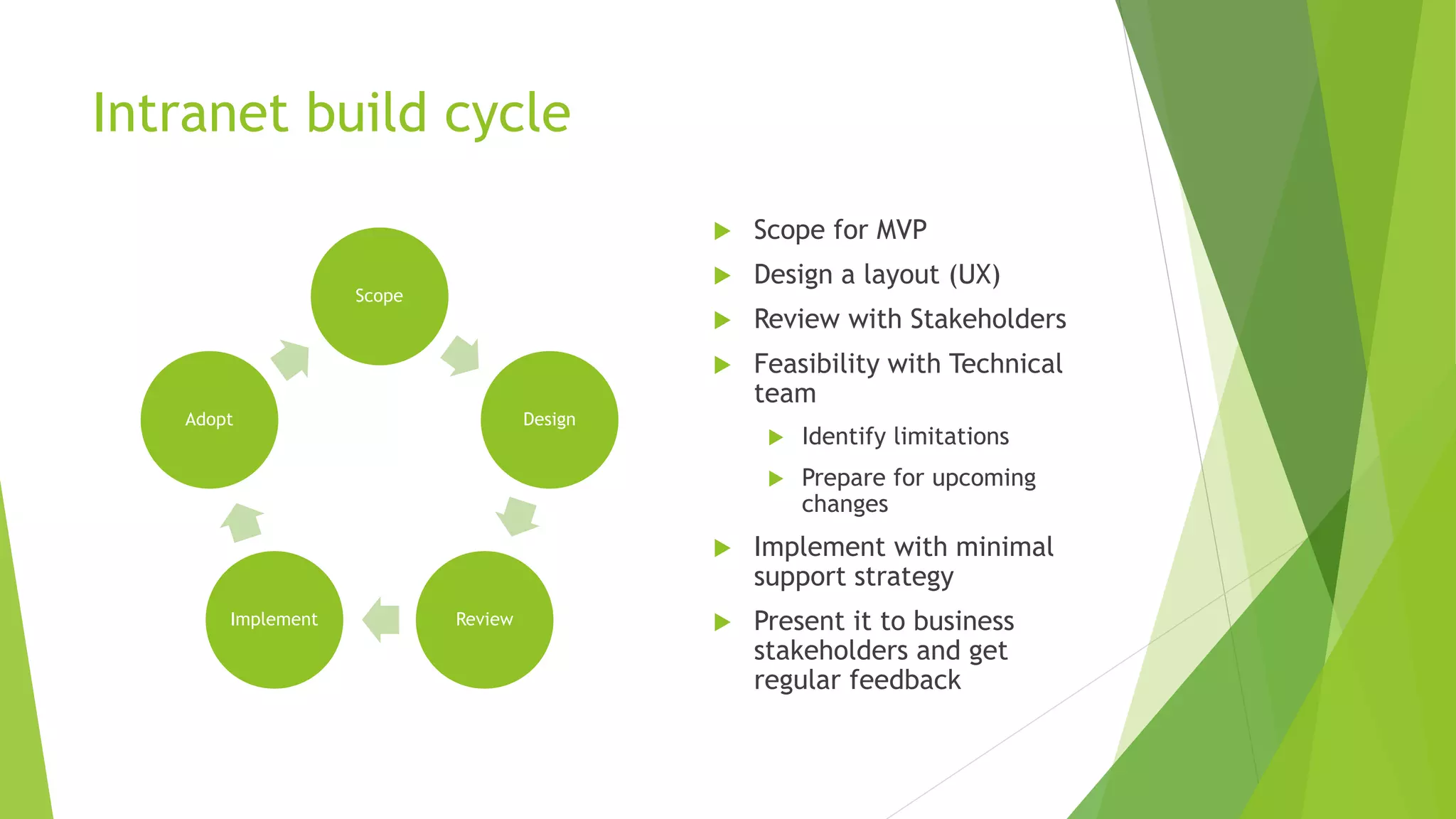
Intranet build cycle
Scope
Design
ReviewImplement
Adopt
 Scope for MVP
 Design a layout (UX)
 Review with Stakeholders
 Feasibility with Technical
team
 Identify limitations
 Prepare for upcoming
changes
 Implement with minimal
support strategy
 Present it to business
stakeholders and get
regular feedback
Benefits of Communication sites
 Easy Content Management
 Site Pages grouped based on content groups
 Role based pages (coming ..)
 Target based on Business functions
 Types of Site Pages – Promoted state (0 = Site Page, 1 = Article Page, 2 = News Page)
 Easy Targeting of Content
 Site Pages with Highlighted web parts with metadata
 Announcements and Updates
 Create and Promote News
 Configurable News web parts
 Content Aggregation, Global Navigation to all sites
 Could be promoted to Hub sites
 Forms
 Embed Microsoft Forms and PowerApps Forms onto the page
 Content Approval
 Promote site pages to news
 Start custom approval on pages (upcoming ..)
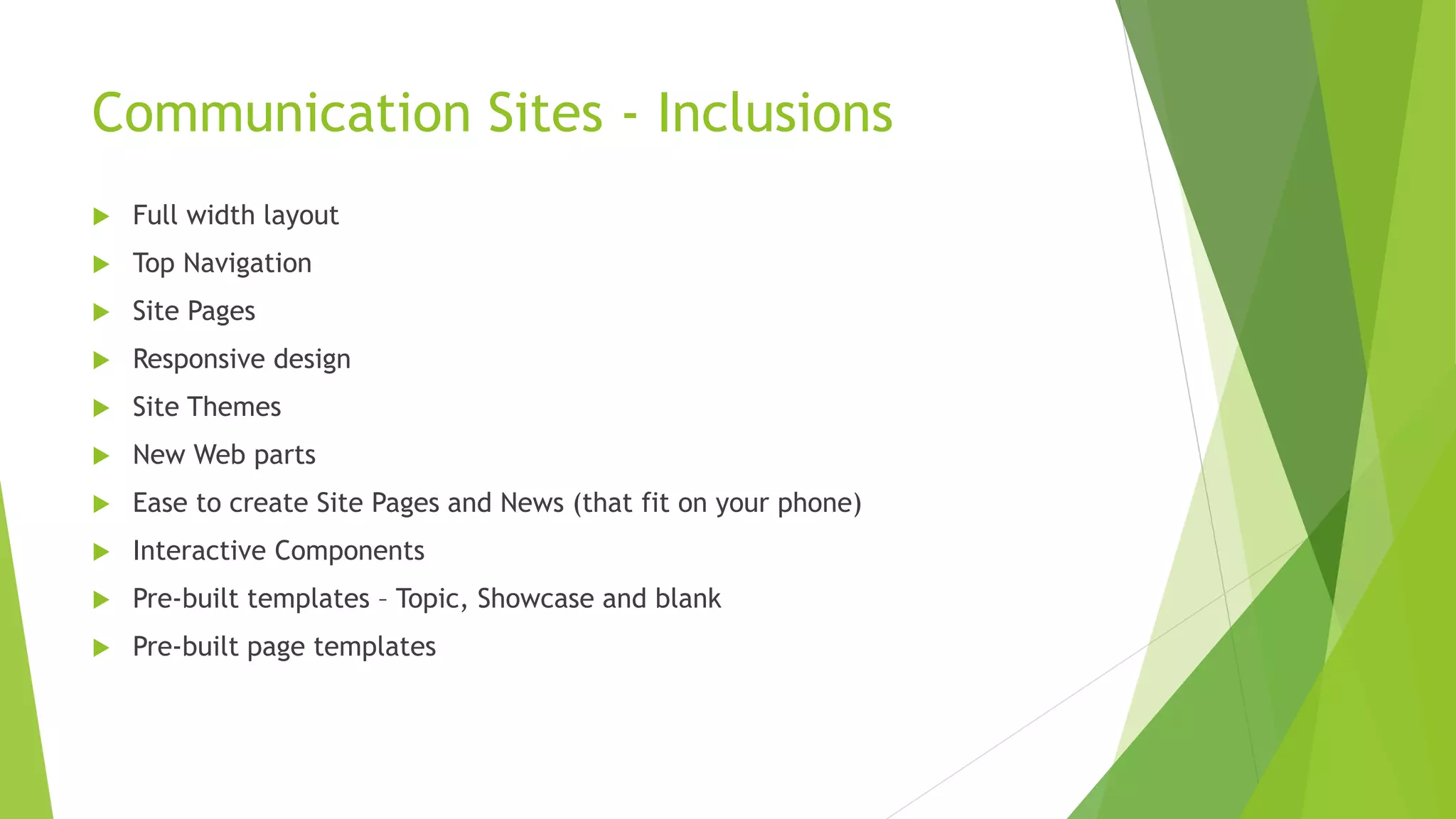
Communication Sites - Inclusions
 Full width layout
 Top Navigation
 Site Pages
 Responsive design
 Site Themes
 New Web parts
 Ease to create Site Pages and News (that fit on your phone)
 Interactive Components
 Pre-built templates – Topic, Showcase and blank
 Pre-built page templates
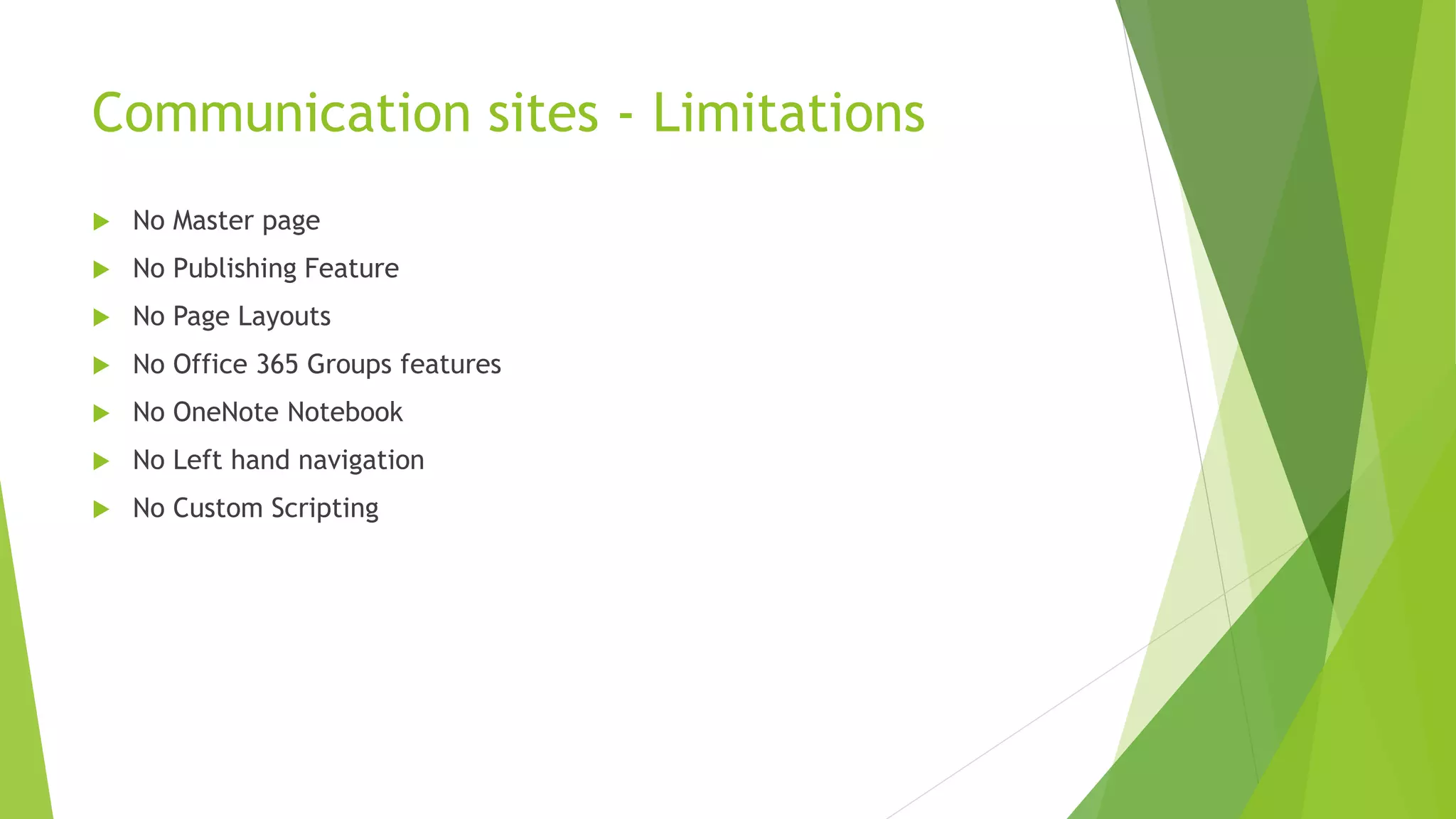
Communication sites - Limitations
 No Master page
 No Publishing Feature
 No Page Layouts
 No Office 365 Groups features
 No OneNote Notebook
 No Left hand navigation
 No Custom Scripting
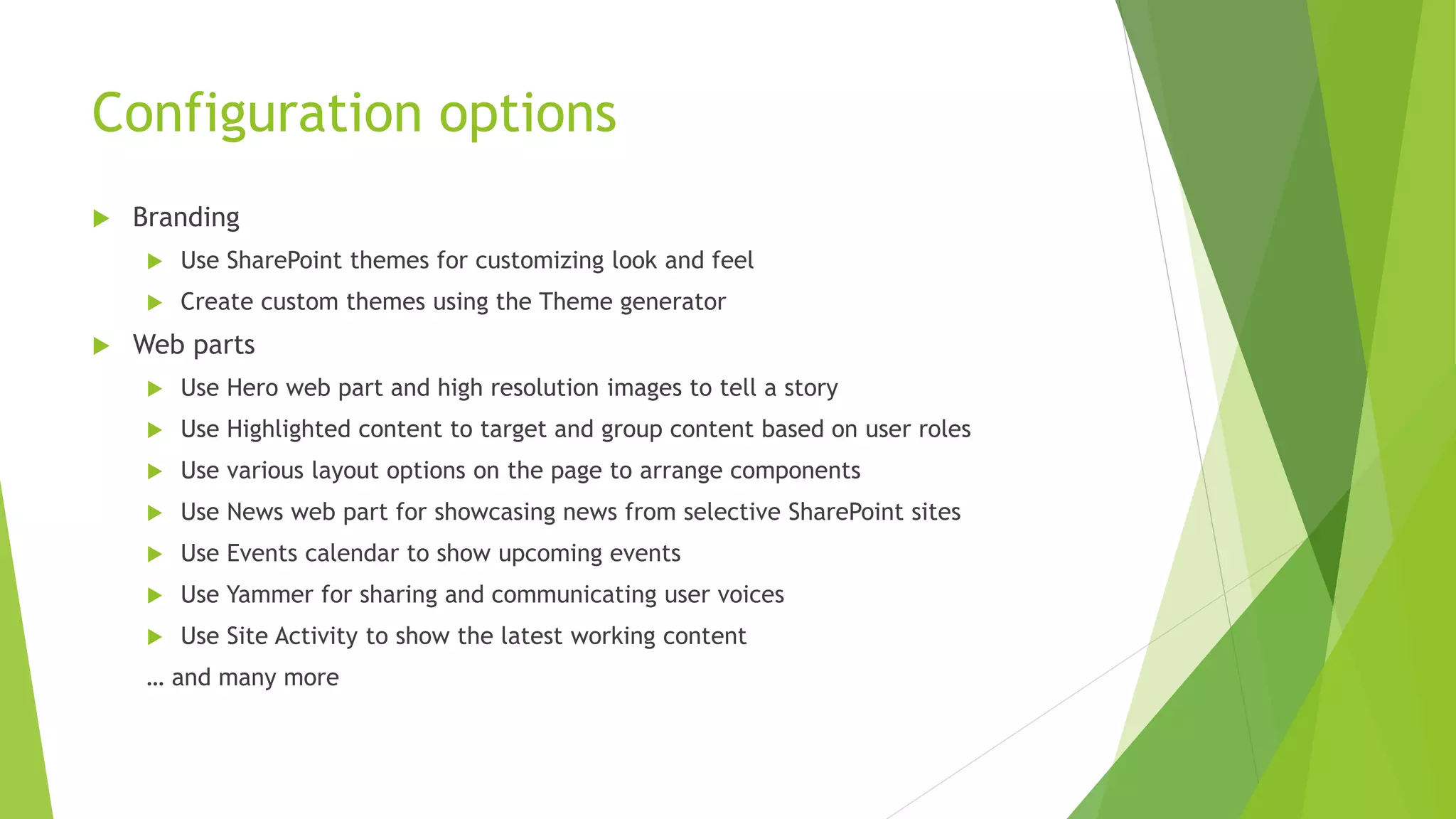
Configuration options
 Branding
 Use SharePoint themes for customizing look and feel
 Create custom themes using the Theme generator
 Web parts
 Use Hero web part and high resolution images to tell a story
 Use Highlighted content to target and group content based on user roles
 Use various layout options on the page to arrange components
 Use News web part for showcasing news from selective SharePoint sites
 Use Events calendar to show upcoming events
 Use Yammer for sharing and communicating user voices
 Use Site Activity to show the latest working content
… and many more
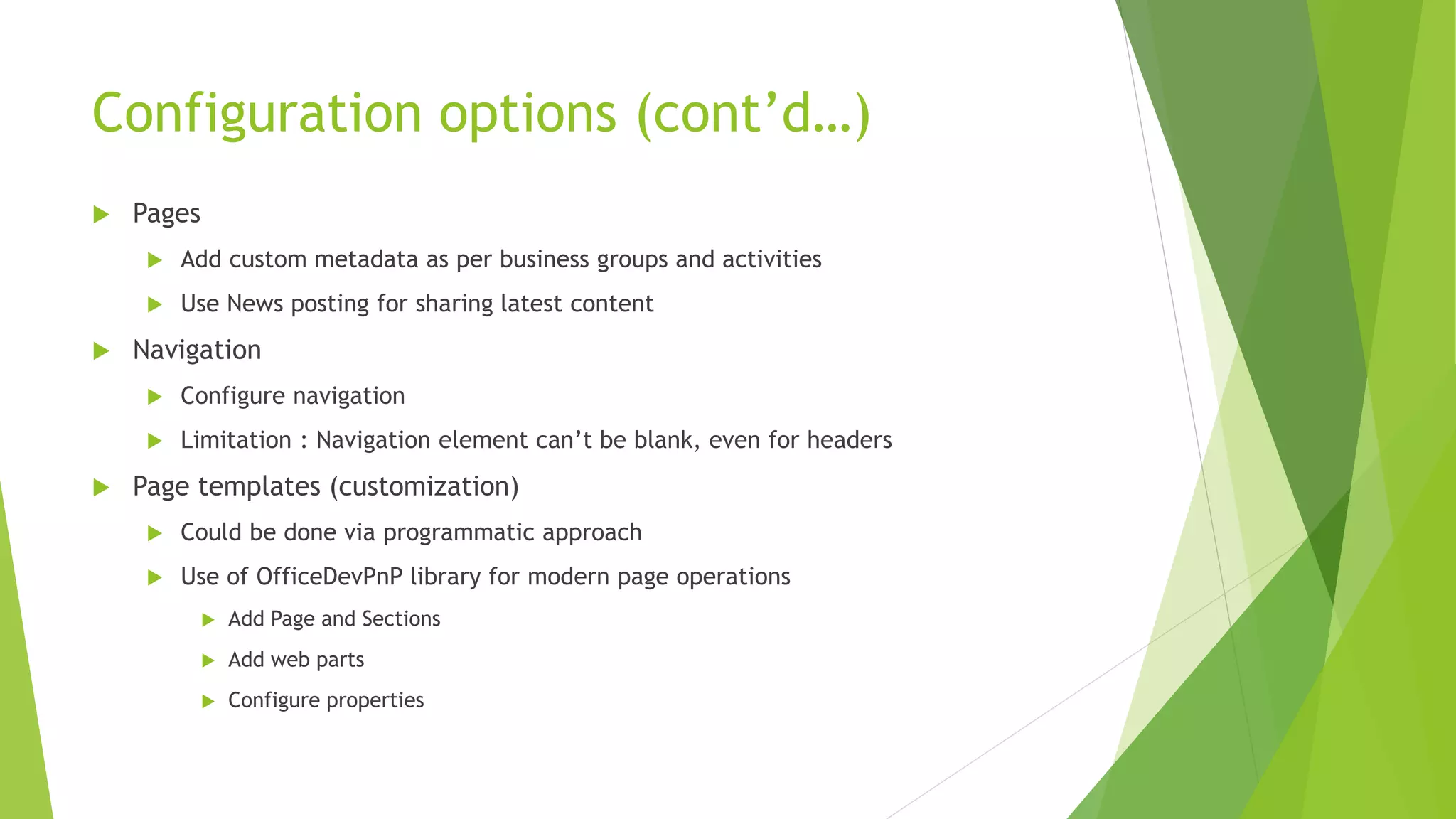
Configuration options (cont’d…)
 Pages
 Add custom metadata as per business groups and activities
 Use News posting for sharing latest content
 Navigation
 Configure navigation
 Limitation : Navigation element can’t be blank, even for headers
 Page templates (customization)
 Could be done via programmatic approach
 Use of OfficeDevPnP library for modern page operations
 Add Page and Sections
 Add web parts
 Configure properties
Demo
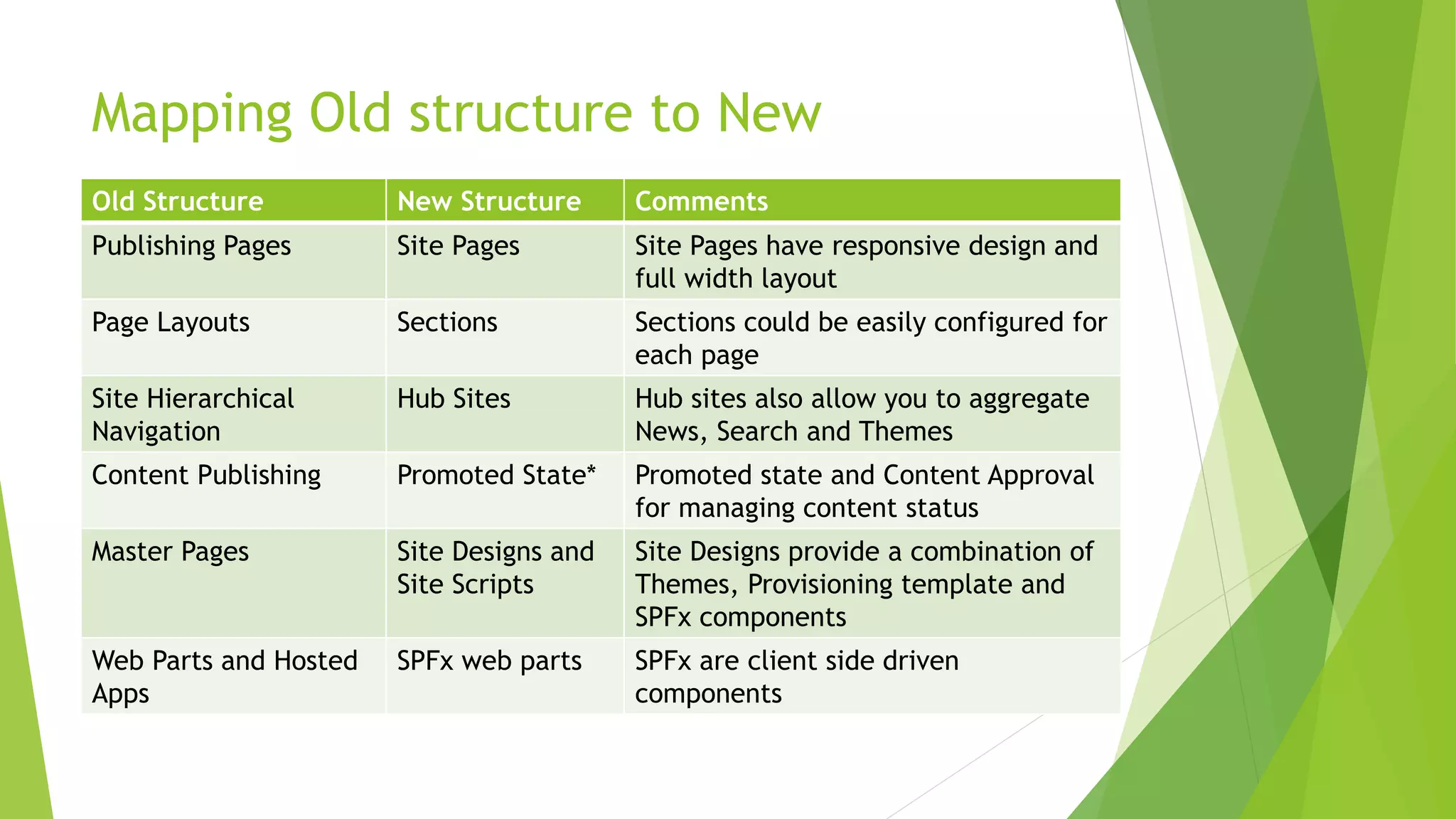
Mapping Old structure to New
Old Structure New Structure Comments
Publishing Pages Site Pages Site Pages have responsive design and
full width layout
Page Layouts Sections Sections could be easily configured for
each page
Site Hierarchical
Navigation
Hub Sites Hub sites also allow you to aggregate
News, Search and Themes
Content Publishing Promoted State* Promoted state and Content Approval
for managing content status
Master Pages Site Designs and
Site Scripts
Site Designs provide a combination of
Themes, Provisioning template and
SPFx components
Web Parts and Hosted
Apps
SPFx web parts SPFx are client side driven
components
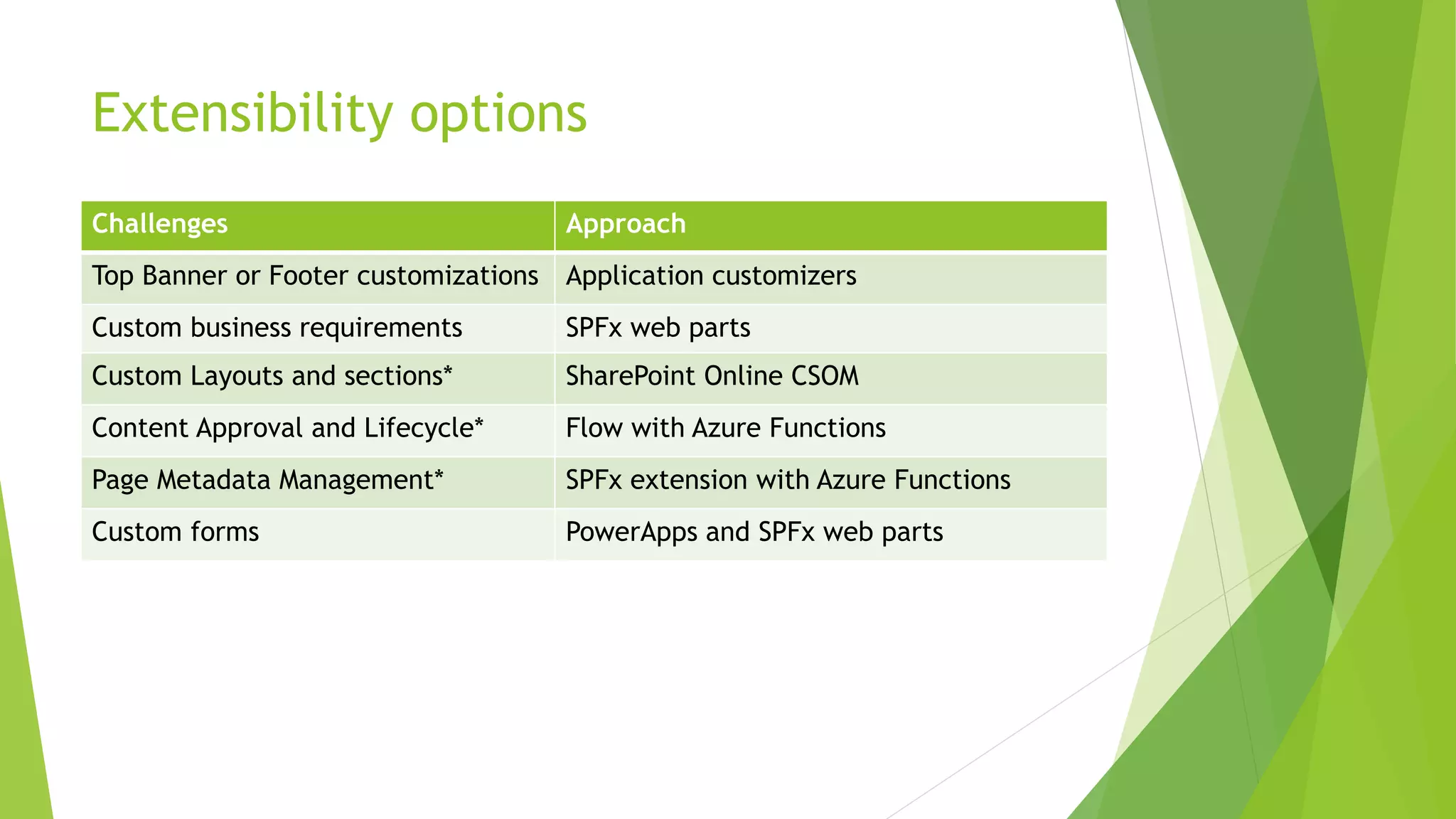
Extensibility options
Challenges Approach
Top Banner or Footer customizations Application customizers
Custom business requirements SPFx web parts
Custom Layouts and sections* SharePoint Online CSOM
Content Approval and Lifecycle* Flow with Azure Functions
Page Metadata Management* SPFx extension with Azure Functions
Custom forms PowerApps and SPFx web parts
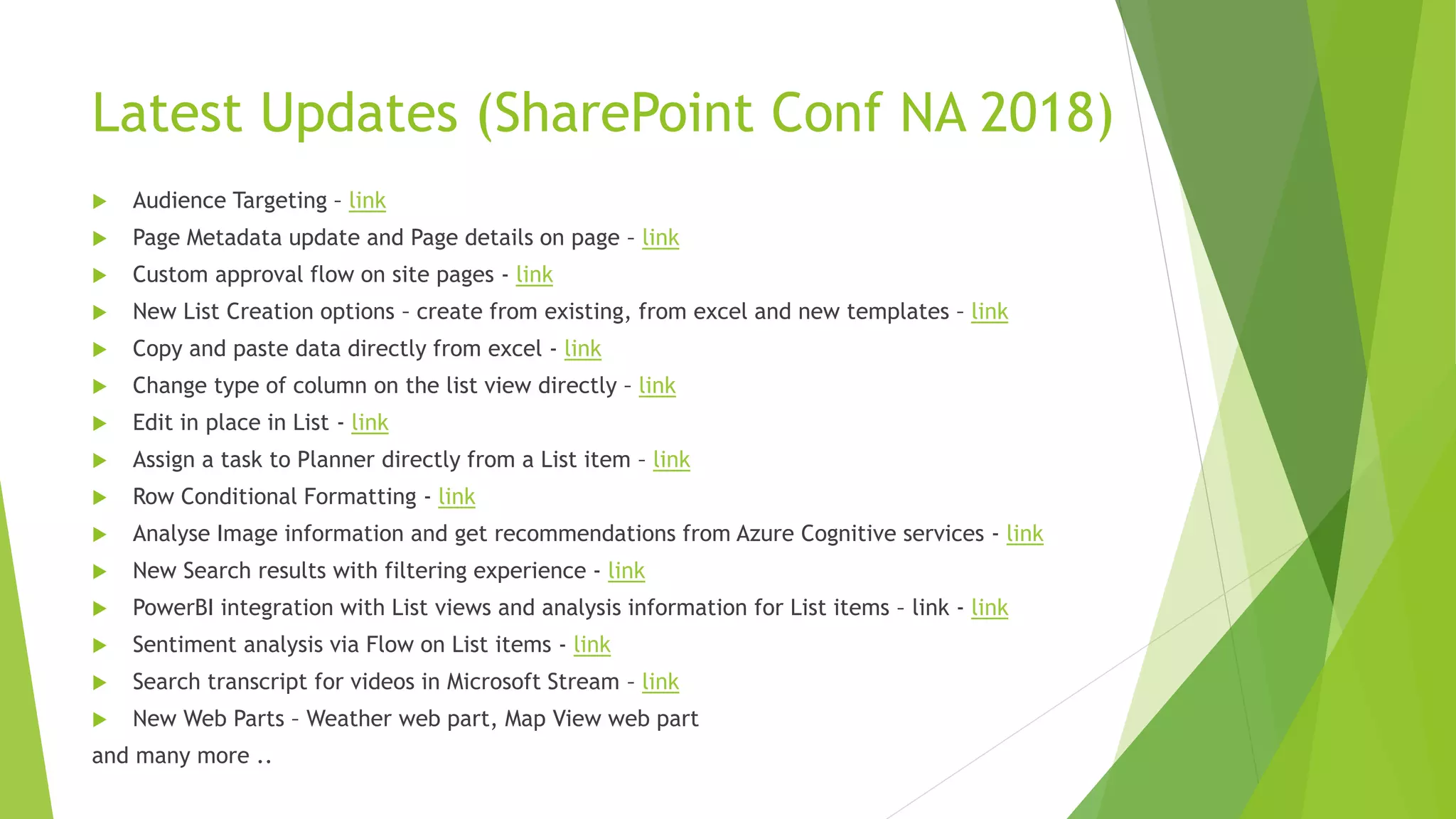
Latest Updates (SharePoint Conf NA 2018)
 Audience Targeting – link
 Page Metadata update and Page details on page – link
 Custom approval flow on site pages - link
 New List Creation options – create from existing, from excel and new templates – link
 Copy and paste data directly from excel - link
 Change type of column on the list view directly – link
 Edit in place in List - link
 Assign a task to Planner directly from a List item – link
 Row Conditional Formatting - link
 Analyse Image information and get recommendations from Azure Cognitive services - link
 New Search results with filtering experience - link
 PowerBI integration with List views and analysis information for List items – link - link
 Sentiment analysis via Flow on List items - link
 Search transcript for videos in Microsoft Stream – link
 New Web Parts – Weather web part, Map View web part
and many more ..
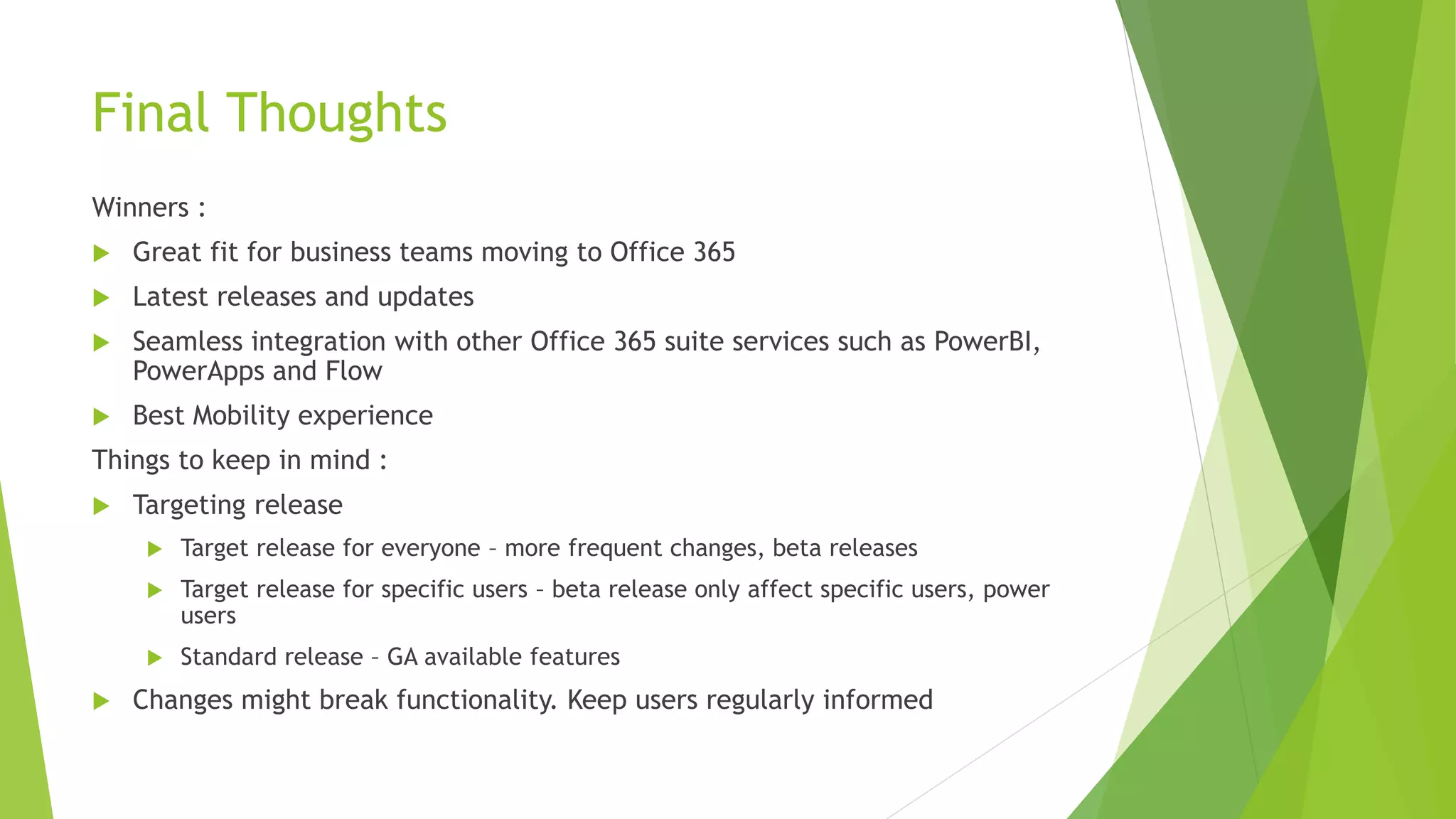
Final Thoughts
Winners :
 Great fit for business teams moving to Office 365
 Latest releases and updates
 Seamless integration with other Office 365 suite services such as PowerBI,
PowerApps and Flow
 Best Mobility experience
Things to keep in mind :
 Targeting release
 Target release for everyone – more frequent changes, beta releases
 Target release for specific users – beta release only affect specific users, power
users
 Standard release – GA available features
 Changes might break functionality. Keep users regularly informed
Questions

Build Modern Intranet sites with SharePoint Communication sites - Asish Padhy - Sydney Meetup June 2018

  • 1.
    Practical guide tobuild Modern Intranet sites with SharePoint Communication Sites Asish Padhy
  • 2.
    About me - SharePoint,Office 365 and Azure Solutions Consultant at Kloud Solutions - 12 years of experience working on SharePoint and MS Technologies - I am a Consultant, Architect, Project Lead and always a Developer. - Microsoft Certified Professional in SharePoint  https://asishpadhy.com  https://twitter.com/asishpadhy - @asishpadhy  https://www.linkedin.com/in/asishpadhy  https://blog.kloud.com.au/author/asishpadhykloud/
  • 3.
    Agenda  Introduction  CommunicationSites  Mapping the old structure  Configure Communication sites as Intranet  Demo  Challenges  Extensibility Options  Final thoughts
  • 4.
    Intranet build cycle Scope Design ReviewImplement Adopt Scope for MVP  Design a layout (UX)  Review with Stakeholders  Feasibility with Technical team  Identify limitations  Prepare for upcoming changes  Implement with minimal support strategy  Present it to business stakeholders and get regular feedback
  • 5.
    Benefits of Communicationsites  Easy Content Management  Site Pages grouped based on content groups  Role based pages (coming ..)  Target based on Business functions  Types of Site Pages – Promoted state (0 = Site Page, 1 = Article Page, 2 = News Page)  Easy Targeting of Content  Site Pages with Highlighted web parts with metadata  Announcements and Updates  Create and Promote News  Configurable News web parts  Content Aggregation, Global Navigation to all sites  Could be promoted to Hub sites  Forms  Embed Microsoft Forms and PowerApps Forms onto the page  Content Approval  Promote site pages to news  Start custom approval on pages (upcoming ..)
  • 6.
    Communication Sites -Inclusions  Full width layout  Top Navigation  Site Pages  Responsive design  Site Themes  New Web parts  Ease to create Site Pages and News (that fit on your phone)  Interactive Components  Pre-built templates – Topic, Showcase and blank  Pre-built page templates
  • 7.
    Communication sites -Limitations  No Master page  No Publishing Feature  No Page Layouts  No Office 365 Groups features  No OneNote Notebook  No Left hand navigation  No Custom Scripting
  • 8.
    Configuration options  Branding Use SharePoint themes for customizing look and feel  Create custom themes using the Theme generator  Web parts  Use Hero web part and high resolution images to tell a story  Use Highlighted content to target and group content based on user roles  Use various layout options on the page to arrange components  Use News web part for showcasing news from selective SharePoint sites  Use Events calendar to show upcoming events  Use Yammer for sharing and communicating user voices  Use Site Activity to show the latest working content … and many more
  • 9.
    Configuration options (cont’d…) Pages  Add custom metadata as per business groups and activities  Use News posting for sharing latest content  Navigation  Configure navigation  Limitation : Navigation element can’t be blank, even for headers  Page templates (customization)  Could be done via programmatic approach  Use of OfficeDevPnP library for modern page operations  Add Page and Sections  Add web parts  Configure properties
  • 10.
  • 11.
    Mapping Old structureto New Old Structure New Structure Comments Publishing Pages Site Pages Site Pages have responsive design and full width layout Page Layouts Sections Sections could be easily configured for each page Site Hierarchical Navigation Hub Sites Hub sites also allow you to aggregate News, Search and Themes Content Publishing Promoted State* Promoted state and Content Approval for managing content status Master Pages Site Designs and Site Scripts Site Designs provide a combination of Themes, Provisioning template and SPFx components Web Parts and Hosted Apps SPFx web parts SPFx are client side driven components
  • 12.
    Extensibility options Challenges Approach TopBanner or Footer customizations Application customizers Custom business requirements SPFx web parts Custom Layouts and sections* SharePoint Online CSOM Content Approval and Lifecycle* Flow with Azure Functions Page Metadata Management* SPFx extension with Azure Functions Custom forms PowerApps and SPFx web parts
  • 13.
    Latest Updates (SharePointConf NA 2018)  Audience Targeting – link  Page Metadata update and Page details on page – link  Custom approval flow on site pages - link  New List Creation options – create from existing, from excel and new templates – link  Copy and paste data directly from excel - link  Change type of column on the list view directly – link  Edit in place in List - link  Assign a task to Planner directly from a List item – link  Row Conditional Formatting - link  Analyse Image information and get recommendations from Azure Cognitive services - link  New Search results with filtering experience - link  PowerBI integration with List views and analysis information for List items – link - link  Sentiment analysis via Flow on List items - link  Search transcript for videos in Microsoft Stream – link  New Web Parts – Weather web part, Map View web part and many more ..
  • 14.
    Final Thoughts Winners : Great fit for business teams moving to Office 365  Latest releases and updates  Seamless integration with other Office 365 suite services such as PowerBI, PowerApps and Flow  Best Mobility experience Things to keep in mind :  Targeting release  Target release for everyone – more frequent changes, beta releases  Target release for specific users – beta release only affect specific users, power users  Standard release – GA available features  Changes might break functionality. Keep users regularly informed
  • 15.