The Client Object Model in SharePoint 2010 DEV110 Ben Robb & Eric Shupps
Ben Robb, MVP Chief Technology Officer, cScape http://www.cScape.com [email_address] Eric Shupps, MVP President, BinaryWave http://www.binarywave.com Blog: www.sharepointcowboy.com [email_address]
Agenda Introduction to Client Object Model .NET Client Object Model Silverlight and Client Object Model JavaScript and Client Object Model
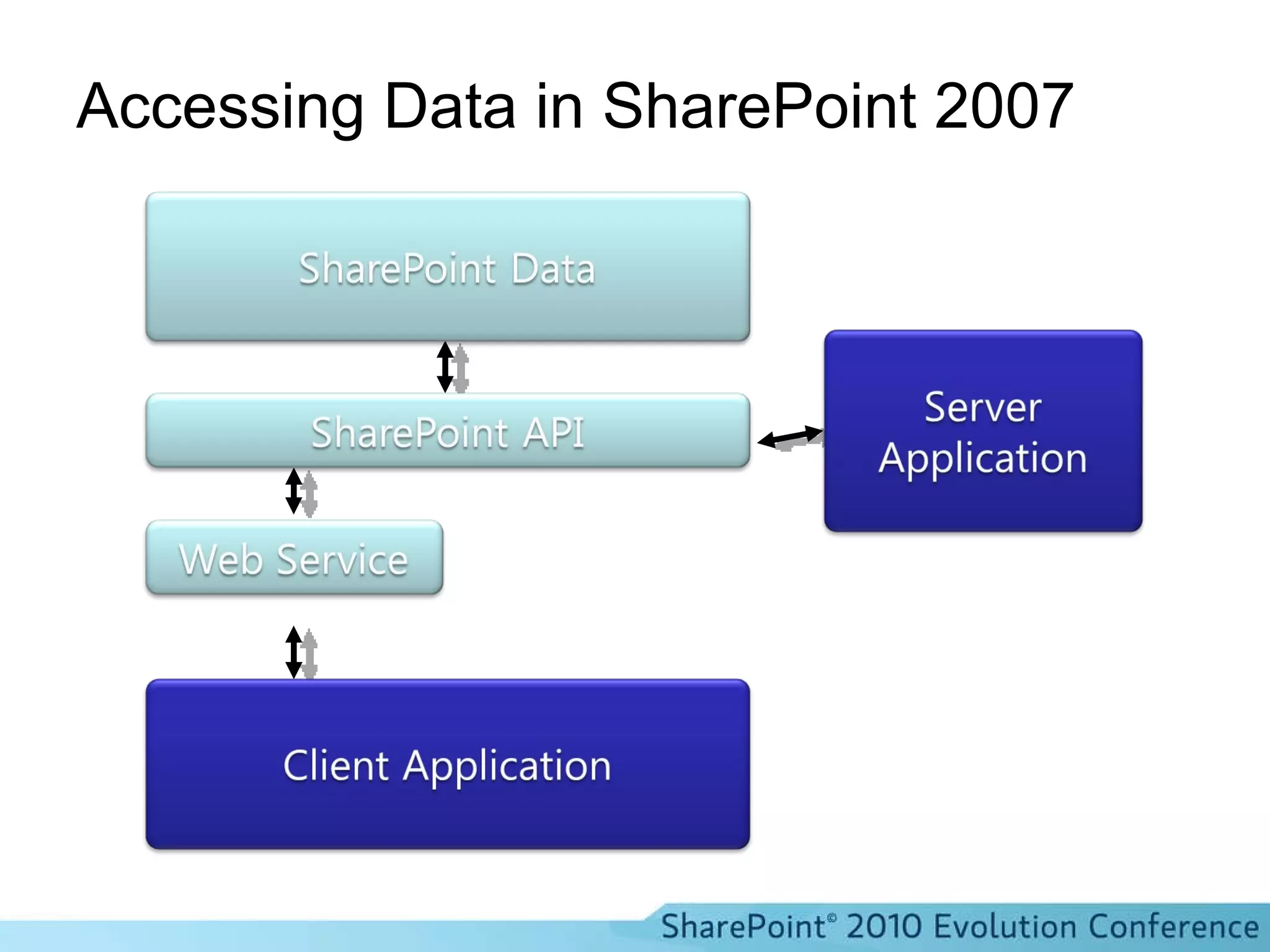
Accessing Data in SharePoint 2007
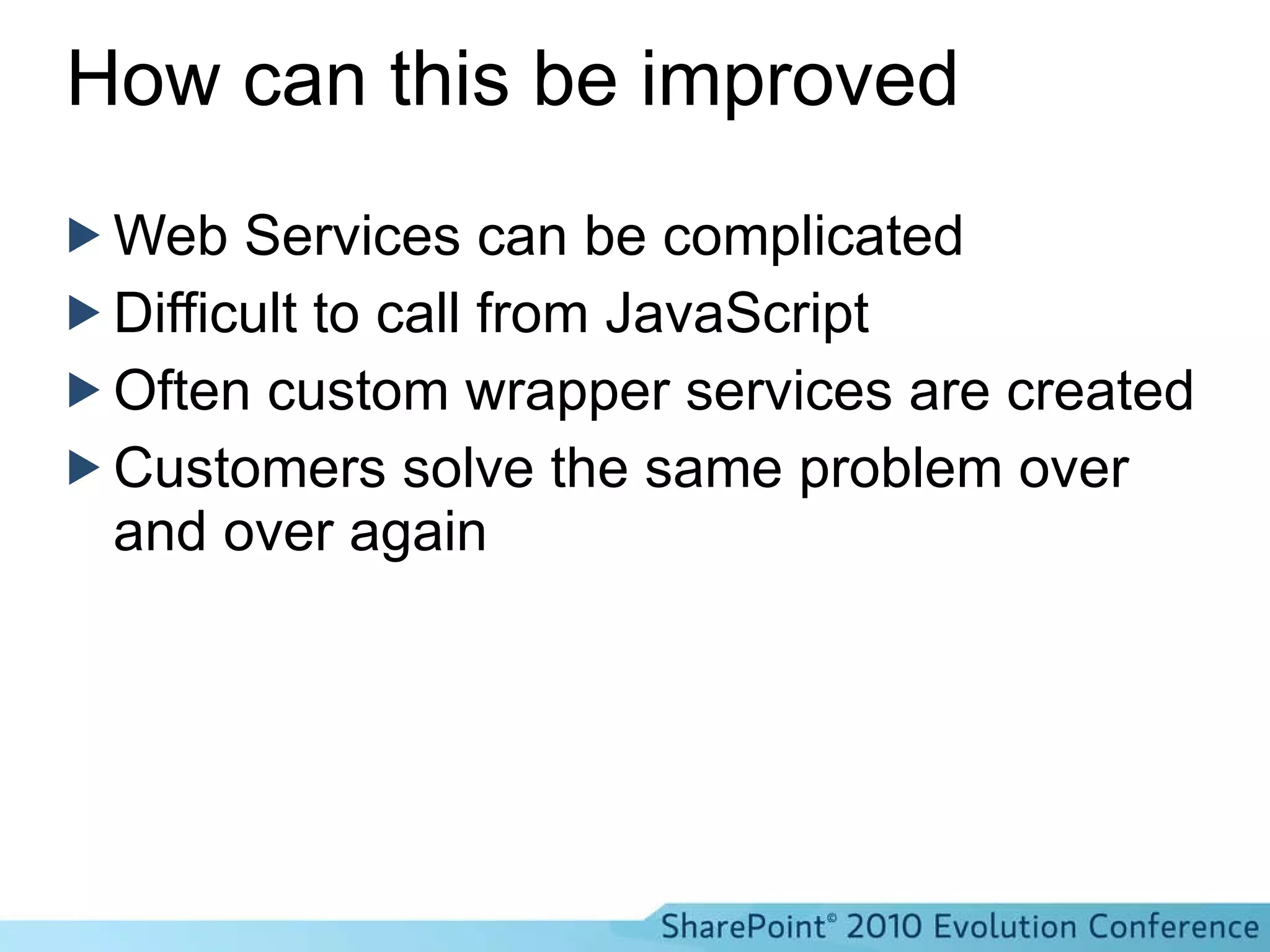
How can this be improved Web Services can be complicated Difficult to call from JavaScript Often custom wrapper services are created Customers solve the same problem over and over again
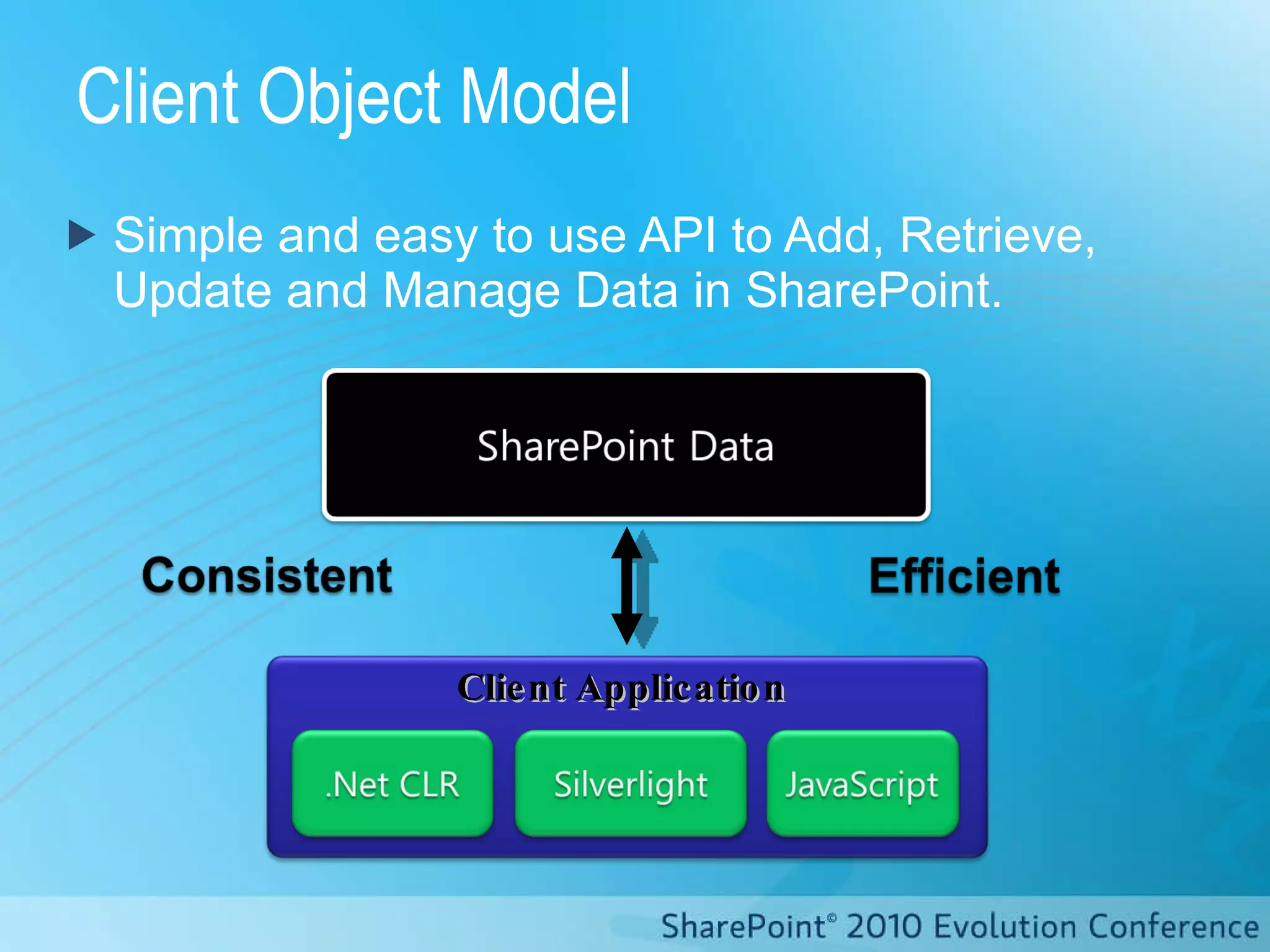
Client Object Model Simple and easy to use API to Add, Retrieve, Update and Manage Data in SharePoint. Client   Application
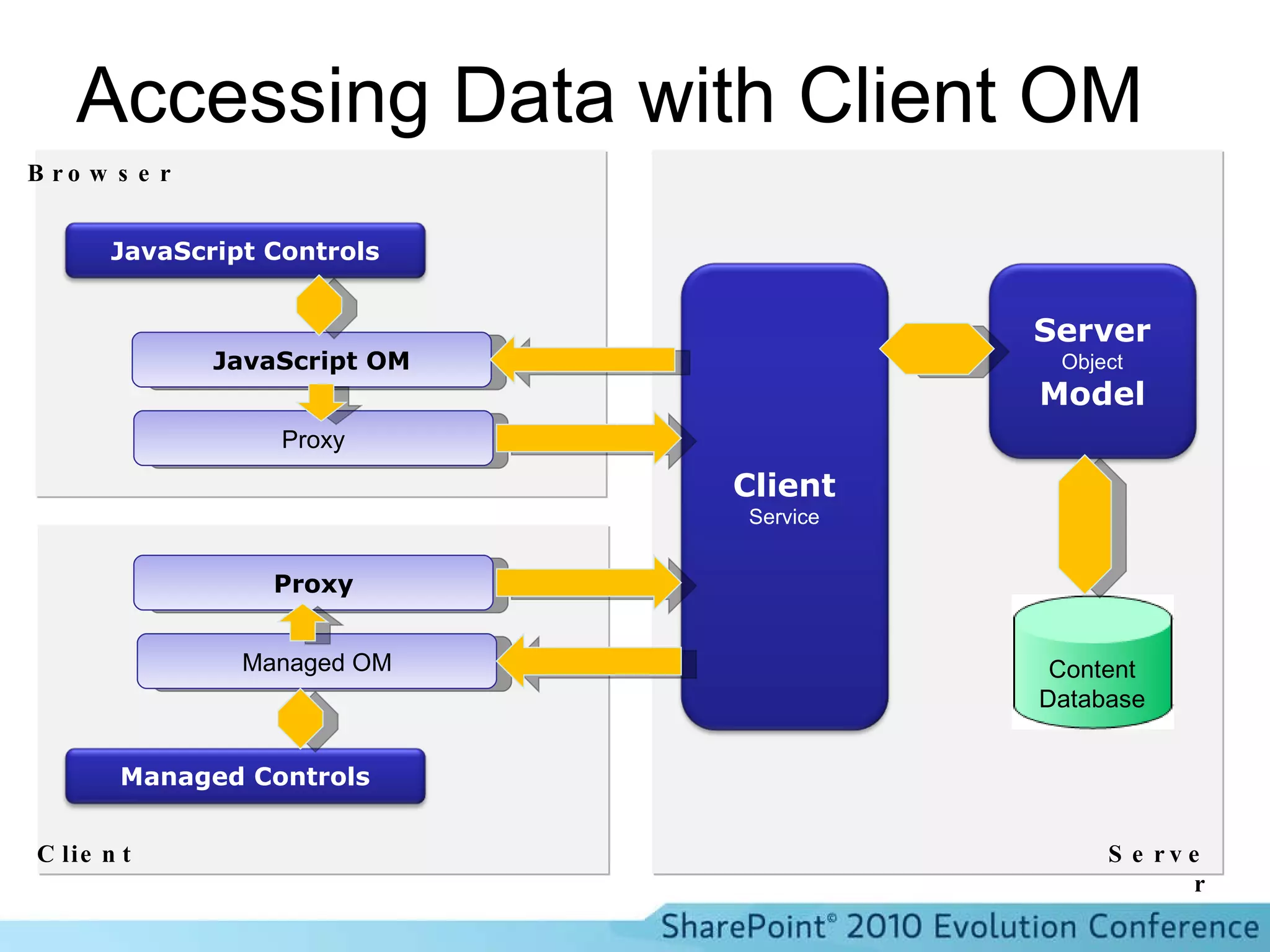
Accessing Data with Client OM Content Database JavaScript OM Proxy Proxy Managed OM Browser Client Server Server Object Model Client Service JavaScript Controls Managed Controls
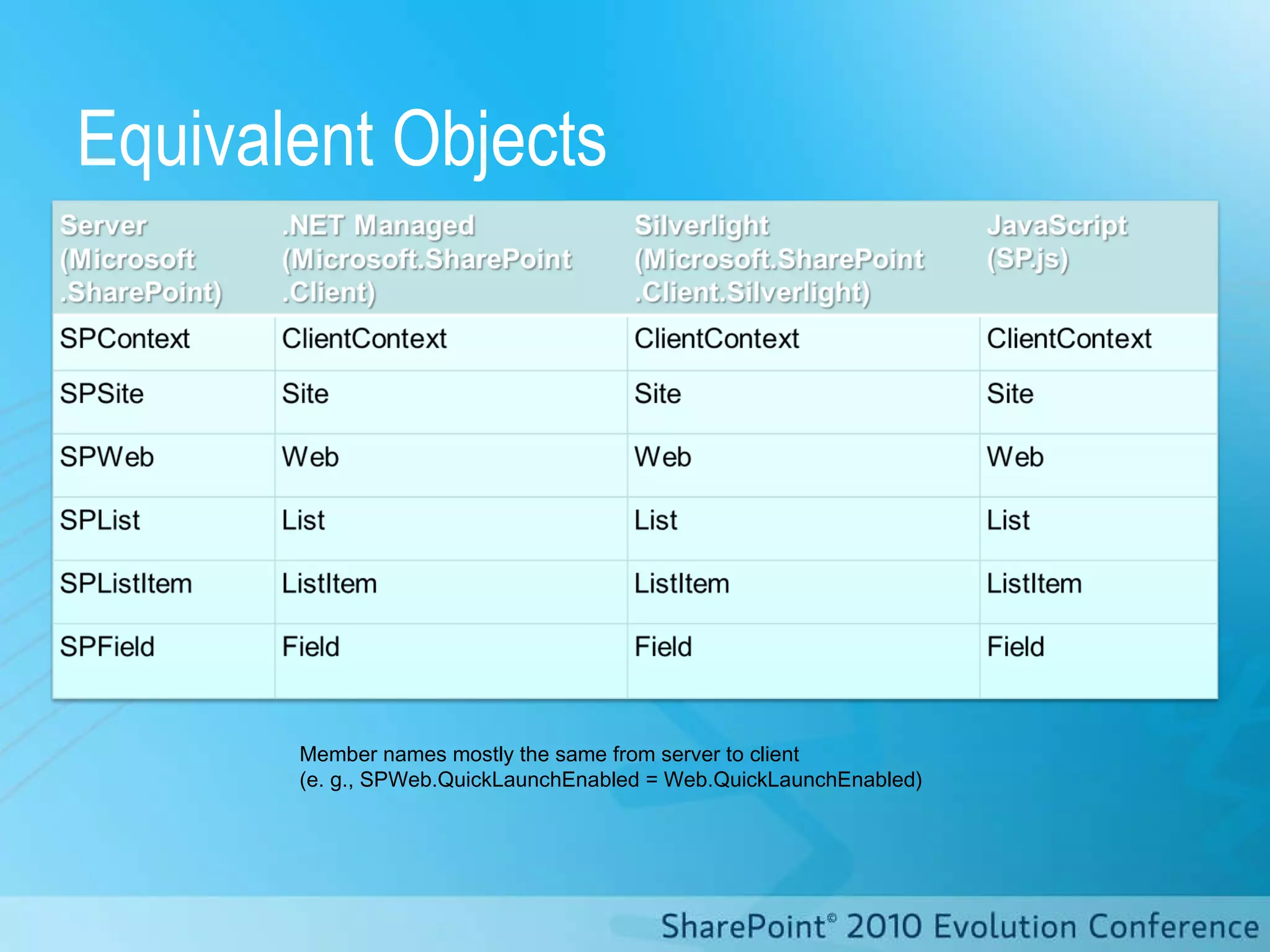
Equivalent Objects Member names mostly the same from server to client  (e. g., SPWeb.QuickLaunchEnabled = Web.QuickLaunchEnabled)
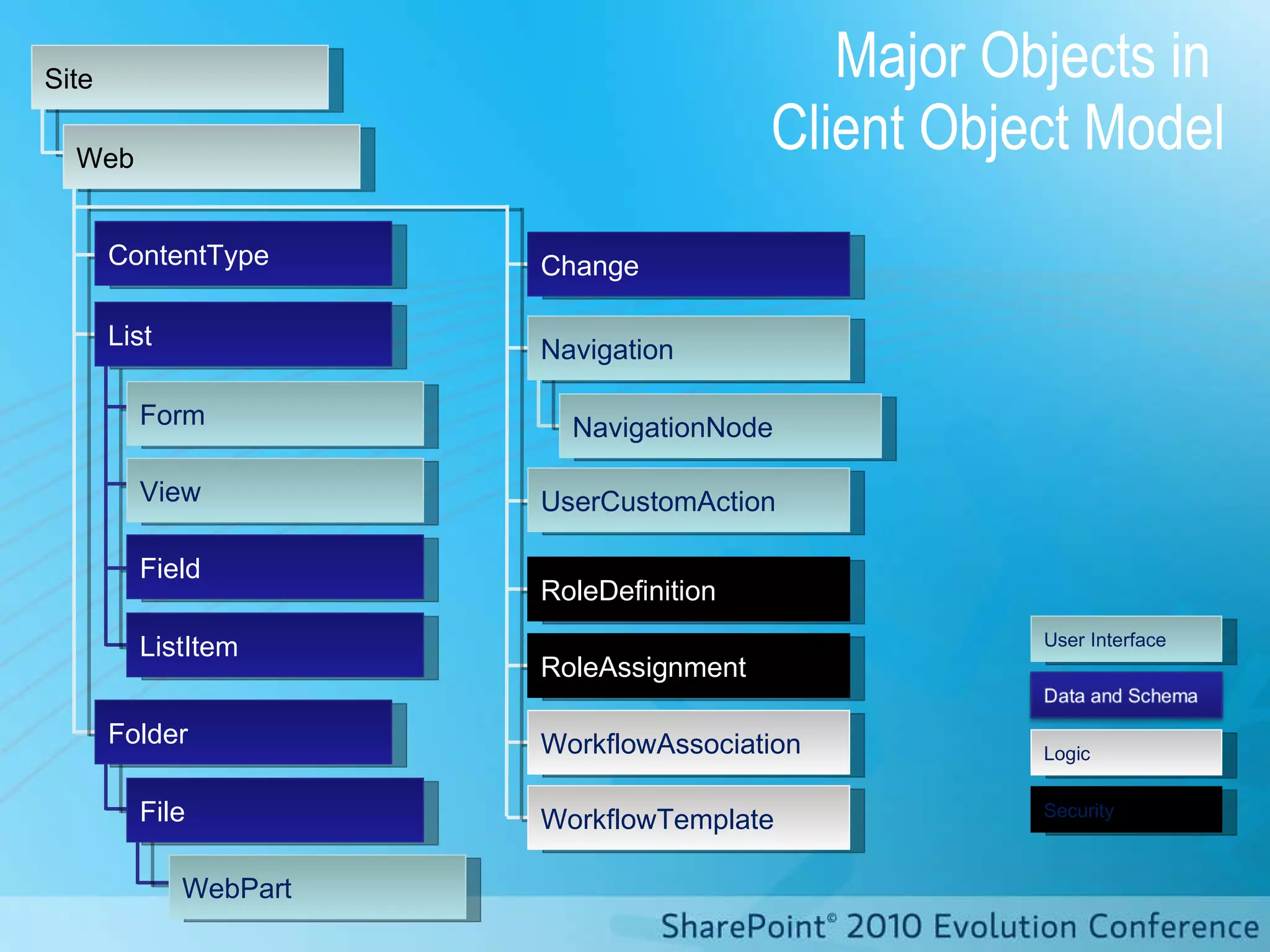
Major Objects in  Client Object Model Site Web ListItem Field View Form Folder List NavigationNode Navigation UserCustomAction ContentType RoleDefinition WorkflowAssociation WorkflowTemplate RoleAssignment Change WebPart File User Interface Security Logic
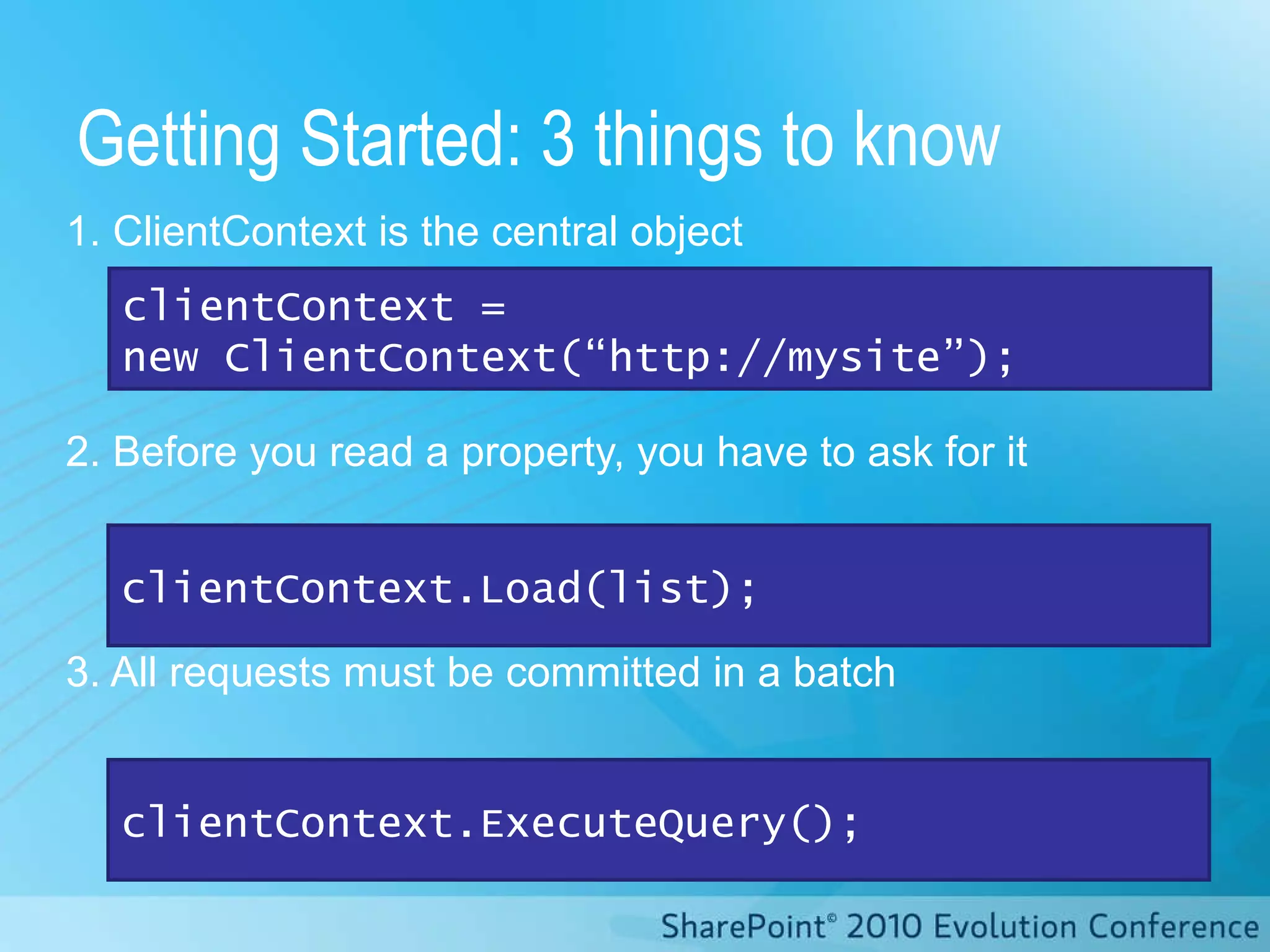
1. ClientContext is the central object 2. Before you read a property, you have to ask for it 3. All requests must be committed in a batch Getting Started: 3 things to know clientContext.ExecuteQuery(); clientContext.Load(list); clientContext =  new ClientContext(“http://mysite”);
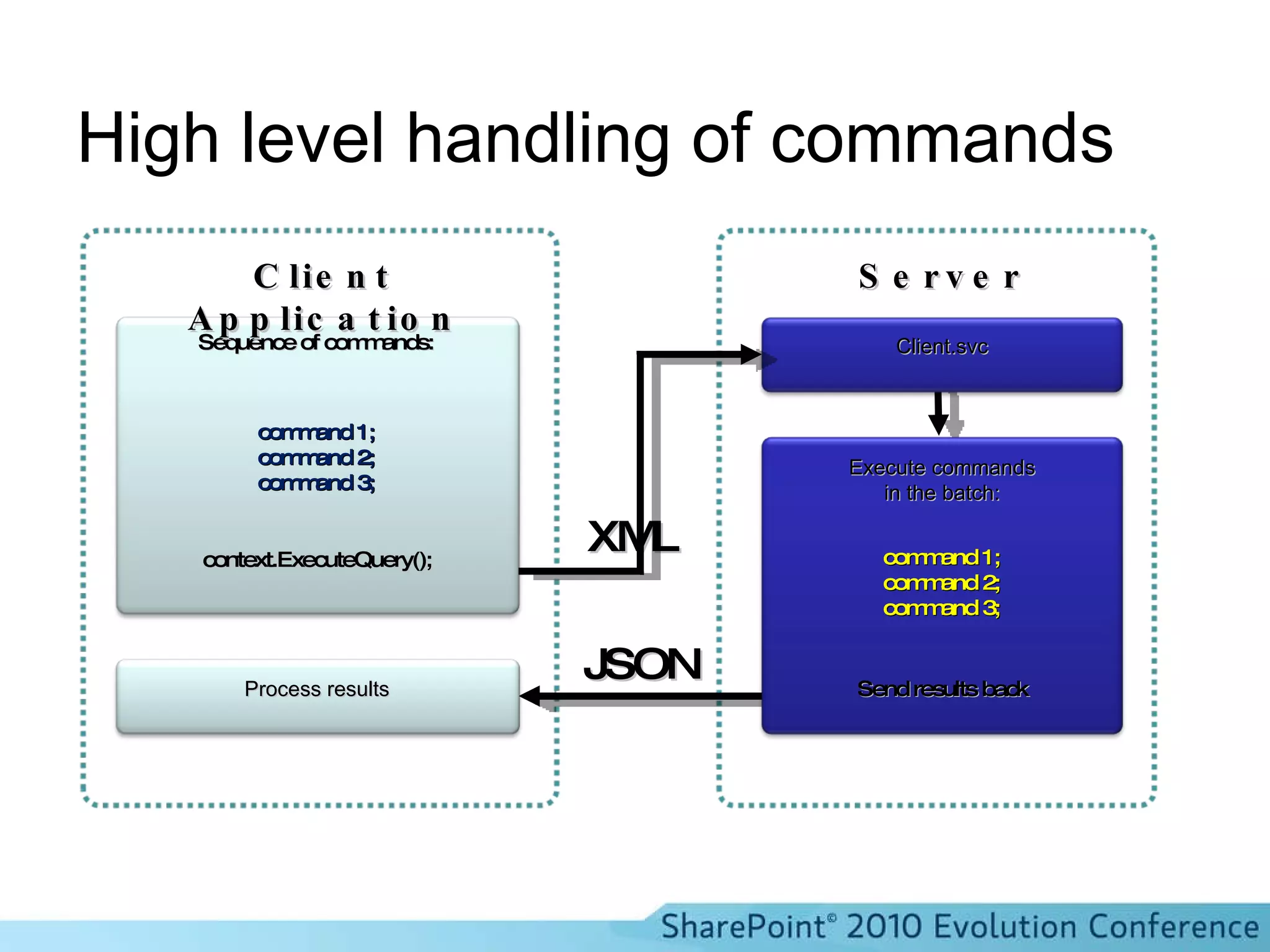
High level handling of commands XML JSON Execute commands in the batch: Client.svc Sequence of commands: context.ExecuteQuery(); command 1; command 2; command 3; Send results back command 1; command 2; command 3; Process results Server Client Application
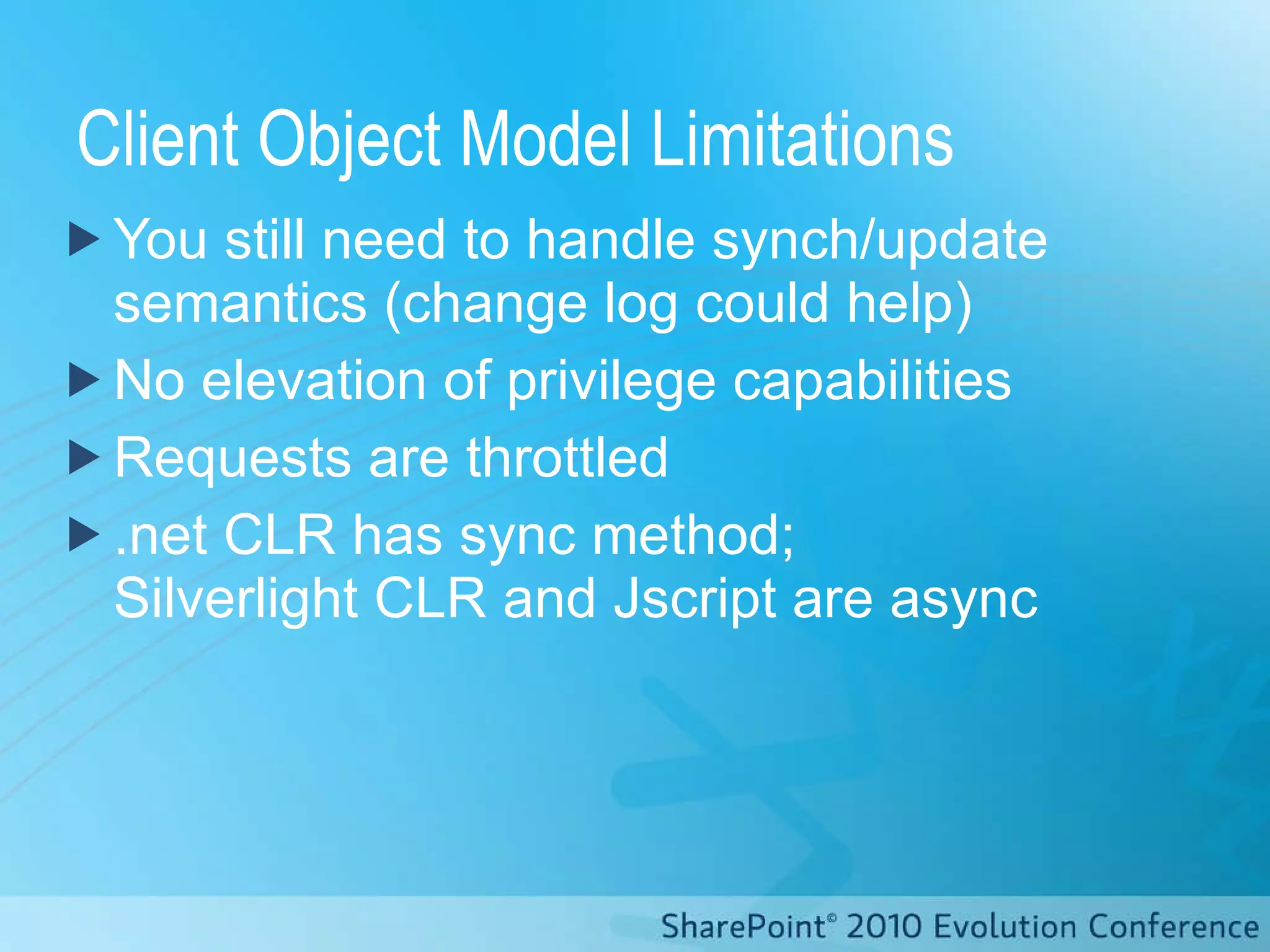
Client Object Model Limitations You still need to handle synch/update semantics (change log could help) No elevation of privilege capabilities Requests are throttled .net CLR has sync method;  Silverlight CLR and Jscript are async
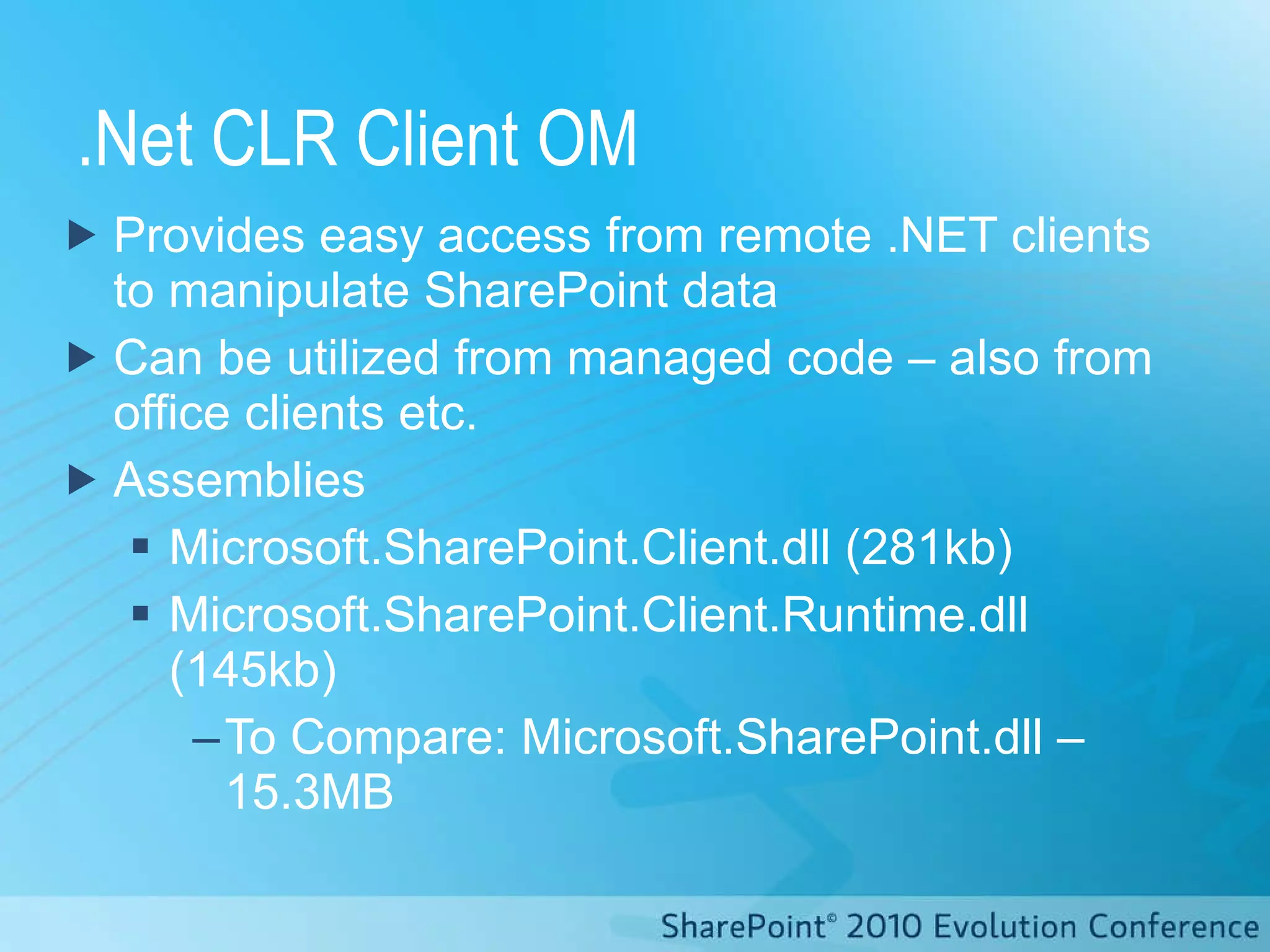
.Net CLR Client OM Provides easy access from remote .NET clients to manipulate SharePoint data Can be utilized from managed code – also from office clients etc. Assemblies Microsoft.SharePoint.Client.dll (281kb) Microsoft.SharePoint.Client.Runtime.dll (145kb) To Compare: Microsoft.SharePoint.dll – 15.3MB
.NET CLIENT OBJECT MODEL How do I utilize client object model in my windows apps?
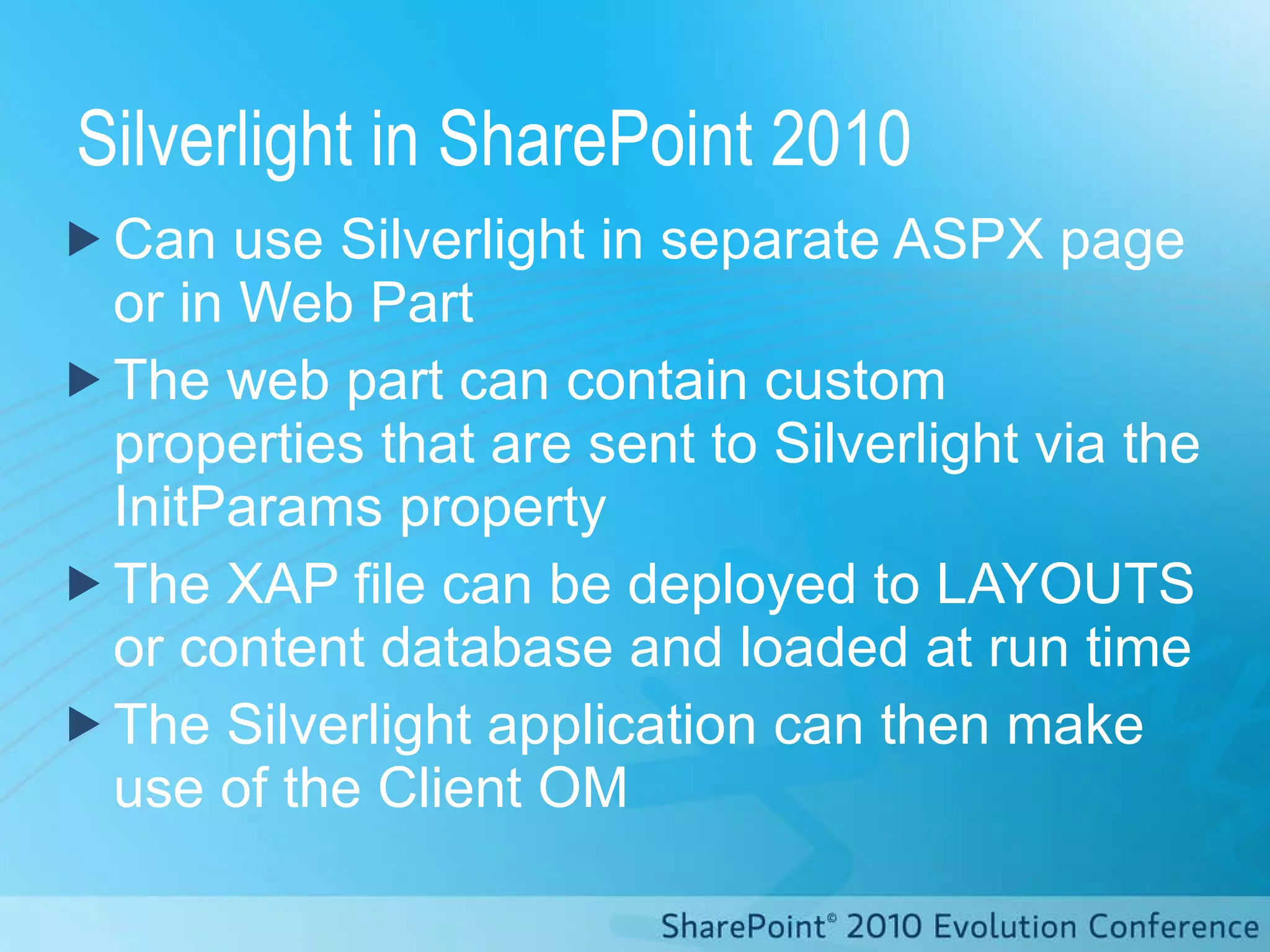
Silverlight in SharePoint 2010 Can use Silverlight in separate ASPX page or in Web Part The web part can contain custom properties that are sent to Silverlight via the InitParams property The XAP file can be deployed to LAYOUTS or content database and loaded at run time The Silverlight application can then make use of the Client OM
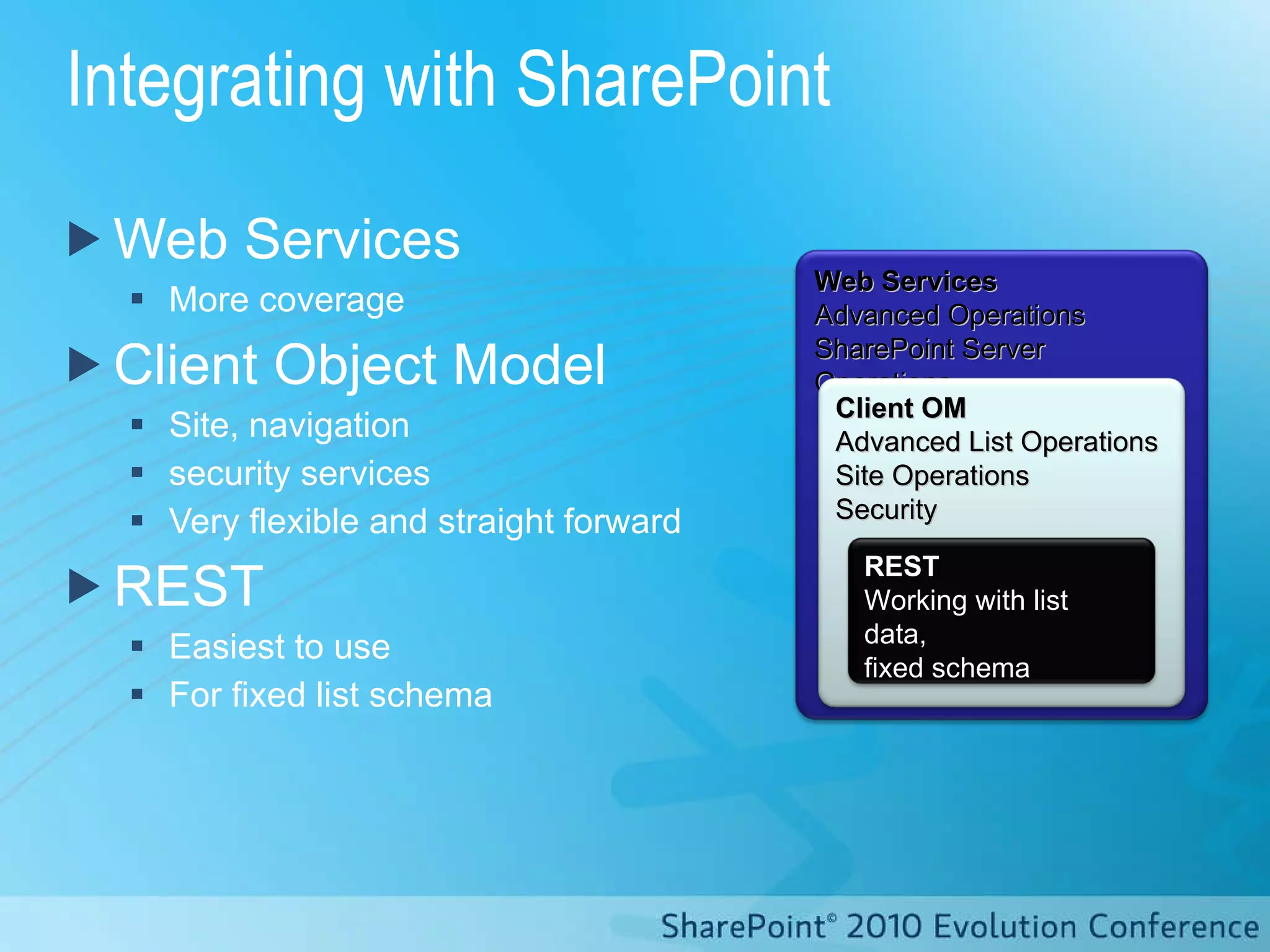
Integrating with SharePoint Web Services More coverage Client Object Model Site, navigation security services Very flexible and straight forward REST Easiest to use For fixed list schema Web Services Advanced Operations SharePoint Server Operations Client OM Advanced List Operations Site Operations Security REST Working with list data, fixed schema
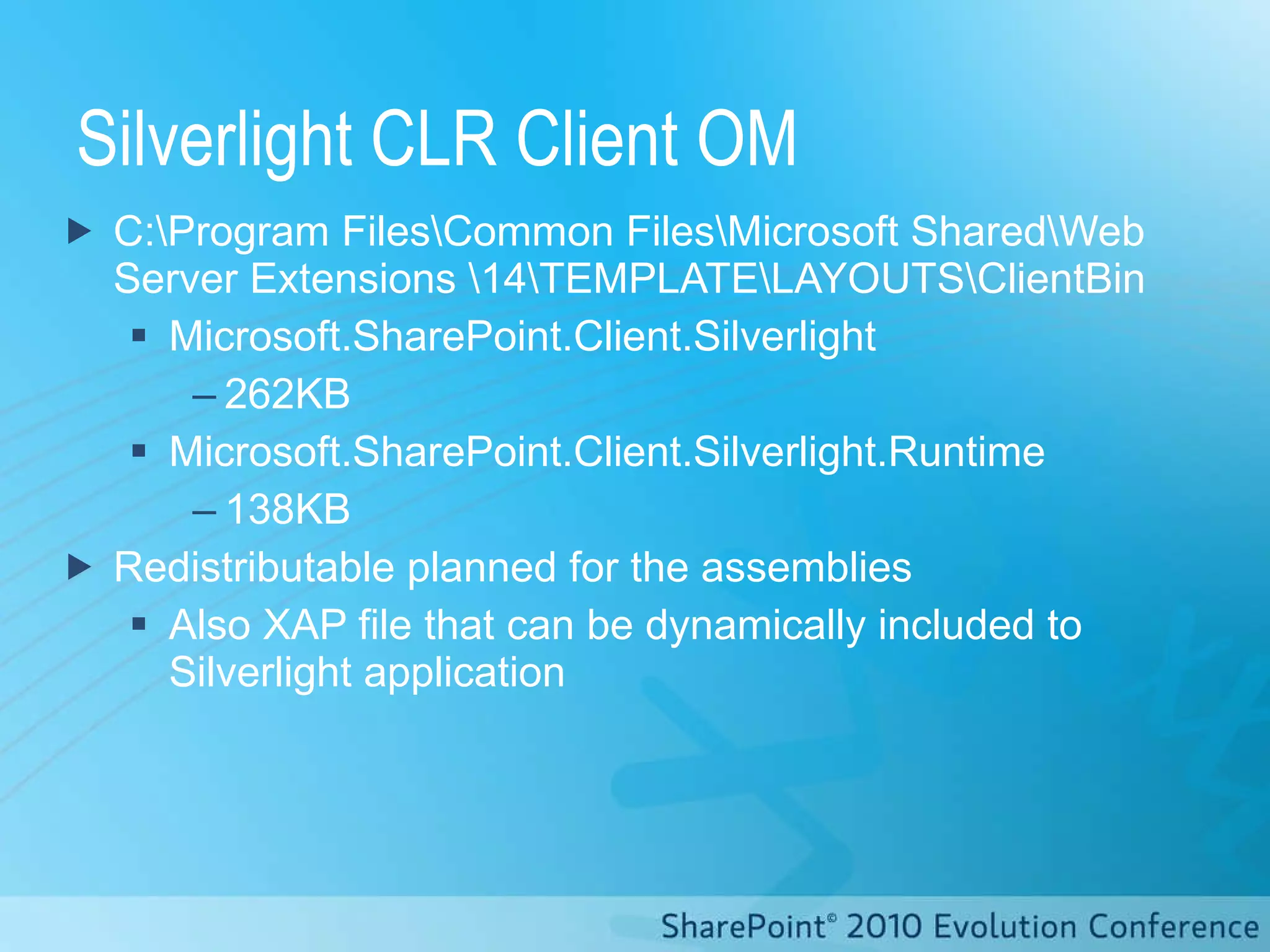
Silverlight CLR Client OM C:\Program Files\Common Files\Microsoft Shared\Web Server Extensions \14\TEMPLATE\LAYOUTS\ClientBin Microsoft.SharePoint.Client.Silverlight 262KB Microsoft.SharePoint.Client.Silverlight.Runtime 138KB Redistributable  planned for the assemblies Also XAP file that can be dynamically included to Silverlight application
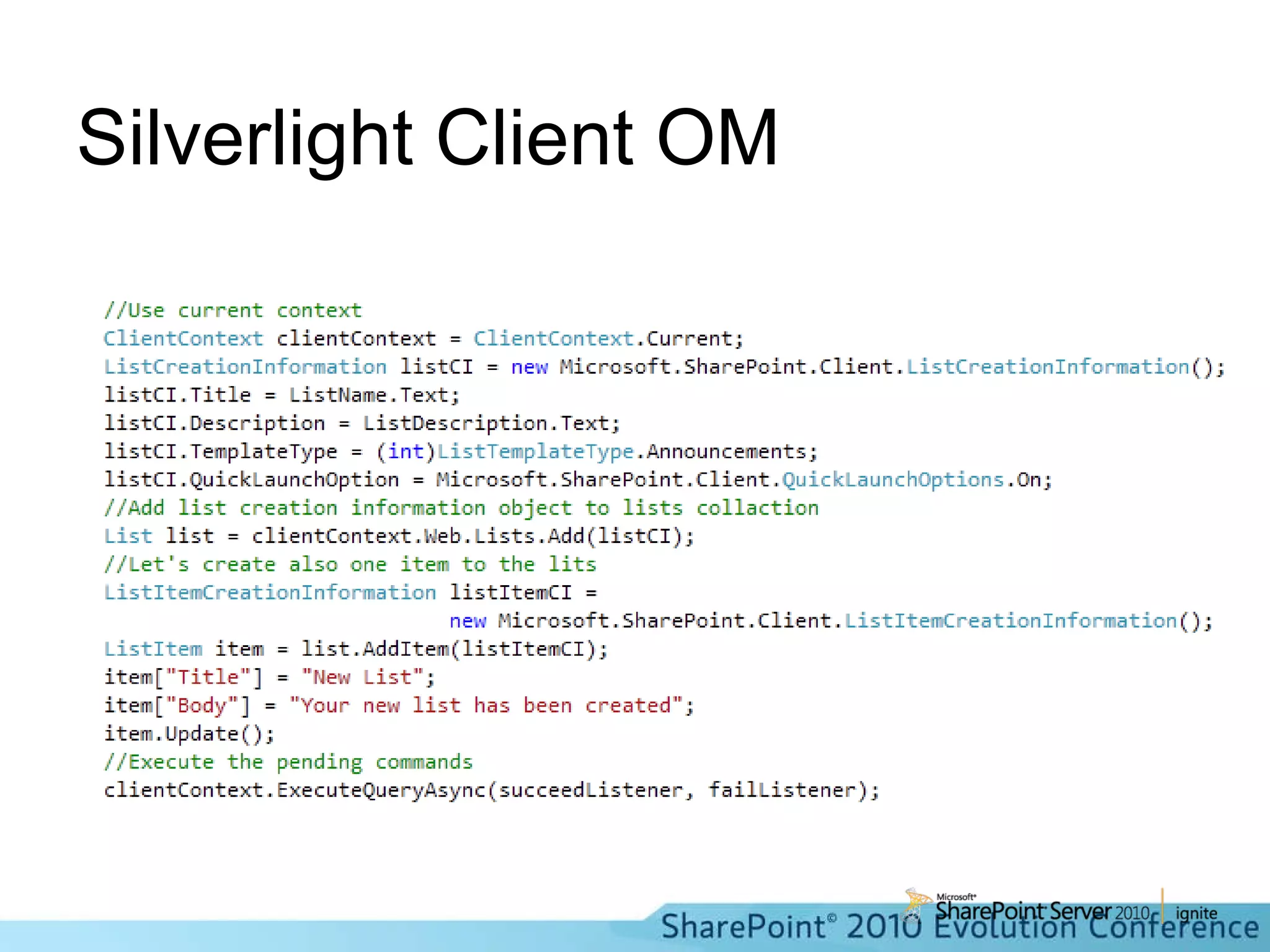
Silverlight Client OM
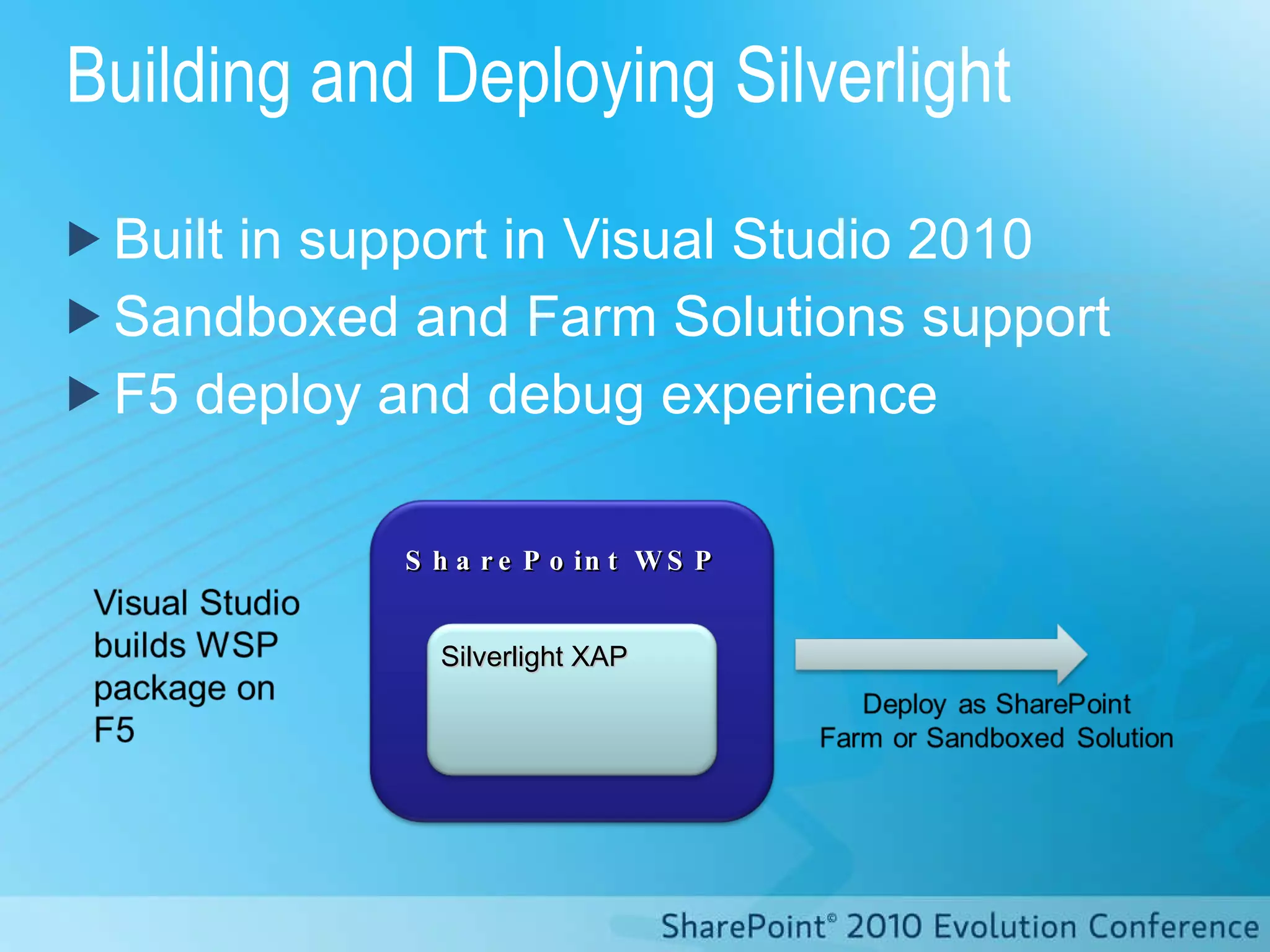
Building and Deploying Silverlight Built in support in Visual Studio 2010 Sandboxed and Farm Solutions support F5 deploy and debug experience SharePoint WSP Silverlight XAP
SILVERLIGHT AND CLIENT OBJECT MODEL
Thank you for attending!

Introduction to the Client OM in SharePoint 2010

  • 1.
    The Client ObjectModel in SharePoint 2010 DEV110 Ben Robb & Eric Shupps
  • 2.
    Ben Robb, MVPChief Technology Officer, cScape http://www.cScape.com [email_address] Eric Shupps, MVP President, BinaryWave http://www.binarywave.com Blog: www.sharepointcowboy.com [email_address]
  • 3.
    Agenda Introduction toClient Object Model .NET Client Object Model Silverlight and Client Object Model JavaScript and Client Object Model
  • 4.
    Accessing Data inSharePoint 2007
  • 5.
    How can thisbe improved Web Services can be complicated Difficult to call from JavaScript Often custom wrapper services are created Customers solve the same problem over and over again
  • 6.
    Client Object ModelSimple and easy to use API to Add, Retrieve, Update and Manage Data in SharePoint. Client Application
  • 7.
    Accessing Data withClient OM Content Database JavaScript OM Proxy Proxy Managed OM Browser Client Server Server Object Model Client Service JavaScript Controls Managed Controls
  • 8.
    Equivalent Objects Membernames mostly the same from server to client (e. g., SPWeb.QuickLaunchEnabled = Web.QuickLaunchEnabled)
  • 9.
    Major Objects in Client Object Model Site Web ListItem Field View Form Folder List NavigationNode Navigation UserCustomAction ContentType RoleDefinition WorkflowAssociation WorkflowTemplate RoleAssignment Change WebPart File User Interface Security Logic
  • 10.
    1. ClientContext isthe central object 2. Before you read a property, you have to ask for it 3. All requests must be committed in a batch Getting Started: 3 things to know clientContext.ExecuteQuery(); clientContext.Load(list); clientContext = new ClientContext(“http://mysite”);
  • 11.
    High level handlingof commands XML JSON Execute commands in the batch: Client.svc Sequence of commands: context.ExecuteQuery(); command 1; command 2; command 3; Send results back command 1; command 2; command 3; Process results Server Client Application
  • 12.
    Client Object ModelLimitations You still need to handle synch/update semantics (change log could help) No elevation of privilege capabilities Requests are throttled .net CLR has sync method; Silverlight CLR and Jscript are async
  • 13.
    .Net CLR ClientOM Provides easy access from remote .NET clients to manipulate SharePoint data Can be utilized from managed code – also from office clients etc. Assemblies Microsoft.SharePoint.Client.dll (281kb) Microsoft.SharePoint.Client.Runtime.dll (145kb) To Compare: Microsoft.SharePoint.dll – 15.3MB
  • 14.
    .NET CLIENT OBJECTMODEL How do I utilize client object model in my windows apps?
  • 15.
    Silverlight in SharePoint2010 Can use Silverlight in separate ASPX page or in Web Part The web part can contain custom properties that are sent to Silverlight via the InitParams property The XAP file can be deployed to LAYOUTS or content database and loaded at run time The Silverlight application can then make use of the Client OM
  • 16.
    Integrating with SharePointWeb Services More coverage Client Object Model Site, navigation security services Very flexible and straight forward REST Easiest to use For fixed list schema Web Services Advanced Operations SharePoint Server Operations Client OM Advanced List Operations Site Operations Security REST Working with list data, fixed schema
  • 17.
    Silverlight CLR ClientOM C:\Program Files\Common Files\Microsoft Shared\Web Server Extensions \14\TEMPLATE\LAYOUTS\ClientBin Microsoft.SharePoint.Client.Silverlight 262KB Microsoft.SharePoint.Client.Silverlight.Runtime 138KB Redistributable planned for the assemblies Also XAP file that can be dynamically included to Silverlight application
  • 18.
  • 19.
    Building and DeployingSilverlight Built in support in Visual Studio 2010 Sandboxed and Farm Solutions support F5 deploy and debug experience SharePoint WSP Silverlight XAP
  • 20.
  • 21.
    Thank you forattending!