Migrating SharePoint 2007 Solutions to SharePoint Server 2010VSIX extensions Ivan SandersSharePoint MVP Developer, EvangelistDimension Solutionsivan@dimension-si.com
AgendaUpgrading VSeWSS projectsCommon upgrade issues for custom codeIssues you might run into during upgrade your codeManaging your upgrade processWhat to consider during upgrade planning for your customizations
How to upgrade VSeWSS projects?VSeWSS project upgrades
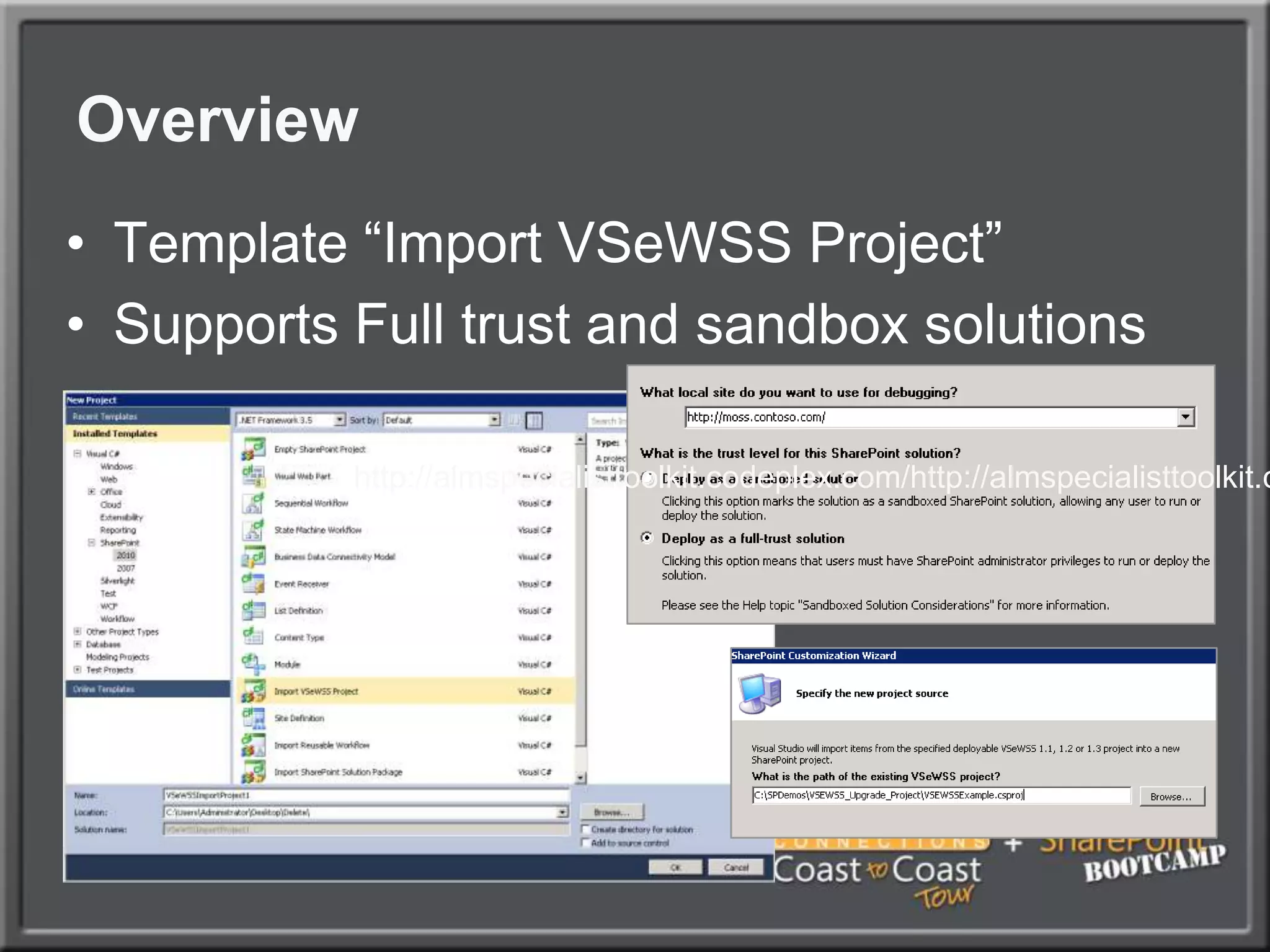
Upgrade tool for VSeWSSVS.NET Template that allow for importing of existing VSeWSS projectsVB and C#VSeWSS 1.1 and upConverts projects to Visual Studio 2010 format and maintains existing project layoutAvailability Released after RTM
OverviewTemplate “Import VSeWSS Project”Supports Full trust and sandbox solutionshttp://almspecialisttoolkit.codeplex.com/http://almspecialisttoolkit.codeplex.com/http://almspecialisttoolkit.codeplex.com/
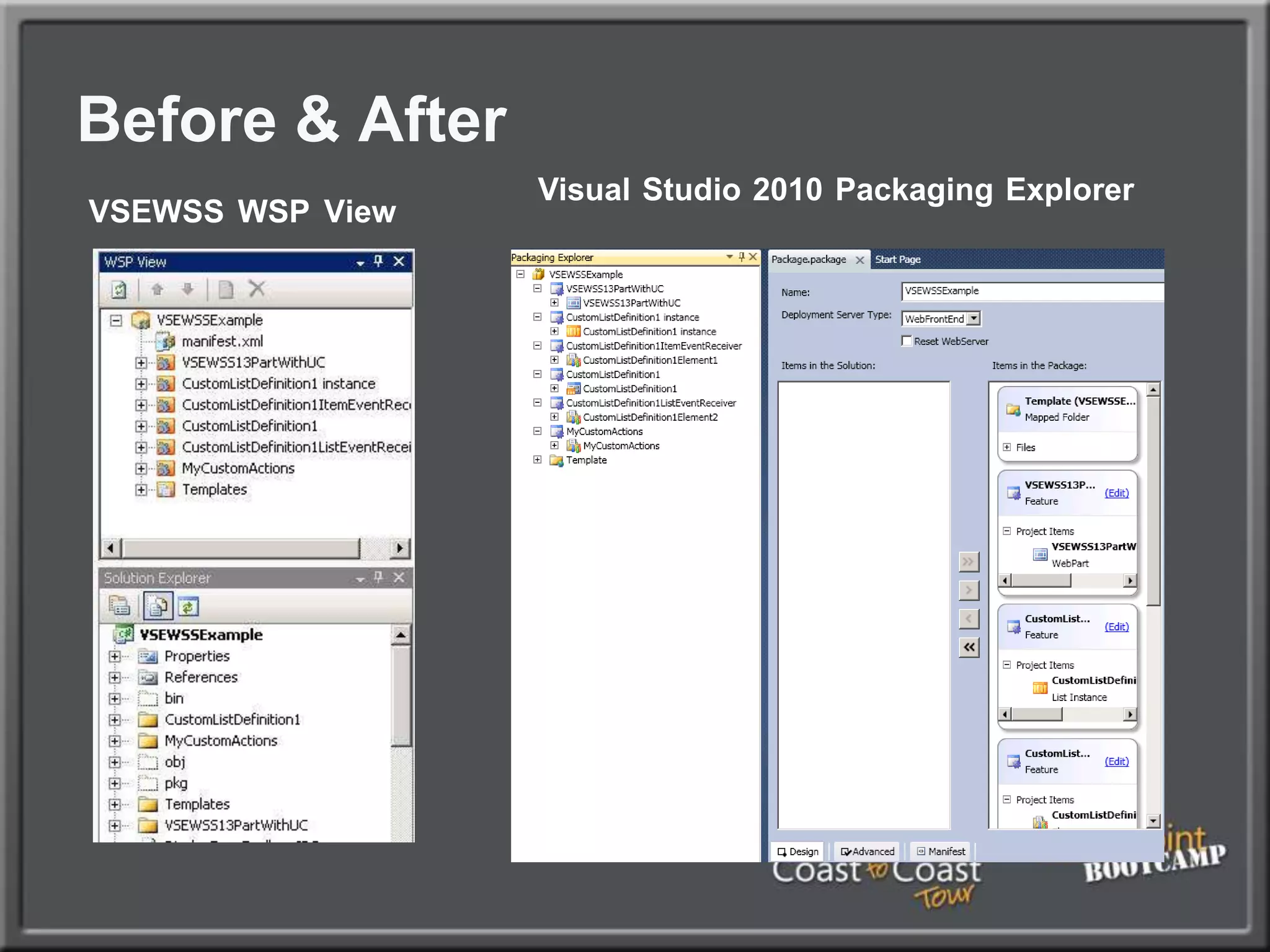
Before & AfterVisualStudio2010PackagingExplorerVSEWSSWSPView
VSeWSS upgradedemo
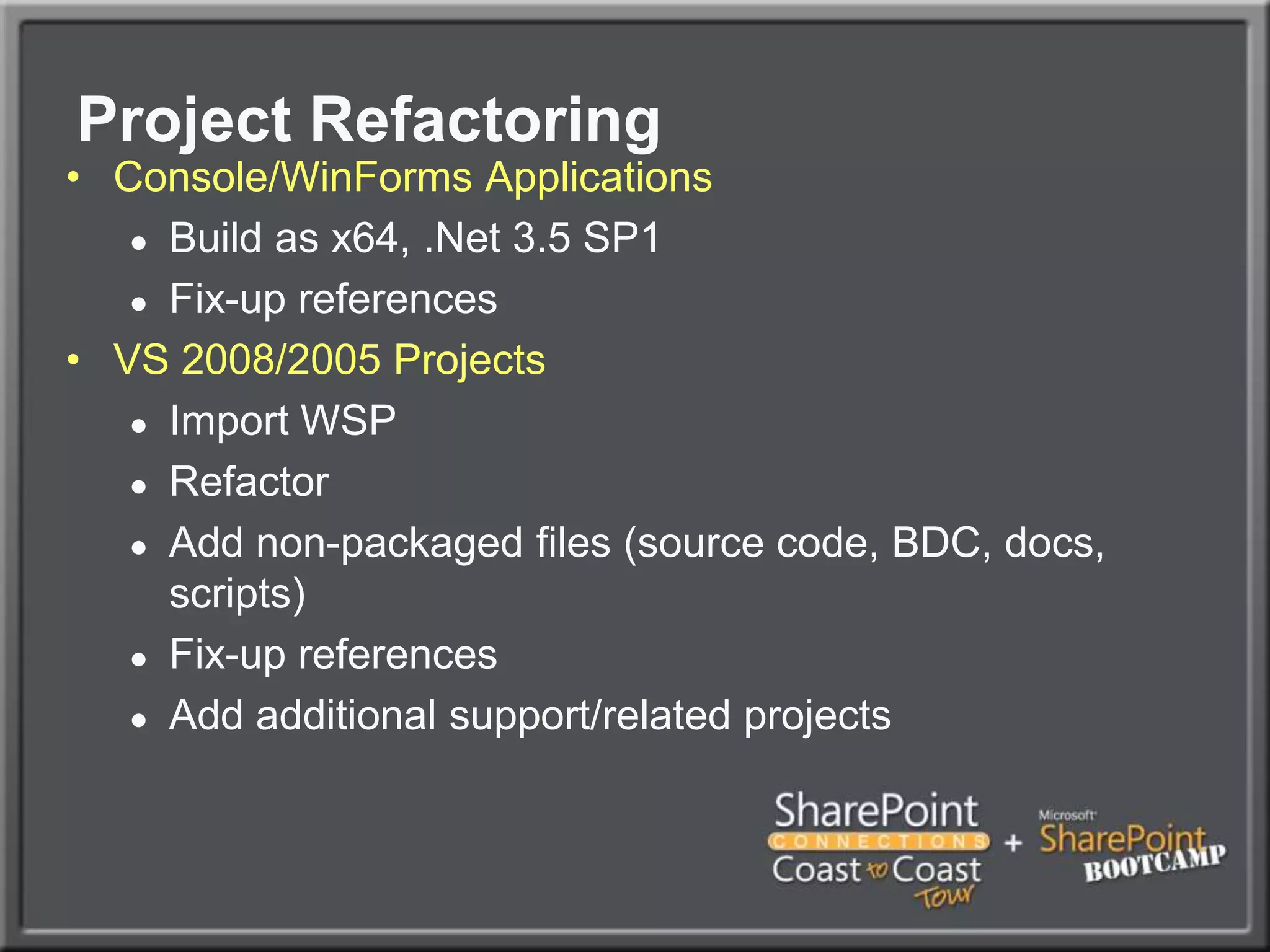
Project RefactoringConsole/WinForms ApplicationsBuild as x64, .Net 3.5 SP1Fix-up referencesVS 2008/2005 ProjectsImport WSPRefactorAdd non-packaged files (source code, BDC, docs, scripts)Fix-up referencesAdd additional support/related projects
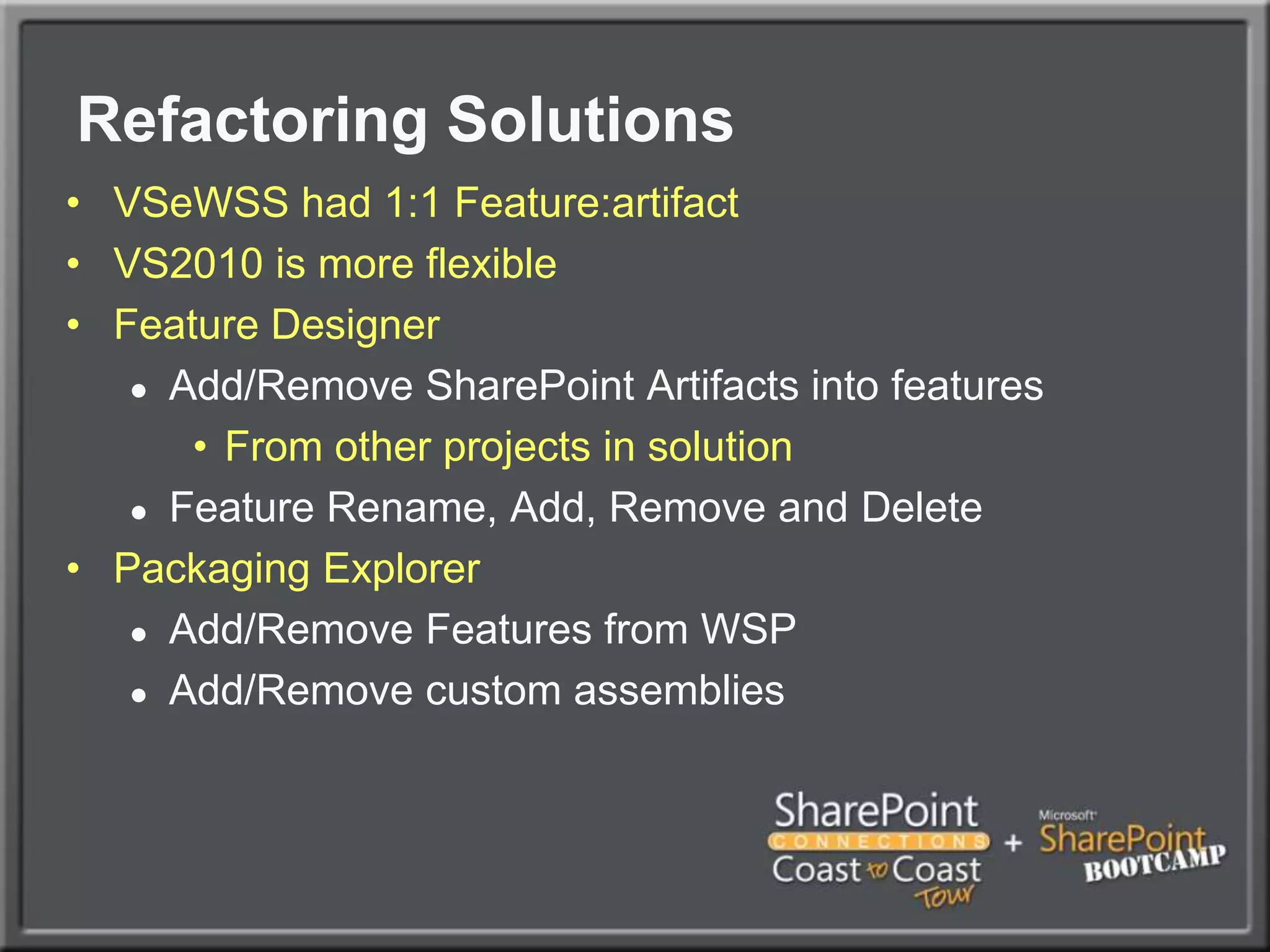
Refactoring SolutionsVSeWSS had 1:1 Feature:artifactVS2010 is more flexibleFeature DesignerAdd/Remove SharePoint Artifacts into featuresFrom other projects in solutionFeature Rename, Add, Remove and DeletePackaging ExplorerAdd/Remove Features from WSP Add/Remove custom assemblies
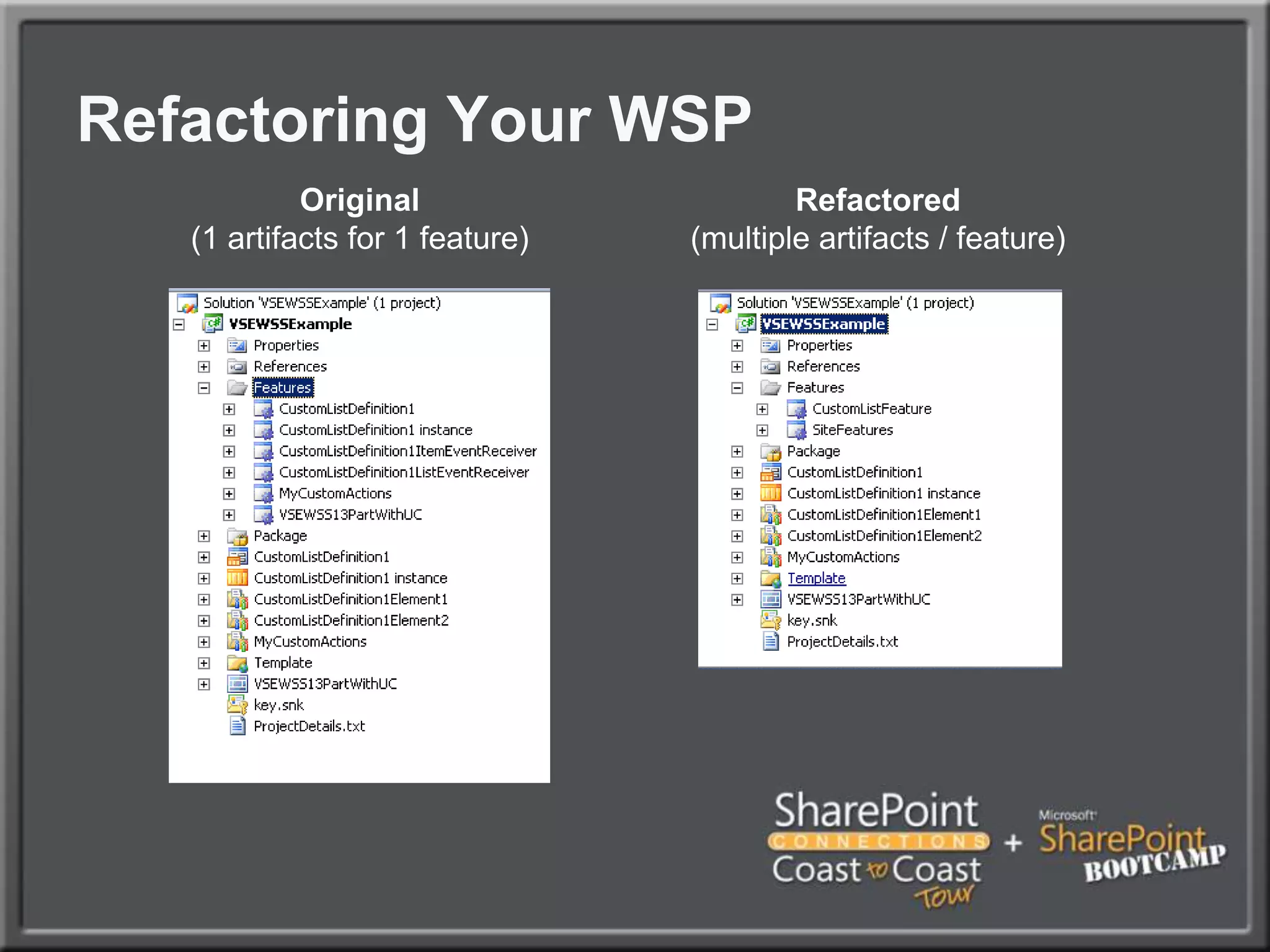
Refactoring Your WSPRefactored(multiple artifacts / feature)Original(1 artifacts for 1 feature)
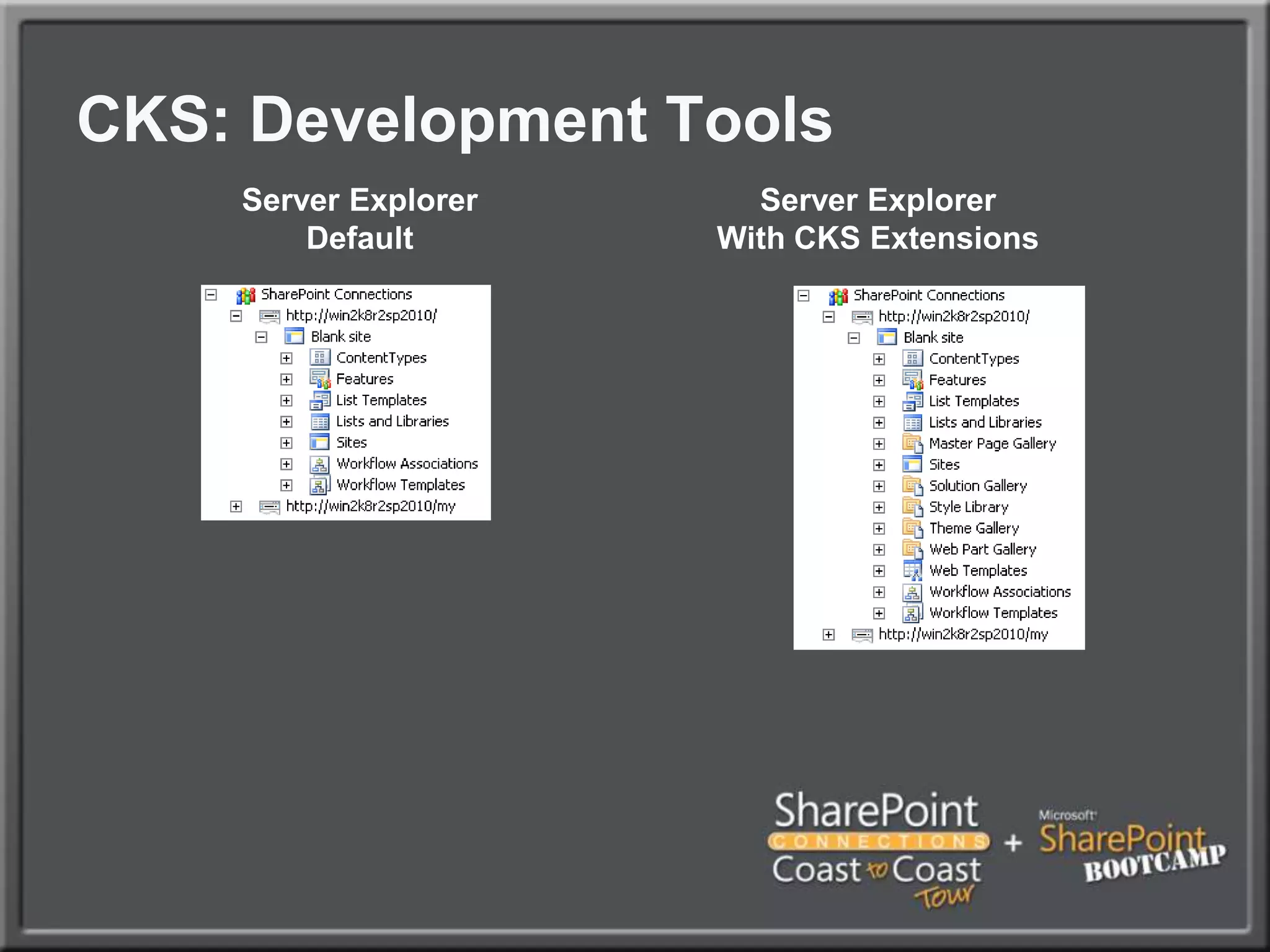
CKS: Development ToolsServer ExplorerWith CKS ExtensionsServer ExplorerDefault
refactor solutionsdemo
Common issues you might run intoUpgrade issues
Upgrade IssuesSite templates - STP FilesUI ChangesCSSCustom ActionsBackwards Compatible UILarge List Query ThrottlingDeprecated API’sDeployment Path issuesProject RefactoringOther issues
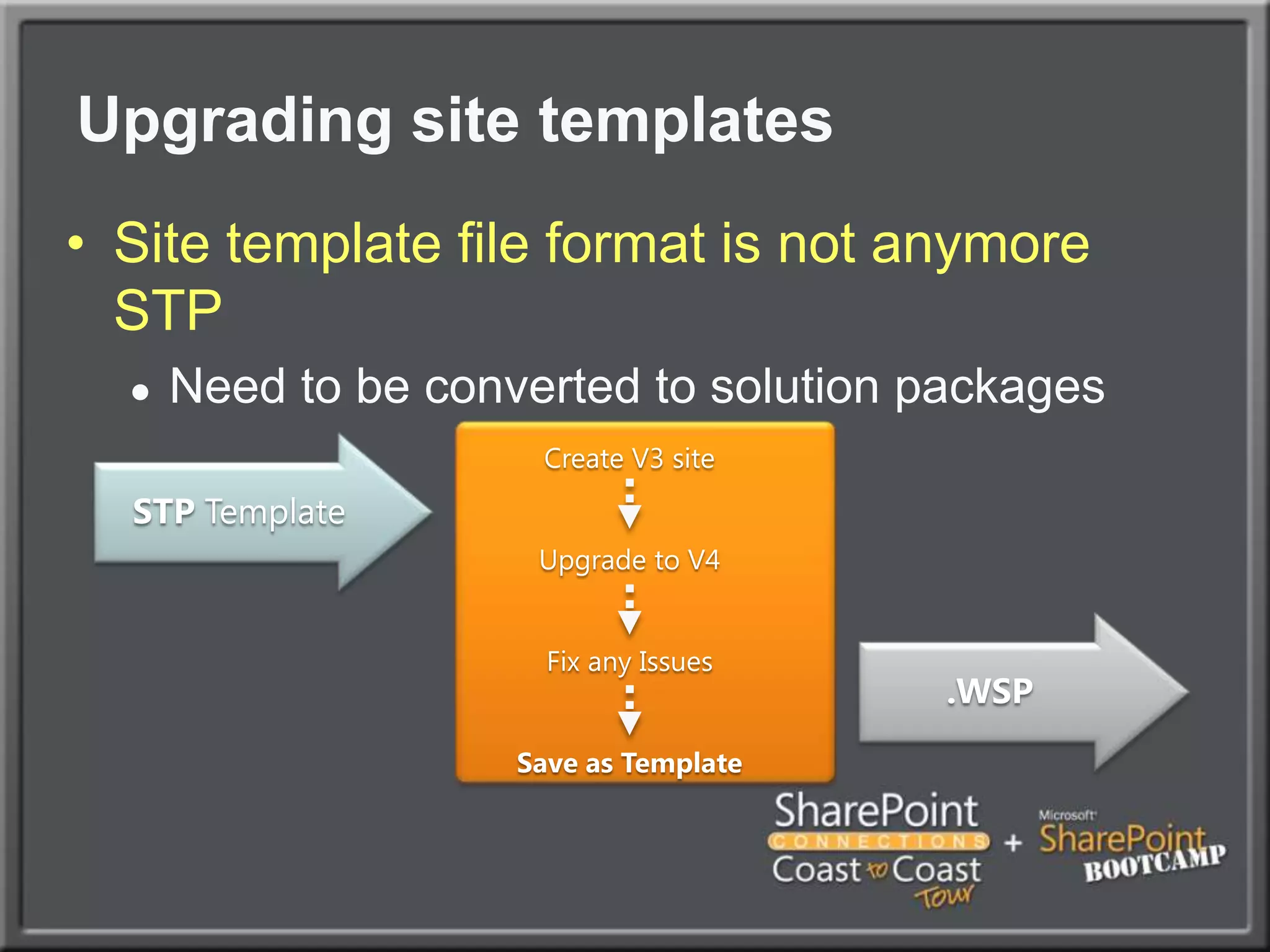
Upgrading site templatesSite template file format is not anymore STPNeed to be converted to solution packagesCreate V3 siteUpgrade to V4Fix any IssuesSave as Template STP Template      .WSP
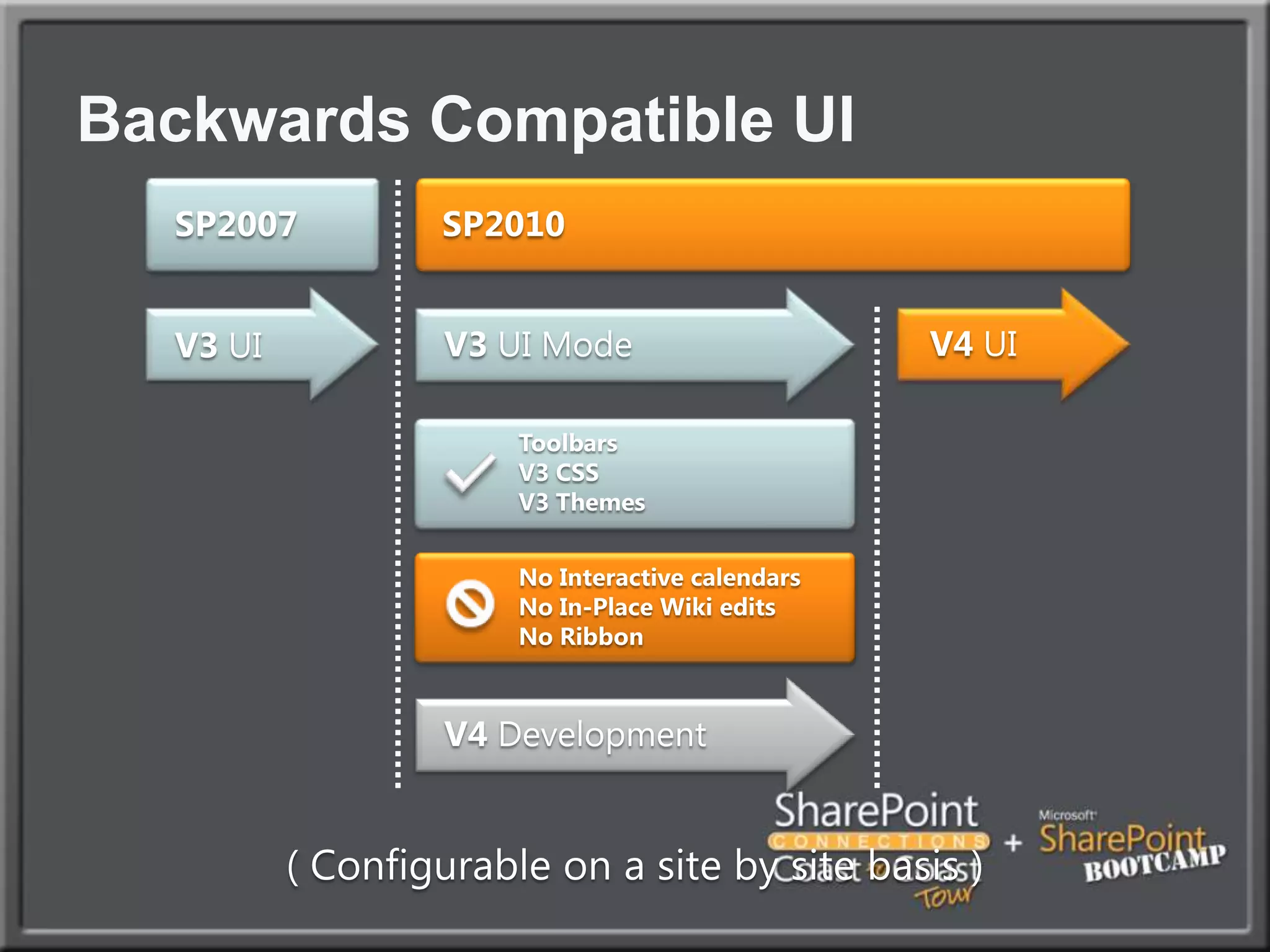
Backwards Compatible UI SP2007SP2010V4 DevelopmentV4 UIV3 UIV3 UI ModeToolbarsV3 CSSV3 ThemesNo Interactive calendarsNo In-Place Wiki editsNo Ribbon( Configurable on a site by site basis )
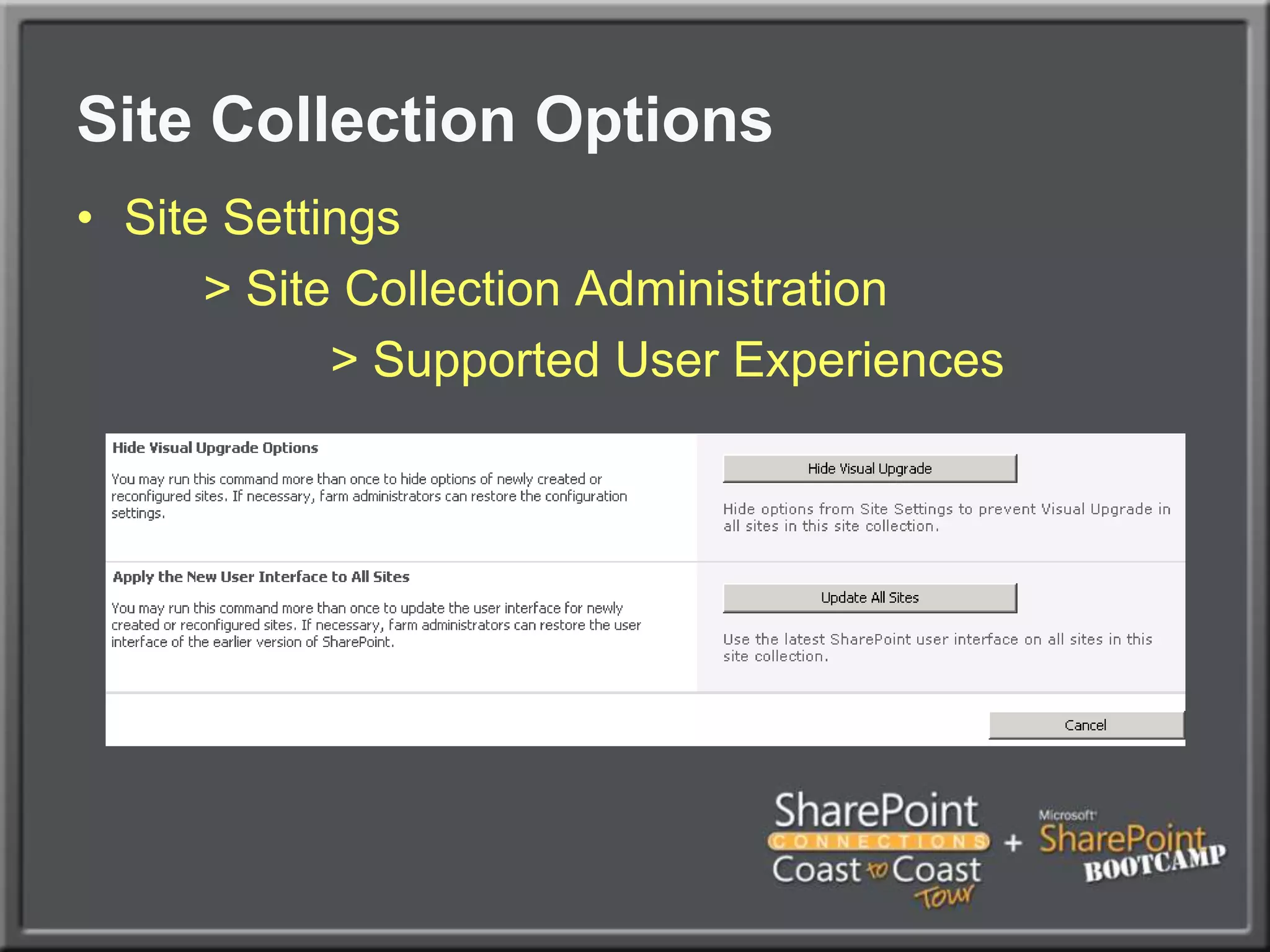
Site Collection OptionsSite Settings		> Site Collection Administration			> Supported User Experiences
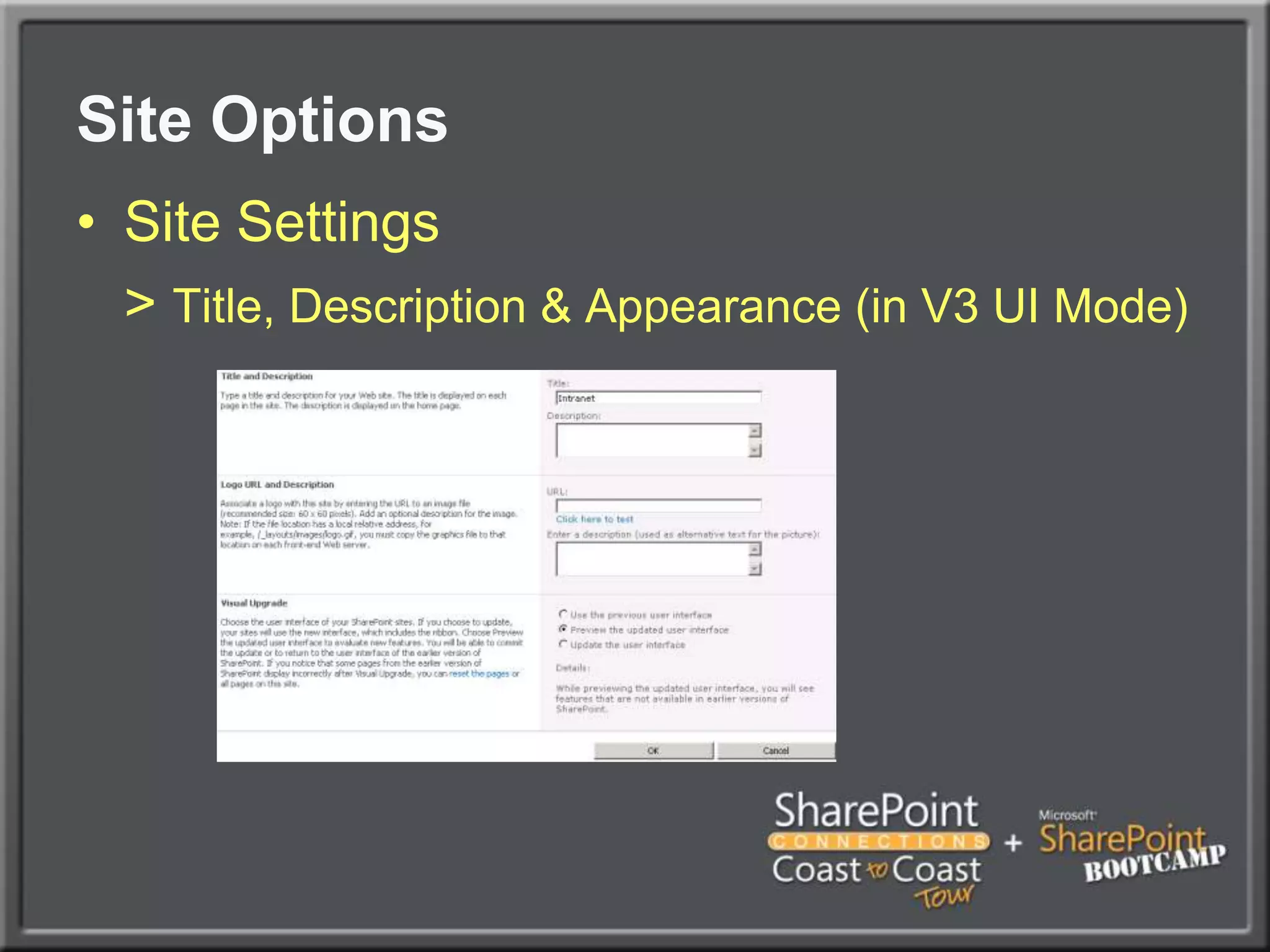
Site OptionsSite Settings> Title, Description & Appearance (in V3 UI Mode)
intranet upgradedemo
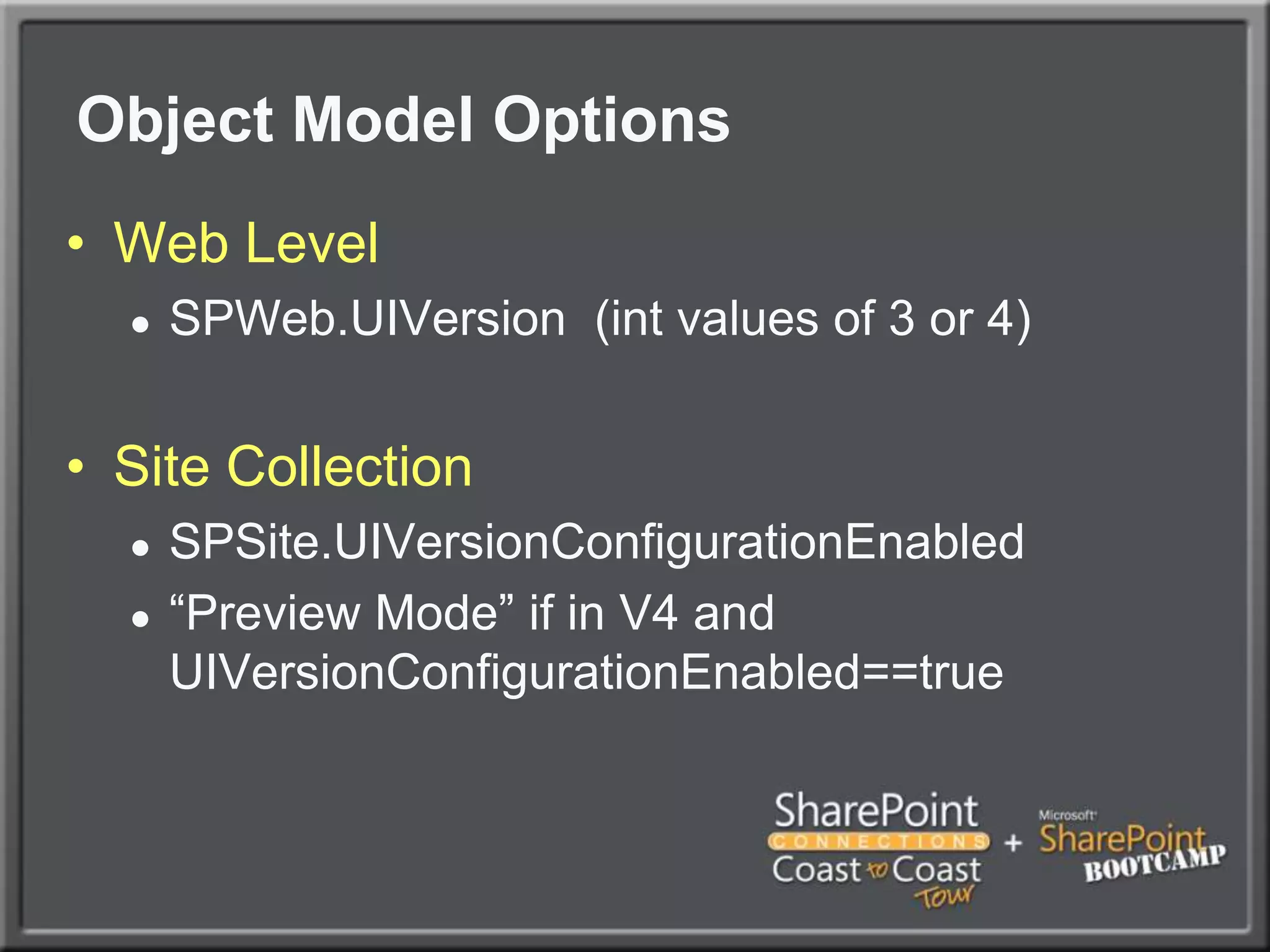
Object Model OptionsWeb LevelSPWeb.UIVersion  (int values of 3 or 4)Site CollectionSPSite.UIVersionConfigurationEnabled“Preview Mode” if in V4 and UIVersionConfigurationEnabled==true
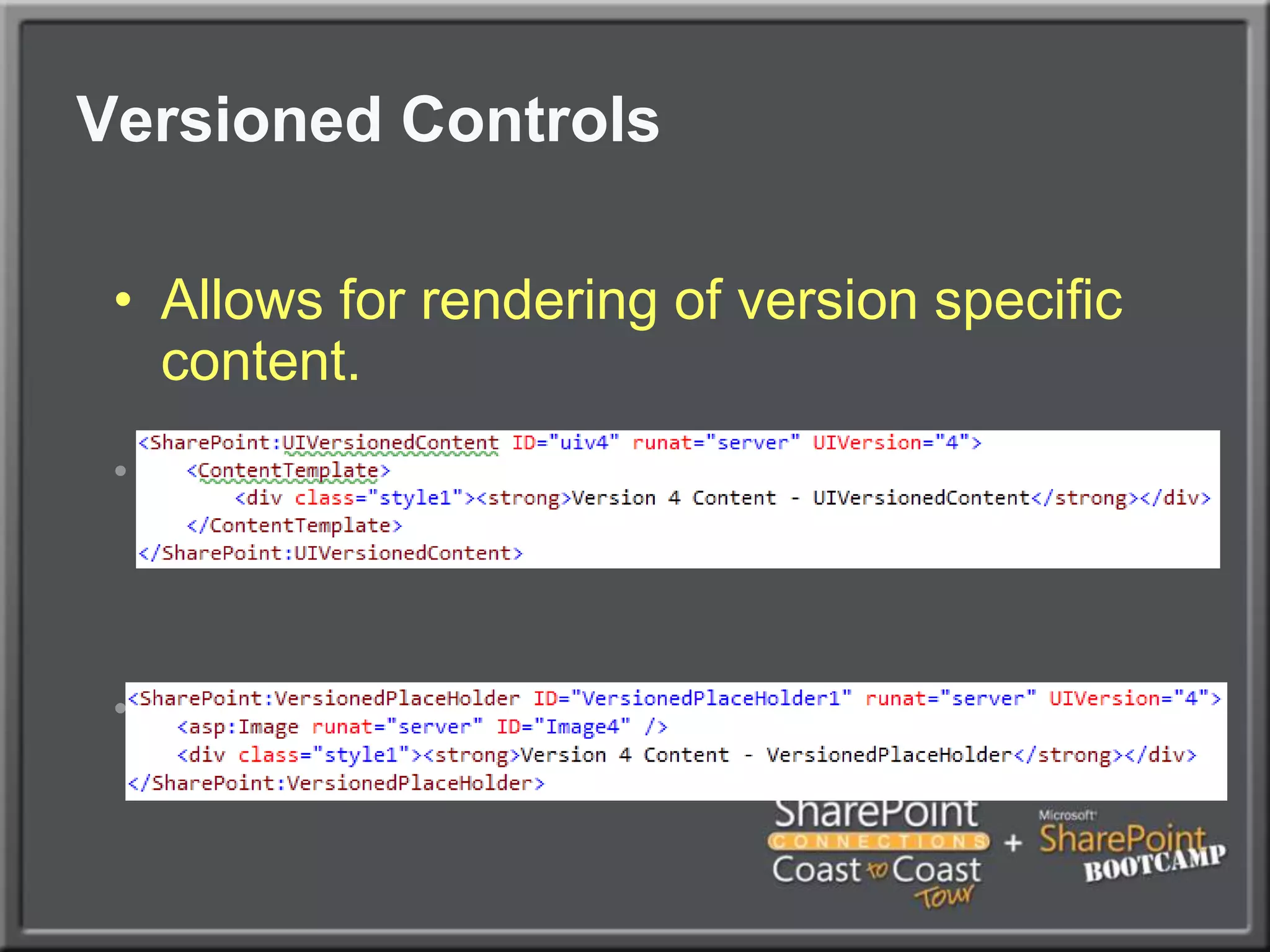
Versioned ControlsAllows for rendering of version specific content.During RenderAt Load Time – handles child controls properly
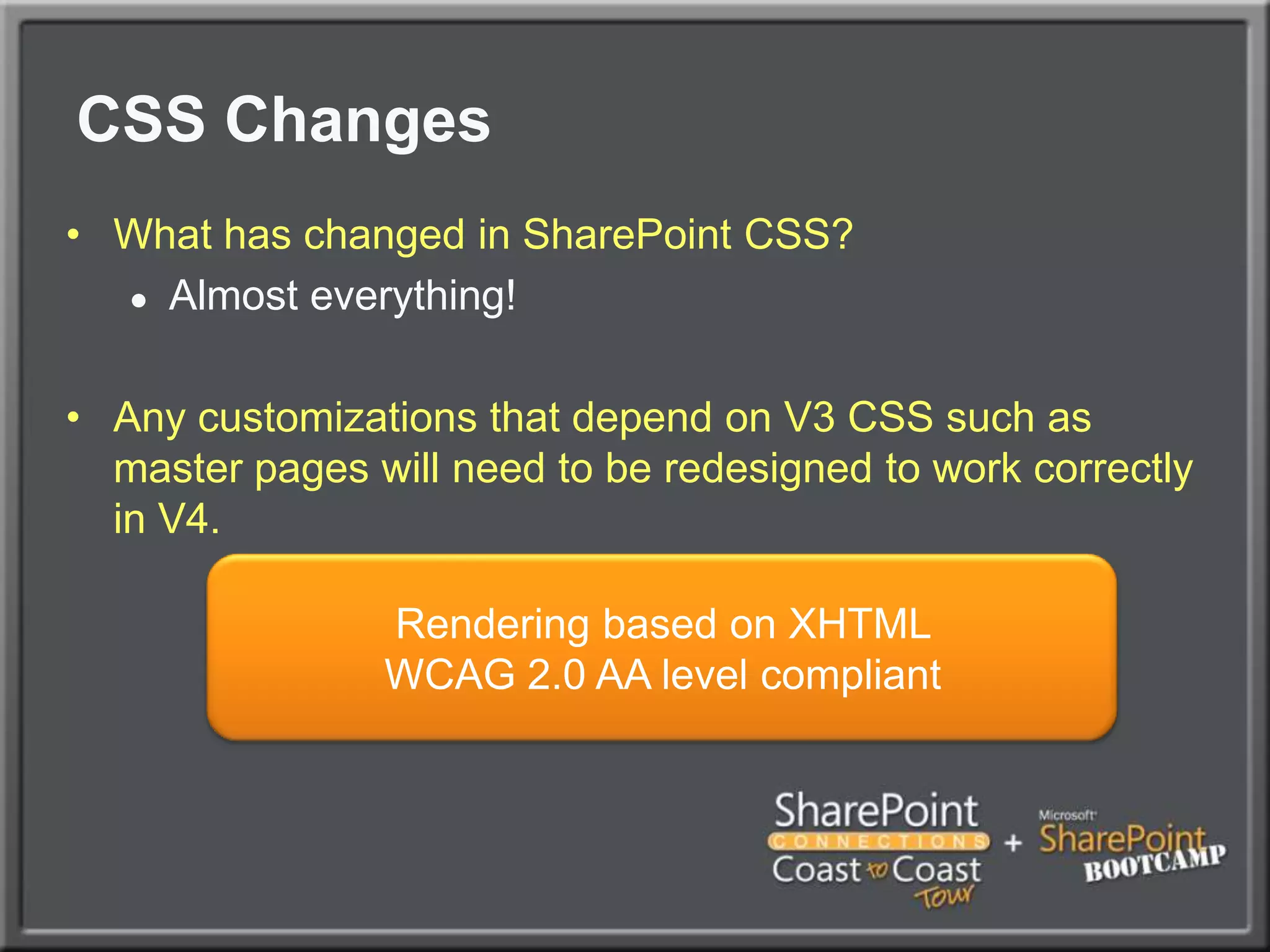
CSS ChangesWhat has changed in SharePoint CSS?Almost everything!Any customizations that depend on V3 CSS such as master pages will need to be redesigned to work correctly in V4.Rendering based on XHTML WCAG 2.0 AA level compliant
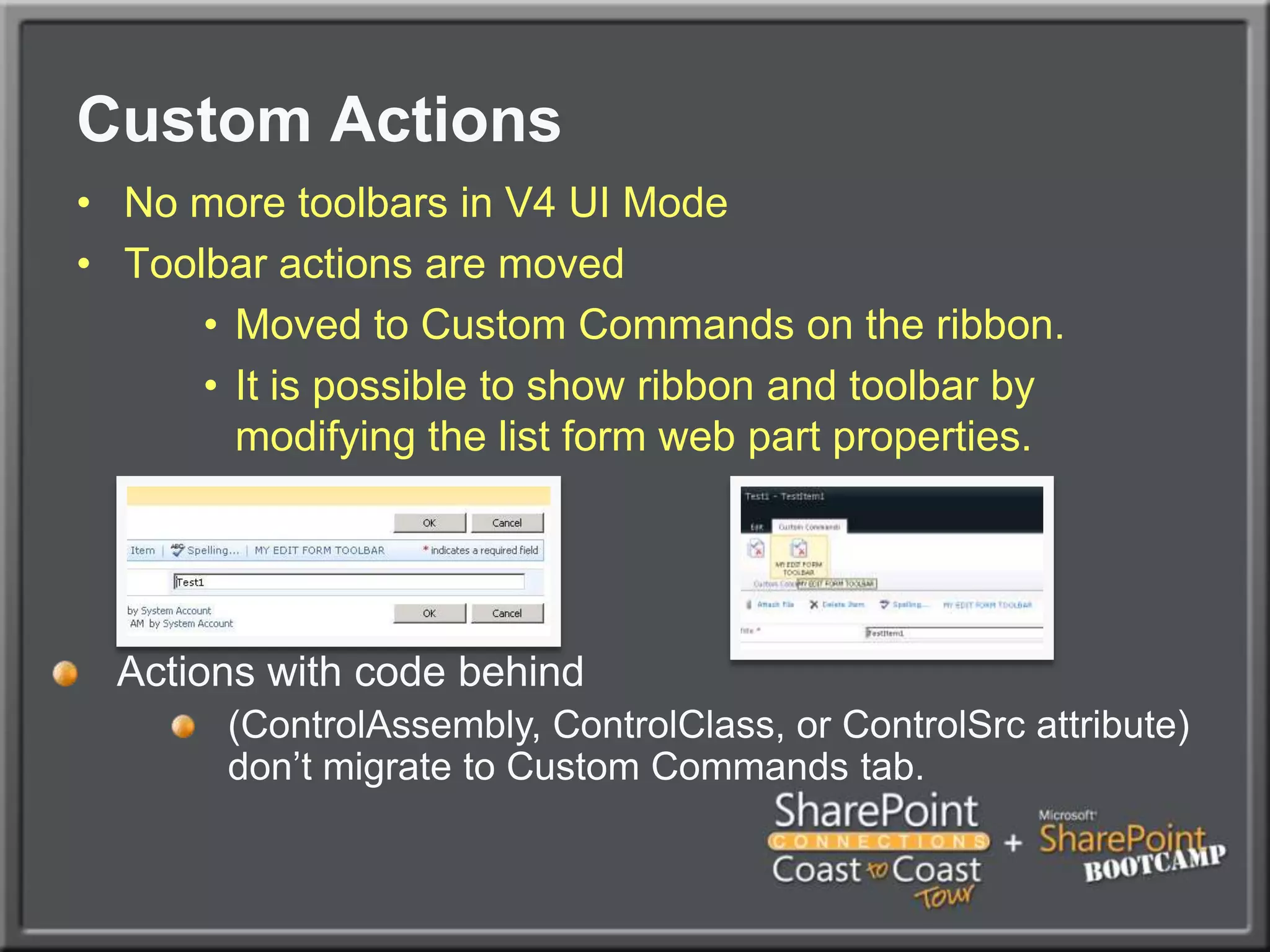
Custom ActionsNo more toolbars in V4 UI ModeToolbar actions are movedMoved to Custom Commands on the ribbon.It is possible to show ribbon and toolbar by modifying the list form web part properties.Actions with code behind(ControlAssembly, ControlClass, or ControlSrc attribute) don’t migrate to Custom Commands tab.
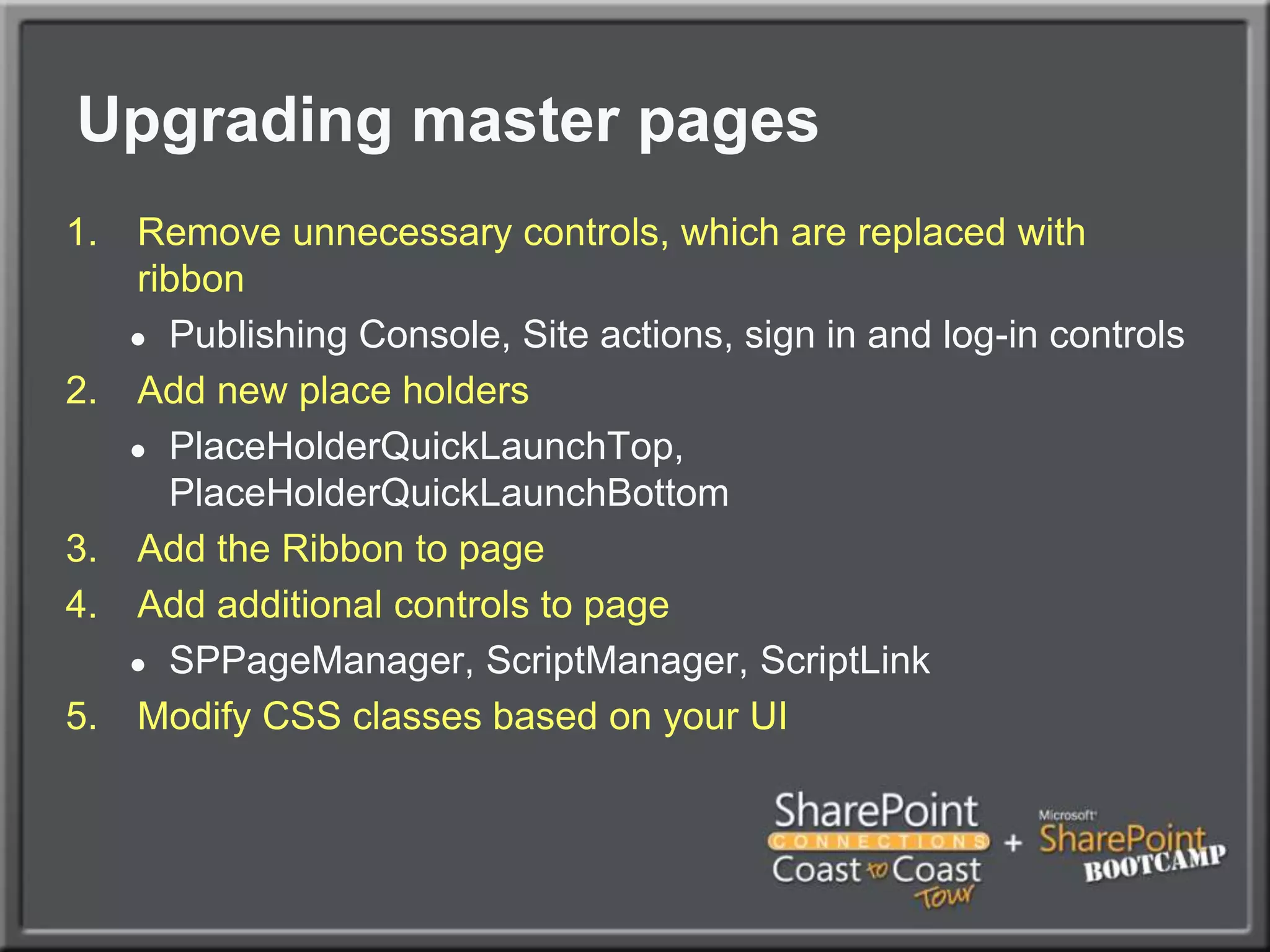
Upgrading master pagesRemove unnecessary controls, which are replaced with ribbonPublishing Console, Site actions, sign in and log-in controlsAdd new place holdersPlaceHolderQuickLaunchTop, PlaceHolderQuickLaunchBottomAdd the Ribbon to pageAdd additional controls to pageSPPageManager, ScriptManager, ScriptLinkModify CSS classes based on your UI
Upgrading themesOld themes are not compatible with 2010New themes files have to be createdOld themes can be used with legacy UI rendering mode before upgrade to 2010 UI is done
Upgrade changed contentIf SharePoint Designer has been used to customize site content, changed files are in database, not in file systemTwo optionsReset the content to be in uncustomized state and provide updates using Feature FrameworkUse SPD to manually update the changed files
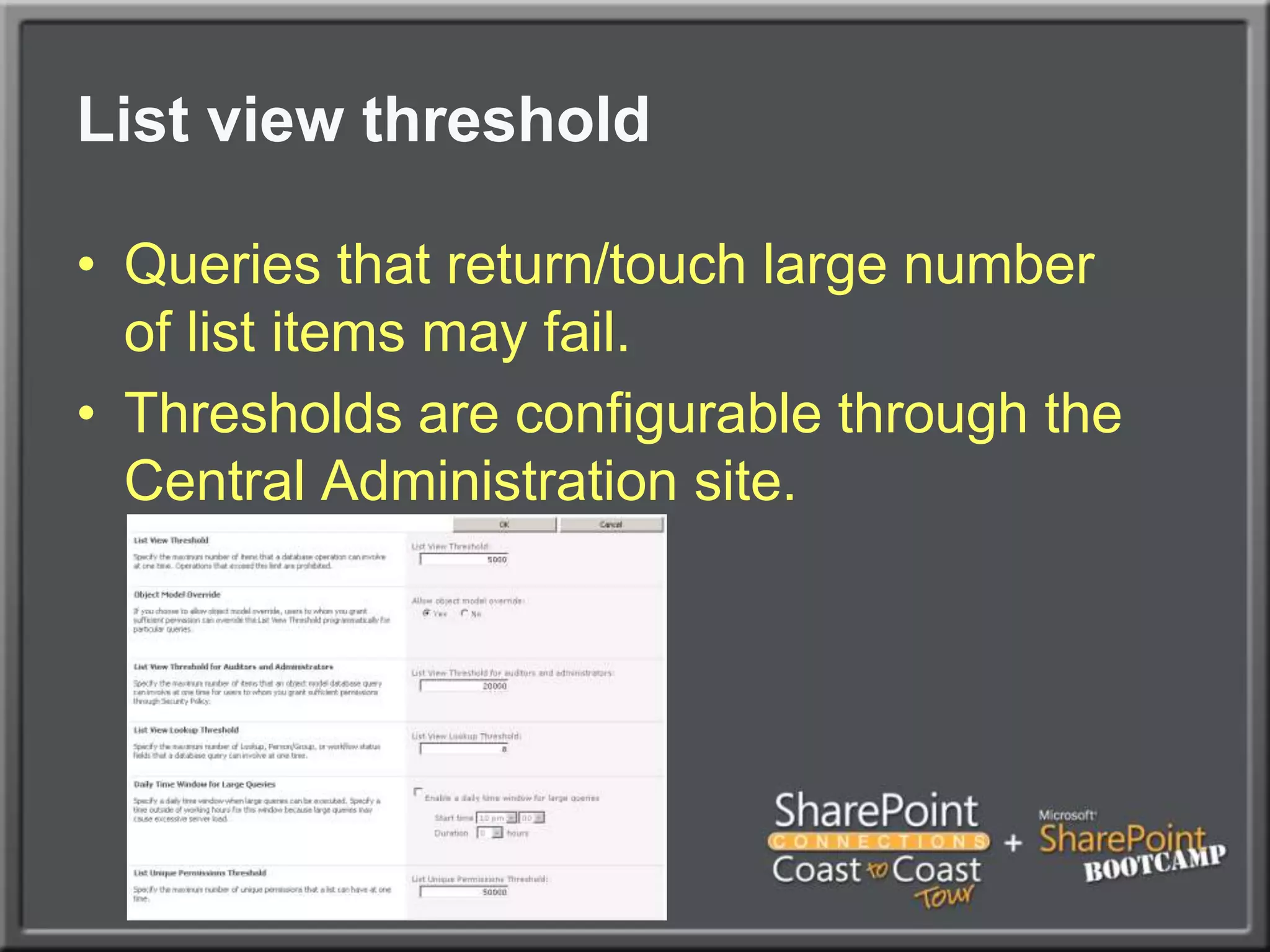
List view thresholdQueries that return/touch large numberof list items may fail. Thresholds are configurable through the Central Administration site.
Large List ConsiderationsThis can bite youNeed it to surface in DevelopmentTest as a non-admin userUse realistic data volumes in development and test serversRefactor code to use ContentIterator, if possible
Using Existing Code All SharePoint 2007 code in all processes will work without recompilationAchieved by using machine level binding redirectionsBinding redirections will work also for any custom code, which is not running under IIS
just the wspdemo
Deprecated API's	Numerous API’s have been deprecated. Recompile your application for 2010 and you will see warnings for any affected API’s within your application.Deprecated doesn’t always mean unsupported!Only affect will be a compiler warningMost API’s deprecated in 2007 are still in 2010Microsoft will not invest in these API’s in the future and will remove deprecated APIs after next version
Deprecated API's ExamplesSPFarm.CreateMessage: Use the SPFarm.Create method that takes a passphrase.SPVirtualServerMessage: Use SPWebApplication or SPIisSettings instead.Shared Service Provider Code in some level
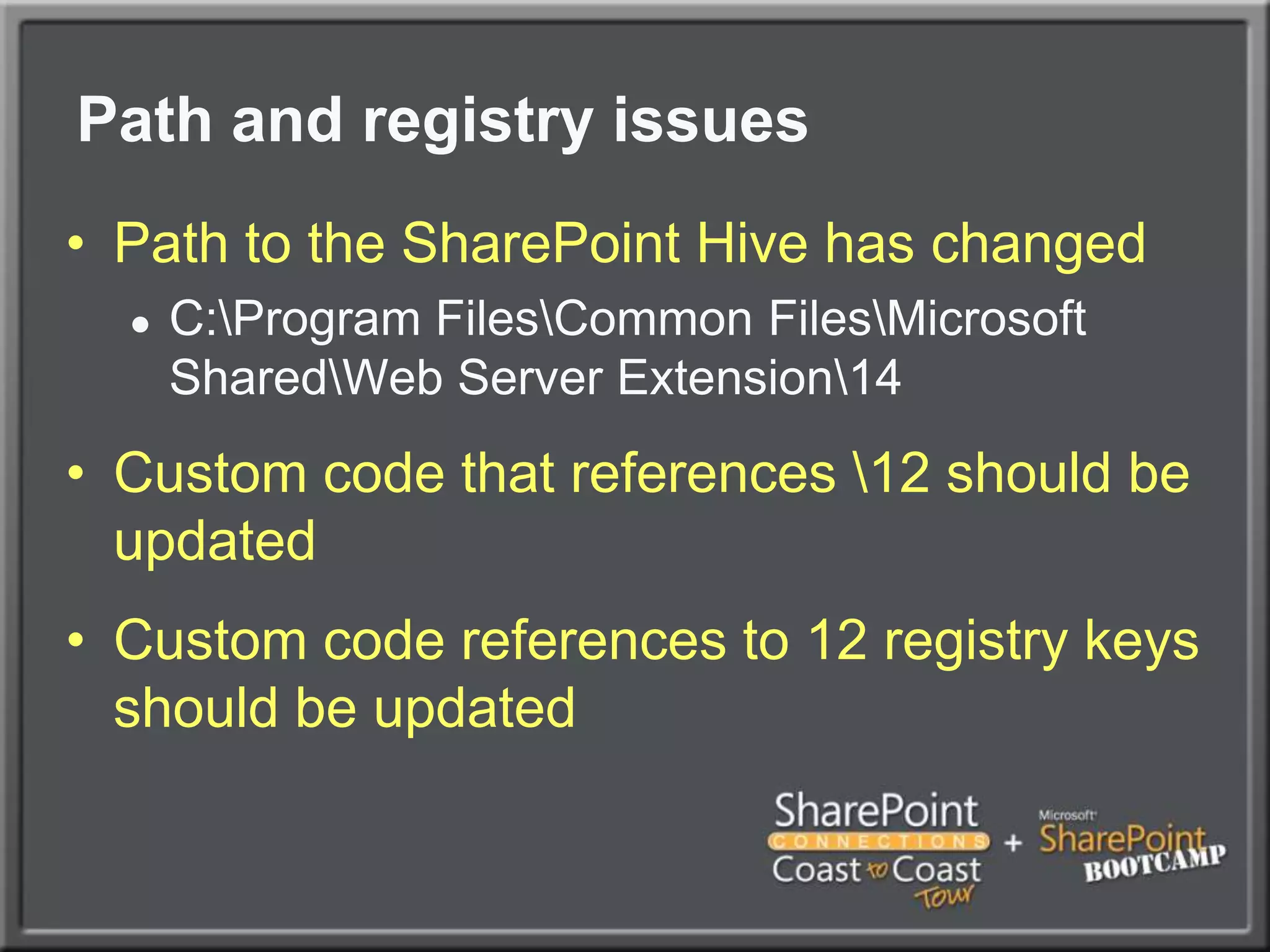
Path and registry issues	Path to the SharePoint Hive has changedC:\Program Files\Common Files\Microsoft Shared\Web Server Extension\14Custom code that references \12 should be updatedCustom code references to 12 registry keys should be updated
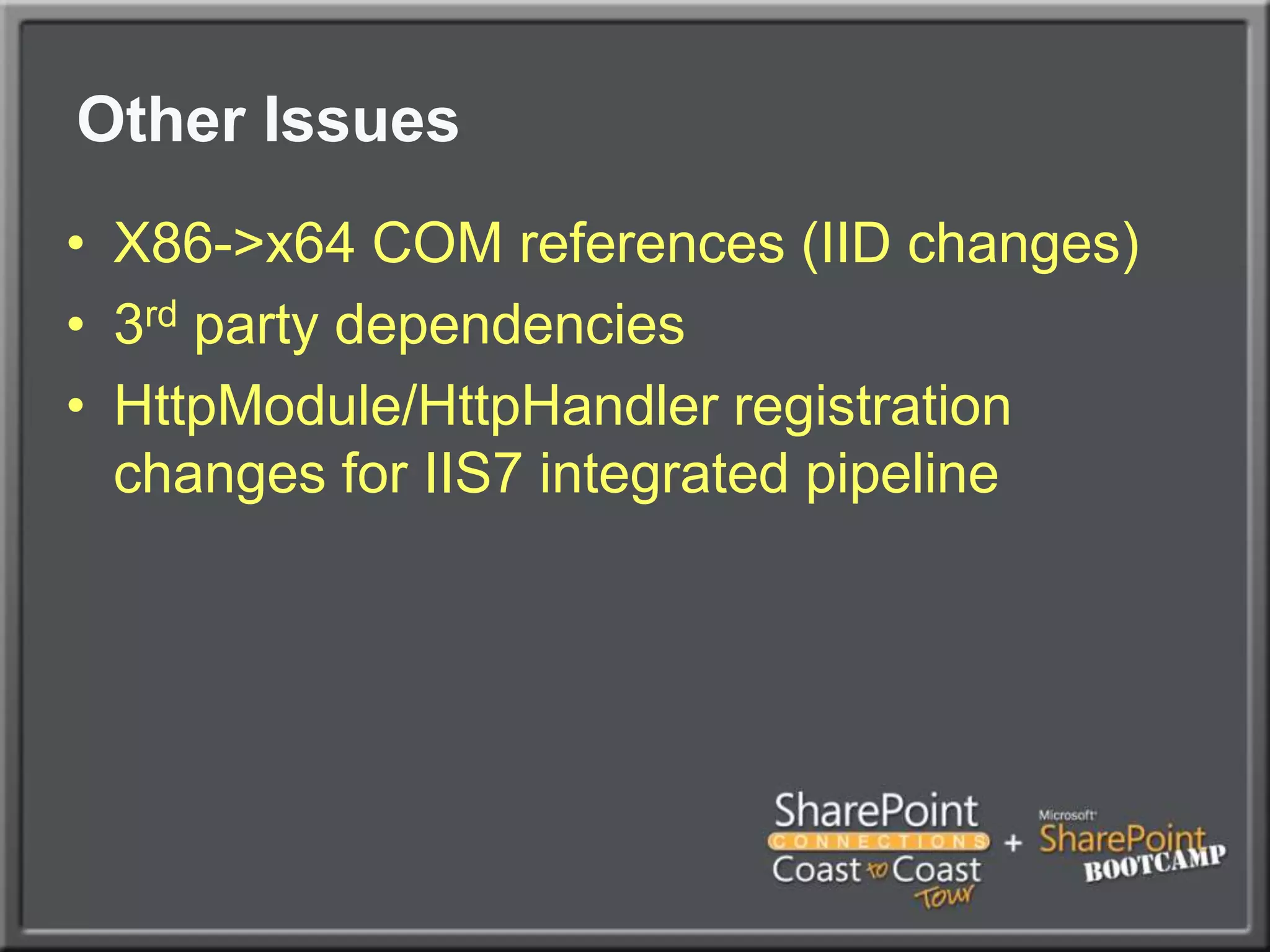
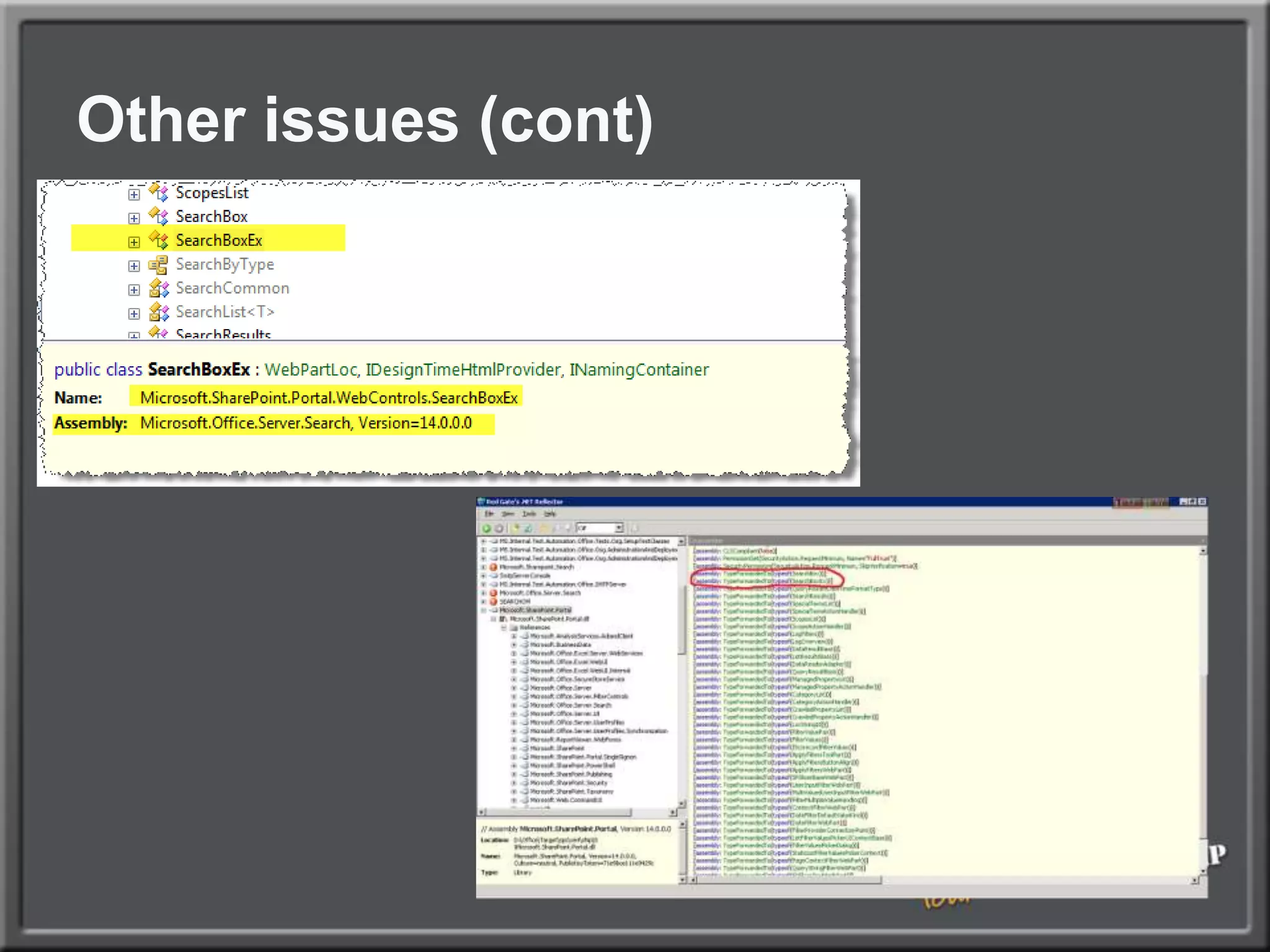
Other IssuesX86->x64 COM references (IID changes)3rd party dependenciesHttpModule/HttpHandler registration changes for IIS7 integrated pipeline
Other issues (cont)
intranet upgradedemo
Upgrade loggingMore logging information availableActions conducted during psconfig upgrade are logged to dedicated logs Logs located in the ULS folderImproved logging and seperate error logUser interface on central administration application to view the upgrade actionsProvides additional information on the actions
How to manage your upgrade process?Managing your upgrade process
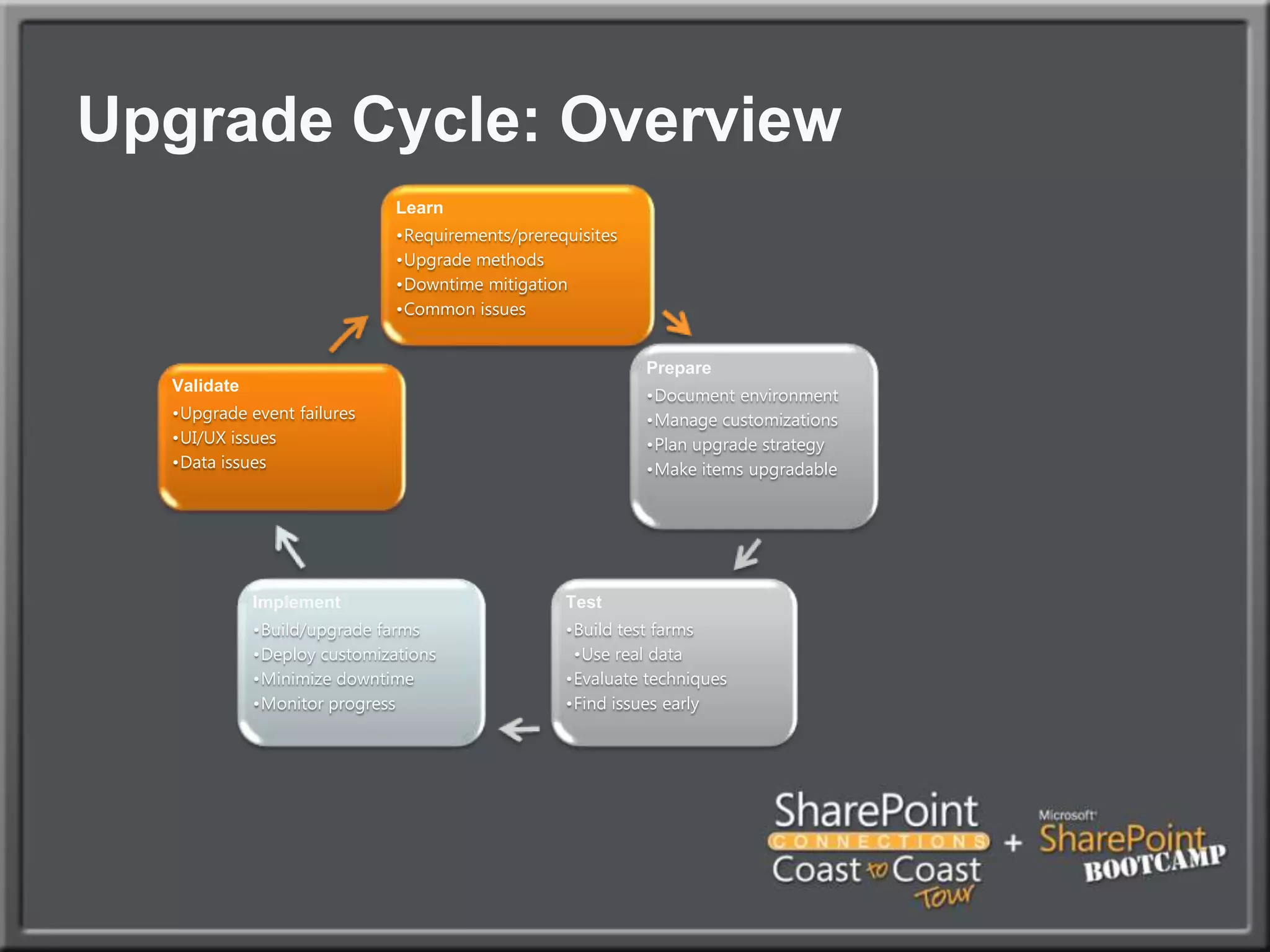
Upgrade processIt’s much more than your customizationsAlways use QA environments to verify the processPreruns and document the possible issues and process to deployVirtualization provides excellent tools to move back to previous state
Upgrade Cycle: Overview
SummaryUpgrading VSeWSS projectCommon upgrade issues for custom codeIssues you might run into during upgrade your codeManaging your upgrade processWhat to consider during upgrade planningKnow your ToolsWhats available for FREEWhenh yoiu should buy
Your Feedback is ImportantPlease fill out a session evaluation form.Thank you!Ivan Sandersivan@dimension-si.comhttp://twitter.com/iasandershttp://www.linkedin.com/in/iasanders
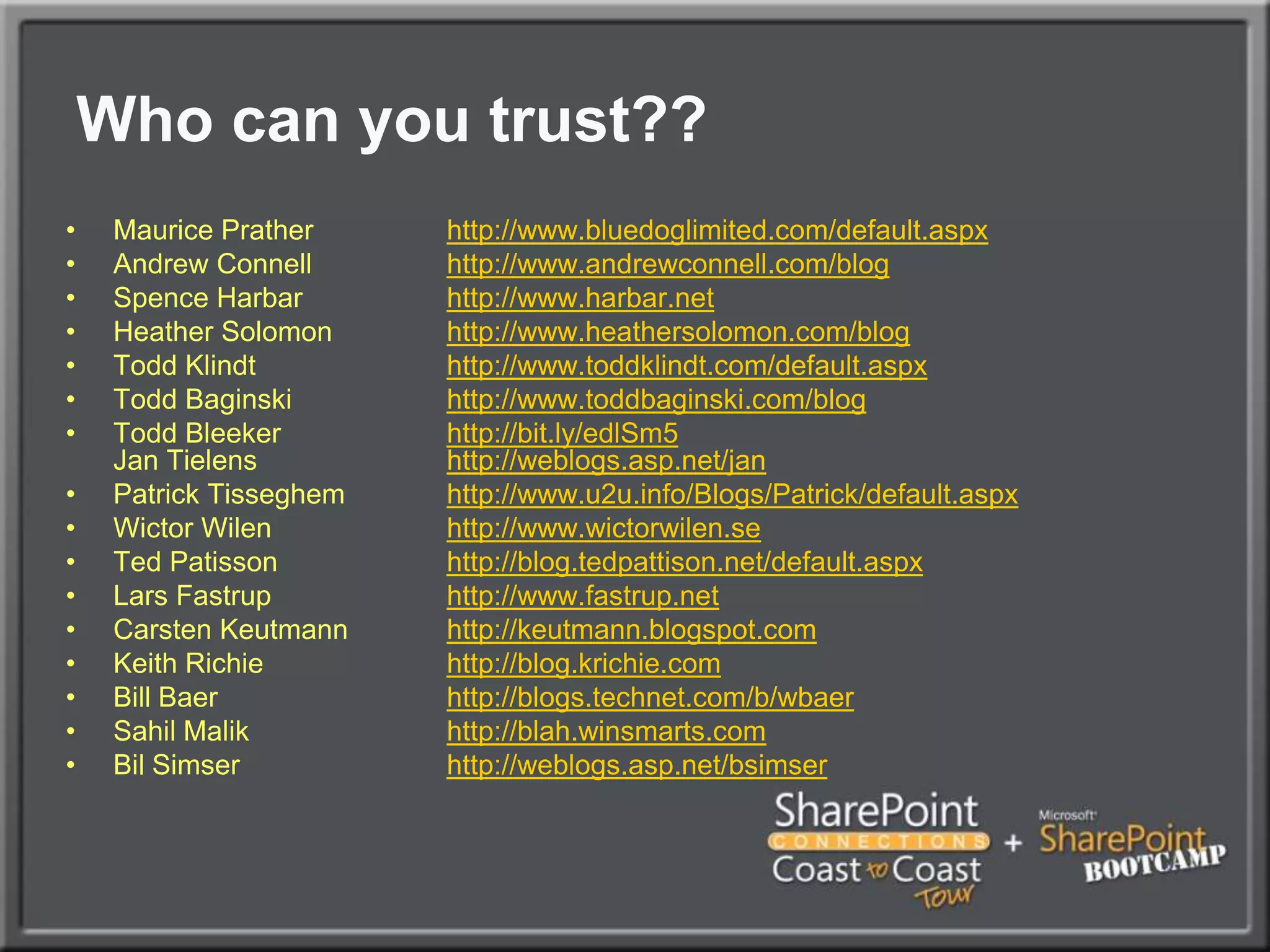
Who can you trust??Maurice Prather		http://www.bluedoglimited.com/default.aspxAndrew Connell	http://www.andrewconnell.com/blogSpence Harbarhttp://www.harbar.netHeather Solomon	http://www.heathersolomon.com/blogTodd Klindthttp://www.toddklindt.com/default.aspxTodd Baginskihttp://www.toddbaginski.com/blogTodd Bleekerhttp://bit.ly/edlSm5Jan Tielenshttp://weblogs.asp.net/janPatrick Tisseghemhttp://www.u2u.info/Blogs/Patrick/default.aspxWictorWilenhttp://www.wictorwilen.seTed Patissonhttp://blog.tedpattison.net/default.aspxLars Fastruphttp://www.fastrup.netCarstenKeutmannhttp://keutmann.blogspot.comKeith Richie	http://blog.krichie.comBill Baer		http://blogs.technet.com/b/wbaerSahilMalikhttp://blah.winsmarts.comBilSimserhttp://weblogs.asp.net/bsimser
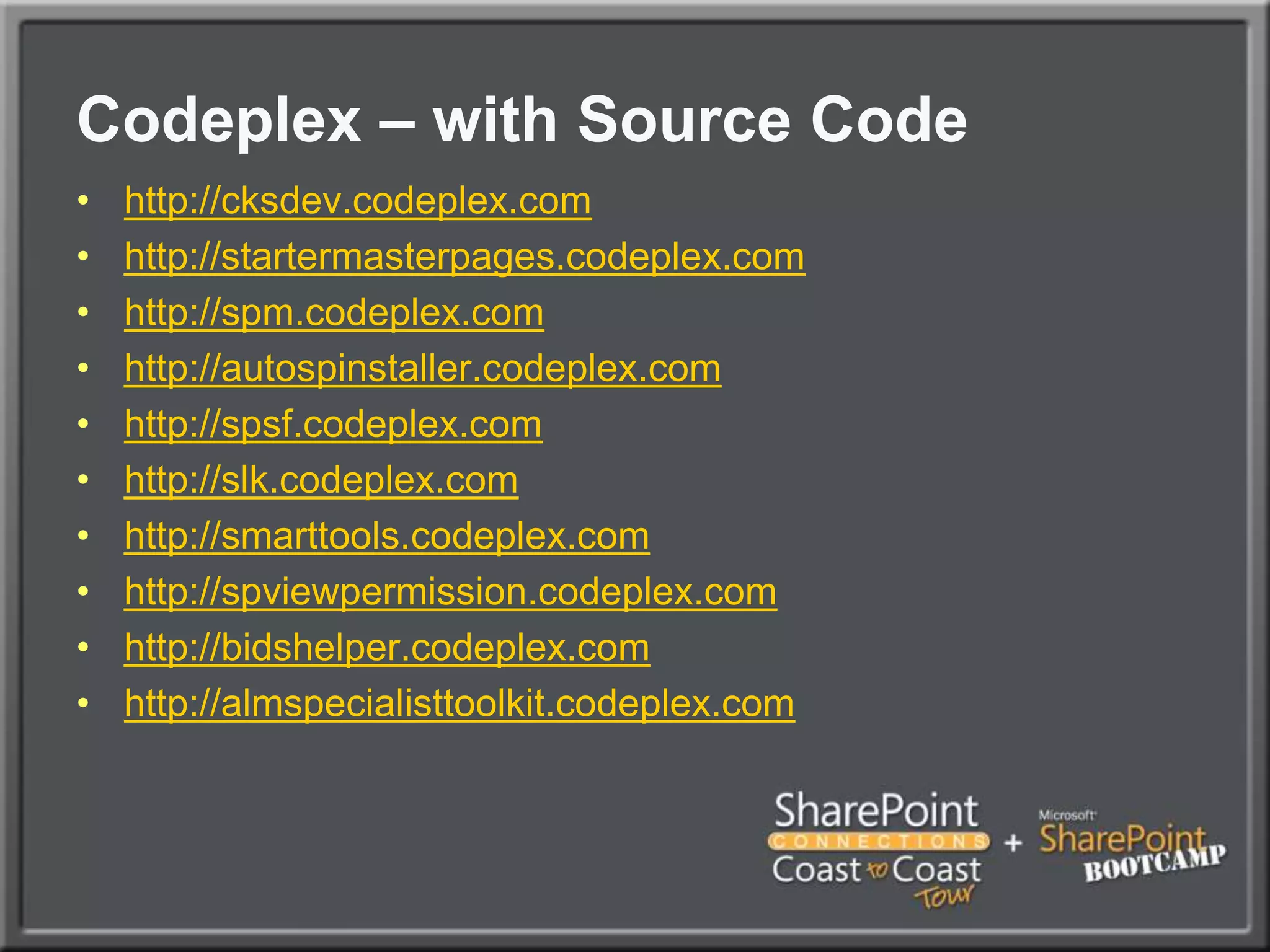
Codeplex – with Source Codehttp://cksdev.codeplex.comhttp://startermasterpages.codeplex.comhttp://spm.codeplex.comhttp://autospinstaller.codeplex.comhttp://spsf.codeplex.comhttp://slk.codeplex.comhttp://smarttools.codeplex.comhttp://spviewpermission.codeplex.comhttp://bidshelper.codeplex.comhttp://almspecialisttoolkit.codeplex.com
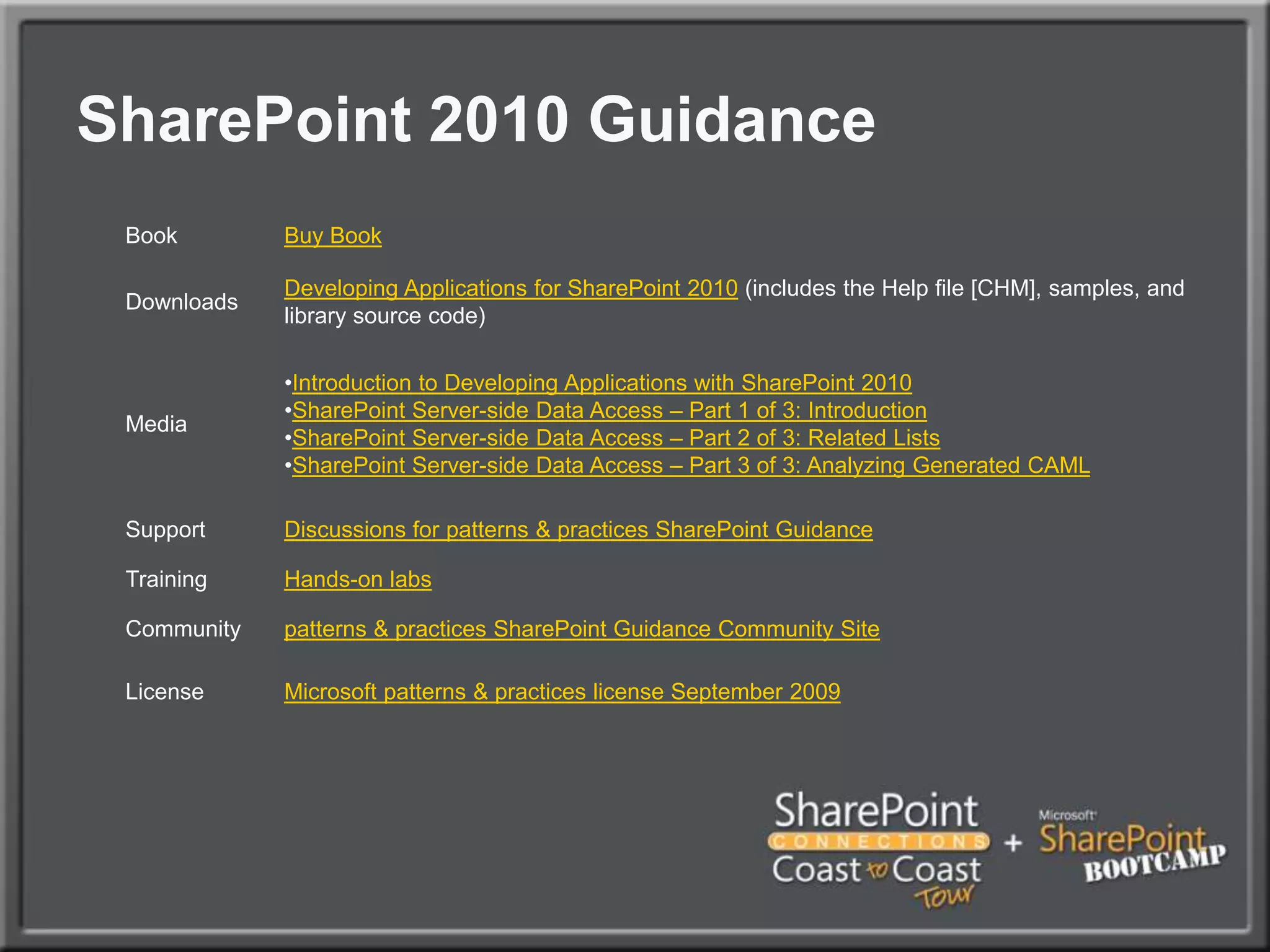
SharePoint 2010 Guidance
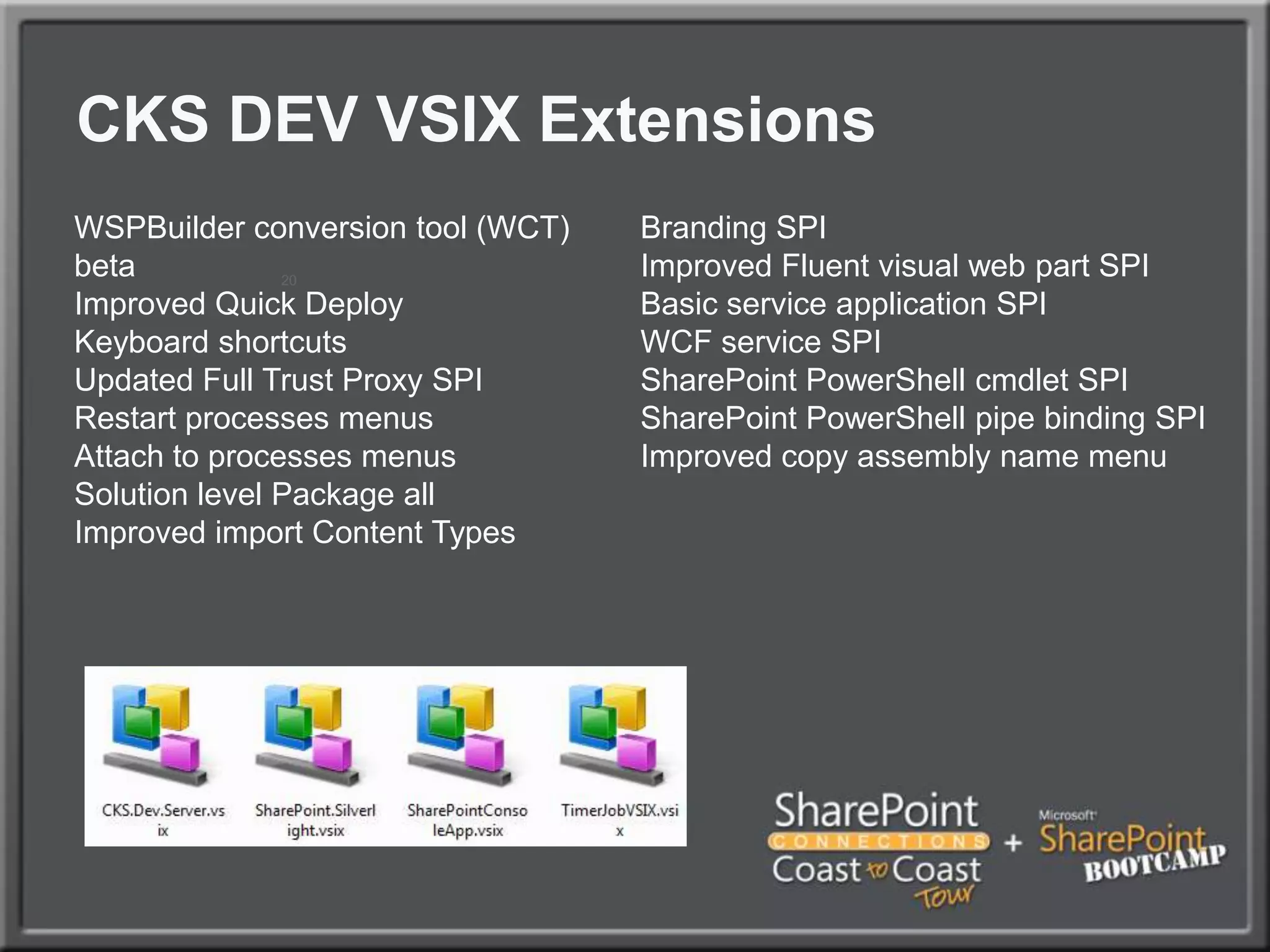
CKS DEV VSIX Extensions20

SharePoint Connections Coast to Coast Migrating SharePoint 2007 Solutions to SharePoint 2010

  • 1.
    Migrating SharePoint 2007Solutions to SharePoint Server 2010VSIX extensions Ivan SandersSharePoint MVP Developer, EvangelistDimension Solutionsivan@dimension-si.com
  • 2.
    AgendaUpgrading VSeWSS projectsCommonupgrade issues for custom codeIssues you might run into during upgrade your codeManaging your upgrade processWhat to consider during upgrade planning for your customizations
  • 3.
    How to upgradeVSeWSS projects?VSeWSS project upgrades
  • 4.
    Upgrade tool forVSeWSSVS.NET Template that allow for importing of existing VSeWSS projectsVB and C#VSeWSS 1.1 and upConverts projects to Visual Studio 2010 format and maintains existing project layoutAvailability Released after RTM
  • 5.
    OverviewTemplate “Import VSeWSSProject”Supports Full trust and sandbox solutionshttp://almspecialisttoolkit.codeplex.com/http://almspecialisttoolkit.codeplex.com/http://almspecialisttoolkit.codeplex.com/
  • 6.
  • 7.
  • 8.
    Project RefactoringConsole/WinForms ApplicationsBuildas x64, .Net 3.5 SP1Fix-up referencesVS 2008/2005 ProjectsImport WSPRefactorAdd non-packaged files (source code, BDC, docs, scripts)Fix-up referencesAdd additional support/related projects
  • 9.
    Refactoring SolutionsVSeWSS had1:1 Feature:artifactVS2010 is more flexibleFeature DesignerAdd/Remove SharePoint Artifacts into featuresFrom other projects in solutionFeature Rename, Add, Remove and DeletePackaging ExplorerAdd/Remove Features from WSP Add/Remove custom assemblies
  • 10.
    Refactoring Your WSPRefactored(multipleartifacts / feature)Original(1 artifacts for 1 feature)
  • 11.
    CKS: Development ToolsServerExplorerWith CKS ExtensionsServer ExplorerDefault
  • 12.
  • 13.
    Common issues youmight run intoUpgrade issues
  • 14.
    Upgrade IssuesSite templates- STP FilesUI ChangesCSSCustom ActionsBackwards Compatible UILarge List Query ThrottlingDeprecated API’sDeployment Path issuesProject RefactoringOther issues
  • 15.
    Upgrading site templatesSitetemplate file format is not anymore STPNeed to be converted to solution packagesCreate V3 siteUpgrade to V4Fix any IssuesSave as Template STP Template .WSP
  • 16.
    Backwards Compatible UISP2007SP2010V4 DevelopmentV4 UIV3 UIV3 UI ModeToolbarsV3 CSSV3 ThemesNo Interactive calendarsNo In-Place Wiki editsNo Ribbon( Configurable on a site by site basis )
  • 17.
    Site Collection OptionsSiteSettings > Site Collection Administration > Supported User Experiences
  • 18.
    Site OptionsSite Settings>Title, Description & Appearance (in V3 UI Mode)
  • 19.
  • 20.
    Object Model OptionsWebLevelSPWeb.UIVersion (int values of 3 or 4)Site CollectionSPSite.UIVersionConfigurationEnabled“Preview Mode” if in V4 and UIVersionConfigurationEnabled==true
  • 21.
    Versioned ControlsAllows forrendering of version specific content.During RenderAt Load Time – handles child controls properly
  • 22.
    CSS ChangesWhat haschanged in SharePoint CSS?Almost everything!Any customizations that depend on V3 CSS such as master pages will need to be redesigned to work correctly in V4.Rendering based on XHTML WCAG 2.0 AA level compliant
  • 23.
    Custom ActionsNo moretoolbars in V4 UI ModeToolbar actions are movedMoved to Custom Commands on the ribbon.It is possible to show ribbon and toolbar by modifying the list form web part properties.Actions with code behind(ControlAssembly, ControlClass, or ControlSrc attribute) don’t migrate to Custom Commands tab.
  • 24.
    Upgrading master pagesRemoveunnecessary controls, which are replaced with ribbonPublishing Console, Site actions, sign in and log-in controlsAdd new place holdersPlaceHolderQuickLaunchTop, PlaceHolderQuickLaunchBottomAdd the Ribbon to pageAdd additional controls to pageSPPageManager, ScriptManager, ScriptLinkModify CSS classes based on your UI
  • 25.
    Upgrading themesOld themesare not compatible with 2010New themes files have to be createdOld themes can be used with legacy UI rendering mode before upgrade to 2010 UI is done
  • 26.
    Upgrade changed contentIfSharePoint Designer has been used to customize site content, changed files are in database, not in file systemTwo optionsReset the content to be in uncustomized state and provide updates using Feature FrameworkUse SPD to manually update the changed files
  • 27.
    List view thresholdQueriesthat return/touch large numberof list items may fail. Thresholds are configurable through the Central Administration site.
  • 28.
    Large List ConsiderationsThiscan bite youNeed it to surface in DevelopmentTest as a non-admin userUse realistic data volumes in development and test serversRefactor code to use ContentIterator, if possible
  • 29.
    Using Existing CodeAll SharePoint 2007 code in all processes will work without recompilationAchieved by using machine level binding redirectionsBinding redirections will work also for any custom code, which is not running under IIS
  • 30.
  • 31.
    Deprecated API's Numerous API’shave been deprecated. Recompile your application for 2010 and you will see warnings for any affected API’s within your application.Deprecated doesn’t always mean unsupported!Only affect will be a compiler warningMost API’s deprecated in 2007 are still in 2010Microsoft will not invest in these API’s in the future and will remove deprecated APIs after next version
  • 32.
    Deprecated API's ExamplesSPFarm.CreateMessage:Use the SPFarm.Create method that takes a passphrase.SPVirtualServerMessage: Use SPWebApplication or SPIisSettings instead.Shared Service Provider Code in some level
  • 33.
    Path and registryissues Path to the SharePoint Hive has changedC:\Program Files\Common Files\Microsoft Shared\Web Server Extension\14Custom code that references \12 should be updatedCustom code references to 12 registry keys should be updated
  • 34.
    Other IssuesX86->x64 COMreferences (IID changes)3rd party dependenciesHttpModule/HttpHandler registration changes for IIS7 integrated pipeline
  • 35.
  • 36.
  • 37.
    Upgrade loggingMore logginginformation availableActions conducted during psconfig upgrade are logged to dedicated logs Logs located in the ULS folderImproved logging and seperate error logUser interface on central administration application to view the upgrade actionsProvides additional information on the actions
  • 38.
    How to manageyour upgrade process?Managing your upgrade process
  • 39.
    Upgrade processIt’s muchmore than your customizationsAlways use QA environments to verify the processPreruns and document the possible issues and process to deployVirtualization provides excellent tools to move back to previous state
  • 40.
  • 41.
    SummaryUpgrading VSeWSS projectCommonupgrade issues for custom codeIssues you might run into during upgrade your codeManaging your upgrade processWhat to consider during upgrade planningKnow your ToolsWhats available for FREEWhenh yoiu should buy
  • 43.
    Your Feedback isImportantPlease fill out a session evaluation form.Thank you!Ivan Sandersivan@dimension-si.comhttp://twitter.com/iasandershttp://www.linkedin.com/in/iasanders
  • 44.
    Who can youtrust??Maurice Prather http://www.bluedoglimited.com/default.aspxAndrew Connell http://www.andrewconnell.com/blogSpence Harbarhttp://www.harbar.netHeather Solomon http://www.heathersolomon.com/blogTodd Klindthttp://www.toddklindt.com/default.aspxTodd Baginskihttp://www.toddbaginski.com/blogTodd Bleekerhttp://bit.ly/edlSm5Jan Tielenshttp://weblogs.asp.net/janPatrick Tisseghemhttp://www.u2u.info/Blogs/Patrick/default.aspxWictorWilenhttp://www.wictorwilen.seTed Patissonhttp://blog.tedpattison.net/default.aspxLars Fastruphttp://www.fastrup.netCarstenKeutmannhttp://keutmann.blogspot.comKeith Richie http://blog.krichie.comBill Baer http://blogs.technet.com/b/wbaerSahilMalikhttp://blah.winsmarts.comBilSimserhttp://weblogs.asp.net/bsimser
  • 45.
    Codeplex – withSource Codehttp://cksdev.codeplex.comhttp://startermasterpages.codeplex.comhttp://spm.codeplex.comhttp://autospinstaller.codeplex.comhttp://spsf.codeplex.comhttp://slk.codeplex.comhttp://smarttools.codeplex.comhttp://spviewpermission.codeplex.comhttp://bidshelper.codeplex.comhttp://almspecialisttoolkit.codeplex.com
  • 46.
  • 47.
    CKS DEV VSIXExtensions20