Upgrading Drill Down:SharePoint 2010Joel OlesonSharePoint ArchitectQuest Softwarehttp://sharepointjoel.com
Who is SharePoint Joel?~10 Year SharePoint VeteranSharePoint Product Architect, Evangelist & Strategy @ QuestTwitter: @joelolesonEmail: joel.oleson@quest.com
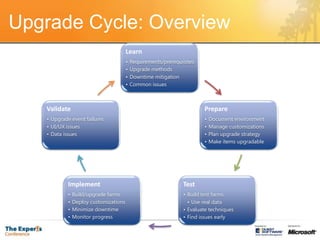
Upgrade Cycle: Overview
Pre Upgrade
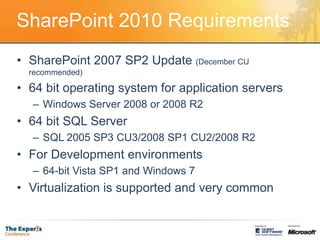
SharePoint 2010 RequirementsSharePoint 2007 SP2 Update (December CU recommended)64 bit operating system for application serversWindows Server 2008 or 2008 R264 bit SQL ServerSQL 2005 SP3 CU3/2008 SP1 CU2/2008 R2For Development environments64-bit Vista SP1 and Windows 7Virtualization is supported and very common
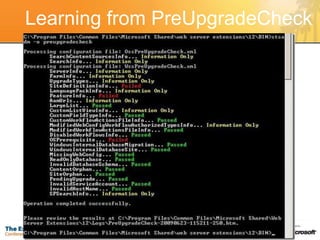
Learning from PreUpgradeCheck
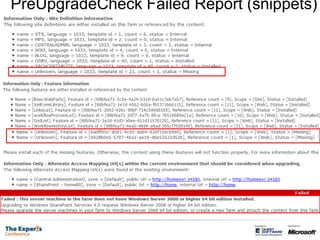
PreUpgradeCheck Failed Report (snippets)
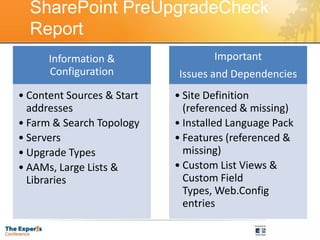
SharePoint PreUpgradeCheck Report
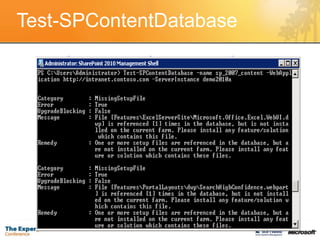
Test-SPContentDatabase
Upgrade
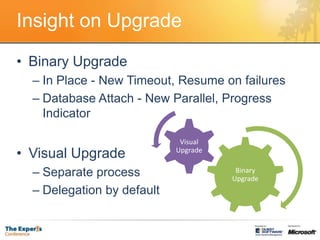
Insight on UpgradeBinary UpgradeIn Place - New Timeout, Resume on failuresDatabase Attach - New Parallel, Progress IndicatorVisual UpgradeSeparate processDelegation by default
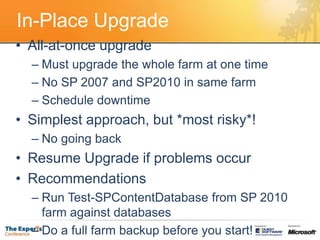
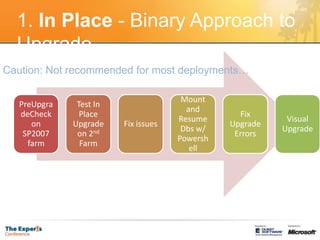
In-Place UpgradeAll-at-once upgradeMust upgrade the whole farm at one timeNo SP 2007 and SP2010 in same farmSchedule downtimeSimplest approach, but *most risky*!No going backResume Upgrade if problems occurRecommendationsRun Test-SPContentDatabase from SP 2010 farm against databasesDo a full farm backup before you start!
1. In Place - Binary Approach to UpgradeCaution: Not recommended for most deployments…
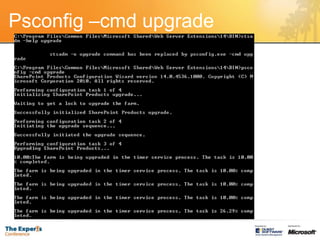
Psconfig –cmd upgrade
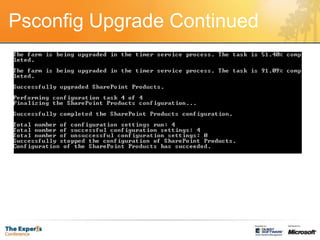
Psconfig Upgrade Continued
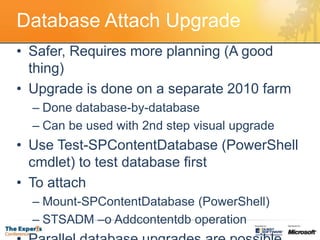
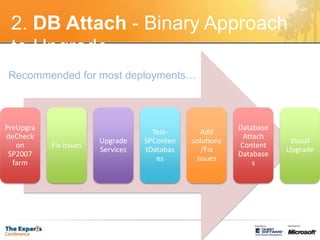
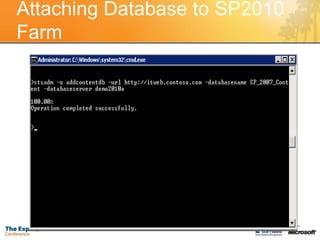
Database Attach UpgradeSafer, Requires more planning (A good thing)Upgrade is done on a separate 2010 farmDone database-by-database Can be used with 2nd step visual upgradeUse Test-SPContentDatabase (PowerShellcmdlet) to test database firstTo attachMount-SPContentDatabase (PowerShell)STSADM –o Addcontentdb operationParallel database upgrades are possible

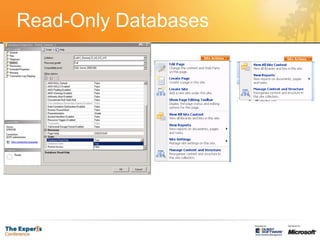
Read-Only Databases
2. DB Attach- Binary Approach to Upgrade Recommended for most deployments…
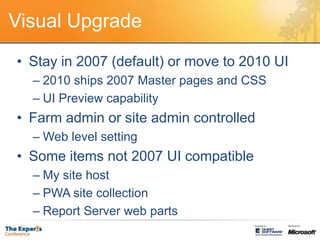
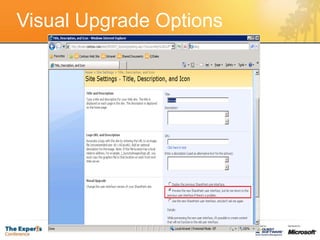
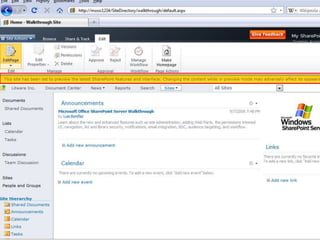
Visual UpgradeStay in 2007 (default) or move to 2010 UI2010 ships 2007 Master pages and CSSUI Preview capabilityFarm admin or site admin controlledWeb level settingSome items not 2007 UI compatibleMy site hostPWA site collectionReport Server web parts
Attaching Database to SP2010 Farm
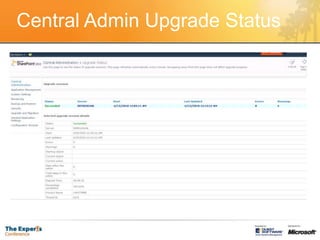
Central Admin Upgrade Status
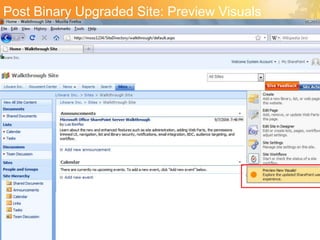
Post Binary Upgraded Site: Preview Visuals
Visual Upgrade Options
Tactical Insights
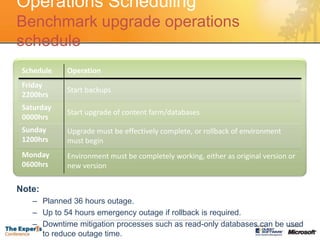
Operations SchedulingBenchmark upgrade operations scheduleNote:Planned 36 hours outage.Up to 54 hours emergency outage if rollback is required.Downtime mitigation processes such as read-only databases can be used to reduce outage time.
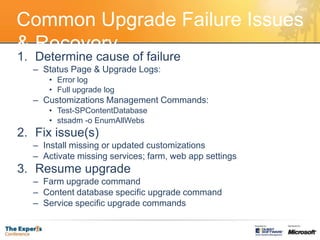
Common Upgrade Failure Issues & RecoveryDetermine cause of failureStatus Page & Upgrade Logs:Error logFull upgrade logCustomizations Management Commands:Test-SPContentDatabasestsadm -o EnumAllWebsFix issue(s)Install missing or updated customizationsActivate missing services; farm, web app settingsResume upgradeFarm upgrade commandContent database specific upgrade commandService specific upgrade commands
Upgrade Strategies
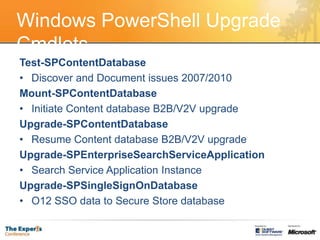
Windows PowerShell Upgrade CmdletsTest-SPContentDatabaseDiscover and Document issues 2007/2010Mount-SPContentDatabaseInitiate Content database B2B/V2V upgradeUpgrade-SPContentDatabaseResume Content database B2B/V2V upgradeUpgrade-SPEnterpriseSearchServiceApplicationSearch Service Application InstanceUpgrade-SPSingleSignOnDatabaseO12 SSO data to Secure Store database
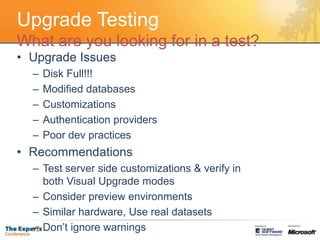
Upgrade TestingWhat are you looking for in a test?Upgrade IssuesDisk Full!!!Modified databasesCustomizationsAuthentication providersPoor dev practicesRecommendationsTest server side customizations & verify in both Visual Upgrade modesConsider preview environmentsSimilar hardware, Use real datasetsDon’t ignore warnings
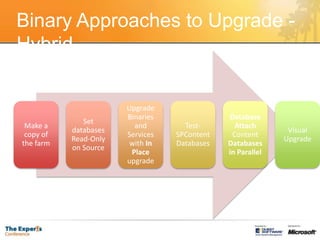
Binary Approaches to Upgrade - Hybrid
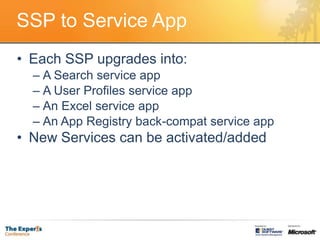
SSP to Service AppEach SSP upgrades into:A Search service appA User Profiles service appAn Excel service appAn App Registry back-compat service appNew Services can be activated/added
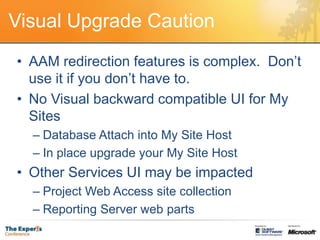
Visual Upgrade CautionAAM redirection features is complex.  Don’t use it if you don’t have to.No Visual backward compatible UI for My SitesDatabase Attach into My Site HostIn place upgrade your My Site HostOther Services UI may be impactedProject Web Access site collectionReporting Server web parts
ISV Upgrade/Migration SolutionsQuest Tech Preview of Migration Manager2003 to 2010 with post Migration SyncPremigration assessment for durationFreeware: Check out the Free Quest Reporting Solution http://www.quest.com/reportsforsharepointYou can also find Solutions from: Metalogix, Tsunami & AvePoint
SharePoint 2010 Upgrade eBookLaunch on May 12Coming Soon!!!
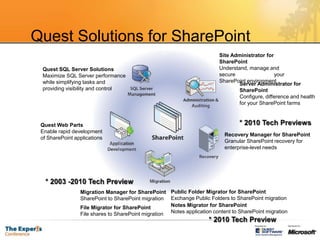
Quest Solutions for SharePoint Site Administrator for SharePoint Understand, manage and secure                          your SharePoint environmentQuest SQL Server Solutions Maximize SQL Server performance while simplifying tasks and providing visibility and controlServer Administrator for SharePoint Configure, difference and health for your SharePoint farms* 2010 Tech PreviewsQuest Web Parts Enable rapid development                 of SharePoint applicationsRecovery Manager for SharePointGranular SharePoint recovery for enterprise-level needs* 2003 -2010 Tech PreviewMigration Manager for SharePoint SharePoint to SharePoint migrationFile Migrator for SharePoint File shares to SharePoint migrationPublic Folder Migrator for SharePointExchange Public Folders to SharePoint migrationNotes Migrator for SharePointNotes application content to SharePoint migration* 2010 Tech Preview
Thank You!
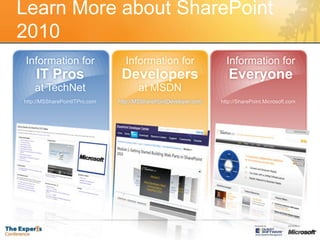
Learn More about SharePoint 2010Information forIT Prosat TechNethttp://MSSharePointITPro.comInformation forDevelopersat MSDNhttp://MSSharePointDeveloper.comInformation forEveryonehttp://SharePoint.Microsoft.com

SharePoint 2010 Upgrade Drill Down

  • 1.
    Upgrading Drill Down:SharePoint2010Joel OlesonSharePoint ArchitectQuest Softwarehttp://sharepointjoel.com
  • 2.
    Who is SharePointJoel?~10 Year SharePoint VeteranSharePoint Product Architect, Evangelist & Strategy @ QuestTwitter: @joelolesonEmail: joel.oleson@quest.com
  • 3.
  • 4.
  • 5.
    SharePoint 2010 RequirementsSharePoint2007 SP2 Update (December CU recommended)64 bit operating system for application serversWindows Server 2008 or 2008 R264 bit SQL ServerSQL 2005 SP3 CU3/2008 SP1 CU2/2008 R2For Development environments64-bit Vista SP1 and Windows 7Virtualization is supported and very common
  • 6.
  • 7.
  • 8.
  • 9.
  • 10.
  • 11.
    Insight on UpgradeBinaryUpgradeIn Place - New Timeout, Resume on failuresDatabase Attach - New Parallel, Progress IndicatorVisual UpgradeSeparate processDelegation by default
  • 12.
    In-Place UpgradeAll-at-once upgradeMustupgrade the whole farm at one timeNo SP 2007 and SP2010 in same farmSchedule downtimeSimplest approach, but *most risky*!No going backResume Upgrade if problems occurRecommendationsRun Test-SPContentDatabase from SP 2010 farm against databasesDo a full farm backup before you start!
  • 13.
    1. In Place- Binary Approach to UpgradeCaution: Not recommended for most deployments…
  • 14.
  • 15.
  • 16.
    Database Attach UpgradeSafer,Requires more planning (A good thing)Upgrade is done on a separate 2010 farmDone database-by-database Can be used with 2nd step visual upgradeUse Test-SPContentDatabase (PowerShellcmdlet) to test database firstTo attachMount-SPContentDatabase (PowerShell)STSADM –o Addcontentdb operationParallel database upgrades are possible
  • 17.
  • 18.
    2. DB Attach-Binary Approach to Upgrade Recommended for most deployments…
  • 19.
    Visual UpgradeStay in2007 (default) or move to 2010 UI2010 ships 2007 Master pages and CSSUI Preview capabilityFarm admin or site admin controlledWeb level settingSome items not 2007 UI compatibleMy site hostPWA site collectionReport Server web parts
  • 20.
  • 21.
  • 22.
    Post Binary UpgradedSite: Preview Visuals
  • 23.
  • 25.
  • 26.
    Operations SchedulingBenchmark upgradeoperations scheduleNote:Planned 36 hours outage.Up to 54 hours emergency outage if rollback is required.Downtime mitigation processes such as read-only databases can be used to reduce outage time.
  • 27.
    Common Upgrade FailureIssues & RecoveryDetermine cause of failureStatus Page & Upgrade Logs:Error logFull upgrade logCustomizations Management Commands:Test-SPContentDatabasestsadm -o EnumAllWebsFix issue(s)Install missing or updated customizationsActivate missing services; farm, web app settingsResume upgradeFarm upgrade commandContent database specific upgrade commandService specific upgrade commands
  • 28.
  • 29.
    Windows PowerShell UpgradeCmdletsTest-SPContentDatabaseDiscover and Document issues 2007/2010Mount-SPContentDatabaseInitiate Content database B2B/V2V upgradeUpgrade-SPContentDatabaseResume Content database B2B/V2V upgradeUpgrade-SPEnterpriseSearchServiceApplicationSearch Service Application InstanceUpgrade-SPSingleSignOnDatabaseO12 SSO data to Secure Store database
  • 30.
    Upgrade TestingWhat areyou looking for in a test?Upgrade IssuesDisk Full!!!Modified databasesCustomizationsAuthentication providersPoor dev practicesRecommendationsTest server side customizations & verify in both Visual Upgrade modesConsider preview environmentsSimilar hardware, Use real datasetsDon’t ignore warnings
  • 31.
    Binary Approaches toUpgrade - Hybrid
  • 32.
    SSP to ServiceAppEach SSP upgrades into:A Search service appA User Profiles service appAn Excel service appAn App Registry back-compat service appNew Services can be activated/added
  • 33.
    Visual Upgrade CautionAAMredirection features is complex. Don’t use it if you don’t have to.No Visual backward compatible UI for My SitesDatabase Attach into My Site HostIn place upgrade your My Site HostOther Services UI may be impactedProject Web Access site collectionReporting Server web parts
  • 34.
    ISV Upgrade/Migration SolutionsQuestTech Preview of Migration Manager2003 to 2010 with post Migration SyncPremigration assessment for durationFreeware: Check out the Free Quest Reporting Solution http://www.quest.com/reportsforsharepointYou can also find Solutions from: Metalogix, Tsunami & AvePoint
  • 35.
    SharePoint 2010 UpgradeeBookLaunch on May 12Coming Soon!!!
  • 36.
    Quest Solutions forSharePoint Site Administrator for SharePoint Understand, manage and secure your SharePoint environmentQuest SQL Server Solutions Maximize SQL Server performance while simplifying tasks and providing visibility and controlServer Administrator for SharePoint Configure, difference and health for your SharePoint farms* 2010 Tech PreviewsQuest Web Parts Enable rapid development of SharePoint applicationsRecovery Manager for SharePointGranular SharePoint recovery for enterprise-level needs* 2003 -2010 Tech PreviewMigration Manager for SharePoint SharePoint to SharePoint migrationFile Migrator for SharePoint File shares to SharePoint migrationPublic Folder Migrator for SharePointExchange Public Folders to SharePoint migrationNotes Migrator for SharePointNotes application content to SharePoint migration* 2010 Tech Preview
  • 37.
  • 38.
    Learn More aboutSharePoint 2010Information forIT Prosat TechNethttp://MSSharePointITPro.comInformation forDevelopersat MSDNhttp://MSSharePointDeveloper.comInformation forEveryonehttp://SharePoint.Microsoft.com