Module 3: Hook into Apps for SharePoint
Registration for Los Angeles June 16 2015
http://aka.ms/O365campLA
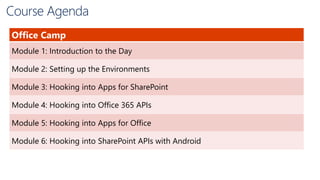
Course Agenda
Office Camp
Module 1: Introduction to the Day
Module 2: Setting up the Environments
Module 3: Hooking into Apps for SharePoint
Module 4: Hooking into Office 365 APIs
Module 5: Hooking into Apps for Office
Module 6: Hooking into SharePoint APIs with Android
Ivan Sanders
SharePoint MVP/MCT
ivan@dimension-si.com
@iasanders
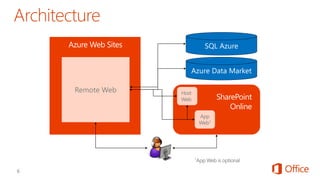
Remote Web
Azure Web Sites
SharePoint
Online

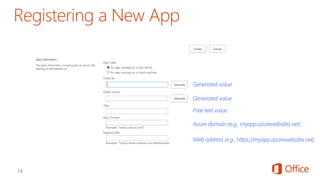
Generated value
Generated value
Free text value
Azure domain (e.g., myapp.azurewebsites.net)
Web address (e.g., https://myapp.azurewebsites.net)
Web Forms
MVC 5
Remote Web SharePoint
Web Page
SP.RequestExecutor.js
IFRAME App Web
AppWebProxy.aspxAppWebProxy.aspx
O365 DEVCamp Los Angeles June 16, 2015 Module 03 Hook into Apps for Sharepoint

O365 DEVCamp Los Angeles June 16, 2015 Module 03 Hook into Apps for Sharepoint

Editor's Notes

  • #7 Remote web is deployed on separate infrastructure Typically this is Azure web sites, but can be anything Solution may or may not have an App Web depending upon whether anything is deployed (like lists or libraries in the App Web) Host web can be accessed by remote web using OAuth or cross-domain library Additional assets like SQL Azure or web-based REST services can be accessed from the remote web and incorporated into the solution
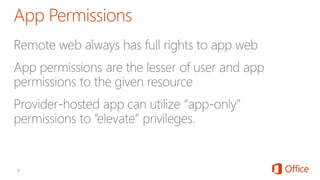
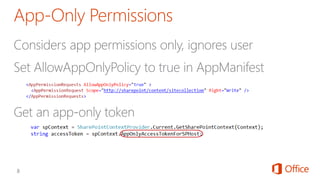
  • #9 Provider-hosted apps can use “app only” permissions Update the App manifest to indicate this is OK Then you need an app-only token in code
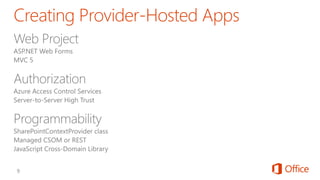
  • #10 Visual Studio supports both ASP.NET Web Forms and MVC5 On-premises authorization uses S2S Cloud authorization uses OAuth The SharePointContextProvider simplifies token management Managed CSOm and RESt can be used directly from the server side The cross-domain library can be used from JavaScript
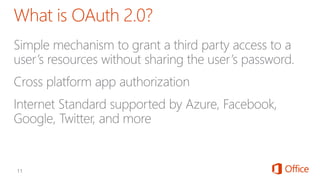
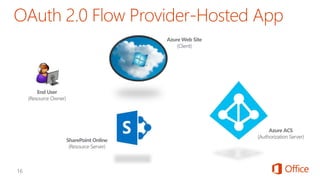
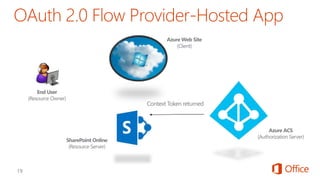
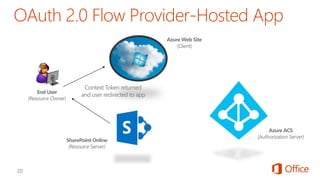
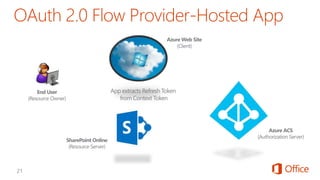
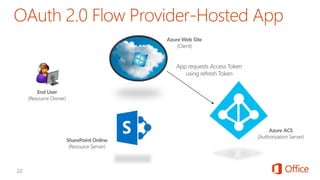
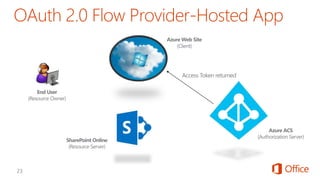
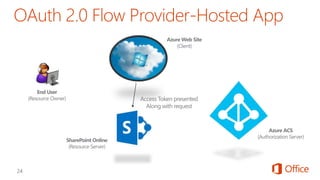
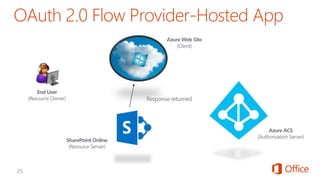
  • #12 OAuth provides a simple mechanism for end-users to grant a third party access to their data and resources without sharing their passwords. It also enables the user to grant access limited by scope and duration.
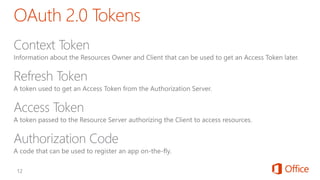
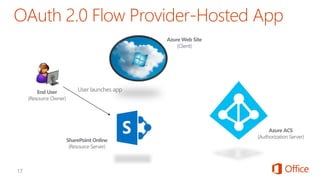
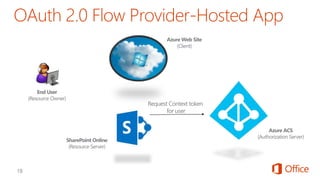
  • #13 In the OAuth 2.0 model, access to protected resources is done using access tokens —an object with a specific scope, lifetime, and other access attributes. OAuth access tokens are sometimes compared to valet keys. In the same way as a valet key gives restricted access to a car, allowing a valet to drive it but not open the trunk or the glove compartment, the access token allows a client application restricted access to a user’s data at a resource server via tokens issued by an authorization server in response to the user authorizing access. With OAuth 2.0, a third-party application does not use the resource owner's credentials to access protected resources. Instead, the third-party application obtains an access token. Access tokens are issued to third-party clients by an authorization server with the approval of the resource owner. The client uses the access token to access the protected resources hosted by the resource server.
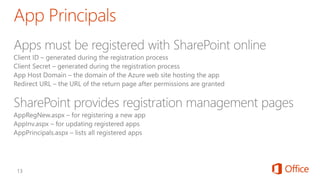
  • #14 Apps are first-class principals in SharePoint They have an identifier and permissions, which are tracked in SharePoint through the registration and installation process
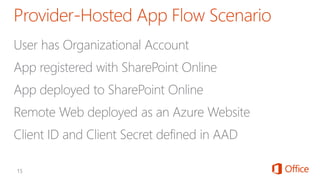
  • #15 Apps must be registered with SharePoint. This page will generate a new client ID and secret for the app. If deployed to Azure, use that information to fill out the rest of the form.
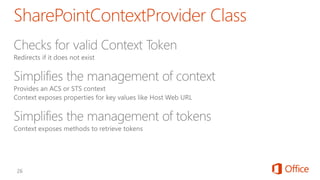
  • #27 The SharePointContextProvider simplifies the management of context, and tokens It uses a cookie to store the CacheKey, and stores the actual token in session state on the server referenced by the cache key All of this improves performance and makes programming easier
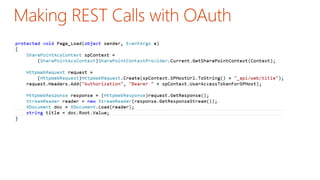
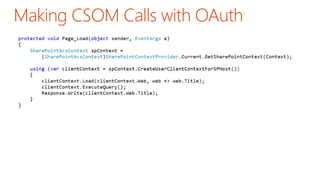
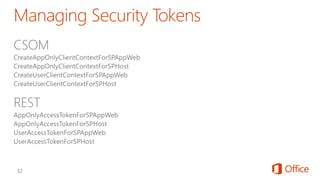
  • #28 Abstracts the management of tokens to make it easier
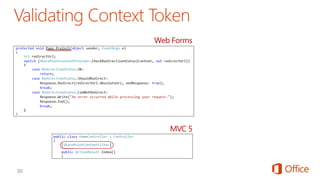
  • #31 ASP.NET Web FoNotice how it will redirect if the token is not valid rms uses the PreInit method to validate the Context Token ASP.NET MVC 5 uses a filter to run essentially the same code Notice how the filter attribute is applied to the controller
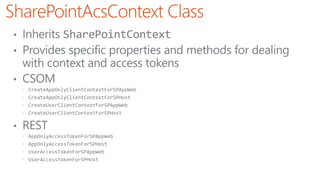
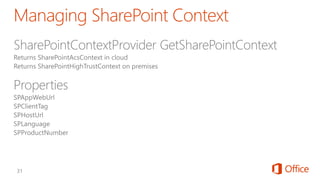
  • #32 SharePointAcsContext and SharePointHightTrustContext both inherit from SharePointContext This means that the same code works in both cloud and on-premises environments
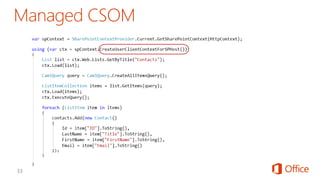
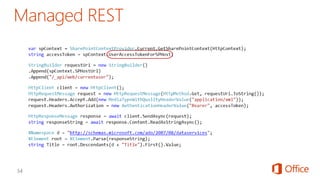
  • #33 The SharePointContext makes it easy to get the tokens you need
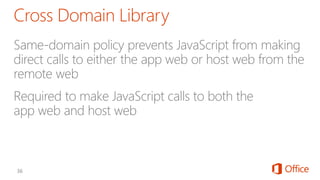
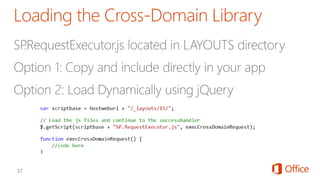
  • #37 Makes it possible to call the app web or host web from JavaScript in the remote web
  • #38 You’ll also need Sp.runtime.js Sp.js MicrosoftAjax.js
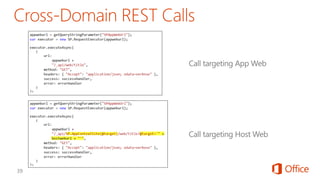
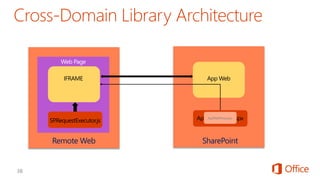
  • #39 The remote web loads the SPRequestExecutor.js library The remote web create a new SP.RequestExecutor object, initializing it with the URL of the app web This causes a hidden IFRAME to be created, which loads APPWebProxy.aspx from the LAYOUTS directory The SP.RequestExecutor object uses the HTML5 postmessage command to send requests from the remote web The request is executed by the AppWebProxy.aspx page The response is returned
  • #40 When calling the host web, you must switch the context
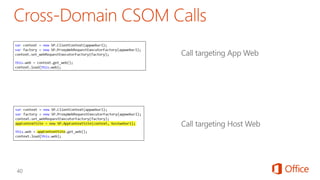
  • #41 When calling the host web, you must switch the context