Introduction to SharePoint Designer 2010Ben RobbMVP, SharePoint ServerCTO, cScape Ltd
QuizHow many of you love using SharePoint Designer 2007 to build their applications?What are the pain points you have seen using SPD 2007?UnstableDifficult to package and deploy applications built in SPDDoesn’t fit into an ALM processGives too much power to the usersToo many actions can only be done in the browserMesses with your HTMLSlowUnstable
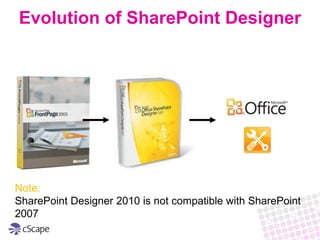
Evolution of SharePoint DesignerNote:SharePoint Designer 2010 is not compatible with SharePoint 2007
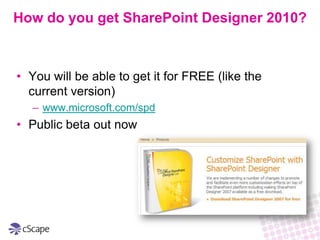
How do you get SharePoint Designer 2010?You will be able to get it for FREE (like the current version)www.microsoft.com/spdPublic beta out now
Why use SharePoint Designer 2010?Why? SPD is THE Tool for building powerful applications on top of SharePoint
 No Code is required to make rich reusable solutionsWho?Power Users and Site Admins
 IT Devs and Pros to prototype solutions quickly
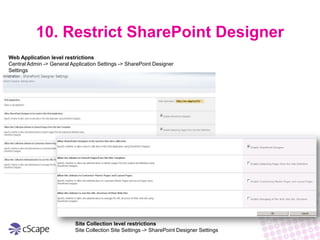
 Definitely NOT everyone in the company!10. Restrict SharePoint DesignerWeb Application level restrictionsCentral Admin -> General Application Settings -> SharePoint Designer SettingsSite Collection level restrictionsSite Collection Site Settings -> SharePoint Designer Settings
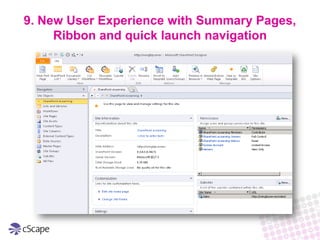
9. New User Experience with Summary Pages, Ribbon and quick launch navigation
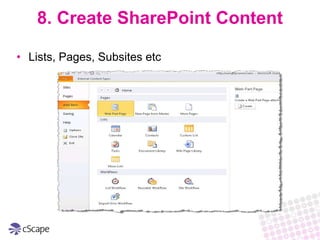
8. Create SharePoint ContentLists, Pages, Subsites etc
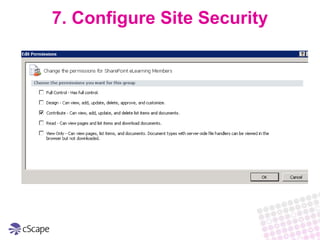
7. Configure Site Security
Site Metadata CustomizationsSecurityDemo
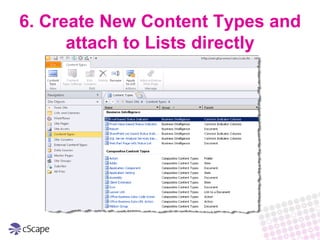
6. Create New Content Types and attach to Lists directly
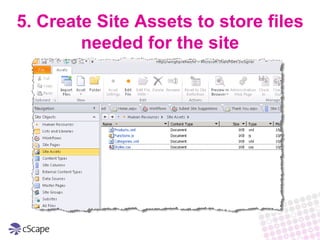
5. Create Site Assets to store files needed for the site
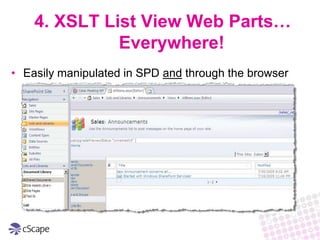
4. XSLT List View Web Parts… Everywhere!Easily manipulated in SPD and through the browser
Managing DataDemo
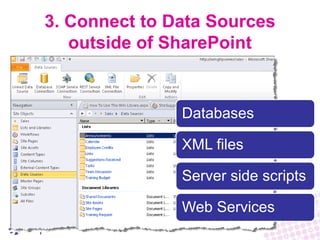
3. Connect to Data Sources outside of SharePoint
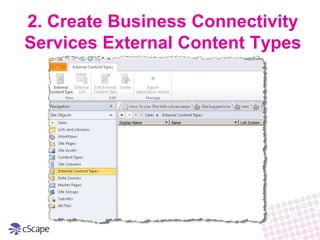
2. Create Business Connectivity Services External Content Types
Connecting to External DataDemo
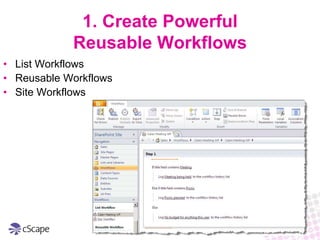
1. Create Powerful Reusable WorkflowsList WorkflowsReusable WorkflowsSite Workflows
WorkflowsDemo

An Introduction to SharePoint Designer 2010

  • 1.
    Introduction to SharePointDesigner 2010Ben RobbMVP, SharePoint ServerCTO, cScape Ltd
  • 2.
    QuizHow many ofyou love using SharePoint Designer 2007 to build their applications?What are the pain points you have seen using SPD 2007?UnstableDifficult to package and deploy applications built in SPDDoesn’t fit into an ALM processGives too much power to the usersToo many actions can only be done in the browserMesses with your HTMLSlowUnstable
  • 3.
    Evolution of SharePointDesignerNote:SharePoint Designer 2010 is not compatible with SharePoint 2007
  • 4.
    How do youget SharePoint Designer 2010?You will be able to get it for FREE (like the current version)www.microsoft.com/spdPublic beta out now
  • 5.
    Why use SharePointDesigner 2010?Why? SPD is THE Tool for building powerful applications on top of SharePoint
  • 6.
    No Codeis required to make rich reusable solutionsWho?Power Users and Site Admins
  • 7.
    IT Devsand Pros to prototype solutions quickly
  • 8.
    Definitely NOTeveryone in the company!10. Restrict SharePoint DesignerWeb Application level restrictionsCentral Admin -> General Application Settings -> SharePoint Designer SettingsSite Collection level restrictionsSite Collection Site Settings -> SharePoint Designer Settings
  • 9.
    9. New UserExperience with Summary Pages, Ribbon and quick launch navigation
  • 10.
    8. Create SharePointContentLists, Pages, Subsites etc
  • 11.
  • 12.
  • 13.
    6. Create NewContent Types and attach to Lists directly
  • 14.
    5. Create SiteAssets to store files needed for the site
  • 15.
    4. XSLT ListView Web Parts… Everywhere!Easily manipulated in SPD and through the browser
  • 16.
  • 17.
    3. Connect toData Sources outside of SharePoint
  • 18.
    2. Create BusinessConnectivity Services External Content Types
  • 19.
  • 20.
    1. Create PowerfulReusable WorkflowsList WorkflowsReusable WorkflowsSite Workflows
  • 21.