(OFS302) Upgrading to SharePoint 2010Joel OlesonSharePoint ArchitectQuest Softwarehttp://sharepointjoel.comMuhanad OmarSharePoint ConsultantDevosis
Who is SharePoint Joel? 9+ Year SharePoint Veteran5 Years in MS IT & Online2 Years in SharePoint Product TeamProduct Architect for Deployment AdvisorSr. SharePoint ArchitectSharePoint Product Architect & Strategy @ Quest
Meet Mo!
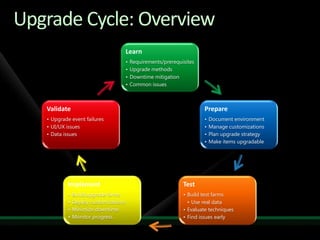
Upgrade Cycle: Overview
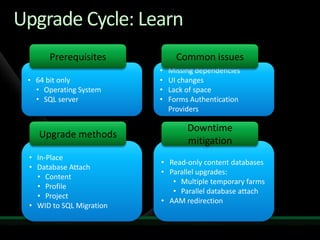
64 bit only
Operating System
SQL server
Missing dependencies
UI changes
Lack of space
Forms Authentication Providers
In-Place
Database Attach
Content
Profile
Project
WID to SQL Migration
Read-only content databases
Parallel upgrades:
Multiple temporary farms
Parallel database attach
AAM redirectionUpgrade Cycle: LearnPrerequisitesCommon issuesUpgrade methodsDowntime mitigation
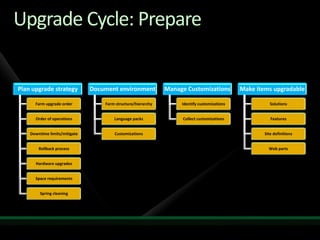
Upgrade Cycle: Prepare
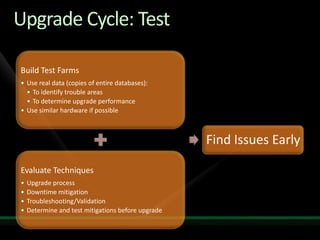
Upgrade Cycle: Test
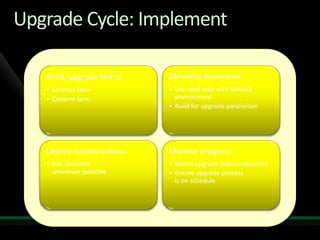
Upgrade Cycle: Implement
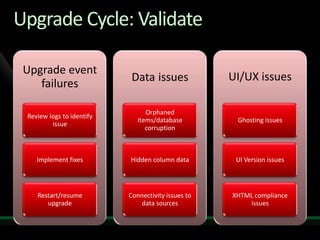
Upgrade Cycle: Validate
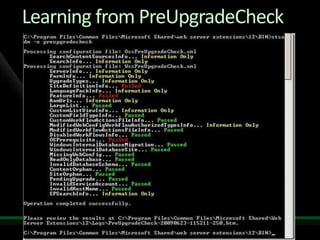
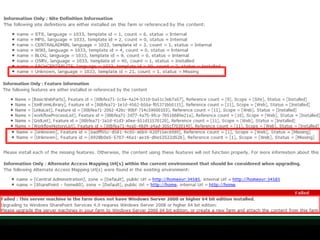
Learning from PreUpgradeCheck
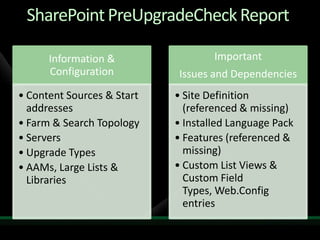
SharePoint PreUpgradeCheck Report
PreUpgradeCheck Failed Report (snippets)
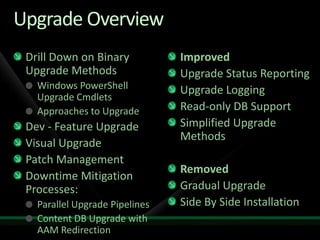
Upgrade OverviewDrill Down on Binary Upgrade MethodsWindows PowerShell Upgrade CmdletsApproaches to UpgradeDev - Feature UpgradeVisual UpgradePatch ManagementDowntime Mitigation Processes:Parallel Upgrade PipelinesContent DB Upgrade with AAM RedirectionImprovedUpgrade Status ReportingUpgrade LoggingRead-only DB SupportSimplified Upgrade MethodsRemovedGradual UpgradeSide By Side Installation
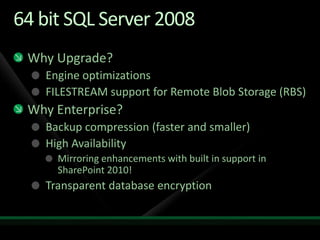
64 bit SQL Server 2008Why Upgrade?Engine optimizationsFILESTREAM support for Remote Blob Storage (RBS)Why Enterprise?Backup compression (faster and smaller)High Availability Mirroring enhancements with built in support in SharePoint 2010!Transparent database encryption
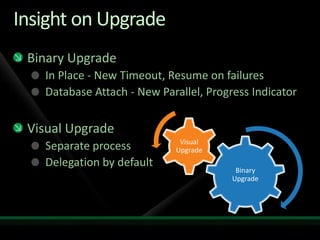
Insight on UpgradeBinary UpgradeIn Place - New Timeout, Resume on failuresDatabase Attach - New Parallel, Progress IndicatorVisual UpgradeSeparate processDelegation by default
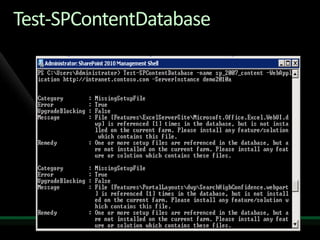
Test-SPContentDatabase
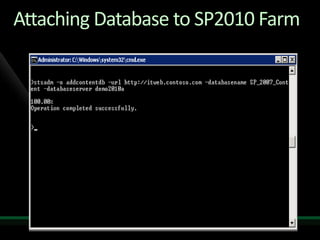
Attaching Database to SP2010 Farm
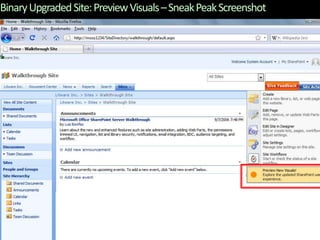
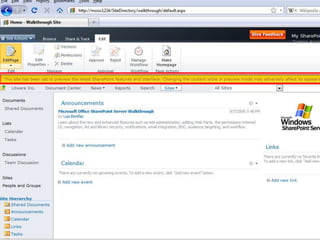
Binary Upgraded Site: Preview Visuals – Sneak Peak Screenshot
DB Attach with SharePoint 2010 Powershelldemo
Drill Down on Upgrade Methods
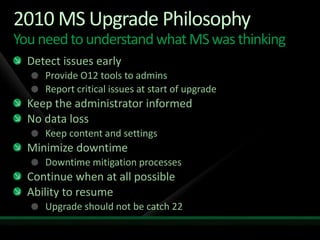
2010 MS Upgrade PhilosophyYou need to understand what MS was thinkingDetect issues earlyProvide O12 tools to adminsReport critical issues at start of upgradeKeep the administrator informedNo data lossKeep content and settingsMinimize downtimeDowntime mitigation processesContinue when at all possibleAbility to resumeUpgrade should not be catch 22
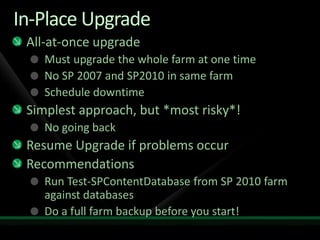
In-Place UpgradeAll-at-once upgradeMust upgrade the whole farm at one timeNo SP 2007 and SP2010 in same farmSchedule downtimeSimplest approach, but *most risky*!No going backResume Upgrade if problems occurRecommendationsRun Test-SPContentDatabase from SP 2010 farm against databasesDo a full farm backup before you start!
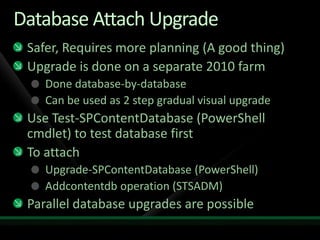
Database Attach UpgradeSafer, Requires more planning (A good thing)Upgrade is done on a separate 2010 farmDone database-by-database Can be used as 2 step gradual visual upgradeUse Test-SPContentDatabase (PowerShellcmdlet) to test database firstTo attachUpgrade-SPContentDatabase (PowerShell)Addcontentdb operation (STSADM)Parallel database upgrades are possible
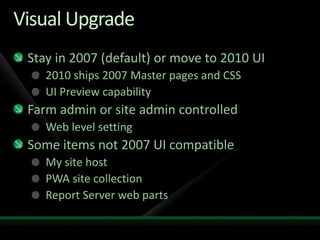
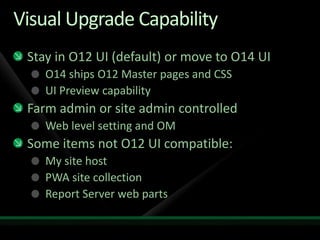
Visual UpgradeStay in 2007 (default) or move to 2010 UI2010 ships 2007 Master pages and CSSUI Preview capabilityFarm admin or site admin controlledWeb level settingSome items not 2007 UI compatibleMy site hostPWA site collectionReport Server web parts
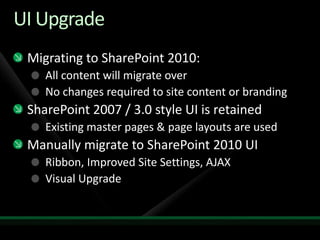
UI UpgradeMigrating to SharePoint 2010:All content will migrate overNo changes required to site content or brandingSharePoint 2007 / 3.0 style UI is retainedExisting master pages & page layouts are usedManually migrate to SharePoint 2010 UI	Ribbon, Improved Site Settings, AJAXVisual Upgrade
Upgrade Pipeline FlowUpgrade internals step by stepPSConfigStage 1: Boot StrapConfiguration DatabaseAdmin Content DatabasePre-Joined FarmJoin FarmStage 2: Central AdminWeb TemplatesSPIISSite ObjectsFeatures UpgradeAdmin Web ServiceAdmin Web ApplicationLocal FarmAdmin Content DatabasesSPSitesPSConfig/TimerSharedResourceProvider12 ObjectsPartner Service ApplicationsService Application ObjectsPartner DatabasesStage 3: User DataLocal FarmWeb TemplatesSPIISSite ObjectsFeatures UpgradeWeb ApplicationSPSitesContent Databases
Tactical Insights
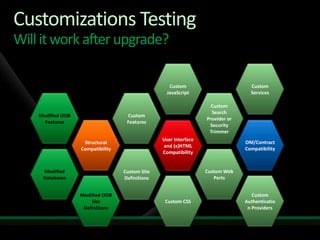
Customizations TestingWill it work after upgrade?Custom JavaScriptCustom ServicesCustom FeaturesCustomSearch Provider or Security TrimmerModified OOB FeaturesOM/Contract CompatibilityStructural CompatibilityUser Interface and (x)HTML CompatibilityCustom Web PartsModified DatabasesCustom Site DefinitionsCustom CSSCustom Authentication ProvidersModified OOB Site Definitions
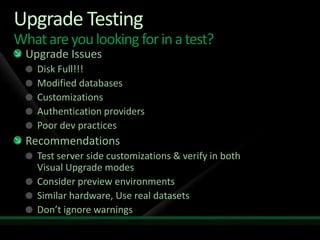
Upgrade TestingWhat are you looking for in a test?Upgrade IssuesDisk Full!!!Modified databasesCustomizationsAuthentication providersPoor dev practicesRecommendationsTest server side customizations & verify in both Visual Upgrade modesConsider preview environmentsSimilar hardware, Use real datasetsDon’t ignore warnings
Operations SchedulingBenchmark upgrade operations scheduleNote:Planned 36 hours outage.Up to 54 hours emergency outage if rollback is required.Downtime mitigation processes such as read-only databases can be used to reduce outage time.
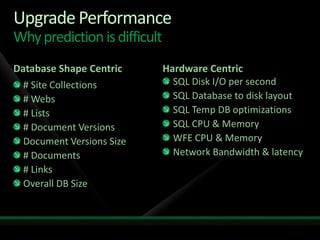
Upgrade PerformanceWhy prediction is difficultDatabase Shape CentricHardware Centric# Site Collections# Webs# Lists# Document VersionsDocument Versions Size# Documents# LinksOverall DB SizeSQL Disk I/O per secondSQL Database to disk layoutSQL Temp DB optimizationsSQL CPU & MemoryWFE CPU & MemoryNetwork Bandwidth & latency
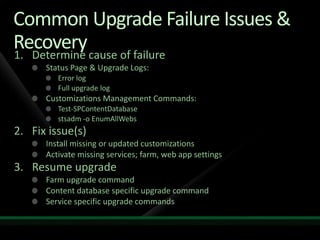
Common Upgrade Failure Issues & RecoveryDetermine cause of failureStatus Page & Upgrade Logs:Error logFull upgrade logCustomizations Management Commands:Test-SPContentDatabasestsadm -o EnumAllWebsFix issue(s)Install missing or updated customizationsActivate missing services; farm, web app settingsResume upgradeFarm upgrade commandContent database specific upgrade commandService specific upgrade commands
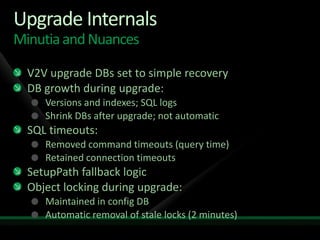
Upgrade InternalsMinutia and NuancesV2V upgrade DBs set to simple recoveryDB growth during upgrade:Versions and indexes; SQL logsShrink DBs after upgrade; not automaticSQL timeouts:Removed command timeouts (query time)Retained connection timeoutsSetupPath fallback logicObject locking during upgrade:Maintained in config DBAutomatic removal of stale locks (2 minutes)
Upgrade Strategies
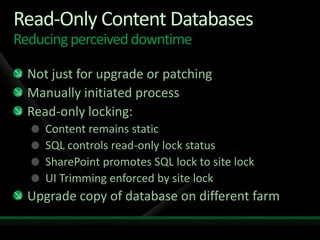
Read-Only Content DatabasesReducing perceived downtimeNot just for upgrade or patchingManually initiated processRead-only locking:Content remains staticSQL controls read-only lock statusSharePoint promotes SQL lock to site lockUI Trimming enforced by site lockUpgrade copy of database on different farm
Single Click Install - SQL MigrationHidden complexity in simple environmentsWindows Internal Database not supportedDB could be >4GBSQL Express 2008 (Single Click, Manual Install)DB >4GB not supportedMigration Process Occurs Before UpgradeCopy of WID Content DBs restored to WIDDBs scrubbed of BLOB dataDBs moved to SQL Express DBs modified to support RBSBLOBs copied into RBSAll Content DB migration with in-place upgradeIndividual Content DB migration command
Windows PowerShell Upgrade CmdletsTest-SPContentDatabaseDiscover and Document issues 2007/2010Mount-SPContentDatabaseInitiate Content database B2B/V2V upgradeUpgrade-SPContentDatabaseResume Content database B2B/V2V upgradeUpgrade-SPEnterpriseSearchServiceApplicationSearch Service Application InstanceUpgrade-SPSingleSignOnDatabaseO12 SSO data to Secure Store database

Upgrading to SharePoint 2010 - Teched Middle East

  • 2.
    (OFS302) Upgrading toSharePoint 2010Joel OlesonSharePoint ArchitectQuest Softwarehttp://sharepointjoel.comMuhanad OmarSharePoint ConsultantDevosis
  • 3.
    Who is SharePointJoel? 9+ Year SharePoint Veteran5 Years in MS IT & Online2 Years in SharePoint Product TeamProduct Architect for Deployment AdvisorSr. SharePoint ArchitectSharePoint Product Architect & Strategy @ Quest
  • 4.
  • 5.
  • 6.
  • 7.
  • 8.
  • 9.
  • 10.
  • 11.
  • 12.
  • 13.
  • 14.
  • 15.
  • 16.
  • 17.
  • 18.
    WID to SQLMigration
  • 19.
  • 20.
  • 21.
  • 22.
  • 23.
    AAM redirectionUpgrade Cycle:LearnPrerequisitesCommon issuesUpgrade methodsDowntime mitigation
  • 24.
  • 25.
  • 26.
  • 27.
  • 28.
  • 29.
  • 30.
  • 31.
    Upgrade OverviewDrill Downon Binary Upgrade MethodsWindows PowerShell Upgrade CmdletsApproaches to UpgradeDev - Feature UpgradeVisual UpgradePatch ManagementDowntime Mitigation Processes:Parallel Upgrade PipelinesContent DB Upgrade with AAM RedirectionImprovedUpgrade Status ReportingUpgrade LoggingRead-only DB SupportSimplified Upgrade MethodsRemovedGradual UpgradeSide By Side Installation
  • 32.
    64 bit SQLServer 2008Why Upgrade?Engine optimizationsFILESTREAM support for Remote Blob Storage (RBS)Why Enterprise?Backup compression (faster and smaller)High Availability Mirroring enhancements with built in support in SharePoint 2010!Transparent database encryption
  • 33.
    Insight on UpgradeBinaryUpgradeIn Place - New Timeout, Resume on failuresDatabase Attach - New Parallel, Progress IndicatorVisual UpgradeSeparate processDelegation by default
  • 34.
  • 35.
  • 36.
    Binary Upgraded Site:Preview Visuals – Sneak Peak Screenshot
  • 38.
    DB Attach withSharePoint 2010 Powershelldemo
  • 39.
    Drill Down onUpgrade Methods
  • 40.
    2010 MS UpgradePhilosophyYou need to understand what MS was thinkingDetect issues earlyProvide O12 tools to adminsReport critical issues at start of upgradeKeep the administrator informedNo data lossKeep content and settingsMinimize downtimeDowntime mitigation processesContinue when at all possibleAbility to resumeUpgrade should not be catch 22
  • 41.
    In-Place UpgradeAll-at-once upgradeMustupgrade the whole farm at one timeNo SP 2007 and SP2010 in same farmSchedule downtimeSimplest approach, but *most risky*!No going backResume Upgrade if problems occurRecommendationsRun Test-SPContentDatabase from SP 2010 farm against databasesDo a full farm backup before you start!
  • 42.
    Database Attach UpgradeSafer,Requires more planning (A good thing)Upgrade is done on a separate 2010 farmDone database-by-database Can be used as 2 step gradual visual upgradeUse Test-SPContentDatabase (PowerShellcmdlet) to test database firstTo attachUpgrade-SPContentDatabase (PowerShell)Addcontentdb operation (STSADM)Parallel database upgrades are possible
  • 43.
    Visual UpgradeStay in2007 (default) or move to 2010 UI2010 ships 2007 Master pages and CSSUI Preview capabilityFarm admin or site admin controlledWeb level settingSome items not 2007 UI compatibleMy site hostPWA site collectionReport Server web parts
  • 44.
    UI UpgradeMigrating toSharePoint 2010:All content will migrate overNo changes required to site content or brandingSharePoint 2007 / 3.0 style UI is retainedExisting master pages & page layouts are usedManually migrate to SharePoint 2010 UI Ribbon, Improved Site Settings, AJAXVisual Upgrade
  • 45.
    Upgrade Pipeline FlowUpgradeinternals step by stepPSConfigStage 1: Boot StrapConfiguration DatabaseAdmin Content DatabasePre-Joined FarmJoin FarmStage 2: Central AdminWeb TemplatesSPIISSite ObjectsFeatures UpgradeAdmin Web ServiceAdmin Web ApplicationLocal FarmAdmin Content DatabasesSPSitesPSConfig/TimerSharedResourceProvider12 ObjectsPartner Service ApplicationsService Application ObjectsPartner DatabasesStage 3: User DataLocal FarmWeb TemplatesSPIISSite ObjectsFeatures UpgradeWeb ApplicationSPSitesContent Databases
  • 46.
  • 47.
    Customizations TestingWill itwork after upgrade?Custom JavaScriptCustom ServicesCustom FeaturesCustomSearch Provider or Security TrimmerModified OOB FeaturesOM/Contract CompatibilityStructural CompatibilityUser Interface and (x)HTML CompatibilityCustom Web PartsModified DatabasesCustom Site DefinitionsCustom CSSCustom Authentication ProvidersModified OOB Site Definitions
  • 48.
    Upgrade TestingWhat areyou looking for in a test?Upgrade IssuesDisk Full!!!Modified databasesCustomizationsAuthentication providersPoor dev practicesRecommendationsTest server side customizations & verify in both Visual Upgrade modesConsider preview environmentsSimilar hardware, Use real datasetsDon’t ignore warnings
  • 49.
    Operations SchedulingBenchmark upgradeoperations scheduleNote:Planned 36 hours outage.Up to 54 hours emergency outage if rollback is required.Downtime mitigation processes such as read-only databases can be used to reduce outage time.
  • 50.
    Upgrade PerformanceWhy predictionis difficultDatabase Shape CentricHardware Centric# Site Collections# Webs# Lists# Document VersionsDocument Versions Size# Documents# LinksOverall DB SizeSQL Disk I/O per secondSQL Database to disk layoutSQL Temp DB optimizationsSQL CPU & MemoryWFE CPU & MemoryNetwork Bandwidth & latency
  • 51.
    Common Upgrade FailureIssues & RecoveryDetermine cause of failureStatus Page & Upgrade Logs:Error logFull upgrade logCustomizations Management Commands:Test-SPContentDatabasestsadm -o EnumAllWebsFix issue(s)Install missing or updated customizationsActivate missing services; farm, web app settingsResume upgradeFarm upgrade commandContent database specific upgrade commandService specific upgrade commands
  • 52.
    Upgrade InternalsMinutia andNuancesV2V upgrade DBs set to simple recoveryDB growth during upgrade:Versions and indexes; SQL logsShrink DBs after upgrade; not automaticSQL timeouts:Removed command timeouts (query time)Retained connection timeoutsSetupPath fallback logicObject locking during upgrade:Maintained in config DBAutomatic removal of stale locks (2 minutes)
  • 53.
  • 54.
    Read-Only Content DatabasesReducingperceived downtimeNot just for upgrade or patchingManually initiated processRead-only locking:Content remains staticSQL controls read-only lock statusSharePoint promotes SQL lock to site lockUI Trimming enforced by site lockUpgrade copy of database on different farm
  • 55.
    Single Click Install- SQL MigrationHidden complexity in simple environmentsWindows Internal Database not supportedDB could be >4GBSQL Express 2008 (Single Click, Manual Install)DB >4GB not supportedMigration Process Occurs Before UpgradeCopy of WID Content DBs restored to WIDDBs scrubbed of BLOB dataDBs moved to SQL Express DBs modified to support RBSBLOBs copied into RBSAll Content DB migration with in-place upgradeIndividual Content DB migration command
  • 56.
    Windows PowerShell UpgradeCmdletsTest-SPContentDatabaseDiscover and Document issues 2007/2010Mount-SPContentDatabaseInitiate Content database B2B/V2V upgradeUpgrade-SPContentDatabaseResume Content database B2B/V2V upgradeUpgrade-SPEnterpriseSearchServiceApplicationSearch Service Application InstanceUpgrade-SPSingleSignOnDatabaseO12 SSO data to Secure Store database
  • 57.
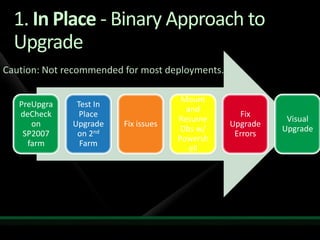
    1. In Place- Binary Approach to UpgradeCaution: Not recommended for most deployments…
  • 58.
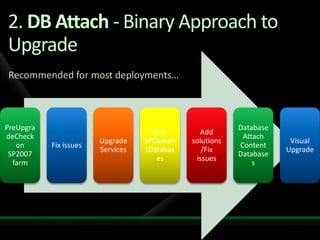
    2. DB Attach-Binary Approach to Upgrade Recommended for most deployments…
  • 59.
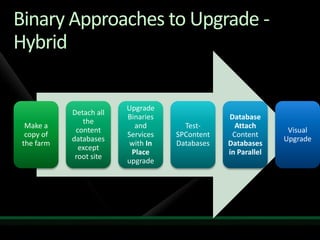
    Binary Approaches toUpgrade - Hybrid
  • 60.
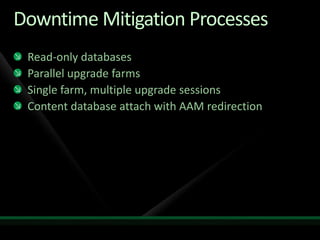
    Downtime Mitigation ProcessesRead-onlydatabasesParallel upgrade farmsSingle farm, multiple upgrade sessionsContent database attach with AAM redirection
  • 61.
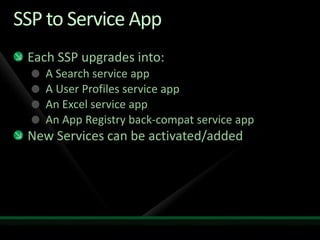
    SSP to ServiceAppEach SSP upgrades into:A Search service appA User Profiles service appAn Excel service appAn App Registry back-compat service appNew Services can be activated/added
  • 62.
    Visual Upgrade CapabilityStayin O12 UI (default) or move to O14 UIO14 ships O12 Master pages and CSSUI Preview capabilityFarm admin or site admin controlledWeb level setting and OMSome items not O12 UI compatible:My site hostPWA site collectionReport Server web parts
  • 63.
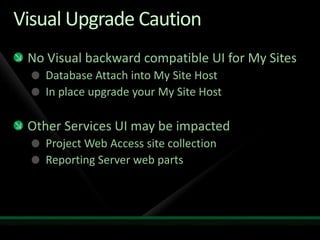
    Visual Upgrade CautionNoVisual backward compatible UI for My SitesDatabase Attach into My Site HostIn place upgrade your My Site HostOther Services UI may be impactedProject Web Access site collectionReporting Server web parts
  • 64.
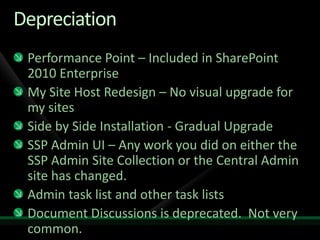
    DepreciationPerformance Point – Includedin SharePoint 2010 Enterprise My Site Host Redesign – No visual upgrade for my sites Side by Side Installation - Gradual Upgrade SSP Admin UI – Any work you did on either the SSP Admin Site Collection or the Central Admin site has changed.  Admin task list and other task lists Document Discussions is deprecated.  Not very common.Deprecated TemplatesSSP Admin SiteGreat Plains (STSPKPL (Plus Pack)
  • 65.
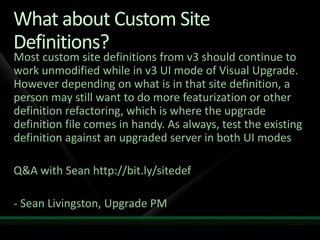
    What about CustomSite Definitions?Most custom site definitions from v3 should continue to work unmodified while in v3 UI mode of Visual Upgrade. However depending on what is in that site definition, a person may still want to do more featurization or other definition refactoring, which is where the upgrade definition file comes in handy. As always, test the existing definition against an upgraded server in both UI modesQ&A with Sean http://bit.ly/sitedef- Sean Livingston, Upgrade PM
  • 66.
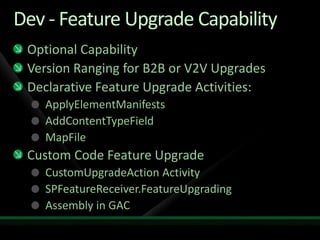
    Dev - FeatureUpgrade CapabilityOptional CapabilityVersion Ranging for B2B or V2V UpgradesDeclarative Feature Upgrade Activities:ApplyElementManifestsAddContentTypeFieldMapFileCustom Code Feature UpgradeCustomUpgradeAction ActivitySPFeatureReceiver.FeatureUpgradingAssembly in GAC
  • 67.
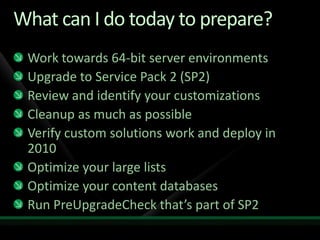
    What can Ido today to prepare?Work towards 64-bit server environmentsUpgrade to Service Pack 2 (SP2)Review and identify your customizationsCleanup as much as possibleVerify custom solutions work and deploy in 2010Optimize your large listsOptimize your content databasesRun PreUpgradeCheck that’s part of SP2
  • 68.
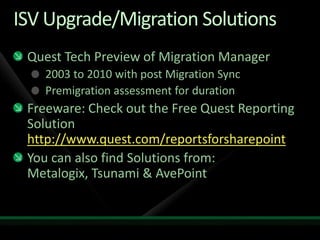
    ISV Upgrade/Migration SolutionsQuestTech Preview of Migration Manager2003 to 2010 with post Migration SyncPremigration assessment for durationFreeware: Check out the Free Quest Reporting Solution http://www.quest.com/reportsforsharepointYou can also find Solutions from: Metalogix, Tsunami & AvePoint
  • 69.
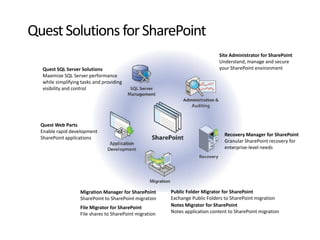
    Quest Solutions forSharePoint Site Administrator for SharePoint Understand, manage and secure your SharePoint environmentQuest SQL Server Solutions Maximize SQL Server performance while simplifying tasks and providing visibility and controlQuest Web Parts Enable rapid development of SharePoint applicationsRecovery Manager for SharePointGranular SharePoint recovery for enterprise-level needsMigration Manager for SharePoint SharePoint to SharePoint migrationFile Migrator for SharePoint File shares to SharePoint migrationPublic Folder Migrator for SharePointExchange Public Folders to SharePoint migrationNotes Migrator for SharePointNotes application content to SharePoint migration
  • 70.
  • 71.
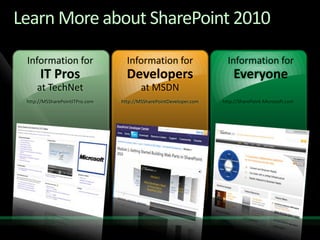
    Learn More aboutSharePoint 2010Information forIT Prosat TechNethttp://MSSharePointITPro.comInformation forDevelopersat MSDNhttp://MSSharePointDeveloper.comInformation forEveryonehttp://SharePoint.Microsoft.com
  • 72.
  • 73.
    Required SlideSpeakers, TechEd2010 is not producing a DVD. Please announce that attendees can access session recordings at TechEd Online. www.microsoft.com/techedSessions On-Demand & Communitywww.microsoft.com/learningMicrosoft Certification & Training Resourceshttp://microsoft.com/technetResources for IT Professionalshttp://microsoft.com/msdnResources for DevelopersResources
  • 74.
    Related ContentBreakout Sessions(session codes and titles)Interactive Theater Sessions (session codes and titles)Hands-on Labs (session codes and titles)Hands-on Labs (session codes and titles)Required SlideSpeakers, please list the Breakout Sessions, TLC Interactive Theaters and Labs that are related to your session.
  • 75.
    Required SlideComplete anevaluation on CommNet and enter to win an HTC HD2!
  • 76.
    Required Slide© 2010Microsoft Corporation. All rights reserved. Microsoft, Windows, Windows Vista and other product names are or may be registered trademarks and/or trademarks in the U.S. and/or other countries.The information herein is for informational purposes only and represents the current view of Microsoft Corporation as of the date of this presentation. Because Microsoft must respond to changing market conditions, it should not be interpreted to be a commitment on the part of Microsoft, and Microsoft cannot guarantee the accuracy of any information provided after the date of this presentation. MICROSOFT MAKES NO WARRANTIES, EXPRESS, IMPLIED OR STATUTORY, AS TO THE INFORMATION IN THIS PRESENTATION.

Editor's Notes

  • #14 If you would like to host your demo on the Virtual Server, please use the myVPC demo slide, not this slide.