<Insert Picture Here>


Java Server Faces 2.0
Arun Gupta, Java EE & GlassFish Guy
blogs.sun.com/arungupta, @arungupta
The following/preceding is intended to outline our
general product direction. It is intended for
information purposes only, and may not be
incorporated into any contract. It is not a
commitment to deliver any material, code, or
functionality, and should not be relied upon in
making purchasing decisions.
The development, release, and timing of any
features or functionality described for Oracle’s
products remains at the sole discretion of Oracle.


                                                     2
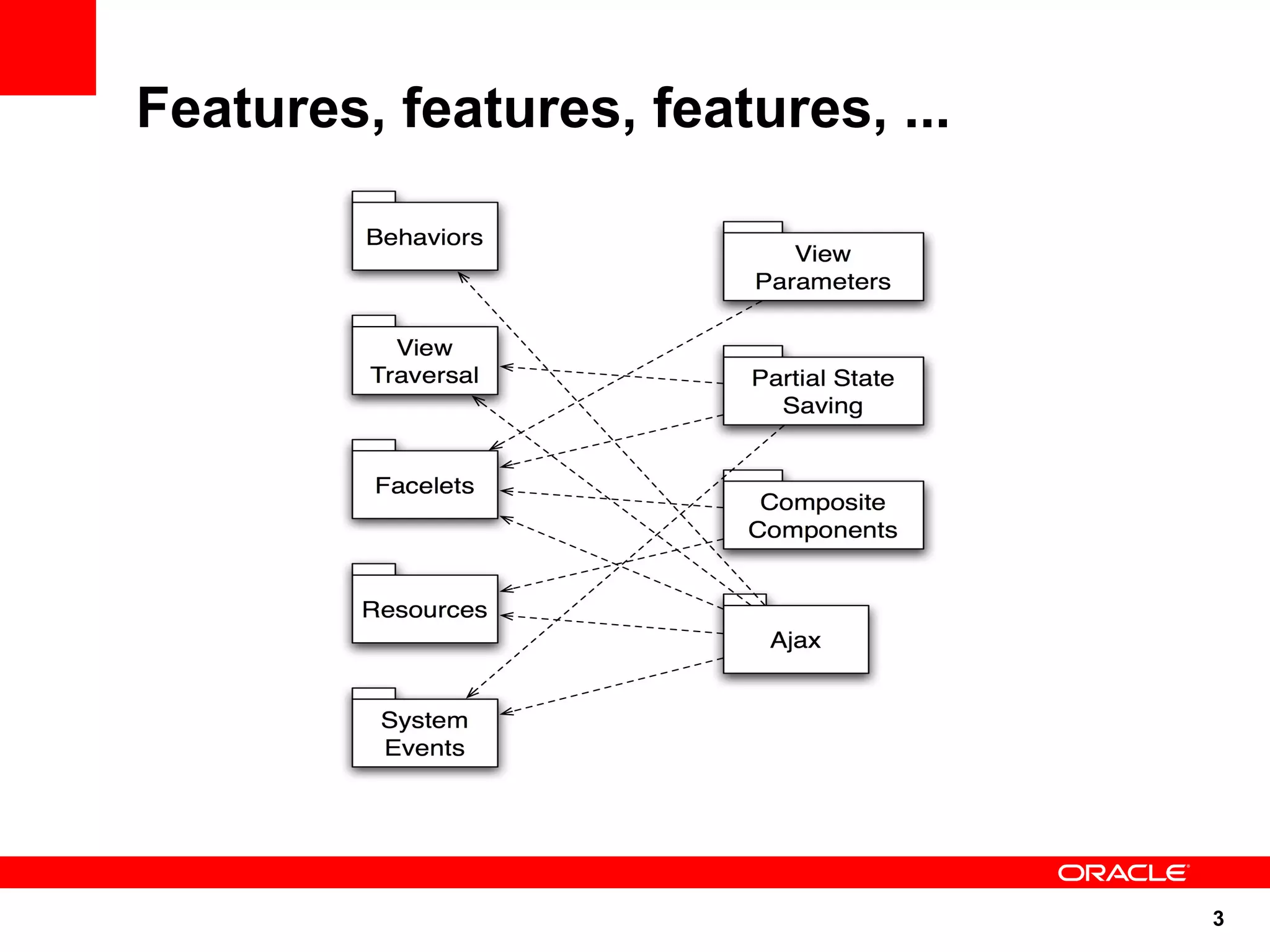
Features, features, features, ...


                                    3
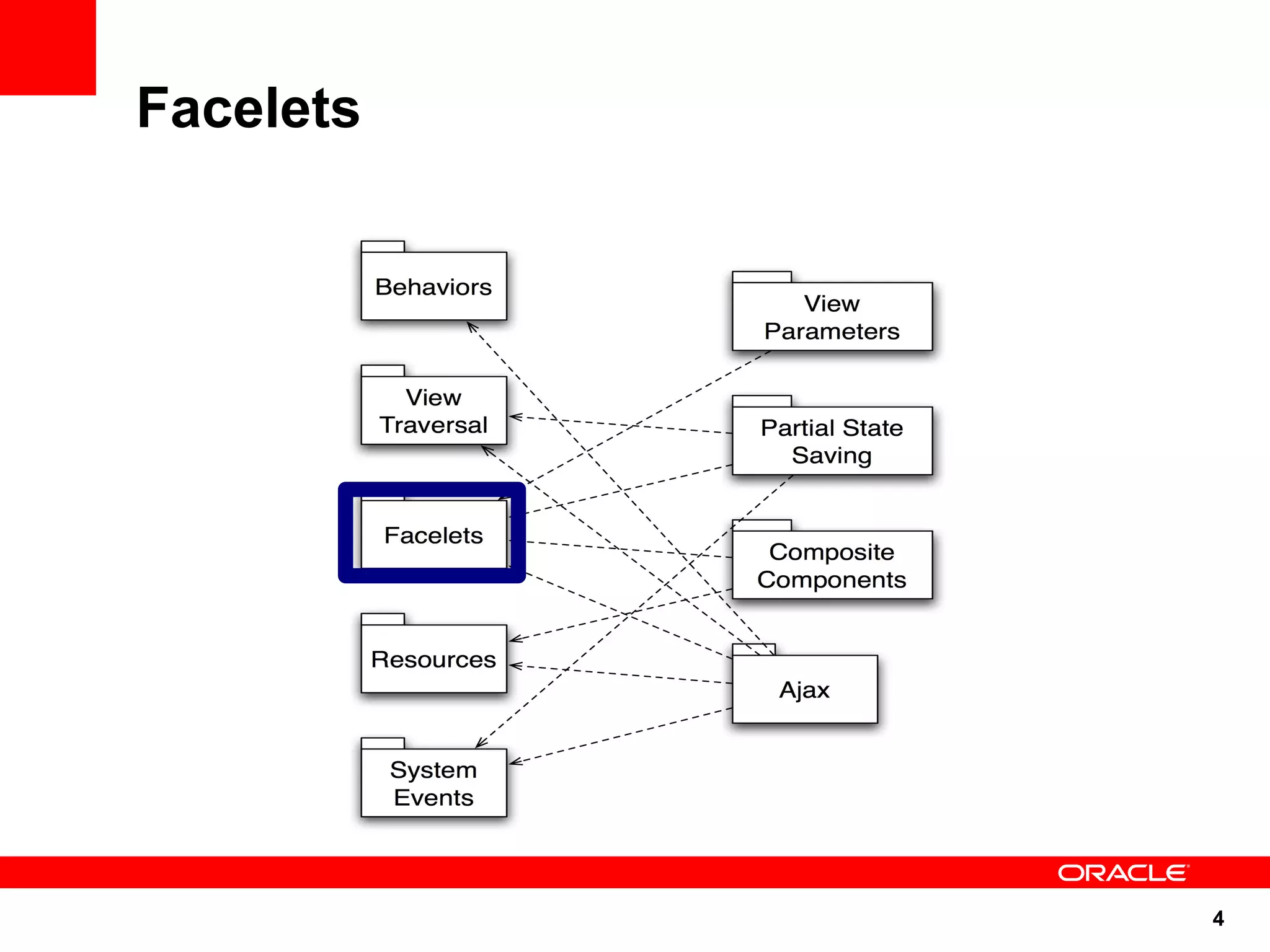
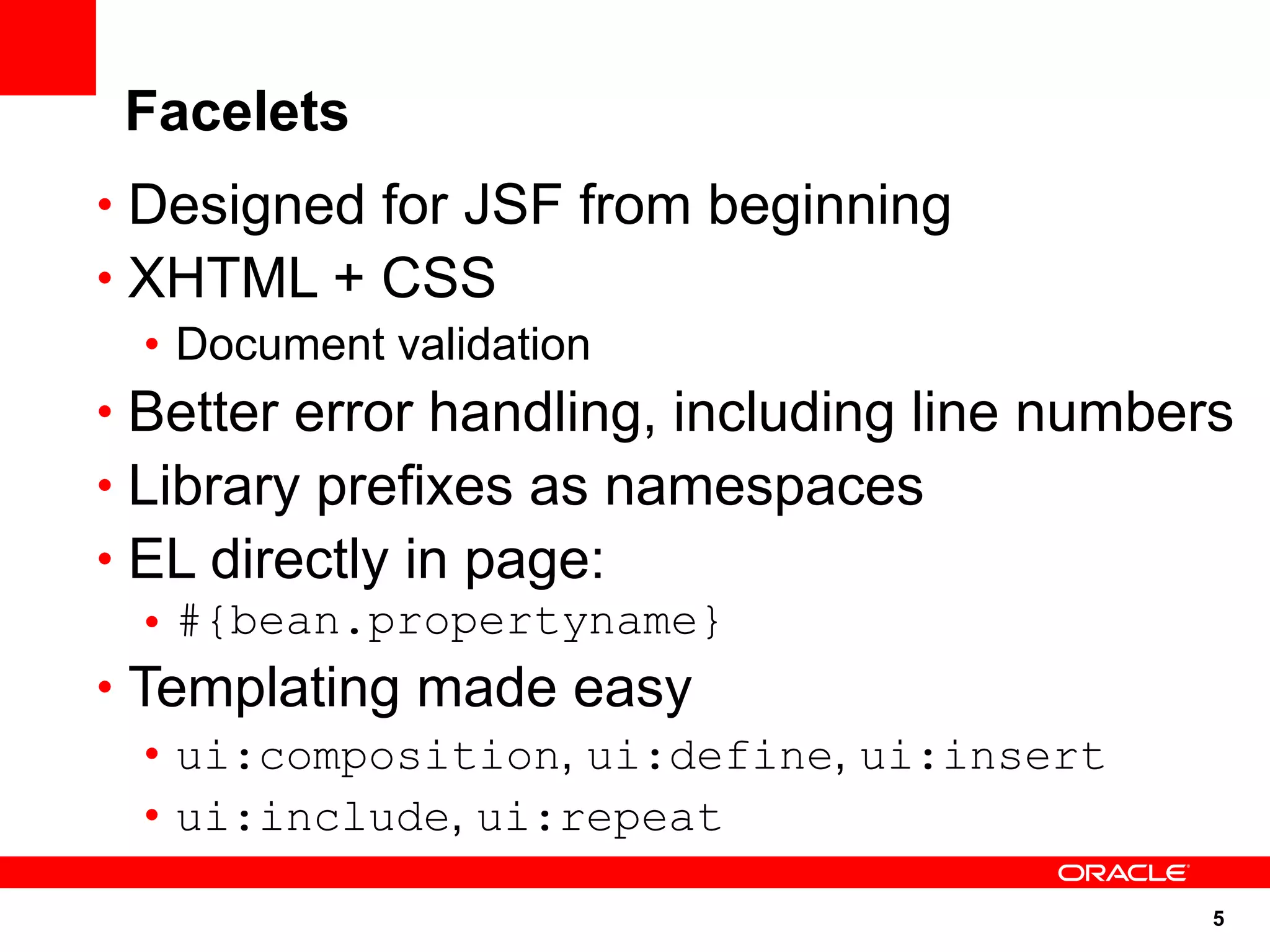
Facelets


           4
Facelets
• Designed for JSF from beginning
• XHTML + CSS
   • Document validation
• Better error handling, including line numbers
• Library prefixes as namespaces
• EL directly in page:
   • #{bean.propertyname}
• Templating made easy
   • ui:composition, ui:define, ui:insert
   • ui:include, ui:repeat

                                              5
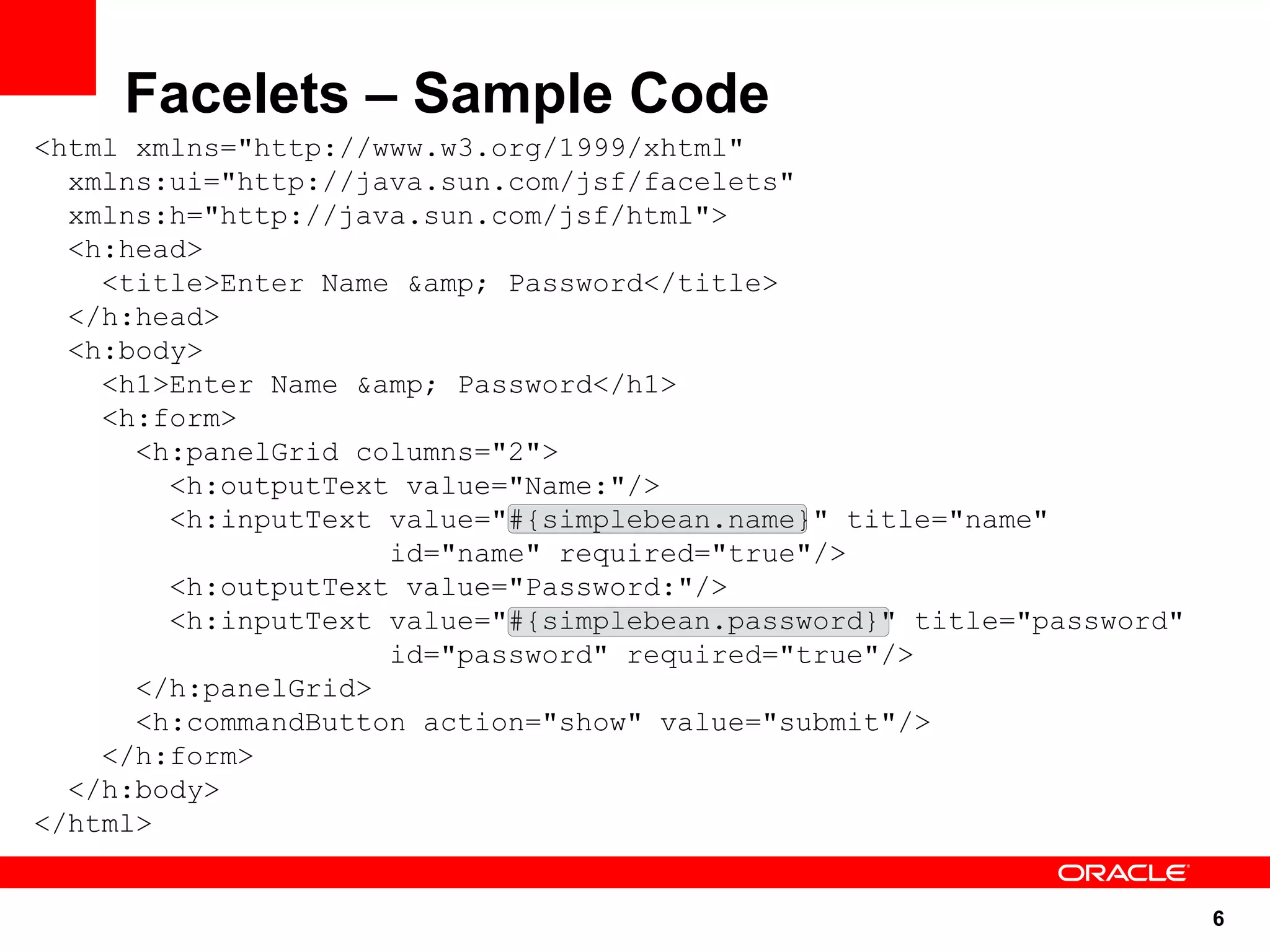
Facelets – Sample Code
<html xmlns="http://www.w3.org/1999/xhtml"
  xmlns:ui="http://java.sun.com/jsf/facelets"
  xmlns:h="http://java.sun.com/jsf/html">
  <h:head>
    <title>Enter Name &amp; Password</title>
  </h:head>
  <h:body>
    <h1>Enter Name &amp; Password</h1>
    <h:form>
      <h:panelGrid columns="2">
        <h:outputText value="Name:"/>
        <h:inputText value="#{simplebean.name}" title="name"
                     id="name" required="true"/>
        <h:outputText value="Password:"/>
        <h:inputText value="#{simplebean.password}" title="password"
                     id="password" required="true"/>
      </h:panelGrid>
      <h:commandButton action="show" value="submit"/>
    </h:form>
  </h:body>
</html>


                                                                       6
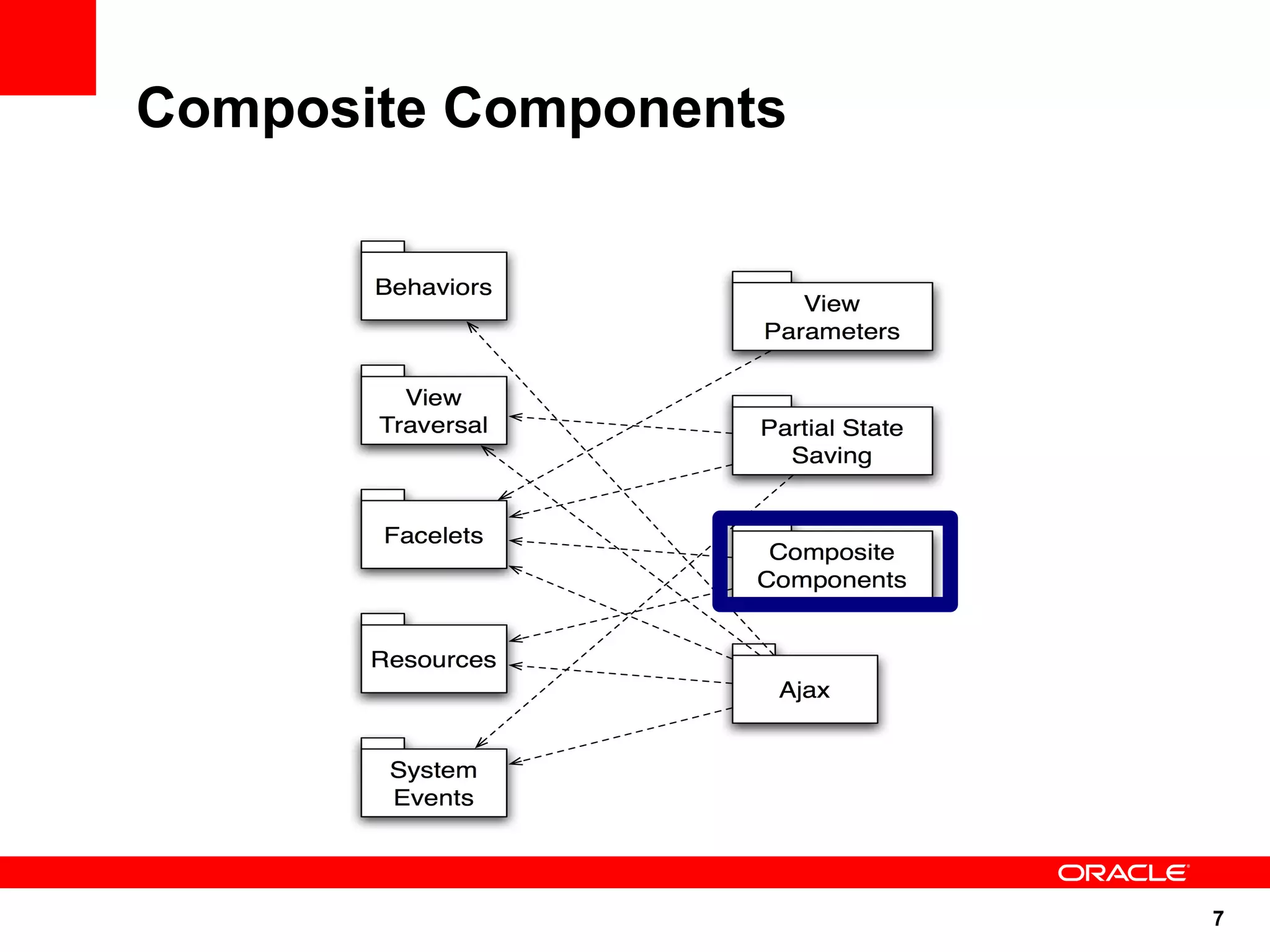
Composite Components


                       7
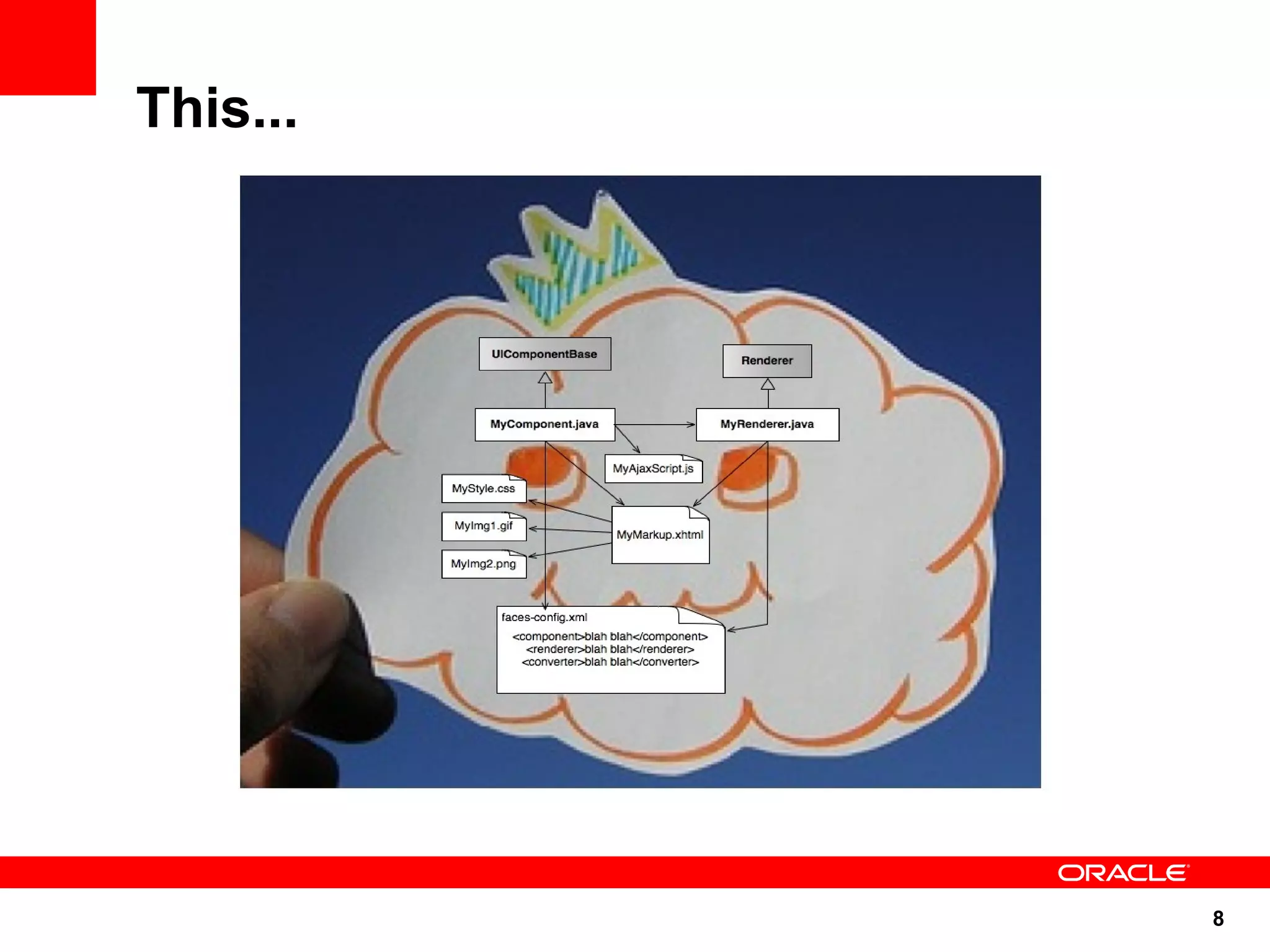
This...


          8
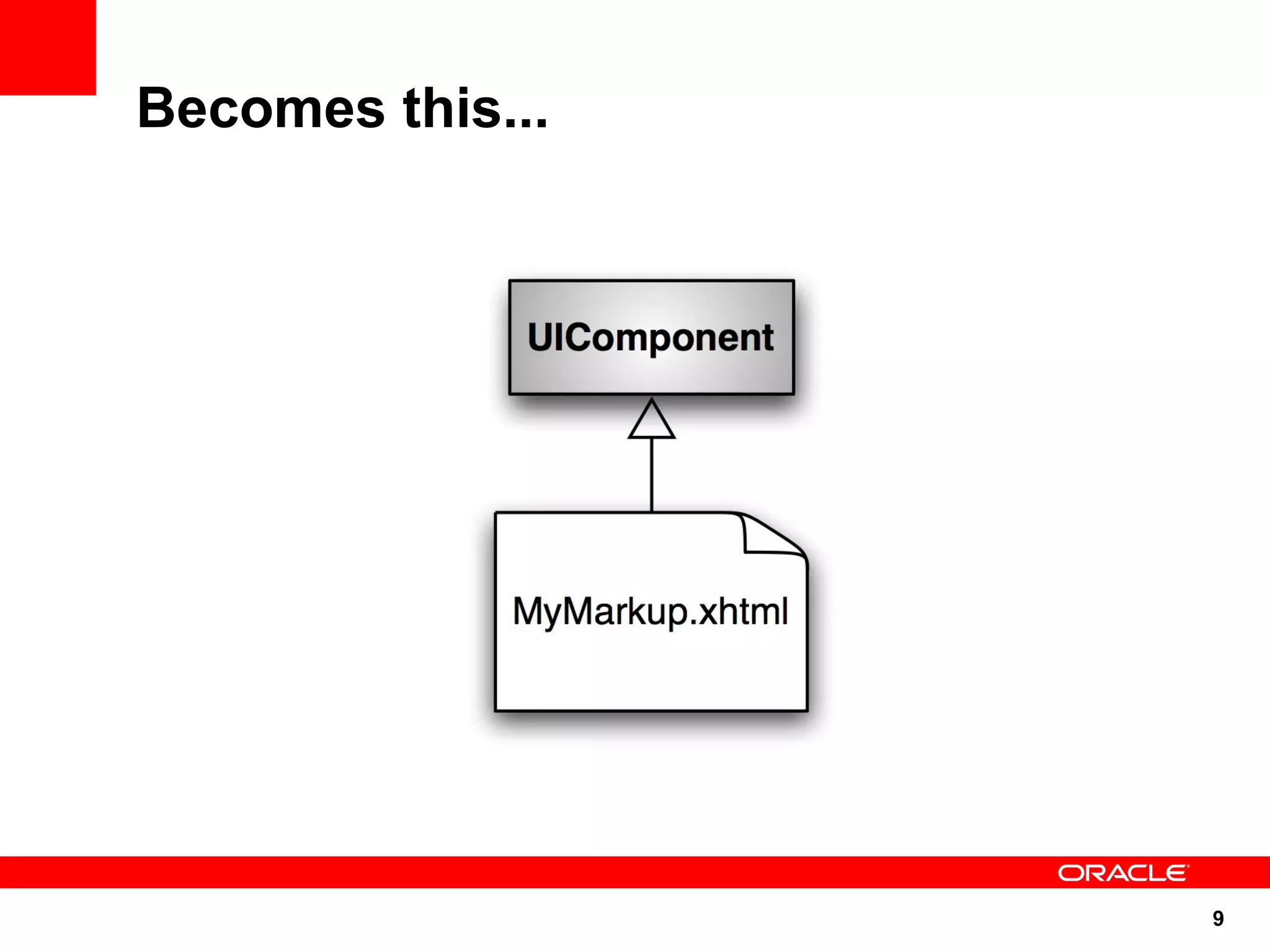
Becomes this...


                  9
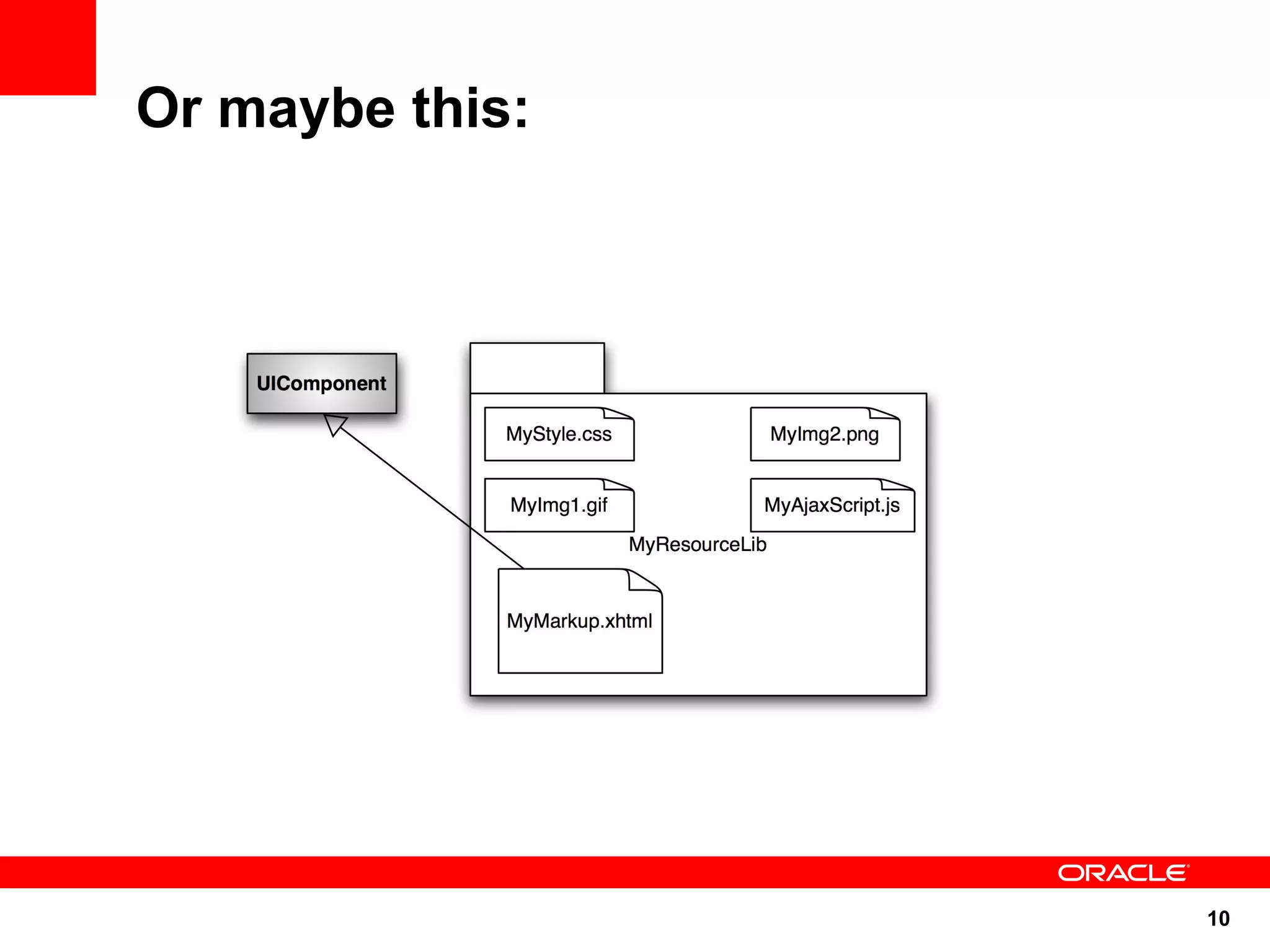
Or maybe this:


                 10
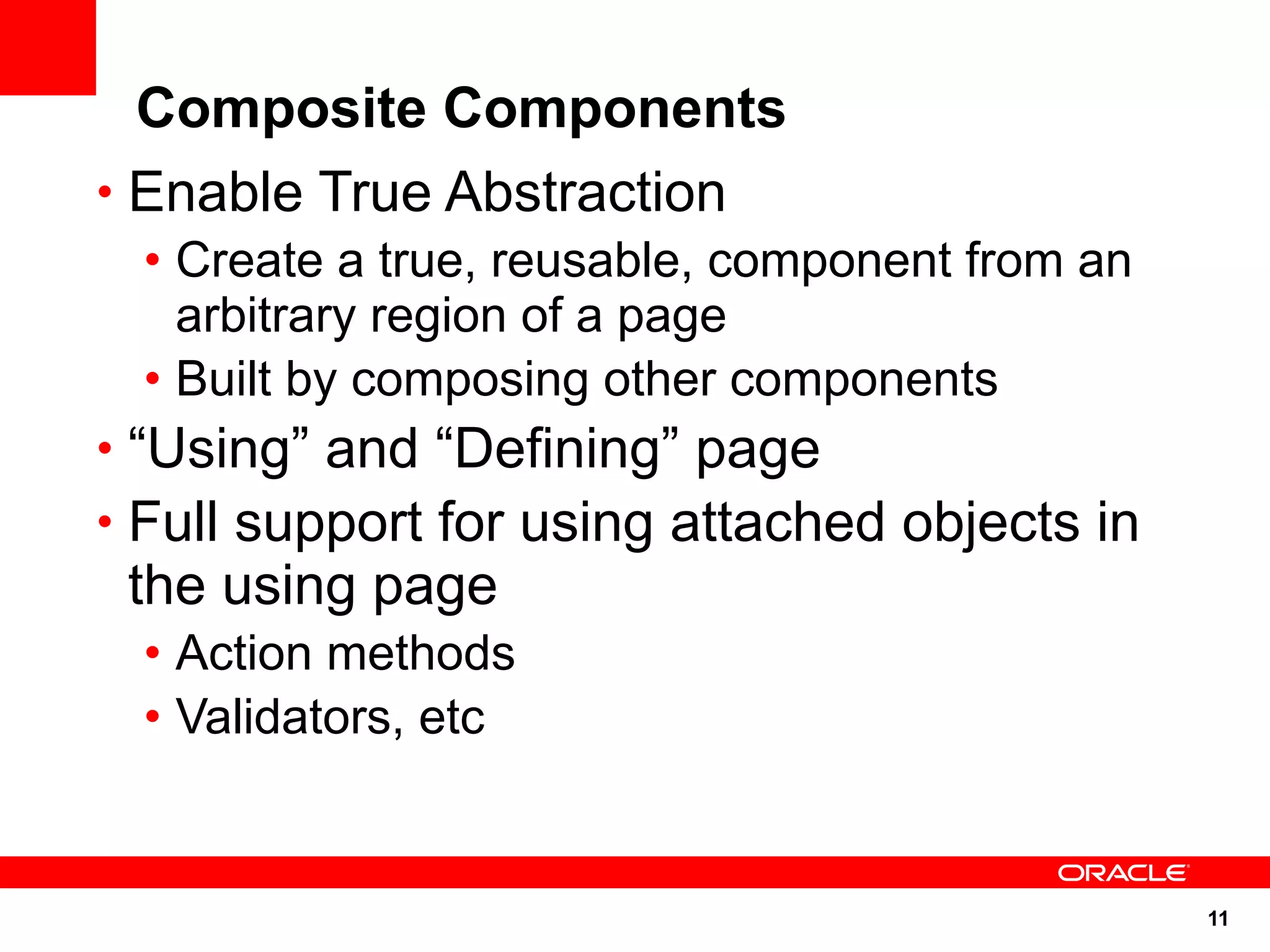
Composite Components
• Enable True Abstraction
 • Create a true, reusable, component from an
   arbitrary region of a page
 • Built by composing other components
• “Using” and “Defining” page
• Full support for using attached objects in
 the using page
 • Action methods
 • Validators, etc


                                                11
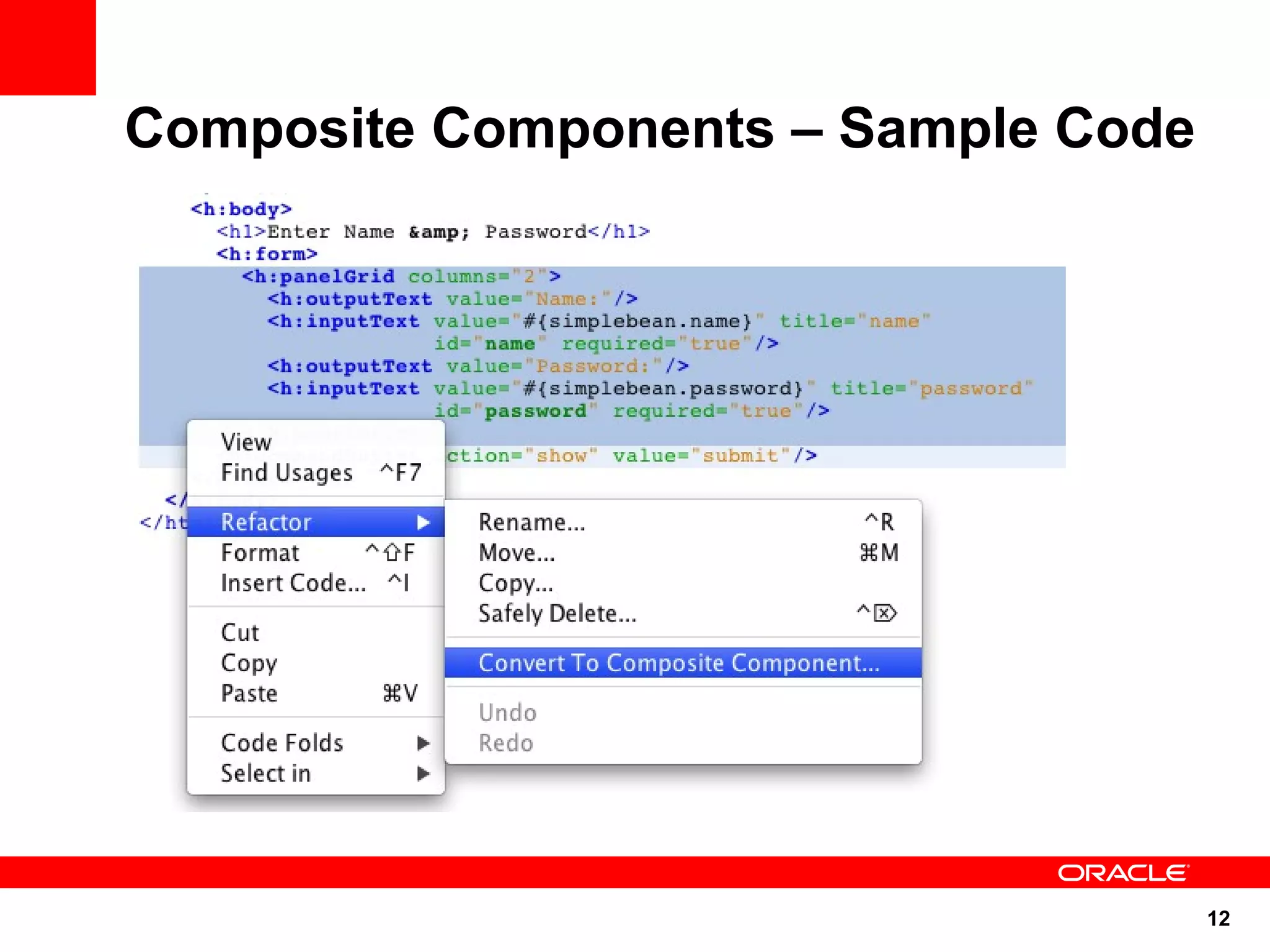
Composite Components – Sample Code


                                     12
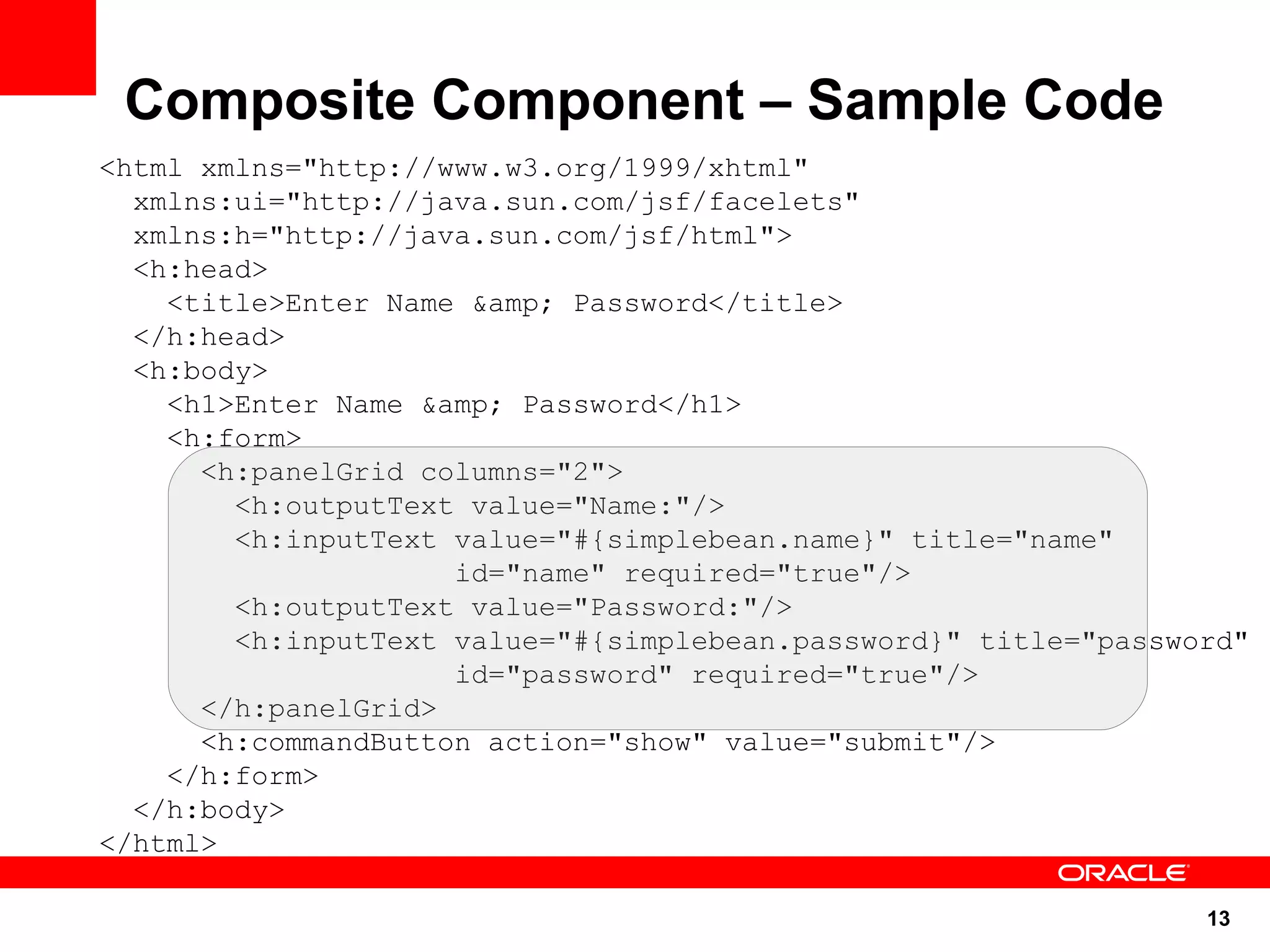
Composite Component – Sample Code
<html xmlns="http://www.w3.org/1999/xhtml"
  xmlns:ui="http://java.sun.com/jsf/facelets"
  xmlns:h="http://java.sun.com/jsf/html">
  <h:head>
    <title>Enter Name &amp; Password</title>
  </h:head>
  <h:body>
    <h1>Enter Name &amp; Password</h1>
    <h:form>
      <h:panelGrid columns="2">
        <h:outputText value="Name:"/>
        <h:inputText value="#{simplebean.name}" title="name"
                     id="name" required="true"/>
        <h:outputText value="Password:"/>
        <h:inputText value="#{simplebean.password}" title="password"
                     id="password" required="true"/>
      </h:panelGrid>
      <h:commandButton action="show" value="submit"/>
    </h:form>
  </h:body>
</html>

                                                                 13
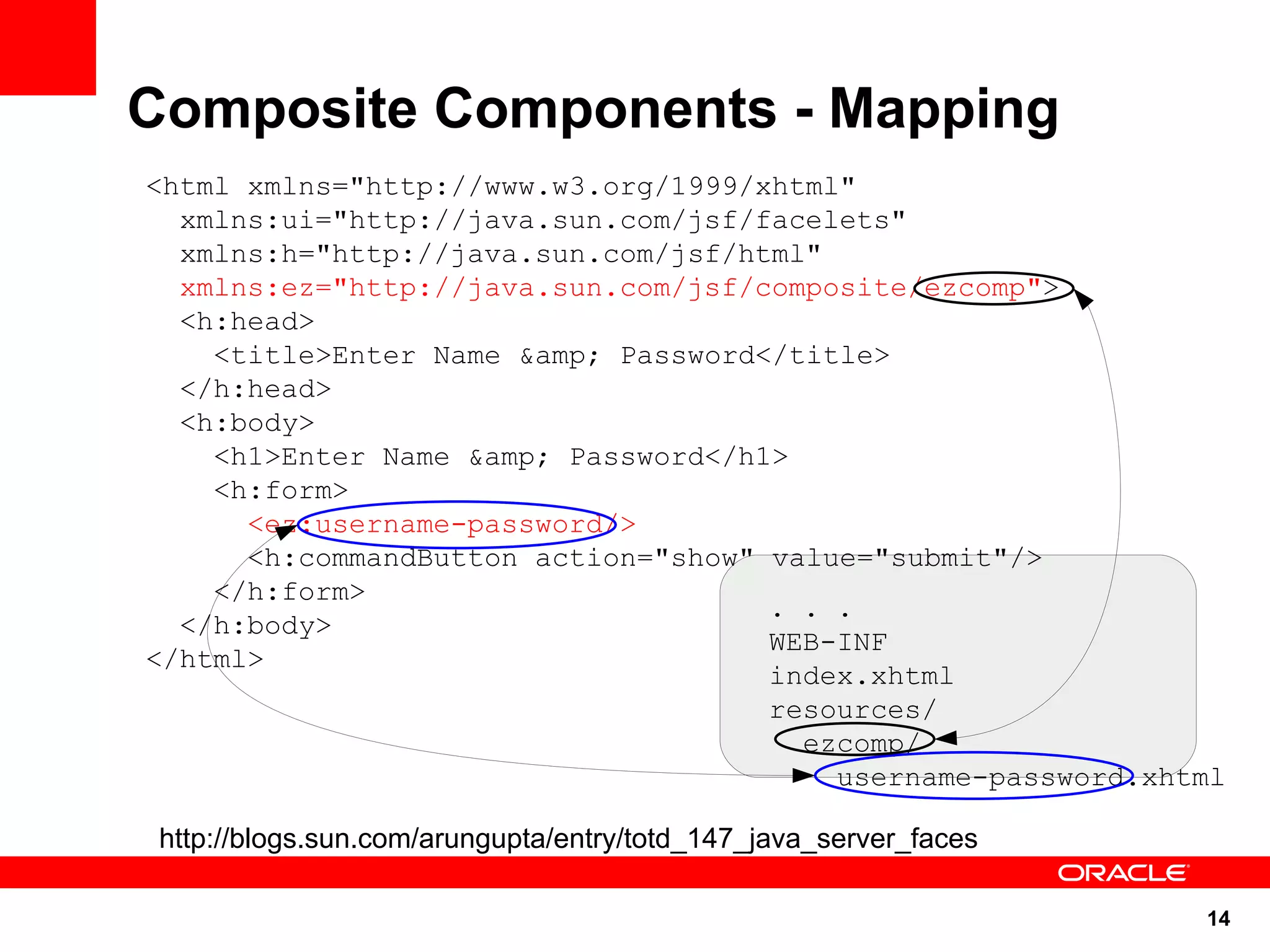
Composite Components - Mapping
<html xmlns="http://www.w3.org/1999/xhtml"
  xmlns:ui="http://java.sun.com/jsf/facelets"
  xmlns:h="http://java.sun.com/jsf/html"
  xmlns:ez="http://java.sun.com/jsf/composite/ezcomp">
  <h:head>
    <title>Enter Name &amp; Password</title>
  </h:head>
  <h:body>
    <h1>Enter Name &amp; Password</h1>
    <h:form>
      <ez:username-password/>
      <h:commandButton action="show" value="submit"/>
    </h:form>
                                     . . .
  </h:body>
                                     WEB-INF
</html>
                                     index.xhtml
                                     resources/
                                       ezcomp/
                                         username-password.xhtml

 http://blogs.sun.com/arungupta/entry/totd_147_java_server_faces

                                                                   14
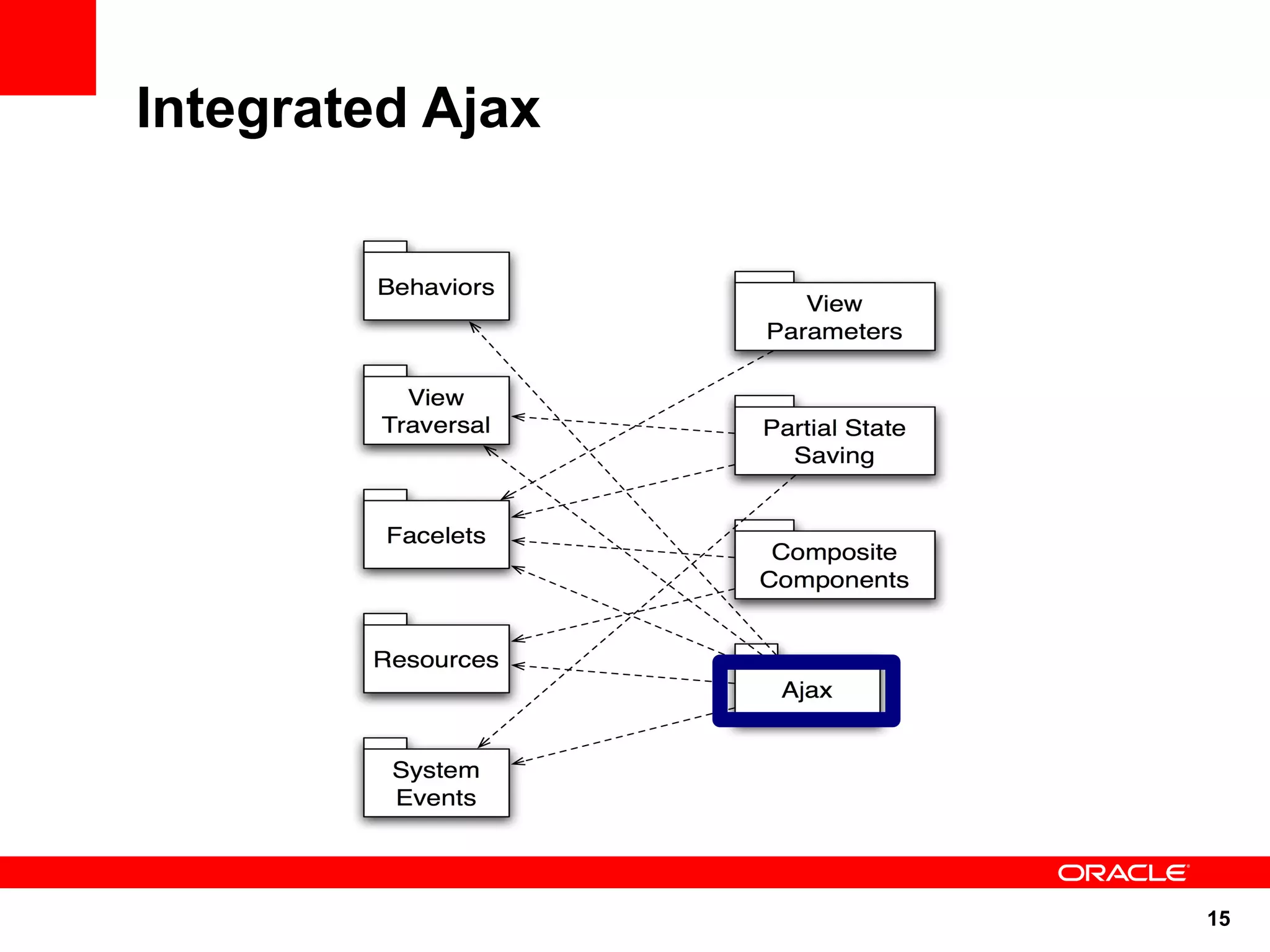
Integrated Ajax


                  15
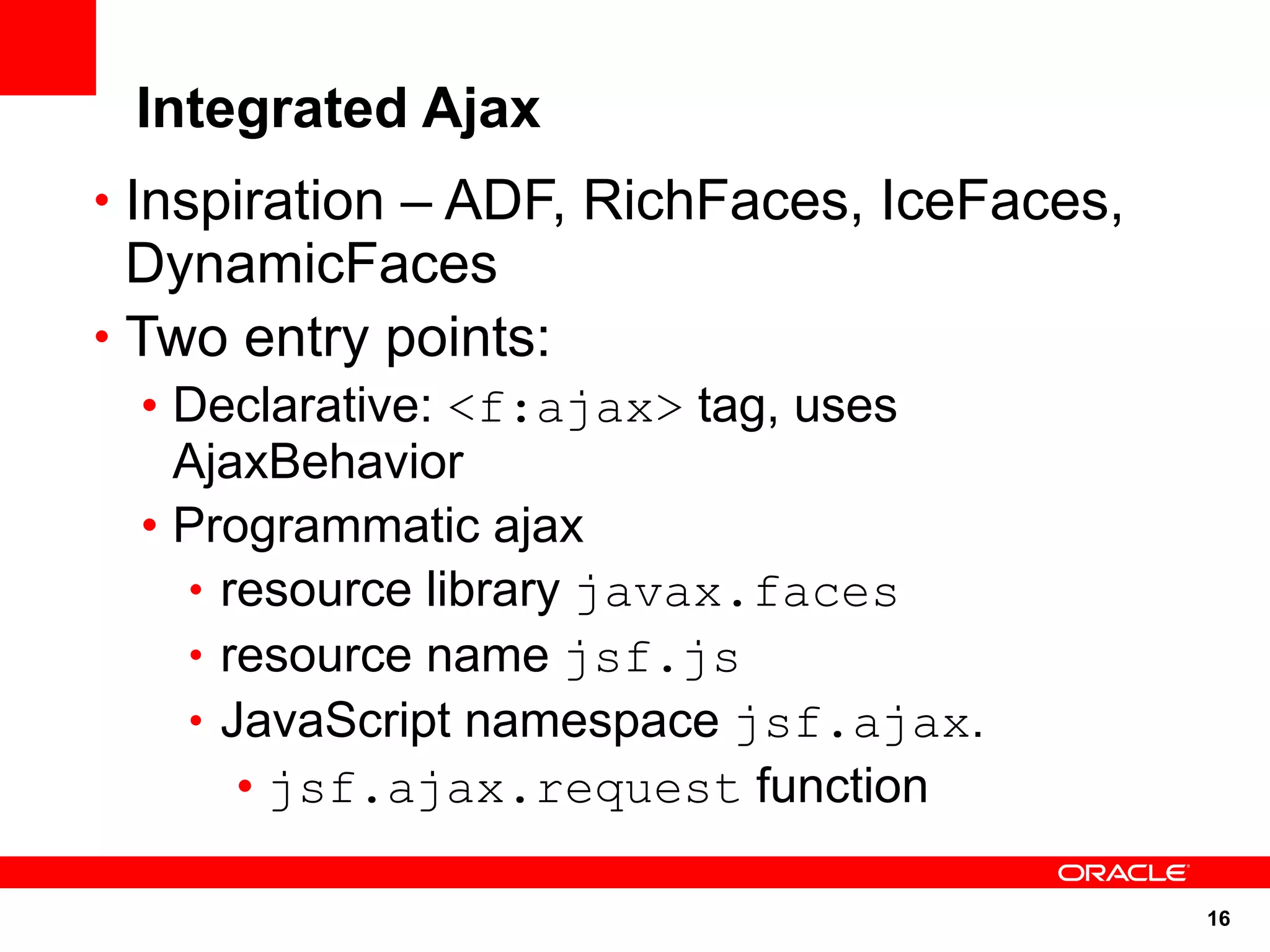
Integrated Ajax
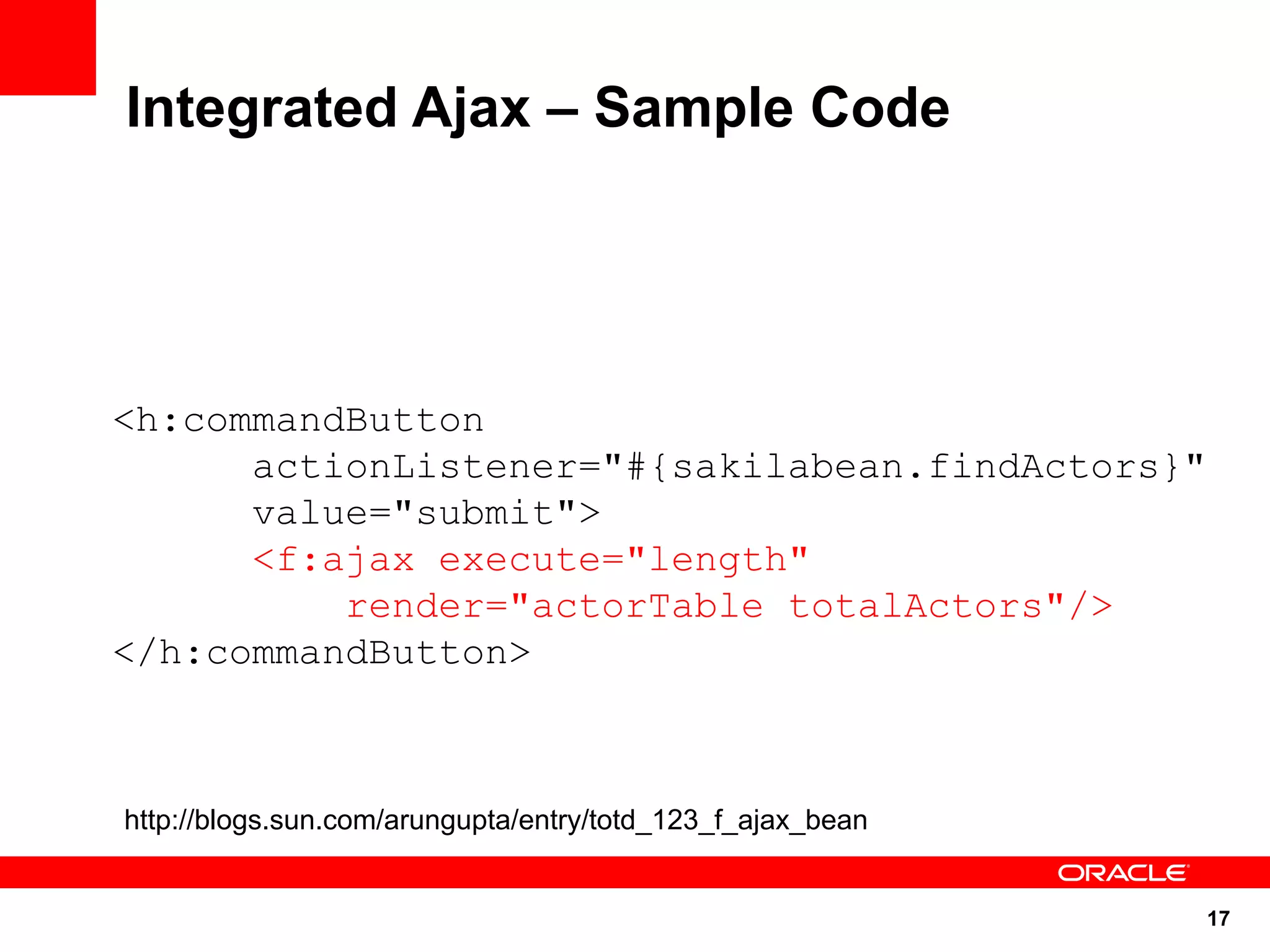
• Inspiration – ADF, RichFaces, IceFaces,
  DynamicFaces
• Two entry points:
 • Declarative: <f:ajax> tag, uses
   AjaxBehavior
 • Programmatic ajax
   • resource library javax.faces
   • resource name jsf.js
   • JavaScript namespace jsf.ajax.
      • jsf.ajax.request function

                                            16
Integrated Ajax – Sample Code


<h:commandButton
      actionListener="#{sakilabean.findActors}"
      value="submit">
      <f:ajax execute="length"
          render="actorTable totalActors"/>
</h:commandButton>


http://blogs.sun.com/arungupta/entry/totd_123_f_ajax_bean


                                                            17
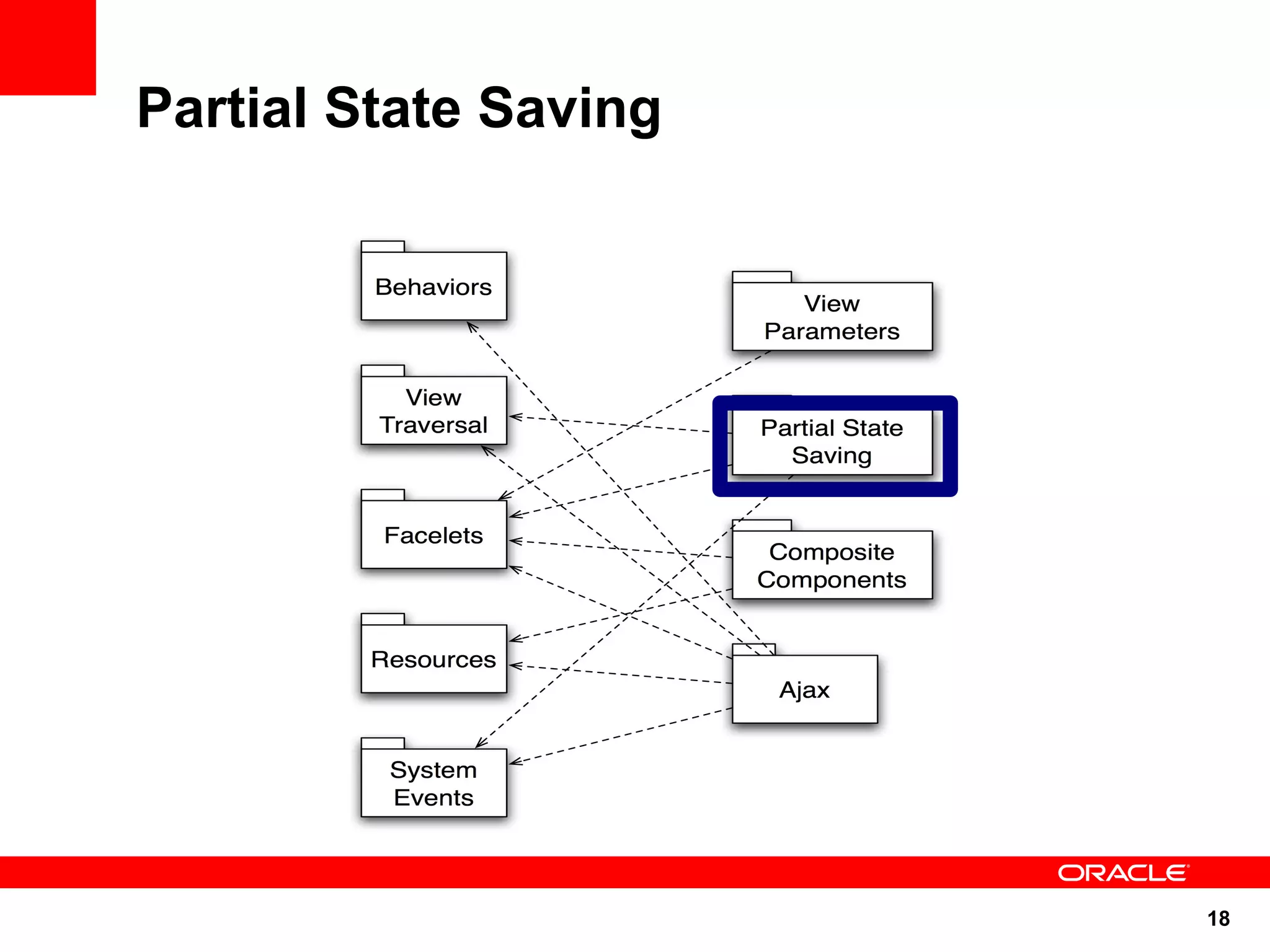
Partial State Saving


                       18
Partial State Saving

• Inspired by Trinidad state saving
• Save only the state that's changed since
  creation of the component tree
• Per-view state size up to 4X smaller
• Default for pages written with Facelets
• All standard components implement this
  feature
 • Default for composite components


                                             19
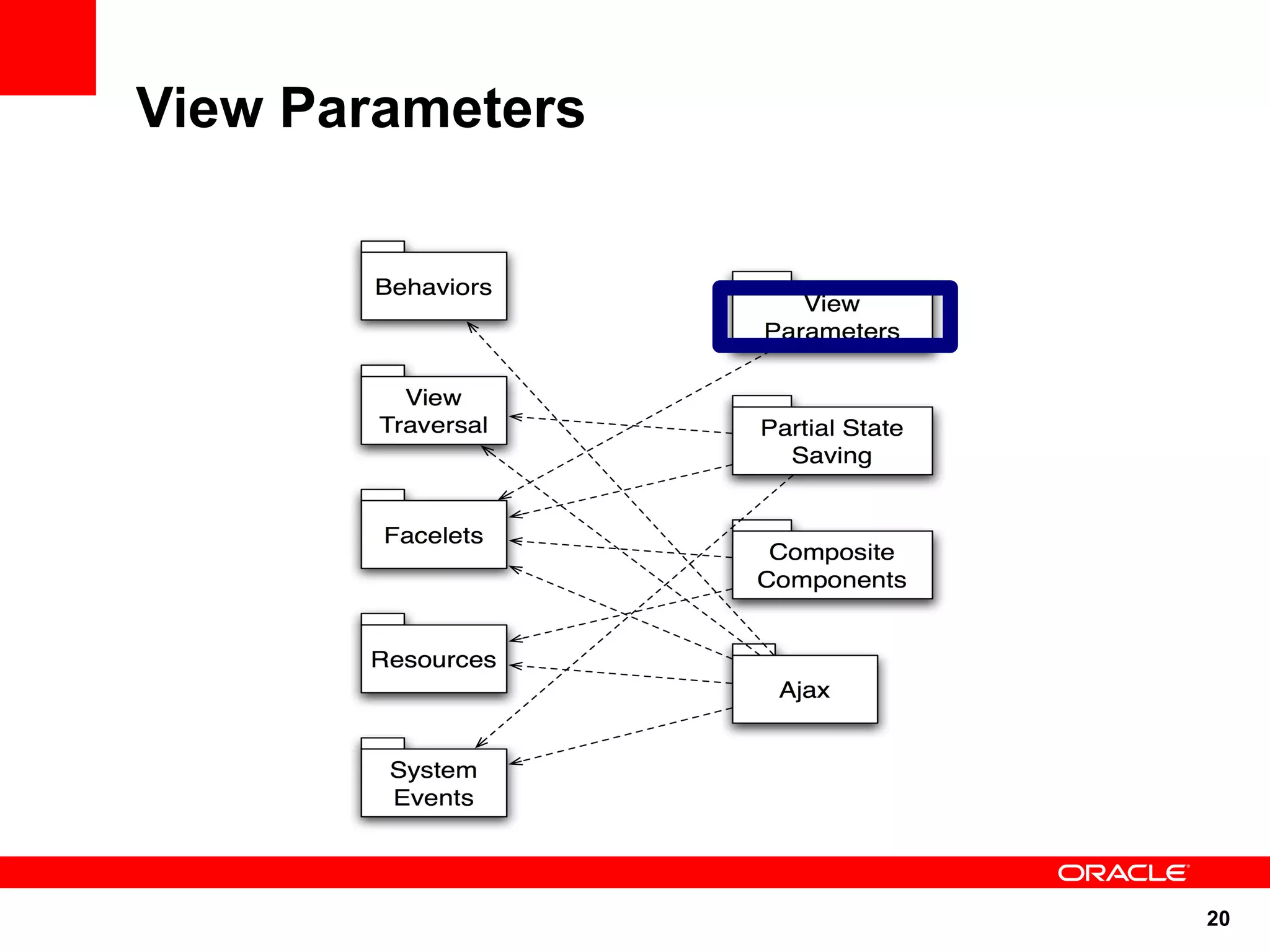
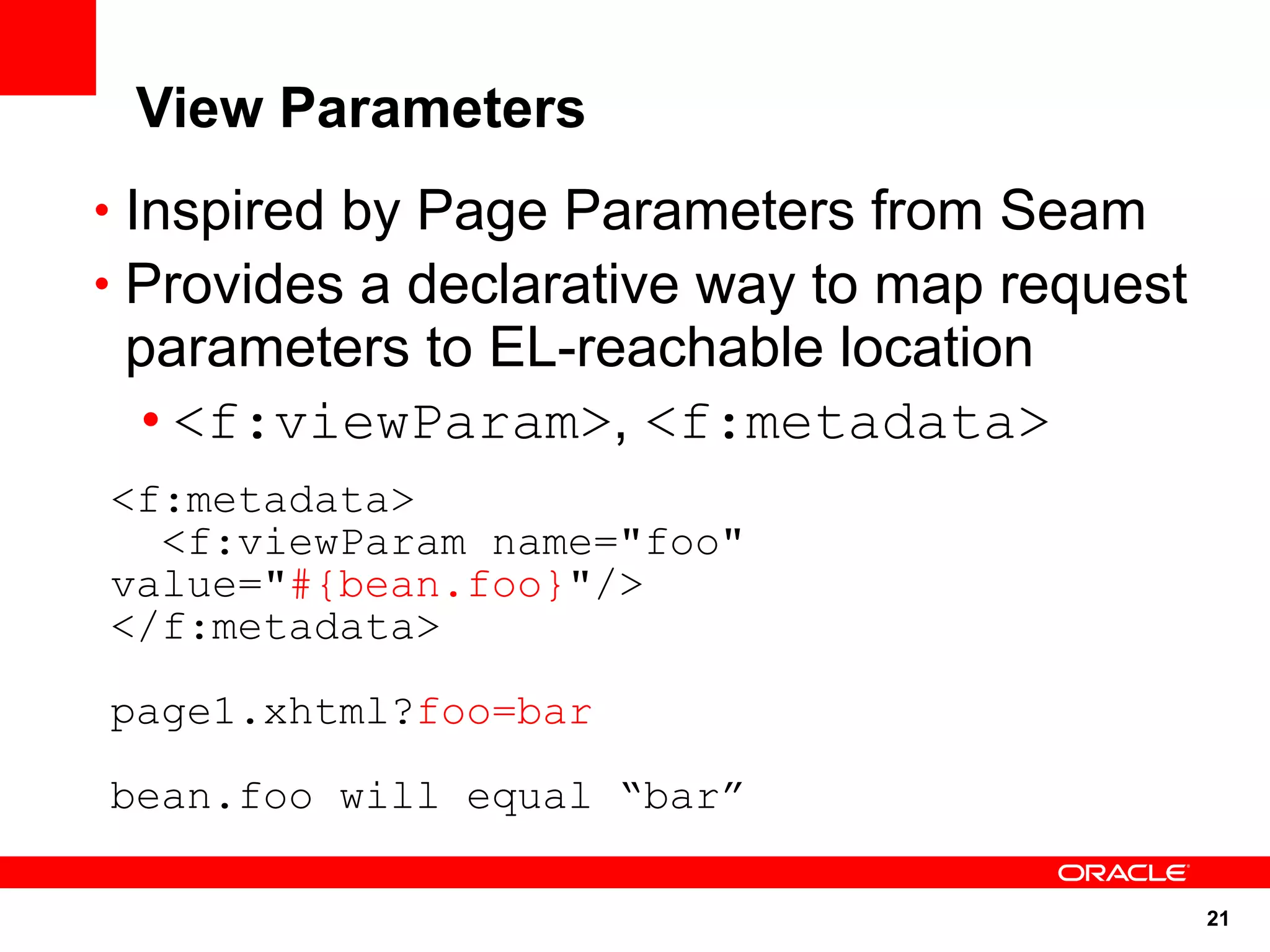
View Parameters


                  20
View Parameters
• Inspired by Page Parameters from Seam
• Provides a declarative way to map request
 parameters to EL-reachable location
  • <f:viewParam>, <f:metadata>
<f:metadata>
  <f:viewParam name="foo"
value="#{bean.foo}"/>
</f:metadata>

page1.xhtml?foo=bar

bean.foo will equal “bar”

                                              21
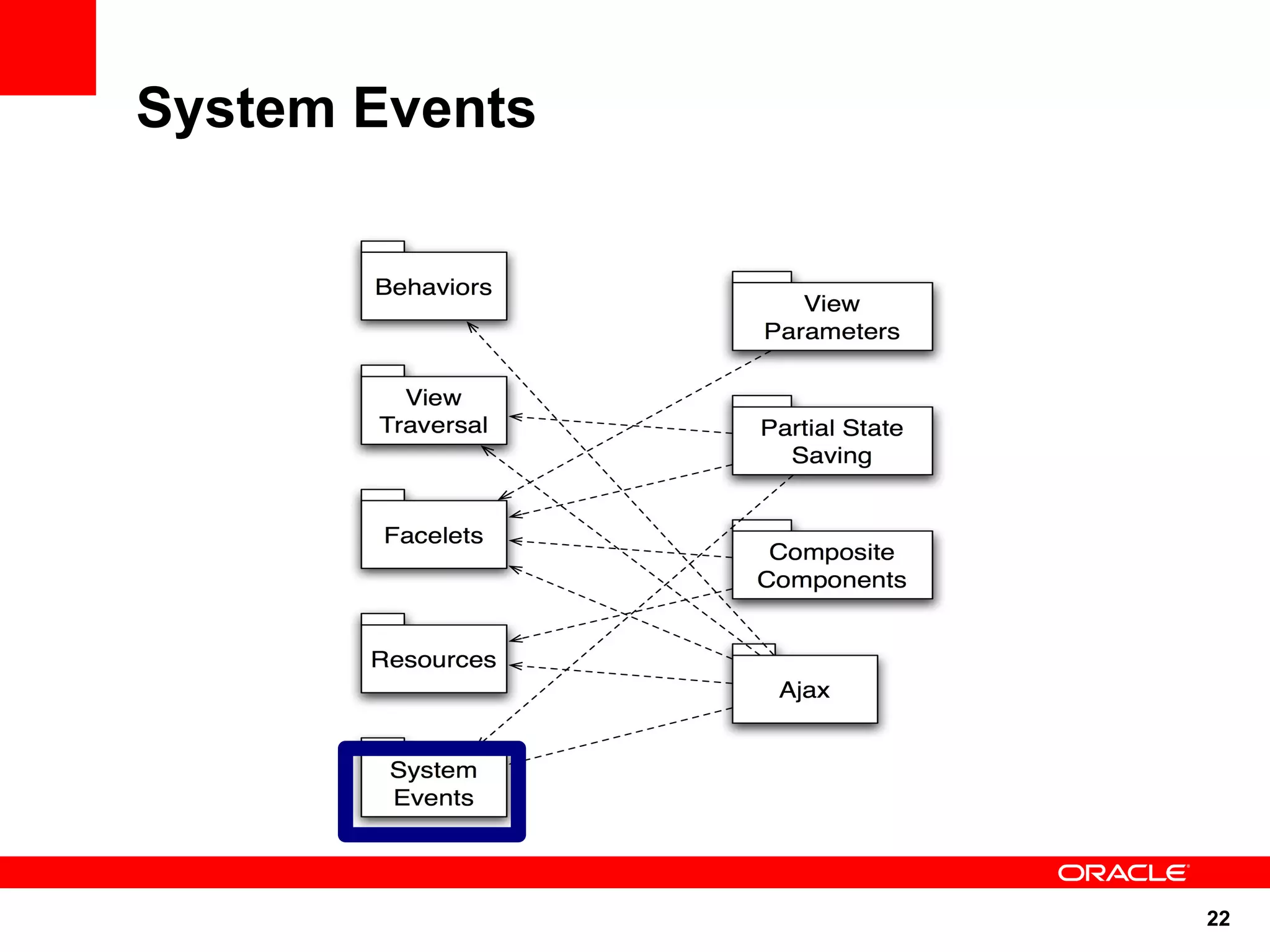
System Events


                22
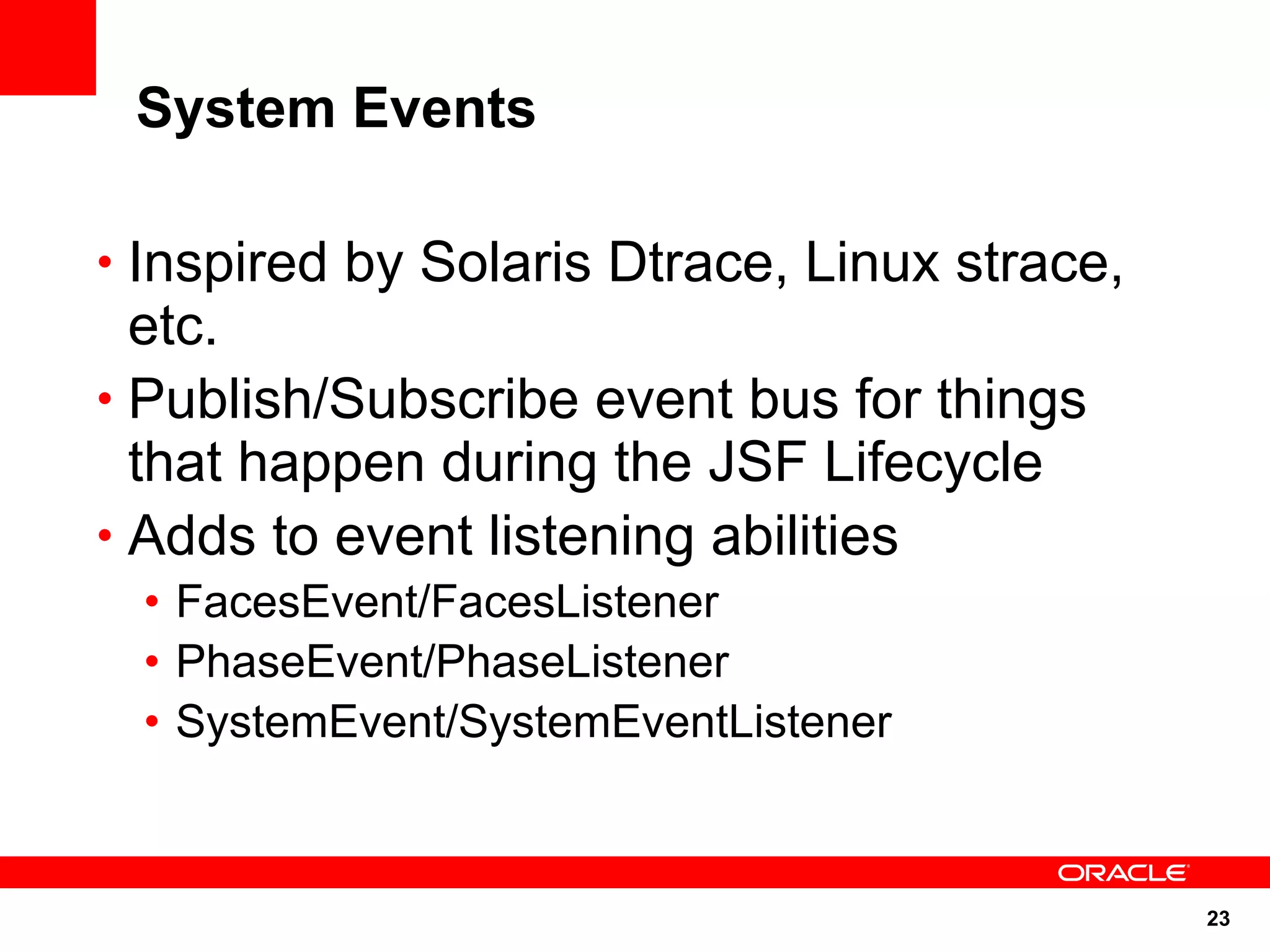
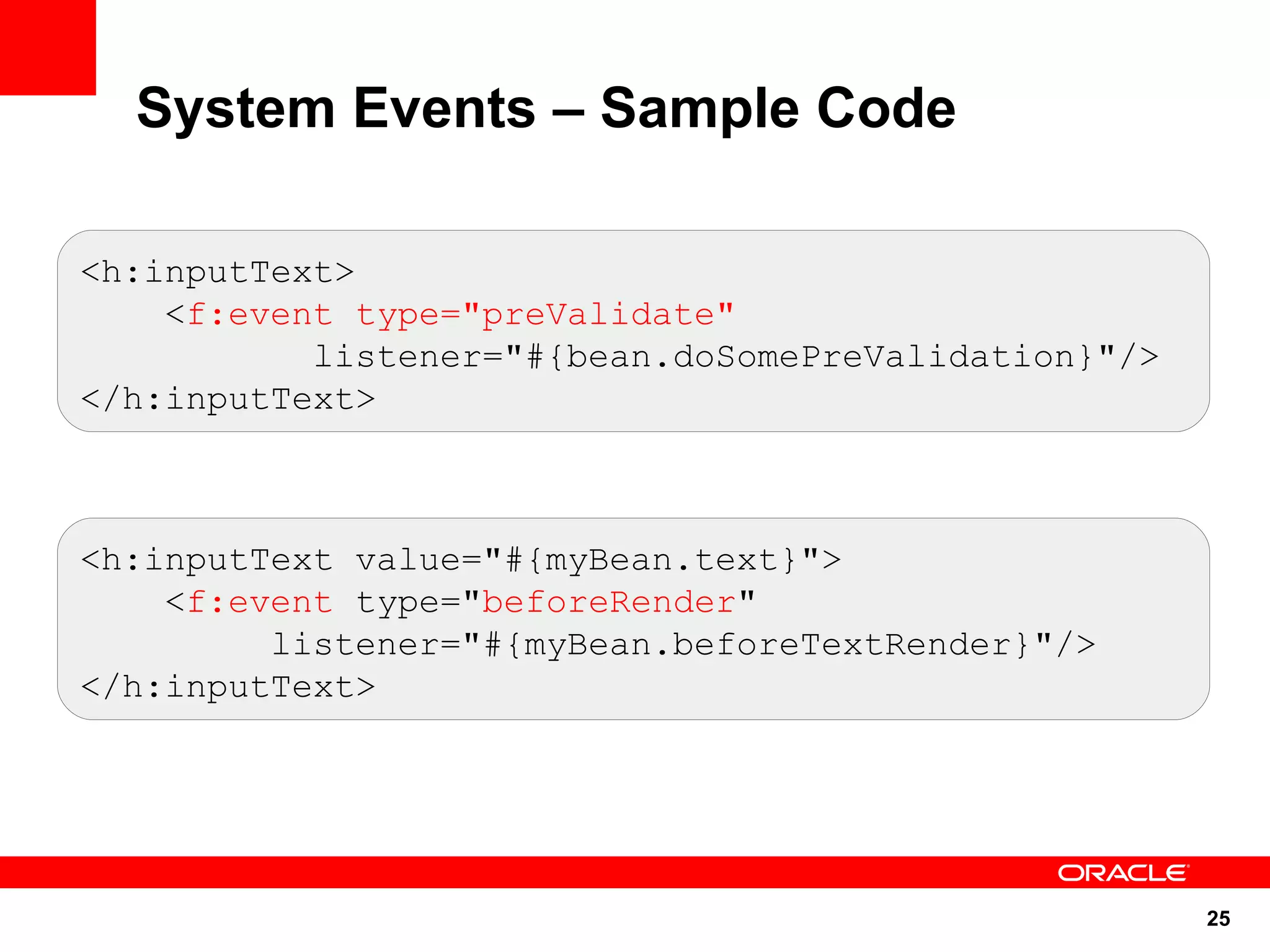
System Events

• Inspired by Solaris Dtrace, Linux strace,
  etc.
• Publish/Subscribe event bus for things
  that happen during the JSF Lifecycle
• Adds to event listening abilities
 • FacesEvent/FacesListener
 • PhaseEvent/PhaseListener
 • SystemEvent/SystemEventListener


                                              23
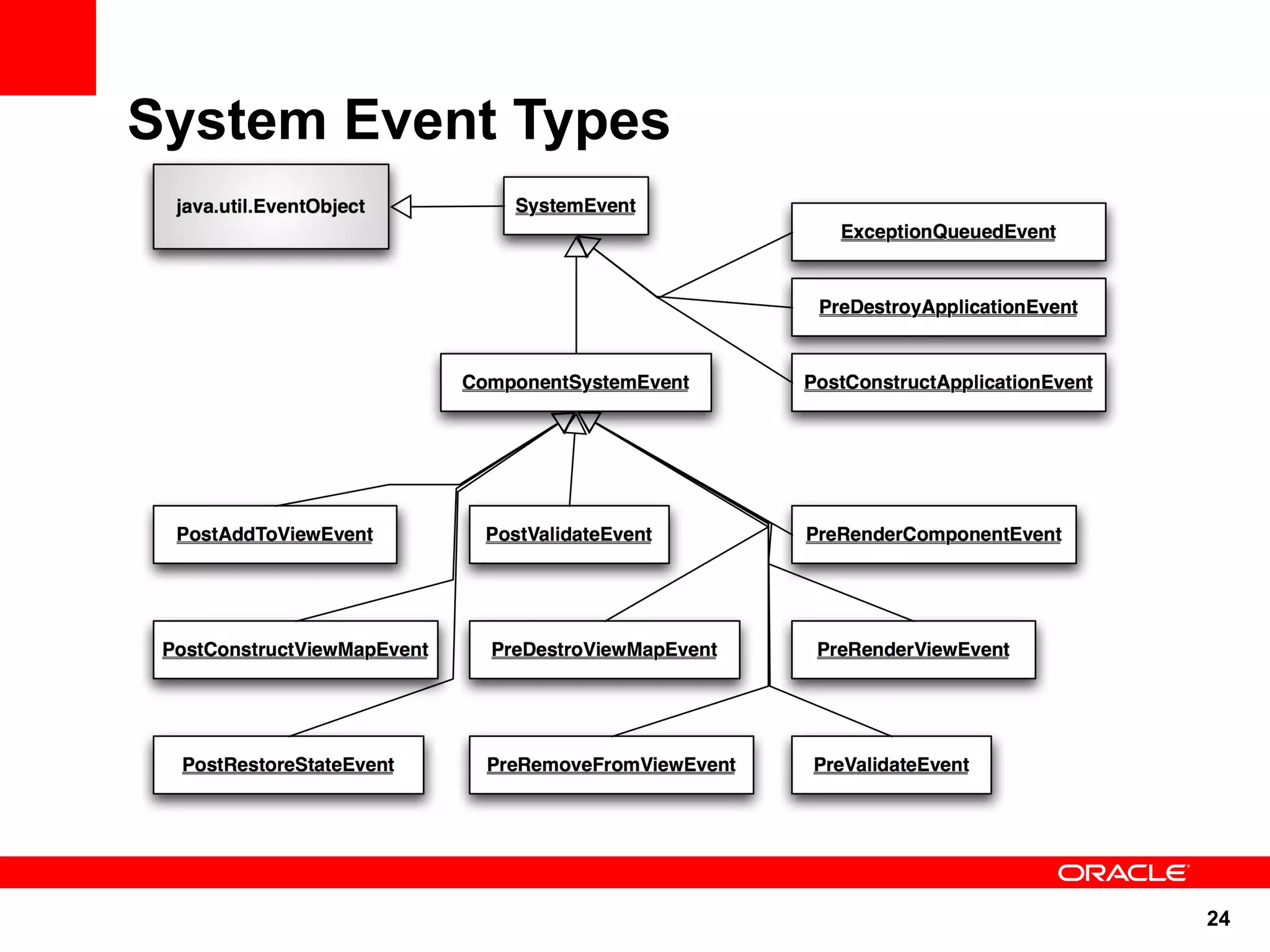
System Event Types


                     24
System Events – Sample Code

<h:inputText>
    <f:event type="preValidate"
           listener="#{bean.doSomePreValidation}"/>
</h:inputText>


<h:inputText value="#{myBean.text}">
    <f:event type="beforeRender"
         listener="#{myBean.beforeTextRender}"/>
</h:inputText>


                                                      25
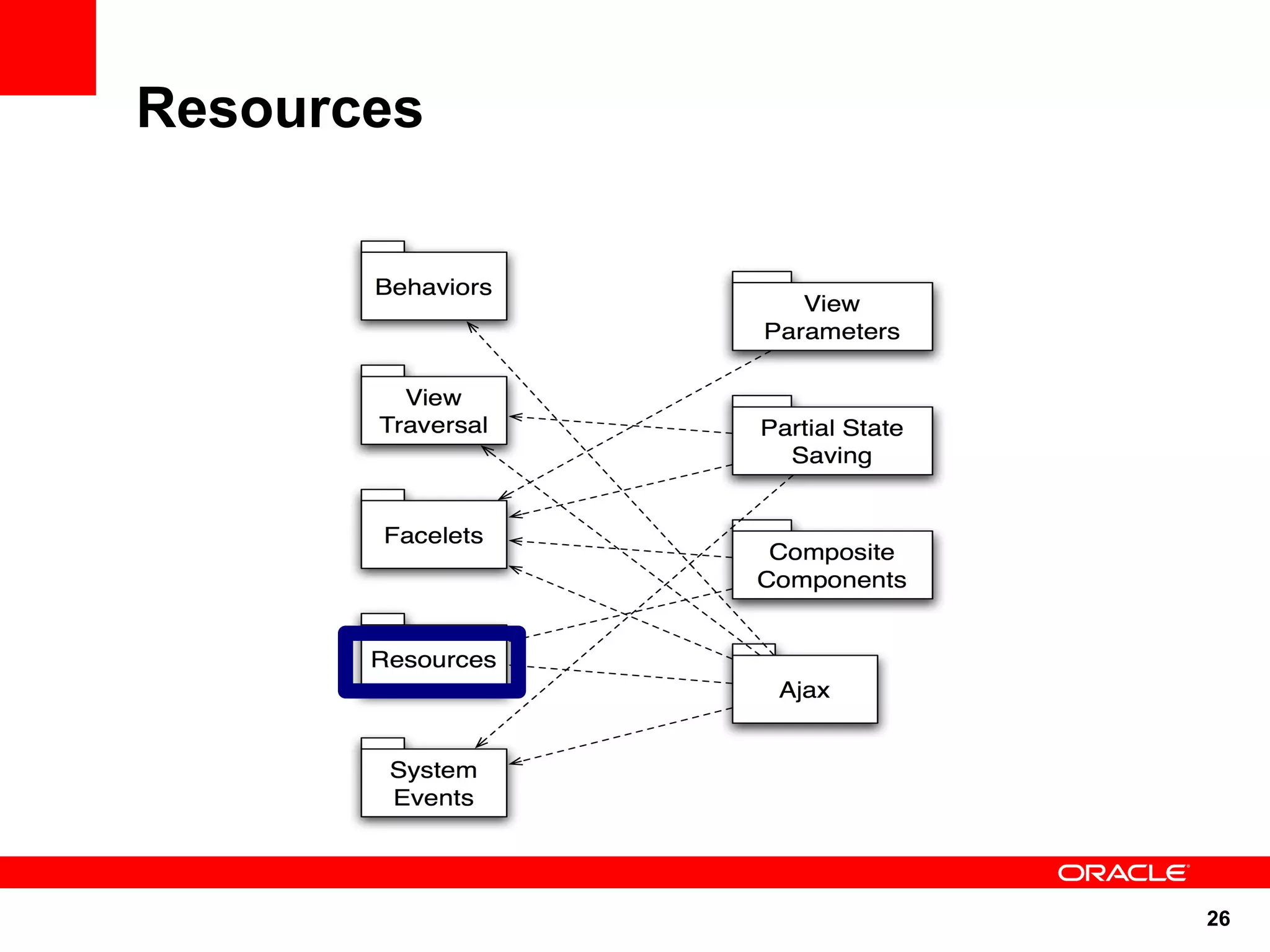
Resources


            26
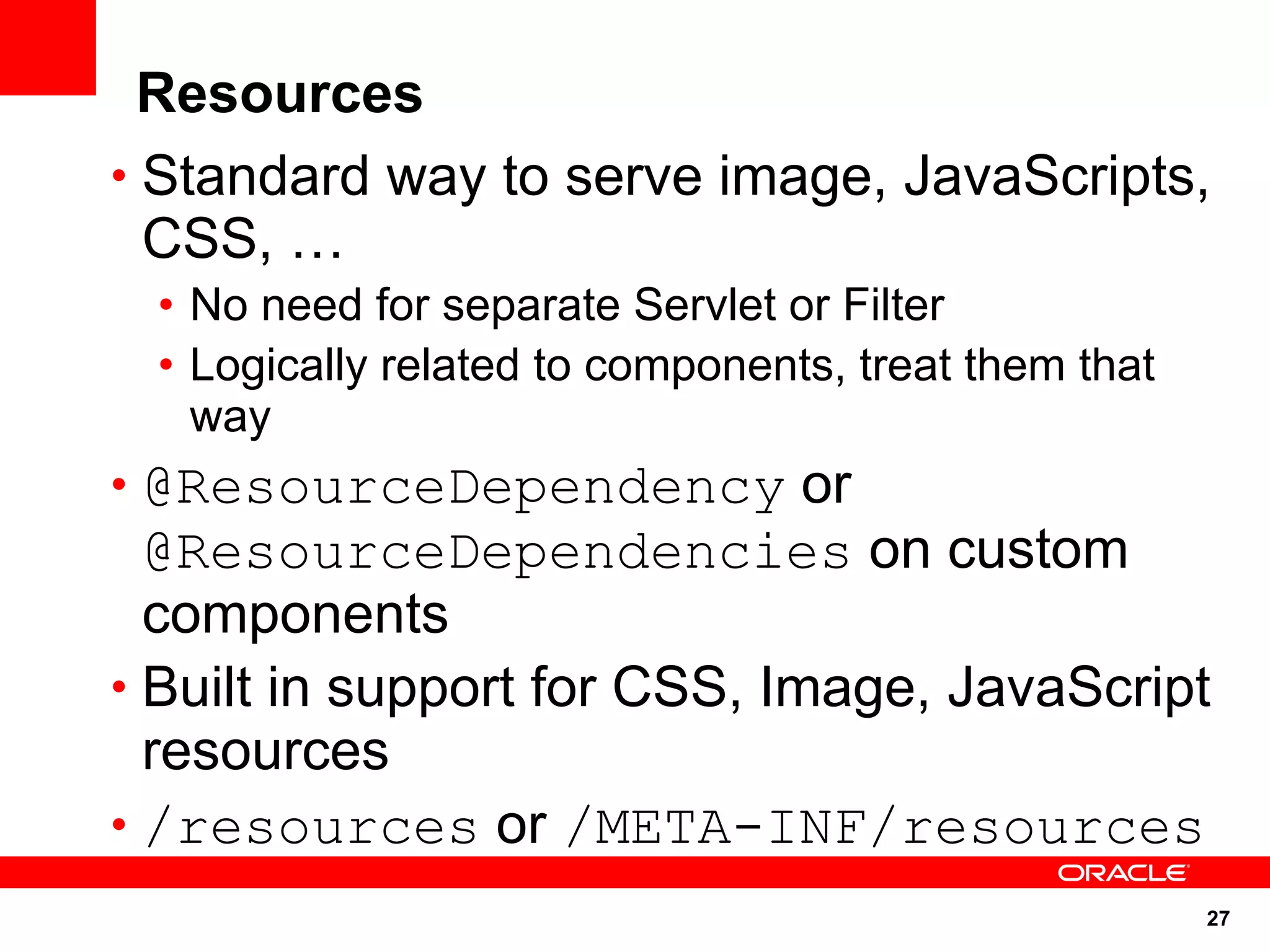
Resources
• Standard way to serve image, JavaScripts,
  CSS, …
 • No need for separate Servlet or Filter
 • Logically related to components, treat them that
   way
• @ResourceDependency or
  @ResourceDependencies on custom
  components
• Built in support for CSS, Image, JavaScript
  resources
• /resources or /META-INF/resources
                                                      27
Resource EL – Sample Code

• #{resource['<resource>']}
• #{resource['<library>:<resource>'
  ]}
• Examples of use
 • <a href="#{resource['header.jpg']}" />
 • <h:graphicImage
   value="#{resource['corp:header.jpg']}"
   />


                                       28
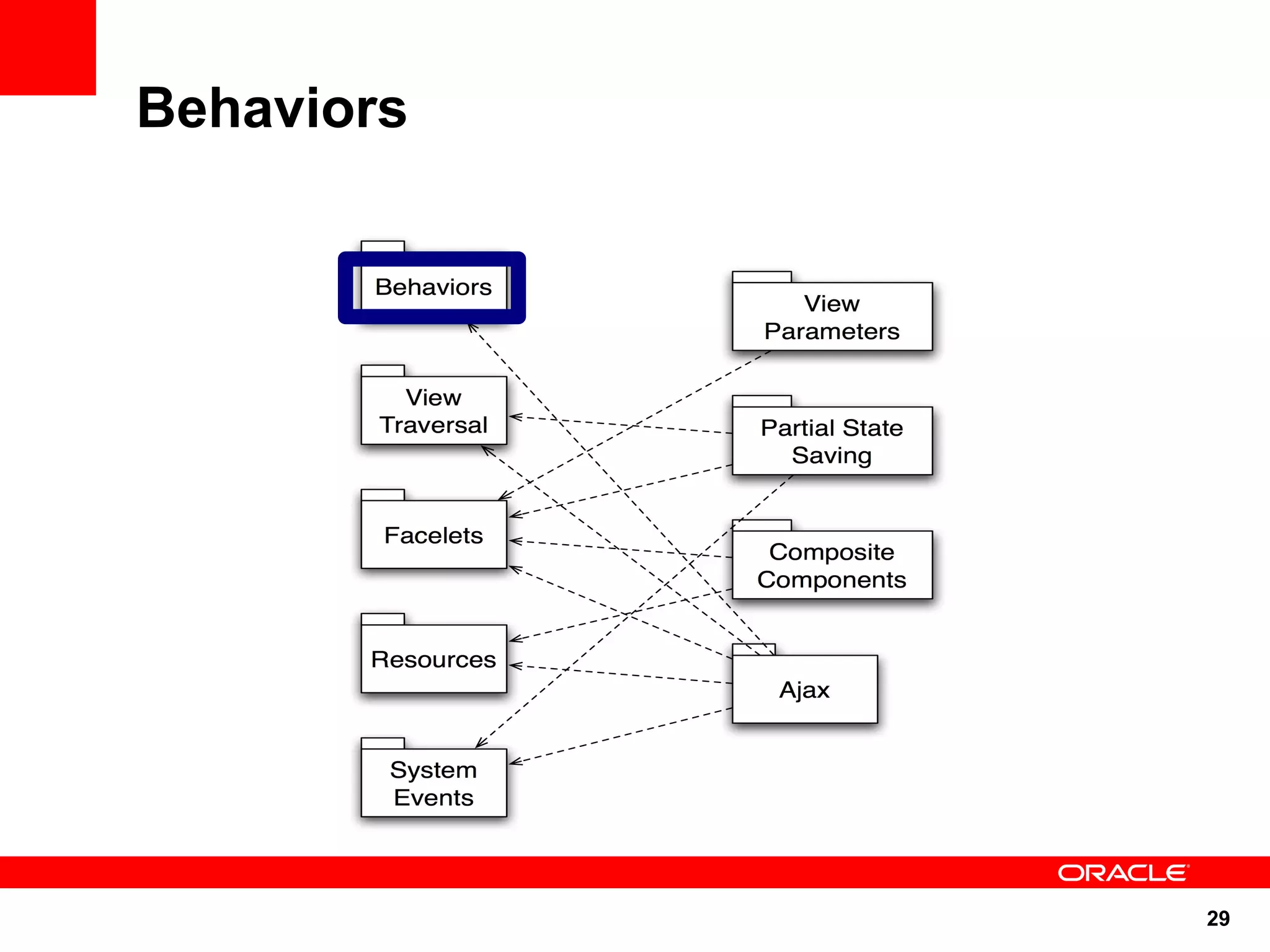
Behaviors


            29
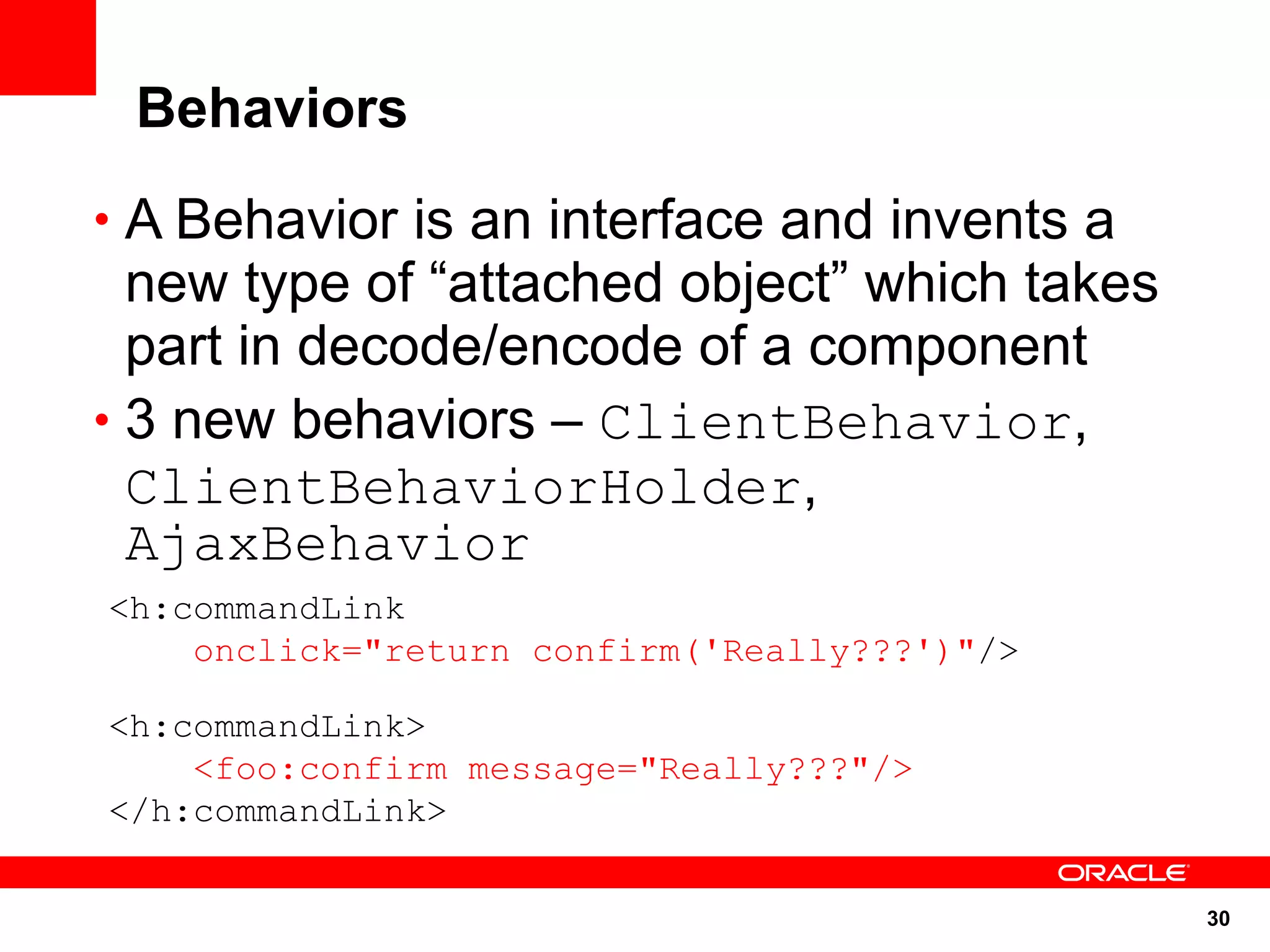
Behaviors
• A Behavior is an interface and invents a
  new type of “attached object” which takes
  part in decode/encode of a component
• 3 new behaviors – ClientBehavior,
  ClientBehaviorHolder,
  AjaxBehavior
<h:commandLink
    onclick="return confirm('Really???')"/>

<h:commandLink>
    <foo:confirm message="Really???"/>
</h:commandLink>

                                              30
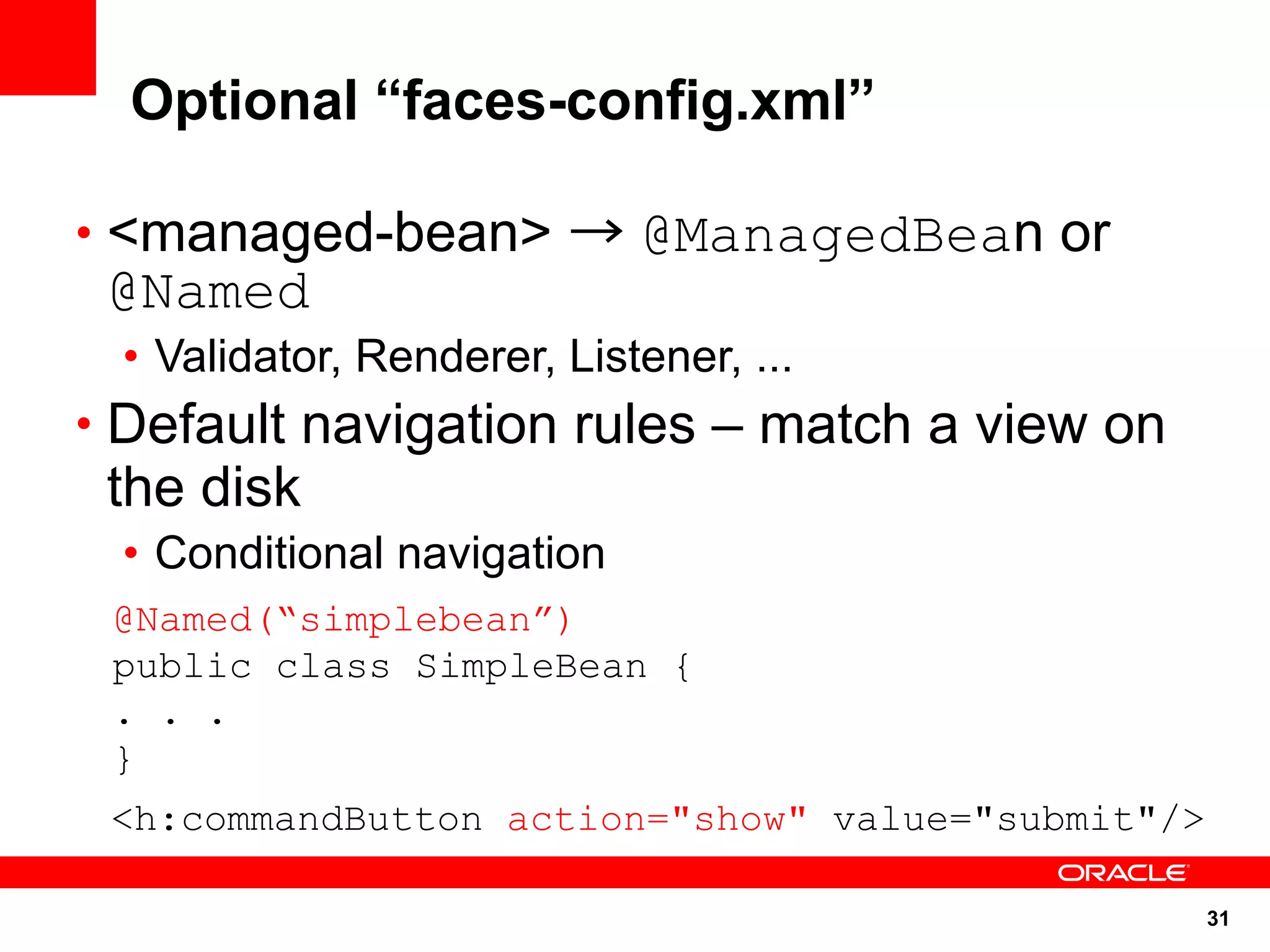
Optional “faces-config.xml”

• <managed-bean> → @ManagedBean or
 @Named
 • Validator, Renderer, Listener, ...
• Default navigation rules – match a view on
 the disk
 • Conditional navigation
 @Named(“simplebean”)
 public class SimpleBean {
 . . .
 }
 <h:commandButton action="show" value="submit"/>

                                                   31
Lot more features ...

• Annotations
• Navigation
• Exceptions
• Validation
• EL
• Scopes
• Project Stage


                         32
Annotations

• @ManagedBean
• @*Scoped (Session, Request, etc)
• @ManagedProperty
• @FacesComponent
• @FacesConverter
• etc.
• With implicit Navigation, may eliminate
 need for faces-config.xml in many cases

                                            33
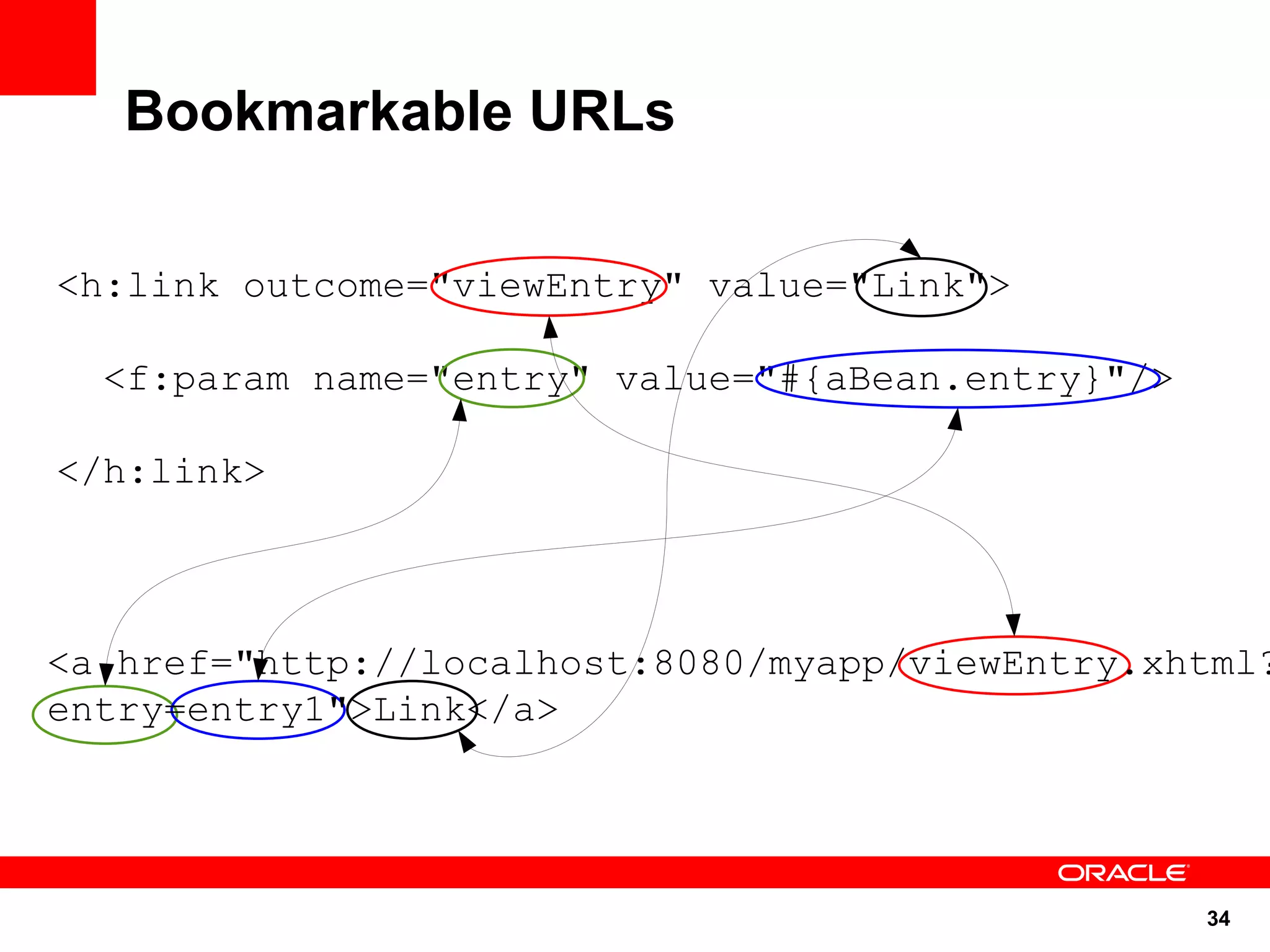
Bookmarkable URLs

<h:link outcome="viewEntry" value="Link">

  <f:param name="entry" value="#{aBean.entry}"/>

</h:link>


<a href="http://localhost:8080/myapp/viewEntry.xhtml?
entry=entry1">Link</a>


                                                   34
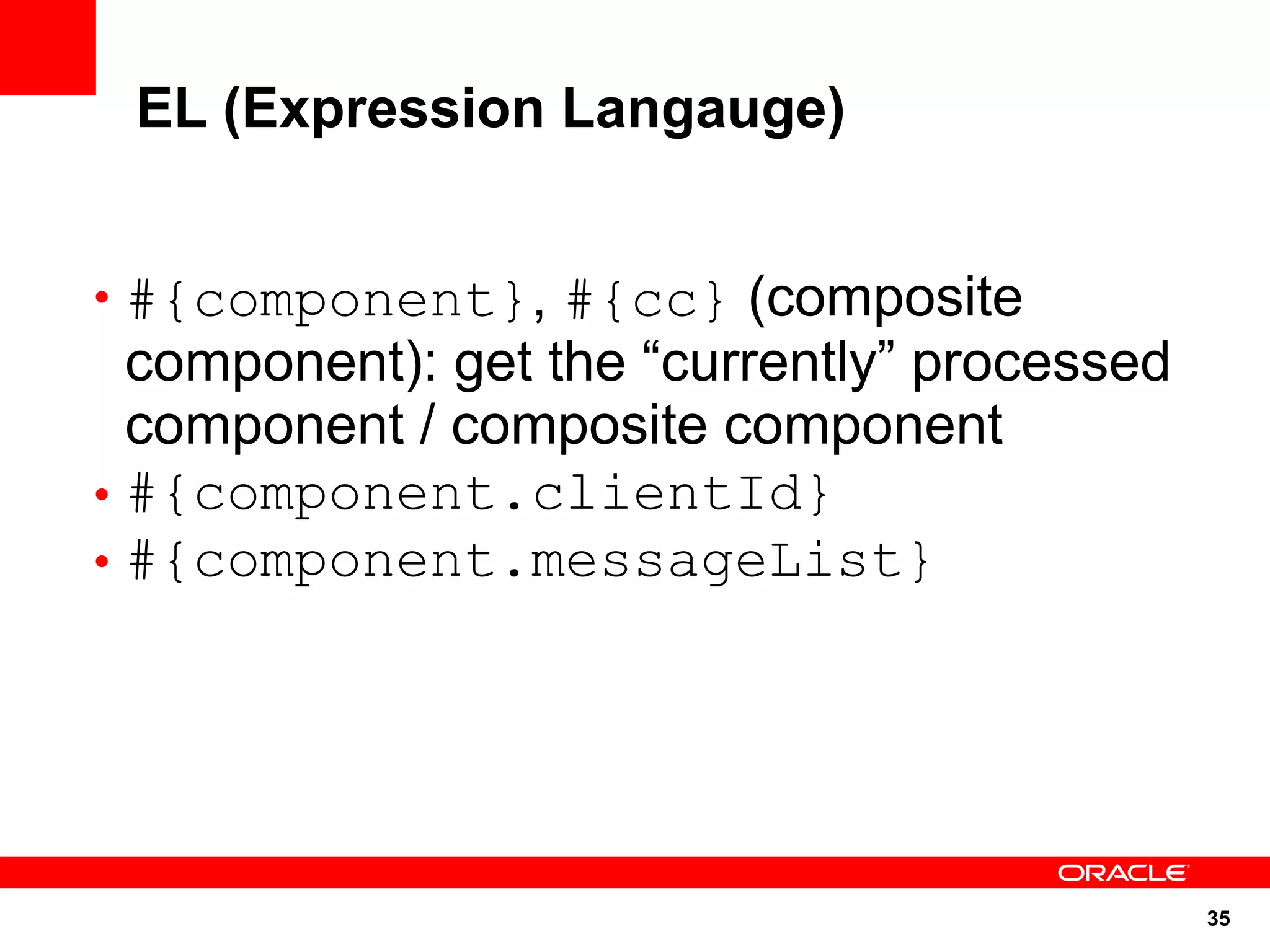
EL (Expression Langauge)


• #{component}, #{cc} (composite
  component): get the “currently” processed
  component / composite component
• #{component.clientId}
• #{component.messageList}


                                              35
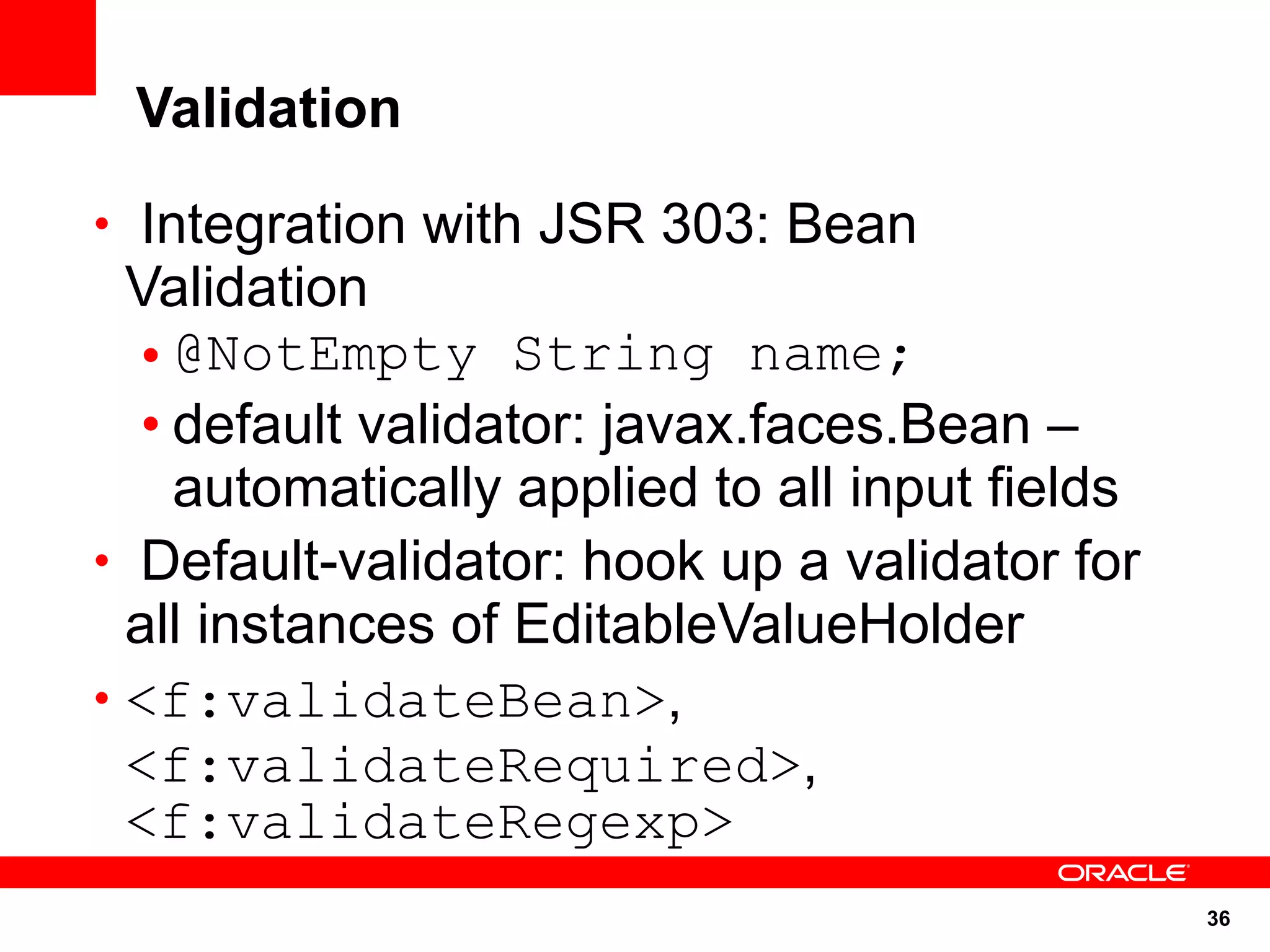
Validation

• Integration with JSR 303: Bean
  Validation
   • @NotEmpty String name;
   • default validator: javax.faces.Bean –
     automatically applied to all input fields
• Default-validator: hook up a validator for
  all instances of EditableValueHolder
• <f:validateBean>,
  <f:validateRequired>,
  <f:validateRegexp>
                                                 36
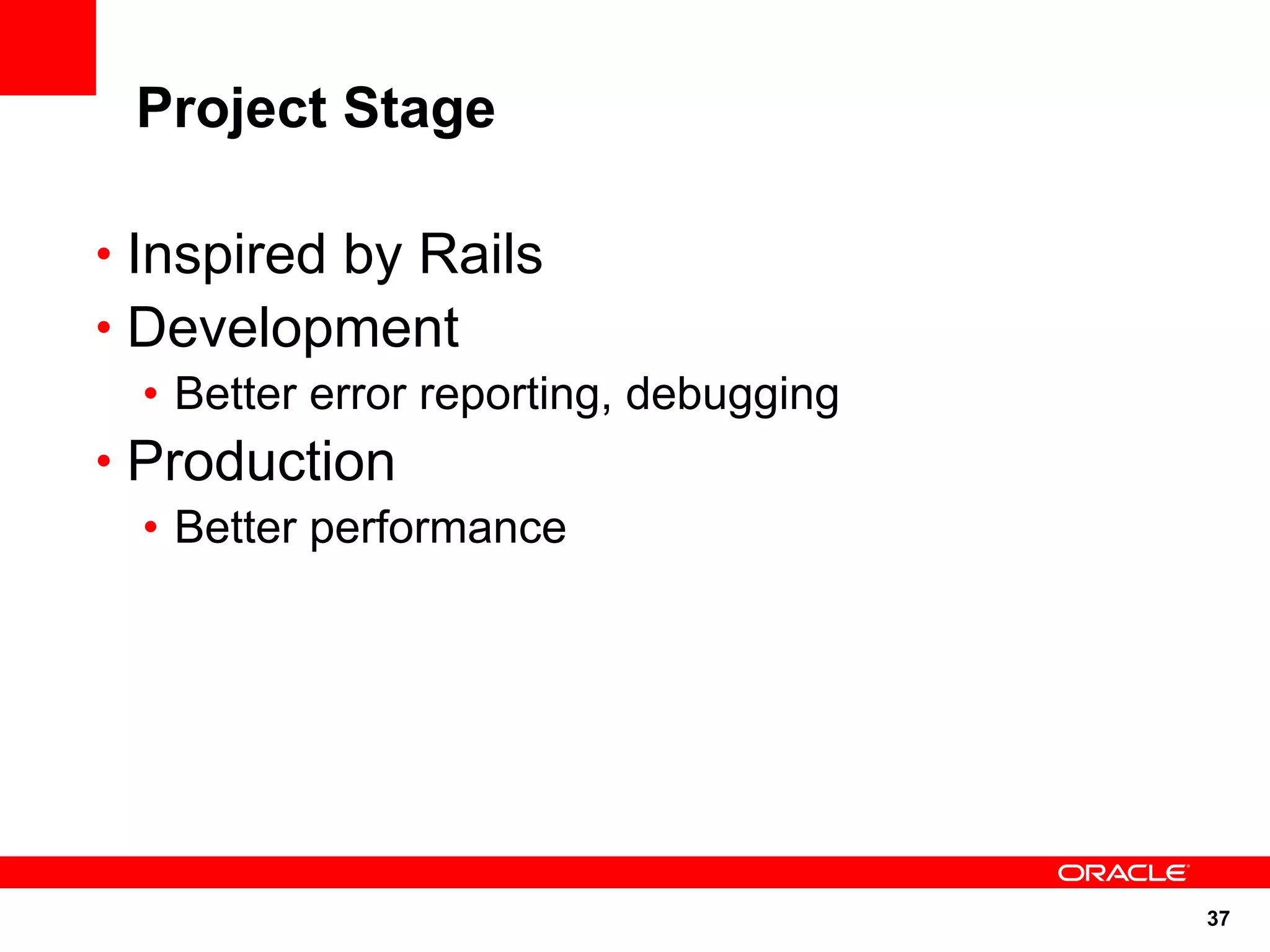
Project Stage

• Inspired by Rails
• Development
   • Better error reporting, debugging
• Production
   • Better performance


                                         37
JSF 2.2
 http://jcp.org/en/jsr/detail?id=344
                                       NEW

• Ease of development
  • cc:interface is optional
  • JSF lifecycle is CDI aware
  • Runtime configuration options change
• Support implementation of Portlet Bridge 2.0
• Support for HTML5 features
  • Forms, Heading/Section content model, ...
• New components like FileUpload and
 BackButton

                                             38
References


• glassfish.org
• oracle.com/goto/glassfish
• blogs.sun.com/theaquarium
• glassfish.org/roadmap
• youtube.com/user/GlassFishVideos
• Follow @glassfish


                                     39
<Insert Picture Here>


Java Server Faces 2.0
Arun Gupta, Java EE & GlassFish Guy
blogs.sun.com/arungupta, @arungupta

Spark IT 2011 - Simplified Web Development using Java Server Faces 2.0

  • 1.
    <Insert Picture Here> JavaServer Faces 2.0 Arun Gupta, Java EE & GlassFish Guy blogs.sun.com/arungupta, @arungupta
  • 2.
    The following/preceding isintended to outline our general product direction. It is intended for information purposes only, and may not be incorporated into any contract. It is not a commitment to deliver any material, code, or functionality, and should not be relied upon in making purchasing decisions. The development, release, and timing of any features or functionality described for Oracle’s products remains at the sole discretion of Oracle. 2
  • 3.
  • 4.
  • 5.
    Facelets • Designed forJSF from beginning • XHTML + CSS • Document validation • Better error handling, including line numbers • Library prefixes as namespaces • EL directly in page: • #{bean.propertyname} • Templating made easy • ui:composition, ui:define, ui:insert • ui:include, ui:repeat 5
  • 6.
    Facelets – SampleCode <html xmlns="http://www.w3.org/1999/xhtml" xmlns:ui="http://java.sun.com/jsf/facelets" xmlns:h="http://java.sun.com/jsf/html"> <h:head> <title>Enter Name &amp; Password</title> </h:head> <h:body> <h1>Enter Name &amp; Password</h1> <h:form> <h:panelGrid columns="2"> <h:outputText value="Name:"/> <h:inputText value="#{simplebean.name}" title="name" id="name" required="true"/> <h:outputText value="Password:"/> <h:inputText value="#{simplebean.password}" title="password" id="password" required="true"/> </h:panelGrid> <h:commandButton action="show" value="submit"/> </h:form> </h:body> </html> 6
  • 7.
  • 8.
  • 9.
  • 10.
  • 11.
    Composite Components • EnableTrue Abstraction • Create a true, reusable, component from an arbitrary region of a page • Built by composing other components • “Using” and “Defining” page • Full support for using attached objects in the using page • Action methods • Validators, etc 11
  • 12.
  • 13.
    Composite Component –Sample Code <html xmlns="http://www.w3.org/1999/xhtml" xmlns:ui="http://java.sun.com/jsf/facelets" xmlns:h="http://java.sun.com/jsf/html"> <h:head> <title>Enter Name &amp; Password</title> </h:head> <h:body> <h1>Enter Name &amp; Password</h1> <h:form> <h:panelGrid columns="2"> <h:outputText value="Name:"/> <h:inputText value="#{simplebean.name}" title="name" id="name" required="true"/> <h:outputText value="Password:"/> <h:inputText value="#{simplebean.password}" title="password" id="password" required="true"/> </h:panelGrid> <h:commandButton action="show" value="submit"/> </h:form> </h:body> </html> 13
  • 14.
    Composite Components -Mapping <html xmlns="http://www.w3.org/1999/xhtml" xmlns:ui="http://java.sun.com/jsf/facelets" xmlns:h="http://java.sun.com/jsf/html" xmlns:ez="http://java.sun.com/jsf/composite/ezcomp"> <h:head> <title>Enter Name &amp; Password</title> </h:head> <h:body> <h1>Enter Name &amp; Password</h1> <h:form> <ez:username-password/> <h:commandButton action="show" value="submit"/> </h:form> . . . </h:body> WEB-INF </html> index.xhtml resources/ ezcomp/ username-password.xhtml http://blogs.sun.com/arungupta/entry/totd_147_java_server_faces 14
  • 15.
  • 16.
    Integrated Ajax • Inspiration– ADF, RichFaces, IceFaces, DynamicFaces • Two entry points: • Declarative: <f:ajax> tag, uses AjaxBehavior • Programmatic ajax • resource library javax.faces • resource name jsf.js • JavaScript namespace jsf.ajax. • jsf.ajax.request function 16
  • 17.
    Integrated Ajax –Sample Code <h:commandButton actionListener="#{sakilabean.findActors}" value="submit"> <f:ajax execute="length" render="actorTable totalActors"/> </h:commandButton> http://blogs.sun.com/arungupta/entry/totd_123_f_ajax_bean 17
  • 18.
  • 19.
    Partial State Saving •Inspired by Trinidad state saving • Save only the state that's changed since creation of the component tree • Per-view state size up to 4X smaller • Default for pages written with Facelets • All standard components implement this feature • Default for composite components 19
  • 20.
  • 21.
    View Parameters • Inspiredby Page Parameters from Seam • Provides a declarative way to map request parameters to EL-reachable location • <f:viewParam>, <f:metadata> <f:metadata> <f:viewParam name="foo" value="#{bean.foo}"/> </f:metadata> page1.xhtml?foo=bar bean.foo will equal “bar” 21
  • 22.
  • 23.
    System Events • Inspiredby Solaris Dtrace, Linux strace, etc. • Publish/Subscribe event bus for things that happen during the JSF Lifecycle • Adds to event listening abilities • FacesEvent/FacesListener • PhaseEvent/PhaseListener • SystemEvent/SystemEventListener 23
  • 24.
  • 25.
    System Events –Sample Code <h:inputText> <f:event type="preValidate" listener="#{bean.doSomePreValidation}"/> </h:inputText> <h:inputText value="#{myBean.text}"> <f:event type="beforeRender" listener="#{myBean.beforeTextRender}"/> </h:inputText> 25
  • 26.
  • 27.
    Resources • Standard wayto serve image, JavaScripts, CSS, … • No need for separate Servlet or Filter • Logically related to components, treat them that way • @ResourceDependency or @ResourceDependencies on custom components • Built in support for CSS, Image, JavaScript resources • /resources or /META-INF/resources 27
  • 28.
    Resource EL –Sample Code • #{resource['<resource>']} • #{resource['<library>:<resource>' ]} • Examples of use • <a href="#{resource['header.jpg']}" /> • <h:graphicImage value="#{resource['corp:header.jpg']}" /> 28
  • 29.
  • 30.
    Behaviors • A Behavioris an interface and invents a new type of “attached object” which takes part in decode/encode of a component • 3 new behaviors – ClientBehavior, ClientBehaviorHolder, AjaxBehavior <h:commandLink onclick="return confirm('Really???')"/> <h:commandLink> <foo:confirm message="Really???"/> </h:commandLink> 30
  • 31.
    Optional “faces-config.xml” • <managed-bean>→ @ManagedBean or @Named • Validator, Renderer, Listener, ... • Default navigation rules – match a view on the disk • Conditional navigation @Named(“simplebean”) public class SimpleBean { . . . } <h:commandButton action="show" value="submit"/> 31
  • 32.
    Lot more features... • Annotations • Navigation • Exceptions • Validation • EL • Scopes • Project Stage 32
  • 33.
    Annotations • @ManagedBean • @*Scoped(Session, Request, etc) • @ManagedProperty • @FacesComponent • @FacesConverter • etc. • With implicit Navigation, may eliminate need for faces-config.xml in many cases 33
  • 34.
    Bookmarkable URLs <h:link outcome="viewEntry"value="Link"> <f:param name="entry" value="#{aBean.entry}"/> </h:link> <a href="http://localhost:8080/myapp/viewEntry.xhtml? entry=entry1">Link</a> 34
  • 35.
    EL (Expression Langauge) •#{component}, #{cc} (composite component): get the “currently” processed component / composite component • #{component.clientId} • #{component.messageList} 35
  • 36.
    Validation • Integration withJSR 303: Bean Validation • @NotEmpty String name; • default validator: javax.faces.Bean – automatically applied to all input fields • Default-validator: hook up a validator for all instances of EditableValueHolder • <f:validateBean>, <f:validateRequired>, <f:validateRegexp> 36
  • 37.
    Project Stage • Inspiredby Rails • Development • Better error reporting, debugging • Production • Better performance 37
  • 38.
    JSF 2.2 http://jcp.org/en/jsr/detail?id=344 NEW • Ease of development • cc:interface is optional • JSF lifecycle is CDI aware • Runtime configuration options change • Support implementation of Portlet Bridge 2.0 • Support for HTML5 features • Forms, Heading/Section content model, ... • New components like FileUpload and BackButton 38
  • 39.
    References • glassfish.org • oracle.com/goto/glassfish •blogs.sun.com/theaquarium • glassfish.org/roadmap • youtube.com/user/GlassFishVideos • Follow @glassfish 39
  • 40.
    <Insert Picture Here> JavaServer Faces 2.0 Arun Gupta, Java EE & GlassFish Guy blogs.sun.com/arungupta, @arungupta