1
JSF 2 And Beyond With
              RichFaces
Jay Balunas              Alex Smirnov
RichFaces Project Lead   RichFaces Architect
JBoss, by Red Hat Inc.   Exadel Inc.


            JavaOne
            September, 2010


                                               2
Who We Are:

• Jay Balunas
  o   RichFaces Project Lead
  o   JBoss Core Developer
  o   http://in.relation.to/Bloggers/Jay
  o   http://twitter.com/tech4j
  o   jbalunas@jboss.org


                             Co-author of the
                               RichFaces
                             Dzone RefCard

                                                3
• Alexander Smirnov
  o   RichFaces Project Architect
  o   Ajax4Jsf Project Creator
  o   JSR-314 ( JSF 2.0 ) Expert Group Member
  o   http://alexsmirnov.wordpress.com/
  o   asmirnov@exadel.com


                                                4
Beyond JSF 2.0 with
           RichFaces

•   An Introduction
•   Built in Ajax
•   Built in Resource Handling
•   Component Development
•   Client Side Bean Validation
•   Project Updates


                                  5
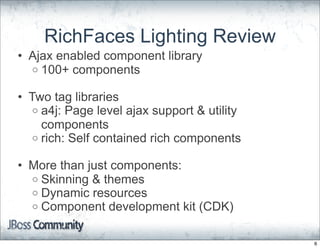
RichFaces Lighting Review
• Ajax enabled component library
  o 100+ components

• Two tag libraries
   o a4j: Page level ajax support & utility
     components
   o rich: Self contained rich components

• More than just components:
  o Skinning & themes
  o Dynamic resources
  o Component development kit (CDK)


                                              6
Beyond JSF 2.0 with
           RichFaces

•   An Introduction
•   Built in Ajax
•   Built in Resource Handling
•   Component Development
•   Client Side Bean Validation
•   Project Updates


                                  7
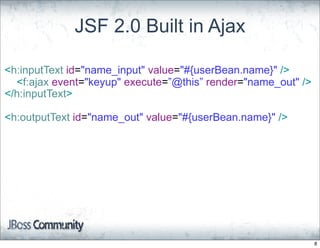
JSF 2.0 Built in Ajax

<h:inputText id="name_input" value="#{userBean.name}" />
  <f:ajax event="keyup" execute=”@this” render="name_out" />
</h:inputText>

<h:outputText id="name_out" value="#{userBean.name}" />


                                                               8
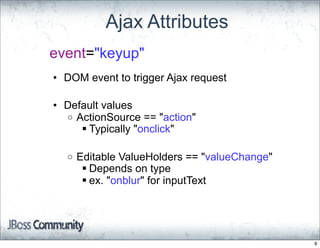
Ajax Attributes
event="keyup"
• DOM event to trigger Ajax request

• Default values
  o ActionSource == "action"
      Typically "onclick"

  o   Editable ValueHolders == "valueChange"
        Depends on type
        ex. "onblur" for inputText


                                               9
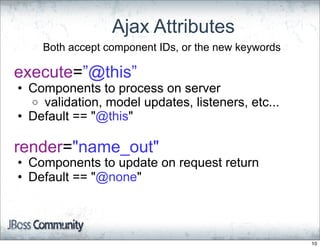
Ajax Attributes
    Both accept component IDs, or the new keywords

execute=”@this”
• Components to process on server
  o validation, model updates, listeners, etc...
• Default == "@this"

render="name_out"
• Components to update on request return
• Default == "@none"


                                                     10
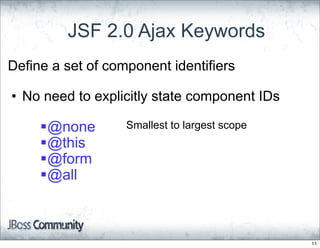
JSF 2.0 Ajax Keywords
Define a set of component identifiers

• No need to explicitly state component IDs

     @none        Smallest to largest scope
     @this
     @form
     @all


                                               11
RichFaces makes it better
               with...
•   a4j:region
•   a4j:outputPanel
•   a4j:queue
•   Partial updates for complex
    components


                                  12
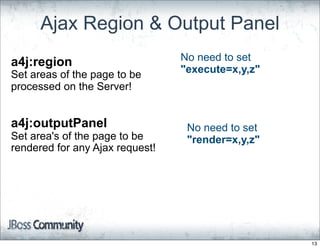
Ajax Region & Output Panel
a4j:region                       No need to set
Set areas of the page to be      "execute=x,y,z"
processed on the Server!


a4j:outputPanel                   No need to set
Set area's of the page to be      "render=x,y,z"
rendered for any Ajax request!


                                                   13
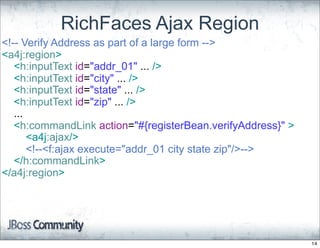
RichFaces Ajax Region
<!-- Verify Address as part of a large form -->
<a4j:region>
   <h:inputText id="addr_01" ... />
   <h:inputText id="city" ... />
   <h:inputText id="state" ... />
   <h:inputText id="zip" ... />
   ...
   <h:commandLink action="#{registerBean.verifyAddress}" >
       <a4j:ajax/>
       <!--<f:ajax execute="addr_01 city state zip"/>-->
   </h:commandLink>
</a4j:region>


                                                             14
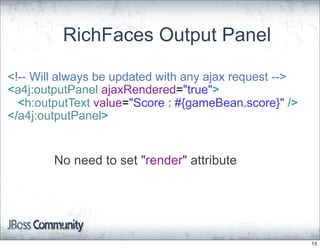
RichFaces Output Panel

<!-- Will always be updated with any ajax request -->
<a4j:outputPanel ajaxRendered="true">
  <h:outputText value="Score : #{gameBean.score}" />
</a4j:outputPanel>


        No need to set "render" attribute


                                                        15
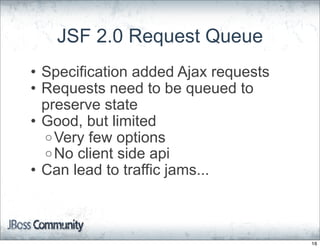
JSF 2.0 Request Queue
• Specification added Ajax requests
• Requests need to be queued to
  preserve state
• Good, but limited
  o Very few options
  o No client side api
• Can lead to traffic jams...


                                      16
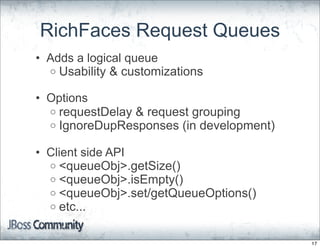
RichFaces Request Queues
• Adds a logical queue
  o Usability & customizations

• Options
  o requestDelay & request grouping
  o IgnoreDupResponses (in development)

• Client side API
  o <queueObj>.getSize()
  o <queueObj>.isEmpty()
  o <queueObj>.set/getQueueOptions()
  o etc...


                                          17
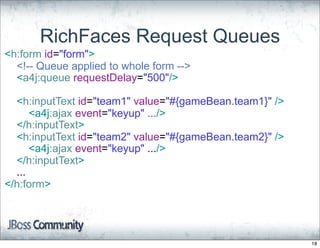
RichFaces Request Queues
<h:form id="form">
  <!-- Queue applied to whole form -->
  <a4j:queue requestDelay="500"/>

  <h:inputText id="team1" value="#{gameBean.team1}" />
      <a4j:ajax event="keyup" .../>
  </h:inputText>
  <h:inputText id="team2" value="#{gameBean.team2}" />
      <a4j:ajax event="keyup" .../>
  </h:inputText>
  ...
</h:form>


                                                         18
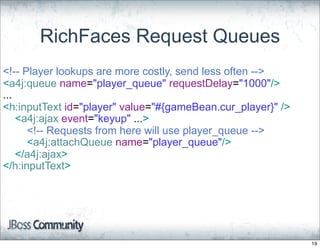
RichFaces Request Queues
<!-- Player lookups are more costly, send less often -->
<a4j:queue name="player_queue" requestDelay="1000"/>
...
<h:inputText id="player" value="#{gameBean.cur_player}" />
    <a4j:ajax event="keyup" ...>
      <!-- Requests from here will use player_queue -->
      <a4j:attachQueue name="player_queue"/>
    </a4j:ajax>
</h:inputText>


                                                             19
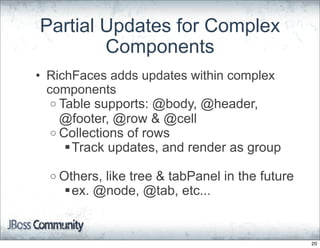
Partial Updates for Complex
        Components
• RichFaces adds updates within complex
  components
   o Table supports: @body, @header,
     @footer, @row & @cell
   o Collections of rows
      Track updates, and render as group

  o Others,
          like tree & tabPanel in the future
    ex. @node, @tab, etc...


                                               20
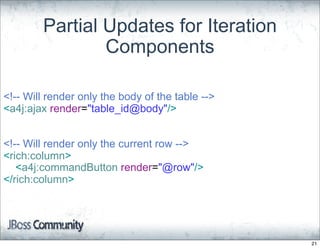
Partial Updates for Iteration
                Components

<!-- Will render only the body of the table -->
<a4j:ajax render="table_id@body"/>


<!-- Will render only the current row -->
<rich:column>
   <a4j:commandButton render="@row"/>
</rich:column>


                                                  21
Beyond JSF 2.0 with
           RichFaces

•   An Introduction
•   Built in Ajax
•   Built in Resource Handling
•   Component Development
•   Client Side Bean Validation
•   Project Updates


                                  22
JSF 2.0 Loading Images
<!-- Loads from <web-root>/resources -->
<h:graphicImage name="banner.jpeg />

<!-- Loads from /META-INF/resources/site -->
<h:graphicImage name="banner.jpeg" library="site"/>

<!-- EL notation -->
<h:graphicImage value="#{resource['site:banner.jpeg]}" />


                                                            23
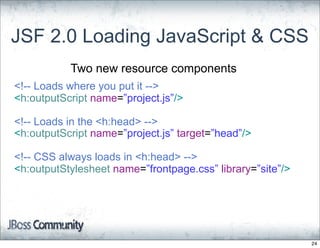
JSF 2.0 Loading JavaScript & CSS
           Two new resource components
<!-- Loads where you put it -->
<h:outputScript name=”project.js”/>

<!-- Loads in the <h:head> -->
<h:outputScript name=”project.js” target=”head”/>

<!-- CSS always loads in <h:head> -->
<h:outputStylesheet name=”frontpage.css” library=”site”/>


                                                            24
What if you need to
manipulate resources...


                          25
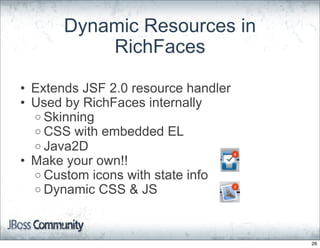
Dynamic Resources in
           RichFaces

• Extends JSF 2.0 resource handler
• Used by RichFaces internally
  o Skinning
  o CSS with embedded EL
  o Java2D
• Make your own!!
  o Custom icons with state info
  o Dynamic CSS & JS


                                     26
@DynamicResource
public class GameAiResource implements UserResource{
 private boolean easyGame;

  public InputStream getInputStream() throws IOException {
   byte[] data;
   if (easyGame) {
     data = easyScript;
   } else{
     data = hardScript;
   }
   return new ByteArrayInputStream(data);
}
....


                                                             27
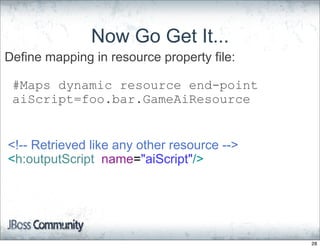
Now Go Get It...
Define mapping in resource property file:

 #Maps dynamic resource end-point
 aiScript=foo.bar.GameAiResource


<!-- Retrieved like any other resource -->
<h:outputScript name="aiScript"/>


                                             28
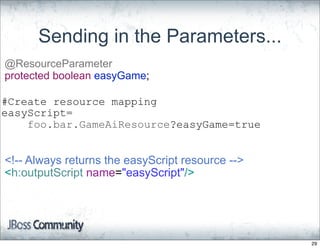
Sending in the Parameters...
@ResourceParameter
protected boolean easyGame;

#Create resource mapping
easyScript=
    foo.bar.GameAiResource?easyGame=true


<!-- Always returns the easyScript resource -->
<h:outputScript name="easyScript"/>


                                                  29
Beyond JSF 2.0 with
           RichFaces

•   An Introduction
•   Built in Ajax
•   Built in Resource Handling
•   Component Development
•   Client Side Bean Validation
•   Project Updates


                                  30
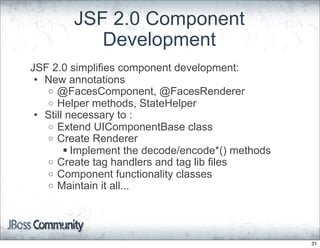
JSF 2.0 Component
           Development
JSF 2.0 simplifies component development:
 • New annotations
   o @FacesComponent, @FacesRenderer
   o Helper methods, StateHelper
 • Still necessary to :
   o Extend UIComponentBase class
   o Create Renderer
         Implement the decode/encode*() methods
   o Create tag handlers and tag lib files
   o Component functionality classes
   o Maintain it all...


                                                   31
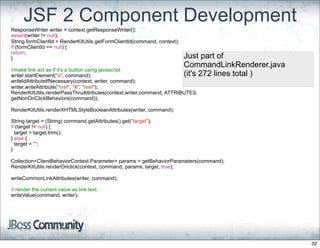
JSF 2 Component Development
ResponseWriter writer = context.getResponseWriter();
assert(writer != null);
String formClientId = RenderKitUtils.getFormClientId(command, context);
if (formClientId == null) {
return;
}                                                                         Just part of
                                                                          CommandLinkRenderer.java
//make link act as if it's a button using javascript
writer.startElement("a", command);                                        (it's 272 lines total )
writeIdAttributeIfNecessary(context, writer, command);
writer.writeAttribute("href", "#", "href");
RenderKitUtils.renderPassThruAttributes(context,writer,command, ATTRIBUTES,
getNonOnClickBehaviors(command));

RenderKitUtils.renderXHTMLStyleBooleanAttributes(writer, command);

String target = (String) command.getAttributes().get("target");
if (target != null) {
  target = target.trim();
} else {
  target = "";
}

Collection<ClientBehaviorContext.Parameter> params = getBehaviorParameters(command);
RenderKitUtils.renderOnclick(context, command, params, target, true);

writeCommonLinkAttributes(writer, command);

// render the current value as link text.
writeValue(command, writer);


                                                                                                     32
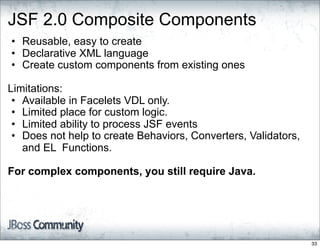
JSF 2.0 Composite Components
• Reusable, easy to create
• Declarative XML language
• Create custom components from existing ones

Limitations:
 • Available in Facelets VDL only.
 • Limited place for custom logic.
 • Limited ability to process JSF events
 • Does not help to create Behaviors, Converters, Validators,
   and EL Functions.

For complex components, you still require Java.


                                                                33
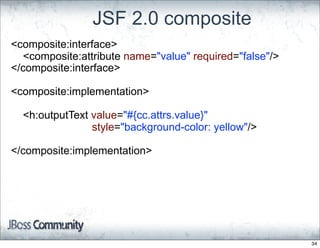
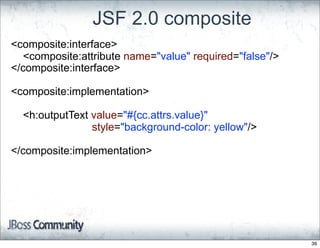
JSF 2.0 composite
<composite:interface>
  <composite:attribute name="value" required="false"/>
</composite:interface>

<composite:implementation>

  <h:outputText value="#{cc.attrs.value}"
                style="background-color: yellow"/>

</composite:implementation>


                                                         34
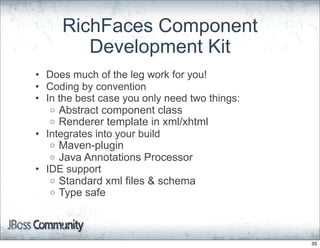
RichFaces Component
        Development Kit
• Does much of the leg work for you!
• Coding by convention
• In the best case you only need two things:
   o Abstract component class
   o Renderer template in xml/xhtml
• Integrates into your build
   o Maven-plugin
   o Java Annotations Processor
• IDE support
   o Standard xml files & schema
   o Type safe


                                               35
JSF 2.0 composite
<composite:interface>
  <composite:attribute name="value" required="false"/>
</composite:interface>

<composite:implementation>

  <h:outputText value="#{cc.attrs.value}"
                style="background-color: yellow"/>

</composite:implementation>


                                                         36
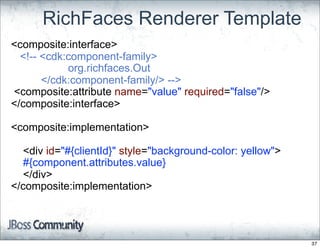
RichFaces Renderer Template
<composite:interface>
  <!-- <cdk:component-family>
            org.richfaces.Out
       </cdk:component-family/> -->
<composite:attribute name="value" required="false"/>
</composite:interface>

<composite:implementation>

  <div id="#{clientId}" style="background-color: yellow">
  #{component.attributes.value}
  </div>
</composite:implementation>


                                                            37
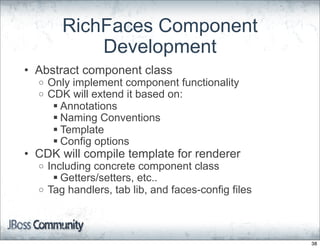
RichFaces Component
            Development
• Abstract component class
  o   Only implement component functionality
  o   CDK will extend it based on:
        Annotations
        Naming Conventions
        Template
        Config options
• CDK will compile template for renderer
  o Including concrete component class
      Getters/setters, etc..
  o Tag handlers, tab lib, and faces-config files


                                                    38
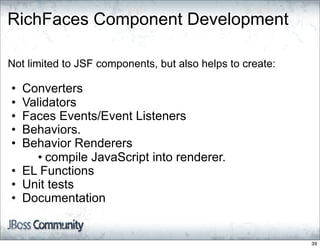
RichFaces Component Development

Not limited to JSF components, but also helps to create:

• Converters
• Validators
• Faces Events/Event Listeners
• Behaviors.
• Behavior Renderers
     • compile JavaScript into renderer.
• EL Functions
• Unit tests
• Documentation


                                                           39
Beyond JSF 2.0 with
           RichFaces

•   An Introduction
•   Built in Ajax
•   Built in Resource Handling
•   Component Development
•   Client Side Bean Validation
•   Project Updates


                                  40
What is Bean Validation
• Bean Validation JSR-303
   o Part of Java EE6
• Generic, tier independent constraints
• Custom, and composition constraints
  possible
• Constraint groups, and object graph
  validation too
• Message localization
• Define constraints once, apply everywhere*


                * Not all the way to the browser


                                                   41
Bean Validation Sample
public class User {

    @NotEmpty @Size(max=100)
    private String loginname;

    @NotEmpty
    @Pattern(regexp = "[a-zA-Z0-9]+@[a-zA-Z0-9]+.[a-zA-Z0-9]+")
    private String email;

    @NotEmpty @ValidTeam
    private String team;
}


                                                                42
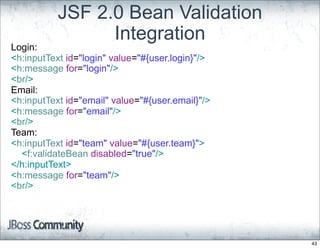
JSF 2.0 Bean Validation
                 Integration
Login:
<h:inputText id="login" value="#{user.login}"/>
<h:message for="login"/>
<br/>
Email:
<h:inputText id="email" value="#{user.email}"/>
<h:message for="email"/>
<br/>
Team:
<h:inputText id="team" value="#{user.team}">
  <f:validateBean disabled="true"/>
</h:inputText>
<h:message for="team"/>
<br/>


                                                  43
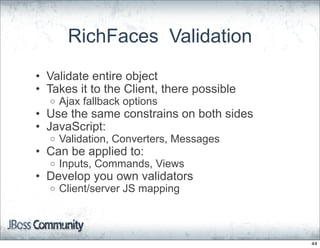
RichFaces Validation
• Validate entire object
• Takes it to the Client, there possible
  o   Ajax fallback options
• Use the same constrains on both sides
• JavaScript:
  o   Validation, Converters, Messages
• Can be applied to:
  o   Inputs, Commands, Views
• Develop you own validators
  o   Client/server JS mapping


                                           44
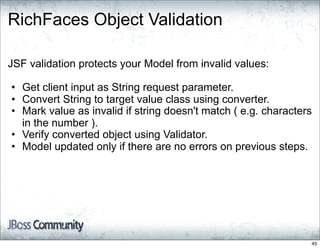
RichFaces Object Validation

JSF validation protects your Model from invalid values:

• Get client input as String request parameter.
• Convert String to target value class using converter.
• Mark value as invalid if string doesn't match ( e.g. characters
  in the number ).
• Verify converted object using Validator.
• Model updated only if there are no errors on previous steps.


                                                                45
RichFaces Object Validation

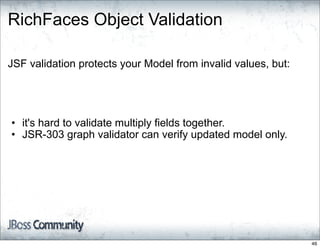
JSF validation protects your Model from invalid values, but:


• it's hard to validate multiply fields together.
• JSR-303 graph validator can verify updated model only.


                                                               46
RichFaces Object Validation
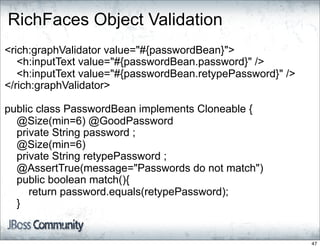
<rich:graphValidator value="#{passwordBean}">
   <h:inputText value="#{passwordBean.password}" />
   <h:inputText value="#{passwordBean.retypePassword}" />
</rich:graphValidator>

public class PasswordBean implements Cloneable {
  @Size(min=6) @GoodPassword
  private String password ;
  @Size(min=6)
  private String retypePassword ;
  @AssertTrue(message="Passwords do not match")
  public boolean match(){
     return password.equals(retypePassword);
  }


                                                            47
RichFaces Object Validation
What does <rich:graphValidator > do ?

1. clone Bean object instance.
2. If there is no per-field errors, update cloned object with
   submitted values at the end of PROCESS_VALIDATORS
   phase.
3. Perform JSR-303 validation on cloned object. Record errors
   ( if any ) and discard cloned object.
4. Go back to JSF lifecycle there model updated only if all
   constraint violations passed.


                                                                48
RichFaces Object Validation


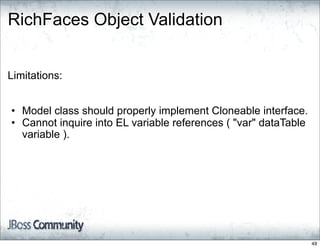
Limitations:


• Model class should properly implement Cloneable interface.
• Cannot inquire into EL variable references ( "var" dataTable
  variable ).


                                                                 49
RichFaces Client Side Validation

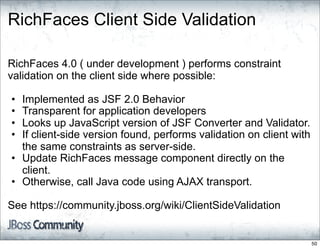
RichFaces 4.0 ( under development ) performs constraint
validation on the client side where possible:

• Implemented as JSF 2.0 Behavior
• Transparent for application developers
• Looks up JavaScript version of JSF Converter and Validator.
• If client-side version found, performs validation on client with
  the same constraints as server-side.
• Update RichFaces message component directly on the
  client.
• Otherwise, call Java code using AJAX transport.

See https://community.jboss.org/wiki/ClientSideValidation


                                                                     50
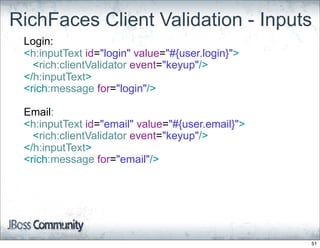
RichFaces Client Validation - Inputs
 Login:
 <h:inputText id="login" value="#{user.login}">
   <rich:clientValidator event="keyup"/>
 </h:inputText>
 <rich:message for="login"/>

 Email:
 <h:inputText id="email" value="#{user.email}">
   <rich:clientValidator event="keyup"/>
 </h:inputText>
 <rich:message for="email"/>


                                                  51
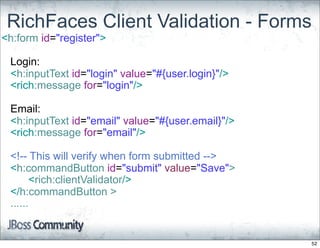
RichFaces Client Validation - Forms
<h:form id="register">

 Login:
 <h:inputText id="login" value="#{user.login}"/>
 <rich:message for="login"/>

 Email:
 <h:inputText id="email" value="#{user.email}"/>
 <rich:message for="email"/>

 <!-- This will verify when form submitted -->
 <h:commandButton id="submit" value="Save">
       <rich:clientValidator/>
 </h:commandButton >
 ......


                                                   52
Beyond JSF 2.0 with
           RichFaces

•   An Introduction
•   Built in Ajax
•   Built in Resource Handling
•   Component Development
•   Client Side Bean Validation
•   Project Updates


                                  53
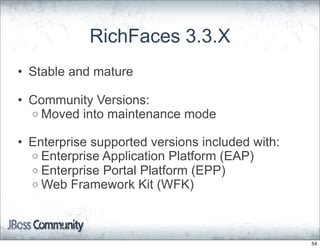
RichFaces 3.3.X
• Stable and mature

• Community Versions:
  o Moved into maintenance mode

• Enterprise supported versions included with:
  o Enterprise Application Platform (EAP)
  o Enterprise Portal Platform (EPP)
  o Web Framework Kit (WFK)


                                                 54
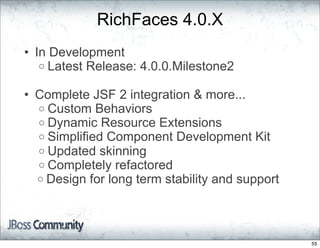
RichFaces 4.0.X
• In Development
   o Latest Release: 4.0.0.Milestone2

• Complete JSF 2 integration & more...
  o Custom Behaviors
  o Dynamic Resource Extensions
  o Simplified Component Development Kit
  o Updated skinning
  o Completely refactored
  o Design for long term stability and support


                                                 55
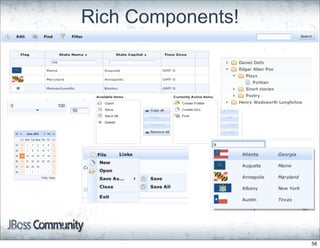
Rich Components!


                   56
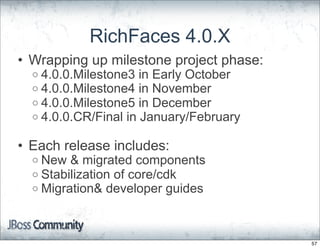
RichFaces 4.0.X
• Wrapping up milestone project phase:
  o 4.0.0.Milestone3 in Early October
  o 4.0.0.Milestone4 in November
  o 4.0.0.Milestone5 in December
  o 4.0.0.CR/Final in January/February


• Each release includes:
  o New & migrated components
  o Stabilization of core/cdk
  o Migration& developer guides


                                         57
How To Get Started
• Project Page: http://richfaces.org

• 4.0 Downloads
  o   http://bit.ly/RF_Milestones

• Maven Integration
  o   http://bit.ly/RF_Maven

• User Wiki/Forums
  o Great for "how to" questions, and information
  o   http://bit.ly/RF_User_Space

• RichFaces Bug Tracker
  o   http://bit.ly/RF_Jira


                                                    58
More Way To Connect
• Project Twitter Account
   o http://twitter.com/richfaces

• Project Calendar
   o http://bit.ly/RF_Calendar

• IRC
   o #richfaces @ irc.freenode.net

• Team Meetings (open to all)
   o http://bit.ly/RF_Team_Mtgs

• Developer Blogs
   o [Jay] http://in.relation.to/Bloggers/Jay
   o [Alex] http://alexsmirnov.wordpress.com/
   o [Ilya] http://www.jroller.com/a4j/


                                                59
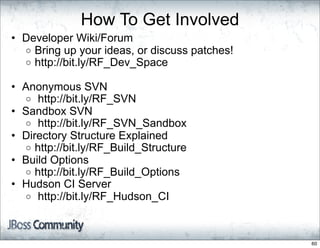
How To Get Involved
• Developer Wiki/Forum
  o Bring up your ideas, or discuss patches!
  o http://bit.ly/RF_Dev_Space

• Anonymous SVN
  o http://bit.ly/RF_SVN
• Sandbox SVN
  o http://bit.ly/RF_SVN_Sandbox
• Directory Structure Explained
  o http://bit.ly/RF_Build_Structure
• Build Options
  o http://bit.ly/RF_Build_Options
• Hudson CI Server
  o http://bit.ly/RF_Hudson_CI


                                               60
Wrap up and Q&A


                  61

A Peek At The Future: Going Beyond JavaServer Faces 2.0 With RichFaces 4

  • 1.
  • 2.
    JSF 2 AndBeyond With RichFaces Jay Balunas Alex Smirnov RichFaces Project Lead RichFaces Architect JBoss, by Red Hat Inc. Exadel Inc. JavaOne September, 2010 2
  • 3.
    Who We Are: •Jay Balunas o RichFaces Project Lead o JBoss Core Developer o http://in.relation.to/Bloggers/Jay o http://twitter.com/tech4j o jbalunas@jboss.org Co-author of the RichFaces Dzone RefCard 3
  • 4.
    • Alexander Smirnov o RichFaces Project Architect o Ajax4Jsf Project Creator o JSR-314 ( JSF 2.0 ) Expert Group Member o http://alexsmirnov.wordpress.com/ o asmirnov@exadel.com 4
  • 5.
    Beyond JSF 2.0with RichFaces • An Introduction • Built in Ajax • Built in Resource Handling • Component Development • Client Side Bean Validation • Project Updates 5
  • 6.
    RichFaces Lighting Review •Ajax enabled component library o 100+ components • Two tag libraries o a4j: Page level ajax support & utility components o rich: Self contained rich components • More than just components: o Skinning & themes o Dynamic resources o Component development kit (CDK) 6
  • 7.
    Beyond JSF 2.0with RichFaces • An Introduction • Built in Ajax • Built in Resource Handling • Component Development • Client Side Bean Validation • Project Updates 7
  • 8.
    JSF 2.0 Builtin Ajax <h:inputText id="name_input" value="#{userBean.name}" /> <f:ajax event="keyup" execute=”@this” render="name_out" /> </h:inputText> <h:outputText id="name_out" value="#{userBean.name}" /> 8
  • 9.
    Ajax Attributes event="keyup" • DOMevent to trigger Ajax request • Default values o ActionSource == "action"  Typically "onclick" o Editable ValueHolders == "valueChange"  Depends on type  ex. "onblur" for inputText 9
  • 10.
    Ajax Attributes Both accept component IDs, or the new keywords execute=”@this” • Components to process on server o validation, model updates, listeners, etc... • Default == "@this" render="name_out" • Components to update on request return • Default == "@none" 10
  • 11.
    JSF 2.0 AjaxKeywords Define a set of component identifiers • No need to explicitly state component IDs @none Smallest to largest scope @this @form @all 11
  • 12.
    RichFaces makes itbetter with... • a4j:region • a4j:outputPanel • a4j:queue • Partial updates for complex components 12
  • 13.
    Ajax Region &Output Panel a4j:region No need to set Set areas of the page to be "execute=x,y,z" processed on the Server! a4j:outputPanel No need to set Set area's of the page to be "render=x,y,z" rendered for any Ajax request! 13
  • 14.
    RichFaces Ajax Region <!--Verify Address as part of a large form --> <a4j:region> <h:inputText id="addr_01" ... /> <h:inputText id="city" ... /> <h:inputText id="state" ... /> <h:inputText id="zip" ... /> ... <h:commandLink action="#{registerBean.verifyAddress}" > <a4j:ajax/> <!--<f:ajax execute="addr_01 city state zip"/>--> </h:commandLink> </a4j:region> 14
  • 15.
    RichFaces Output Panel <!--Will always be updated with any ajax request --> <a4j:outputPanel ajaxRendered="true"> <h:outputText value="Score : #{gameBean.score}" /> </a4j:outputPanel> No need to set "render" attribute 15
  • 16.
    JSF 2.0 RequestQueue • Specification added Ajax requests • Requests need to be queued to preserve state • Good, but limited o Very few options o No client side api • Can lead to traffic jams... 16
  • 17.
    RichFaces Request Queues •Adds a logical queue o Usability & customizations • Options o requestDelay & request grouping o IgnoreDupResponses (in development) • Client side API o <queueObj>.getSize() o <queueObj>.isEmpty() o <queueObj>.set/getQueueOptions() o etc... 17
  • 18.
    RichFaces Request Queues <h:formid="form"> <!-- Queue applied to whole form --> <a4j:queue requestDelay="500"/> <h:inputText id="team1" value="#{gameBean.team1}" /> <a4j:ajax event="keyup" .../> </h:inputText> <h:inputText id="team2" value="#{gameBean.team2}" /> <a4j:ajax event="keyup" .../> </h:inputText> ... </h:form> 18
  • 19.
    RichFaces Request Queues <!--Player lookups are more costly, send less often --> <a4j:queue name="player_queue" requestDelay="1000"/> ... <h:inputText id="player" value="#{gameBean.cur_player}" /> <a4j:ajax event="keyup" ...> <!-- Requests from here will use player_queue --> <a4j:attachQueue name="player_queue"/> </a4j:ajax> </h:inputText> 19
  • 20.
    Partial Updates forComplex Components • RichFaces adds updates within complex components o Table supports: @body, @header, @footer, @row & @cell o Collections of rows Track updates, and render as group o Others, like tree & tabPanel in the future ex. @node, @tab, etc... 20
  • 21.
    Partial Updates forIteration Components <!-- Will render only the body of the table --> <a4j:ajax render="table_id@body"/> <!-- Will render only the current row --> <rich:column> <a4j:commandButton render="@row"/> </rich:column> 21
  • 22.
    Beyond JSF 2.0with RichFaces • An Introduction • Built in Ajax • Built in Resource Handling • Component Development • Client Side Bean Validation • Project Updates 22
  • 23.
    JSF 2.0 LoadingImages <!-- Loads from <web-root>/resources --> <h:graphicImage name="banner.jpeg /> <!-- Loads from /META-INF/resources/site --> <h:graphicImage name="banner.jpeg" library="site"/> <!-- EL notation --> <h:graphicImage value="#{resource['site:banner.jpeg]}" /> 23
  • 24.
    JSF 2.0 LoadingJavaScript & CSS Two new resource components <!-- Loads where you put it --> <h:outputScript name=”project.js”/> <!-- Loads in the <h:head> --> <h:outputScript name=”project.js” target=”head”/> <!-- CSS always loads in <h:head> --> <h:outputStylesheet name=”frontpage.css” library=”site”/> 24
  • 25.
    What if youneed to manipulate resources... 25
  • 26.
    Dynamic Resources in RichFaces • Extends JSF 2.0 resource handler • Used by RichFaces internally o Skinning o CSS with embedded EL o Java2D • Make your own!! o Custom icons with state info o Dynamic CSS & JS 26
  • 27.
    @DynamicResource public class GameAiResourceimplements UserResource{ private boolean easyGame; public InputStream getInputStream() throws IOException { byte[] data; if (easyGame) { data = easyScript; } else{ data = hardScript; } return new ByteArrayInputStream(data); } .... 27
  • 28.
    Now Go GetIt... Define mapping in resource property file: #Maps dynamic resource end-point aiScript=foo.bar.GameAiResource <!-- Retrieved like any other resource --> <h:outputScript name="aiScript"/> 28
  • 29.
    Sending in theParameters... @ResourceParameter protected boolean easyGame; #Create resource mapping easyScript= foo.bar.GameAiResource?easyGame=true <!-- Always returns the easyScript resource --> <h:outputScript name="easyScript"/> 29
  • 30.
    Beyond JSF 2.0with RichFaces • An Introduction • Built in Ajax • Built in Resource Handling • Component Development • Client Side Bean Validation • Project Updates 30
  • 31.
    JSF 2.0 Component Development JSF 2.0 simplifies component development: • New annotations o @FacesComponent, @FacesRenderer o Helper methods, StateHelper • Still necessary to : o Extend UIComponentBase class o Create Renderer  Implement the decode/encode*() methods o Create tag handlers and tag lib files o Component functionality classes o Maintain it all... 31
  • 32.
    JSF 2 ComponentDevelopment ResponseWriter writer = context.getResponseWriter(); assert(writer != null); String formClientId = RenderKitUtils.getFormClientId(command, context); if (formClientId == null) { return; } Just part of CommandLinkRenderer.java //make link act as if it's a button using javascript writer.startElement("a", command); (it's 272 lines total ) writeIdAttributeIfNecessary(context, writer, command); writer.writeAttribute("href", "#", "href"); RenderKitUtils.renderPassThruAttributes(context,writer,command, ATTRIBUTES, getNonOnClickBehaviors(command)); RenderKitUtils.renderXHTMLStyleBooleanAttributes(writer, command); String target = (String) command.getAttributes().get("target"); if (target != null) { target = target.trim(); } else { target = ""; } Collection<ClientBehaviorContext.Parameter> params = getBehaviorParameters(command); RenderKitUtils.renderOnclick(context, command, params, target, true); writeCommonLinkAttributes(writer, command); // render the current value as link text. writeValue(command, writer); 32
  • 33.
    JSF 2.0 CompositeComponents • Reusable, easy to create • Declarative XML language • Create custom components from existing ones Limitations: • Available in Facelets VDL only. • Limited place for custom logic. • Limited ability to process JSF events • Does not help to create Behaviors, Converters, Validators, and EL Functions. For complex components, you still require Java. 33
  • 34.
    JSF 2.0 composite <composite:interface> <composite:attribute name="value" required="false"/> </composite:interface> <composite:implementation> <h:outputText value="#{cc.attrs.value}" style="background-color: yellow"/> </composite:implementation> 34
  • 35.
    RichFaces Component Development Kit • Does much of the leg work for you! • Coding by convention • In the best case you only need two things: o Abstract component class o Renderer template in xml/xhtml • Integrates into your build o Maven-plugin o Java Annotations Processor • IDE support o Standard xml files & schema o Type safe 35
  • 36.
    JSF 2.0 composite <composite:interface> <composite:attribute name="value" required="false"/> </composite:interface> <composite:implementation> <h:outputText value="#{cc.attrs.value}" style="background-color: yellow"/> </composite:implementation> 36
  • 37.
    RichFaces Renderer Template <composite:interface> <!-- <cdk:component-family> org.richfaces.Out </cdk:component-family/> --> <composite:attribute name="value" required="false"/> </composite:interface> <composite:implementation> <div id="#{clientId}" style="background-color: yellow"> #{component.attributes.value} </div> </composite:implementation> 37
  • 38.
    RichFaces Component Development • Abstract component class o Only implement component functionality o CDK will extend it based on:  Annotations  Naming Conventions  Template  Config options • CDK will compile template for renderer o Including concrete component class  Getters/setters, etc.. o Tag handlers, tab lib, and faces-config files 38
  • 39.
    RichFaces Component Development Notlimited to JSF components, but also helps to create: • Converters • Validators • Faces Events/Event Listeners • Behaviors. • Behavior Renderers • compile JavaScript into renderer. • EL Functions • Unit tests • Documentation 39
  • 40.
    Beyond JSF 2.0with RichFaces • An Introduction • Built in Ajax • Built in Resource Handling • Component Development • Client Side Bean Validation • Project Updates 40
  • 41.
    What is BeanValidation • Bean Validation JSR-303 o Part of Java EE6 • Generic, tier independent constraints • Custom, and composition constraints possible • Constraint groups, and object graph validation too • Message localization • Define constraints once, apply everywhere* * Not all the way to the browser 41
  • 42.
    Bean Validation Sample publicclass User { @NotEmpty @Size(max=100) private String loginname; @NotEmpty @Pattern(regexp = "[a-zA-Z0-9]+@[a-zA-Z0-9]+.[a-zA-Z0-9]+") private String email; @NotEmpty @ValidTeam private String team; } 42
  • 43.
    JSF 2.0 BeanValidation Integration Login: <h:inputText id="login" value="#{user.login}"/> <h:message for="login"/> <br/> Email: <h:inputText id="email" value="#{user.email}"/> <h:message for="email"/> <br/> Team: <h:inputText id="team" value="#{user.team}"> <f:validateBean disabled="true"/> </h:inputText> <h:message for="team"/> <br/> 43
  • 44.
    RichFaces Validation • Validateentire object • Takes it to the Client, there possible o Ajax fallback options • Use the same constrains on both sides • JavaScript: o Validation, Converters, Messages • Can be applied to: o Inputs, Commands, Views • Develop you own validators o Client/server JS mapping 44
  • 45.
    RichFaces Object Validation JSFvalidation protects your Model from invalid values: • Get client input as String request parameter. • Convert String to target value class using converter. • Mark value as invalid if string doesn't match ( e.g. characters in the number ). • Verify converted object using Validator. • Model updated only if there are no errors on previous steps. 45
  • 46.
    RichFaces Object Validation JSFvalidation protects your Model from invalid values, but: • it's hard to validate multiply fields together. • JSR-303 graph validator can verify updated model only. 46
  • 47.
    RichFaces Object Validation <rich:graphValidatorvalue="#{passwordBean}"> <h:inputText value="#{passwordBean.password}" /> <h:inputText value="#{passwordBean.retypePassword}" /> </rich:graphValidator> public class PasswordBean implements Cloneable { @Size(min=6) @GoodPassword private String password ; @Size(min=6) private String retypePassword ; @AssertTrue(message="Passwords do not match") public boolean match(){ return password.equals(retypePassword); } 47
  • 48.
    RichFaces Object Validation Whatdoes <rich:graphValidator > do ? 1. clone Bean object instance. 2. If there is no per-field errors, update cloned object with submitted values at the end of PROCESS_VALIDATORS phase. 3. Perform JSR-303 validation on cloned object. Record errors ( if any ) and discard cloned object. 4. Go back to JSF lifecycle there model updated only if all constraint violations passed. 48
  • 49.
    RichFaces Object Validation Limitations: •Model class should properly implement Cloneable interface. • Cannot inquire into EL variable references ( "var" dataTable variable ). 49
  • 50.
    RichFaces Client SideValidation RichFaces 4.0 ( under development ) performs constraint validation on the client side where possible: • Implemented as JSF 2.0 Behavior • Transparent for application developers • Looks up JavaScript version of JSF Converter and Validator. • If client-side version found, performs validation on client with the same constraints as server-side. • Update RichFaces message component directly on the client. • Otherwise, call Java code using AJAX transport. See https://community.jboss.org/wiki/ClientSideValidation 50
  • 51.
    RichFaces Client Validation- Inputs Login: <h:inputText id="login" value="#{user.login}"> <rich:clientValidator event="keyup"/> </h:inputText> <rich:message for="login"/> Email: <h:inputText id="email" value="#{user.email}"> <rich:clientValidator event="keyup"/> </h:inputText> <rich:message for="email"/> 51
  • 52.
    RichFaces Client Validation- Forms <h:form id="register"> Login: <h:inputText id="login" value="#{user.login}"/> <rich:message for="login"/> Email: <h:inputText id="email" value="#{user.email}"/> <rich:message for="email"/> <!-- This will verify when form submitted --> <h:commandButton id="submit" value="Save"> <rich:clientValidator/> </h:commandButton > ...... 52
  • 53.
    Beyond JSF 2.0with RichFaces • An Introduction • Built in Ajax • Built in Resource Handling • Component Development • Client Side Bean Validation • Project Updates 53
  • 54.
    RichFaces 3.3.X • Stableand mature • Community Versions: o Moved into maintenance mode • Enterprise supported versions included with: o Enterprise Application Platform (EAP) o Enterprise Portal Platform (EPP) o Web Framework Kit (WFK) 54
  • 55.
    RichFaces 4.0.X • InDevelopment o Latest Release: 4.0.0.Milestone2 • Complete JSF 2 integration & more... o Custom Behaviors o Dynamic Resource Extensions o Simplified Component Development Kit o Updated skinning o Completely refactored o Design for long term stability and support 55
  • 56.
  • 57.
    RichFaces 4.0.X • Wrappingup milestone project phase: o 4.0.0.Milestone3 in Early October o 4.0.0.Milestone4 in November o 4.0.0.Milestone5 in December o 4.0.0.CR/Final in January/February • Each release includes: o New & migrated components o Stabilization of core/cdk o Migration& developer guides 57
  • 58.
    How To GetStarted • Project Page: http://richfaces.org • 4.0 Downloads o http://bit.ly/RF_Milestones • Maven Integration o http://bit.ly/RF_Maven • User Wiki/Forums o Great for "how to" questions, and information o http://bit.ly/RF_User_Space • RichFaces Bug Tracker o http://bit.ly/RF_Jira 58
  • 59.
    More Way ToConnect • Project Twitter Account o http://twitter.com/richfaces • Project Calendar o http://bit.ly/RF_Calendar • IRC o #richfaces @ irc.freenode.net • Team Meetings (open to all) o http://bit.ly/RF_Team_Mtgs • Developer Blogs o [Jay] http://in.relation.to/Bloggers/Jay o [Alex] http://alexsmirnov.wordpress.com/ o [Ilya] http://www.jroller.com/a4j/ 59
  • 60.
    How To GetInvolved • Developer Wiki/Forum o Bring up your ideas, or discuss patches! o http://bit.ly/RF_Dev_Space • Anonymous SVN o http://bit.ly/RF_SVN • Sandbox SVN o http://bit.ly/RF_SVN_Sandbox • Directory Structure Explained o http://bit.ly/RF_Build_Structure • Build Options o http://bit.ly/RF_Build_Options • Hudson CI Server o http://bit.ly/RF_Hudson_CI 60
  • 61.