Solr
What is it?
•   Text search index (engine)
•   Open source
•   Not a search product
•   A tool that allows you to create a search
    solution
What is it like?
•   Google, Google Appliance.
•   FAST
•   Oracle Secure Enterprise Search
•   etc.
Google Appliance:
•   Sucks data in
•   Can’t really configure
•   Stuck with results
•   Bonnet is locked
Solr:
•   You need to feed data in
•   Highly configurable
•   Search results can be tuned
•   There is no bonnet
Why am I doing a talk?
•   Did a course
•   LucidWorks content
•   Presented by FindWise
•   FindWise are a search specialist that use a
    range of search engines
Caveats
• Course was in Solr 4.1.0, we use 3.6.1 for
  APVMA
• Course focussed on search, not ingestion or
  presentation
• Java API recommended for ingestion
• ‘Browse’ interface uses Velocity templates for
  presentation, but probably isn’t good enough
  for most projects.
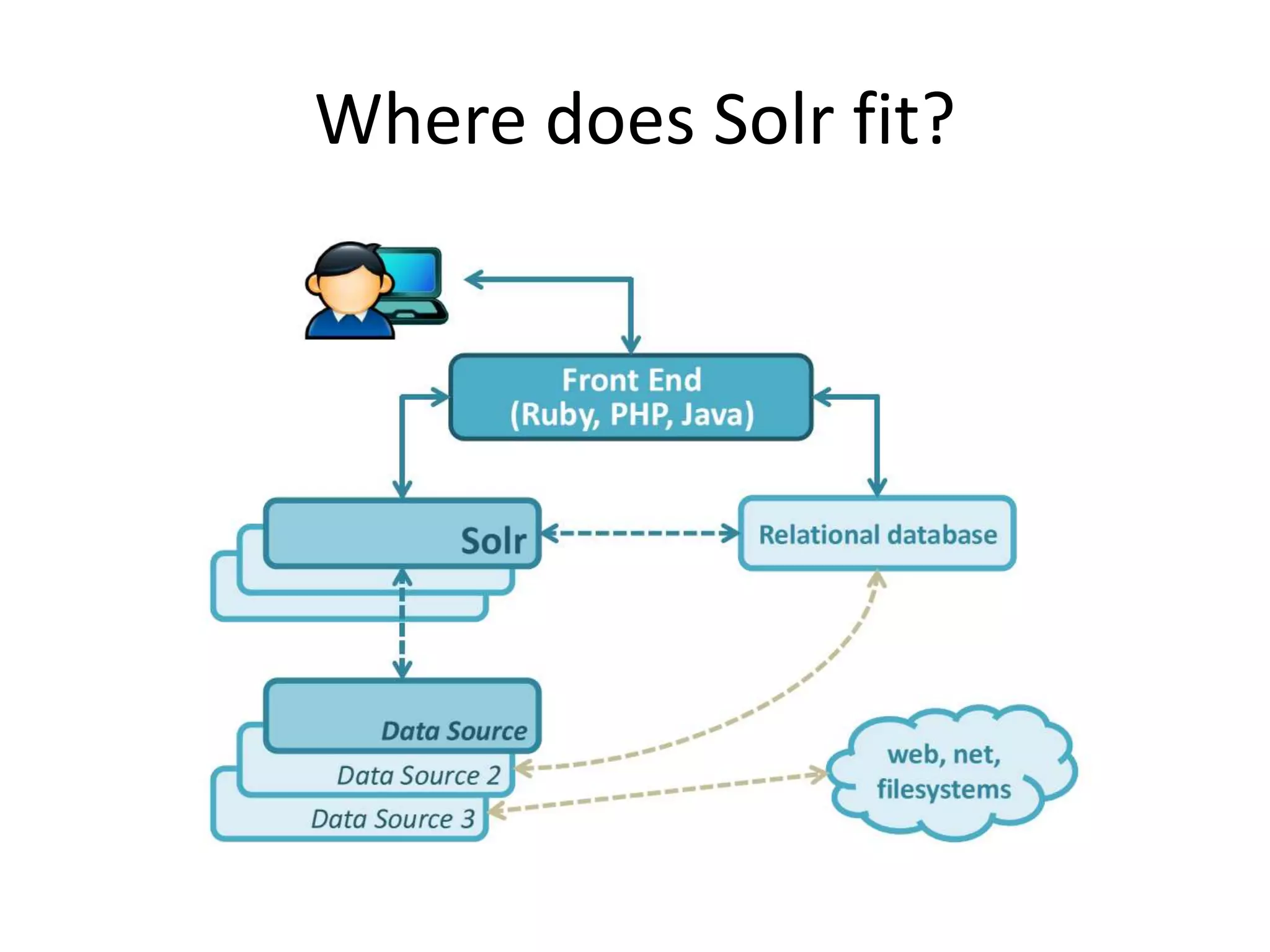
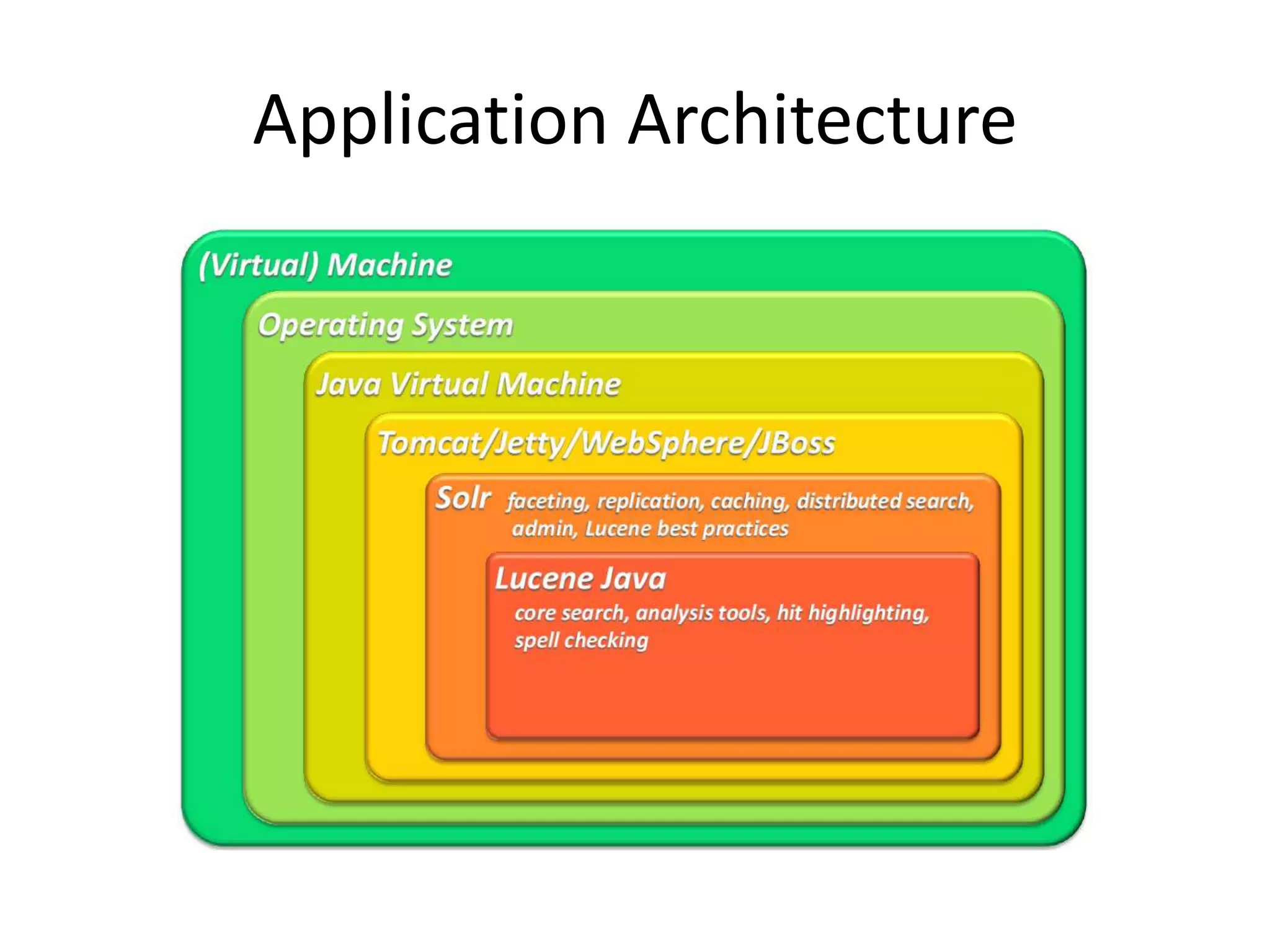
Where does Solr fit?
Application Architecture
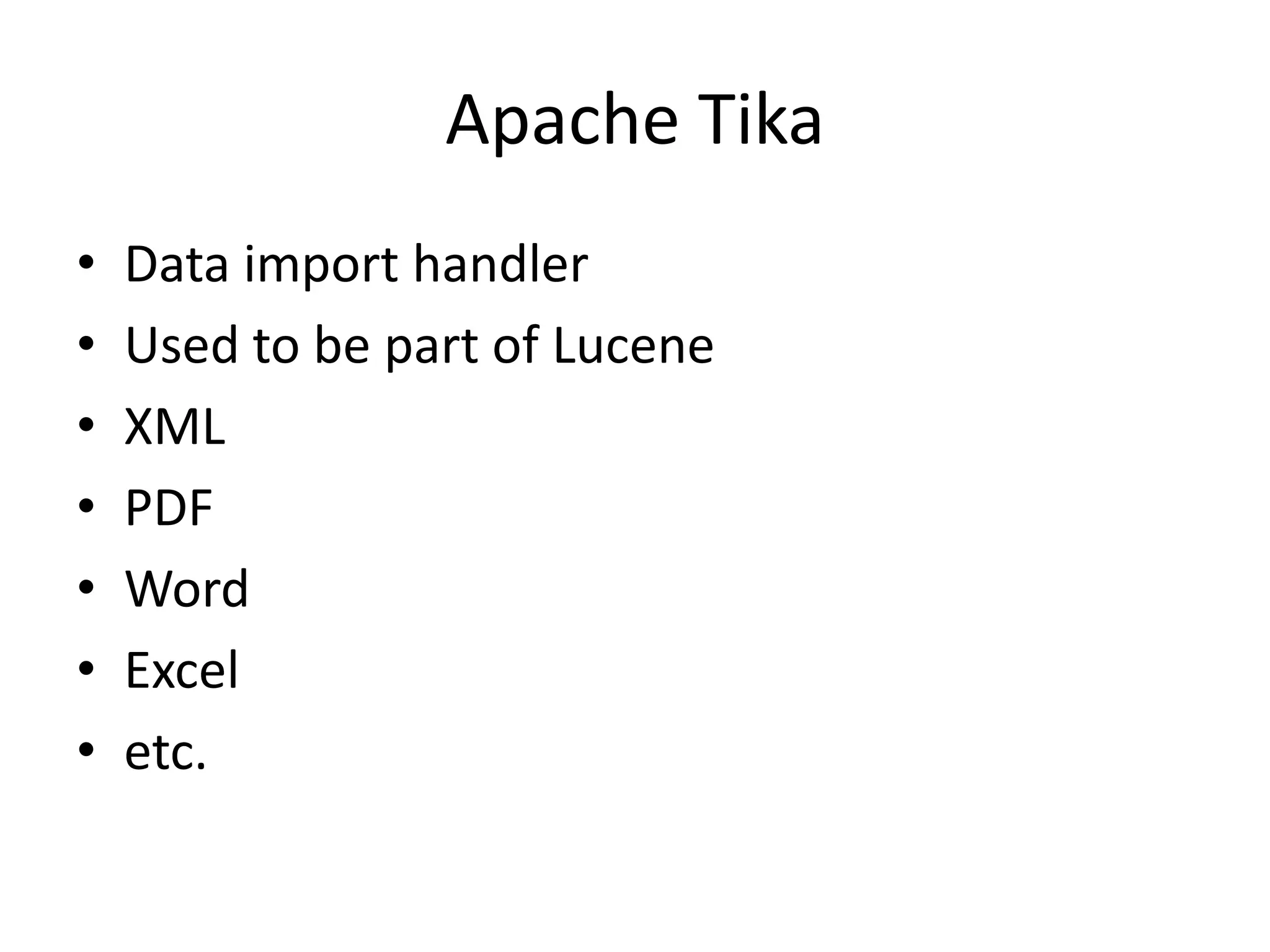
Apache Tika
•   Data import handler
•   Used to be part of Lucene
•   XML
•   PDF
•   Word
•   Excel
•   etc.
Manifold CF
•   Apache
•   Connector framework
•   Used to connect to content repositories (source)
•   Sharepoint
•   Documentum
•   CMIS
•   JDBC
•   RSS
Hydra
• FindWise
• Although Solr supports validation (e.g.
  ‘required’), don’t use it for data cleanup.
• Validation failure inconvenient: whole job fails
• Feed in clean data.
• Use Hydra for cleanup.
Apache ZooKeeper
•   Used for SolrCloud
•   Clustering and sharding
•   Solr 4.1.0 only
•   Side project for Hadoop
•   Used to manage Hadoop clusters
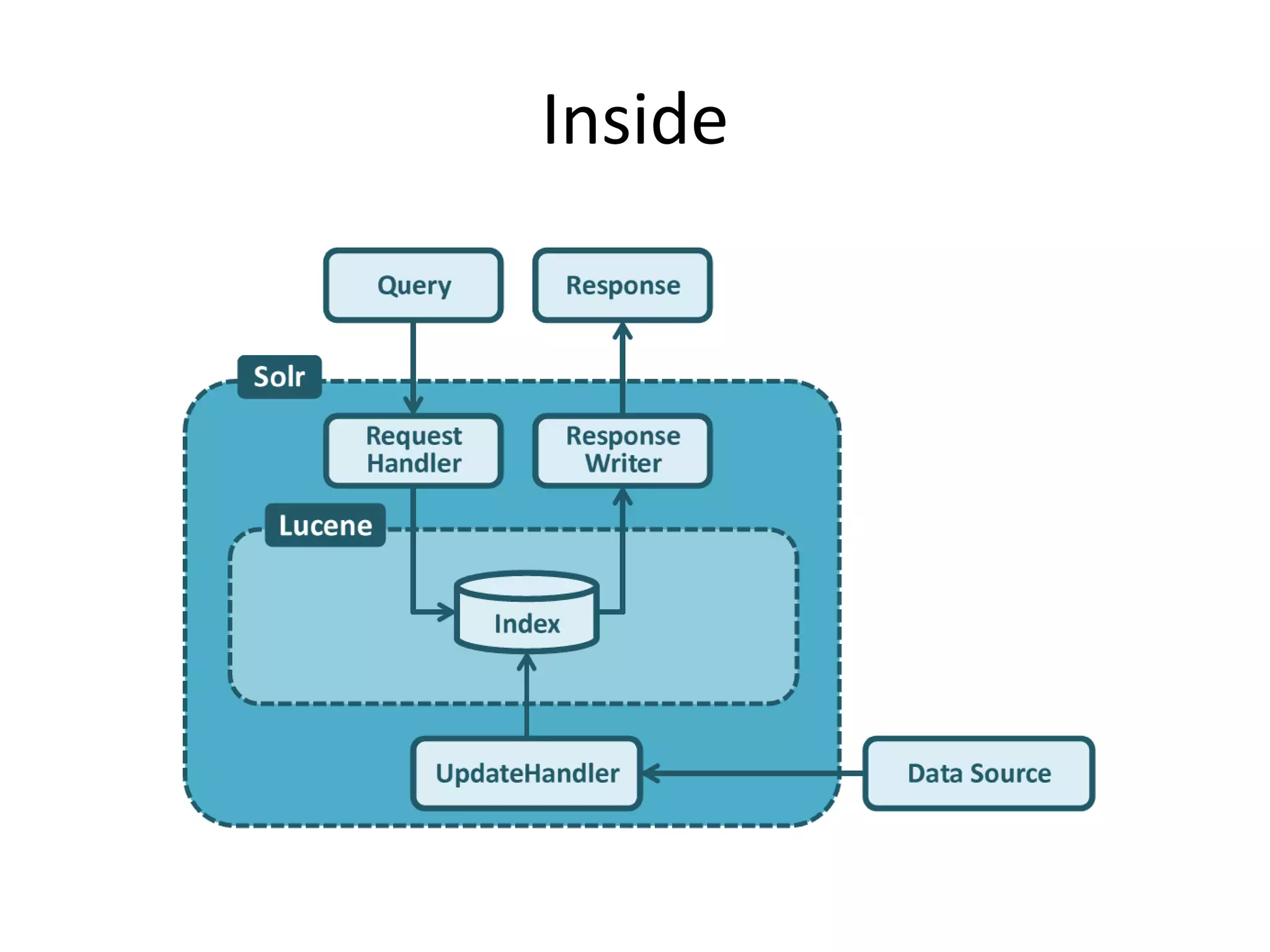
Inside
General Approach
• Design schema
• Prototyping
• Integration
Design Schema
• A data modelling exercise
• schema.xml
• Dynamic fields can be useful in the first pass:
  <dynamicField name=“*" type="string"
  indexed="true" />
Prototyping
• Get the data in (index)
• csv, XML, JSON
• post.jar
• URL to search and inspect raw results
• ‘browse’ interface allows developer to
  understand how the search is working
• solrconfig.xml
Integration
•   Not covered
•   Content ingestion
•   Presentation of results
•   Up to you…
Demo

Solr

  • 1.
  • 2.
    What is it? • Text search index (engine) • Open source • Not a search product • A tool that allows you to create a search solution
  • 3.
    What is itlike? • Google, Google Appliance. • FAST • Oracle Secure Enterprise Search • etc.
  • 4.
    Google Appliance: • Sucks data in • Can’t really configure • Stuck with results • Bonnet is locked
  • 5.
    Solr: • You need to feed data in • Highly configurable • Search results can be tuned • There is no bonnet
  • 6.
    Why am Idoing a talk? • Did a course • LucidWorks content • Presented by FindWise • FindWise are a search specialist that use a range of search engines
  • 7.
    Caveats • Course wasin Solr 4.1.0, we use 3.6.1 for APVMA • Course focussed on search, not ingestion or presentation • Java API recommended for ingestion • ‘Browse’ interface uses Velocity templates for presentation, but probably isn’t good enough for most projects.
  • 8.
  • 9.
  • 10.
    Apache Tika • Data import handler • Used to be part of Lucene • XML • PDF • Word • Excel • etc.
  • 11.
    Manifold CF • Apache • Connector framework • Used to connect to content repositories (source) • Sharepoint • Documentum • CMIS • JDBC • RSS
  • 12.
    Hydra • FindWise • AlthoughSolr supports validation (e.g. ‘required’), don’t use it for data cleanup. • Validation failure inconvenient: whole job fails • Feed in clean data. • Use Hydra for cleanup.
  • 13.
    Apache ZooKeeper • Used for SolrCloud • Clustering and sharding • Solr 4.1.0 only • Side project for Hadoop • Used to manage Hadoop clusters
  • 14.
  • 15.
    General Approach • Designschema • Prototyping • Integration
  • 16.
    Design Schema • Adata modelling exercise • schema.xml • Dynamic fields can be useful in the first pass: <dynamicField name=“*" type="string" indexed="true" />
  • 17.
    Prototyping • Get thedata in (index) • csv, XML, JSON • post.jar • URL to search and inspect raw results • ‘browse’ interface allows developer to understand how the search is working • solrconfig.xml
  • 18.
    Integration • Not covered • Content ingestion • Presentation of results • Up to you…
  • 19.